A subscription app is not a paywall bolted to an app. It is five separate systems that have to agree with each other, and most launch problems trace back to one of them being missing.
Here they are, with the specific failure each one prevents. If you are scoping a build, this is the part that is usually under-quoted.
1. Entitlement — “has this person paid?”
The single most important question your app asks, and the one most likely to be answered badly.
The naive version stores a flag on the device after purchase. It breaks the first time a user installs on a second device, restores a backup, or reinstalls after your app crashes on their phone.
What it needs to be: a server-side record keyed to an account, checked on launch and cached with an expiry, so the answer survives reinstalls and works across devices.
The failure it prevents: a paying customer opening your app on a new phone and being asked to pay again. That is a refund request, a one-star review, and a support ticket in the same afternoon.
The related trap: validating receipts on the device. A client-side check can be bypassed. Validate server-side against the store, and treat the store’s response as the truth.
This is the layer where RevenueCat, Adapty and Superwall live. Building it yourself is possible; the question is whether entitlement plumbing is where you want your budget going.
2. A paywall you can change without shipping
Your first paywall will be wrong. Not because you designed it badly — because pricing is empirical.
If the paywall is hardcoded, every change is a release, which is a review cycle, which on iOS is a day or more and on Android is a staged rollout. You will test perhaps four variants a year.
What it needs to be: driven by remote configuration. Prices, copy, layout and which plan is highlighted all come from a server so you can change them in an afternoon.
The failure it prevents: shipping a build to move a button. Teams that can test their paywall weekly learn more in a quarter than teams that ship it once.
3. Attribution — “where did this subscriber come from?”
Without it you know your spend and your revenue but not which spend produced which revenue.
What it needs to be: an attribution SDK linking install -> trial -> conversion back to a campaign, and surviving the fact that Apple’s App Tracking Transparency means many users decline tracking.
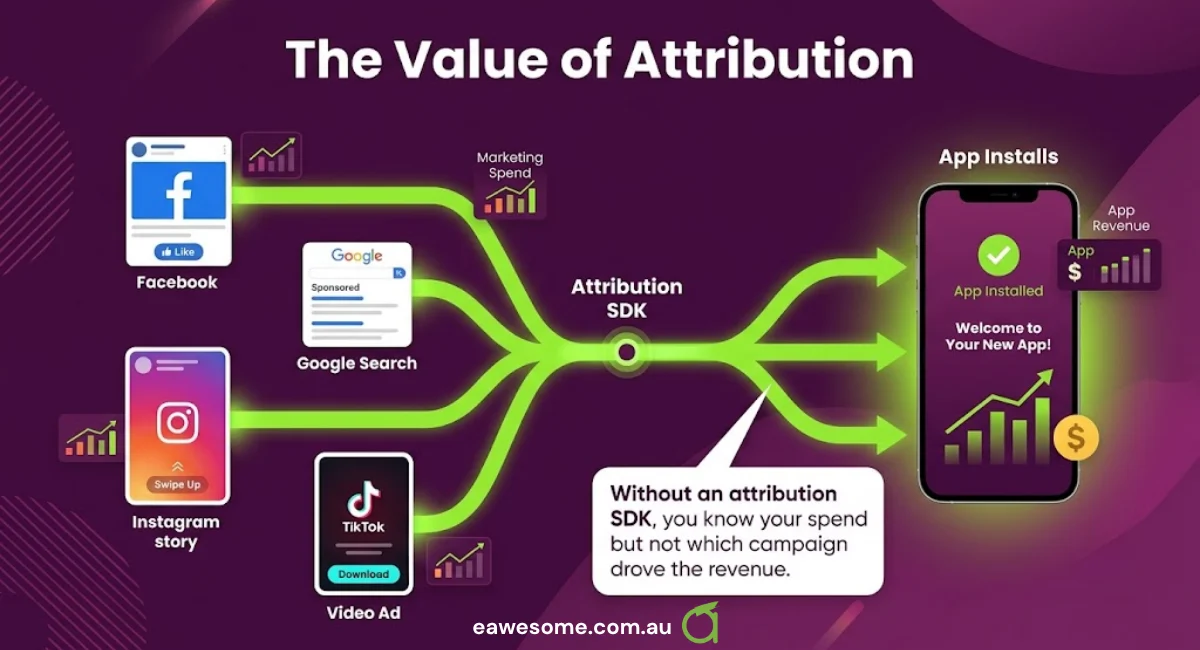
The failure it prevents: spending money on acquisition with no way to tell which channel worked. This is the most common reason a marketing budget produces nothing learnable.
The Australian complication: if you run ads and collect personal information, the Privacy Act applies. Attribution SDKs collect device-level data and your privacy policy has to describe it. Check what the SDK sends before you ship it, not after.
4. Push notifications — done as lifecycle, not broadcast
Every app adds push. Most use it as a megaphone and get muted.
For subscriptions the valuable messages are transactional and lifecycle: trial ending in two days, payment failed and here is the one tap that fixes it, subscription lapsed but the data is still here.
The failure it prevents: involuntary churn. A meaningful share of subscription cancellations are not decisions — they are expired cards. A well-timed billing-retry notification recovers subscribers you had already earned.
Ask before you build: does the push service integrate with your entitlement provider, so you can target people whose payment failed yesterday rather than everyone? If it cannot segment on subscription state, it is a megaphone.
5. Crash and error reporting
Uncontroversial, and still skipped.
What it needs to be: automatic crash capture with stack traces, tied to app version and OS version, alerting on a spike.
The failure it prevents: learning from a review that your app crashes on launch for a specific Android version. Store reviews are a terrible bug tracker — slow, vague, and public.
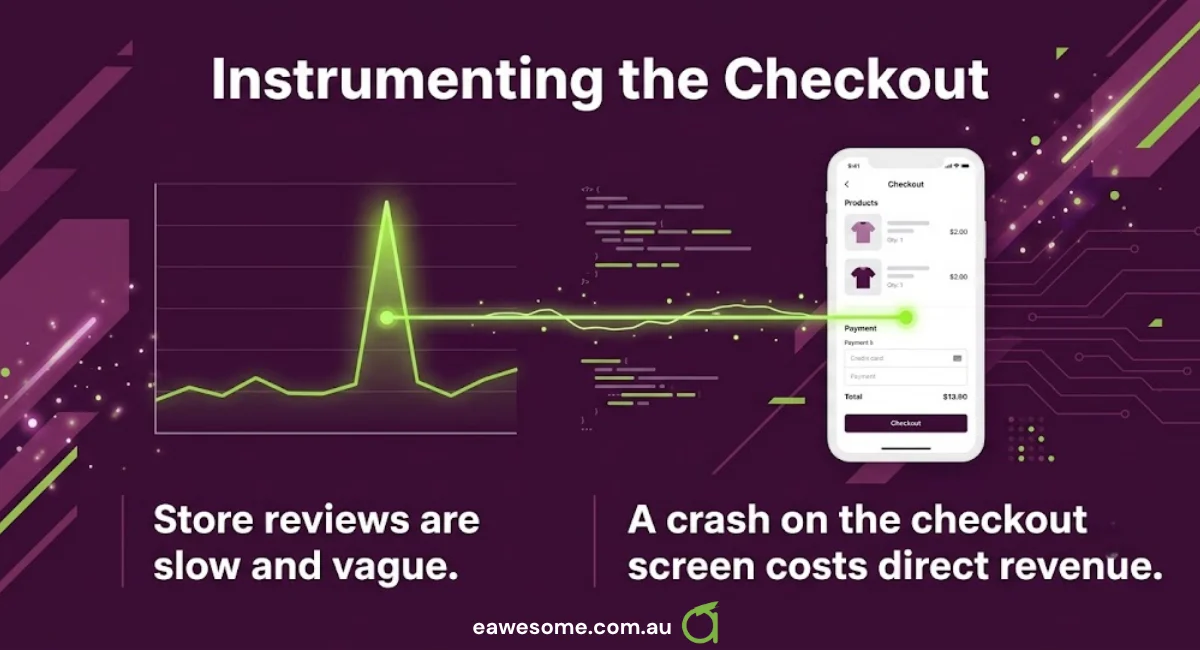
The subscription-specific version: instrument the purchase flow itself. A crash on the checkout screen costs revenue directly, and it will not look like your worst crash by volume — only by consequence.
The order to build them
- Entitlement — nothing else matters if you cannot tell who paid.
- Crash reporting — before launch, always. It is an afternoon.
- Remote paywall — before you start acquisition spend, or you cannot learn from it.
- Attribution — when you begin paid acquisition, not before.
- Lifecycle push — once you have enough subscribers for churn to be a number rather than an anecdote.
Teams commonly do this in reverse — push first, because it is visible; entitlement last, because it is invisible until it fails.
What this means for a quote
If someone quotes you a subscription app and the estimate contains a paywall screen but no entitlement service, no remote config and no crash reporting, the quote is not wrong about the screen. It is missing the parts that make the screen operable.
That is not always dishonesty. It is often that the app was scoped as a build rather than as something that has to be run for years.
Ask any prospective developer these five questions. The answers will tell you quickly whether they have shipped a subscription app or only an app.
Working through a build?
We build and run subscription apps for Australian businesses, including the unglamorous layers above — which is where most of the post-launch work actually is. If you have a build scoped and want a second read on what is missing, send us the scope. If it is complete, we will say so.
Talk to a Sydney app developer — free.
30 minutes. We'll tell you what your app needs, how long it takes, and what it costs. Real answers, no sales pitch.
Book Free App Strategy Call →Free · 30 minutes · No obligation