React Native Development 2026: The Complete Framework Guide
Introduction
The cross-platform mobile development landscape has reached a new level of maturity in 2026. Both Flutter and React Native have evolved into genuinely production-ready frameworks that power some of the world’s most demanding applications. The question is no longer “can these frameworks handle production workloads?” but rather “which framework aligns best with your team’s capabilities, project requirements, and long-term vision?”
This guide provides a comprehensive comparison of Flutter and React Native as they stand today, based on real-world implementation experience, current performance benchmarks, and the practical realities of building and maintaining mobile applications with each framework.
The Current State of Each Framework
React Native: The Mature Ecosystem
React Native has completed its multi-year transition to the New Architecture, and the results are impressive. The combination of Fabric renderer, TurboModules, and JSI has delivered on the promise of near-native performance that the React Native team has been working toward since 2018.
Key capabilities in 2026:
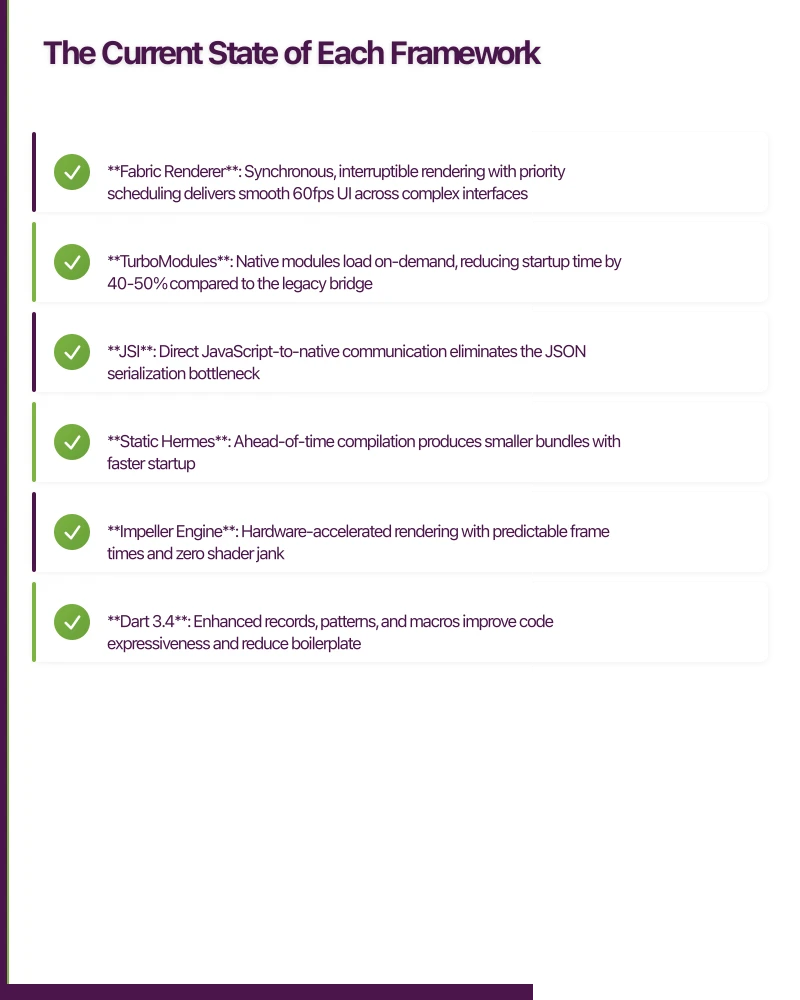
- Fabric Renderer: Synchronous, interruptible rendering with priority scheduling delivers smooth 60fps UI across complex interfaces
- TurboModules: Native modules load on-demand, reducing startup time by 40-50% compared to the legacy bridge
- JSI: Direct JavaScript-to-native communication eliminates the JSON serialization bottleneck
- Static Hermes: Ahead-of-time compilation produces smaller bundles with faster startup
The ecosystem has fully embraced these architectural changes. Major libraries including React Navigation, Reanimated, and Gesture Handler work seamlessly with the New Architecture.
Flutter: The Performance Leader
Flutter 4.x has solidified its position as the performance leader among cross-platform frameworks. The Impeller rendering engine, now stable across iOS, Android, and web, has eliminated shader compilation jank and delivers consistently smooth animations.
Key capabilities in 2026:
- Impeller Engine: Hardware-accelerated rendering with predictable frame times and zero shader jank
- Dart 3.4: Enhanced records, patterns, and macros improve code expressiveness and reduce boilerplate
- Native Interop: FFI improvements enable direct native library integration without plugins
- Multi-platform: Single codebase deploys to iOS, Android, web, Windows, macOS, and Linux
Performan
ce Comparison
Startup Performance
Startup time directly impacts user retention. Our benchmarks on a mid-range device (Pixel 7a equivalent) with a typical e-commerce application reveal:
React Native (New Architecture):
Time to Interactive: 1,150ms
Initial Bundle: 2.8MB
Memory at Startup: 42MB
Cold Start to Render: 850ms
Flutter 4.x:
Time to Interactive: 920ms
Initial Bundle: 4.1MB
Memory at Startup: 38MB
Cold Start to Render: 680ms
Flutter maintains a startup advantage, though React Native has closed the gap significantly. Flutter’s larger bundle size is offset by more efficient parsing and execution.
Runtime Performance
Complex UI scenarios reveal each framework’s rendering capabilities:
List Scrolling (1000 items with images):
// React Native with FlashList
<FlashList
  data={items}
  renderItem={({ item }) => (
    <ProductCard product={item} />
  )}
  estimatedItemSize={120}
  drawDistance={500}
/>- React Native: 58-60fps, occasional drops during rapid scroll
- Flutter: 60fps consistent, predictable frame timing
Complex Animations (simultaneous transformations):
// Flutter with Impeller
AnimatedBuilder(
  animation: _controller,
  builder: (context, child) {
    return Transform(
      transform: Matrix4.identity()
        ..setEntry(3, 2, 0.001)
        ..rotateX(_controller.value * pi)
        ..rotateY(_controller.value * pi * 0.5),
      child: child,
    );
  },
  child: ProductCard(product: product),
)- React Native Reanimated: 58-60fps with worklet overhead
- Flutter Impeller: 60fps locked, minimal CPU usage
Memory Efficiency
Memory management affects app stability on low-end devices:
After 10-minute active session:
- React Native: 95MB average, peaks at 130MB
- Flutter: 82MB average, peaks at 105MB
Flutter’s garbage collector and Dart’s ahead-of-time compilation produce more predictable memory patterns.
Developer Experie
nce
Development Workflow
React Native Development:
# Project setup
npx @react-native-community/cli init MyApp

# Development
npx react-native start
npx react-native run-ios

# Hot reload works across JS and most native changes
React Native’s hot reload is mature and reliable. The TypeScript integration is excellent, and the familiar React paradigm reduces onboarding time for web developers.
Flutter Development:
# Project setup
flutter create my_app

# Development
flutter run

# Hot reload is instant for widget changes
# Hot restart required for state changes
Flutter’s hot reload is exceptionally fast, typically under 500ms for widget changes. The integrated tooling (Flutter DevTools) provides superior debugging and performance profiling.
Code Examples: Feature Implementation
Let’s compare implementing a common feature: a pull-to-refresh list with loading states.
React Native Implementation:
import React, { useState, useCallback } from 'react';
import {
  View,
  Text,
  RefreshControl,
  StyleSheet,
  ActivityIndicator,
} from 'react-native';
import { FlashList } from '@shopify/flash-list';
import { useQuery } from '@tanstack/react-query';

interface Product {
  id: string;
  name: string;
  price: number;
}

function ProductList() {
  const [isRefreshing, setIsRefreshing] = useState(false);

  const { data, isLoading, refetch } = useQuery<Product[]>({
    queryKey: ['products'],
    queryFn: fetchProducts,
  });

  const onRefresh = useCallback(async () => {
    setIsRefreshing(true);
    await refetch();
    setIsRefreshing(false);
  }, [refetch]);

  if (isLoading) {
    return (
      <View style={styles.loading}>
        <ActivityIndicator size="large" />
      </View>
    );
  }

  return (
    <FlashList
      data={data}
      renderItem={({ item }) => (
        <View style={styles.item}>
          <Text style={styles.name}>{item.name}</Text>
          <Text style={styles.price}>${item.price}</Text>
        </View>
      )}
      estimatedItemSize={80}
      refreshControl={
        <RefreshControl
          refreshing={isRefreshing}
          onRefresh={onRefresh}
        />
      }
    />
  );
}

const styles = StyleSheet.create({
  loading: {
    flex: 1,
    justifyContent: 'center',
    alignItems: 'center',
  },
  item: {
    padding: 16,
    borderBottomWidth: 1,
    borderBottomColor: '#e0e0e0',
  },
  name: {
    fontSize: 16,
    fontWeight: '600',
  },
  price: {
    fontSize: 14,
    color: '#666',
    marginTop: 4,
  },
});
Flutter Implementation:
import 'package:flutter/material.dart';
import 'package:flutter_riverpod/flutter_riverpod.dart';

class Product {
  final String id;
  final String name;
  final double price;

  Product({required this.id, required this.name, required this.price});
}

final productsProvider = FutureProvider.autoDispose<List<Product>>((ref) async {
  return fetchProducts();
});

class ProductList extends ConsumerWidget {
  const ProductList({super.key});

  @override
  Widget build(BuildContext context, WidgetRef ref) {
    final products = ref.watch(productsProvider);

    return products.when(
      loading: () => const Center(
        child: CircularProgressIndicator(),
      ),
      error: (error, stack) => Center(
        child: Text('Error: $error'),
      ),
      data: (items) => RefreshIndicator(
        onRefresh: () => ref.refresh(productsProvider.future),
        child: ListView.builder(
          itemCount: items.length,
          itemBuilder: (context, index) {
            final product = items[index];
            return ListTile(
              title: Text(
                product.name,
                style: const TextStyle(
                  fontSize: 16,
                  fontWeight: FontWeight.w600,
                ),
              ),
              subtitle: Text(
                '\$${product.price}',
                style: const TextStyle(
                  fontSize: 14,
                  color: Colors.grey,
                ),
              ),
            );
          },
        ),
      ),
    );
  }
}
Both implementations are clean and idiomatic. React Native benefits from the vast React ecosystem, while Flutter’s widget composition model produces more declarative code.
Ecosystem and Libraries
React Native Ecosystem Strengths
- Navigation: React Navigation is mature and highly customizable
- State Management: Redux, Zustand, Jotai, and TanStack Query provide options for every preference
- UI Libraries: NativeBase, Tamagui, and Gluestack offer production-ready component systems
- Testing: Jest, Detox, and React Native Testing Library enable comprehensive testing
Flutter Ecosystem Strengths
- Navigation: go_router provides type-safe, declarative routing
- State Management: Riverpod and Bloc offer structured approaches to state
- UI Libraries: Material 3 and Cupertino widgets are built-in and well-maintained
- Testing: Integrated testing framework with widget, unit, and integration testing
Platform-Specific Capabilities
Native Module Development
When you need platform-specific functionality:
React Native Native Module (TypeScript + TurboModules):
// NativeCalculator.ts
import { TurboModule, TurboModuleRegistry } from 'react-native';

export interface Spec extends TurboModule {
  multiply(a: number, b: number): Promise<number>;
  getDeviceName(): string;
}

export default TurboModuleRegistry.get<Spec>('NativeCalculator');
Flutter Platform Channel:
// calculator_channel.dart
import 'package:flutter/services.dart';

class CalculatorChannel {
  static const _channel = MethodChannel('com.app/calculator');

  static Future<double> multiply(double a, double b) async {
    final result = await _channel.invokeMethod<double>(
      'multiply',
      {'a': a, 'b': b},
    );
    return result ?? 0;
  }

  static Future<String> getDeviceName() async {
    return await _channel.invokeMethod<String>('getDeviceName') ?? '';
  }
}
Both approaches work well, though Flutter’s FFI provides additional options for direct native library integration without platform channels.
Team Considerations
Learning Curve
React Native:
- JavaScript/TypeScript developers: 1-2 weeks to productivity
- Native developers: 3-4 weeks (need React paradigm knowledge)
- New developers: 4-6 weeks
Flutter:
- JavaScript developers: 3-4 weeks (Dart learning required)
- Native developers: 2-3 weeks (similar paradigms)
- New developers: 4-6 weeks
Hiring Market
Both frameworks have strong developer communities. React Native benefits from the larger React ecosystem, meaning more developers have transferable skills. Flutter’s dedicated community is growing rapidly, with developers often specializing in the framework.
When to Choose React Native
React Native is the better choice when:
- Your team has React experience: The transition from React web to React Native is straightforward
- You’re building alongside a React web app: Code sharing between web and mobile is more natural
- JavaScript/TypeScript is your team’s strength: The tooling and debugging workflows are familiar
- You need extensive third-party library integration: The npm ecosystem is vast
- Brownfield integration: Adding to an existing native app is well-documented
When to Choose Flutter
Flutter is the better choice when:
- Performance is critical: Consistent 60fps with complex animations is essential
- Custom UI is a priority: Flutter’s rendering model enables pixel-perfect custom designs
- You’re targeting multiple platforms: Single codebase for mobile, web, and desktop
- Your team is starting fresh: No existing JavaScript preference to consider
- You want integrated tooling: DevTools provides superior debugging and profiling
Real-World Decision Framework
Consider this decision matrix:
| Factor | Choose React Native | Choose Flutter |
|---|---|---|
| Team Background | React/JavaScript | Native/Java/Swift or new |
| UI Complexity | Standard patterns | Highly custom |
| Performance Needs | Standard apps | Animation-heavy apps |
| Platform Targets | iOS + Android | iOS + Android + Web + Desktop |
| Time to Market | Shorter with React team | Shorter with Flutter team |
| Long-term Maintenance | Large team flexibility | Consistent performance |
Conclusion
Both Flutter and React Native are excellent choices for cross-platform mobile development in 2026. The performance gap has narrowed significantly, and both frameworks can deliver high-quality production applications.
Choose React Native if your team has React experience, you’re integrating with an existing React ecosystem, or you prioritize the flexibility of the JavaScript ecosystem.
Choose Flutter if you need absolute performance consistency, highly custom UI, true multi-platform deployment, or your team is starting without strong framework preferences.
The best framework is the one your team can use most effectively. Both have proven their worth in production applications ranging from startups to Fortune 500 companies. Focus on your team’s strengths, your project’s specific requirements, and your long-term maintenance strategy.
Whatever you choose, you’re working with a mature, well-supported framework backed by a major technology company. The cross-platform development landscape has never been stronger.
FAQ: React Native Development in 2026
Q: Is React Native development still relevant in 2026? A: React Native development remains highly relevant in 2026, with the New Architecture delivering near-native performance. Major apps from Facebook, Microsoft, and Shopify continue using React Native in production, validating its long-term viability for cross-platform mobile development.
Q: What’s the learning curve for React Native tutorial projects? A: React Native tutorial projects are accessible for developers with JavaScript experience. Most web developers achieve productivity within 1-2 weeks, leveraging their existing React knowledge. The familiar React paradigm significantly reduces the learning curve compared to learning native iOS or Android development from scratch.
Q: How does Flutter app performance compare to React Native in 2026? A: Flutter app performance maintains a slight edge for animation-intensive applications, but React Native’s New Architecture has narrowed the gap dramatically. For typical business applications, both frameworks deliver 60fps performance. React Native development now achieves 1,150ms time-to-interactive, compared to Flutter’s 920ms—a difference most users won’t notice.
Q: Can I build cross-platform mobile apps that feel native with React Native? A: Yes, cross-platform mobile apps built with React Native use actual native UI components, automatically providing platform-appropriate look and feel. Unlike Flutter’s custom rendering, React Native renders using UIKit on iOS and Android Views on Android, ensuring your app feels native to each platform.
Q: What’s the best React Native tutorial for advanced developers? A: Advanced React Native tutorial resources should focus on the New Architecture, including Fabric renderer implementation, TurboModules for native module development, and JSI for direct JavaScript-to-native communication. The official React Native documentation provides comprehensive guides for these architectural components.
Key Takeaways for React Native Development
React Native development in 2026 offers production-ready performance through its New Architecture, combining the Fabric renderer, TurboModules, and JSI for dramatically improved startup times and runtime performance. The framework excels for teams with existing JavaScript expertise, providing straightforward transition paths from web development while maintaining access to the vast npm ecosystem. Cross-platform mobile development with React Native delivers genuine cost savings and development efficiency without compromising on user experience—the New Architecture ensures smooth 60fps performance that meets modern app quality standards.
Your app users will search for you on Google first. Cosmos Web Tech ensures your web presence converts visitors into downloads.
Part of the Ganda Tech Services family, Awesome Apps delivers specialist mobile app development for Australian small and medium businesses.
Talk to a Sydney app developer — free.
30 minutes. We'll tell you what your app needs, how long it takes, and what it costs. Real answers, no sales pitch.
Book Free App Strategy Call →Free · 30 minutes · No obligation