App Store Review Guidelines 2025: How to Get Your iOS App Approved Fast
The App Store review process stands between your finished app and your users. Apple reviews over 100,000 app submissions weekly, with an average review time of 24-48 hours for compliant apps. Understanding the guidelines and preparing your submission properly can significantly improve your approval odds and reduce costly resubmissions.
This comprehensive guide covers the 6 most common rejection reasons (responsible for 80% of rejections), proven strategies to address them proactively, and expert tips for navigating the review process efficiently.
Understanding the Review Process
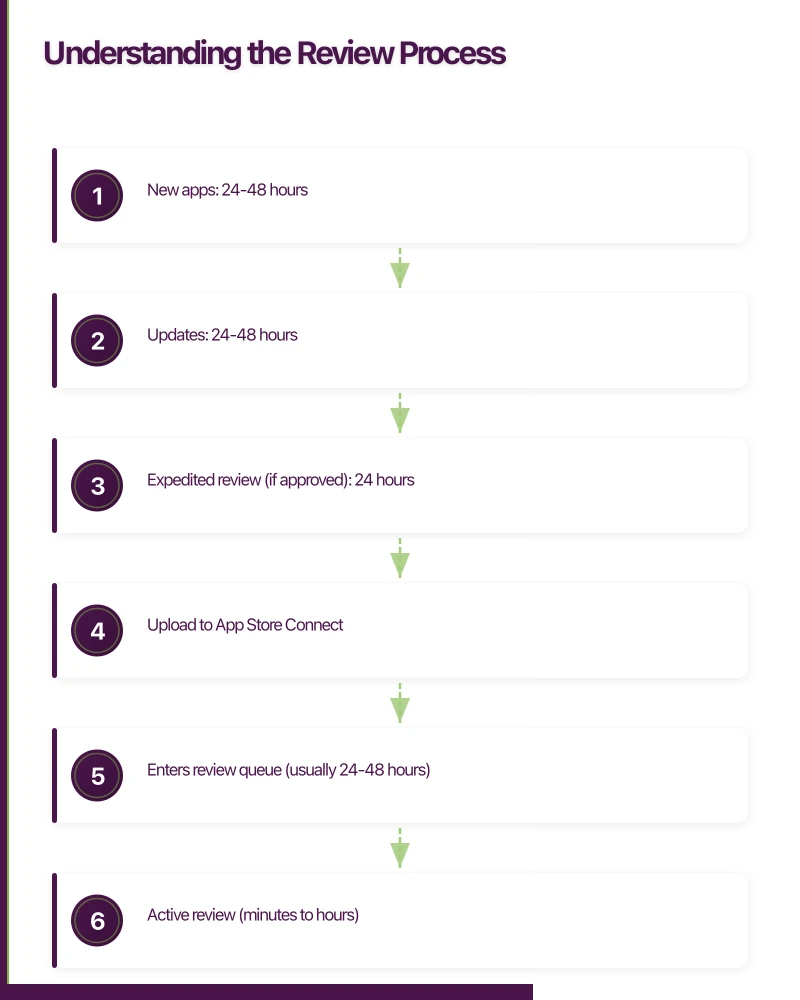
How App Review Works
Apple’s App Review team evaluates every app submission against the App Store Review Guidelines. The process typically involves:
Submission Timeline:
1. Upload to App Store Connect
2. Enters review queue (usually 24-48 hours)
3. Active review (minutes to hours)
4. Decision: Approved, Rejected, or Needs More Information

Average review times:
- New apps: 24-48 hours
- Updates: 24-48 hours
- Expedited review (if approved): 24 hours
Review Criteria Categories
The guidelines cover five main areas:
- Safety: User privacy, data handling, harmful content
- Performance: App completeness, bugs, resource usage
- Business: Payments, subscriptions, business practices
- Design: UI quality, platform conventions
- Legal: Intellectual property, compliance
Most Common Rejecti
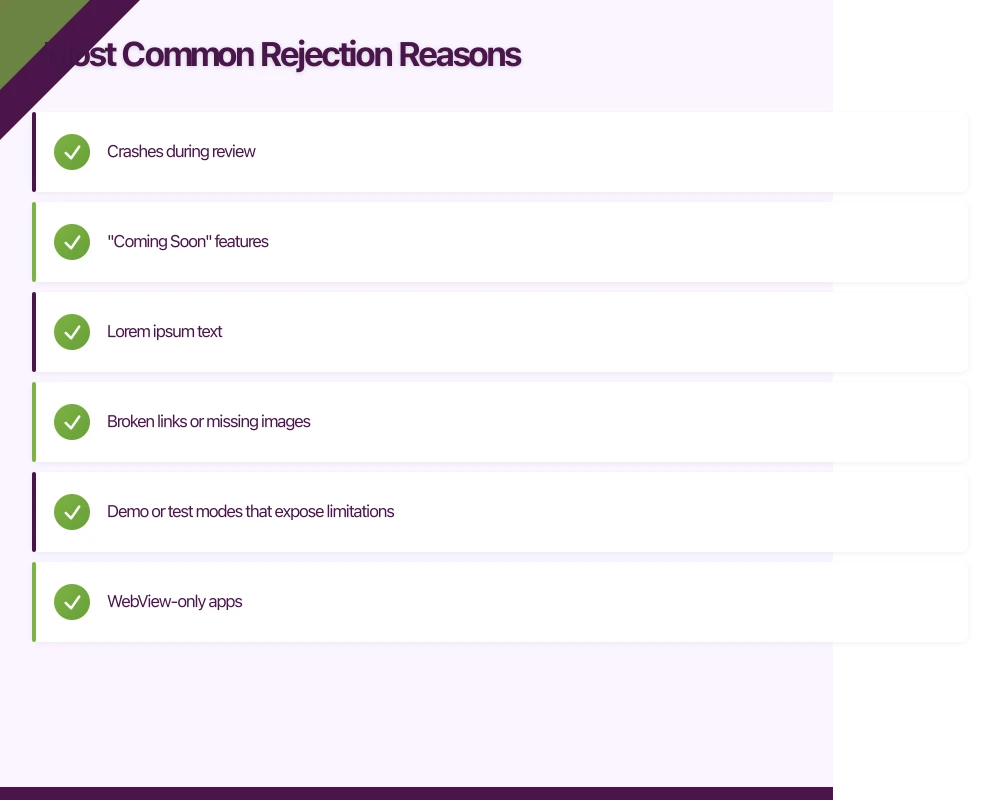 on Reasons
1. Guideline 2.1 - App Completeness
The Issue: Apps that crash, have incomplete features, or include placeholder content.
Common Triggers:
- Crashes during review
- “Coming Soon” features
- Lorem ipsum text
- Broken links or missing images
- Demo or test modes that expose limitations
Prevention:
// Test on actual devices before submission
// Use TestFlight for external beta testing
// Create a review-specific demo account

struct AppReviewPreparation {
    static func createReviewCredentials() -> TestCredentials {
        // Always provide working demo credentials
        return TestCredentials(
            email: "[email protected]",
            password: "ReviewPassword123"
        )
    }

    static func ensureContentLoaded() -> Bool {
        // Pre-populate required content
        // Don't rely on user-generated content for reviews
        return true
    }
}
Submission Notes Example:
Demo Account Credentials:
Email: [email protected]
Password: ReviewPassword123

This account has been pre-configured with sample data
to demonstrate all app features. No additional setup required.
2. Guideline 4.2 - Minimum Functionality
The Issue: Apps that are too simple, essentially websites wrapped in an app, or duplicate existing functionality.
Common Triggers:
- WebView-only apps
- Apps that just link to a website
- Single-purpose apps that could be websites
- Apps that replicate iOS built-in functionality
Solutions:
// Add native value beyond web content
struct NativeFeatures {
    // These features justify native app existence:

    // 1. Offline functionality
    func enableOfflineMode() {
        LocalCache.syncContent()
    }

    // 2. Push notifications
    func registerForNotifications() {
        UNUserNotificationCenter.current()
            .requestAuthorization(options: [.alert, .badge, .sound]) { _, _ in }
    }

    // 3. Device integrations
    func accessCamera() -> Bool {
        return UIImagePickerController.isSourceTypeAvailable(.camera)
    }

    // 4. Widgets
    func provideWidgetData() -> WidgetContent {
        return WidgetContent(summary: "Quick access to key data")
    }

    // 5. Apple Watch companion
    func syncWithWatch() {
        WCSession.default.sendMessage([:], replyHandler: nil)
    }
}
3. Guideline 3.1.1 - In-App Purchase Requirements
The Issue: Apps that try to circumvent Apple’s in-app purchase system or don’t use IAP where required.
Requirements:
- Digital goods must use IAP
- Subscriptions for app features must use IAP
- Reader apps (Netflix, Kindle) have special rules
What Doesn’t Require IAP:
- Physical goods and services
- Real-world services (Uber, DoorDash)
- Person-to-person services
- Advertising
Implementation:
// Correct: Use StoreKit for digital content
func purchaseDigitalContent() async throws -> Transaction? {
    let product = try await Product.products(for: ["premium_content"]).first!
    let result = try await product.purchase()

    switch result {
    case .success(let verification):
        let transaction = try checkVerified(verification)
        await transaction.finish()
        return transaction
    default:
        return nil
    }
}

// Incorrect: External payment for digital goods
// This will be rejected:
func purchaseViaWebsite() {
    // DON'T: Link to external payment for app features
    UIApplication.shared.open(URL(string: "https://pay.example.com")!)
}
4. Guideline 5.1 - Privacy
The Issue: Insufficient privacy practices, missing privacy policy, or improper data handling.
Requirements Checklist:
Privacy Compliance:
[ ] Privacy Policy URL in App Store Connect
[ ] Privacy Policy accessible within app
[ ] App Privacy nutrition labels completed accurately
[ ] Purpose strings for all permissions
[ ] ATT prompt if tracking users
[ ] Data minimization (collect only what's needed)
Permission Purpose Strings:
{/* Info.plist */}
<key>NSCameraUsageDescription</key>
<string>We need camera access to let you take photos for your profile and posts.</string>

<key>NSPhotoLibraryUsageDescription</key>
<string>We need photo library access so you can select images for your posts.</string>

<key>NSLocationWhenInUseUsageDescription</key>
<string>We use your location to show nearby stores and calculate delivery times.</string>

<key>NSUserTrackingUsageDescription</key>
<string>We use this to personalize ads and measure campaign performance. You can opt out in Settings.</string>
5. Guideline 2.3 - Accurate Metadata
The Issue: App metadata that doesn’t match actual functionality, misleading screenshots, or inappropriate keywords.
Rejection Triggers:
- Screenshots showing features not in the app
- Competitor names in keywords
- Inflated claims (“Best app ever”)
- Irrelevant categories
- Misleading app name
Best Practices:
App Name: MyApp - Task Manager
(Clear, includes primary keyword, no misleading claims)

Subtitle: Simple To-Do Lists & Reminders
(Describes actual functionality)

Keywords: task,todo,reminder,productivity,planner,organize,checklist
(Relevant terms only, no competitor names)

Description:
- Lead with value proposition
- List actual features
- Include social proof (if verifiable)
- No performance claims without evidence
6. Guideline 4.0 - Design
The Issue: Apps that don’t follow iOS design conventions or provide poor user experience.
Common Issues:
- Non-standard navigation patterns
- Tiny tap targets
- Poor accessibility
- Intrusive advertisements
- Confusing or cluttered interfaces
Design Compliance:
// Follow Human Interface Guidelines

// Proper button sizing (minimum 44x44 points)
struct ProperButton: View {
    var body: some View {
        Button("Tap Me") { }
            .frame(minWidth: 44, minHeight: 44)
    }
}

// Accessibility support
struct AccessibleContent: View {
    var body: some View {
        Image("icon")
            .accessibilityLabel("Settings icon")

        Text("Important info")
            .dynamicTypeSize(...DynamicTypeSize.accessibility5)
    }
}

// Standard navigation
struct StandardNavigation: View {
    var body: some View {
        NavigationStack {
            List { /* content */ }
                .navigationTitle("Items")
                .toolbar {
                    ToolbarItem(placement: .topBarTrailing) {
                        Button("Add", action: { })
                    }
                }
        }
    }
}
Preparing Your
Submission
Pre-Submission Checklist
Technical:
[ ] Tested on latest iOS version
[ ] Tested on multiple device sizes
[ ] No crashes or critical bugs
[ ] All features complete and functional
[ ] Demo account prepared with test data
[ ] All API endpoints working

Metadata:
[ ] App name and subtitle finalized
[ ] Description accurately reflects features
[ ] Keywords researched and relevant
[ ] Screenshots show actual app
[ ] App Preview video matches functionality
[ ] Category appropriate

Legal/Privacy:
[ ] Privacy Policy URL valid and accessible
[ ] Privacy nutrition labels accurate
[ ] Terms of Service (if applicable)
[ ] Age rating accurate
[ ] Required disclosures included

App Store Connect:
[ ] Contact information current
[ ] Export compliance answered
[ ] Content rights documented
[ ] Review notes prepared
Writing Effective Review Notes
Good Review Notes Example:

---
Demo Account:
Email: [email protected]
Password: Review2026!

This account has pre-loaded data demonstrating all app features.

Feature Notes:
1. The "Premium" subscription can be tested using the sandbox account
2. Location features work best when tested in a metropolitan area
3. Push notifications are enabled for this account

Specific Testing Instructions:
- To test the order feature, use test credit card 4242 4242 4242 4242
- The social sharing feature requires selecting "Copy Link" as other
  social accounts aren't connected to this demo account

Please contact us at [email protected] if you need any
additional information or encounter any issues.
---
Handling Rejections
Responding to Rejection
When rejected, you receive a Resolution Center message explaining the issue. Your response options:
- Fix and resubmit: Address the issue and submit a new build
- Reply in Resolution Center: Ask for clarification or explain your implementation
- Appeal: If you believe the rejection is incorrect
Effective Response Template:
Subject: Clarification on Guideline X.X.X Rejection

Hello App Review Team,

Thank you for your feedback regarding [app name].

Regarding the rejection for Guideline X.X.X:

[Clearly explain your understanding of the issue]

[Describe the changes you've made OR explain why your
implementation complies with the guidelines]

[If relevant, reference similar approved apps or
specific guideline language supporting your case]

I've submitted a new build (version X.X.X) that addresses
this feedback. Specifically:
- Change 1: [description]
- Change 2: [description]

Please let me know if you need any additional information.

Best regards,
[Your name]
Appealing Rejections
If you believe your rejection is unjustified:
- First, reply in Resolution Center for clarification
- If unresolved, use the formal appeal process
- Appeals are reviewed by a senior team
When to Appeal:
- Rejection reason doesn’t match your app
- Guideline interpretation seems incorrect
- Similar apps are approved with the same functionality
- You have strong evidence of compliance
When Not to Appeal:
- Your app clearly violates guidelines
- You haven’t attempted to address the feedback
- You’re trying to get around legitimate requirements
Expedited Reviews
Apple offers expedited reviews for critical situations:
Qualifying Reasons:
- Critical bug fix affecting many users
- Security vulnerability
- Time-sensitive event (concert app for tomorrow’s show)
- Legal compliance deadline
How to Request:
1. Go to App Store Connect
2. Navigate to your app
3. Click "Contact Us" or "Request Expedited Review"
4. Select appropriate reason
5. Provide detailed justification

Example Justification:
"A critical authentication bug is preventing 50,000+ users
from logging into the app. We've received 2,000+ support
tickets in the past 24 hours. This update contains only
the bug fix with no other changes."
Success Tips:
- Use expedited review sparingly
- Provide clear, verifiable justification
- Don’t abuse the system (future requests may be denied)
Best Practices for Smooth Approvals
Development Practices
// 1. Build with guidelines in mind from the start
class GuidelinesAwareApp {
    // Use native IAP for digital goods
    let storeManager = StoreKitManager()

    // Implement proper permission flows
    func requestPermission(_ type: PermissionType) async -> Bool {
        // Show explanation before system prompt
        await showPermissionExplanation(for: type)
        return await requestSystemPermission(type)
    }

    // Design for accessibility
    func setupAccessibility() {
        // Dynamic Type
        // VoiceOver labels
        // Sufficient contrast
    }
}

// 2. Create comprehensive test coverage
class ReviewReadiness {
    func runPreSubmissionChecks() -> [Issue] {
        var issues: [Issue] = []

        // Check for incomplete features
        // Verify all links work
        // Test demo account
        // Validate metadata

        return issues
    }
}
Submission Timing
Best Times to Submit:
- Monday-Wednesday (faster initial review)
- Early morning PT (when Apple starts work)
- Avoid Friday submissions (longer wait over weekend)
- Avoid major Apple events (review team may be busy)

Plan For:
- 24-48 hour review time
- Potential rejection and resubmission
- Add buffer before any launch deadlines
Relationship Building
- Respond promptly and professionally to feedback
- Thank reviewers when issues are resolved
- Provide thorough, helpful review notes
- Never be argumentative in Resolution Center
- Follow guidelines consistently across updates
Frequently Asked Questions About App Store Review
How long does App Store review take in 2025?
App Store review typically takes 24-48 hours for new apps and updates. According to Apple’s statistics, 90% of submissions receive their first review within 48 hours. Expedited reviews for critical bug fixes can be approved within 24 hours if the request is justified.
What is the #1 reason apps get rejected from the App Store?
Guideline 2.1 (App Completeness) is the most common rejection reason, accounting for approximately 30% of rejections. Apps that crash, have placeholder content, or include incomplete features are rejected under this guideline. Always test thoroughly before submission.
Can I appeal an App Store rejection?
Yes. You can appeal rejections through the Resolution Center. First, reply to clarify the issue or explain your implementation. If unresolved, use the formal appeal process for review by senior team members. Appeals work best when you have strong evidence of compliance with guidelines.
Do I need to provide a demo account for App Store review?
Yes, if your app requires authentication. You must provide working demo credentials in the Review Notes section. Include pre-configured test data so reviewers can fully evaluate all features without needing to set up an account.
How many times can I resubmit a rejected app?
There is no limit on resubmissions. However, repeated rejections for the same issue may flag your account. Address rejection feedback completely before resubmitting, and include detailed notes explaining what you changed.
Does expedited review guarantee app approval?
No. Expedited review only speeds up the review timeline (to approximately 24 hours), but your app must still meet all guidelines. Reserve expedited requests for genuine emergencies like critical bug fixes affecting many users.
Key Takeaways: App Store Review Success
The App Store review process receives over 5 million submissions annually, with approval rates above 85% for developers who follow best practices. Understanding and following the guidelines leads to smoother approvals and better apps.
Essential Success Factors:
- Read the guidelines regularly - Apple updates review guidelines 2-3 times per year
- Prepare thoroughly - Complete submissions with demo accounts and clear review notes have 3x higher first-time approval rates
- Test extensively - 80% of rejections are preventable through proper testing on real devices
- Communicate clearly - Detailed review notes reduce misunderstandings and back-and-forth delays
- Respond professionally - Courteous communication with reviewers builds positive relationships
“Apps that crash during review have a near-100% rejection rate. Testing on actual devices before submission is the single most important step developers can take to ensure approval.”
Building apps within Apple’s guidelines isn’t just about avoiding rejection. It’s about creating apps that meet user expectations and provide genuine value. When your app truly serves users well, approval usually follows.
Last updated: January 2025 Review guidelines current as of iOS 18 / App Store Connect 2025
Need a web version of your mobile app? Cosmos Web Tech builds responsive web apps and PWAs for Australian businesses.
Part of the Ganda Tech Services family, Awesome Apps delivers specialist mobile app development for Australian small and medium businesses.
Talk to a Sydney app developer — free.
30 minutes. We'll tell you what your app needs, how long it takes, and what it costs. Real answers, no sales pitch.
Book Free App Strategy Call →Free · 30 minutes · No obligation