Introduction
The cross-platform mobile development landscape has matured significantly. Two frameworks dominate the conversation: Google’s Flutter and Facebook’s React Native. Both promise write-once, deploy-everywhere efficiency, but they take fundamentally different approaches to achieving it.
As we enter 2021, choosing between these frameworks involves weighing trade-offs in performance, developer experience, ecosystem maturity, and long-term viability. After building production apps with both frameworks over the past two years, here is our practical assessment.
The State of Cross-Platform in Early 2021
Cross-platform development has evolved beyond the hybrid WebView approaches of the early 2010s. Both Flutter and React Native compile to native code, delivering performance that approaches—and sometimes matches—fully native applications.
React Native, released in 2015, has a five-year head start. It powers major apps including Facebook, Instagram, Airbnb (until 2018), Discord, and Shopify. The ecosystem is mature, with thousands of packages and a large talent pool.
Flutter, publicly released in 2018, is the newer contender. Despite its youth, adoption has accelerated rapidly. Apps like Google Ads, Alibaba, BMW, and eBay Motors demonstrate Flutter’s production readiness. Google’s internal investment in Flutter is substantial, with multiple Google teams using it for production apps.
Architecture Fun
 damentals
React Native: JavaScript Bridge
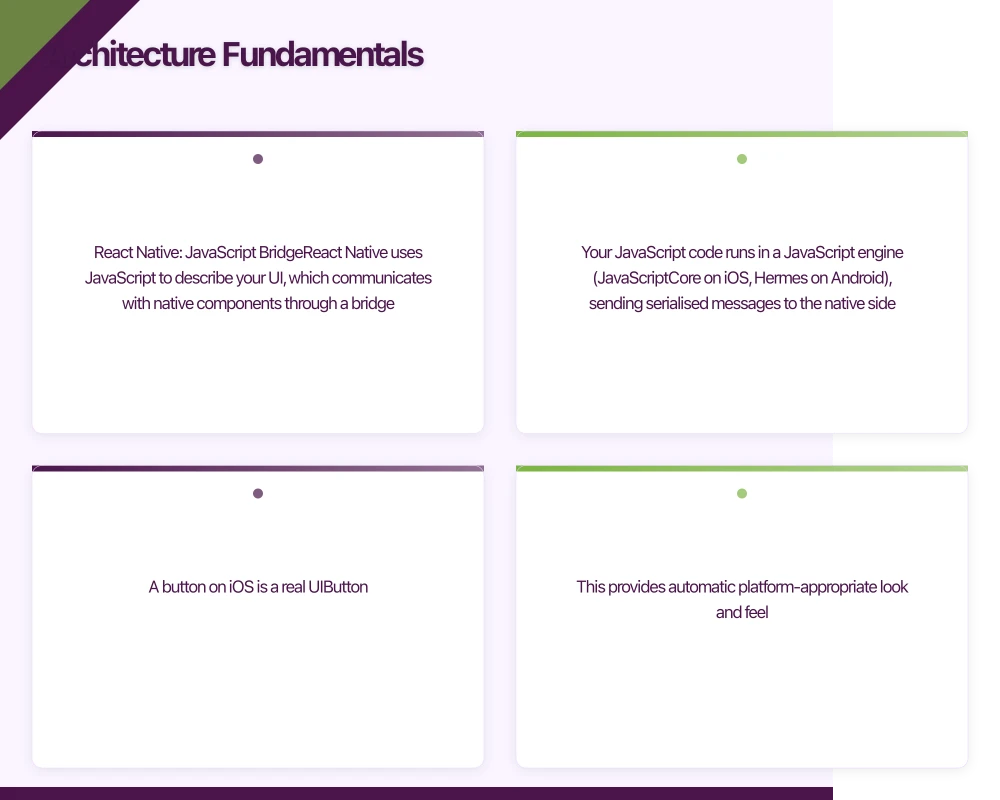
React Native uses JavaScript to describe your UI, which communicates with native components through a bridge. Your JavaScript code runs in a JavaScript engine (JavaScriptCore on iOS, Hermes on Android), sending serialised messages to the native side.
// React Native component
import React from 'react';
import { View, Text, TouchableOpacity } from 'react-native';

const WelcomeScreen = () => {
  return (
    <View style={{ flex: 1, justifyContent: 'center', alignItems: 'center' }}>
      <Text style={{ fontSize: 24, fontWeight: 'bold' }}>
        Welcome to Our App
      </Text>
      <TouchableOpacity
        style={{ marginTop: 20, padding: 15, backgroundColor: '#007AFF', borderRadius: 8 }}
        onPress={() => console.log('Button pressed')}
      >
        <Text style={{ color: 'white' }}>Get Started</Text>
      </TouchableOpacity>
    </View>
  );
};
This architecture means React Native uses actual native UI components. A button on iOS is a real UIButton. This provides automatic platform-appropriate look and feel.
The trade-off is the bridge. Communication between JavaScript and native is asynchronous and serialised. For most apps, this is invisible. For apps with heavy animations, rapid scrolling, or complex gestures, the bridge can become a bottleneck.
Flutter: Custom Rendering Engine
Flutter takes a radically different approach. Instead of wrapping native components, Flutter draws every pixel itself using the Skia graphics engine. Your Dart code compiles ahead-of-time to native ARM code.
// Flutter equivalent
import 'package:flutter/material.dart';

class WelcomeScreen extends StatelessWidget {
  @override
  Widget build(BuildContext context) {
    return Scaffold(
      body: Center(
        child: Column(
          mainAxisAlignment: MainAxisAlignment.center,
          children: [
            Text(
              'Welcome to Our App',
              style: TextStyle(fontSize: 24, fontWeight: FontWeight.bold),
            ),
            SizedBox(height: 20),
            ElevatedButton(
              onPressed: () => print('Button pressed'),
              child: Text('Get Started'),
            ),
          ],
        ),
      ),
    );
  }
}
Because Flutter controls every pixel, there is no bridge overhead. The framework renders at a consistent 60fps (or 120fps on supported devices) regardless of UI complexity.
The trade-off is that Flutter widgets do not automatically match platform conventions. Material Design looks identical on iOS and Android. While Flutter provides Cupertino widgets for iOS styling, achieving truly native-feeling apps requires deliberate effort.
Per
formance Comparison
Raw Performance
Flutter generally outperforms React Native in benchmarks, particularly for:
- Complex animations
- Large scrolling lists
- Heavy computational tasks
- Gesture-intensive interactions
React Native’s bridge introduces latency that becomes noticeable under load. However, for typical business applications—forms, lists, navigation, API calls—both frameworks perform excellently.
Startup Time
Flutter apps tend to have faster cold start times. The ahead-of-time compilation means less runtime initialisation. React Native apps must initialise the JavaScript engine and parse your bundle before rendering.
Hermes, React Native’s optimised JavaScript engine, has significantly improved Android startup times. It precompiles JavaScript to bytecode, reducing parsing overhead. As of late 2020, Hermes is the default for new React Native projects on Android.
App Size
Flutter apps are typically larger. The Skia rendering engine adds approximately 4-5MB to your base app size. React Native apps start smaller because they leverage platform UI components.
For most applications, this difference is negligible. A few megabytes rarely affect download decisions. However, for apps targeting markets with limited connectivity or storage, React Native’s smaller footprint may matter.
Developer Experience
Learning Curve
React Native is more accessible for web developers. If you know React, you already understand the component model, state management, and lifecycle concepts. The learning curve primarily involves understanding native-specific APIs and components.
Flutter requires learning Dart, a language few developers know beforehand. However, Dart is straightforward for anyone familiar with Java, C#, or TypeScript. The bigger adjustment is Flutter’s widget-based architecture, where everything—layouts, styling, gestures—is a widget.
Hot Reload
Both frameworks feature hot reload, dramatically improving development velocity. Changes appear instantly without losing application state.
Flutter’s hot reload is marginally faster and more reliable. React Native’s hot reload occasionally requires full reloads, particularly when modifying native code or certain configurations.
Tooling
Flutter’s tooling is exceptional. The flutter doctor command diagnoses environment issues. The DevTools provide performance profiling, widget inspection, and memory analysis. The VS Code and Android Studio plugins offer excellent code completion and debugging.
React Native tooling has improved but remains more fragmented. Flipper provides debugging capabilities similar to Flutter DevTools. The Metro bundler handles JavaScript compilation. React Native Debugger offers a unified debugging experience. However, the tooling ecosystem feels less cohesive.
Documentation
Flutter’s documentation is outstanding. Clear explanations, code samples, migration guides, and cookbook recipes cover nearly every scenario. The documentation assumes no prior Flutter knowledge and builds concepts progressively.
React Native documentation is adequate but less comprehensive. Community resources, blog posts, and Stack Overflow fill gaps. The rapid pace of React Native changes means documentation sometimes lags behind.
Ecosystem and Libraries
Package Availability
React Native’s npm ecosystem is vast. Whatever functionality you need—payment processing, analytics, maps, authentication—packages exist. The challenge is evaluating quality. Many packages are unmaintained, poorly documented, or incompatible with recent React Native versions.
Flutter’s pub.dev ecosystem is smaller but curated. Package quality tends to be higher because the community is younger and standards were established early. However, you may encounter gaps where no package exists for specialised functionality.
Native Module Development
When packages do not exist, both frameworks allow writing native code.
React Native uses a bridge module system. You write native code in Objective-C/Swift (iOS) or Java/Kotlin (Android), then expose methods to JavaScript. The process is well-documented but involves boilerplate.
Flutter uses platform channels for native communication. The pattern is similar—write native code, expose it to Dart—but the implementation is cleaner. Method channels handle type conversion automatically.
Third-Party Services
Major services—Firebase, AWS Amplify, Stripe, Sentry—support both frameworks. Integration quality is generally equivalent.
Google services often have slightly better Flutter support, reflecting Google’s investment in the framework. Firebase’s Flutter SDK, for instance, receives updates alongside the native SDKs.
Production Considerations
Team Composition
Your team’s existing skills matter enormously.
If your team knows JavaScript and React, React Native offers a shorter path to productivity. Familiar patterns, familiar tooling, familiar debugging approaches.
If starting fresh or your team has native mobile experience, Flutter’s cleaner architecture and superior tooling may accelerate long-term velocity.
App Complexity
For simple applications—content consumption, forms, basic CRUD operations—either framework works well.
For complex applications—real-time features, heavy animations, sophisticated gestures—Flutter’s architecture advantages become more relevant.
Platform Fidelity
If pixel-perfect platform adherence matters—apps that should feel indistinguishable from native iOS or Android apps—React Native has an edge. Using actual native components means automatic platform-appropriate styling, accessibility, and behaviour.
Flutter can achieve similar results but requires explicit implementation of platform-specific designs.
Long-Term Support
React Native benefits from Facebook’s continued investment and massive adoption. The framework is not going anywhere.
Flutter benefits from Google’s strategic commitment to Dart and cross-platform development. Flutter’s expansion to web and desktop signals long-term ambition.
Both frameworks carry platform risk. Facebook or Google could deprioritise their respective projects. However, both have sufficient community investment that they would likely survive reduced corporate support.
Making the Decision
Choose React Native When
- Your team has JavaScript and React expertise
- You need the smallest possible app size
- Platform-native look and feel is essential
- You want the largest possible package ecosystem
- You plan to hire from the general web developer market
Choose Flutter When
- Performance-intensive applications are planned
- You want the most consistent cross-platform experience
- Developer tooling and documentation quality are priorities
- You are starting with a new team or greenfield project
- You value a more opinionated, cohesive framework
Consider Native Development When
- Platform-specific features are core to your app
- Maximum performance is non-negotiable
- Your app has a single-platform focus
- You have existing native development expertise
- Long-term maintenance resources are available
Our Recommendation for Australian Startups
For Australian startups entering 2021, both frameworks are production-ready choices. The best choice depends on your specific context.
If speed to market matters most and you have JavaScript expertise, React Native lets you leverage existing skills immediately.
If you are building a new team or want the most maintainable long-term codebase, Flutter’s superior tooling and documentation accelerate development while reducing technical debt.
We have shipped successful apps with both frameworks. Neither is a wrong choice. The wrong choice is spending months deliberating instead of building.
Pick the framework that aligns with your team’s strengths, start building, and iterate. Your app’s success depends far more on solving real user problems than on which cross-platform framework renders your buttons.
Conclusion
Flutter and React Native both represent the maturation of cross-platform mobile development. Performance, ecosystem, and tooling have reached the point where either framework can deliver production-quality applications.
The decision comes down to team context, project requirements, and personal preference. Evaluate both frameworks against your specific constraints. Build small prototypes. Talk to teams using each framework in production.
The cross-platform future is here. The only question is which path you will take to get there.
Every great app needs reliable cloud infrastructure behind it. Cloud Geeks provides managed AWS and Azure hosting for mobile backends.
Ganda Tech Services brings together cloud infrastructure, web development, and mobile app expertise to help Australian businesses thrive in the digital economy.
Talk to a Sydney app developer — free.
30 minutes. We'll tell you what your app needs, how long it takes, and what it costs. Real answers, no sales pitch.
Book Free App Strategy Call →Free · 30 minutes · No obligation