Mobile App Deployment: Complete CI/CD Pipeline Guide with GitHub Actions
Shipping mobile app deployment manually is error-prone and time-consuming. Building the app, managing certificates, uploading to TestFlight, creating Play Store releases - each step in mobile app deployment introduces opportunities for mistakes. And when releases are painful through manual mobile CI/CD, teams ship less frequently.
CI/CD automation transforms this process. Every push triggers automated builds, tests run in parallel, and successful builds deploy automatically. The team focuses on building features while the pipeline handles the tedious release mechanics.
This guide walks through setting up production-ready CI/CD for mobile apps using GitHub Actions and Fastlane. We cover both iOS and Android, from initial setup through automated store deployment.
Architecture Overview
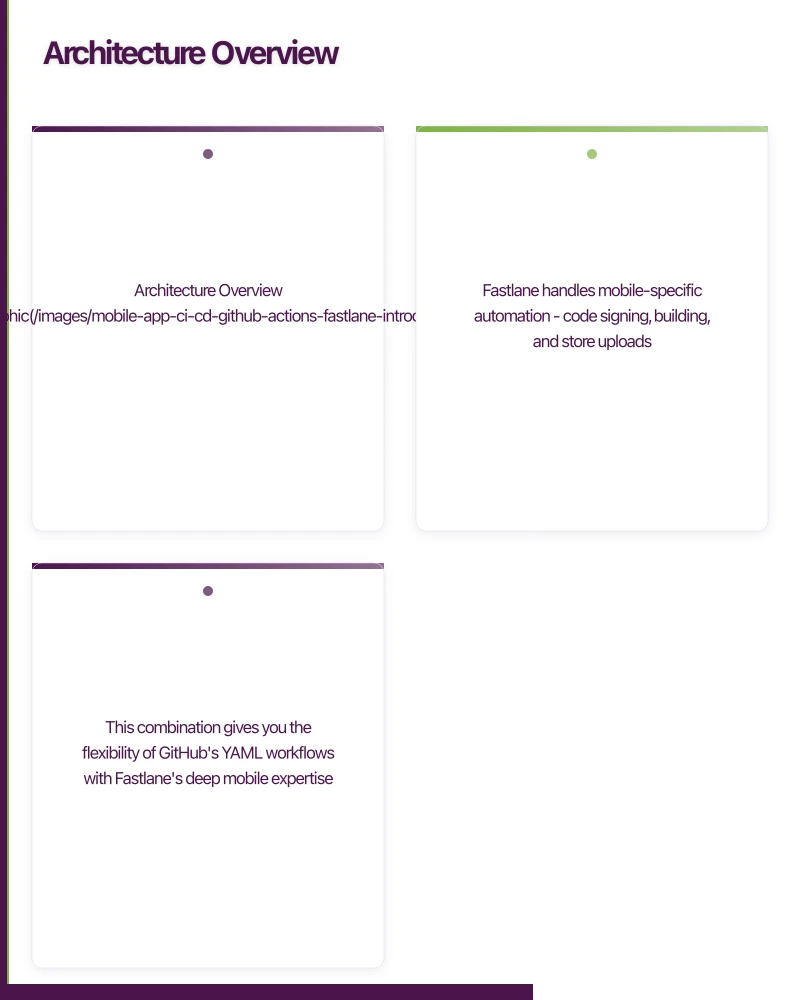
The pipeline we will build follows this flow:
Code Push -> GitHub Actions -> Build & Test -> Fastlane -> Store Deployment
                v
         +------+------+
         v             v

    iOS Pipeline   Android Pipeline
         v             v
    TestFlight    Play Console
GitHub Actions provides the CI/CD infrastructure - runners, secrets management, and workflow orchestration. Fastlane handles mobile-specific automation - code signing, building, and store uploads.
This combination gives you the flexibility of GitHub’s YAML workflows with Fastlane’s deep mobile expertise.
Prerequisites
Before starting, ensure you have:
- GitHub repository with your mobile app
- Apple Developer account (for iOS)
- Google Play Console access (for Android)
- Fastlane installed locally for initial setup
# Install Fastlane
gem install fastlane

# Or with Homebrew
brew install fastlane
Setting Up Fastlane
iOS Fastlane Configuration
Navigate to your iOS directory and initialise Fastlane:
cd ios
fastlane init
Create your Fastfile:
# ios/fastlane/Fastfile
default_platform(:ios)

platform :ios do
  before_all do
    setup_ci if ENV['CI']
  end

  desc "Run tests"
  lane :test do
    scan(
      workspace: "YourApp.xcworkspace",
      scheme: "YourApp",
      devices: ["iPhone 15"],
      clean: true,
      code_coverage: true,
      output_types: "junit",
      output_files: "test-results.xml"
    )
  end

  desc "Build for TestFlight"
  lane :beta do
    # Fetch signing certificates
    match(
      type: "appstore",
      readonly: is_ci,
      app_identifier: ENV["APP_IDENTIFIER"]
    )

    # Increment build number
    increment_build_number(
      build_number: ENV["BUILD_NUMBER"] || latest_testflight_build_number + 1
    )

    # Build the app
    gym(
      workspace: "YourApp.xcworkspace",
      scheme: "YourApp",
      configuration: "Release",
      export_method: "app-store",
      export_options: {
        provisioningProfiles: {
          ENV["APP_IDENTIFIER"] => "match AppStore #{ENV['APP_IDENTIFIER']}"
        }
      },
      output_directory: "./build",
      output_name: "YourApp.ipa"
    )

    # Upload to TestFlight
    pilot(
      api_key_path: ENV["APP_STORE_CONNECT_API_KEY_PATH"],
      skip_waiting_for_build_processing: true,
      skip_submission: true,
      distribute_external: false,
      notify_external_testers: false
    )
  end

  desc "Deploy to App Store"
  lane :release do
    # Same as beta, but submit for review
    match(type: "appstore", readonly: is_ci)
    increment_build_number(
      build_number: ENV["BUILD_NUMBER"] || latest_testflight_build_number + 1
    )
    gym(
      workspace: "YourApp.xcworkspace",
      scheme: "YourApp",
      configuration: "Release",
      export_method: "app-store"
    )
    deliver(
      api_key_path: ENV["APP_STORE_CONNECT_API_KEY_PATH"],
      submit_for_review: true,
      automatic_release: false,
      force: true,
      precheck_include_in_app_purchases: false,
      submission_information: {
        add_id_info_uses_idfa: false
      }
    )
  end

  error do |lane, exception|
    # Handle errors (send notifications, etc.)
    puts "Error in lane #{lane}: #{exception.message}"
  end
end
Setting Up Match for Code Signing
Match stores your certificates and provisioning profiles in a git repository:
fastlane match initChoose git storage and provide a private repository URL. Then generate certificates:
# Generate development certificates
fastlane match development

# Generate App Store certificates
fastlane match appstore
Create Matchfile:
# ios/fastlane/Matchfile
git_url("[email protected]:yourcompany/certificates.git")
storage_mode("git")
type("appstore")
app_identifier(["com.yourcompany.yourapp"])
username("[email protected]")
team_id("TEAM_ID")
Android Fastlane Configuration
Navigate to your Android directory:
cd android
fastlane init
Create your Fastfile:
# android/fastlane/Fastfile
default_platform(:android)

platform :android do
  desc "Run tests"
  lane :test do
    gradle(task: "test")
  end

  desc "Build debug APK"
  lane :build_debug do
    gradle(
      task: "assemble",
      build_type: "Debug"
    )
  end

  desc "Build and deploy to internal testing"
  lane :internal do
    # Increment version code
    increment_version_code(
      gradle_file_path: "app/build.gradle",
      version_code: ENV["BUILD_NUMBER"].to_i
    )

    # Build release bundle
    gradle(
      task: "bundle",
      build_type: "Release",
      properties: {
        "android.injected.signing.store.file" => ENV["KEYSTORE_PATH"],
        "android.injected.signing.store.password" => ENV["KEYSTORE_PASSWORD"],
        "android.injected.signing.key.alias" => ENV["KEY_ALIAS"],
        "android.injected.signing.key.password" => ENV["KEY_PASSWORD"]
      }
    )

    # Upload to Play Console internal track
    upload_to_play_store(
      track: "internal",
      aab: "app/build/outputs/bundle/release/app-release.aab",
      json_key: ENV["PLAY_STORE_JSON_KEY_PATH"],
      skip_upload_metadata: true,
      skip_upload_images: true,
      skip_upload_screenshots: true
    )
  end

  desc "Promote internal to beta"
  lane :beta do
    upload_to_play_store(
      track: "internal",
      track_promote_to: "beta",
      json_key: ENV["PLAY_STORE_JSON_KEY_PATH"],
      skip_upload_changelogs: true
    )
  end

  desc "Promote beta to production"
  lane :release do
    upload_to_play_store(
      track: "beta",
      track_promote_to: "production",
      json_key: ENV["PLAY_STORE_JSON_KEY_PATH"],
      rollout: "0.1" # 10% rollout
    )
  end

  error do |lane, exception|
    puts "Error in lane #{lane}: #{exception.message}"
  end
end
GitHub Actions Workflows
Repository Secrets
Configure these secrets in your GitHub repository settings:
iOS Secrets:
MATCH_PASSWORD: Password for match certificate repositoryMATCH_GIT_BASIC_AUTHORIZATION: Base64-encoded git credentialsAPP_STORE_CONNECT_API_KEY: App Store Connect API key JSONAPP_IDENTIFIER: Your app’s bundle identifier
Android Secrets:
KEYSTORE_BASE64: Base64-encoded keystore fileKEYSTORE_PASSWORD: Keystore passwordKEY_ALIAS: Key aliasKEY_PASSWORD: Key passwordPLAY_STORE_SERVICE_ACCOUNT: Play Console service account JSON
iOS Workflow
Create .github/workflows/ios.yml:
name: iOS CI/CD

on:
  push:
    branches: [main, develop]
    paths:
      - 'ios/**'
      - 'src/**'
      - '.github/workflows/ios.yml'
  pull_request:
    branches: [main]
    paths:
      - 'ios/**'
      - 'src/**'

jobs:
  test:
    name: Test iOS
    runs-on: macos-14
    steps:
      - name: Checkout
        uses: actions/checkout@v4

      - name: Setup Node.js
        uses: actions/setup-node@v4
        with:
          node-version: '20'
          cache: 'npm'

      - name: Install dependencies
        run: npm ci

      - name: Setup Ruby
        uses: ruby/setup-ruby@v1
        with:
          ruby-version: '3.2'
          bundler-cache: true
          working-directory: ios

      - name: Cache CocoaPods
        uses: actions/cache@v4
        with:
          path: ios/Pods
          key: ${{ runner.os }}-pods-${{ hashFiles('ios/Podfile.lock') }}
          restore-keys: |
            ${{ runner.os }}-pods-

      - name: Install CocoaPods
        run: |
          cd ios
          pod install

      - name: Run tests
        run: |
          cd ios
          bundle exec fastlane test

      - name: Upload test results
        uses: actions/upload-artifact@v4
        if: always()
        with:
          name: ios-test-results
          path: ios/fastlane/test_output

  build-testflight:
    name: Build & Deploy to TestFlight
    runs-on: macos-14
    needs: test
    if: github.ref == 'refs/heads/main'
    steps:
      - name: Checkout
        uses: actions/checkout@v4

      - name: Setup Node.js
        uses: actions/setup-node@v4
        with:
          node-version: '20'
          cache: 'npm'

      - name: Install dependencies
        run: npm ci

      - name: Setup Ruby
        uses: ruby/setup-ruby@v1
        with:
          ruby-version: '3.2'
          bundler-cache: true
          working-directory: ios

      - name: Cache CocoaPods
        uses: actions/cache@v4
        with:
          path: ios/Pods
          key: ${{ runner.os }}-pods-${{ hashFiles('ios/Podfile.lock') }}

      - name: Install CocoaPods
        run: |
          cd ios
          pod install

      - name: Setup App Store Connect API Key
        run: |
          mkdir -p ios/fastlane
          echo '${{ secrets.APP_STORE_CONNECT_API_KEY }}' > ios/fastlane/api_key.json

      - name: Build and upload to TestFlight
        env:
          MATCH_PASSWORD: ${{ secrets.MATCH_PASSWORD }}
          MATCH_GIT_BASIC_AUTHORIZATION: ${{ secrets.MATCH_GIT_BASIC_AUTHORIZATION }}
          APP_STORE_CONNECT_API_KEY_PATH: fastlane/api_key.json
          APP_IDENTIFIER: ${{ secrets.APP_IDENTIFIER }}
          BUILD_NUMBER: ${{ github.run_number }}
        run: |
          cd ios
          bundle exec fastlane beta

      - name: Upload build artifacts
        uses: actions/upload-artifact@v4
        with:
          name: ios-build
          path: ios/build/*.ipa
Android Workflow
Create .github/workflows/android.yml:
name: Android CI/CD

on:
  push:
    branches: [main, develop]
    paths:
      - 'android/**'
      - 'src/**'
      - '.github/workflows/android.yml'
  pull_request:
    branches: [main]
    paths:
      - 'android/**'
      - 'src/**'

jobs:
  test:
    name: Test Android
    runs-on: ubuntu-latest
    steps:
      - name: Checkout
        uses: actions/checkout@v4

      - name: Setup Node.js
        uses: actions/setup-node@v4
        with:
          node-version: '20'
          cache: 'npm'

      - name: Install dependencies
        run: npm ci

      - name: Setup Java
        uses: actions/setup-java@v4
        with:
          distribution: 'temurin'
          java-version: '17'

      - name: Cache Gradle
        uses: actions/cache@v4
        with:
          path: |
            ~/.gradle/caches
            ~/.gradle/wrapper
          key: ${{ runner.os }}-gradle-${{ hashFiles('**/*.gradle*', '**/gradle-wrapper.properties') }}

      - name: Run tests
        run: |
          cd android
          ./gradlew test

      - name: Upload test results
        uses: actions/upload-artifact@v4
        if: always()
        with:
          name: android-test-results
          path: android/app/build/reports

  build-internal:
    name: Build & Deploy to Internal Testing
    runs-on: ubuntu-latest
    needs: test
    if: github.ref == 'refs/heads/main'
    steps:
      - name: Checkout
        uses: actions/checkout@v4

      - name: Setup Node.js
        uses: actions/setup-node@v4
        with:
          node-version: '20'
          cache: 'npm'

      - name: Install dependencies
        run: npm ci

      - name: Setup Java
        uses: actions/setup-java@v4
        with:
          distribution: 'temurin'
          java-version: '17'

      - name: Setup Ruby
        uses: ruby/setup-ruby@v1
        with:
          ruby-version: '3.2'
          bundler-cache: true
          working-directory: android

      - name: Cache Gradle
        uses: actions/cache@v4
        with:
          path: |
            ~/.gradle/caches
            ~/.gradle/wrapper
          key: ${{ runner.os }}-gradle-${{ hashFiles('**/*.gradle*', '**/gradle-wrapper.properties') }}

      - name: Decode keystore
        run: |
          echo "${{ secrets.KEYSTORE_BASE64 }}" | base64 --decode > android/app/release.keystore

      - name: Setup Play Store credentials
        run: |
          echo '${{ secrets.PLAY_STORE_SERVICE_ACCOUNT }}' > android/fastlane/play_store_key.json

      - name: Build and upload to Play Store
        env:
          KEYSTORE_PATH: ${{ github.workspace }}/android/app/release.keystore
          KEYSTORE_PASSWORD: ${{ secrets.KEYSTORE_PASSWORD }}
          KEY_ALIAS: ${{ secrets.KEY_ALIAS }}
          KEY_PASSWORD: ${{ secrets.KEY_PASSWORD }}
          PLAY_STORE_JSON_KEY_PATH: ${{ github.workspace }}/android/fastlane/play_store_key.json
          BUILD_NUMBER: ${{ github.run_number }}
        run: |
          cd android
          bundle exec fastlane internal

      - name: Upload build artifacts
        uses: actions/upload-artifact@v4
        with:
          name: android-build
          path: android/app/build/outputs/bundle/release/*.aab
Combined Workflow for React Native
For React Native apps, create a unified workflow:
name: Mobile CI/CD

on:
  push:
    branches: [main, develop]
  pull_request:
    branches: [main]

jobs:
  javascript-tests:
    name: JavaScript Tests
    runs-on: ubuntu-latest
    steps:
      - uses: actions/checkout@v4

      - name: Setup Node.js
        uses: actions/setup-node@v4
        with:
          node-version: '20'
          cache: 'npm'

      - name: Install dependencies
        run: npm ci

      - name: Run linter
        run: npm run lint

      - name: Run TypeScript check
        run: npm run typecheck

      - name: Run unit tests
        run: npm test -- --coverage

      - name: Upload coverage
        uses: codecov/codecov-action@v4
        with:
          token: ${{ secrets.CODECOV_TOKEN }}

  ios-build:
    name: iOS Build
    runs-on: macos-14
    needs: javascript-tests
    steps:
      - uses: actions/checkout@v4

      - name: Setup Node.js
        uses: actions/setup-node@v4
        with:
          node-version: '20'
          cache: 'npm'

      - name: Install dependencies
        run: npm ci

      - name: Setup Ruby
        uses: ruby/setup-ruby@v1
        with:
          ruby-version: '3.2'
          bundler-cache: true
          working-directory: ios

      - name: Cache CocoaPods
        uses: actions/cache@v4
        with:
          path: ios/Pods
          key: ${{ runner.os }}-pods-${{ hashFiles('ios/Podfile.lock') }}

      - name: Install CocoaPods
        run: cd ios && pod install

      - name: Build iOS (Debug)
        if: github.event_name == 'pull_request'
        run: |
          cd ios
          xcodebuild -workspace YourApp.xcworkspace \
            -scheme YourApp \
            -configuration Debug \
            -sdk iphonesimulator \
            -derivedDataPath build \
            build

      - name: Setup signing & Deploy
        if: github.ref == 'refs/heads/main'
        env:
          MATCH_PASSWORD: ${{ secrets.MATCH_PASSWORD }}
          MATCH_GIT_BASIC_AUTHORIZATION: ${{ secrets.MATCH_GIT_BASIC_AUTHORIZATION }}
          APP_STORE_CONNECT_API_KEY_PATH: fastlane/api_key.json
          APP_IDENTIFIER: ${{ secrets.APP_IDENTIFIER }}
          BUILD_NUMBER: ${{ github.run_number }}
        run: |
          mkdir -p ios/fastlane
          echo '${{ secrets.APP_STORE_CONNECT_API_KEY }}' > ios/fastlane/api_key.json
          cd ios
          bundle exec fastlane beta

  android-build:
    name: Android Build
    runs-on: ubuntu-latest
    needs: javascript-tests
    steps:
      - uses: actions/checkout@v4

      - name: Setup Node.js
        uses: actions/setup-node@v4
        with:
          node-version: '20'
          cache: 'npm'

      - name: Install dependencies
        run: npm ci

      - name: Setup Java
        uses: actions/setup-java@v4
        with:
          distribution: 'temurin'
          java-version: '17'

      - name: Cache Gradle
        uses: actions/cache@v4
        with:
          path: |
            ~/.gradle/caches
            ~/.gradle/wrapper
          key: ${{ runner.os }}-gradle-${{ hashFiles('**/*.gradle*') }}

      - name: Build Android (Debug)
        if: github.event_name == 'pull_request'
        run: |
          cd android
          ./gradlew assembleDebug

      - name: Setup Ruby
        if: github.ref == 'refs/heads/main'
        uses: ruby/setup-ruby@v1
        with:
          ruby-version: '3.2'
          bundler-cache: true
          working-directory: android

      - name: Deploy to Play Store
        if: github.ref == 'refs/heads/main'
        env:
          KEYSTORE_PATH: ${{ github.workspace }}/android/app/release.keystore
          KEYSTORE_PASSWORD: ${{ secrets.KEYSTORE_PASSWORD }}
          KEY_ALIAS: ${{ secrets.KEY_ALIAS }}
          KEY_PASSWORD: ${{ secrets.KEY_PASSWORD }}
          PLAY_STORE_JSON_KEY_PATH: ${{ github.workspace }}/android/fastlane/play_store_key.json
          BUILD_NUMBER: ${{ github.run_number }}
        run: |
          echo "${{ secrets.KEYSTORE_BASE64 }}" | base64 --decode > android/app/release.keystore
          echo '${{ secrets.PLAY_STORE_SERVICE_ACCOUNT }}' > android/fastlane/play_store_key.json
          cd android
          bundle exec fastlane internal
Optimising Build Performance
Caching Strategies
Effective caching dramatically reduces build times:
# Cache npm modules
- name: Cache npm
  uses: actions/cache@v4
  with:
    path: ~/.npm
    key: ${{ runner.os }}-npm-${{ hashFiles('**/package-lock.json') }}
    restore-keys: |
      ${{ runner.os }}-npm-

# Cache CocoaPods
- name: Cache Pods
  uses: actions/cache@v4
  with:
    path: |
      ios/Pods
      ~/Library/Caches/CocoaPods
    key: ${{ runner.os }}-pods-${{ hashFiles('ios/Podfile.lock') }}

# Cache Gradle
- name: Cache Gradle
  uses: actions/cache@v4
  with:
    path: |
      ~/.gradle/caches
      ~/.gradle/wrapper
      android/.gradle
    key: ${{ runner.os }}-gradle-${{ hashFiles('**/*.gradle*', '**/gradle-wrapper.properties') }}

# Cache derived data for iOS
- name: Cache Xcode Derived Data
  uses: actions/cache@v4
  with:
    path: ~/Library/Developer/Xcode/DerivedData
    key: ${{ runner.os }}-derived-${{ hashFiles('ios/Podfile.lock') }}
Parallel Jobs
Run independent jobs in parallel:
jobs:
  lint:
    runs-on: ubuntu-latest
    steps: ...

  unit-tests:
    runs-on: ubuntu-latest
    steps: ...

  # These run in parallel
  ios-build:
    needs: [lint, unit-tests]
    runs-on: macos-14
    steps: ...

  android-build:
    needs: [lint, unit-tests]
    runs-on: ubuntu-latest
    steps: ...
Conditional Builds
Only build when relevant files change:
on:
  push:
    paths:
      - 'ios/**'
      - 'src/**'
      - 'package.json'
      - '.github/workflows/ios.yml'
Advanced Patterns
Environment-Specific Builds
Build different configurations for staging and production:
jobs:
  build:
    runs-on: macos-14
    strategy:
      matrix:
        environment: [staging, production]
    steps:
      - name: Build for ${{ matrix.environment }}
        env:
          ENVIRONMENT: ${{ matrix.environment }}
        run: |
          cd ios
          bundle exec fastlane build_${{ matrix.environment }}
# Fastfile
lane :build_staging do
match(type: "appstore", app_identifier: "com.yourcompany.yourapp.staging")
gym(scheme: "YourApp-Staging", configuration: "Release-Staging")
pilot(app_identifier: "com.yourcompany.yourapp.staging")
end
lane :build_production do
match(type: "appstore", app_identifier: "com.yourcompany.yourapp")
gym(scheme: "YourApp", configuration: "Release")
pilot(app_identifier: "com.yourcompany.yourapp")
endRelease Management
Trigger releases from Git tags:
on:
  push:
    tags:
      - 'v*'

jobs:
  release:
    runs-on: macos-14
    steps:
      - name: Get version from tag
        id: version
        run: echo "VERSION=${GITHUB_REF#refs/tags/v}" >> $GITHUB_OUTPUT

      - name: Release iOS
        env:
          VERSION: ${{ steps.version.outputs.VERSION }}
        run: |
          cd ios
          bundle exec fastlane release version:$VERSION
Slack Notifications
Notify your team of build status:
- name: Notify Slack on success
  if: success()
  uses: slackapi/slack-github-action@v1
  with:
    payload: |
      {
        "text": "iOS build succeeded!",
        "blocks": [
          {
            "type": "section",
            "text": {
              "type": "mrkdwn",
              "text": "*iOS Build #${{ github.run_number }}* succeeded :white_check_mark:\n<${{ github.server_url }}/${{ github.repository }}/actions/runs/${{ github.run_id }}|View workflow>"
            }
          }
        ]
      }
  env:
    SLACK_WEBHOOK_URL: ${{ secrets.SLACK_WEBHOOK }}

- name: Notify Slack on failure
  if: failure()
  uses: slackapi/slack-github-action@v1
  with:
    payload: |
      {
        "text": "iOS build failed!",
        "blocks": [
          {
            "type": "section",
            "text": {
              "type": "mrkdwn",
              "text": "*iOS Build #${{ github.run_number }}* failed :x:\n<${{ github.server_url }}/${{ github.repository }}/actions/runs/${{ github.run_id }}|View workflow>"
            }
          }
        ]
      }
  env:
    SLACK_WEBHOOK_URL: ${{ secrets.SLACK_WEBHOOK }}
Troubleshooting Common Issues
iOS Code Signing Errors
Error: “No signing certificate matching team ID found”
# Re-generate certificates with match
fastlane match nuke distribution  # Careful: removes all certs
fastlane match appstore --forceError: “Provisioning profile doesn’t include signing certificate”
Ensure your MATCH_GIT_BASIC_AUTHORIZATION is correctly base64-encoded:
echo -n "username:personal_access_token" | base64Android Build Failures
Error: “Keystore was tampered with, or password was incorrect”
Verify your keystore is correctly base64-encoded:
base64 -i release.keystore | tr -d '\n' > keystore_base64.txtError: “Unable to upload AAB to Play Store”
Ensure your service account has “Release Manager” permissions in Play Console.
General Tips
- Start with dry runs: Use
--dry-runflags to test without deploying - Check runner logs: Full logs are available in GitHub Actions
- Local testing: Run Fastlane locally first before debugging CI issues
- Secrets verification: Ensure secrets are properly set in repository settings
Cost Considerations
GitHub Actions pricing for private repositories:
- Linux runners: $0.008/minute
- macOS runners: $0.08/minute (10x Linux)
- Free tier: 2,000 Linux minutes or 200 macOS minutes/month
Strategies to reduce costs:
- Cache aggressively to reduce build time
- Run tests on Linux where possible
- Use macOS only for actual iOS builds
- Skip builds when only documentation changes
Conclusion
A well-configured mobile CI/CD pipeline pays dividends throughout your mobile app deployment lifecycle. Developers ship with confidence, bugs are caught earlier, and releases become routine rather than events through automated app deployment automation.
The combination of GitHub Actions and Fastlane provides flexibility without sacrificing mobile-specific functionality for mobile app deployment. GitHub handles infrastructure and workflows; Fastlane handles code signing, building, and store deployment through comprehensive mobile CI/CD.
Start with a simple pipeline that runs tests and builds for mobile app deployment. Add TestFlight and Play Store deployment once that works reliably. Gradually add complexity as your app deployment automation needs grow.
The initial setup investment in mobile CI/CD is significant. But once configured, your team will spend more time building features and less time wrestling with mobile app deployment processes.
Enhance your deployment strategy with our guides on deep linking for mobile apps and push notification strategies.
Frequently Asked Questions About Mobile App Deployment and CI/CD
What is mobile CI/CD and why is it important?
Mobile CI/CD (Continuous Integration/Continuous Deployment) automates building, testing, and deploying mobile apps. It eliminates manual mobile app deployment errors, enables faster releases, provides consistent builds, catches bugs early through automated testing, and frees developers from repetitive app deployment automation tasks.
How much does GitHub Actions cost for mobile app deployment?
GitHub Actions offers 2,000 Linux minutes or 200 macOS minutes free monthly for private repos. Linux runners cost $0.008/minute, macOS $0.08/minute. Most mobile CI/CD projects need $20-100/month for active mobile app deployment. Optimize costs by caching dependencies and running tests on Linux where possible.
What’s the difference between GitHub Actions and Fastlane?
GitHub Actions provides CI/CD infrastructure (runners, workflows, secrets management) for mobile app deployment. Fastlane handles mobile-specific tasks (code signing, building, TestFlight/Play Store uploads). Combined, they create powerful app deployment automation - GitHub orchestrates, Fastlane executes mobile CI/CD tasks.
How do I secure certificates and keys in mobile CI/CD?
Store certificates and keys base64-encoded in GitHub repository secrets for mobile app deployment. Use Match for iOS certificate management (stores in private git repo), decode secrets in workflow steps, create temporary keychains/keystores during builds, and always clean up sensitive files after mobile CI/CD builds complete.
Can I automate App Store and Play Store submissions?
Yes, full app deployment automation is possible. Fastlane can upload builds to TestFlight and submit for App Store review (iOS), and promote builds through internal/beta/production tracks on Google Play (Android). Manual review approval is still required for both stores in mobile app deployment.
Expert Insights for Mobile App Deployment Success
Aggressive caching in mobile CI/CD can reduce iOS build times from 15-20 minutes to 5-10 minutes - CocoaPods, Gradle, and npm caching are essential for efficient mobile app deployment workflows.
Running JavaScript tests on Linux runners ($0.008/min) instead of macOS ($0.08/min) can reduce mobile CI/CD costs by 90% while maintaining test coverage - reserve macOS for actual iOS builds.
Automated mobile app deployment with GitHub Actions and Fastlane typically saves development teams 5-10 hours per week previously spent on manual builds, certificate management, and store uploads.
Need help setting up CI/CD for your mobile app? Our team has configured pipelines for apps with millions of users. Contact us to discuss your automation needs.
Your app’s marketing starts on the web. Cosmos Web Tech designs landing pages with SEO that help potential users find your app online.
Ganda Tech Services brings together cloud infrastructure, web development, and mobile app expertise to help Australian businesses thrive in the digital economy.
Talk to a Sydney app developer — free.
30 minutes. We'll tell you what your app needs, how long it takes, and what it costs. Real answers, no sales pitch.
Book Free App Strategy Call →Free · 30 minutes · No obligation