Mobile App Deployment: Automated CI/CD Pipeline Setup with GitHub Actions
Manual builds and mobile app deployment are the enemy of fast iteration. Every minute spent building locally, running tests manually, or uploading to TestFlight for mobile app deployment is a minute not spent improving your app. Mobile CI/CD (Continuous Integration and Continuous Deployment) automates these workflows, giving your team faster feedback and more reliable app deployment automation releases.
GitHub Actions has emerged as a compelling CI/CD platform for mobile development. It offers macOS runners (essential for iOS builds), generous free tier minutes, and native integration with GitHub repositories. This guide walks through setting up a complete mobile CI/CD pipeline.
Pipeline Architecture
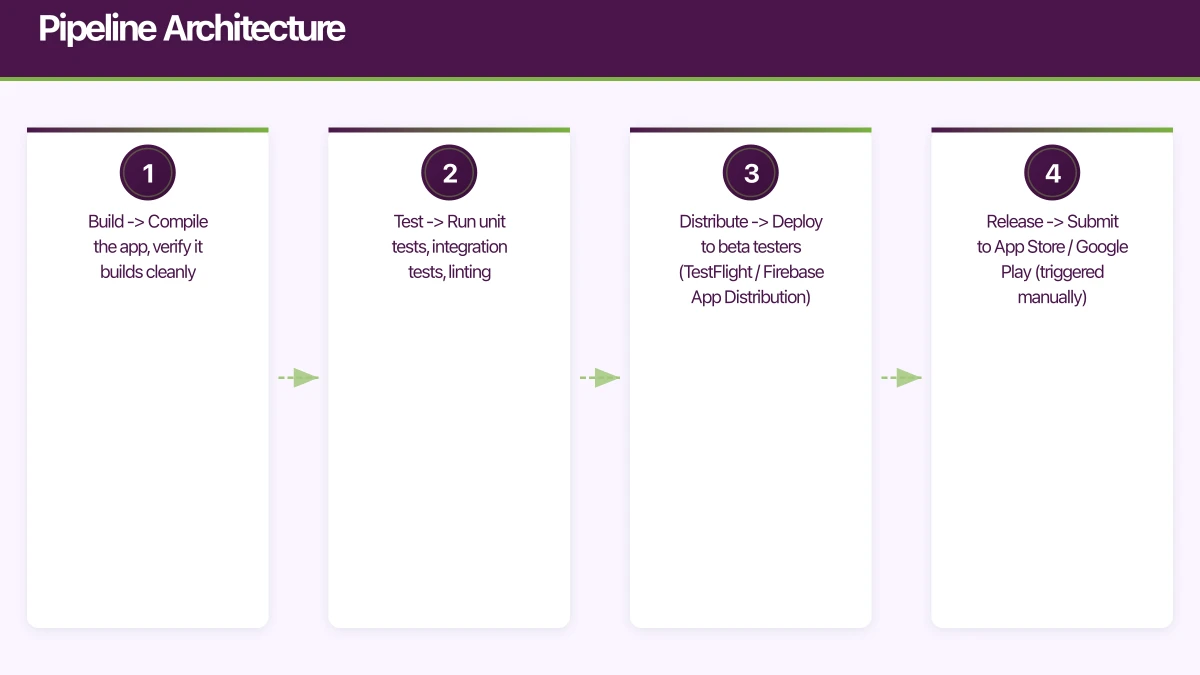
A production-ready mobile CI/CD pipeline has four stages:
1. Build       -> Compile the app, verify it builds cleanly
2. Test        -> Run unit tests, integration tests, linting
3. Distribute  -> Deploy to beta testers (TestFlight / Firebase App Distribution)
4. Release     -> Submit to App Store / Google Play (triggered manually)
Each pull request triggers stages 1-2. Merges to the main branch trigger stages 1-3. Releases are triggered manually or by git tags.
GitHub Actions Basics
GitHub Actions workflows are defined in YAML files in .github/workflows/. Each workflow contains jobs, and each job contains steps.
Key concepts:
- Triggers: Events that start a workflow (push, pull_request, schedule, manual)
- Runners: Virtual machines that execute jobs (ubuntu-latest, macos-latest)
- Actions: Reusable steps from the marketplace or your own repository
- Secrets: Encrypted environment variables for sensitive data (signing certificates, API keys)
iOS CI/CD Pipeline
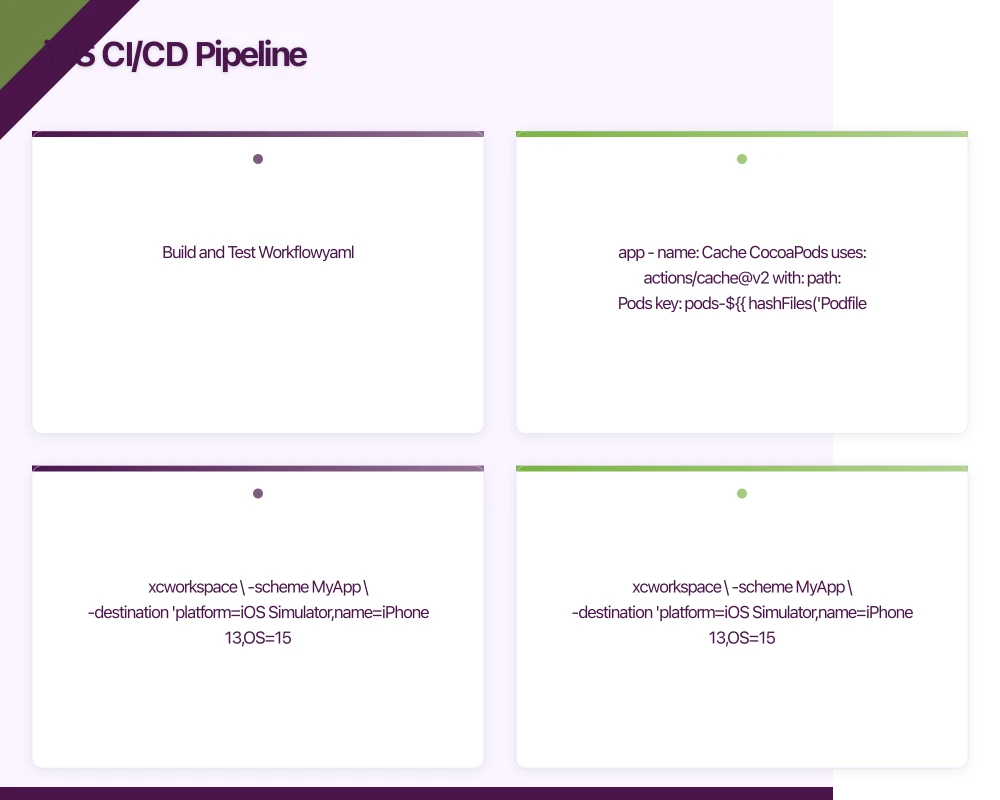
Build and Test Workflow
# .github/workflows/ios.yml
name: iOS Build and Test

on:
  push:
    branches: [main, develop]
  pull_request:
    branches: [main]

jobs:
  build-and-test:
    runs-on: macos-11
    timeout-minutes: 30

    steps:
      - name: Checkout code
        uses: actions/checkout@v2

      - name: Select Xcode version
        run: sudo xcode-select -s /Applications/Xcode_13.0.app

      - name: Cache CocoaPods
        uses: actions/cache@v2
        with:
          path: Pods
          key: pods-${{ hashFiles('Podfile.lock') }}
          restore-keys: pods-

      - name: Install dependencies
        run: pod install --repo-update

      - name: Build
        run: |
          xcodebuild build \
            -workspace MyApp.xcworkspace \
            -scheme MyApp \
            -destination 'platform=iOS Simulator,name=iPhone 13,OS=15.0' \
            -configuration Debug \
            CODE_SIGNING_ALLOWED=NO

      - name: Run unit tests
        run: |
          xcodebuild test \
            -workspace MyApp.xcworkspace \
            -scheme MyApp \
            -destination 'platform=iOS Simulator,name=iPhone 13,OS=15.0' \
            -configuration Debug \
            CODE_SIGNING_ALLOWED=NO \
            | xcpretty --report junit

      - name: Upload test results
        uses: actions/upload-artifact@v2
        if: always()
        with:
          name: test-results
          path: build/reports/
iOS Distribution to TestFlight
# .github/workflows/ios-deploy.yml
name: iOS Deploy to TestFlight

on:
  push:
    branches: [main]

jobs:
  deploy:
    runs-on: macos-11
    timeout-minutes: 45

    steps:
      - name: Checkout code
        uses: actions/checkout@v2

      - name: Select Xcode
        run: sudo xcode-select -s /Applications/Xcode_13.0.app

      - name: Install dependencies
        run: pod install --repo-update

      - name: Install Apple certificate and provisioning profile
        env:
          BUILD_CERTIFICATE_BASE64: ${{ secrets.BUILD_CERTIFICATE_BASE64 }}
          P12_PASSWORD: ${{ secrets.P12_PASSWORD }}
          PROVISION_PROFILE_BASE64: ${{ secrets.PROVISION_PROFILE_BASE64 }}
          KEYCHAIN_PASSWORD: ${{ secrets.KEYCHAIN_PASSWORD }}
        run: |
          # Create variables
          CERTIFICATE_PATH=$RUNNER_TEMP/build_certificate.p12
          PROFILE_PATH=$RUNNER_TEMP/build_profile.mobileprovision
          KEYCHAIN_PATH=$RUNNER_TEMP/app-signing.keychain-db

          # Decode from base64
          echo -n "$BUILD_CERTIFICATE_BASE64" | base64 --decode -o $CERTIFICATE_PATH
          echo -n "$PROVISION_PROFILE_BASE64" | base64 --decode -o $PROFILE_PATH

          # Create keychain
          security create-keychain -p "$KEYCHAIN_PASSWORD" $KEYCHAIN_PATH
          security set-keychain-settings -lut 21600 $KEYCHAIN_PATH
          security unlock-keychain -p "$KEYCHAIN_PASSWORD" $KEYCHAIN_PATH

          # Import certificate
          security import $CERTIFICATE_PATH -P "$P12_PASSWORD" \
            -A -t cert -f pkcs12 -k $KEYCHAIN_PATH
          security list-keychain -d user -s $KEYCHAIN_PATH

          # Install provisioning profile
          mkdir -p ~/Library/MobileDevice/Provisioning\ Profiles
          cp $PROFILE_PATH ~/Library/MobileDevice/Provisioning\ Profiles

      - name: Increment build number
        run: |
          BUILD_NUMBER=$(date +%Y%m%d%H%M)
          agvtool new-version -all $BUILD_NUMBER

      - name: Archive
        run: |
          xcodebuild archive \
            -workspace MyApp.xcworkspace \
            -scheme MyApp \
            -archivePath $RUNNER_TEMP/MyApp.xcarchive \
            -configuration Release

      - name: Export IPA
        run: |
          xcodebuild -exportArchive \
            -archivePath $RUNNER_TEMP/MyApp.xcarchive \
            -exportPath $RUNNER_TEMP/export \
            -exportOptionsPlist ExportOptions.plist

      - name: Upload to TestFlight
        env:
          APP_STORE_CONNECT_API_KEY_ID: ${{ secrets.ASC_KEY_ID }}
          APP_STORE_CONNECT_API_ISSUER_ID: ${{ secrets.ASC_ISSUER_ID }}
          APP_STORE_CONNECT_API_KEY: ${{ secrets.ASC_API_KEY }}
        run: |
          xcrun altool --upload-app \
            --type ios \
            --file $RUNNER_TEMP/export/MyApp.ipa \
            --apiKey "$APP_STORE_CONNECT_API_KEY_ID" \
            --apiIssuer "$APP_STORE_CONNECT_API_ISSUER_ID"

      - name: Clean up keychain
        if: always()
        run: security delete-keychain $RUNNER_TEMP/app-signing.keychain-db
Setting Up iOS Secrets
Encode your certificate and provisioning profile as base64:
# Encode certificate
base64 -i Certificates.p12 | pbcopy
# Paste into GitHub secret: BUILD_CERTIFICATE_BASE64

# Encode provisioning profile
base64 -i MyApp.mobileprovision | pbcopy
# Paste into GitHub secret: PROVISION_PROFILE_BASE64
Store these in your repository’s Settings, then Secrets, then Actions.
Android CI/CD Pipeline
Build and Test Workflow
# .github/workflows/android.yml
name: Android Build and Test

on:
  push:
    branches: [main, develop]
  pull_request:
    branches: [main]

jobs:
  build-and-test:
    runs-on: ubuntu-latest
    timeout-minutes: 20

    steps:
      - name: Checkout code
        uses: actions/checkout@v2

      - name: Set up JDK 11
        uses: actions/setup-java@v2
        with:
          java-version: '11'
          distribution: 'adopt'

      - name: Cache Gradle
        uses: actions/cache@v2
        with:
          path: |
            ~/.gradle/caches
            ~/.gradle/wrapper
          key: gradle-${{ hashFiles('**/*.gradle*', '**/gradle-wrapper.properties') }}
          restore-keys: gradle-

      - name: Grant execute permission for gradlew
        run: chmod +x gradlew

      - name: Run lint
        run: ./gradlew lint

      - name: Run unit tests
        run: ./gradlew testDebugUnitTest

      - name: Build debug APK
        run: ./gradlew assembleDebug

      - name: Upload APK artifact
        uses: actions/upload-artifact@v2
        with:
          name: debug-apk
          path: app/build/outputs/apk/debug/app-debug.apk

      - name: Upload test results
        uses: actions/upload-artifact@v2
        if: always()
        with:
          name: test-results
          path: app/build/reports/tests/
Android Distribution
# .github/workflows/android-deploy.yml
name: Android Deploy

on:
  push:
    branches: [main]

jobs:
  deploy:
    runs-on: ubuntu-latest
    timeout-minutes: 30

    steps:
      - name: Checkout code
        uses: actions/checkout@v2

      - name: Set up JDK 11
        uses: actions/setup-java@v2
        with:
          java-version: '11'
          distribution: 'adopt'

      - name: Cache Gradle
        uses: actions/cache@v2
        with:
          path: |
            ~/.gradle/caches
            ~/.gradle/wrapper
          key: gradle-${{ hashFiles('**/*.gradle*') }}

      - name: Decode keystore
        env:
          ENCODED_KEYSTORE: ${{ secrets.ANDROID_KEYSTORE_BASE64 }}
        run: echo $ENCODED_KEYSTORE | base64 --decode > app/keystore.jks

      - name: Build release AAB
        env:
          KEYSTORE_PASSWORD: ${{ secrets.KEYSTORE_PASSWORD }}
          KEY_ALIAS: ${{ secrets.KEY_ALIAS }}
          KEY_PASSWORD: ${{ secrets.KEY_PASSWORD }}
        run: |
          ./gradlew bundleRelease \
            -Pandroid.injected.signing.store.file=keystore.jks \
            -Pandroid.injected.signing.store.password=$KEYSTORE_PASSWORD \
            -Pandroid.injected.signing.key.alias=$KEY_ALIAS \
            -Pandroid.injected.signing.key.password=$KEY_PASSWORD

      - name: Upload to Firebase App Distribution
        uses: wzieba/Firebase-Distribution-Github-Action@v1
        with:
          appId: ${{ secrets.FIREBASE_APP_ID }}
          token: ${{ secrets.FIREBASE_TOKEN }}
          groups: beta-testers
          file: app/build/outputs/bundle/release/app-release.aab

      - name: Upload to Google Play (internal track)
        uses: r0adkll/upload-google-play@v1
        with:
          serviceAccountJsonPlainText: ${{ secrets.GOOGLE_PLAY_SERVICE_ACCOUNT }}
          packageName: au.com.yourapp
          releaseFiles: app/build/outputs/bundle/release/app-release.aab
          track: internal
React Native Pipeline
React Native apps need both iOS and Android builds. Use a matrix strategy or separate jobs:
# .github/workflows/react-native.yml
name: React Native CI

on:
  push:
    branches: [main, develop]
  pull_request:
    branches: [main]

jobs:
  javascript-tests:
    runs-on: ubuntu-latest
    timeout-minutes: 10

    steps:
      - uses: actions/checkout@v2
      - uses: actions/setup-node@v2
        with:
          node-version: '16'
          cache: 'npm'

      - run: npm ci
      - run: npm run lint
      - run: npm test -- --coverage

      - name: Upload coverage
        uses: actions/upload-artifact@v2
        with:
          name: coverage
          path: coverage/

  android-build:
    needs: javascript-tests
    runs-on: ubuntu-latest
    timeout-minutes: 30

    steps:
      - uses: actions/checkout@v2
      - uses: actions/setup-node@v2
        with:
          node-version: '16'
          cache: 'npm'
      - uses: actions/setup-java@v2
        with:
          java-version: '11'
          distribution: 'adopt'

      - run: npm ci
      - run: cd android && ./gradlew assembleRelease

  ios-build:
    needs: javascript-tests
    runs-on: macos-11
    timeout-minutes: 40

    steps:
      - uses: actions/checkout@v2
      - uses: actions/setup-node@v2
        with:
          node-version: '16'
          cache: 'npm'

      - run: npm ci
      - run: cd ios && pod install
      - name: Build iOS
        run: |
          xcodebuild build \
            -workspace ios/MyApp.xcworkspace \
            -scheme MyApp \
            -destination 'platform=iOS Simulator,name=iPhone 13' \
            CODE_SIGNING_ALLOWED=NO
Best Practices
Cache Everything
Cache dependencies (CocoaPods, Gradle, npm) to reduce build times dramatically. A cached iOS build can be 5 to 10 minutes faster.
Use Build Numbers Derived from CI
Auto-increment build numbers based on the CI run number or timestamp:
- name: Set build number
  run: |
    echo "BUILD_NUMBER=${{ github.run_number }}" >> $GITHUB_ENV
Parallelise Where Possible
Run iOS and Android builds in parallel. Run unit tests while builds are in progress (if they do not depend on the build output).
Keep Workflows Fast
Target build times:
- Lint and unit tests: under 5 minutes
- Full build: under 15 minutes
- Build and deploy: under 25 minutes
If builds take longer, investigate caching, parallelisation, and removing unnecessary steps.
Branch Protection
Configure GitHub branch protection rules:
- Require status checks to pass before merging
- Require pull request reviews
- Prevent direct pushes to main
This ensures every change passes CI before reaching your main branch.
Notifications
Notify your team when builds fail:
- name: Notify Slack on failure
  if: failure()
  uses: 8398a7/action-slack@v3
  with:
    status: failure
    fields: repo,message,commit,author
  env:
    SLACK_WEBHOOK_URL: ${{ secrets.SLACK_WEBHOOK }}
Cost Considerations
GitHub Actions pricing (as of October 2021):
- Public repos: Free
- Private repos: 2,000 minutes/month free, then USD 0.008/minute (Linux), USD 0.08/minute (macOS)
macOS runners are 10 times the cost of Linux runners. Optimise your iOS builds:
- Run JavaScript tests on Linux runners
- Only run iOS builds when iOS code changes
- Cache aggressively to reduce build time
For most Australian startups, the free tier covers development needs. Active projects with frequent merges may need paid minutes, typically AUD 20 to 100/month.
Getting Started with Mobile App Deployment Automation
- Start with a simple build-and-test workflow for pull requests in your mobile CI/CD
- Add deployment to beta testing (TestFlight / Firebase App Distribution) on merge to main for mobile app deployment
- Gradually add linting, code coverage, and more test types to your app deployment automation
- Automate App Store and Google Play submission for release branches with mobile CI/CD
A good mobile CI/CD pipeline saves hours every week and catches bugs before they reach users through app deployment automation. At eawesome, mobile app deployment automation is set up from the first day of every project, because automated quality gates are non-negotiable for professional mobile development.
Expand your DevOps knowledge with our guides on mobile CI/CD with Fastlane and mobile DevOps best practices.
Frequently Asked Questions About Mobile App Deployment and CI/CD
What is the difference between CI and CD in mobile app deployment?
CI (Continuous Integration) automatically builds and tests code on every commit for mobile app deployment. CD (Continuous Deployment) automatically deploys passing builds to test environments or stores. Together, mobile CI/CD provides automated app deployment automation from code commit to app store.
Why use GitHub Actions instead of other CI/CD tools?
GitHub Actions offers native GitHub integration, macOS runners essential for iOS mobile app deployment, generous free tier (2,000 Linux minutes, 200 macOS minutes monthly), extensive marketplace actions, and secrets management. It’s ideal for mobile CI/CD with app deployment automation for iOS and Android.
How do I set up iOS code signing in GitHub Actions?
Base64-encode your .p12 certificate and provisioning profile, store as GitHub secrets for mobile app deployment, create temporary keychain in workflow, import certificate with password, install provisioning profile, and clean up keychain after build. This ensures secure mobile CI/CD code signing automation.
Can I run iOS and Android mobile app deployment in parallel?
Yes, use separate jobs with different runners - macOS for iOS mobile app deployment, Linux for Android mobile CI/CD. Both can run simultaneously after JavaScript tests pass, dramatically reducing total pipeline time for app deployment automation.
How do I optimize mobile CI/CD costs?
Cache dependencies aggressively (CocoaPods, Gradle, npm), run JavaScript tests on cheap Linux runners, only trigger builds when relevant files change, use shorter timeouts to prevent hung builds, and reserve macOS runners exclusively for iOS builds to optimize mobile app deployment costs.
Essential Mobile App Deployment Insights
GitHub Actions mobile CI/CD workflows with proper caching can reduce iOS build times by 60% - from 15 minutes to 6 minutes - through CocoaPods and derived data caching.
macOS runners cost 10x more than Linux ($0.08/min vs $0.008/min) - running JavaScript tests on Linux before mobile app deployment saves 90% on compute costs.
Automated mobile app deployment with GitHub Actions typically catches 30-40% more bugs than manual testing through consistent automated test execution in mobile CI/CD pipelines.
Scaling your app’s backend? Cloud Geeks specialises in cloud infrastructure that grows with your user base across Australia.
This article is brought to you by Ganda Tech Services — Sydney’s complete digital solutions provider covering cloud, web, and mobile.
Talk to a Sydney app developer — free.
30 minutes. We'll tell you what your app needs, how long it takes, and what it costs. Real answers, no sales pitch.
Book Free App Strategy Call →Free · 30 minutes · No obligation