Introduction
Choosing a backend-as-a-service platform is one of the most consequential decisions in mobile app development. This choice affects your development velocity, operational costs, and the technical constraints you will work within for years.
Firebase and Supabase have emerged as the two dominant options. Firebase, backed by Google and launched in 2011, represents the mature, battle-tested approach. Supabase, founded in 2020, offers an open-source alternative built on PostgreSQL that has gained remarkable traction.
This comparison reflects the state of both platforms as of April 2026. We have deployed dozens of production apps on each platform and can speak to the real-world tradeoffs beyond marketing materials.
Platform Philosophy
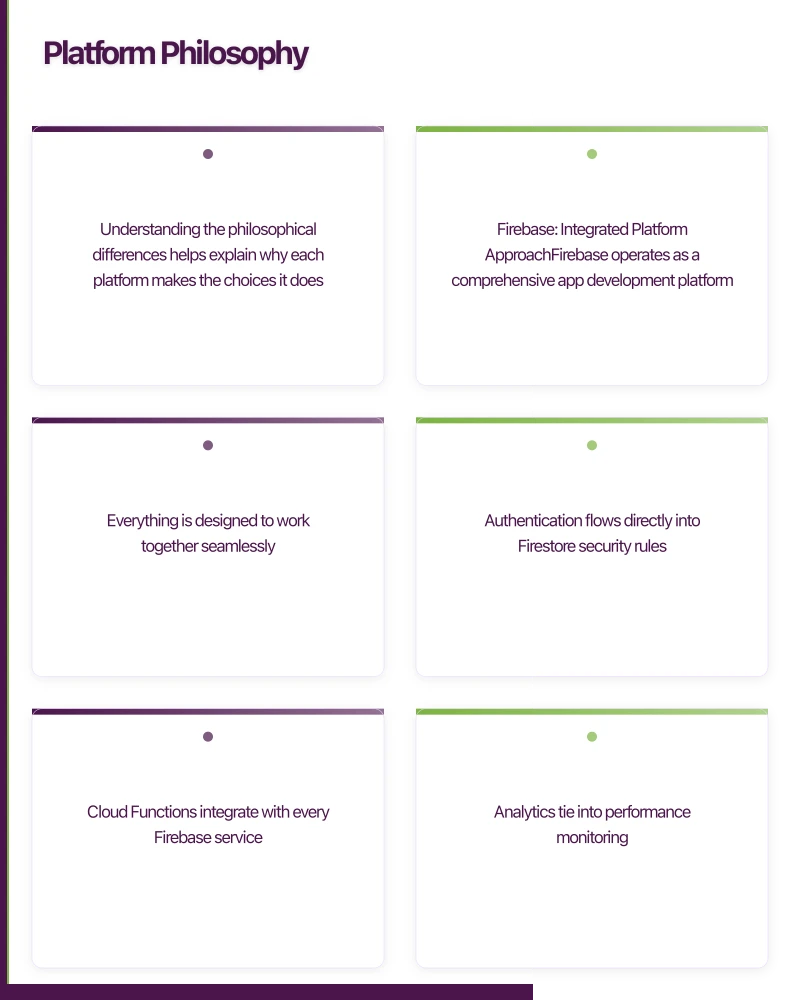
Understanding the philosophical differences helps explain why each platform makes the choices it does.
Firebase: Integrated Platform Approach
Firebase operates as a comprehensive app development platform. Everything is designed to work together seamlessly. Authentication flows directly into Firestore security rules. Cloud Functions integrate with every Firebase service. Analytics tie into performance monitoring.
This integration comes at the cost of lock-in. Firebase uses proprietary services throughout. Firestore is not a standard database you can run elsewhere. Cloud Functions are tied to Google Cloud. Your data lives in Google’s ecosystem.
Supabase: Open Standards Approach
Supabase builds on open-source technologies. PostgreSQL handles data storage. GoTrue manages authentication. PostgREST generates APIs. Kong routes requests. Each component can be self-hosted or replaced.
This modularity provides flexibility and portability. You can export your PostgreSQL database and run it anywhere. The tradeoff is that integration between components requires more intentional design.
Database Architecture
The databas
 e choice is the fundamental difference between these platforms.
Firebase Firestore
Firestore is a document-oriented NoSQL database. Data is stored as collections of documents, similar to JSON objects:
// Firestore data model
interface User {
  uid: string;
  email: string;
  displayName: string;
  createdAt: Timestamp;
  preferences: {
    theme: 'light' | 'dark';
    notifications: boolean;
  };
}

interface Order {
  id: string;
  userId: string;
  // Denormalized user data for efficient reads
  userName: string;
  userEmail: string;
  items: Array<{
    productId: string;
    productName: string;
    quantity: number;
    price: number;
  }>;
  total: number;
  status: 'pending' | 'confirmed' | 'shipped' | 'delivered';
  createdAt: Timestamp;
}
Working with Firestore in your app:
import {
  collection,
  doc,
  getDoc,
  getDocs,
  query,
  where,
  orderBy,
  limit,
  addDoc,
  updateDoc,
  serverTimestamp
} from 'firebase/firestore';

// Create an order
const createOrder = async (userId: string, items: OrderItem[]) => {
  const user = await getDoc(doc(db, 'users', userId));
  const userData = user.data() as User;

  const order = {
    userId,
    userName: userData.displayName,
    userEmail: userData.email,
    items,
    total: items.reduce((sum, item) => sum + item.price * item.quantity, 0),
    status: 'pending',
    createdAt: serverTimestamp()
  };

  const orderRef = await addDoc(collection(db, 'orders'), order);
  return orderRef.id;
};

// Query orders with filters
const getUserOrders = async (userId: string) => {
  const ordersQuery = query(
    collection(db, 'orders'),
    where('userId', '==', userId),
    orderBy('createdAt', 'desc'),
    limit(20)
  );

  const snapshot = await getDocs(ordersQuery);
  return snapshot.docs.map(doc => ({ id: doc.id, ...doc.data() }));
};
Firestore Strengths:
- Automatic scaling without configuration
- Excellent offline support with local caching
- Real-time listeners with efficient synchronisation
- Simple query syntax for common operations
Firestore Limitations:
- No joins between collections
- Data denormalisation required
- Limited query operators compared to SQL
- IN queries limited to 30 values (increased from 10 in 2025)
Supabase PostgreSQL
Supabase uses PostgreSQL, the world’s most advanced open-source relational database. Data is structured in normalised tables with relationships:
-- Create tables with proper relationships
CREATE TABLE users (
  id UUID PRIMARY KEY DEFAULT gen_random_uuid(),
  email TEXT UNIQUE NOT NULL,
  display_name TEXT,
  created_at TIMESTAMPTZ DEFAULT NOW()
);

CREATE TABLE user_preferences (
  user_id UUID PRIMARY KEY REFERENCES users(id) ON DELETE CASCADE,
  theme TEXT DEFAULT 'light' CHECK (theme IN ('light', 'dark')),
  notifications BOOLEAN DEFAULT true
);

CREATE TABLE products (
  id UUID PRIMARY KEY DEFAULT gen_random_uuid(),
  name TEXT NOT NULL,
  price DECIMAL(10, 2) NOT NULL,
  inventory INTEGER DEFAULT 0,
  created_at TIMESTAMPTZ DEFAULT NOW()
);

CREATE TABLE orders (
  id UUID PRIMARY KEY DEFAULT gen_random_uuid(),
  user_id UUID NOT NULL REFERENCES users(id),
  status TEXT DEFAULT 'pending' CHECK (status IN ('pending', 'confirmed', 'shipped', 'delivered')),
  total DECIMAL(10, 2) NOT NULL,
  created_at TIMESTAMPTZ DEFAULT NOW()
);

CREATE TABLE order_items (
  id UUID PRIMARY KEY DEFAULT gen_random_uuid(),
  order_id UUID NOT NULL REFERENCES orders(id) ON DELETE CASCADE,
  product_id UUID NOT NULL REFERENCES products(id),
  quantity INTEGER NOT NULL,
  price_at_purchase DECIMAL(10, 2) NOT NULL
);

-- Create indexes for common queries
CREATE INDEX idx_orders_user_id ON orders(user_id);
CREATE INDEX idx_orders_created_at ON orders(created_at DESC);
CREATE INDEX idx_order_items_order_id ON order_items(order_id);
Working with Supabase in your app:
import { createClient } from '@supabase/supabase-js';

const supabase = createClient(SUPABASE_URL, SUPABASE_ANON_KEY);

// Create an order with transaction
const createOrder = async (userId: string, items: OrderItem[]) => {
  // Use RPC for transactional operations
  const { data, error } = await supabase.rpc('create_order', {
    p_user_id: userId,
    p_items: items
  });

  if (error) throw error;
  return data.order_id;
};

// Query with joins - single request retrieves related data
const getUserOrders = async (userId: string) => {
  const { data, error } = await supabase
    .from('orders')
    .select(`
      *,
      order_items (
        *,
        products (name, price)
      )
    `)
    .eq('user_id', userId)
    .order('created_at', { ascending: false })
    .limit(20);

  if (error) throw error;
  return data;
};

// Complex queries with aggregations
const getOrderStats = async (userId: string) => {
  const { data, error } = await supabase
    .from('orders')
    .select('status, total')
    .eq('user_id', userId);

  if (error) throw error;

  return {
    totalOrders: data.length,
    totalSpent: data.reduce((sum, order) => sum + Number(order.total), 0),
    byStatus: data.reduce((acc, order) => {
      acc[order.status] = (acc[order.status] || 0) + 1;
      return acc;
    }, {} as Record<string, number>)
  };
};
PostgreSQL Strengths:
- Full relational capabilities with joins
- ACID transactions for data integrity
- Advanced query features (CTEs, window functions, full-text search)
- 35+ years of stability and optimisation
- Data portability (standard pg_dump)
PostgreSQL Considerations:
- Schema migrations required for structural changes
- Requires indexing strategy for performance
- More upfront data modelling required
Authentication
Both platfor
 ms provide comprehensive authentication solutions.
Firebase Authentication
import {
  getAuth,
  createUserWithEmailAndPassword,
  signInWithEmailAndPassword,
  signInWithPopup,
  GoogleAuthProvider,
  PhoneAuthProvider,
  signOut,
  onAuthStateChanged
} from 'firebase/auth';

const auth = getAuth();

// Email/password registration
const registerUser = async (email: string, password: string) => {
  const credential = await createUserWithEmailAndPassword(auth, email, password);
  return credential.user;
};

// Google sign-in
const signInWithGoogle = async () => {
  const provider = new GoogleAuthProvider();
  provider.addScope('profile');
  provider.addScope('email');

  const result = await signInWithPopup(auth, provider);
  return result.user;
};

// Phone authentication
const signInWithPhone = async (phoneNumber: string, recaptchaVerifier: RecaptchaVerifier) => {
  const provider = new PhoneAuthProvider(auth);
  const verificationId = await provider.verifyPhoneNumber(phoneNumber, recaptchaVerifier);
  return verificationId;
};

// Auth state listener
onAuthStateChanged(auth, (user) => {
  if (user) {
    console.log('User signed in:', user.uid);
  } else {
    console.log('User signed out');
  }
});
Firebase Auth supports: Email/password, phone, Google, Apple, Facebook, Twitter, GitHub, Microsoft, Yahoo, anonymous, and custom auth providers.
Supabase Authentication
import { createClient } from '@supabase/supabase-js';

const supabase = createClient(SUPABASE_URL, SUPABASE_ANON_KEY);

// Email/password registration
const registerUser = async (email: string, password: string) => {
  const { data, error } = await supabase.auth.signUp({
    email,
    password,
    options: {
      data: {
        display_name: 'New User'
      }
    }
  });

  if (error) throw error;
  return data.user;
};

// Magic link (passwordless)
const sendMagicLink = async (email: string) => {
  const { error } = await supabase.auth.signInWithOtp({
    email,
    options: {
      emailRedirectTo: 'myapp://auth/callback'
    }
  });

  if (error) throw error;
};

// OAuth with Google
const signInWithGoogle = async () => {
  const { data, error } = await supabase.auth.signInWithOAuth({
    provider: 'google',
    options: {
      redirectTo: 'myapp://auth/callback',
      scopes: 'profile email'
    }
  });

  if (error) throw error;
  return data;
};

// Auth state listener
supabase.auth.onAuthStateChange((event, session) => {
  if (session) {
    console.log('User signed in:', session.user.id);
  } else {
    console.log('User signed out');
  }
});
Supabase Auth supports: Email/password, magic links, phone OTP (via third-party), Google, Apple, Facebook, Twitter, GitHub, GitLab, Bitbucket, Discord, Slack, Spotify, and others.
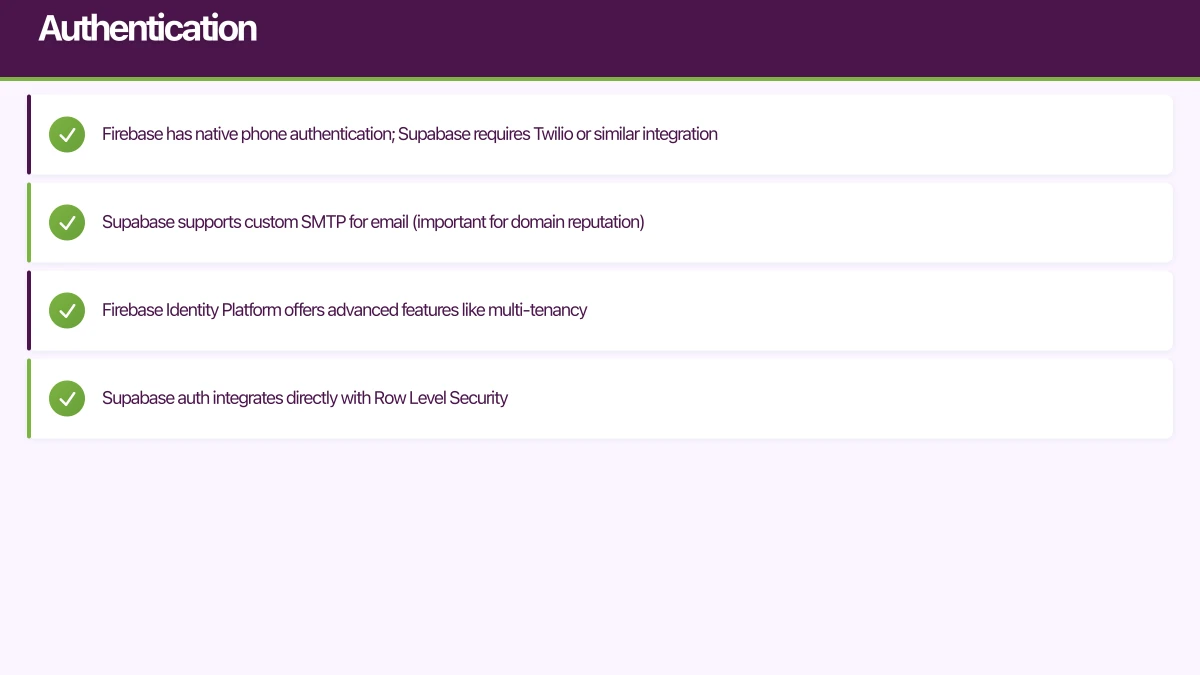
Key Differences:
- Firebase has native phone authentication; Supabase requires Twilio or similar integration
- Supabase supports custom SMTP for email (important for domain reputation)
- Firebase Identity Platform offers advanced features like multi-tenancy
- Supabase auth integrates directly with Row Level Security
Real-Time Features
Real-time capabilities are essential for modern mobile apps.
Firebase Real-Time
Firebase offers two real-time databases:
Firestore Real-Time Listeners:
import { collection, query, where, onSnapshot } from 'firebase/firestore';

// Listen to user's orders
const unsubscribe = onSnapshot(
  query(
    collection(db, 'orders'),
    where('userId', '==', currentUser.uid),
    where('status', 'in', ['pending', 'confirmed', 'shipped'])
  ),
  (snapshot) => {
    snapshot.docChanges().forEach((change) => {
      if (change.type === 'added') {
        console.log('New order:', change.doc.data());
      }
      if (change.type === 'modified') {
        console.log('Order updated:', change.doc.data());
      }
      if (change.type === 'removed') {
        console.log('Order removed:', change.doc.id);
      }
    });
  },
  (error) => {
    console.error('Realtime listener error:', error);
  }
);

// Clean up listener
// unsubscribe();
Realtime Database (Firebase’s original product):
import { getDatabase, ref, onValue, push, set } from 'firebase/database';

const rtdb = getDatabase();

// Listen to chat messages
const messagesRef = ref(rtdb, `chats/${chatId}/messages`);
onValue(messagesRef, (snapshot) => {
  const messages = [];
  snapshot.forEach((child) => {
    messages.push({ id: child.key, ...child.val() });
  });
  setMessages(messages);
});

// Send a message
const sendMessage = async (text: string) => {
  const newMessageRef = push(ref(rtdb, `chats/${chatId}/messages`));
  await set(newMessageRef, {
    text,
    senderId: currentUser.uid,
    timestamp: Date.now()
  });
};
Supabase Real-Time
Supabase provides real-time capabilities through PostgreSQL’s Change Data Capture:
// Subscribe to database changes
const channel = supabase
  .channel('orders-channel')
  .on(
    'postgres_changes',
    {
      event: '*',
      schema: 'public',
      table: 'orders',
      filter: `user_id=eq.${currentUser.id}`
    },
    (payload) => {
      console.log('Change received:', payload);

      switch (payload.eventType) {
        case 'INSERT':
          addOrder(payload.new);
          break;
        case 'UPDATE':
          updateOrder(payload.new);
          break;
        case 'DELETE':
          removeOrder(payload.old.id);
          break;
      }
    }
  )
  .subscribe();

// Presence for online status
const presenceChannel = supabase.channel('online-users');

presenceChannel
  .on('presence', { event: 'sync' }, () => {
    const state = presenceChannel.presenceState();
    console.log('Online users:', Object.keys(state));
  })
  .on('presence', { event: 'join' }, ({ key, newPresences }) => {
    console.log('User joined:', newPresences);
  })
  .on('presence', { event: 'leave' }, ({ key, leftPresences }) => {
    console.log('User left:', leftPresences);
  })
  .subscribe(async (status) => {
    if (status === 'SUBSCRIBED') {
      await presenceChannel.track({
        user_id: currentUser.id,
        online_at: new Date().toISOString()
      });
    }
  });

// Broadcast for ephemeral messages
const broadcastChannel = supabase.channel('room-1');

broadcastChannel
  .on('broadcast', { event: 'cursor-position' }, (payload) => {
    updateCursorPosition(payload.payload);
  })
  .subscribe();

// Send cursor position (no persistence)
broadcastChannel.send({
  type: 'broadcast',
  event: 'cursor-position',
  payload: { x: 100, y: 200, userId: currentUser.id }
});
Real-Time Comparison:
- Firebase: Purpose-built for real-time, better offline support, lower latency
- Supabase: Database-driven, RLS applies to subscriptions, more flexible filtering
Serverless Functions
Both platforms provide serverless compute for backend logic.
Firebase Cloud Functions
// functions/src/index.ts
import { onCall, HttpsError } from 'firebase-functions/v2/https';
import { onDocumentCreated } from 'firebase-functions/v2/firestore';
import { getFirestore } from 'firebase-admin/firestore';
import Stripe from 'stripe';

const stripe = new Stripe(process.env.STRIPE_SECRET_KEY!);
const db = getFirestore();

// Callable function for client
export const createPaymentIntent = onCall(async (request) => {
  if (!request.auth) {
    throw new HttpsError('unauthenticated', 'Must be logged in');
  }

  const { amount, currency = 'aud' } = request.data;

  const paymentIntent = await stripe.paymentIntents.create({
    amount,
    currency,
    metadata: {
      userId: request.auth.uid
    }
  });

  return { clientSecret: paymentIntent.client_secret };
});

// Trigger on Firestore document creation
export const onOrderCreated = onDocumentCreated(
  'orders/{orderId}',
  async (event) => {
    const order = event.data?.data();
    if (!order) return;

    // Send confirmation email
    await sendOrderConfirmationEmail(order);

    // Update inventory
    for (const item of order.items) {
      await db.doc(`products/${item.productId}`).update({
        inventory: FieldValue.increment(-item.quantity)
      });
    }
  }
);
Supabase Edge Functions
// supabase/functions/create-payment-intent/index.ts
import { serve } from 'https://deno.land/[email protected]/http/server.ts';
import { createClient } from 'https://esm.sh/@supabase/supabase-js@2';
import Stripe from 'https://esm.sh/[email protected]?target=deno';

const stripe = new Stripe(Deno.env.get('STRIPE_SECRET_KEY')!, {
  apiVersion: '2024-11-20'
});

serve(async (req) => {
  try {
    // Verify authentication
    const supabase = createClient(
      Deno.env.get('SUPABASE_URL')!,
      Deno.env.get('SUPABASE_ANON_KEY')!,
      {
        global: {
          headers: { Authorization: req.headers.get('Authorization')! }
        }
      }
    );

    const { data: { user }, error: authError } = await supabase.auth.getUser();
    if (authError || !user) {
      return new Response(
        JSON.stringify({ error: 'Unauthorized' }),
        { status: 401 }
      );
    }

    const { amount, currency = 'aud' } = await req.json();

    const paymentIntent = await stripe.paymentIntents.create({
      amount,
      currency,
      metadata: { userId: user.id }
    });

    return new Response(
      JSON.stringify({ clientSecret: paymentIntent.client_secret }),
      { headers: { 'Content-Type': 'application/json' } }
    );
  } catch (error) {
    return new Response(
      JSON.stringify({ error: error.message }),
      { status: 500 }
    );
  }
});
Functions Comparison:
- Firebase: Node.js runtime, tight integration with triggers, more mature
- Supabase: Deno runtime, globally distributed edge execution, lower cold start times
Pricing Analysis
Pricing structures differ significantly and affect cost at scale.
Firebase Pricing (April 2026)
| Service | Free Tier | Pay-as-you-go |
|---|---|---|
| Firestore Reads | 50,000/day | $0.06/100,000 |
| Firestore Writes | 20,000/day | $0.18/100,000 |
| Firestore Storage | 1 GB | $0.18/GB |
| Cloud Functions | 125,000 invocations/month | $0.40/million |
| Authentication | Unlimited | Free (phone: $0.06/verification) |
| Storage | 5 GB | $0.026/GB |
Supabase Pricing (April 2026)
| Tier | Price | Database | Bandwidth | Storage |
|---|---|---|---|---|
| Free | $0 | 500 MB | 2 GB | 1 GB |
| Pro | $25/month | 8 GB | Unlimited | 100 GB |
| Team | $599/month | 8 GB | Unlimited | 100 GB |
Cost Scenario: 10,000 DAU App
Assumptions:
- 10,000 daily active users
- Average 50 reads per user per session
- Average 10 writes per user per session
- 2 sessions per user per day
- 50 GB storage
Firebase Monthly Cost:
- Reads: 10,000 x 50 x 2 x 30 = 30M reads = $180
- Writes: 10,000 x 10 x 2 x 30 = 6M writes = $108
- Storage: 50 GB x $0.18 = $9
- Functions: ~$5 (estimated)
- Total: ~$302/month
Supabase Monthly Cost:
- Pro plan: $25
- Additional storage: Included (under 100 GB)
- Bandwidth: Unlimited
- Total: $25/month
The pricing model difference is significant. Supabase’s flat pricing becomes increasingly advantageous at scale. Firebase’s per-operation pricing can surprise teams when usage spikes.
Security Models
Firebase Security Rules
Firebase uses a custom rules language:
// firestore.rules
rules_version = '2';
service cloud.firestore {
  match /databases/{database}/documents {
    // Users can only read/write their own profile
    match /users/{userId} {
      allow read: if request.auth != null;
      allow write: if request.auth.uid == userId;
    }

    // Orders accessible only by owner
    match /orders/{orderId} {
      allow read: if request.auth.uid == resource.data.userId;
      allow create: if request.auth.uid == request.resource.data.userId;
      allow update: if request.auth.uid == resource.data.userId
        && request.resource.data.userId == resource.data.userId;
      allow delete: if false;
    }

    // Products readable by anyone, writable by admins
    match /products/{productId} {
      allow read: if true;
      allow write: if request.auth.token.admin == true;
    }
  }
}
Supabase Row Level Security
Supabase uses PostgreSQL’s RLS:
-- Enable RLS on tables
ALTER TABLE users ENABLE ROW LEVEL SECURITY;
ALTER TABLE orders ENABLE ROW LEVEL SECURITY;
ALTER TABLE products ENABLE ROW LEVEL SECURITY;

-- Users can only access their own profile
CREATE POLICY "Users can view own profile"
  ON users FOR SELECT
  USING (auth.uid() = id);

CREATE POLICY "Users can update own profile"
  ON users FOR UPDATE
  USING (auth.uid() = id);

-- Orders accessible only by owner
CREATE POLICY "Users can view own orders"
  ON orders FOR SELECT
  USING (auth.uid() = user_id);

CREATE POLICY "Users can create own orders"
  ON orders FOR INSERT
  WITH CHECK (auth.uid() = user_id);

-- Products readable by anyone
CREATE POLICY "Products are viewable by everyone"
  ON products FOR SELECT
  USING (true);

-- Admin check using custom claims
CREATE POLICY "Admins can modify products"
  ON products FOR ALL
  USING (
    (SELECT raw_user_meta_data->>'role' FROM auth.users WHERE id = auth.uid()) = 'admin'
  );
Security Comparison:
- Firebase: Custom DSL, can be limiting for complex logic
- Supabase: Standard SQL, more expressive, integrates with PostgreSQL functions
Migration Considerations
Migrating from Firebase to Supabase
// Export Firestore data
import { getFirestore, collection, getDocs } from 'firebase/firestore';
import { createClient } from '@supabase/supabase-js';

const firestore = getFirestore();
const supabase = createClient(SUPABASE_URL, SUPABASE_SERVICE_KEY);

async function migrateUsers() {
  const usersSnapshot = await getDocs(collection(firestore, 'users'));

  const users = usersSnapshot.docs.map(doc => ({
    id: doc.id,
    email: doc.data().email,
    display_name: doc.data().displayName,
    created_at: doc.data().createdAt?.toDate()?.toISOString()
  }));

  const { error } = await supabase
    .from('users')
    .upsert(users, { onConflict: 'id' });

  if (error) console.error('Migration error:', error);
}
Key challenges:
- Normalising denormalised Firestore documents
- Migrating authentication (users need to reset passwords or use magic links)
- Rewriting security rules as RLS policies
- Converting Cloud Functions to Edge Functions (Node.js to Deno)
Migrating from Supabase to Firebase
// Export PostgreSQL data and import to Firestore
import { createClient } from '@supabase/supabase-js';
import { getFirestore, doc, setDoc } from 'firebase/firestore';

const supabase = createClient(SUPABASE_URL, SUPABASE_SERVICE_KEY);
const firestore = getFirestore();

async function migrateOrders() {
  // Fetch orders with related data
  const { data: orders } = await supabase
    .from('orders')
    .select(`
      *,
      users (email, display_name),
      order_items (*, products (name, price))
    `);

  for (const order of orders) {
    // Denormalize for Firestore
    const firestoreOrder = {
      id: order.id,
      userId: order.user_id,
      userName: order.users.display_name,
      userEmail: order.users.email,
      items: order.order_items.map(item => ({
        productId: item.product_id,
        productName: item.products.name,
        quantity: item.quantity,
        price: item.price_at_purchase
      })),
      total: order.total,
      status: order.status,
      createdAt: new Date(order.created_at)
    };

    await setDoc(doc(firestore, 'orders', order.id), firestoreOrder);
  }
}
Making the Decision
Choose Firebase When
- Mobile-first consumer apps: Firebase’s SDKs are unmatched for mobile
- Real-time is critical: Chat, gaming, collaboration apps benefit from Firebase’s optimised real-time infrastructure
- Google ecosystem integration: Analytics, Crashlytics, AdMob, ML Kit
- Offline-first requirements: Firebase has superior offline caching
- Team unfamiliar with SQL: Document model is often more intuitive initially
- Rapid prototyping: Firebase’s setup speed is exceptional
Choose Supabase When
- Complex data relationships: E-commerce, SaaS, enterprise apps need joins
- Cost predictability matters: Flat pricing vs per-operation billing
- Data portability is important: Standard PostgreSQL dump/restore
- Team knows SQL: Leverage existing database expertise
- Advanced queries needed: Full-text search, aggregations, CTEs
- Self-hosting is a requirement: Open-source stack can run anywhere
Hybrid Approaches
Some teams use both:
- Supabase for core data: Transactional data, user profiles, orders
- Firebase for real-time: Chat, presence, notifications
This adds complexity but leverages each platform’s strengths.
Conclusion
Both Firebase and Supabase are production-ready platforms powering thousands of apps. The choice depends on your specific requirements:
- Data model: Document (Firebase) vs relational (Supabase)
- Query complexity: Simple (Firebase) vs complex (Supabase)
- Pricing sensitivity: Pay-per-use (Firebase) vs flat (Supabase)
- Portability: Proprietary (Firebase) vs open-source (Supabase)
For most mobile apps we build in 2026, we recommend Supabase for data-heavy applications where relational queries and predictable pricing matter. Firebase remains the choice for real-time consumer apps and teams deeply integrated with Google’s ecosystem.
The best approach is to prototype with both. Build your authentication flow and core data model on each platform. The hands-on experience will clarify which fits your team and project better.
Need help choosing and implementing the right backend for your mobile app? Our team has deployed production apps on both Firebase and Supabase. Contact us for a consultation.
Need a web version of your mobile app? Cosmos Web Tech builds responsive web apps and PWAs for Australian businesses.
Part of the Ganda Tech Services family, Awesome Apps delivers specialist mobile app development for Australian small and medium businesses.
Talk to a Sydney app developer — free.
30 minutes. We'll tell you what your app needs, how long it takes, and what it costs. Real answers, no sales pitch.
Book Free App Strategy Call →Free · 30 minutes · No obligation