Mobile Security: Certificate Pinning and API Protection
Mobile apps are inherently hostile territory for security. Your code runs on devices you do not control, connects over networks you cannot trust, and communicates with APIs that attackers will probe. Yet many mobile teams treat security as an afterthought, shipping apps with hardcoded API keys, no certificate pinning, and unencrypted local storage.
The consequences are real. A compromised API key costs money. Intercepted user data triggers data breach notification requirements under Australian privacy law. Tampered apps distributed through side-loading channels damage your brand. This guide covers the security measures every production mobile app should implement.
Certificate Pinning
HTTPS protects traffic from network eavesdroppers, but it trusts any certificate authority (CA) in the device’s trust store. An attacker who installs a custom CA certificate — through a compromised enterprise MDM profile, a social engineering attack, or a malicious Wi-Fi captive portal — can intercept all HTTPS traffic.
Certificate pinning solves this by telling your app to trust only specific certificates or public keys, rather than any CA-signed certificate.
iOS Certificate Pinning with URLSession
class PinnedURLSessionDelegate: NSObject, URLSessionDelegate {
    // Pin the public key hash of your server's certificate
    private let pinnedPublicKeyHashes: Set<String> = [
        "sha256/AAAAAAAAAAAAAAAAAAAAAAAAAAAAAAAAAAAAAAAAAAA=", // Primary
        "sha256/BBBBBBBBBBBBBBBBBBBBBBBBBBBBBBBBBBBBBBBBBBB=", // Backup
    ]

    func urlSession(
        _ session: URLSession,
        didReceive challenge: URLAuthenticationChallenge,
        completionHandler: @escaping (URLSession.AuthChallengeDisposition, URLCredential?) -> Void
    ) {
        guard let serverTrust = challenge.protectionSpace.serverTrust,
              let certificate = SecTrustGetCertificateAtIndex(serverTrust, 0) else {
            completionHandler(.cancelAuthenticationChallenge, nil)
            return
        }

        // Extract public key
        let serverPublicKey = SecCertificateCopyKey(certificate)
        let serverPublicKeyData = SecKeyCopyExternalRepresentation(serverPublicKey!, nil)! as Data

        // Hash and compare
        let serverKeyHash = sha256Base64(data: serverPublicKeyData)

        if pinnedPublicKeyHashes.contains("sha256/\(serverKeyHash)") {
            completionHandler(
                .useCredential,
                URLCredential(trust: serverTrust)
            )
        } else {
            // Certificate does not match pin - reject connection
            completionHandler(.cancelAuthenticationChallenge, nil)
            reportPinningFailure(host: challenge.protectionSpace.host)
        }
    }

    private func sha256Base64(data: Data) -> String {
        var hash = [UInt8](repeating: 0, count: Int(CC_SHA256_DIGEST_LENGTH))
        data.withUnsafeBytes {
            _ = CC_SHA256($0.baseAddress, CC_LONG(data.count), &hash)
        }
        return Data(hash).base64EncodedString()
    }

    private func reportPinningFailure(host: String) {
        // Log to your security monitoring service
        // This could indicate a MITM attack
    }
}
Android Certificate Pinning with OkHttp
class NetworkModule {
    fun provideOkHttpClient(): OkHttpClient {
        val certificatePinner = CertificatePinner.Builder()
            .add(
                "api.yourapp.com.au",
                "sha256/AAAAAAAAAAAAAAAAAAAAAAAAAAAAAAAAAAAAAAAAAAA=" // Primary
            )
            .add(
                "api.yourapp.com.au",
                "sha256/BBBBBBBBBBBBBBBBBBBBBBBBBBBBBBBBBBBBBBBBBBB=" // Backup
            )
            .build()

        return OkHttpClient.Builder()
            .certificatePinner(certificatePinner)
            .connectTimeout(30, TimeUnit.SECONDS)
            .build()
    }
}
Android Network Security Configuration
Android also supports declarative certificate pinning:
{/* res/xml/network_security_config.xml */}
<network-security-config>
    <domain-config cleartextTrafficPermitted="false">
        <domain includeSubdomains="true">api.yourapp.com.au</domain>
        <pin-set expiration="2024-06-01">
            <pin digest="SHA-256">AAAAAAAAAAAAA=</pin>
            <pin digest="SHA-256">BBBBBBBBBBBBB=</pin>
        </pin-set>
    </domain-config>

    {/* Block all cleartext traffic */}
    <base-config cleartextTrafficPermitted="false" />
</network-security-config>
Pin Rotation Strategy
Certificates expire. If your only pinned certificate expires and you have not updated the app, all users lose connectivity. Mitigate this:
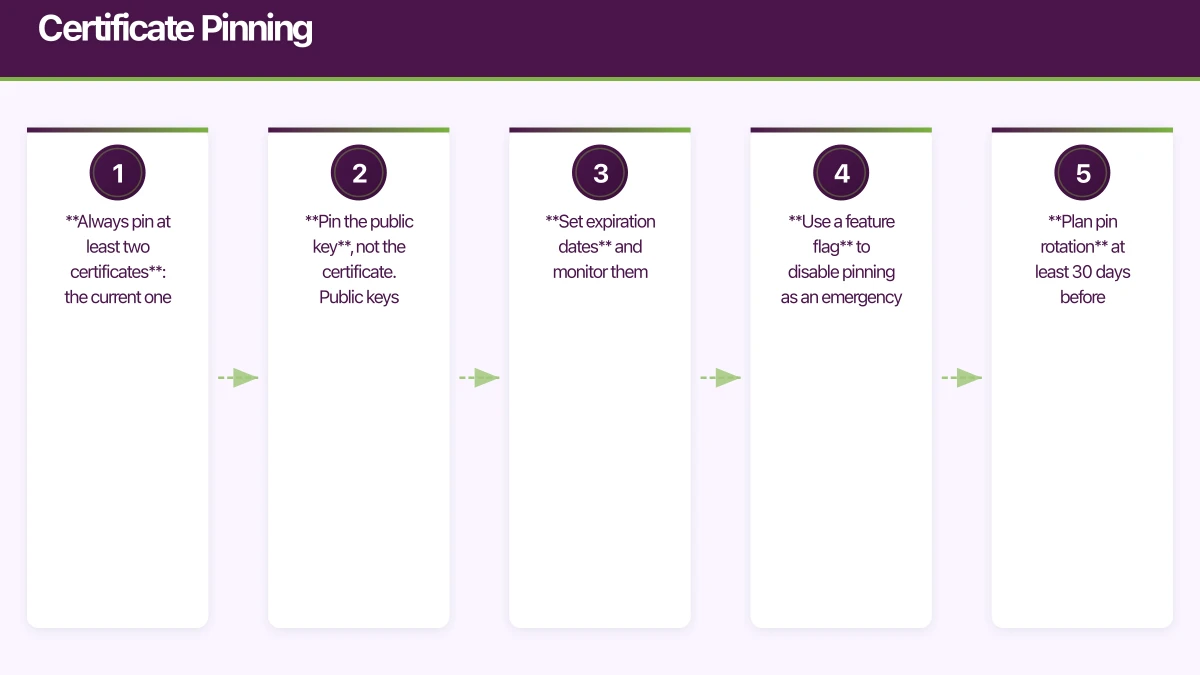
- Always pin at least two certificates: the current one and a backup
- Pin the public key, not the certificate. Public keys persist across certificate renewals from the same CA
- Set expiration dates and monitor them
- Use a feature flag to disable pinning as an emergency fallback
- Plan pin rotation at least 30 days before expiration
API Key Protection
H
ardcoded API keys in your app binary are trivially extractable. Any attacker can decompile your APK or inspect your IPA and find them.
Never Ship Secrets in Client Code
The golden rule: do not put secrets in the app. Instead:
// BAD: API key in source code
let apiKey = "sk_live_abc123def456"

// BAD: API key in config file bundled with the app
let apiKey = Bundle.main.infoDictionary?["API_KEY"] as? String

// GOOD: Retrieve secrets from your backend
class SecureConfigService {
    func fetchAPIConfig() async throws -> APIConfig {
        // Your backend verifies the user's auth token
        // and returns short-lived, scoped API credentials
        let response = try await authenticatedRequest(
            url: "https://api.yourapp.com.au/config"
        )
        return try JSONDecoder().decode(APIConfig.self, from: response)
    }
}
API Authentication Architecture
Mobile App --(auth token)--> Your Backend --(API key)--> Third-party API
                                  |
                                  +-- Rate limiting per user
                                  +-- Request validation
                                  +-- Usage logging
                                  +-- Key rotation without app updates
Your backend acts as a proxy, holding the actual API keys. The mobile app authenticates with your backend using user-specific tokens that you control and can revoke.
Short-Lived Tokens
For services the app must call directly (like cloud storage uploads), generate short-lived, scoped tokens:
// Backend generates a pre-signed URL valid for 15 minutes
struct UploadCredentials: Codable {
    let uploadURL: String
    let expiresAt: Date
    let maxFileSize: Int
}

// Mobile app requests credentials before each upload
func uploadImage(_ image: UIImage) async throws {
    let credentials = try await api.getUploadCredentials()

    guard credentials.expiresAt > Date() else {
        throw UploadError.credentialsExpired
    }

    var request = URLRequest(url: URL(string: credentials.uploadURL)!)
    request.httpMethod = "PUT"
    request.httpBody = image.jpegData(compressionQuality: 0.8)
    try await URLSession.shared.data(for: request)
}
Encrypted Local Storage
iOS Keychain
Use the Keychain for sensitive data like auth tokens, not UserDefaults:
class SecureStorage {
    func save(key: String, data: Data) throws {
        let query: [String: Any] = [
            kSecClass as String: kSecClassGenericPassword,
            kSecAttrAccount as String: key,
            kSecValueData as String: data,
            kSecAttrAccessible as String:
                kSecAttrAccessibleWhenUnlockedThisDeviceOnly
        ]

        // Delete existing item first
        SecItemDelete(query as CFDictionary)

        let status = SecItemAdd(query as CFDictionary, nil)
        guard status == errSecSuccess else {
            throw SecureStorageError.saveFailed(status)
        }
    }

    func load(key: String) throws -> Data? {
        let query: [String: Any] = [
            kSecClass as String: kSecClassGenericPassword,
            kSecAttrAccount as String: key,
            kSecReturnData as String: true,
            kSecMatchLimit as String: kSecMatchLimitOne
        ]

        var result: AnyObject?
        let status = SecItemCopyMatching(query as CFDictionary, &result)

        guard status == errSecSuccess else {
            if status == errSecItemNotFound { return nil }
            throw SecureStorageError.loadFailed(status)
        }

        return result as? Data
    }

    func delete(key: String) {
        let query: [String: Any] = [
            kSecClass as String: kSecClassGenericPassword,
            kSecAttrAccount as String: key
        ]
        SecItemDelete(query as CFDictionary)
    }
}
Android EncryptedSharedPreferences
class SecureStorage(context: Context) {
    private val masterKey = MasterKey.Builder(context)
        .setKeyScheme(MasterKey.KeyScheme.AES256_GCM)
        .build()

    private val securePrefs = EncryptedSharedPreferences.create(
        context,
        "secure_prefs",
        masterKey,
        EncryptedSharedPreferences.PrefKeyEncryptionScheme.AES256_SIV,
        EncryptedSharedPreferences.PrefValueEncryptionScheme.AES256_GCM
    )

    fun saveToken(token: String) {
        securePrefs.edit()
            .putString("auth_token", token)
            .apply()
    }

    fun getToken(): String? {
        return securePrefs.getString("auth_token", null)
    }

    fun clearAll() {
        securePrefs.edit().clear().apply()
    }
}
Runtime Tamper Detection
Detect if your app is running in a compromised environment:
Jailbreak and Root Detection
class DeviceSecurityChecker {
    static func isCompromised() -> Bool {
        // Check for common jailbreak indicators
        let suspiciousPaths = [
            "/Applications/Cydia.app",
            "/Library/MobileSubstrate/MobileSubstrate.dylib",
            "/bin/bash",
            "/usr/sbin/sshd",
            "/etc/apt",
            "/private/var/lib/apt/"
        ]

        for path in suspiciousPaths {
            if FileManager.default.fileExists(atPath: path) {
                return true
            }
        }

        // Check if app can write outside its sandbox
        let testPath = "/private/test_jailbreak.txt"
        do {
            try "test".write(toFile: testPath, atomically: true, encoding: .utf8)
            try FileManager.default.removeItem(atPath: testPath)
            return true
        } catch {
            return false
        }
    }

    static func isRunningInDebugger() -> Bool {
        var info = kinfo_proc()
        var size = MemoryLayout.stride(ofValue: info)
        var mib: [Int32] = [CTL_KERN, KERN_PROC, KERN_PROC_PID, getpid()]

        let result = sysctl(&mib, 4, &info, &size, nil, 0)
        guard result == 0 else { return false }

        return (info.kp_proc.p_flag & P_TRACED) != 0
    }
}
// Android root detection
class RootDetector {
fun isDeviceRooted(): Boolean {
return checkRootBinaries() || checkSuperUserApk() || checkRootProperties()
}
private fun checkRootBinaries(): Boolean {
val paths = arrayOf(
"/system/app/Superuser.apk",
"/sbin/su",
"/system/bin/su",
"/system/xbin/su",
"/data/local/xbin/su",
"/data/local/bin/su",
"/system/sd/xbin/su"
)
return paths.any { File(it).exists() }
}
private fun checkSuperUserApk(): Boolean {
return try {
Runtime.getRuntime().exec("su")
true
} catch (e: Exception) {
false
}
}
}How to Respond to Compromised Devices
Do not simply crash the app — that angers legitimate users with modified devices. Instead:
- Log the detection to your security monitoring
- Disable sensitive features (payments, biometric auth)
- Show a warning explaining reduced functionality
- Continue allowing read-only access where appropriate
Network Security Checklist
Before every release, verify:
- Certificate pinning is active for all API endpoints
- No hardcoded API keys or secrets in the binary
- All network traffic uses HTTPS (no cleartext exceptions)
- Auth tokens stored in Keychain (iOS) or EncryptedSharedPreferences (Android)
- Sensitive data cleared on logout
- Input validation on all user-supplied data before API calls
- Response validation to detect tampered server responses
- Appropriate timeout values to prevent hanging connections
Security is not a feature you ship once — it is a practice you maintain continuously. Build these protections into your development workflow, and treat security reviews as seriously as code reviews.
Need a security audit for your mobile app? Our team at eawesome builds secure mobile applications that protect your users and your business.
Every great app needs reliable cloud infrastructure behind it. Cloud Geeks provides managed AWS and Azure hosting for mobile backends.
Awesome Apps is the mobile development division of Ganda Tech Services, building iOS and Android apps for Australian businesses.
Talk to a Sydney app developer — free.
30 minutes. We'll tell you what your app needs, how long it takes, and what it costs. Real answers, no sales pitch.
Book Free App Strategy Call →Free · 30 minutes · No obligation