Implementing Social Login in Mobile Applications
Social login reduces friction at the most critical moment in your app’s funnel: account creation. Instead of filling out registration forms and creating yet another password, users tap a button and they are in. Apps that offer social login see 20 to 40 percent higher conversion rates on registration screens compared to email-only flows.
In 2022, three providers dominate mobile social login: Sign in with Apple, Google Sign-In, and Facebook Login. This guide covers implementing all three with proper security practices.
Apple’s Sign In Requirement
Apple requires apps that offer any third-party sign-in to also offer Sign in with Apple. This is enforced during App Store review. If you support Google or Facebook login, you must also support Apple.
Sign in with Apple (iOS)
Implementation
import AuthenticationServices

class AppleSignInManager: NSObject, ObservableObject {
    @Published var isAuthenticated = false

    func signIn() {
        let provider = ASAuthorizationAppleIDProvider()
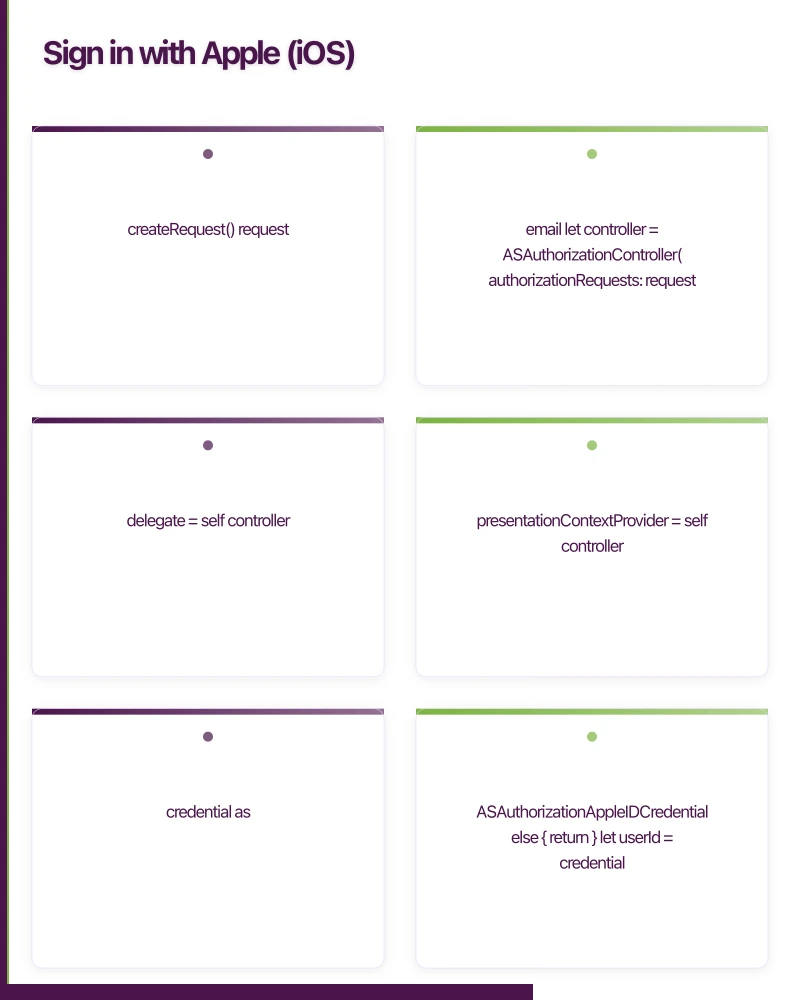
        let request = provider.createRequest()
        request.requestedScopes = [.fullName, .email]

        let controller = ASAuthorizationController(
            authorizationRequests: [request]
        )
        controller.delegate = self
        controller.presentationContextProvider = self
        controller.performRequests()
    }
}

extension AppleSignInManager: ASAuthorizationControllerDelegate {
    func authorizationController(
        controller: ASAuthorizationController,
        didCompleteWithAuthorization authorization: ASAuthorization
    ) {
        guard let credential = authorization.credential
            as? ASAuthorizationAppleIDCredential
        else { return }

        let userId = credential.user
        let email = credential.email
        let fullName = credential.fullName

        // Identity token for server verification
        guard let identityToken = credential.identityToken,
              let tokenString = String(data: identityToken, encoding: .utf8)
        else { return }

        // Send to your backend
        Task {
            await authenticateWithBackend(
                appleUserId: userId,
                identityToken: tokenString,
                email: email,
                name: fullName
            )
        }
    }

    func authorizationController(
        controller: ASAuthorizationController,
        didCompleteWithError error: Error
    ) {
        guard let error = error as? ASAuthorizationError else { return }

        switch error.code {
        case .canceled:
            break // User cancelled
        case .failed:
            print("Sign in failed")
        case .invalidResponse:
            print("Invalid response")
        case .notHandled:
            print("Not handled")
        case .unknown:
            print("Unknown error")
        @unknown default:
            break
        }
    }
}

extension AppleSignInManager: ASAuthorizationControllerPresentationContextProviding {
    func presentationAnchor(
        for controller: ASAuthorizationController
    ) -> ASPresentationAnchor {
        guard let window = UIApplication.shared.connectedScenes
            .compactMap({ $0 as? UIWindowScene })
            .flatMap({ $0.windows })
            .first(where: { $0.isKeyWindow })
        else {
            fatalError("No key window found")
        }
        return window
    }
}
SwiftUI Button
struct AppleSignInButton: View {
    @StateObject private var signInManager = AppleSignInManager()

    var body: some View {
        SignInWithAppleButton(.signIn) { request in
            request.requestedScopes = [.fullName, .email]
        } onCompletion: { result in
            switch result {
            case .success(let authorization):
                signInManager.handleAuthorization(authorization)
            case .failure(let error):
                print("Sign in failed: \(error)")
            }
        }
        .signInWithAppleButtonStyle(.black)
        .frame(height: 50)
    }
}
Important: Apple Only Sends User Info Once
Apple sends the user’s email and name only on the first sign-in. If the user deletes and reinstalls your app, Apple will not send this information again. Store it on your server during the first authentication.
Google Sign-
In
iOS Implementation
import GoogleSignIn

class GoogleSignInManager: ObservableObject {

    func signIn(presenting viewController: UIViewController) {
        let config = GIDConfiguration(
            clientID: "YOUR_IOS_CLIENT_ID.apps.googleusercontent.com"
        )

        GIDSignIn.sharedInstance.signIn(
            with: config,
            presenting: viewController
        ) { [weak self] user, error in
            if let error = error {
                print("Google Sign-In error: \(error)")
                return
            }

            guard let user = user,
                  let idToken = user.authentication.idToken
            else { return }

            let email = user.profile?.email
            let name = user.profile?.name

            // Send to your backend
            Task {
                await self?.authenticateWithBackend(
                    googleIdToken: idToken,
                    email: email,
                    name: name
                )
            }
        }
    }

    func restorePreviousSignIn() {
        GIDSignIn.sharedInstance.restorePreviousSignIn { user, error in
            if let user = user {
                // User was previously signed in
                self.handleRestoredUser(user)
            }
        }
    }
}
Android Implementation
class GoogleSignInManager(private val activity: ComponentActivity) {

    private val signInClient: GoogleSignInClient

    init {
        val gso = GoogleSignInOptions.Builder(GoogleSignInOptions.DEFAULT_SIGN_IN)
            .requestIdToken(BuildConfig.GOOGLE_WEB_CLIENT_ID)
            .requestEmail()
            .requestProfile()
            .build()

        signInClient = GoogleSignIn.getClient(activity, gso)
    }

    private val signInLauncher = activity.registerForActivityResult(
        ActivityResultContracts.StartActivityForResult()
    ) { result ->
        val task = GoogleSignIn.getSignedInAccountFromIntent(result.data)
        try {
            val account = task.getResult(ApiException::class.java)
            handleSignInResult(account)
        } catch (e: ApiException) {
            handleSignInError(e)
        }
    }

    fun signIn() {
        signInLauncher.launch(signInClient.signInIntent)
    }

    private fun handleSignInResult(account: GoogleSignInAccount) {
        val idToken = account.idToken ?: return
        val email = account.email
        val displayName = account.displayName

        // Send to your backend
        viewModelScope.launch {
            authenticateWithBackend(
                googleIdToken = idToken,
                email = email,
                name = displayName
            )
        }
    }
}
Facebook Login
iOS Implementation
import FacebookLogin

class FacebookSignInManager: ObservableObject {
    private let loginManager = LoginManager()

    func signIn(from viewController: UIViewController) {
        loginManager.logIn(
            permissions: ["public_profile", "email"],
            from: viewController
        ) { [weak self] result, error in
            if let error = error {
                print("Facebook login error: \(error)")
                return
            }

            guard let result = result, !result.isCancelled else {
                return
            }

            self?.fetchUserProfile()
        }
    }

    private func fetchUserProfile() {
        guard let token = AccessToken.current?.tokenString else { return }

        let request = GraphRequest(
            graphPath: "me",
            parameters: ["fields": "id,name,email,picture.type(large)"]
        )

        request.start { _, result, error in
            guard let userData = result as? [String: Any] else { return }

            let facebookId = userData["id"] as? String
            let name = userData["name"] as? String
            let email = userData["email"] as? String

            // Send to your backend
            Task {
                await self.authenticateWithBackend(
                    facebookToken: token,
                    facebookId: facebookId,
                    email: email,
                    name: name
                )
            }
        }
    }
}
Android Implementation
class FacebookSignInManager(private val activity: ComponentActivity) {
    private val callbackManager = CallbackManager.Factory.create()

    init {
        LoginManager.getInstance().registerCallback(
            callbackManager,
            object : FacebookCallback<LoginResult> {
                override fun onSuccess(result: LoginResult) {
                    fetchUserProfile(result.accessToken)
                }

                override fun onCancel() {
                    // User cancelled
                }

                override fun onError(error: FacebookException) {
                    // Handle error
                }
            }
        )
    }

    fun signIn() {
        LoginManager.getInstance().logInWithReadPermissions(
            activity,
            callbackManager,
            listOf("public_profile", "email")
        )
    }

    private fun fetchUserProfile(token: AccessToken) {
        val request = GraphRequest.newMeRequest(token) { jsonObject, _ ->
            val facebookId = jsonObject?.optString("id")
            val name = jsonObject?.optString("name")
            val email = jsonObject?.optString("email")

            // Send to your backend
            authenticateWithBackend(
                facebookToken = token.token,
                facebookId = facebookId,
                email = email,
                name = name
            )
        }

        val parameters = Bundle()
        parameters.putString("fields", "id,name,email,picture.type(large)")
        request.parameters = parameters
        request.executeAsync()
    }
}
Server-Side Token Verification
Never trust tokens from the client without server-side verification.
Verify Apple Identity Token
const jwt = require('jsonwebtoken');
const jwksClient = require('jwks-rsa');

const appleKeysClient = jwksClient({
  jwksUri: 'https://appleid.apple.com/auth/keys',
});

async function verifyAppleToken(identityToken) {
  const decoded = jwt.decode(identityToken, { complete: true });
  const key = await appleKeysClient.getSigningKey(decoded.header.kid);

  const verified = jwt.verify(identityToken, key.getPublicKey(), {
    algorithms: ['RS256'],
    issuer: 'https://appleid.apple.com',
    audience: 'com.example.myapp',
  });

  return {
    appleUserId: verified.sub,
    email: verified.email,
    emailVerified: verified.email_verified,
  };
}
Verify Google ID Token
const { OAuth2Client } = require('google-auth-library');

const client = new OAuth2Client(process.env.GOOGLE_CLIENT_ID);

async function verifyGoogleToken(idToken) {
  const ticket = await client.verifyIdToken({
    idToken,
    audience: process.env.GOOGLE_CLIENT_ID,
  });

  const payload = ticket.getPayload();
  return {
    googleUserId: payload.sub,
    email: payload.email,
    name: payload.name,
    picture: payload.picture,
  };
}
Account Linking
Users may sign in with different providers at different times. Link multiple social accounts to a single user account:
async function handleSocialLogin(provider, providerUserId, email, name) {
  // Check if this social account is already linked
  let user = await db.users.findOne({
    [`socialAccounts.${provider}`]: providerUserId,
  });

  if (user) {
    return generateTokens(user);
  }

  // Check if a user exists with this email
  user = await db.users.findOne({ email });

  if (user) {
    // Link the social account to the existing user
    user.socialAccounts[provider] = providerUserId;
    await user.save();
    return generateTokens(user);
  }

  // Create a new user
  user = await db.users.create({
    email,
    name,
    socialAccounts: { [provider]: providerUserId },
  });

  return generateTokens(user);
}
Login Screen Design
Present social login options clearly:
- Most popular first: In Australia, Google and Apple are the most popular providers
- Consistent button styling: Follow each provider’s brand guidelines
- Always offer email: Some users prefer not to use social login
- Single tap flow: Each button should initiate authentication immediately
struct LoginView: View {
    var body: some View {
        VStack(spacing: 16) {
            Text("Sign in to continue")
                .font(.title2)
                .fontWeight(.semibold)

            SignInWithAppleButton(.signIn) { request in
                request.requestedScopes = [.fullName, .email]
            } onCompletion: { _ in }
            .frame(height: 50)

            GoogleSignInButton()
                .frame(height: 50)

            FacebookSignInButton()
                .frame(height: 50)

            Divider()
                .padding(.vertical, 8)

            Button("Sign in with email") {
                showEmailLogin = true
            }
            .frame(height: 50)
        }
        .padding(24)
    }
}
Privacy Considerations
- Request minimal scopes: Only ask for the data you need (email, name)
- Respect data deletion requests: When a user deletes their account, remove all social login data
- Apple’s privacy relay: Apple may provide a private relay email. Handle this gracefully
- Comply with Australian Privacy Act: Clearly state what social login data you collect and how you use it
Conclusion
Social login is a proven way to reduce friction and increase conversion. Implement Sign in with Apple (required if you offer any social login), Google Sign-In (highest adoption), and Facebook Login (still significant user base). Verify all tokens server-side, handle account linking, and follow each provider’s brand guidelines.
For help implementing social authentication in your mobile app, contact eawesome. We build secure, user-friendly login flows for Australian mobile applications.
Launching an app? You’ll need a website to support it. Cosmos Web Tech builds app landing pages and marketing sites for Australian businesses.
Awesome Apps is the mobile development division of Ganda Tech Services, building iOS and Android apps for Australian businesses.
Talk to a Sydney app developer — free.
30 minutes. We'll tell you what your app needs, how long it takes, and what it costs. Real answers, no sales pitch.
Book Free App Strategy Call →Free · 30 minutes · No obligation