Introduction
The Activity lifecycle is central to Android development. Every Android developer must understand how activities transition between states and how to preserve user data across these transitions.
Unlike desktop applications that run until explicitly closed, Android activities exist in a managed environment where the system can pause, stop, or destroy them at any time. Battery optimization, memory pressure, and user interactions all trigger lifecycle transitions.
This guide provides a comprehensive look at the Activity lifecycle, from basic callbacks to advanced state management patterns.
Lifecycle States and Callbacks
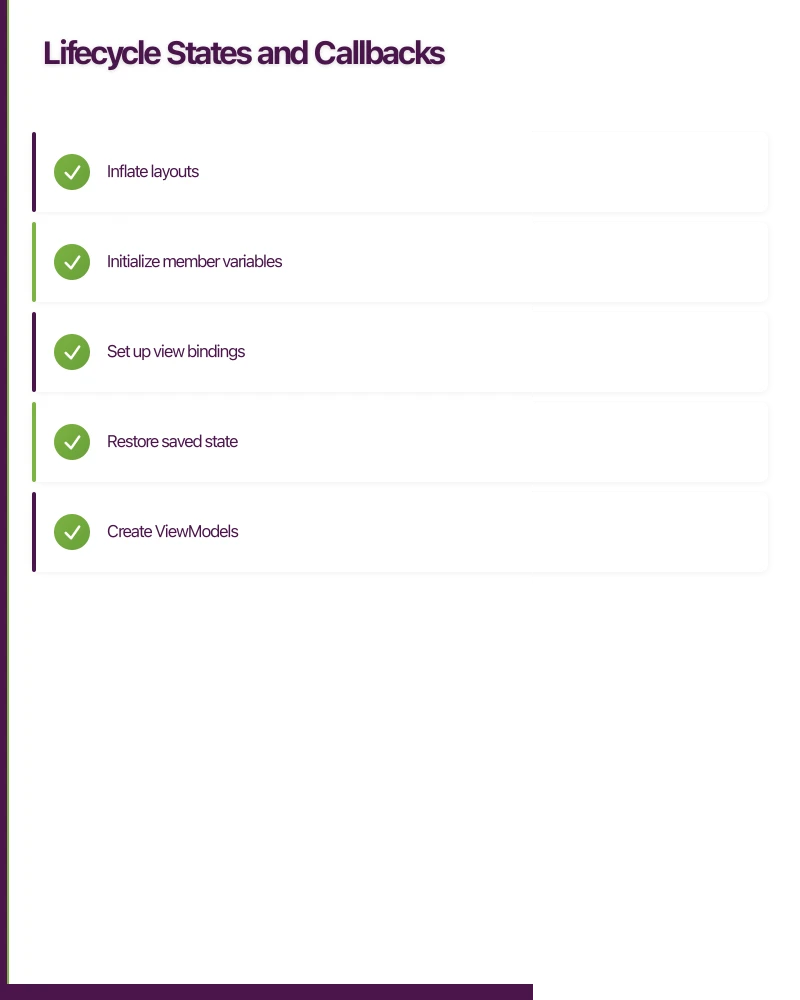
An Activity moves through distinct states, with callbacks invoked at each transition.
The Lifecycle Diagram
[Created] -> [Started] -> [Resumed] <- -> [Paused] -> [Stopped] -> [Destroyed]
     ^                                                            v
     +------------------------------------------------------------+
onCreate()
Called when the activity is first created. Perform one-time initialization here:
class MainActivity : AppCompatActivity() {

    private lateinit var binding: ActivityMainBinding
    private val viewModel: MainViewModel by viewModels()

    override fun onCreate(savedInstanceState: Bundle?) {
        super.onCreate(savedInstanceState)

        // Inflate layout
        binding = ActivityMainBinding.inflate(layoutInflater)
        setContentView(binding.root)

        // Initialize components
        setupToolbar()
        setupRecyclerView()
        setupObservers()

        // Restore state if available
        savedInstanceState?.let { state ->
            val scrollPosition = state.getInt(KEY_SCROLL_POSITION)
            binding.recyclerView.scrollToPosition(scrollPosition)
        }
    }

    companion object {
        private const val KEY_SCROLL_POSITION = "scroll_position"
    }
}
Key responsibilities:
- Inflate layouts
- Initialize member variables
- Set up view bindings
- Restore saved state
- Create ViewModels
onStart()
Called when the activity becomes visible. The activity is not yet interactive.
override fun onStart() {
    super.onStart()

    // Register broadcast receivers
    registerReceiver(connectivityReceiver, connectivityFilter)

    // Start animations that should run while visible
    binding.loadingAnimation.start()

    // Check permissions
    checkLocationPermission()
}
onResume()
Called when the activity starts interacting with the user. This is the active state.
override fun onResume() {
    super.onResume()

    // Resume camera preview
    cameraManager.startPreview()

    // Register sensor listeners
    sensorManager.registerListener(
        accelerometerListener,
        accelerometer,
        SensorManager.SENSOR_DELAY_UI
    )

    // Refresh data
    viewModel.refreshData()
}
onPause()
Called when the activity loses foreground focus. Another activity is coming to the foreground.
override fun onPause() {
    super.onPause()

    // Stop camera preview
    cameraManager.stopPreview()

    // Unregister sensor listeners (battery drain)
    sensorManager.unregisterListener(accelerometerListener)

    // Commit unsaved changes
    if (hasUnsavedChanges) {
        saveCurrentDraft()
    }
}
Important: onPause() executes quickly. The next activity cannot resume until this returns. Do not perform heavy operations here.
onStop()
Called when the activity is no longer visible. May be followed by onRestart() or onDestroy().
override fun onStop() {
    super.onStop()

    // Unregister receivers
    unregisterReceiver(connectivityReceiver)

    // Stop animations
    binding.loadingAnimation.stop()

    // Release resources not needed when hidden
    mediaPlayer?.release()
    mediaPlayer = null

    // Save persistent state
    savePersistentData()
}
onDestroy()
Called before the activity is destroyed. This is your final cleanup opportunity.
override fun onDestroy() {
    super.onDestroy()

    // Clean up resources
    job?.cancel()

    // Close database connections
    database.close()

    // Remove callbacks to prevent leaks
    handler.removeCallbacksAndMessages(null)
}
Note: Do not rely on onDestroy() for saving data. It may not be called if the system kills your process.
onRestart()
Called when a stopped activity is about to start again.
override fun onRestart() {
    super.onRestart()

    // Activity returning from stopped state
    // Check if data has changed while we were away
    checkForDataUpdates()
}
Saving and Restoring State
Activities can be destroyed and recreated. Save transient UI state to survive this.
onSaveInstanceState()
override fun onSaveInstanceState(outState: Bundle) {
    super.onSaveInstanceState(outState)

    // Save UI state
    outState.putInt(KEY_SCROLL_POSITION, layoutManager.findFirstVisibleItemPosition())
    outState.putString(KEY_SEARCH_QUERY, binding.searchInput.text.toString())
    outState.putBoolean(KEY_IS_EDITING, isEditMode)

    // Save complex objects
    outState.putParcelable(KEY_SELECTED_ITEM, selectedItem)
}

override fun onCreate(savedInstanceState: Bundle?) {
    super.onCreate(savedInstanceState)

    savedInstanceState?.let { state ->
        scrollPosition = state.getInt(KEY_SCROLL_POSITION)
        searchQuery = state.getString(KEY_SEARCH_QUERY, "")
        isEditMode = state.getBoolean(KEY_IS_EDITING)
        selectedItem = state.getParcelable(KEY_SELECTED_ITEM)
    }
}
What to Save
Do save:
- Scroll positions
- User input not yet submitted
- UI mode states (editing, selection)
- Expandable/collapsible states
Do not save:
- Data that should be fetched fresh
- Large objects (Bitmap, large lists)
- Transient UI states (loading indicators)
Bundle Size Limits
The Bundle has a size limit (approximately 500KB-1MB depending on device). Exceeding it causes crashes:
TransactionTooLargeException: data parcel size XXXXX bytesStore large data elsewhere:
- ViewModel (survives configuration changes)
- Local database
- Files
ViewModel Integration
ViewModel survives configuration changes, making it ideal for UI-related data.
class ArticleViewModel : ViewModel() {

    private val _article = MutableLiveData<Article>()
    val article: LiveData<Article> = _article

    private val _isLoading = MutableLiveData<Boolean>()
    val isLoading: LiveData<Boolean> = _isLoading

    private var hasLoaded = false

    fun loadArticle(articleId: String) {
        if (hasLoaded) return // Already loaded

        viewModelScope.launch {
            _isLoading.value = true
            try {
                val result = repository.getArticle(articleId)
                _article.value = result
                hasLoaded = true
            } finally {
                _isLoading.value = false
            }
        }
    }
}

class ArticleActivity : AppCompatActivity() {

    private val viewModel: ArticleViewModel by viewModels()

    override fun onCreate(savedInstanceState: Bundle?) {
        super.onCreate(savedInstanceState)

        // ViewModel survives rotation
        // Data is preserved, no re-fetch needed
        viewModel.article.observe(this) { article ->
            displayArticle(article)
        }

        viewModel.isLoading.observe(this) { isLoading ->
            binding.progressBar.isVisible = isLoading
        }

        val articleId = intent.getStringExtra(EXTRA_ARTICLE_ID) ?: return
        viewModel.loadArticle(articleId)
    }
}
ViewModel vs SavedInstanceState
| Aspect | ViewModel | SavedInstanceState |
|---|---|---|
| Survives configuration changes | Yes | Yes |
| Survives process death | No | Yes |
| Storage capacity | Large (in memory) | Small (~500KB) |
| Data types | Any object | Parcelable/Serializable |
| Use case | UI data, loading state | User input, scroll position |
Use both together for comprehensive state management.
Configuration Changes
Configuration changes (rotation, locale, etc.) destroy and recreate the activity by default.
Default Behaviour
onPause() -> onStop() -> onSaveInstanceState() -> onDestroy()
     v
onCreate() -> onStart() -> onRestoreInstanceState() -> onResume()
Handling Configuration Changes Manually
You can opt to handle specific changes yourself:
{/* AndroidManifest.xml */}
<activity
    android:name=".VideoPlayerActivity"
    android:configChanges="orientation|screenSize|screenLayout|keyboardHidden" />
override fun onConfigurationChanged(newConfig: Configuration) {
super.onConfigurationChanged(newConfig)
when (newConfig.orientation) {
Configuration.ORIENTATION_LANDSCAPE -> {
enterFullscreenMode()
}
Configuration.ORIENTATION_PORTRAIT -> {
exitFullscreenMode()
}
}
}Use this sparingly. The default recreate behaviour handles most cases correctly.
Fragment Lifecycle
Fragment lifecycle is tied to its host activity but has additional callbacks.
class DetailFragment : Fragment() {

    override fun onAttach(context: Context) {
        super.onAttach(context)
        // Fragment attached to activity
    }

    override fun onCreate(savedInstanceState: Bundle?) {
        super.onCreate(savedInstanceState)
        // Initialize non-view state
    }

    override fun onCreateView(
        inflater: LayoutInflater,
        container: ViewGroup?,
        savedInstanceState: Bundle?
    ): View {
        // Inflate layout
        return inflater.inflate(R.layout.fragment_detail, container, false)
    }

    override fun onViewCreated(view: View, savedInstanceState: Bundle?) {
        super.onViewCreated(view, savedInstanceState)
        // Set up views - safe to access view references here
        setupViews()
        observeViewModel()
    }

    override fun onDestroyView() {
        super.onDestroyView()
        // Clean up view references
        _binding = null
    }

    override fun onDetach() {
        super.onDetach()
        // Fragment detached from activity
    }
}
View Binding in Fragments
Handle binding lifecycle carefully:
class ListFragment : Fragment(R.layout.fragment_list) {

    private var _binding: FragmentListBinding? = null
    private val binding get() = _binding!!

    override fun onViewCreated(view: View, savedInstanceState: Bundle?) {
        super.onViewCreated(view, savedInstanceState)
        _binding = FragmentListBinding.bind(view)

        binding.recyclerView.adapter = adapter
    }

    override fun onDestroyView() {
        super.onDestroyView()
        _binding = null // Prevent memory leaks
    }
}
Lifecycle-Aware Components
Use lifecycle-aware components to avoid manual lifecycle management.
LifecycleObserver
class LocationTracker(private val context: Context) : DefaultLifecycleObserver {

    private var locationCallback: LocationCallback? = null

    override fun onResume(owner: LifecycleOwner) {
        startTracking()
    }

    override fun onPause(owner: LifecycleOwner) {
        stopTracking()
    }

    private fun startTracking() {
        locationCallback = object : LocationCallback() {
            override fun onLocationResult(result: LocationResult) {
                // Handle location
            }
        }
        // Request updates
    }

    private fun stopTracking() {
        locationCallback?.let {
            fusedLocationClient.removeLocationUpdates(it)
        }
    }
}

// Usage in Activity
class MapActivity : AppCompatActivity() {

    private lateinit var locationTracker: LocationTracker

    override fun onCreate(savedInstanceState: Bundle?) {
        super.onCreate(savedInstanceState)

        locationTracker = LocationTracker(this)
        lifecycle.addObserver(locationTracker)
        // Automatically starts/stops with activity lifecycle
    }
}
LiveData
LiveData is lifecycle-aware, preventing updates to inactive observers:
viewModel.data.observe(this) { data ->
    // Only called when activity is at least STARTED
    // No need to manually unsubscribe
    updateUI(data)
}
Common Pitfalls
Memory Leaks
Avoid holding references that outlive the activity:
// Wrong - leaks activity
object Singleton {
    var callback: ActivityCallback? = null
}

// Right - use WeakReference or clear on destroy
class SafeCallback(activity: Activity) {
    private val activityRef = WeakReference(activity)

    fun onResult() {
        activityRef.get()?.handleResult()
    }
}

// Or clear explicitly
override fun onDestroy() {
    super.onDestroy()
    Singleton.callback = null
}
Async Callbacks After Destruction
Check activity state before updating UI:
// Wrong - may crash if activity destroyed
api.fetchData { result ->
    textView.text = result.name // Crash if activity gone
}

// Right - check lifecycle
api.fetchData { result ->
    if (!isDestroyed && !isFinishing) {
        textView.text = result.name
    }
}

// Better - use LiveData
viewModel.fetchData()
viewModel.result.observe(this) { result ->
    textView.text = result.name // Automatically lifecycle-safe
}
Dialog Leaks
Dismiss dialogs before activity destruction:
class DialogActivity : AppCompatActivity() {

    private var progressDialog: AlertDialog? = null

    fun showLoading() {
        progressDialog = AlertDialog.Builder(this)
            .setMessage("Loading...")
            .setCancelable(false)
            .show()
    }

    override fun onDestroy() {
        progressDialog?.dismiss()
        progressDialog = null
        super.onDestroy()
    }
}
Testing Lifecycle Scenarios
Simulate Configuration Changes
@Test
fun testSurvivesRotation() {
    val scenario = launchActivity<MainActivity>()

    // Perform action
    scenario.onActivity { activity ->
        activity.binding.searchInput.setText("test query")
    }

    // Rotate
    scenario.recreate()

    // Verify state preserved
    scenario.onActivity { activity ->
        assertEquals("test query", activity.binding.searchInput.text.toString())
    }
}
Simulate Process Death
@Test
fun testSurvivesProcessDeath() {
    val scenario = launchActivity<MainActivity>()

    // Set up state
    scenario.onActivity { activity ->
        activity.viewModel.setFilter(Filter.ACTIVE)
    }

    // Simulate process death
    val savedState = Bundle()
    scenario.onActivity { activity ->
        activity.onSaveInstanceState(savedState)
    }
    scenario.recreate()

    // Restore and verify
    scenario.onActivity { activity ->
        // ViewModel is new - state must come from savedInstanceState
        // Verify UI reflects restored state
    }
}
Use Lifecycle Scenarios
ActivityScenario provides lifecycle control:
@Test
fun testStopReleasesResources() {
    val scenario = launchActivity<CameraActivity>()

    scenario.moveToState(Lifecycle.State.CREATED)

    scenario.onActivity { activity ->
        assertFalse(activity.cameraManager.isPreviewActive)
    }

    scenario.moveToState(Lifecycle.State.RESUMED)

    scenario.onActivity { activity ->
        assertTrue(activity.cameraManager.isPreviewActive)
    }
}
Best Practices Summary
- Keep onCreate() fast - Defer heavy work
- Save state early and often - Use both ViewModel and savedInstanceState
- Release resources promptly - Unregister in matching lifecycle method
- Use lifecycle-aware components - Reduce manual management
- Handle configuration changes gracefully - Test rotation
- Avoid memory leaks - Clear references on destroy
- Test lifecycle scenarios - Use ActivityScenario
Conclusion
Mastering the Activity lifecycle is essential for building reliable Android apps. Users expect apps to preserve their state, handle interruptions gracefully, and not drain battery when in the background.
The modern Android architecture components (ViewModel, LiveData, lifecycle-aware components) significantly simplify lifecycle management. Use them consistently, and your apps will handle lifecycle transitions correctly without extensive boilerplate.
Test your lifecycle handling thoroughly. Rotate the device, switch apps rapidly, enable “Don’t keep activities” in developer options, and simulate low memory conditions. Your users will encounter all these scenarios, and your app should handle them all gracefully.
Need help building robust Android applications? The Awesome Apps team specializes in creating Android apps that handle every lifecycle scenario correctly. Contact us to discuss your project.
Mobile is one pillar of a complete digital strategy. Ash Ganda writes about aligning technology investments — cloud, web, and mobile — for business growth.
This article is brought to you by Ganda Tech Services — Sydney’s complete digital solutions provider covering cloud, web, and mobile.
Talk to a Sydney app developer — free.
30 minutes. We'll tell you what your app needs, how long it takes, and what it costs. Real answers, no sales pitch.
Book Free App Strategy Call →Free · 30 minutes · No obligation