Introduction
Shipping broken apps is expensive. Bad reviews accumulate. Users uninstall. App store rankings drop. Yet many development teams treat testing as an afterthought—something to squeeze in before release.
Good testing isn’t about finding bugs after they’re written. It’s about building confidence in your code continuously and catching issues before they reach users.
Why Testing Matters
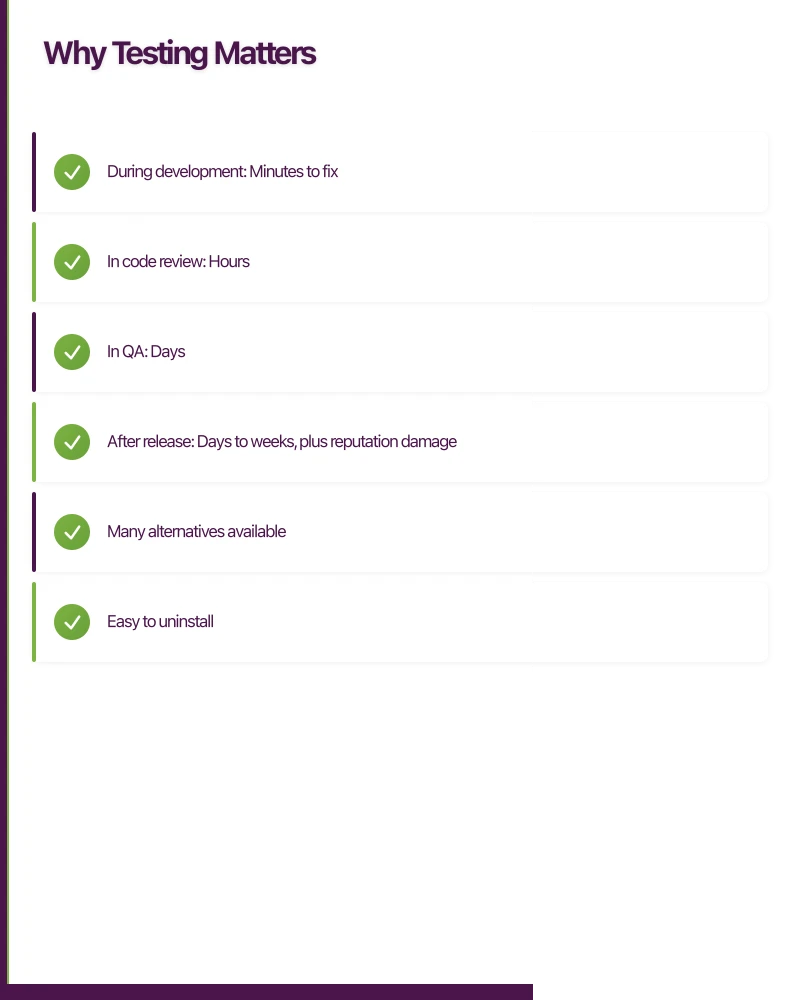
The Cost of Bugs
Bugs cost more the later they’re found:
- During development: Minutes to fix
- In code review: Hours
- In QA: Days
- After release: Days to weeks, plus reputation damage
Testing early saves time and pain later.
User Expectations
Mobile users are unforgiving:
- Many alternatives available
- Easy to uninstall
- Reviews visible to everyone
- First impressions matter
One crash or major bug can mean losing a user forever.
Release Confidence
Without good testing:
- Releases feel risky
- Team hesitates to deploy
- Changes accumulate
- Release days become stressful
With good testing:
- Changes can be released confidently
- Small, frequent releases possible
- Issues caught before users see them
- Team moves faster
Types of Testing
Unit Testing
Testing individual pieces in isolation.
What They Test
- Single functions or methods
- Business logic
- Data transformations
- Calculations
- Edge cases
Characteristics
- Fast (milliseconds)
- Run frequently (every code change)
- Isolated (no external dependencies)
- Many of them (hundreds to thousands)
Example
func testCalculateTotalWithDiscount() {
    let cart = Cart(items: [
        Item(price: 100),
        Item(price: 50)
    ])

    cart.applyDiscount(percent: 10)

    XCTAssertEqual(cart.total, 135.0)
}
Integration Testing
Testing how parts work together.
What They Test
- API communication
- Database operations
- Service interactions
- Component integration
Characteristics
- Slower than unit tests
- May use real dependencies or mocks
- Fewer than unit tests
- Test realistic scenarios
Example
Testing that your user service correctly saves to and retrieves from the database.
UI Testing
Testing the app as users experience it.
What They Test
- User flows
- Screen navigation
- Visual elements
- User interactions
Characteristics
- Slowest tests
- Most brittle (break easily)
- Fewest in number
- Highest confidence
Example
Testing that a user can log in, browse products, add to cart, and complete checkout.
Manual Testing
Human testers using the app.
What It Tests
- Subjective quality
- Visual appearance
- Feel and experience
- Edge cases automation misses
When to Use
- Exploratory testing
- Usability assessment
- Visual verification
- Complex scenarios
Not a replacement for automated testing, but a complement.
Testing Pyramid
The
Concept
Visualise tests as a pyramid:
Bottom (Wide Base): Unit Tests
- Most tests
- Fastest
- Cheapest
Middle: Integration Tests
- Moderate number
- Medium speed
- Medium cost
Top (Narrow Point): UI Tests
- Fewest tests
- Slowest
- Most expensive
Why This Shape
- More unit tests because they’re fast and cheap
- Fewer UI tests because they’re slow and brittle
- Balance provides confidence efficiently
Anti-Pattern: Ice Cream Cone
When you have:
- Few unit tests
- Some integration tests
- Many manual tests
This is expensive and slow. Work toward the pyramid shape.
Platform-Specific Testing
iOS Testing
XCTest
Apple’s native testing framework:
- Unit testing
- UI testing
- Performance testing
- Integrated with Xcode
XCUITest
For UI testing:
- Record and playback
- Accessibility-based element finding
- Simulator and device testing
- Integrated with CI
Common Patterns
class LoginTests: XCTestCase {

    func testSuccessfulLogin() {
        let app = XCUIApplication()
        app.launch()

        app.textFields["email"].tap()
        app.textFields["email"].typeText("[email protected]")

        app.secureTextFields["password"].tap()
        app.secureTextFields["password"].typeText("password123")

        app.buttons["Login"].tap()

        XCTAssertTrue(app.staticTexts["Welcome"].exists)
    }
}
Android Testing
JUnit
Standard unit testing:
- Pure Java/Kotlin tests
- Run on JVM (fast)
- No Android dependencies
Espresso
UI testing framework:
- Synchronisation built in
- View matching
- Action simulation
- Assertion checking
Common Patterns
@Test
fun testSuccessfulLogin() {
    onView(withId(R.id.email))
        .perform(typeText("[email protected]"))

    onView(withId(R.id.password))
        .perform(typeText("password123"))

    onView(withId(R.id.loginButton))
        .perform(click())

    onView(withText("Welcome"))
        .check(matches(isDisplayed()))
}
Cross-Platform Testing
For React Native
- Jest for unit tests
- Detox for E2E tests
- React Native Testing Library
For Flutter
- Flutter test framework
- Widget testing
- Integration testing
- Flutter Driver
What to Test
Test Critical Paths
Focus on what matters most:
- User registration and login
- Core app functionality
- Payment flows
- Data saving and retrieval
If these break, the app is unusable.
Test Edge Cases
Things that might not be obvious:
- Empty states
- Network errors
- Large data sets
- Long strings
- Special characters
- Boundary values
Test Regressions
When you fix a bug:
- Write a test that would have caught it
- Ensure it never comes back
Don’t Test Everything
Some things aren’t worth testing:
- Framework functionality (Apple/Google already tests it)
- Trivial code (simple getters/setters)
- External services (mock them instead)
Focus effort where it matters.
Test Automation
Continuous Integration
Run tests automatically:
On Every Commit
- Unit tests
- Quick integration tests
- Static analysis
Before Merge
- Full test suite
- UI tests
- Performance checks
Popular CI Tools
- GitHub Actions
- Bitrise (mobile-focused)
- CircleCI
- GitLab CI
Test Reports
Make test results visible:
- Pass/fail summary
- Failure details
- Trends over time
- Coverage reports
Dealing with Flaky Tests
Tests that sometimes pass, sometimes fail:
Common Causes
- Timing issues
- Shared state
- External dependencies
- Animation timing
Solutions
- Fix the root cause
- Improve synchronisation
- Isolate tests properly
- Retry carefully (temporary)
Don’t ignore flaky tests—they erode confidence.
Test Data and Mocking
Test Data
Good test data is:
- Predictable
- Repeatable
- Representative
- Isolated
Avoid depending on production data.
Mocking
Replace real dependencies with controlled alternatives:
Mock External APIs
- Predictable responses
- Test error conditions
- No network dependency
- Faster tests
Mock Databases
- In-memory alternatives
- Known test data
- Fast resets
When to Mock
- External services
- Slow dependencies
- Unpredictable components
- Paid APIs
When Not to Mock
- Your own code (test it for real)
- Database queries (test actual logic)
- Important integrations
Building Quality In
Test-Driven Development (TDD)
Write tests before code:
- Write failing test
- Write minimal code to pass
- Refactor
- Repeat
Benefits:
- Forces design thinking
- Tests exist from start
- Confidence in changes
- Better code structure
Code Review
Include tests in review:
- Are tests present for changes?
- Do tests test the right things?
- Are tests maintainable?
Definition of Done
Include testing in done criteria:
- Unit tests passing
- Integration tests passing
- UI tests passing
- Manual testing completed
- No regression in existing tests
Getting Started
Starting from Zero
If you have no tests:
- Start with unit tests for new code
- Add tests when fixing bugs
- Test critical paths first
- Build gradually
Don’t try to test everything at once.
First Steps
Week 1-2
- Set up testing framework
- Write first unit tests
- Get tests running in CI
Month 1
- Tests for all new code
- Bug fix tests
- Core path integration tests
Ongoing
- Expand coverage
- Improve test quality
- Add UI tests for critical flows
Measuring Progress
Coverage Metrics
- Percentage of code with tests
- Not the only metric
- 70-80% is often practical target
Confidence Metrics
- How often do issues escape to production?
- How comfortable are releases?
- How quickly can changes ship?
Conclusion
Testing isn’t overhead—it’s investment. Good tests enable faster development by catching issues early, enabling confident refactoring, and reducing release anxiety.
Start with unit tests. Build toward the testing pyramid. Automate in CI. Focus on what matters most. Build testing into your definition of done.
The goal isn’t testing for its own sake—it’s building apps users can rely on.
Drive more app downloads with a professional web presence. Cosmos Web Tech specialises in web design and SEO for Australian tech businesses.
Awesome Apps is the mobile development division of Ganda Tech Services, building iOS and Android apps for Australian businesses.
Talk to a Sydney app developer — free.
30 minutes. We'll tell you what your app needs, how long it takes, and what it costs. Real answers, no sales pitch.
Book Free App Strategy Call →Free · 30 minutes · No obligation