Introduction
Performance is the foundation of user experience. Research consistently shows that slow apps drive users away: 53% of users abandon apps that take longer than 3 seconds to load, and poor performance is cited in 48% of one-star reviews on the Play Store.
This guide covers practical Android performance optimization techniques that deliver measurable improvements. We’ll focus on the areas that matter most: startup time, UI responsiveness, memory efficiency, and battery consumption.
Measuring Performance: Before You Optimize
Before optimizing anything, establish baseline measurements. Optimization without measurement is guesswork.
Android Studio Profiler
The integrated profiler provides real-time insights into CPU, memory, network, and energy usage.
// Enable profiling in debug builds
android {
    buildTypes {
        debug {
            isProfileable = true
        }
    }
}
Baseline Profiles
Baseline Profiles improve startup time by pre-compiling critical code paths:
// BaselineProfileGenerator.kt
@RunWith(AndroidJUnit4::class)
class BaselineProfileGenerator {
    @get:Rule
    val rule = BaselineProfileRule()

    @Test
    fun generateBaselineProfile() {
        rule.collect(
            packageName = "com.example.app",
            includeInStartupProfile = true
        ) {
            // Critical user journeys
            pressHome()
            startActivityAndWait()

            // Navigate through main screens
            device.findObject(By.text("Dashboard")).click()
            device.waitForIdle()

            device.findObject(By.text("Profile")).click()
            device.waitForIdle()
        }
    }
}
Key Metrics to Track
Startup Metrics:
- Time to Initial Display (TTID)
- Time to Full Display (TTFD)
- Cold start time
- Warm start time

UI Metrics:
- Frame render time (target: less than 16ms)
- Jank frames percentage
- Input latency

Memory Metrics:
- Peak memory usage
- Memory leaks
- GC frequency and duration

Battery Metrics:
- CPU wake time
- Network usage patterns
- Background processing
Startup Optimization
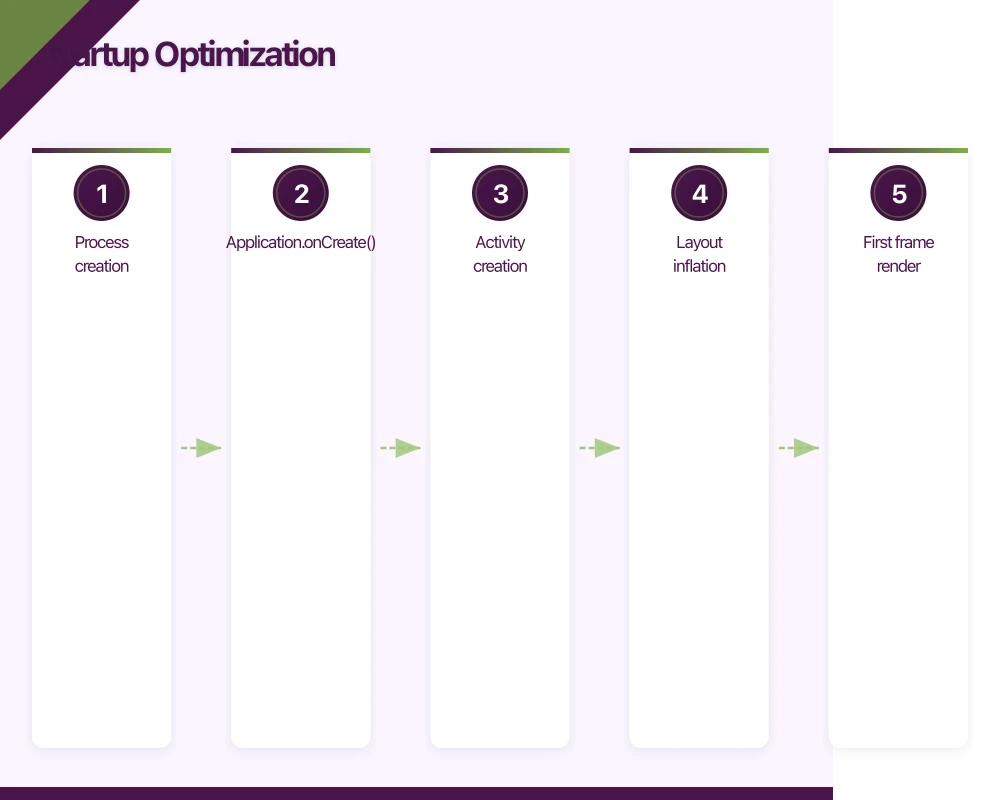
App startup is your first impression. Users expect apps to be responsive within 1-2 seconds.
Understanding Startup Phases
Cold Start (most expensive):
1. Process creation
2. Application.onCreate()
3. Activity creation
4. Layout inflation
5. First frame render

Warm Start (process exists):
1. Activity creation
2. Layout inflation
3. First frame render

Hot Start (activity exists):
1. Activity brought to foreground
2. Resume callbacks
Reducing Application.onCreate() Time
Move heavy initialization out of the critical path:
class MyApplication : Application() {

    override fun onCreate() {
        super.onCreate()

        // Essential initialization only
        initializeCrashReporting()

        // Defer non-essential work
        deferredInit()
    }

    private fun deferredInit() {
        // Use WorkManager for background initialization
        val initWork = OneTimeWorkRequestBuilder<InitializationWorker>()
            .setExpedited(OutOfQuotaPolicy.RUN_AS_NON_EXPEDITED_WORK_REQUEST)
            .build()

        WorkManager.getInstance(this).enqueue(initWork)
    }
}

class InitializationWorker(
    context: Context,
    params: WorkerParameters
) : CoroutineWorker(context, params) {

    override suspend fun doWork(): Result {
        // Initialize analytics
        Analytics.initialize(applicationContext)

        // Pre-warm image loading
        ImageLoader.getInstance().prewarm()

        // Initialize feature flags
        FeatureFlags.fetch()

        return Result.success()
    }
}
Lazy Initialization Patterns
// Use lazy delegates for expensive objects
class Repository @Inject constructor(
    private val database: Lazy<AppDatabase>,
    private val api: Lazy<ApiService>
) {
    // Database connection only created when first accessed
    suspend fun getItems(): List<Item> {
        return database.get().itemDao().getAll()
    }
}

// Lazy singleton pattern
object ExpensiveService {
    val instance: ExpensiveClient by lazy {
        ExpensiveClient.Builder()
            .setConfig(loadConfig())
            .build()
    }
}
Optimizing Layout Inflation
Layout inflation is often a startup bottleneck:
// Use ViewStub for views not immediately needed
<ViewStub
    android:id="@+id/stub_settings"
    android:layout="@layout/settings_panel"
    android:inflatedId="@+id/settings_panel"
    android:layout_width="match_parent"
    android:layout_height="wrap_content" />

// Inflate only when needed
private fun showSettings() {
    val stub = findViewById<ViewStub>(R.id.stub_settings)
    stub?.inflate() // Only inflates once
}
// Use Compose for faster UI initialization
class MainActivity : ComponentActivity() {
override fun onCreate(savedInstanceState: Bundle?) {
super.onCreate(savedInstanceState)
// Compose starts rendering faster than XML inflation
setContent {
MyAppTheme {
MainScreen()
}
}
}
}Splash Screen Optimization
Use the SplashScreen API correctly:
class MainActivity : AppCompatActivity() {

    override fun onCreate(savedInstanceState: Bundle?) {
        val splashScreen = installSplashScreen()
        super.onCreate(savedInstanceState)

        // Keep splash visible while loading critical data
        var isReady = false
        splashScreen.setKeepOnScreenCondition { !isReady }

        lifecycleScope.launch {
            // Load essential data
            viewModel.loadInitialData()
            isReady = true
        }

        setContentView(R.layout.activity_main)
    }
}
UI Performance
Smooth UI requires consistent 60fps rendering, meaning each frame must complete within 16.67ms.
Identifying Jank
Enable GPU rendering profiling:
// In debug builds, show GPU profiling overlay
if (BuildConfig.DEBUG) {
    StrictMode.setThreadPolicy(
        StrictMode.ThreadPolicy.Builder()
            .detectDiskReads()
            .detectDiskWrites()
            .detectNetwork()
            .penaltyLog()
            .build()
    )
}
RecyclerView Optimization
RecyclerView is often the source of UI jank:
class OptimizedAdapter(
    private val items: List<Item>
) : RecyclerView.Adapter<OptimizedAdapter.ViewHolder>() {

    init {
        // Enable stable IDs for better diffing
        setHasStableIds(true)
    }

    override fun getItemId(position: Int): Long {
        return items[position].id
    }

    override fun onCreateViewHolder(parent: ViewGroup, viewType: Int): ViewHolder {
        // Inflate once, reuse many times
        val view = LayoutInflater.from(parent.context)
            .inflate(R.layout.item_layout, parent, false)
        return ViewHolder(view)
    }

    override fun onBindViewHolder(holder: ViewHolder, position: Int) {
        // Avoid expensive operations in bind
        holder.bind(items[position])
    }

    class ViewHolder(view: View) : RecyclerView.ViewHolder(view) {
        private val titleView: TextView = view.findViewById(R.id.title)
        private val imageView: ImageView = view.findViewById(R.id.image)

        fun bind(item: Item) {
            titleView.text = item.title

            // Use efficient image loading
            Coil.imageLoader(itemView.context).enqueue(
                ImageRequest.Builder(itemView.context)
                    .data(item.imageUrl)
                    .target(imageView)
                    .size(ViewSizeResolver(imageView))
                    .build()
            )
        }
    }
}
// RecyclerView configuration for performance
recyclerView.apply {
// Set fixed size if content doesn't change layout
setHasFixedSize(true)
// Increase view cache for smoother scrolling
setItemViewCacheSize(20)
// Use optimal layout manager settings
(layoutManager as LinearLayoutManager).apply {
initialPrefetchItemCount = 4
}
}ListAdapter with DiffUtil
For dynamic lists, use ListAdapter:
class ItemAdapter : ListAdapter<Item, ItemAdapter.ViewHolder>(ItemDiffCallback()) {

    override fun onCreateViewHolder(parent: ViewGroup, viewType: Int): ViewHolder {
        return ViewHolder(ItemBinding.inflate(
            LayoutInflater.from(parent.context), parent, false
        ))
    }

    override fun onBindViewHolder(holder: ViewHolder, position: Int) {
        holder.bind(getItem(position))
    }

    class ViewHolder(private val binding: ItemBinding) :
        RecyclerView.ViewHolder(binding.root) {

        fun bind(item: Item) {
            binding.title.text = item.title
            binding.subtitle.text = item.description
        }
    }
}

class ItemDiffCallback : DiffUtil.ItemCallback<Item>() {
    override fun areItemsTheSame(oldItem: Item, newItem: Item): Boolean {
        return oldItem.id == newItem.id
    }

    override fun areContentsTheSame(oldItem: Item, newItem: Item): Boolean {
        return oldItem == newItem
    }

    override fun getChangePayload(oldItem: Item, newItem: Item): Any? {
        // Return specific changes for partial updates
        return if (oldItem.title != newItem.title) {
            bundleOf("title" to newItem.title)
        } else null
    }
}
Compose Performance
Jetpack Compose has its own performance considerations:
// Use keys for list items
@Composable
fun ItemList(items: List<Item>) {
    LazyColumn {
        items(
            items = items,
            key = { item -> item.id } // Stable keys enable smart recomposition
        ) { item ->
            ItemRow(item = item)
        }
    }
}

// Avoid unnecessary recomposition with stable types
@Immutable
data class ItemUiState(
    val id: String,
    val title: String,
    val description: String
)

// Use remember for expensive computations
@Composable
fun ExpensiveComponent(data: List<DataPoint>) {
    val processedData = remember(data) {
        data.map { processDataPoint(it) }
    }

    Chart(data = processedData)
}

// Use derivedStateOf for derived values
@Composable
fun FilteredList(items: List<Item>, filter: String) {
    val filteredItems by remember(items, filter) {
        derivedStateOf {
            items.filter { it.name.contains(filter, ignoreCase = true) }
        }
    }

    LazyColumn {
        items(filteredItems) { item ->
            ItemRow(item = item)
        }
    }
}
Memory Optimization
Memory issues cause crashes and poor performance. Android’s constrained memory environment requires careful management.
Detecting Memory Leaks
Use LeakCanary in debug builds:
// build.gradle.kts
dependencies {
    debugImplementation("com.squareup.leakcanary:leakcanary-android:2.12")
}
Common Memory Leak Patterns
Leaking Activity Context:
// BAD: Static reference to Activity
object DataHolder {
    var activity: Activity? = null // LEAK!
}

// GOOD: Use application context or weak reference
object DataHolder {
    private var activityRef: WeakReference<Activity>? = null

    fun setActivity(activity: Activity) {
        activityRef = WeakReference(activity)
    }

    fun getActivity(): Activity? = activityRef?.get()
}
Leaking via Inner Classes:
// BAD: Anonymous inner class holds Activity reference
class MyActivity : AppCompatActivity() {
    override fun onCreate(savedInstanceState: Bundle?) {
        super.onCreate(savedInstanceState)

        // This handler holds implicit reference to Activity
        val handler = Handler(Looper.getMainLooper())
        handler.postDelayed({
            updateUI() // Activity might be destroyed
        }, 10000)
    }
}

// GOOD: Use lifecycle-aware components
class MyActivity : AppCompatActivity() {
    override fun onCreate(savedInstanceState: Bundle?) {
        super.onCreate(savedInstanceState)

        lifecycleScope.launch {
            delay(10000)
            // Only runs if Activity is still active
            updateUI()
        }
    }
}
Bitmap Memory Management
Images are often the largest memory consumers:
// Use Coil with proper memory management
val imageLoader = ImageLoader.Builder(context)
    .memoryCache {
        MemoryCache.Builder(context)
            .maxSizePercent(0.25) // Use 25% of app memory
            .build()
    }
    .diskCache {
        DiskCache.Builder()
            .directory(context.cacheDir.resolve("image_cache"))
            .maxSizeBytes(50 * 1024 * 1024) // 50MB
            .build()
    }
    .build()

// Load images at appropriate size
val request = ImageRequest.Builder(context)
    .data(imageUrl)
    .size(300, 300) // Request specific size, not full resolution
    .scale(Scale.FILL)
    .target(imageView)
    .build()
Memory-Efficient Data Structures
// Use SparseArray instead of HashMap for int keys
val sparseArray = SparseArray<String>()
sparseArray.put(1, "one")
sparseArray.put(2, "two")

// Use ArrayMap for small collections
val arrayMap = ArrayMap<String, Int>()
arrayMap["key1"] = 1
arrayMap["key2"] = 2

// Use primitive arrays when possible
val intArray = IntArray(100) // Better than Array<Int>
val floatArray = FloatArray(100) // Better than Array<Float>
Network Optimization
Network calls impact both performance and battery life.
Efficient API Design
// Use pagination to avoid large responses
interface ApiService {
    @GET("items")
    suspend fun getItems(
        @Query("page") page: Int,
        @Query("limit") limit: Int = 20
    ): Response<PagedResponse<Item>>
}

// Implement efficient caching
val client = OkHttpClient.Builder()
    .cache(Cache(
        directory = File(context.cacheDir, "http_cache"),
        maxSize = 10L * 1024 * 1024 // 10 MB
    ))
    .addInterceptor { chain ->
        val request = chain.request().newBuilder()
            .header("Cache-Control", "public, max-age=60")
            .build()
        chain.proceed(request)
    }
    .build()
Request Batching and Deduplication
class RequestCoordinator {
    private val pendingRequests = mutableMapOf<String, Deferred<Response>>()

    suspend fun <T> executeOrJoin(
        key: String,
        request: suspend () -> T
    ): T {
        // Check if request is already in flight
        pendingRequests[key]?.let {
            @Suppress("UNCHECKED_CAST")
            return it.await() as T
        }

        // Execute new request
        val deferred = coroutineScope {
            async { request() }
        }

        pendingRequests[key] = deferred as Deferred<Response>

        return try {
            deferred.await()
        } finally {
            pendingRequests.remove(key)
        }
    }
}
Battery Optimization
Battery efficiency directly impacts user retention.
WorkManager for Background Tasks
class SyncWorker(
    context: Context,
    params: WorkerParameters
) : CoroutineWorker(context, params) {

    override suspend fun doWork(): Result {
        return try {
            syncData()
            Result.success()
        } catch (e: Exception) {
            if (runAttemptCount < 3) {
                Result.retry()
            } else {
                Result.failure()
            }
        }
    }
}

// Schedule with appropriate constraints
val syncRequest = PeriodicWorkRequestBuilder<SyncWorker>(
    1, TimeUnit.HOURS,
    15, TimeUnit.MINUTES // Flex period
)
    .setConstraints(
        Constraints.Builder()
            .setRequiredNetworkType(NetworkType.CONNECTED)
            .setRequiresBatteryNotLow(true)
            .build()
    )
    .setBackoffCriteria(
        BackoffPolicy.EXPONENTIAL,
        WorkRequest.MIN_BACKOFF_MILLIS,
        TimeUnit.MILLISECONDS
    )
    .build()

WorkManager.getInstance(context)
    .enqueueUniquePeriodicWork(
        "data_sync",
        ExistingPeriodicWorkPolicy.KEEP,
        syncRequest
    )
Location Updates Optimization
class LocationService {
    private val fusedLocationClient: FusedLocationProviderClient

    fun startLocationUpdates() {
        val request = LocationRequest.Builder(
            Priority.PRIORITY_BALANCED_POWER_ACCURACY,
            30_000 // 30 second interval
        )
            .setMinUpdateIntervalMillis(15_000)
            .setMaxUpdateDelayMillis(60_000) // Batch updates
            .build()

        fusedLocationClient.requestLocationUpdates(
            request,
            locationCallback,
            Looper.getMainLooper()
        )
    }

    // Use passive location when high accuracy isn't needed
    fun startPassiveLocationUpdates() {
        val request = LocationRequest.Builder(
            Priority.PRIORITY_PASSIVE, // Uses other apps' requests
            60_000
        ).build()

        fusedLocationClient.requestLocationUpdates(
            request,
            locationCallback,
            Looper.getMainLooper()
        )
    }
}
Profiling and Debugging Tools
Android Studio Profiler Usage
// Add trace sections for detailed profiling
import android.os.Trace

fun expensiveOperation() {
    Trace.beginSection("expensiveOperation")
    try {
        // Your code here
        processData()
    } finally {
        Trace.endSection()
    }
}

// Or use the Kotlin extension
inline fun <T> trace(label: String, block: () -> T): T {
    Trace.beginSection(label)
    return try {
        block()
    } finally {
        Trace.endSection()
    }
}

// Usage
val result = trace("processItems") {
    items.map { processItem(it) }
}
Macrobenchmark for Startup
@RunWith(AndroidJUnit4::class)
class StartupBenchmark {
    @get:Rule
    val benchmarkRule = MacrobenchmarkRule()

    @Test
    fun startupCompilationNone() = startup(CompilationMode.None())

    @Test
    fun startupCompilationPartial() = startup(
        CompilationMode.Partial(
            baselineProfileMode = BaselineProfileMode.Require
        )
    )

    private fun startup(compilationMode: CompilationMode) {
        benchmarkRule.measureRepeated(
            packageName = "com.example.app",
            metrics = listOf(StartupTimingMetric()),
            iterations = 10,
            startupMode = StartupMode.COLD,
            compilationMode = compilationMode
        ) {
            pressHome()
            startActivityAndWait()

            // Wait for content to load
            device.wait(
                Until.hasObject(By.text("Dashboard")),
                5_000
            )
        }
    }
}
Conclusion
Performance optimization is an ongoing process, not a one-time task. Start by measuring your current performance, identify the biggest bottlenecks, and address them systematically.
Focus on these high-impact areas first:
- Startup time: Users are most impatient during startup
- List scrolling: The most common UI interaction
- Memory management: Prevents crashes and ANRs
- Network efficiency: Impacts performance and battery
Use Android Studio’s profiling tools regularly, implement baseline profiles, and monitor performance metrics in production. Small improvements compound over time, resulting in a significantly better user experience.
The best-performing apps are built with performance in mind from the start, but it’s never too late to optimize. Your users will thank you with higher ratings, better retention, and more engagement.
Drive more app downloads with a professional web presence. Cosmos Web Tech specialises in web design and SEO for Australian tech businesses.
Ganda Tech Services brings together cloud infrastructure, web development, and mobile app expertise to help Australian businesses thrive in the digital economy.
Talk to a Sydney app developer — free.
30 minutes. We'll tell you what your app needs, how long it takes, and what it costs. Real answers, no sales pitch.
Book Free App Strategy Call →Free · 30 minutes · No obligation