Introduction
You’ve built a great app. Now comes the hard question: how do you make money from it?
For most Australian app developers, the choice comes down to two models: in-app purchases (IAP) or subscriptions. Both use the same underlying platform APIs, but they represent fundamentally different business models with different user expectations, implementation complexity, and revenue potential.
This guide breaks down the technical and strategic differences between IAP and subscriptions, helping you choose the right model for your Australian app and implement it correctly.
Understanding the Models
In-App Purchases (IAP)
In-app purchases let users buy digital goods or features within your app. These purchases fall into three categories:
Consumables Items that are used up and can be purchased repeatedly—game currency, extra lives, credits, boosts.
Non-Consumables One-time purchases that unlock features permanently—pro version upgrade, ad removal, additional content packs.
Auto-Renewable Subscriptions Recurring payments that provide ongoing access—technically a type of IAP, but treated separately due to their different nature.
Subscriptions
Subscriptions provide ongoing access to content, features, or services in exchange for recurring payments. Users are charged automatically at regular intervals (weekly, monthly, annually) until they cancel.
The key distinction: IAP typically involves one-time or sporadic purchases. Subscriptions involve ongoing commitment and recurring revenue.
When to Use Each Model
In-App Purchases Work Best For
Games with Progression Mechanics If your game has energy systems, power-ups, or virtual currency, consumable IAP fits naturally. Players make purchasing decisions based on their current gameplay needs.
Utility Apps with Clear Feature Tiers Apps where the free version is fully functional but premium features provide obvious additional value—photo editors, productivity tools, specialized calculators.
Apps with Discrete Content When users purchase specific content packs or expansions—additional workout programs, recipe collections, design templates.
One-Time Value Propositions Remove ads purchases, unlock full access, or lifetime access options appeal to users who want to pay once and own forever.
Subscriptions Work Best For
Content Apps with Regular Updates Meditation apps, news apps, educational platforms, recipe apps—anywhere users expect fresh content regularly.
SaaS-Style Tools Productivity apps, cloud storage, collaboration tools, or any app requiring ongoing infrastructure costs.
Professional Tools Apps targeting businesses or professionals who expect to pay for ongoing value and support.
Community or Platform Apps Dating apps, fitness communities, or platforms where ongoing access to a network provides value.
Apps with High Server Costs Any app requiring continuous backend processing, API costs, or data storage benefits from predictable recurring revenue.
Revenue Potential Comparis
 on
on
In-App Purchase Economics
Typical Metrics
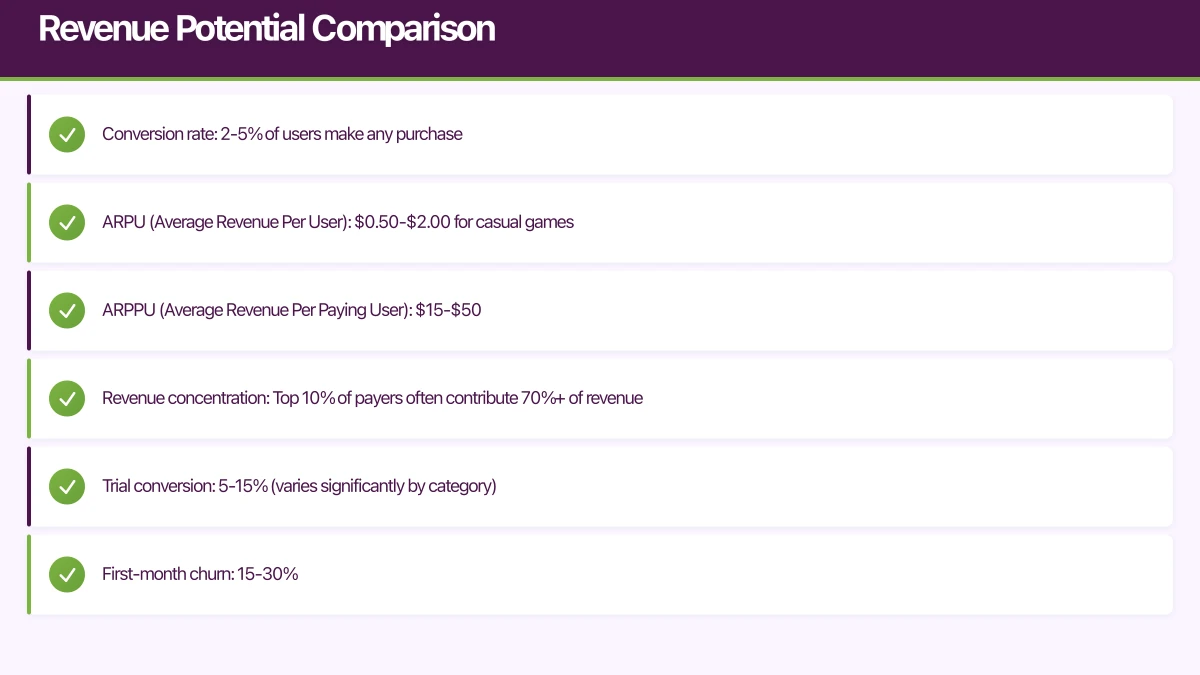
- Conversion rate: 2-5% of users make any purchase
- ARPU (Average Revenue Per User): $0.50-$2.00 for casual games
- ARPPU (Average Revenue Per Paying User): $15-$50
- Revenue concentration: Top 10% of payers often contribute 70%+ of revenue
Revenue Pattern Spiky and front-loaded. Users are most likely to purchase in their first week, with declining purchase rates over time. Requires constant user acquisition.
Subscription Economics
Typical Metrics
- Trial conversion: 5-15% (varies significantly by category)
- First-month churn: 15-30%
- Long-term retention: 5-10% after 12 months
- Monthly ARPU: $0.50-$3.00 (accounting for non-subscribers)
Revenue Pattern Gradual build with compounding value. Each subscriber represents predictable monthly revenue. Retention becomes the primary driver of business value.
Example Scenarios
Casual Puzzle Game (100k monthly active users)
- IAP Model: 3% conversion, $20 ARPPU = $60,000 monthly
- Subscription Model: 2% trial conversion, 40% retain = 800 subscribers at $5/mo = $4,000 monthly
Winner: IAP (better fit for sporadic engagement)
Meditation App (50k monthly active users)
- IAP Model: 5% conversion, $30 ARPPU = $75,000 one-time (declining)
- Subscription Model: 8% trial conversion, 50% retain = 2,000 subscribers at $10/mo = $20,000 monthly (growing)
Winner: Subscriptions (compounding value from retention)
Implementation: iOS App Store
Setting Up Products
In App Store Connect, you configure products differently:
For In-App Purchases
- Go to Features > In-App Purchases
- Create Consumable or Non-Consumable products
- Set product ID (e.g.,
com.yourapp.coins_100) - Add localized pricing and descriptions
- Submit for review with app
For Subscriptions
- Create Subscription Group (products within same group upgrade/downgrade)
- Add individual subscription products to the group
- Set product ID (e.g.,
com.yourapp.premium_monthly) - Configure pricing for each country
- Set subscription duration and trial period
- Define introductory offers if applicable
Code Implementation with StoreKit 2
import StoreKit

class StoreManager: ObservableObject {
    @Published var products: [Product] = []
    @Published var activeSubscriptions: Set<String> = []

    func loadProducts() async {
        do {
            // Load both IAP and subscriptions
            let productIDs = [
                "com.yourapp.coins_100",        // Consumable IAP
                "com.yourapp.remove_ads",       // Non-consumable IAP
                "com.yourapp.premium_monthly",  // Subscription
                "com.yourapp.premium_yearly"    // Subscription
            ]

            products = try await Product.products(for: productIDs)
        } catch {
            print("Failed to load products: \(error)")
        }
    }

    func purchase(_ product: Product) async throws -> Transaction? {
        let result = try await product.purchase()

        switch result {
        case .success(let verification):
            let transaction = try checkVerified(verification)

            // Handle based on product type
            switch product.type {
            case .consumable:
                await handleConsumablePurchase(product, transaction: transaction)
            case .nonConsumable:
                await handleNonConsumablePurchase(product, transaction: transaction)
            case .autoRenewable:
                await handleSubscriptionPurchase(product, transaction: transaction)
            default:
                break
            }

            await transaction.finish()
            return transaction

        case .userCancelled, .pending:
            return nil

        @unknown default:
            return nil
        }
    }

    func checkSubscriptionStatus() async {
        // Get current entitlements
        for await result in Transaction.currentEntitlements {
            if case .verified(let transaction) = result {
                if transaction.productType == .autoRenewable {
                    activeSubscriptions.insert(transaction.productID)
                }
            }
        }
    }

    private func checkVerified<T>(_ result: VerificationResult<T>) throws -> T {
        switch result {
        case .unverified:
            throw StoreError.verificationFailed
        case .verified(let safe):
            return safe
        }
    }

    private func handleConsumablePurchase(_ product: Product, transaction: Transaction) async {
        // Award the consumable items
        await UserState.shared.addCoins(100)

        // Track in analytics
        Analytics.logPurchase(product: product.id, price: product.price)
    }

    private func handleNonConsumablePurchase(_ product: Product, transaction: Transaction) async {
        // Unlock the feature permanently
        await UserState.shared.unlockPremiumFeatures()

        // Sync with backend
        await syncPurchaseWithBackend(transaction)
    }

    private func handleSubscriptionPurchase(_ product: Product, transaction: Transaction) async {
        // Grant subscription entitlements
        activeSubscriptions.insert(product.id)

        // Sync with backend for content access
        await syncSubscriptionWithBackend(transaction)
    }
}
Subscription-Specific Features
Free Trials Essential for subscriptions. Apple recommends at least 3 days, but 7 days is standard.
// Check if user is in trial period
if let subscription = try await product.subscription {
    if let status = try await subscription.status.first {
        switch status.state {
        case .subscribed:
            let isInTrial = status.transaction.offerType == .introductory
            // Show different UI for trial vs paid
        default:
            break
        }
    }
}
Introductory Offers Discounted pricing for first-time subscribers. Configure in App Store Connect, automatically applied by StoreKit.
Offer Codes Provide free trial extensions or discounts via codes. Generate in App Store Connect.
Implementation: Google Play Store
Setting Up Products
In Google Play Console:
For In-App Purchases
- Go to Monetize > Products > In-app products
- Create product with unique ID
- Set as Managed (non-consumable) or Consumable
- Add pricing for each country
- Activate the product
For Subscriptions
- Go to Monetize > Products > Subscriptions
- Create subscription with base plan
- Add offers (free trials, introductory pricing)
- Set billing period
- Configure pricing per country
- Activate subscription
Code Implementation with Billing Library
import com.android.billingclient.api.*

class BillingManager(private val context: Context) : PurchasesUpdatedListener {

    private var billingClient: BillingClient? = null
    private val _products = MutableStateFlow<List<ProductDetails>>(emptyList())
    val products: StateFlow<List<ProductDetails>> = _products

    fun initialize() {
        billingClient = BillingClient.newBuilder(context)
            .setListener(this)
            .enablePendingPurchases()
            .build()

        billingClient?.startConnection(object : BillingClientStateListener {
            override fun onBillingSetupFinished(result: BillingResult) {
                if (result.responseCode == BillingClient.BillingResponseCode.OK) {
                    queryProducts()
                    queryExistingPurchases()
                }
            }

            override fun onBillingServiceDisconnected() {
                // Retry connection with exponential backoff
            }
        })
    }

    private fun queryProducts() {
        // Query both IAP and subscriptions
        val iapProducts = listOf(
            QueryProductDetailsParams.Product.newBuilder()
                .setProductId("coins_100")
                .setProductType(BillingClient.ProductType.INAPP)
                .build()
        )

        val subscriptionProducts = listOf(
            QueryProductDetailsParams.Product.newBuilder()
                .setProductId("premium_monthly")
                .setProductType(BillingClient.ProductType.SUBS)
                .build(),
            QueryProductDetailsParams.Product.newBuilder()
                .setProductId("premium_yearly")
                .setProductType(BillingClient.ProductType.SUBS)
                .build()
        )

        // Query IAP products
        queryProductDetails(iapProducts)

        // Query subscriptions
        queryProductDetails(subscriptionProducts)
    }

    private fun queryProductDetails(productList: List<QueryProductDetailsParams.Product>) {
        val params = QueryProductDetailsParams.newBuilder()
            .setProductList(productList)
            .build()

        billingClient?.queryProductDetailsAsync(params) { result, productDetailsList ->
            if (result.responseCode == BillingClient.BillingResponseCode.OK) {
                _products.value = productDetailsList
            }
        }
    }

    fun launchPurchaseFlow(activity: Activity, productDetails: ProductDetails, isSubscription: Boolean) {
        val productDetailsParamsBuilder = BillingFlowParams.ProductDetailsParams.newBuilder()
            .setProductDetails(productDetails)

        // For subscriptions, select the base plan or offer
        if (isSubscription) {
            val offerToken = productDetails.subscriptionOfferDetails?.firstOrNull()?.offerToken
            offerToken?.let { productDetailsParamsBuilder.setOfferToken(it) }
        }

        val billingFlowParams = BillingFlowParams.newBuilder()
            .setProductDetailsParamsList(listOf(productDetailsParamsBuilder.build()))
            .build()

        billingClient?.launchBillingFlow(activity, billingFlowParams)
    }

    override fun onPurchasesUpdated(result: BillingResult, purchases: MutableList<Purchase>?) {
        when (result.responseCode) {
            BillingClient.BillingResponseCode.OK -> {
                purchases?.forEach { purchase ->
                    handlePurchase(purchase)
                }
            }
            BillingClient.BillingResponseCode.USER_CANCELED -> {
                // User cancelled - update UI
            }
            else -> {
                // Handle other error cases
            }
        }
    }

    private fun handlePurchase(purchase: Purchase) {
        if (purchase.purchaseState == Purchase.PurchaseState.PURCHASED) {
            CoroutineScope(Dispatchers.IO).launch {
                // Verify with backend
                val verified = verifyPurchaseOnBackend(purchase)

                if (verified) {
                    // Grant entitlement
                    when {
                        purchase.products.contains("coins_100") -> {
                            UserState.addCoins(100)
                        }
                        purchase.products.contains("premium_monthly") ||
                        purchase.products.contains("premium_yearly") -> {
                            UserState.unlockPremiumFeatures()
                        }
                    }

                    // Acknowledge or consume the purchase
                    if (isConsumable(purchase)) {
                        consumePurchase(purchase)
                    } else {
                        acknowledgePurchase(purchase)
                    }
                }
            }
        }
    }

    private fun consumePurchase(purchase: Purchase) {
        val params = ConsumeParams.newBuilder()
            .setPurchaseToken(purchase.purchaseToken)
            .build()

        billingClient?.consumeAsync(params) { result, _ ->
            if (result.responseCode == BillingClient.BillingResponseCode.OK) {
                // Consumption successful
            }
        }
    }

    private fun acknowledgePurchase(purchase: Purchase) {
        if (!purchase.isAcknowledged) {
            val params = AcknowledgePurchaseParams.newBuilder()
                .setPurchaseToken(purchase.purchaseToken)
                .build()

            billingClient?.acknowledgePurchase(params) { result ->
                if (result.responseCode == BillingClient.BillingResponseCode.OK) {
                    // Acknowledgment successful
                }
            }
        }
    }
}
Critical Difference: Acknowledgment
For Google Play, you must either consume (for consumables) or acknowledge (for non-consumables and subscriptions) within 3 days, or Google automatically refunds the user. This is the most common cause of subscription revenue loss on Android.
Pricing Strategies for Australian Market
Understanding Australian Pricing Tiers
Both platforms use pricing tiers with automatic currency conversion, but you can customize Australian pricing.
App Store Pricing Tiers (October 2024)
- Tier 1: $1.49 AUD
- Tier 10: $14.99 AUD
- Tier 20: $29.99 AUD
- Common subscription prices: $7.99, $14.99, $49.99, $99.99 annually
Google Play Pricing
- Fully customizable in each currency
- Common Australian prices align with App Store for cross-platform consistency
Competitive Pricing Research
Before setting prices, research Australian competitors:
# App Store pricing visible in App Store Connect
# Google Play pricing visible in Play Console

# Check similar apps:
# - What do direct competitors charge?
# - What do apps in adjacent categories charge?
# - What's the standard for your app type?
Australian Market Characteristics
- Higher spending power than Southeast Asia, lower than US
- Users expect quality—willing to pay for value
- Strong preference for annual subscriptions (save money upfront)
- Free trials are expected, especially for subscriptions
Psychological Pricing
For In-App Purchases
Poor: $5.00, $10.00, $20.00
Better: $4.99, $9.99, $19.99
Use price anchoring—show expensive options first to make mid-tier pricing seem reasonable.
For Subscriptions
Monthly: $9.99
Yearly: $79.99 (save $39.89 - 33% off!)
Always show the annual plan’s monthly equivalent pricing and savings percentage.
Testing Different Price Points
Both platforms support A/B testing prices through offers and multiple product IDs:
// Test price sensitivity
let testProducts = [
    "premium_monthly_tier1", // $7.99
    "premium_monthly_tier2", // $9.99
    "premium_monthly_tier3"  // $12.99
]

// Randomly assign users to price test groups
// Track conversion rates by price point
Platform Fees and Revenue Share
Standard Commission Rates
Apple App Store
- 30% commission on first year of subscriptions
- 15% commission from year 2 onwards (per subscriber)
- 15% commission for developers earning under $1M annually (Small Business Program)
- 30% commission on in-app purchases
Google Play Store
- 15% commission on first $1M annual revenue (all developers)
- 30% commission above $1M
- 15% commission on subscriptions after 12 months (per subscriber)
Australian Tax Considerations
GST (Goods and Services Tax)
- 10% GST applies to digital products sold to Australian consumers
- Apple and Google collect and remit GST on your behalf for most developers
- Prices shown to Australian users include GST
- Your revenue is still gross revenue (GST handled by platform)
Income Tax
- App revenue is business income
- Keep records of all transactions
- Consider quarterly PAYG installments if earning over ~$4,000/year
- Consult an Australian tax accountant for specifics
Net Revenue Calculation
Example for Australian developer selling $9.99 subscription:
Gross price (inc. GST): $9.99
GST component (10%): $0.91
Net price (ex. GST): $9.08
Platform fee (30%): $2.73
Your revenue: $6.35

After year 1 (15% fee):
Platform fee (15%): $1.36
Your revenue: $7.72 (22% increase!)
This illustrates why subscriber retention matters—long-term subscribers are significantly more profitable.
Server-Side Receipt Validation
Never trust client-side purchase verification alone. Always validate receipts on your backend.
iOS Receipt Validation
import { AppStoreServerAPI, Environment } from '@apple/app-store-server-library';

const appStoreClient = new AppStoreServerAPI(
  process.env.APPLE_KEY_ID!,
  process.env.APPLE_ISSUER_ID!,
  process.env.APPLE_BUNDLE_ID!,
  readPrivateKey(),
  Environment.PRODUCTION
);

app.post('/api/purchases/verify-ios', async (req, res) => {
  const { transactionId, userId } = req.body;

  try {
    // Get transaction details from Apple
    const transaction = await appStoreClient.getTransactionInfo(transactionId);

    // Verify transaction details
    if (transaction.bundleId !== process.env.APPLE_BUNDLE_ID) {
      throw new Error('Invalid bundle ID');
    }

    // Check product type
    const isSubscription = transaction.productId.includes('subscription') ||
                           transaction.productId.includes('premium');

    if (isSubscription) {
      // Get subscription status
      const status = await appStoreClient.getAllSubscriptionStatuses(
        transaction.originalTransactionId
      );

      const activeSubscription = status.data[0]?.lastTransactions.find(
        t => t.status === 1 // Active
      );

      if (activeSubscription) {
        // Grant entitlement
        await db.subscriptions.upsert({
          userId,
          platform: 'ios',
          productId: transaction.productId,
          originalTransactionId: transaction.originalTransactionId,
          expiresAt: new Date(activeSubscription.expiresDate),
          autoRenewStatus: activeSubscription.autoRenewStatus,
        });

        res.json({
          success: true,
          subscription: { active: true, expiresAt: activeSubscription.expiresDate }
        });
      } else {
        res.json({ success: true, subscription: { active: false } });
      }
    } else {
      // Handle one-time IAP
      await db.purchases.insert({
        userId,
        platform: 'ios',
        productId: transaction.productId,
        transactionId,
        purchasedAt: new Date(transaction.purchaseDate),
      });

      res.json({ success: true, purchase: { productId: transaction.productId } });
    }
  } catch (error) {
    console.error('iOS verification failed:', error);
    res.status(400).json({ error: 'Verification failed' });
  }
});
Android Receipt Validation
import { google } from 'googleapis';

const androidPublisher = google.androidpublisher('v3');

async function getAuthClient() {
  return new google.auth.GoogleAuth({
    credentials: JSON.parse(process.env.GOOGLE_SERVICE_ACCOUNT_JSON!),
    scopes: ['https://www.googleapis.com/auth/androidpublisher'],
  });
}

app.post('/api/purchases/verify-android', async (req, res) => {
  const { purchaseToken, productId, isSubscription, userId } = req.body;

  try {
    const auth = await getAuthClient();

    if (isSubscription) {
      // Verify subscription
      const response = await androidPublisher.purchases.subscriptions.get({
        auth,
        packageName: process.env.GOOGLE_PACKAGE_NAME!,
        subscriptionId: productId,
        token: purchaseToken,
      });

      const subscription = response.data;

      // Check payment state
      // 0 = Payment pending, 1 = Payment received, 2 = Free trial, 3 = Deferred
      if (subscription.paymentState === 0) {
        return res.json({ success: false, error: 'Payment pending' });
      }

      // Grant subscription
      await db.subscriptions.upsert({
        userId,
        platform: 'android',
        productId,
        purchaseToken,
        expiresAt: new Date(parseInt(subscription.expiryTimeMillis!)),
        autoRenewing: subscription.autoRenewing || false,
      });

      res.json({
        success: true,
        subscription: {
          active: true,
          expiresAt: subscription.expiryTimeMillis,
          autoRenewing: subscription.autoRenewing,
        },
      });
    } else {
      // Verify one-time purchase
      const response = await androidPublisher.purchases.products.get({
        auth,
        packageName: process.env.GOOGLE_PACKAGE_NAME!,
        productId,
        token: purchaseToken,
      });

      const purchase = response.data;

      // Check purchase state (0 = Purchased, 1 = Cancelled)
      if (purchase.purchaseState !== 0) {
        return res.json({ success: false, error: 'Purchase cancelled' });
      }

      // Check if already consumed/acknowledged
      if (purchase.acknowledgementState === 1) {
        // Already processed
        return res.json({ success: true, purchase: { productId } });
      }

      // Record purchase
      await db.purchases.insert({
        userId,
        platform: 'android',
        productId,
        purchaseToken,
        purchasedAt: new Date(parseInt(purchase.purchaseTimeMillis!)),
      });

      res.json({ success: true, purchase: { productId } });
    }
  } catch (error) {
    console.error('Android verification failed:', error);
    res.status(400).json({ error: 'Verification failed' });
  }
});
Handling Edge Cases
Subscription Lifecycle Events
Both platforms send server notifications for subscription events.
iOS Server Notifications (App Store Server Notifications v2)
app.post('/webhooks/apple', async (req, res) => {
  const notification = req.body;

  // Verify signature
  const isValid = await verifyAppleNotification(notification);
  if (!isValid) {
    return res.status(401).send('Invalid signature');
  }

  const notificationType = notification.notificationType;
  const data = notification.data;

  switch (notificationType) {
    case 'DID_RENEW':
      await handleSubscriptionRenewal(data);
      break;
    case 'EXPIRED':
      await handleSubscriptionExpired(data);
      break;
    case 'DID_FAIL_TO_RENEW':
      await handleRenewalFailure(data);
      break;
    case 'REFUND':
      await handleRefund(data);
      break;
  }

  res.sendStatus(200);
});
Android Real-time Developer Notifications
app.post('/webhooks/google', async (req, res) => {
  const message = JSON.parse(
    Buffer.from(req.body.message.data, 'base64').toString()
  );

  const notificationType = message.subscriptionNotification?.notificationType;

  switch (notificationType) {
    case 1: // SUBSCRIPTION_RECOVERED
      await handleSubscriptionRecovered(message);
      break;
    case 2: // SUBSCRIPTION_RENEWED
      await handleSubscriptionRenewal(message);
      break;
    case 3: // SUBSCRIPTION_CANCELED
      await handleSubscriptionCanceled(message);
      break;
    case 13: // SUBSCRIPTION_EXPIRED
      await handleSubscriptionExpired(message);
      break;
  }

  res.sendStatus(200);
});
Handling Refunds
Users can request refunds directly from Apple/Google. Your app receives notification, and you should revoke access.
async function handleRefund(transactionData: any) {
  const originalTransactionId = transactionData.originalTransactionId;

  // Revoke entitlement
  await db.subscriptions.update({
    where: { originalTransactionId },
    data: {
      status: 'refunded',
      revokedAt: new Date(),
    },
  });

  // Send user notification
  await notifyUserOfRefund(userId);
}
Family Sharing (iOS)
iOS supports family sharing for subscriptions and non-consumable IAP. Verify family member access:
// Check if user has access through family sharing
for await result in Transaction.currentEntitlements {
    if case .verified(let transaction) = result {
        if transaction.ownershipType == .familyShared {
            // User has access via family sharing
        }
    }
}
Choosing the Right Model
Decision Framework
Ask yourself:
1. What’s my content/service delivery model?
- Regular new content -> Subscriptions
- One-time content unlocks -> IAP (non-consumable)
- Consumable virtual goods -> IAP (consumable)
2. What are my ongoing costs?
- High server/API costs -> Subscriptions (predictable revenue needed)
- Low ongoing costs -> Either model works
3. What’s my user engagement pattern?
- Daily/weekly use -> Subscriptions
- Sporadic use -> IAP
4. What do competitors use?
- Follow category norms or have a clear reason to differ
5. What revenue pattern do I need?
- Need predictable cash flow -> Subscriptions
- Can handle variable revenue -> IAP
Hybrid Approaches
Many successful apps combine both:
Freemium + Subscription + IAP
- Base app free
- Premium subscription for main features
- IAP for consumables or one-time unlocks
Example: Meditation app with free trial content, premium subscription for full library, and IAP to purchase individual meditation packs.
Subscription with IAP Supplements
- Core access via subscription
- Additional content via IAP
Example: Fitness app with subscription for workout programs plus IAP for specialized training plans.
Conclusion
Choosing between in-app purchases and subscriptions comes down to your app’s value proposition and user expectations:
Choose IAP when:
- Users make discrete, sporadic purchases
- You’re selling consumable virtual goods
- Users want to “own” features outright
- Engagement is variable
Choose Subscriptions when:
- You deliver ongoing value through content or service
- Server costs are significant
- Users engage regularly
- You need predictable revenue
For Australian developers specifically:
- Platform fees and GST are handled automatically—factor them into pricing
- Local pricing should align with global tiers but can be customized
- Annual subscriptions perform well in Australian market
- Always implement server-side receipt validation
- Monitor subscription lifecycle events to reduce involuntary churn
The technical implementation is similar for both models—the difference is in the business strategy. Start with the model that aligns with user expectations in your category, implement it correctly, and monitor your conversion metrics closely.
Most importantly: whichever model you choose, deliver genuine value. The apps that monetize successfully are those where users feel they’re getting fair value for their money.
App store listings drive installs, but a great website drives trust. Cosmos Web Tech creates conversion-optimised websites that complement your mobile app.
This article is brought to you by Ganda Tech Services — Sydney’s complete digital solutions provider covering cloud, web, and mobile.
Talk to a Sydney app developer — free.
30 minutes. We'll tell you what your app needs, how long it takes, and what it costs. Real answers, no sales pitch.
Book Free App Strategy Call →Free · 30 minutes · No obligation