Introduction
Payment friction kills conversions. Every form field users have to fill, every card number they have to type, costs you sales. Apple Pay and Google Pay solve this—users authenticate with Face ID or fingerprint, and payment is done.
For Australian apps, payment integration also means navigating specific compliance requirements, supporting local payment methods, and understanding commission structures. This guide covers the technical implementation and the business considerations.
Understanding Your Options
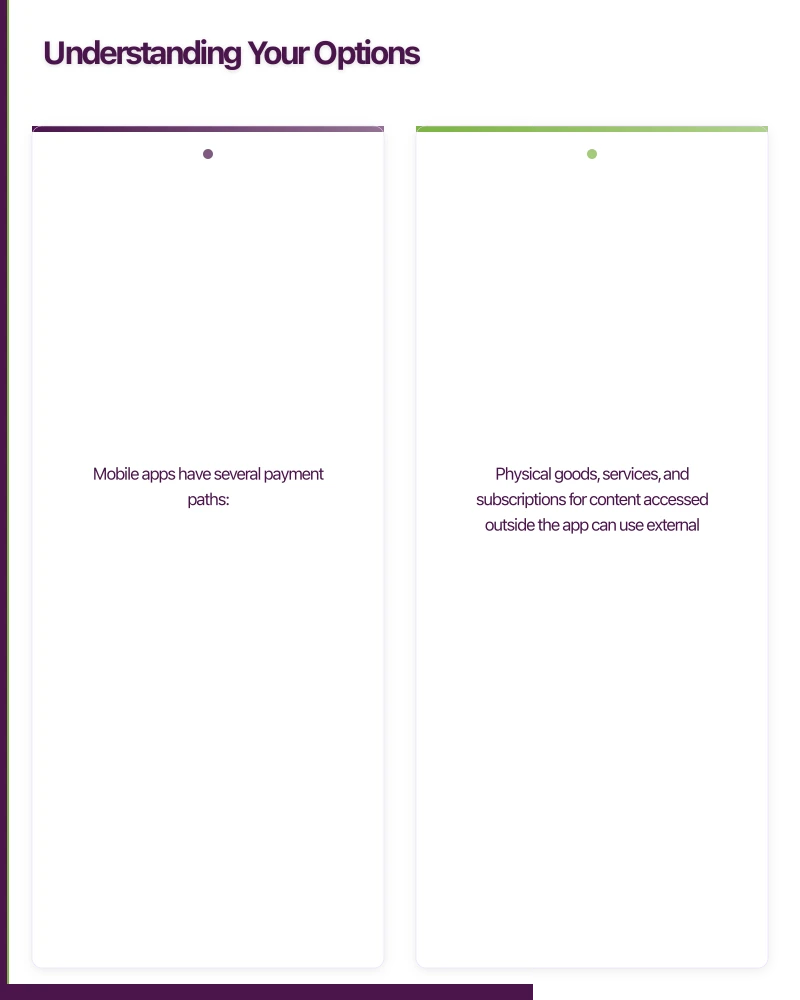
Mobile apps have several payment paths:
| Method | Best For | Commission |
|---|---|---|
| Apple Pay / Google Pay | Physical goods, services | Payment processor fee only (1.5-2.9%) |
| In-App Purchases | Digital goods, subscriptions | 15-30% to Apple/Google |
| External payment (web) | Where allowed | Payment processor fee only |
Important: Apple and Google require using their in-app purchase systems for digital goods consumed within the app. Physical goods, services, and subscriptions for content accessed outside the app can use external payment processors.
Apple Pay Implementation
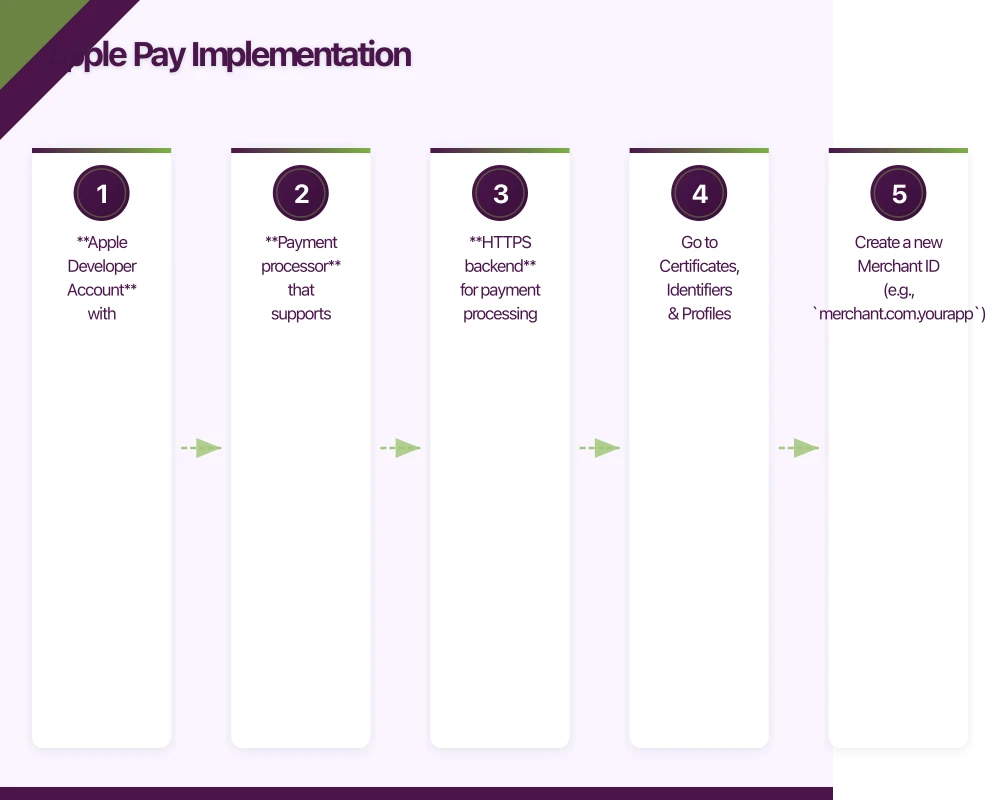 Setup Requirements
- Apple Developer Account with Merchant ID configured
- Payment processor that supports Apple Pay (Stripe, Braintree, etc.)
- HTTPS backend for payment processing
Configure Merchant ID
In Apple Developer Portal:
- Go to Certificates, Identifiers & Profiles
- Create a new Merchant ID (e.g.,
merchant.com.yourapp) - Create a payment processing certificate
- Configure your payment processor with the certificate
iOS Implementation (SwiftUI)
import PassKit

class PaymentHandler: NSObject, ObservableObject {
    @Published var paymentStatus: PaymentStatus = .notStarted

    private var paymentController: PKPaymentAuthorizationController?
    private var completionHandler: ((PKPaymentAuthorizationResult) -> Void)?

    func canMakePayments() -> Bool {
        return PKPaymentAuthorizationController.canMakePayments(
            usingNetworks: [.visa, .masterCard, .amex],
            capabilities: .threeDSecure
        )
    }

    func startPayment(
        amount: Decimal,
        description: String,
        completion: @escaping (Result<String, PaymentError>) -> Void
    ) {
        let merchantIdentifier = "merchant.com.yourapp"

        let paymentItem = PKPaymentSummaryItem(
            label: description,
            amount: NSDecimalNumber(decimal: amount)
        )

        let total = PKPaymentSummaryItem(
            label: "Your Company Name",
            amount: NSDecimalNumber(decimal: amount),
            type: .final
        )

        let request = PKPaymentRequest()
        request.merchantIdentifier = merchantIdentifier
        request.supportedNetworks = [.visa, .masterCard, .amex]
        request.merchantCapabilities = .threeDSecure
        request.countryCode = "AU"
        request.currencyCode = "AUD"
        request.paymentSummaryItems = [paymentItem, total]

        // Optional: Add shipping if needed
        // request.requiredShippingContactFields = [.postalAddress, .name]

        paymentController = PKPaymentAuthorizationController(paymentRequest: request)
        paymentController?.delegate = self

        paymentController?.present { presented in
            if !presented {
                completion(.failure(.presentationFailed))
            }
        }

        // Store completion for later
        self.paymentCompletionHandler = completion
    }

    private var paymentCompletionHandler: ((Result<String, PaymentError>) -> Void)?
}

extension PaymentHandler: PKPaymentAuthorizationControllerDelegate {

    func paymentAuthorizationController(
        _ controller: PKPaymentAuthorizationController,
        didAuthorizePayment payment: PKPayment,
        handler completion: @escaping (PKPaymentAuthorizationResult) -> Void
    ) {
        // Payment was authorized by user
        // Now process with your payment processor

        Task {
            do {
                // Send payment token to your backend
                let result = try await processPayment(token: payment.token)

                if result.success {
                    completion(PKPaymentAuthorizationResult(status: .success, errors: nil))
                    self.paymentCompletionHandler?(.success(result.transactionId))
                } else {
                    let error = PKPaymentError(.unknownError, userInfo: [
                        NSLocalizedDescriptionKey: result.errorMessage ?? "Payment failed"
                    ])
                    completion(PKPaymentAuthorizationResult(status: .failure, errors: [error]))
                    self.paymentCompletionHandler?(.failure(.processingFailed))
                }
            } catch {
                completion(PKPaymentAuthorizationResult(status: .failure, errors: nil))
                self.paymentCompletionHandler?(.failure(.processingFailed))
            }
        }
    }

    func paymentAuthorizationControllerDidFinish(_ controller: PKPaymentAuthorizationController) {
        controller.dismiss {
            // Cleanup
        }
    }

    private func processPayment(token: PKPaymentToken) async throws -> PaymentResult {
        let tokenData = token.paymentData.base64EncodedString()

        var request = URLRequest(url: URL(string: "\(Config.apiURL)/payments/apple-pay")!)
        request.httpMethod = "POST"
        request.setValue("application/json", forHTTPHeaderField: "Content-Type")
        request.httpBody = try JSONEncoder().encode([
            "token": tokenData,
            "transactionIdentifier": token.transactionIdentifier
        ])

        let (data, _) = try await URLSession.shared.data(for: request)
        return try JSONDecoder().decode(PaymentResult.self, from: data)
    }
}

enum PaymentStatus {
    case notStarted
    case processing
    case success
    case failed
}

enum PaymentError: Error {
    case presentationFailed
    case processingFailed
    case cancelled
}
Backend Processing (with Stripe)
import Stripe from 'stripe';

const stripe = new Stripe(process.env.STRIPE_SECRET_KEY);

app.post('/payments/apple-pay', async (req, res) => {
  const { token, transactionIdentifier } = req.body;
  const userId = req.user.id;

  try {
    // Decode the Apple Pay token
    const tokenBuffer = Buffer.from(token, 'base64');
    const paymentData = JSON.parse(tokenBuffer.toString());

    // Create a Stripe PaymentMethod from Apple Pay token
    const paymentMethod = await stripe.paymentMethods.create({
      type: 'card',
      card: {
        token: paymentData.token,
      },
    });

    // Create and confirm payment
    const paymentIntent = await stripe.paymentIntents.create({
      amount: req.body.amount, // in cents
      currency: 'aud',
      payment_method: paymentMethod.id,
      confirm: true,
      metadata: {
        userId,
        appleTransactionId: transactionIdentifier,
      },
    });

    res.json({
      success: true,
      transactionId: paymentIntent.id,
    });
  } catch (error) {
    console.error('Apple Pay processing failed:', error);
    res.json({
      success: false,
      errorMessage: error.message,
    });
  }
});
Google Pay Implementation
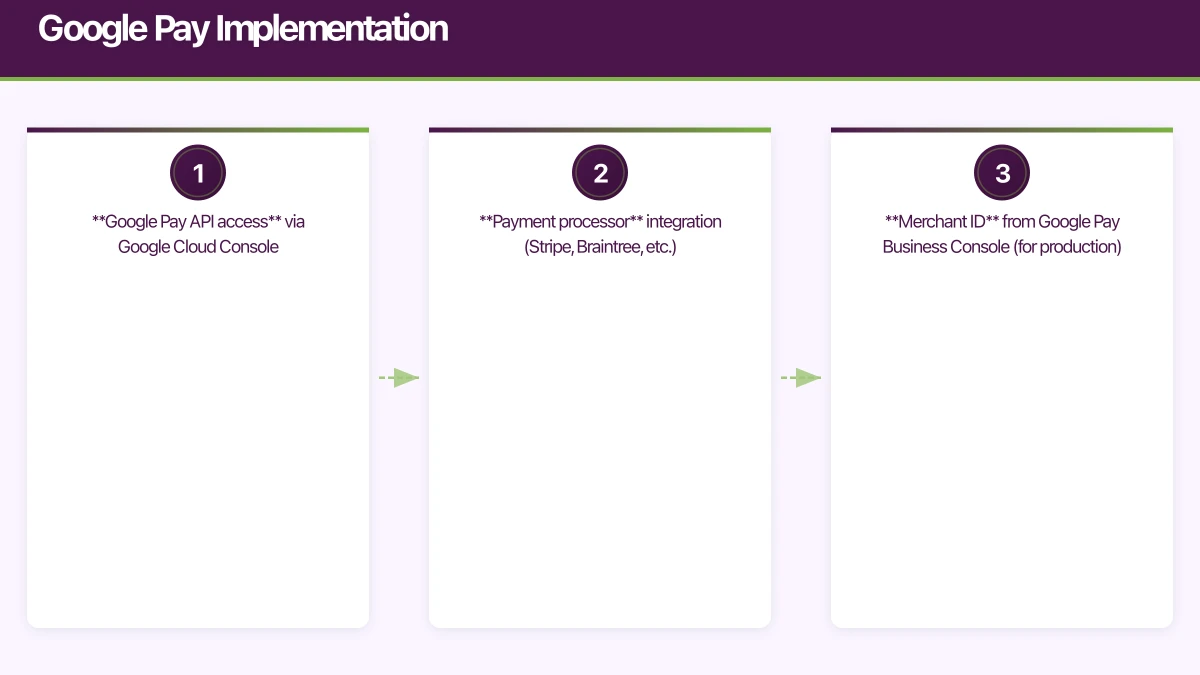 Setup Requirements
- Google Pay API access via Google Cloud Console
- Payment processor integration (Stripe, Braintree, etc.)
- Merchant ID from Google Pay Business Console (for production)
Android Implementation (Kotlin)
import com.google.android.gms.wallet.*

class GooglePayHandler(private val activity: Activity) {

    private val paymentsClient: PaymentsClient by lazy {
        Wallet.getPaymentsClient(
            activity,
            Wallet.WalletOptions.Builder()
                .setEnvironment(WalletConstants.ENVIRONMENT_PRODUCTION) // or TEST
                .build()
        )
    }

    suspend fun isGooglePayAvailable(): Boolean {
        val request = IsReadyToPayRequest.fromJson(isReadyToPayRequestJson())

        return suspendCancellableCoroutine { continuation ->
            paymentsClient.isReadyToPay(request)
                .addOnSuccessListener { continuation.resume(it) }
                .addOnFailureListener { continuation.resume(false) }
        }
    }

    fun requestPayment(
        amount: String,
        onResult: (Task<PaymentData>) -> Unit
    ) {
        val paymentDataRequest = PaymentDataRequest.fromJson(paymentDataRequestJson(amount))

        val task = paymentsClient.loadPaymentData(paymentDataRequest)
        onResult(task)
    }

    private fun isReadyToPayRequestJson(): String = """
        {
            "apiVersion": 2,
            "apiVersionMinor": 0,
            "allowedPaymentMethods": [{
                "type": "CARD",
                "parameters": {
                    "allowedAuthMethods": ["PAN_ONLY", "CRYPTOGRAM_3DS"],
                    "allowedCardNetworks": ["VISA", "MASTERCARD", "AMEX"]
                }
            }]
        }
    """.trimIndent()

    private fun paymentDataRequestJson(amount: String): String = """
        {
            "apiVersion": 2,
            "apiVersionMinor": 0,
            "allowedPaymentMethods": [{
                "type": "CARD",
                "parameters": {
                    "allowedAuthMethods": ["PAN_ONLY", "CRYPTOGRAM_3DS"],
                    "allowedCardNetworks": ["VISA", "MASTERCARD", "AMEX"]
                },
                "tokenizationSpecification": {
                    "type": "PAYMENT_GATEWAY",
                    "parameters": {
                        "gateway": "stripe",
                        "stripe:version": "2023-10-16",
                        "stripe:publishableKey": "${BuildConfig.STRIPE_PUBLISHABLE_KEY}"
                    }
                }
            }],
            "merchantInfo": {
                "merchantId": "${BuildConfig.GOOGLE_MERCHANT_ID}",
                "merchantName": "Your Company Name"
            },
            "transactionInfo": {
                "totalPrice": "$amount",
                "totalPriceStatus": "FINAL",
                "currencyCode": "AUD",
                "countryCode": "AU"
            }
        }
    """.trimIndent()
}

// In your Activity/Fragment
class CheckoutActivity : AppCompatActivity() {

    private lateinit var googlePayHandler: GooglePayHandler
    private val googlePayLauncher = registerForActivityResult(
        ActivityResultContracts.StartIntentSenderForResult()
    ) { result ->
        when (result.resultCode) {
            RESULT_OK -> {
                result.data?.let { intent ->
                    PaymentData.getFromIntent(intent)?.let { paymentData ->
                        processGooglePayment(paymentData)
                    }
                }
            }
            RESULT_CANCELED -> {
                showMessage("Payment cancelled")
            }
        }
    }

    override fun onCreate(savedInstanceState: Bundle?) {
        super.onCreate(savedInstanceState)

        googlePayHandler = GooglePayHandler(this)

        lifecycleScope.launch {
            if (googlePayHandler.isGooglePayAvailable()) {
                showGooglePayButton()
            }
        }
    }

    private fun startGooglePayPayment(amount: String) {
        googlePayHandler.requestPayment(amount) { task ->
            task.addOnCompleteListener { completedTask ->
                if (completedTask.isSuccessful) {
                    completedTask.result?.let { processGooglePayment(it) }
                } else {
                    val exception = completedTask.exception
                    if (exception is ApiException) {
                        handleError(exception.statusCode)
                    }
                }
            }
        }
    }

    private fun processGooglePayment(paymentData: PaymentData) {
        val paymentInfo = paymentData.toJson()
        val paymentMethodData = JSONObject(paymentInfo)
            .getJSONObject("paymentMethodData")
        val token = paymentMethodData
            .getJSONObject("tokenizationData")
            .getString("token")

        lifecycleScope.launch {
            try {
                val result = api.processGooglePay(token)
                if (result.success) {
                    showSuccess(result.transactionId)
                } else {
                    showError(result.errorMessage)
                }
            } catch (e: Exception) {
                showError("Payment processing failed")
            }
        }
    }
}
In-App Purchases
For digital goods and subscriptions, you must use Apple/Google’s in-app purchase systems.
iOS StoreKit 2 Implementation
import StoreKit

class StoreManager: ObservableObject {
    @Published var products: [Product] = []
    @Published var purchasedProductIDs: Set<String> = []

    private var updateListenerTask: Task<Void, Error>?

    init() {
        updateListenerTask = listenForTransactions()
        Task { await loadProducts() }
    }

    deinit {
        updateListenerTask?.cancel()
    }

    @MainActor
    func loadProducts() async {
        do {
            let productIDs = [
                "com.yourapp.premium_monthly",
                "com.yourapp.premium_yearly",
                "com.yourapp.credits_100"
            ]

            products = try await Product.products(for: productIDs)
        } catch {
            print("Failed to load products: \(error)")
        }
    }

    func purchase(_ product: Product) async throws -> Transaction? {
        let result = try await product.purchase()

        switch result {
        case .success(let verification):
            let transaction = try checkVerified(verification)

            // Deliver content
            await deliverProduct(product.id, transaction: transaction)

            // Finish transaction
            await transaction.finish()

            return transaction

        case .userCancelled:
            return nil

        case .pending:
            // Transaction waiting for approval (Ask to Buy)
            return nil

        @unknown default:
            return nil
        }
    }

    private func checkVerified<T>(_ result: VerificationResult<T>) throws -> T {
        switch result {
        case .unverified:
            throw StoreError.verificationFailed
        case .verified(let safe):
            return safe
        }
    }

    private func listenForTransactions() -> Task<Void, Error> {
        Task.detached {
            for await result in Transaction.updates {
                do {
                    let transaction = try self.checkVerified(result)
                    await self.deliverProduct(transaction.productID, transaction: transaction)
                    await transaction.finish()
                } catch {
                    print("Transaction failed verification")
                }
            }
        }
    }

    @MainActor
    private func deliverProduct(_ productID: String, transaction: Transaction) async {
        purchasedProductIDs.insert(productID)

        // Notify your backend
        await syncPurchaseWithBackend(transaction)
    }

    private func syncPurchaseWithBackend(_ transaction: Transaction) async {
        // Send transaction to your server for validation and fulfilment
        guard let receiptData = try? JSONEncoder().encode(transaction.jsonRepresentation) else {
            return
        }

        var request = URLRequest(url: URL(string: "\(Config.apiURL)/purchases/ios")!)
        request.httpMethod = "POST"
        request.setValue("application/json", forHTTPHeaderField: "Content-Type")
        request.httpBody = receiptData

        _ = try? await URLSession.shared.data(for: request)
    }
}

enum StoreError: Error {
    case verificationFailed
    case purchaseFailed
}

// SwiftUI View
struct ProductView: View {
    @EnvironmentObject var storeManager: StoreManager
    let product: Product

    var body: some View {
        VStack(alignment: .leading) {
            Text(product.displayName)
                .font(.headline)
            Text(product.description)
                .font(.subheadline)
                .foregroundColor(.secondary)

            Button {
                Task {
                    try? await storeManager.purchase(product)
                }
            } label: {
                Text(product.displayPrice)
                    .frame(maxWidth: .infinity)
            }
            .buttonStyle(.borderedProminent)
        }
        .padding()
    }
}
Android Billing Library
import com.android.billingclient.api.*

class BillingManager(private val context: Context) : PurchasesUpdatedListener {

    private var billingClient: BillingClient? = null
    private val _products = MutableStateFlow<List<ProductDetails>>(emptyList())
    val products: StateFlow<List<ProductDetails>> = _products

    fun initialize() {
        billingClient = BillingClient.newBuilder(context)
            .setListener(this)
            .enablePendingPurchases()
            .build()

        billingClient?.startConnection(object : BillingClientStateListener {
            override fun onBillingSetupFinished(result: BillingResult) {
                if (result.responseCode == BillingClient.BillingResponseCode.OK) {
                    queryProducts()
                    queryPurchases()
                }
            }

            override fun onBillingServiceDisconnected() {
                // Retry connection
            }
        })
    }

    private fun queryProducts() {
        val productList = listOf(
            QueryProductDetailsParams.Product.newBuilder()
                .setProductId("premium_monthly")
                .setProductType(BillingClient.ProductType.SUBS)
                .build(),
            QueryProductDetailsParams.Product.newBuilder()
                .setProductId("premium_yearly")
                .setProductType(BillingClient.ProductType.SUBS)
                .build(),
            QueryProductDetailsParams.Product.newBuilder()
                .setProductId("credits_100")
                .setProductType(BillingClient.ProductType.INAPP)
                .build()
        )

        val params = QueryProductDetailsParams.newBuilder()
            .setProductList(productList)
            .build()

        billingClient?.queryProductDetailsAsync(params) { result, productDetailsList ->
            if (result.responseCode == BillingClient.BillingResponseCode.OK) {
                _products.value = productDetailsList
            }
        }
    }

    fun launchPurchaseFlow(activity: Activity, productDetails: ProductDetails) {
        val offerToken = productDetails.subscriptionOfferDetails?.firstOrNull()?.offerToken

        val productDetailsParamsBuilder = BillingFlowParams.ProductDetailsParams.newBuilder()
            .setProductDetails(productDetails)

        offerToken?.let {
            productDetailsParamsBuilder.setOfferToken(it)
        }

        val billingFlowParams = BillingFlowParams.newBuilder()
            .setProductDetailsParamsList(listOf(productDetailsParamsBuilder.build()))
            .build()

        billingClient?.launchBillingFlow(activity, billingFlowParams)
    }

    override fun onPurchasesUpdated(result: BillingResult, purchases: MutableList<Purchase>?) {
        when (result.responseCode) {
            BillingClient.BillingResponseCode.OK -> {
                purchases?.forEach { purchase ->
                    handlePurchase(purchase)
                }
            }
            BillingClient.BillingResponseCode.USER_CANCELED -> {
                // User cancelled
            }
            else -> {
                // Handle error
            }
        }
    }

    private fun handlePurchase(purchase: Purchase) {
        if (purchase.purchaseState == Purchase.PurchaseState.PURCHASED) {
            // Verify and deliver
            CoroutineScope(Dispatchers.IO).launch {
                // Send to backend for verification
                val verified = verifyPurchaseOnBackend(purchase)

                if (verified) {
                    // Acknowledge the purchase
                    if (!purchase.isAcknowledged) {
                        val params = AcknowledgePurchaseParams.newBuilder()
                            .setPurchaseToken(purchase.purchaseToken)
                            .build()

                        billingClient?.acknowledgePurchase(params) { result ->
                            if (result.responseCode == BillingClient.BillingResponseCode.OK) {
                                // Purchase acknowledged
                            }
                        }
                    }
                }
            }
        }
    }

    private suspend fun verifyPurchaseOnBackend(purchase: Purchase): Boolean {
        // Send purchase token to your backend for verification
        return try {
            api.verifyPurchase(
                purchaseToken = purchase.purchaseToken,
                productId = purchase.products.first()
            )
        } catch (e: Exception) {
            false
        }
    }

    private fun queryPurchases() {
        billingClient?.queryPurchasesAsync(
            QueryPurchasesParams.newBuilder()
                .setProductType(BillingClient.ProductType.SUBS)
                .build()
        ) { result, purchases ->
            // Handle existing subscriptions
        }
    }
}
Backend Receipt Validation
Never trust client-side purchase verification alone.
// iOS receipt validation
import { AppStoreServerAPI, Environment } from '@apple/app-store-server-library';

const appStoreClient = new AppStoreServerAPI(
  process.env.APPLE_KEY_ID,
  process.env.APPLE_ISSUER_ID,
  process.env.APPLE_BUNDLE_ID,
  privateKey,
  Environment.PRODUCTION
);

app.post('/purchases/ios', async (req, res) => {
  const { transactionId } = req.body;
  const userId = req.user.id;

  try {
    // Get transaction info from Apple
    const transaction = await appStoreClient.getTransactionInfo(transactionId);

    // Verify it matches expected product
    if (transaction.productId !== 'com.yourapp.premium_monthly') {
      throw new Error('Invalid product');
    }

    // Grant entitlement
    await db.entitlements.upsert({
      userId,
      productId: transaction.productId,
      expiresAt: new Date(transaction.expiresDate),
      originalTransactionId: transaction.originalTransactionId,
    });

    res.json({ success: true });
  } catch (error) {
    console.error('iOS purchase validation failed:', error);
    res.status(400).json({ error: 'Validation failed' });
  }
});

// Google Play receipt validation
import { google } from 'googleapis';

const androidPublisher = google.androidpublisher('v3');

app.post('/purchases/android', async (req, res) => {
  const { purchaseToken, productId } = req.body;
  const userId = req.user.id;

  try {
    const auth = new google.auth.GoogleAuth({
      credentials: JSON.parse(process.env.GOOGLE_SERVICE_ACCOUNT),
      scopes: ['https://www.googleapis.com/auth/androidpublisher'],
    });

    // Verify subscription
    const response = await androidPublisher.purchases.subscriptions.get({
      auth,
      packageName: 'com.yourapp',
      subscriptionId: productId,
      token: purchaseToken,
    });

    const subscription = response.data;

    // Check it's valid
    if (subscription.paymentState !== 1) {
      throw new Error('Payment not received');
    }

    // Grant entitlement
    await db.entitlements.upsert({
      userId,
      productId,
      expiresAt: new Date(parseInt(subscription.expiryTimeMillis)),
      purchaseToken,
    });

    res.json({ success: true });
  } catch (error) {
    console.error('Android purchase validation failed:', error);
    res.status(400).json({ error: 'Validation failed' });
  }
});
Australian Compliance Considerations
GST Requirements
Australian businesses must charge GST on digital products sold to Australian consumers:
function calculatePrice(basePrice: number, userCountry: string): PriceBreakdown {
  if (userCountry === 'AU') {
    const gst = basePrice * 0.10; // 10% GST
    return {
      subtotal: basePrice,
      gst,
      total: basePrice + gst,
      displayPrice: `$${(basePrice + gst).toFixed(2)} AUD (inc. GST)`,
    };
  }

  return {
    subtotal: basePrice,
    gst: 0,
    total: basePrice,
    displayPrice: `$${basePrice.toFixed(2)} AUD`,
  };
}
Consumer Rights
Australian Consumer Law requires:
- Clear refund policy
- Accurate product descriptions
- No misleading pricing
Display this clearly in your app and on purchase screens.
Conclusion
Payment integration for Australian mobile apps involves:
- Apple Pay / Google Pay for physical goods and services—fast checkout with low fees
- In-App Purchases for digital goods—required by platform policies, higher fees
- Backend validation for all purchases—never trust the client alone
- GST compliance for Australian customers
Start with the payment method that matches your business model. For most e-commerce apps, Apple Pay and Google Pay provide the best user experience with the lowest fees. For apps selling digital content, in-app purchases are required despite the higher commission.
Test thoroughly in sandbox environments before going live. Payment bugs are expensive and erode user trust quickly.
Your app needs secure, low-latency APIs. Cloud Geeks builds and manages cloud backends optimised for mobile applications.
Awesome Apps is the mobile development division of Ganda Tech Services, building iOS and Android apps for Australian businesses.
Talk to a Sydney app developer — free.
30 minutes. We'll tell you what your app needs, how long it takes, and what it costs. Real answers, no sales pitch.
Book Free App Strategy Call →Free · 30 minutes · No obligation