Introduction
Building a great app is not enough. With over 2 million apps on each major store, discovery is the real challenge. App Store Optimization (ASO) is the practice of improving your app’s visibility in store search results and browse sections.
Unlike paid acquisition, ASO delivers compounding returns. Every optimization you make continues working as long as your app exists. For most apps, organic search drives the majority of installs.
This guide covers ASO fundamentals that every app developer should understand.
How App Store Discovery Works
iOS
App Store
Apple’s App Store ranks apps based on:
- Relevance: How well your metadata matches the search query
- Performance: Downloads, ratings, reviews, engagement
- Recency: Recent updates may receive temporary boosts
- Category: Performance relative to category peers
The App Store emphasises editorial curation. Featured placements can drive massive downloads but are unpredictable and uncontrollable.
Search accounts for roughly 65-70% of App Store downloads. The remaining comes from browsing, referrals, and external sources.
Google Play Store
Google Play uses similar signals with some differences:
- Relevance: Metadata matching with broader text analysis
- Performance: Installs, ratings, reviews, uninstall rate
- Engagement: How actively users engage after installing
- Backlinks: External links to your Play Store listing
Google’s algorithms feel more SEO-like, incorporating signals beyond explicit metadata. Description text, developer responses to reviews, and external mentions may influence rankings.
Search drives approximately 50-60% of Play Store downloads, with browsing and recommendations playing a larger role than on iOS.
Keyword Research
Understanding Search Intent
Users search with different intents:
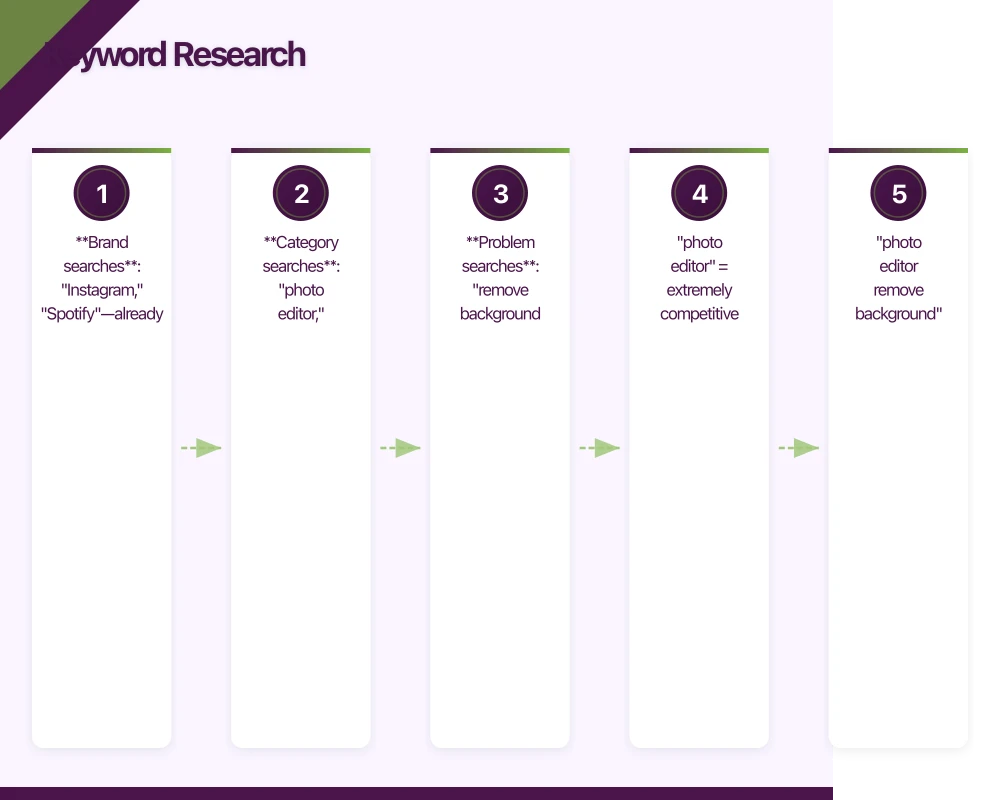
- Brand searches: “Instagram,” “Spotify”—already know the app
- Category searches: “photo editor,” “budget tracker”—exploring options
- Problem searches: “remove background from photo,” “split bills with friends”
Brand searches are difficult to rank for unless you are the brand. Category and problem searches offer opportunities.
Finding Keywords
Start with brainstorming:
- What does your app do? (category keywords)
- What problems does it solve? (problem keywords)
- What would you search for? (natural language)
- What do competitors rank for? (competitive analysis)
Then validate with tools:
App Annie: Search rankings, competitor analysis Sensor Tower: Keyword difficulty scores, suggestions Mobile Action: Keyword tracking, ASO intelligence AppTweak: Keyword research, competitor benchmarks
Free alternatives include Google Keyword Planner (indicates general search volume) and App Store/Play Store autocomplete suggestions.
Evaluating Keywords
For each keyword, assess:
| Factor | Question |
|---|---|
| Volume | How many people search this? |
| Difficulty | How competitive is this keyword? |
| Relevance | Does this match what your app does? |
| Intent | Are searchers likely to download? |
High volume + high relevance + manageable difficulty = target keyword.
Avoid vanity keywords with massive volume but low relevance. Ranking for “free games” does not help if you built a meditation app.
Long-Tail Strategy
Specific phrases are easier to rank for:
- “photo editor” = extremely competitive
- “photo editor remove background” = competitive
- “photo editor remove background free” = achievable
Long-tail keywords have lower volume but higher conversion. Users searching specific phrases know what they want.
Metadata Optimization
App Name/Title
Your app name is the strongest ranking signal. Include your primary keyword if possible while maintaining brandability.
iOS: 30 characters maximum Android: 30 characters maximum
Examples:
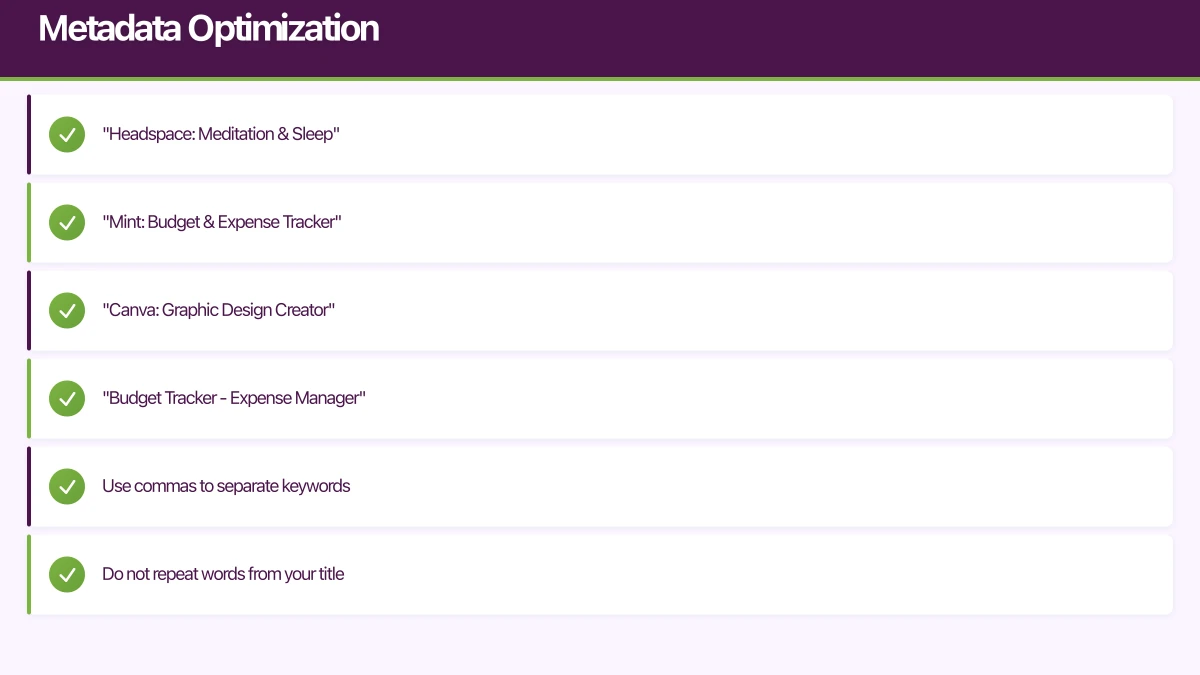
- “Headspace: Meditation & Sleep”
- “Mint: Budget & Expense Tracker”
- “Canva: Graphic Design Creator”
The pattern: [Brand]: [Primary Keywords]
If your brand is unknown, lead with keywords:
- “Budget Tracker - Expense Manager”
As brand recognition grows, you can rebalance toward the brand.
Subtitle (iOS) / Short Description (Android)
This secondary text field provides additional keyword opportunities.
iOS Subtitle: 30 characters Android Short Description: 80 characters
Use different keywords than your title to maximise coverage:
Title: “PhotoFix: Edit & Retouch” Subtitle: “Remove Backgrounds Easily”
Keywords Field (iOS Only)
Apple provides a 100-character keyword field, invisible to users. This is pure SEO territory.
Optimisation tips:
- Use commas to separate keywords
- Do not repeat words from your title
- Include common misspellings
- Use singular or plural, not both (Apple matches both)
- Include competitor brand names (controversial but common)
Description
Play Store descriptions influence rankings. iOS descriptions do not directly affect search but influence conversion.
For both stores:
- Lead with benefits, not features
- Front-load important keywords (first few lines visible without expansion)
- Use bullet points for scanability
- Include a clear call to action
- Update with new features and improvements
Category Selection
Choose the most relevant category. Being a small fish in the right pond beats being invisible in the wrong one.
If your app fits multiple categories, pick the one with the best competitive landscape. A meditation app might perform better in Health & Fitness than Lifestyle, depending on competition.
Visual Optimization
App Icon
Your icon appears in search results, category listings, and home screens. It must work at tiny sizes and stand out among competitors.
Best practices:
- Simple, recognisable silhouette
- Limited colour palette (2-3 colours)
- Avoid text (unreadable at small sizes)
- Consistent with your brand
- Distinct from competitors
Test your icon against competitors. Place it in a lineup of search results. Does it stand out?
Screenshots
Screenshots are your primary conversion tool. Most users decide based on screenshots alone, never reading the description.
iOS: Up to 10 screenshots per device type Android: Up to 8 screenshots
Effective screenshot strategies:
- Benefit-focused captions: Not “Home Screen” but “Track Spending in Seconds”
- First two screenshots matter most: These appear without scrolling
- Show real UI: Users want to see what they are getting
- Consistent style: Unified design language across all screenshots
- Localise for markets: Australian dollars in Australian store
Screenshot types that work:
- Feature highlights with caption overlays
- Before/after comparisons
- Social proof (user counts, ratings)
- Process walkthroughs
Preview Videos
Both stores support app preview videos. Videos auto-play in the App Store (muted), making them high-impact.
Video best practices:
- 15-30 seconds maximum
- No sound dependence (assume muted playback)
- Show real app usage, not conceptual animations
- Front-load the most compelling content
- End with a call to action
Videos require more effort but consistently improve conversion rates.
Ratings and Reviews
Why Ratings Matter
Ratings affect both rankings and conversion:
- Apps below 4.0 stars struggle to convert
- Each half-star improvement can increase conversion 5-10%
- Rating velocity (recent ratings) may influence rankings
Getting More Ratings
iOS and Android provide native rating prompts (SKStoreReviewController and In-App Review API). These are less intrusive than custom prompts and often yield better results.
Timing matters:
- Ask after positive moments (completed task, achievement unlocked)
- Do not ask during onboarding
- Do not ask too frequently (iOS limits to 3 prompts per year)
- Do not ask after frustrating experiences
Some apps ask “Are you enjoying [App Name]?” first:
- Yes -> Show native rating prompt
- No -> Route to feedback form (avoid negative rating)
This pattern is effective but borderline against store guidelines.
Responding to Reviews
Responding to reviews demonstrates engagement:
- Thank positive reviewers
- Address concerns in negative reviews
- Provide helpful information (support links, workarounds)
- Be professional always
On Play Store, responding to reviews may influence rankings and shows potential users you care about feedback.
Localisation
High-Impact Markets
English is competitive. Localising metadata can dramatically improve performance in other markets.
Priority markets by spending:
- United States
- Japan
- United Kingdom
- Australia
- Germany
- France
- South Korea
- Canada
Localisation does not mean translation. Research keywords in each language—direct translations often miss how local users actually search.
What to Localise
Minimum:
- App name/title
- Subtitle/short description
- Keywords
- Screenshot captions
Full localisation:
- All metadata
- In-app content
- Support documentation
Start with metadata localisation. It requires less effort than full in-app localisation but captures significant value.
Measuring ASO Performance
Key Metrics
Track these metrics over time:
| Metric | What It Tells You |
|---|---|
| Impressions | How often your app appears in search |
| Product page views | How often users view your listing |
| Conversion rate | Page views -> Downloads |
| Keyword rankings | Positions for target keywords |
| Downloads | Total and organic downloads |
Both App Store Connect and Google Play Console provide these metrics.
A/B Testing
Google Play Console offers built-in A/B testing for:
- Icons
- Screenshots
- Descriptions
- Short descriptions
Apple recently introduced product page optimization in iOS 15, but as of early 2021, testing on iOS requires third-party tools or before/after analysis.
Test one element at a time. Run tests for statistical significance (typically 7+ days, thousands of impressions).
Common ASO Mistakes
Keyword Stuffing
Cramming keywords unnaturally hurts both rankings and conversion:
Bad: “Photo Editor Photo Editing Edit Photos Photo Collage Photo Filter” Good: “PhotoFix: Edit & Retouch Photos”
Stores penalise obvious stuffing. Write for humans who are searching, not algorithms.
Ignoring Competitors
Your rankings are relative to competitors. If a competitor improves their ASO, your relative position drops even if you change nothing.
Monitor competitor listings:
- What keywords are they targeting?
- What do their screenshots emphasise?
- How are their reviews?
Set and Forget
ASO is not a one-time activity. Revisit and refresh:
- When adding features
- When competition changes
- When seasonal opportunities arise
- Quarterly at minimum
Store algorithms evolve. User search behaviour changes. Continuous optimisation maintains and improves rankings.
Neglecting Conversion
Rankings without conversion waste impressions. Optimise the full funnel:
Impressions -> Page views -> Downloads
Beautiful screenshots convert more impressions to downloads. Compelling descriptions seal the deal.
ASO Quick Wins
If you are starting from zero, prioritise these high-impact activities:
- Optimise your title with primary keywords
- Rewrite first three lines of description with benefits
- Redesign first two screenshots with benefit-focused captions
- Implement native rating prompts at positive moments
- Research and target 5-10 achievable keywords
These five actions often deliver 50%+ improvement in organic performance.
Conclusion
ASO is not optional for mobile apps. With millions of apps competing for attention, visibility determines success more than quality alone.
Start with fundamentals: relevant keywords, compelling screenshots, healthy ratings. Measure results, iterate continuously, and monitor the competitive landscape.
The best time to start ASO was before launch. The second best time is now.
Your app deserves to be discovered. Make sure the stores—and users—can find it.
A dedicated website amplifies your app’s reach. Cosmos Web Tech builds SEO-optimised sites that turn Google searches into app installs.
Part of the Ganda Tech Services family, Awesome Apps delivers specialist mobile app development for Australian small and medium businesses.
Talk to a Sydney app developer — free.
30 minutes. We'll tell you what your app needs, how long it takes, and what it costs. Real answers, no sales pitch.
Book Free App Strategy Call →Free · 30 minutes · No obligation