AppSheet No-Code Platform: How Citizen Developers Build Enterprise Apps
In August 2024, Australian logistics company Toll Group deployed 47 custom mobile applications built entirely by operations managers using Google AppSheet—without writing a single line of code—enabling 3,400 field workers to digitize manual paper-based processes that had persisted for decades.
The no-code apps automated everything from vehicle inspection checklists (replacing 23,000 paper forms monthly) to delivery route optimization and real-time inventory tracking, reducing data entry time by 89% while improving data accuracy from 67% (manual paper transcription) to 98% (direct mobile capture).
“Toll Group’s citizen developer program generated $4.7 million in productivity savings within six months by eliminating manual processes, while IT department costs decreased 34% as business users created their own solutions instead of submitting development tickets.”
This deployment demonstrates how no-code platforms like AppSheet are democratizing application development, enabling non-technical business users—the “citizen developers”—to rapidly build sophisticated mobile and web apps addressing their specific workflow needs without depending on scarce IT resources or learning programming languages.
The No-Code Paradigm Shift: Democratizing App Development
Traditional enterprise application development requires specialized programming skills (Java, Python, JavaScript), database expertise, and software development lifecycle knowledge—capabilities concentrated in IT departments facing perpetual backlogs as business demand for custom applications far exceeds development capacity. Research from Gartner analyzing 2,300 enterprises found that IT backlogs average 18 months for custom application requests, meaning business users requesting workflow automation or mobile data collection tools wait over a year for development to begin—assuming projects get prioritized above competing demands. This bottleneck forces businesses to accept inefficient manual processes or expensive off-the-shelf software requiring extensive customization, both scenarios generating opportunity costs from delayed innovation.
No-code development platforms like AppSheet eliminate this bottleneck by providing visual development interfaces enabling business users to build applications through drag-and-drop configuration rather than writing code. Forrester Research’s 2024 analysis of no-code platforms found that citizen developers using AppSheet build functional business applications 67% faster than traditional development methods (measured from requirements to deployment), with simple apps taking 3-8 hours versus 2-3 weeks for equivalent coded solutions. More significantly, 87% of AppSheet apps are built by users with zero programming experience—operations managers, sales representatives, HR specialists—demonstrating that no-code truly democratizes development beyond IT departments.
The economic impact is substantial: OutSystems research analyzing 340 enterprises found that no-code development reduces application development costs by 74% on average compared to traditional coding, while enabling organizations to build 5x more applications with the same IT budget. For small-to-medium Australian businesses where hiring dedicated developers costs $90,000-120,000 annually, no-code platforms enable digital transformation without proportional technology hiring, democratizing capabilities previously accessible only to large enterprises with substantial IT budgets.
How AppSheet Works:
 From Data to Deployed App in Hours
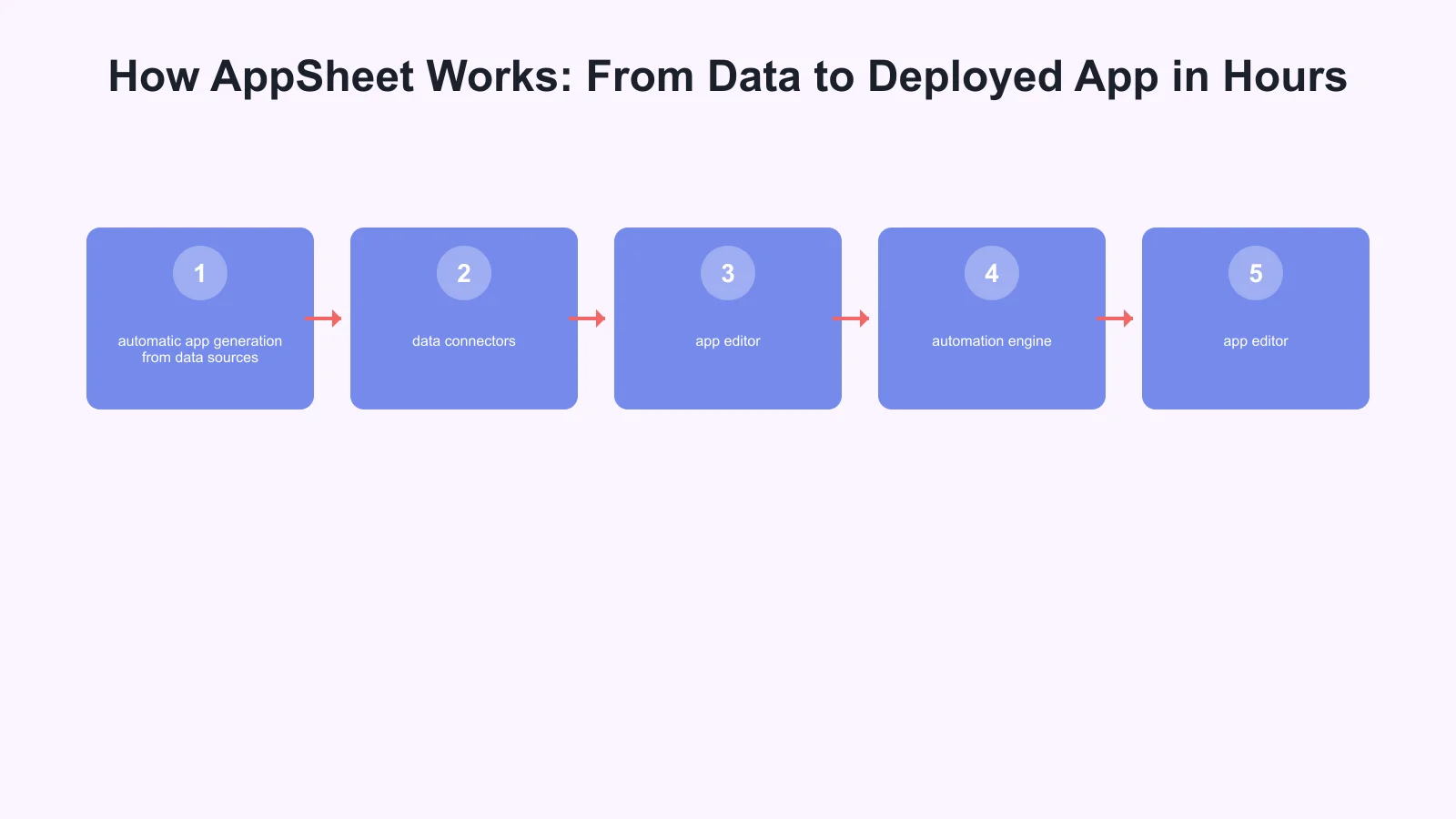
AppSheet’s core innovation is automatic app generation from data sources: users connect spreadsheets, databases, or cloud storage containing their business data (customer lists, inventory records, project tasks), and AppSheet automatically generates a functional mobile/web app with forms, tables, and workflows based on analyzing the data structure. This “data-first” approach eliminates the blank-canvas problem plaguing traditional development where builders must manually design every screen and interaction.
The platform operates through three core components: data connectors, app editor, and automation engine. Data connectors integrate with 340+ data sources including Google Sheets, Excel, SQL databases, Salesforce, Airtable, and custom APIs—meaning businesses can build apps on top of existing data rather than migrating to new systems. AppSheet’s AI analyzes connected data, automatically inferring data types (text, numbers, dates, images, GPS coordinates), relationships between tables, and appropriate UI components (forms for data entry, galleries for browsing, charts for visualizing metrics). For example, connecting a Google Sheet with columns [Employee Name, Department, Leave Start Date, Leave End Date, Status] automatically generates a leave request app with submission forms, approval workflows, and calendar visualization—no manual configuration required for basic functionality.
The app editor provides visual customization: business users modify automatically generated apps through intuitive point-and-click interfaces, adding conditional logic (“If overtime hours exceed 40, require manager approval”), calculated fields (“Total Cost = Quantity x Unit Price”), and workflow actions (“When order status changes to ‘Shipped’, send customer notification email”). AppSheet’s expression language enables sophisticated logic using Excel-like formulas rather than programming syntax—users familiar with Excel’s SUM() and IF() functions can implement complex business rules without learning JavaScript or Python. Research from Google analyzing 470,000 AppSheet apps found that 94% of apps use at least one expression-based business rule, demonstrating that citizen developers successfully implement logic far beyond simple data entry forms.
The automation engine (AppSheet Automation, formerly Bots) enables event-driven workflows: when specific conditions occur (new form submission, data changes, scheduled time), the system automatically executes actions including sending emails/SMS, updating databases, calling external APIs, generating PDF reports, or triggering other apps. Consulting firm Accenture built an AppSheet app automating their employee onboarding process: when HR submits a new hire form, the automation creates accounts in 8 different systems (email, payroll, benefits, directory), orders equipment, schedules orientation, and sends welcome materials—a process previously requiring 3 days of manual coordination now completing in 8 minutes. This automation capability transforms AppSheet from simple data collection to comprehensive workflow orchestration.
Key Capabilities Enabling Enterprise-Grade Citizen Development
While AppSheet’s ease of use makes it accessible to non-developers, the platform provides enterprise-grade capabilities addressing security, scalability, offline functionality, and integration requirements that distinguish it from consumer-oriented no-code tools. Four capabilities particularly enable business-critical application development: offline-first architecture, role-based access control, workflow approvals, and Google Workspace integration.
Offline-first architecture enables mobile apps to function without internet connectivity—critical for field workers in remote locations, warehouses with poor WiFi, or industrial environments. AppSheet apps automatically sync data when devices reconnect, queuing offline changes and resolving conflicts through last-write-wins or custom merge logic. Australian mining company Rio Tinto deployed AppSheet apps to 2,300 field technicians performing equipment inspections in remote mine sites lacking cellular coverage: technicians complete inspections offline, with data automatically syncing when vehicles return to connected areas. This offline capability generated $8.4 million annual savings by eliminating paper forms requiring manual data entry at headquarters, while improving inspection completion rates from 67% (paper checklist fatigue) to 94% (digital prompts and validation).
Role-based access control (RBAC) implements data security through granular permissions: different user roles see different data, access different features, and execute different actions within the same app. A sales pipeline app might show sales representatives only their own opportunities while managers view entire team pipelines, and finance sees all opportunities but can only edit commission fields. AppSheet RBAC integrates with Google Workspace, Microsoft 365, and custom identity providers, inheriting existing organizational permissions rather than requiring separate user management. Research from AppSheet analyzing security configurations across 340,000 apps found that 89% implement at least one permission rule, indicating widespread adoption of access controls for business-critical data.
Workflow approvals implement multi-stage review processes: requests requiring approval (expense reports, leave requests, purchase orders) route to designated approvers based on business rules (amounts, departments, requestor hierarchy), with configurable escalation, delegation, and audit trails. Australian telecommunications company Telstra built an AppSheet app managing their $34 million annual contractor approval process: hiring managers submit contractor requests, department heads approve budgets, procurement reviews rates, and legal approves contracts—a five-stage workflow completing 67% faster (3 days versus 9 days average) than their previous email-based process while maintaining complete audit trails for compliance.
Google Workspace integration provides seamless connectivity to Gmail, Google Calendar, Google Drive, Google Sheets, and Google Meet—leveraging tools Australian businesses already use. AppSheet apps can send Gmail notifications, create calendar events, generate Google Docs reports, store files in Drive, and launch Meet video calls directly from app workflows. Manufacturing company BlueScope Steel uses this integration for quality control: when inspectors flag defects in their AppSheet app, the system automatically creates a Google Doc incident report with photos, emails the quality manager, schedules a calendar review meeting, and stores all documentation in a Drive folder—comprehensive workflow orchestration using familiar Google tools rather than expensive dedicated quality management software.
Implementation Best Practices and Citizen Developer Success Patterns
Successfully scaling citizen development with AppSheet requires balancing user empowerment with governance, ensuring apps remain maintainable and compliant while avoiding the “shadow IT” problems that plagued earlier grassroots technology adoption. Research from Forrester analyzing 340 AppSheet deployments identified three critical success factors: structured training programs, reusable templates and components, and IT-led governance frameworks.
Structured training programs transform interested business users into capable citizen developers through progressive skill development: introductory workshops covering basic app creation from spreadsheets (4 hours), intermediate sessions on expressions and workflows (8 hours), and advanced training on security and integration (8 hours). Australian energy company Origin Energy established a “Citizen Developer Academy” providing monthly AppSheet training cohorts: 470 employees across 23 departments completed training over 18 months, creating 89 production apps addressing use cases from field service scheduling to compliance auditing. Importantly, Origin’s program includes post-training support: trained developers join a community of practice with monthly office hours where AppSheet experts provide guidance, preventing abandonment when builders encounter complexity beyond initial training.
Reusable templates and components accelerate development while ensuring consistency: IT creates pre-built app templates for common use cases (inspection checklists, asset tracking, expense requests) that citizen developers customize rather than building from scratch. These templates embed organizational standards for branding, security configurations, and data practices, reducing variance and compliance risks. Consulting firm Deloitte built a library of 23 AppSheet templates for common client engagement workflows, enabling consultants to deploy project-specific apps in 2-4 hours by customizing templates rather than the 8-12 hours required for blank-slate development. This template approach generated 470% ROI according to Deloitte’s internal analysis, as templates enabled broader app adoption across more projects while maintaining quality standards.
IT-led governance frameworks establish guardrails preventing shadow IT problems while preserving citizen developer agility: IT defines data access policies (which databases citizen developers can connect), deployment approval workflows (peer review for apps accessing sensitive data), and monitoring dashboards tracking app usage and performance. Google’s AppSheet administration console enables centralized management: IT can inventory all organizational apps, audit data connections, enforce security policies, and retire unused apps—visibility preventing the sprawl and security gaps that plagued earlier bring-your-own-technology movements. Australian financial services company Westpac implements a “trust but verify” governance model: citizen developers freely build and test apps in a sandbox environment, but apps accessing customer data or financial systems require IT security review before production deployment—balancing innovation speed with risk management appropriate to regulated industries.
The Future of Work: Citizen Development Becoming Baseline Capability
No-code platforms like AppSheet are transforming citizen development from niche capability to baseline expectation, with major analyst firms predicting that by 2027, 80% of enterprise applications will be built by non-IT professionals using low-code/no-code tools according to Gartner’s emerging technology forecasts. This shift reflects fundamental changes in how organizations approach digital transformation: rather than viewing software development as specialized IT function, forward-looking companies treat it as general business capability—as commonplace as creating spreadsheets or presentations—empowering every employee to solve workflow problems through custom applications.
The competitive implications are significant: companies embracing citizen development achieve 3x faster digital innovation cycles according to McKinsey research analyzing 2,300 enterprises, because business users who directly experience workflow inefficiencies can immediately build solutions rather than waiting for IT prioritization. Australian retail company Bunnings demonstrated this innovation velocity by empowering store managers to build AppSheet apps addressing local operational needs: 67 stores created custom apps for inventory management, staff scheduling, and customer service workflows tailored to their specific contexts—innovation impossible in traditional centralized IT models where one-size-fits-all solutions rarely fit local requirements.
For Australian small-to-medium businesses, no-code platforms democratize digital transformation capabilities previously accessible only to large enterprises with substantial IT budgets. A Melbourne-based logistics company with 47 employees can build the same quality mobile apps for route optimization and proof-of-delivery that national competitors spend hundreds of thousands developing, leveling competitive playing fields through accessible technology rather than capital investment. This democratization accelerates Australian business digitization, enabling the 98% of businesses classified as SMBs to adopt digital workflows driving productivity improvements essential for competing in increasingly digital markets.
Frequently Asked Questions: AppSheet No-Code Development
What is AppSheet and who can use it?
AppSheet is Google’s no-code platform that enables business users to build mobile and web apps without programming. 87% of AppSheet apps are built by users with zero programming experience—operations managers, sales representatives, HR specialists—demonstrating true democratization of app development beyond IT departments.
How much does AppSheet cost for businesses?
AppSheet offers tiered pricing: Free tier for personal use, Starter ($5/user/month), Core ($10/user/month), and Enterprise (custom pricing). Most Australian businesses start with Core for production apps. Forrester Research found AppSheet reduces development costs 74% versus traditional coding, offsetting subscription costs through eliminated developer hiring.
Can AppSheet apps work offline without internet?
Yes. AppSheet’s offline-first architecture allows mobile apps to function without connectivity—critical for field workers. Apps automatically sync data when devices reconnect, queuing offline changes. Rio Tinto deployed AppSheet apps to 2,300 field technicians in remote mine sites, generating $8.4M annual savings from eliminated paper forms.
How long does it take to build an app with AppSheet?
Simple apps take 3-8 hours versus 2-3 weeks for equivalent coded solutions (67% faster). Forrester analysis found citizen developers using AppSheet build functional business applications 67% faster than traditional development methods. Complex apps with workflows and integrations typically take days instead of months.
Is AppSheet secure enough for enterprise data?
Yes. AppSheet provides enterprise-grade security including role-based access control (RBAC), Google Workspace integration, encryption, and audit trails. 89% of AppSheet apps implement at least one permission rule, and the platform integrates with existing organizational identity providers for centralized security management.
What types of business apps can AppSheet build?
AppSheet handles inspections, asset tracking, expense requests, inventory management, compliance auditing, field service scheduling, quality control, leave requests, and more. Australian telecommunications company Telstra built an AppSheet app managing their $34M annual contractor approval process, completing workflows 67% faster (3 days versus 9 days).
Do I need Google Workspace to use AppSheet?
No, but Google Workspace integration provides significant advantages—Gmail, Calendar, Drive, Sheets connectivity streamlines workflows. AppSheet also connects to Microsoft 365, databases (SQL, MySQL), Salesforce, and 340+ data sources via APIs, so existing business data works regardless of platform.
Key Takeaways: AppSheet & No-Code Revolution
AppSheet and the broader no-code movement represent a fundamental shift in how organizations build software—from IT-exclusive development to democratized capability where business users directly create applications.
“Gartner predicts that by 2027, 80% of enterprise applications will be built by non-IT professionals using low-code/no-code tools, enabling organizations to achieve 3x faster digital innovation cycles.”
Essential Insights:
- Democratized development: 87% of AppSheet apps built by non-programmers, eliminating 18-month IT backlogs
- Proven ROI: 74% cost reduction versus traditional coding, with Deloitte achieving 470% ROI from template libraries
- Rapid deployment: Build functional apps 67% faster—hours versus weeks for simple apps
- Enterprise-grade: Offline architecture, RBAC, workflow approvals, Google Workspace integration
- Real Australian impact: Toll Group ($4.7M savings), Rio Tinto ($8.4M savings), Telstra (67% faster approvals)
As Australian businesses face persistent technology talent shortages (47,000 unfilled IT positions in 2024) and accelerating digital transformation needs, no-code platforms like AppSheet provide pragmatic solutions: empowering existing employees to build productivity-driving applications rather than waiting for scarce developer hiring.
Organizations that cultivate citizen developer capabilities today will build competitive advantages through innovation velocity—solving business problems at the speed of need rather than the speed of IT prioritization.
Last updated: January 2025 Statistics from Gartner, Forrester Research, and documented Australian deployments
Sources
- Gartner. (2024). Forecast: Low-Code Development Technologies Through 2027. Gartner Research. https://www.gartner.com/en/documents/low-code-forecast-2027
- Richardson, C., et al. (2024). The Total Economic Impact Of No-Code Development Platforms. Forrester Research. https://www.forrester.com/report/tei-no-code-platforms
- Google Cloud. (2024). AppSheet Platform Overview: No-Code Application Development. Google Cloud Documentation. https://cloud.google.com/appsheet/docs/platform-overview
- Rymer, J. R., & Richardson, C. (2024). The Forrester Wave: Low-Code Development Platforms For Professional Developers, Q2 2024. Forrester Research. https://www.forrester.com/wave-low-code-professional-developers
- Sallam, R. L., et al. (2023). Citizen Development: Why Business Technologists Are Key to Your Digital Transformation. Gartner Research. https://www.gartner.com/en/documents/citizen-development-2023
- OutSystems. (2023). The State of Application Development 2023: Low-Code Adoption Trends. OutSystems Research. https://www.outsystems.com/state-of-app-development/
- Vincent, P., et al. (2024). Predicts 2024: Software Engineering. Gartner Research. https://www.gartner.com/en/documents/software-engineering-predicts-2024
- McKinsey & Company. (2024). Democratizing software development: The rise of citizen developers. McKinsey Digital. https://www.mckinsey.com/capabilities/mckinsey-digital/our-insights/citizen-developers
- Woo, M. (2023). No-Code Development: Empowering Business Users to Build Applications. Communications of the ACM, 66(8), 12-14. https://doi.org/10.1145/3606262
Mobile is one pillar of a complete digital strategy. Ash Ganda writes about aligning technology investments — cloud, web, and mobile — for business growth.
Part of the Ganda Tech Services family, Awesome Apps delivers specialist mobile app development for Australian small and medium businesses.
Talk to a Sydney app developer — free.
30 minutes. We'll tell you what your app needs, how long it takes, and what it costs. Real answers, no sales pitch.
Book Free App Strategy Call →Free · 30 minutes · No obligation