Introduction
Launching in a single market limits your app’s potential. English-speaking markets represent only about 25% of global app revenue. By localizing your app, you access the remaining 75% - users in China, Japan, Germany, Brazil, and dozens of other markets waiting for apps that speak their language.
Internationalization (i18n) is the process of designing your app so it can be adapted for different locales without engineering changes. Localization (l10n) is the actual process of adapting content for specific locales.
This guide covers both. We start with architecture decisions that make localization possible, then walk through practical implementation for React Native and native platforms.
Understanding Locales
A locale is more than a language. It is a combination of language, region, and sometimes script:
en-US: English, United Statesen-GB: English, United Kingdomzh-Hans: Chinese, Simplified scriptzh-Hant: Chinese, Traditional scriptpt-BR: Portuguese, Brazilpt-PT: Portuguese, Portugal
The same language can have significant differences across regions:
- Date formats: 04/05/2026 (US) vs 05/04/2026 (UK)
- Number formats: 1,234.56 (US) vs 1.234,56 (Germany)
- Spelling: color (US) vs colour (UK)
- Vocabulary: apartment (US) vs flat (UK)
Your app should respect these differences. A user in Germany expects German dates and numbers, even if they prefer reading English text.
Architecture for Internationalization
Separ
 ate Content from Code
The first principle: never hardcode user-facing strings.
// Bad: Hardcoded strings
function WelcomeScreen() {
  return (
    <View>
      <Text>Welcome back!</Text>
      <Text>You have 5 new messages.</Text>
    </View>
  );
}

// Good: Externalized strings
function WelcomeScreen() {
  const { t } = useTranslation();
  const messageCount = 5;

  return (
    <View>
      <Text>{t('welcome.title')}</Text>
      <Text>{t('welcome.messages', { count: messageCount })}</Text>
    </View>
  );
}
Translation File Structure
Organize translation files by locale:
src/
  locales/
    en/
      common.json
      screens.json
      errors.json
    de/
      common.json
      screens.json
      errors.json
    ja/
      common.json
      screens.json
      errors.json
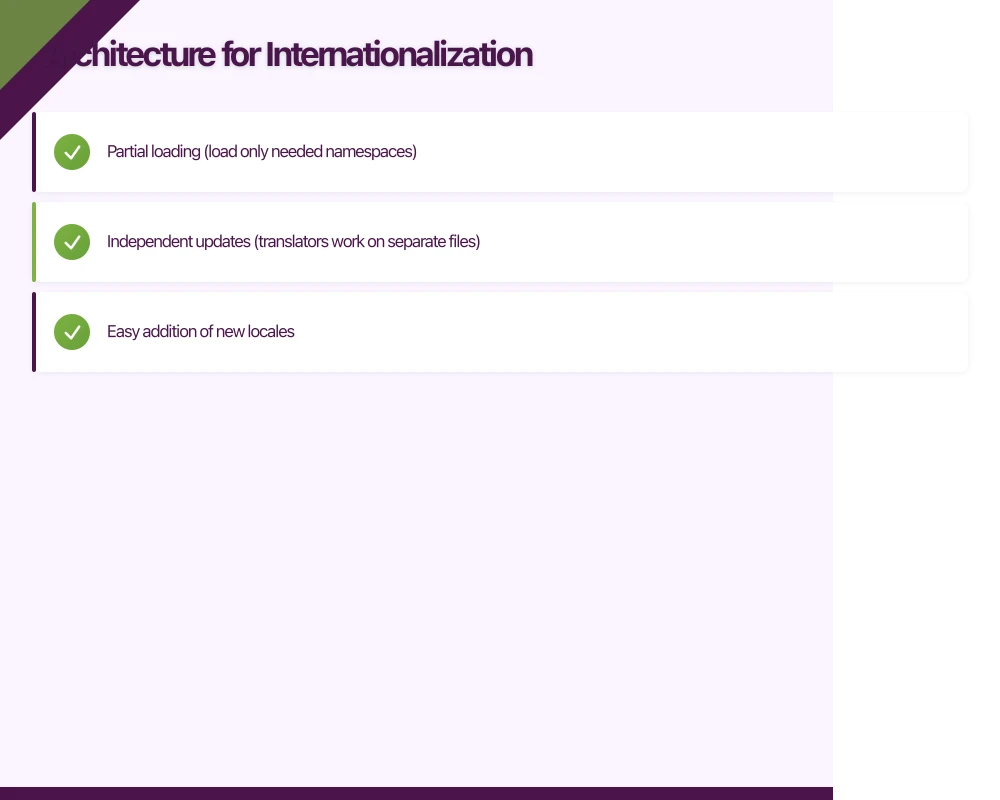
This structure allows:
- Partial loading (load only needed namespaces)
- Independent updates (translators work on separate files)
- Easy addition of new locales
React Native i18n Setup
We recommend i18next with react-i18next for React Native:
npm install i18next react-i18next react-native-localizeConfigure i18n:
// src/i18n/config.ts
import i18n from 'i18next';
import { initReactI18next } from 'react-i18next';
import * as RNLocalize from 'react-native-localize';

import en from '../locales/en/common.json';
import de from '../locales/de/common.json';
import ja from '../locales/ja/common.json';

const resources = {
  en: { translation: en },
  de: { translation: de },
  ja: { translation: ja }
};

// Get device language
const getDeviceLanguage = () => {
  const locales = RNLocalize.getLocales();
  if (locales.length > 0) {
    const { languageCode } = locales[0];
    if (Object.keys(resources).includes(languageCode)) {
      return languageCode;
    }
  }
  return 'en';
};

i18n
  .use(initReactI18next)
  .init({
    resources,
    lng: getDeviceLanguage(),
    fallbackLng: 'en',
    interpolation: {
      escapeValue: false
    },
    react: {
      useSuspense: false
    }
  });

export default i18n;
Translation files:
// locales/en/common.json
{
  "welcome": {
    "title": "Welcome back!",
    "messages": "You have {{count}} new message.",
    "messages_plural": "You have {{count}} new messages."
  },
  "navigation": {
    "home": "Home",
    "profile": "Profile",
    "settings": "Settings"
  },
  "errors": {
    "network": "Unable to connect. Please check your internet connection.",
    "generic": "Something went wrong. Please try again."
  }
}
// locales/de/common.json
{
"welcome": {
"title": "Willkommen zurück!",
"messages": "Sie haben {{count}} neue Nachricht.",
"messages_plural": "Sie haben {{count}} neue Nachrichten."
},
"navigation": {
"home": "Start",
"profile": "Profil",
"settings": "Einstellungen"
},
"errors": {
"network": "Verbindung nicht möglich. Bitte überprüfen Sie Ihre Internetverbindung.",
"generic": "Etwas ist schief gelaufen. Bitte versuchen Sie es erneut."
}
}Using Translations
// components/SettingsScreen.tsx
import React from 'react';
import { View, Text, TouchableOpacity } from 'react-native';
import { useTranslation } from 'react-i18next';

function SettingsScreen() {
  const { t, i18n } = useTranslation();

  const changeLanguage = (lng: string) => {
    i18n.changeLanguage(lng);
  };

  return (
    <View>
      <Text style={styles.title}>{t('navigation.settings')}</Text>

      <Text style={styles.sectionTitle}>{t('settings.language')}</Text>

      <TouchableOpacity onPress={() => changeLanguage('en')}>
        <Text>English</Text>
      </TouchableOpacity>

      <TouchableOpacity onPress={() => changeLanguage('de')}>
        <Text>Deutsch</Text>
      </TouchableOpacity>

      <TouchableOpacity onPress={() => changeLanguage('ja')}>
        <Text>日本語</Text>
      </TouchableOpacity>
    </View>
  );
}
Handling Pluralization
Different
languages have different plural rules. English has two forms (singular and plural), but other languages vary:
- Chinese, Japanese, Korean: No plural forms
- French: Two forms (0-1 and 2+)
- Russian, Polish: Multiple forms based on last digits
- Arabic: Six plural forms
i18next handles this with plural suffixes:
// English
{
  "items": "{{count}} item",
  "items_plural": "{{count}} items"
}

// Russian (needs _0, _1, _2 forms)
{
  "items_0": "{{count}} предмет",
  "items_1": "{{count}} предмета",
  "items_2": "{{count}} предметов"
}
Usage:
function Cart() {
  const { t } = useTranslation();
  const itemCount = 3;

  return (
    <Text>{t('items', { count: itemCount })}</Text>
  );
}
Date, Time, and Number Formatting
Use native locale formatting APIs rather than translating formats manually.
React Native with expo-localization
npm install expo-localizationimport { getLocales, getCalendars } from 'expo-localization';
// Get device locale
const locales = getLocales();
const currentLocale = locales[0]?.languageTag ?? 'en-US';
// Format numbers
const formatNumber = (value: number): string => {
return new Intl.NumberFormat(currentLocale).format(value);
};
// Format currency
const formatCurrency = (value: number, currency: string = 'USD'): string => {
return new Intl.NumberFormat(currentLocale, {
style: 'currency',
currency
}).format(value);
};
// Format dates
const formatDate = (date: Date, style: 'short' | 'medium' | 'long' = 'medium'): string => {
return new Intl.DateTimeFormat(currentLocale, {
dateStyle: style
}).format(date);
};
// Format time
const formatTime = (date: Date, style: 'short' | 'medium' = 'short'): string => {
return new Intl.DateTimeFormat(currentLocale, {
timeStyle: style
}).format(date);
};
// Format relative time
const formatRelativeTime = (date: Date): string => {
const rtf = new Intl.RelativeTimeFormat(currentLocale, { numeric: 'auto' });
const diff = date.getTime() - Date.now();
const diffDays = Math.round(diff / (1000 * 60 * 60 * 24));
if (Math.abs(diffDays) < 1) {
const diffHours = Math.round(diff / (1000 * 60 * 60));
return rtf.format(diffHours, 'hour');
}
return rtf.format(diffDays, 'day');
};Create a Formatting Hook
// hooks/useLocale.ts
import { useMemo } from 'react';
import { getLocales } from 'expo-localization';

export function useLocale() {
  const locale = useMemo(() => {
    const locales = getLocales();
    return locales[0]?.languageTag ?? 'en-US';
  }, []);

  const formatters = useMemo(() => ({
    number: (value: number) =>
      new Intl.NumberFormat(locale).format(value),

    currency: (value: number, currency: string) =>
      new Intl.NumberFormat(locale, { style: 'currency', currency }).format(value),

    date: (date: Date | string, options?: Intl.DateTimeFormatOptions) =>
      new Intl.DateTimeFormat(locale, options).format(new Date(date)),

    percent: (value: number) =>
      new Intl.NumberFormat(locale, { style: 'percent' }).format(value),

    relativeTime: (value: number, unit: Intl.RelativeTimeFormatUnit) =>
      new Intl.RelativeTimeFormat(locale, { numeric: 'auto' }).format(value, unit)
  }), [locale]);

  return { locale, ...formatters };
}

// Usage
function ProductPrice({ price, currency }: { price: number; currency: string }) {
  const { currency: formatCurrency } = useLocale();
  return <Text>{formatCurrency(price, currency)}</Text>;
}
Right-to-Left (RTL) Support
Languages like Arabic, Hebrew, and Persian are written right-to-left. Your app must mirror its layout for these languages.
Enabling RTL in React Native
// App.tsx
import { I18nManager } from 'react-native';
import * as RNLocalize from 'react-native-localize';

// Check if current language is RTL
const isRTL = RNLocalize.getLocales()[0]?.isRTL ?? false;

// Enable RTL if needed
if (I18nManager.isRTL !== isRTL) {
  I18nManager.allowRTL(isRTL);
  I18nManager.forceRTL(isRTL);
  // App will need to restart for changes to take effect
}
RTL-Aware Styling
Use start/end instead of left/right:
import { StyleSheet, I18nManager } from 'react-native';

const styles = StyleSheet.create({
  container: {
    // Use start/end for RTL-aware alignment
    paddingStart: 16,
    paddingEnd: 16,
    // Use flexDirection with RTL awareness
    flexDirection: 'row' // Automatically mirrors in RTL
  },
  icon: {
    // Don't mirror icons that are RTL-aware
    transform: I18nManager.isRTL ? [{ scaleX: -1 }] : []
  },
  backButton: {
    // Back arrow should point right in RTL
    transform: I18nManager.isRTL ? [{ scaleX: -1 }] : []
  }
});

// Some icons should NOT be mirrored (e.g., logos, play buttons)
const styles2 = StyleSheet.create({
  logo: {
    // Keep logo orientation regardless of RTL
    transform: []
  }
});
Testing RTL Layouts
Force RTL for testing:
// In development, temporarily force RTL
import { I18nManager } from 'react-native';

if (__DEV__) {
  I18nManager.allowRTL(true);
  I18nManager.forceRTL(true);
}
Or use a debug setting:
function DevSettingsScreen() {
  const toggleRTL = async () => {
    I18nManager.forceRTL(!I18nManager.isRTL);
    // Requires app restart
    await RNRestart.Restart();
  };

  return (
    <TouchableOpacity onPress={toggleRTL}>
      <Text>Toggle RTL (Current: {I18nManager.isRTL ? 'RTL' : 'LTR'})</Text>
    </TouchableOpacity>
  );
}
Dynamic Content Translation
Server-Side Content
For content from your API, return localized versions:
// API response structure
interface LocalizedContent {
  title: {
    en: string;
    de: string;
    ja: string;
  };
  description: {
    en: string;
    de: string;
    ja: string;
  };
}

// Or let the server return the correct locale
interface Product {
  id: string;
  title: string; // Already localized based on Accept-Language header
  description: string;
  price: number;
  currency: string;
}

// API call with locale
async function fetchProducts(locale: string): Promise<Product[]> {
  const response = await fetch('/api/products', {
    headers: {
      'Accept-Language': locale
    }
  });
  return response.json();
}
Client-Side Selection
function useLocalizedContent<T extends Record<string, any>>(
  content: { [locale: string]: T },
  fallback: string = 'en'
): T {
  const { i18n } = useTranslation();
  const currentLang = i18n.language;

  return content[currentLang] ?? content[fallback];
}

// Usage
const notifications = {
  en: { title: 'New message', body: 'You have a new message' },
  de: { title: 'Neue Nachricht', body: 'Sie haben eine neue Nachricht' }
};

function NotificationBanner() {
  const content = useLocalizedContent(notifications);
  return <Text>{content.title}</Text>;
}
Translation Workflow
Extracting Strings
Use tools to extract translatable strings:
npm install --save-dev i18next-parserConfigure i18next-parser.config.js:
module.exports = {
  locales: ['en', 'de', 'ja'],
  output: 'src/locales/$LOCALE/$NAMESPACE.json',
  input: ['src/**/*.{ts,tsx}'],
  defaultNamespace: 'translation',
  keySeparator: '.',
  namespaceSeparator: ':',
  createOldCatalogs: false,
  useKeysAsDefaultValue: false,
  verbose: true
};
Run extraction:
npx i18next-parserTranslation Management Platforms
For production apps, use a translation management system:
Popular options:
- Lokalise: Great API, good React Native support
- Phrase: Enterprise features, extensive integrations
- Crowdin: Good for open-source, community translations
- POEditor: Simple, cost-effective
Integration example with Lokalise:
# Install CLI
npm install --save-dev @lokalise/node-api

# Download translations
npx lokalise2 file download \
  --token your_api_token \
  --project-id your_project_id \
  --format json \
  --dest src/locales

# Upload new strings
npx lokalise2 file upload \
  --token your_api_token \
  --project-id your_project_id \
  --file src/locales/en/translation.json \
  --lang-iso en
CI/CD Integration
Automate translation sync in your pipeline:
# .github/workflows/translations.yml
name: Sync Translations

on:
  push:
    branches: [main]
    paths:
      - 'src/locales/en/**'
  schedule:
    - cron: '0 6 * * *' # Daily at 6 AM

jobs:
  sync:
    runs-on: ubuntu-latest
    steps:
      - uses: actions/checkout@v4

      - name: Setup Node.js
        uses: actions/setup-node@v4
        with:
          node-version: '20'

      - name: Install dependencies
        run: npm ci

      - name: Download latest translations
        env:
          LOKALISE_TOKEN: ${{ secrets.LOKALISE_TOKEN }}
          LOKALISE_PROJECT: ${{ secrets.LOKALISE_PROJECT }}
        run: |
          npx lokalise2 file download \
            --token $LOKALISE_TOKEN \
            --project-id $LOKALISE_PROJECT \
            --format json \
            --dest src/locales

      - name: Commit updated translations
        uses: stefanzweifel/git-auto-commit-action@v5
        with:
          commit_message: 'chore: update translations'
          file_pattern: 'src/locales/**'
Testing Localization
Automated Tests
// __tests__/localization.test.tsx
import { render, screen } from '@testing-library/react-native';
import { I18nextProvider } from 'react-i18next';
import i18n from '../src/i18n/config';
import WelcomeScreen from '../src/screens/WelcomeScreen';

describe('Localization', () => {
  beforeEach(() => {
    i18n.changeLanguage('en');
  });

  it('renders English content by default', () => {
    render(
      <I18nextProvider i18n={i18n}>
        <WelcomeScreen />
      </I18nextProvider>
    );

    expect(screen.getByText('Welcome back!')).toBeTruthy();
  });

  it('renders German content when language is changed', async () => {
    await i18n.changeLanguage('de');

    render(
      <I18nextProvider i18n={i18n}>
        <WelcomeScreen />
      </I18nextProvider>
    );

    expect(screen.getByText('Willkommen zurück!')).toBeTruthy();
  });

  it('handles pluralization correctly', () => {
    render(
      <I18nextProvider i18n={i18n}>
        <MessageCount count={1} />
      </I18nextProvider>
    );

    expect(screen.getByText('You have 1 new message.')).toBeTruthy();
  });

  it('uses plural form for multiple items', () => {
    render(
      <I18nextProvider i18n={i18n}>
        <MessageCount count={5} />
      </I18nextProvider>
    );

    expect(screen.getByText('You have 5 new messages.')).toBeTruthy();
  });
});
Visual Regression Testing
Different languages affect layout due to:
- Varying text lengths (German is often 30% longer than English)
- Different character heights (Thai, Arabic)
- Text direction (RTL languages)
Set up visual tests for key locales:
// e2e/localization.test.ts
describe('Visual Localization Tests', () => {
  const locales = ['en', 'de', 'ar', 'ja'];

  locales.forEach((locale) => {
    it(`renders correctly in ${locale}`, async () => {
      await device.launchApp({
        languageAndLocale: {
          language: locale,
          locale: locale
        }
      });

      await expect(element(by.id('home-screen'))).toBeVisible();
      await device.takeScreenshot(`home-screen-${locale}`);

      // Navigation to other screens
      await element(by.id('profile-tab')).tap();
      await device.takeScreenshot(`profile-screen-${locale}`);
    });
  });
});
Performance Considerations
Lazy Loading Translations
Load translation files on demand:
import i18n from 'i18next';
import { initReactI18next } from 'react-i18next';
import HttpBackend from 'i18next-http-backend';

i18n
  .use(HttpBackend)
  .use(initReactI18next)
  .init({
    fallbackLng: 'en',
    backend: {
      loadPath: 'https://cdn.example.com/locales/{{lng}}/{{ns}}.json'
    },
    ns: ['common'],
    defaultNS: 'common',
    partialBundledLanguages: true,
    resources: {
      en: {
        common: require('./locales/en/common.json')
      }
    }
  });
Bundle Size
Include only the locales you support:
// metro.config.js
module.exports = {
  resolver: {
    resolverMainFields: ['react-native', 'browser', 'main'],
    // Only include supported locales from date-fns
    extraNodeModules: {
      'date-fns': require.resolve('date-fns')
    }
  },
  transformer: {
    getTransformOptions: async () => ({
      transform: {
        experimentalImportSupport: false,
        inlineRequires: true
      }
    })
  }
};
Best Practices Summary
- Externalize all strings: Never hardcode user-facing text
- Design for expansion: Allow 30% extra space for translated text
- Use ICU message format: Handle plurals and gender correctly
- Respect device locale: Default to system language
- Allow override: Let users choose their preferred language
- Test with pseudolocalization: Catch hardcoded strings early
- Automate translation workflow: Integrate with CI/CD
- Consider cultural context: Icons, colors, and imagery may need localization
- Handle bidirectional text: Support RTL languages properly
- Performance matters: Lazy load translations when possible
Conclusion
Internationalization is easier when built into your app from the start, but can be added to existing apps with planning. The key is separating content from code and using proper formatting APIs.
Start with your largest potential markets. English and Chinese together cover over 50% of global app revenue. Adding Spanish, Japanese, and German brings you to 75%.
The technical implementation is straightforward with modern tools like i18next. The larger challenge is establishing a translation workflow that keeps content current as your app evolves.
Plan for localization early, even if you are not ready to translate yet. Following these patterns makes future localization a matter of providing translations rather than re-architecting your app.
Expanding your app to global markets? Our team has localized apps for audiences across Asia, Europe, and the Americas. Contact us to discuss your internationalization needs.
Your app needs secure, low-latency APIs. Cloud Geeks builds and manages cloud backends optimised for mobile applications.
Awesome Apps is the mobile development division of Ganda Tech Services, building iOS and Android apps for Australian businesses.
Talk to a Sydney app developer — free.
30 minutes. We'll tell you what your app needs, how long it takes, and what it costs. Real answers, no sales pitch.
Book Free App Strategy Call →Free · 30 minutes · No obligation