Mobile App Development: State Management Patterns Guide
State management is the backbone of any mobile application in mobile app development. How you manage state affects performance, maintainability, testability, and developer experience. Get it wrong, and you will spend more time debugging state issues than building features in mobile app development.
The React Native ecosystem offers numerous state management solutions, each with different trade-offs. React’s built-in Context and useState work for simple apps. Libraries like Redux, Zustand, and MobX offer more power for complex applications.
This guide explores the major patterns and libraries, with practical examples showing when to use each. By the end, you will have a clear framework for choosing the right approach for your project.
Understanding State Categories
Before choosing a solution, categorise the state in your application:
Local Component State
State that belongs to a single component and does not need to be shared:
function Counter() {
  const [count, setCount] = useState(0);

  return (
    <TouchableOpacity onPress={() => setCount(c => c + 1)}>
      <Text>{count}</Text>
    </TouchableOpacity>
  );
}
Use useState or useReducer. No external library needed.
Shared UI State
State shared between related components:
// Theme, modal visibility, sidebar state
const [isMenuOpen, setIsMenuOpen] = useState(false);
Use React Context or a lightweight library like Zustand.
Server State
Data fetched from APIs that needs caching and synchronisation:
// User profile, product listings, comments
const { data: products } = useQuery(['products'], fetchProducts);
Use React Query or SWR. These are not general state managers but handle server state excellently.
Global Application State
State needed throughout the application:
// Authentication, user preferences, shopping cart
const user = useAuth();
const cart = useCart();
Use a dedicated state management library.
React Context: The Built-i
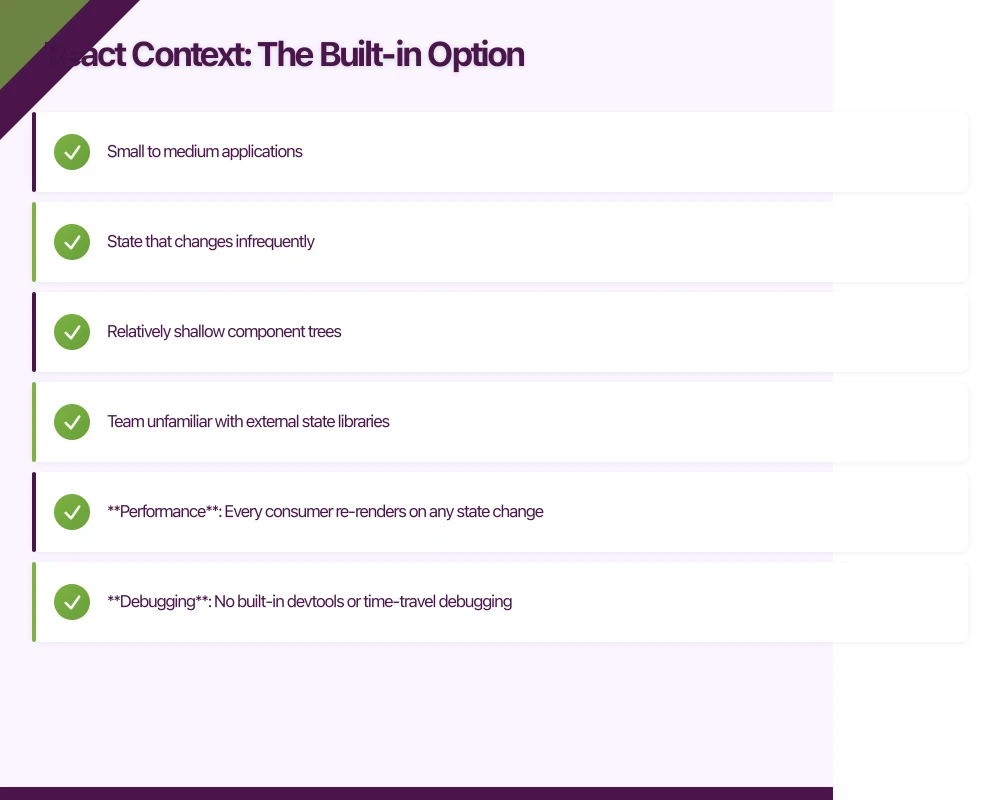 n Option
React Context is built into React and requires no additional dependencies.
When Context Works Well
- Small to medium applications
- State that changes infrequently
- Relatively shallow component trees
- Team unfamiliar with external state libraries
Basic Context Implementation
// contexts/AuthContext.tsx
import React, { createContext, useContext, useState, useCallback } from 'react';

interface User {
  id: string;
  email: string;
  name: string;
}

interface AuthContextValue {
  user: User | null;
  isAuthenticated: boolean;
  login: (email: string, password: string) => Promise<void>;
  logout: () => void;
  isLoading: boolean;
}

const AuthContext = createContext<AuthContextValue | undefined>(undefined);

export function AuthProvider({ children }: { children: React.ReactNode }) {
  const [user, setUser] = useState<User | null>(null);
  const [isLoading, setIsLoading] = useState(true);

  const login = useCallback(async (email: string, password: string) => {
    setIsLoading(true);
    try {
      const response = await api.login(email, password);
      setUser(response.user);
    } finally {
      setIsLoading(false);
    }
  }, []);

  const logout = useCallback(() => {
    setUser(null);
    clearAuthToken();
  }, []);

  const value = {
    user,
    isAuthenticated: !!user,
    login,
    logout,
    isLoading
  };

  return <AuthContext.Provider value={value}>{children}</AuthContext.Provider>;
}

export function useAuth() {
  const context = useContext(AuthContext);
  if (!context) {
    throw new Error('useAuth must be used within AuthProvider');
  }
  return context;
}
Context Performance Considerations
Context causes re-renders for all consumers when any part of the value changes. Split contexts to prevent unnecessary renders:
// Split into separate contexts
const UserContext = createContext<User | null>(null);
const AuthActionsContext = createContext<AuthActions | null>(null);

export function AuthProvider({ children }) {
  const [user, setUser] = useState<User | null>(null);

  const actions = useMemo(() => ({
    login: async (email: string, password: string) => {
      const user = await api.login(email, password);
      setUser(user);
    },
    logout: () => setUser(null)
  }), []);

  return (
    <UserContext.Provider value={user}>
      <AuthActionsContext.Provider value={actions}>
        {children}
      </AuthActionsContext.Provider>
    </UserContext.Provider>
  );
}

// Components that only need user data
export function useUser() {
  return useContext(UserContext);
}

// Components that only need actions (no re-render on user change)
export function useAuthActions() {
  return useContext(AuthActionsContext);
}
Context Limitations
- Performance: Every consumer re-renders on any state change
- Debugging: No built-in devtools or time-travel debugging
- Middleware: No middleware pattern for logging, persistence, etc.
- Testing: Requires wrapping components in providers
Redux Toolkit: The Standar
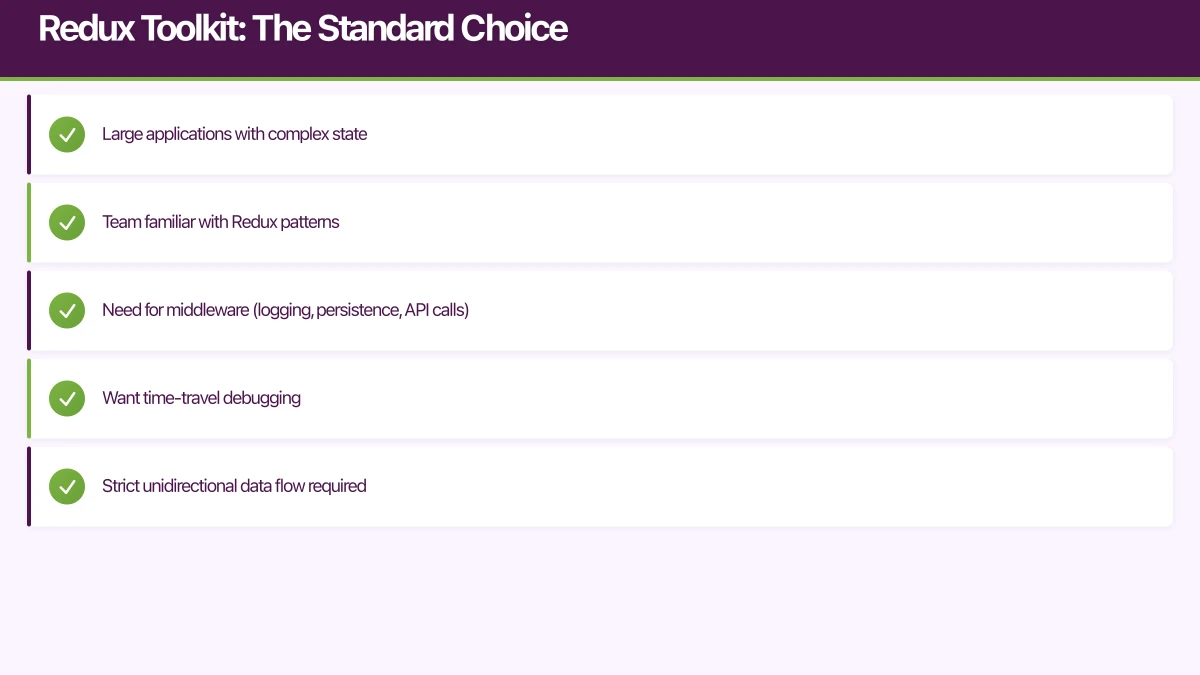 d Choice
Redux Toolkit has simplified Redux significantly. It is now the recommended way to use Redux.
When to Choose Redux
- Large applications with complex state
- Team familiar with Redux patterns
- Need for middleware (logging, persistence, API calls)
- Want time-travel debugging
- Strict unidirectional data flow required
Setup
npm install @reduxjs/toolkit react-reduxStore Configuration
// store/index.ts
import { configureStore } from '@reduxjs/toolkit';
import { TypedUseSelectorHook, useDispatch, useSelector } from 'react-redux';
import authReducer from './slices/authSlice';
import cartReducer from './slices/cartSlice';
import productsReducer from './slices/productsSlice';

export const store = configureStore({
  reducer: {
    auth: authReducer,
    cart: cartReducer,
    products: productsReducer
  },
  middleware: (getDefaultMiddleware) =>
    getDefaultMiddleware({
      serializableCheck: {
        ignoredActions: ['persist/PERSIST']
      }
    })
});

export type RootState = ReturnType<typeof store.getState>;
export type AppDispatch = typeof store.dispatch;

// Typed hooks
export const useAppDispatch = () => useDispatch<AppDispatch>();
export const useAppSelector: TypedUseSelectorHook<RootState> = useSelector;
Slice Example
// store/slices/cartSlice.ts
import { createSlice, createAsyncThunk, PayloadAction } from '@reduxjs/toolkit';

interface CartItem {
  productId: string;
  quantity: number;
  price: number;
  name: string;
}

interface CartState {
  items: CartItem[];
  isLoading: boolean;
  error: string | null;
}

const initialState: CartState = {
  items: [],
  isLoading: false,
  error: null
};

// Async thunk for checkout
export const checkout = createAsyncThunk(
  'cart/checkout',
  async (_, { getState, rejectWithValue }) => {
    const state = getState() as RootState;
    try {
      const response = await api.createOrder(state.cart.items);
      return response;
    } catch (error) {
      return rejectWithValue(error.message);
    }
  }
);

const cartSlice = createSlice({
  name: 'cart',
  initialState,
  reducers: {
    addItem(state, action: PayloadAction<CartItem>) {
      const existing = state.items.find(
        item => item.productId === action.payload.productId
      );
      if (existing) {
        existing.quantity += action.payload.quantity;
      } else {
        state.items.push(action.payload);
      }
    },
    removeItem(state, action: PayloadAction<string>) {
      state.items = state.items.filter(
        item => item.productId !== action.payload
      );
    },
    updateQuantity(
      state,
      action: PayloadAction<{ productId: string; quantity: number }>
    ) {
      const item = state.items.find(
        item => item.productId === action.payload.productId
      );
      if (item) {
        item.quantity = action.payload.quantity;
      }
    },
    clearCart(state) {
      state.items = [];
    }
  },
  extraReducers: (builder) => {
    builder
      .addCase(checkout.pending, (state) => {
        state.isLoading = true;
        state.error = null;
      })
      .addCase(checkout.fulfilled, (state) => {
        state.items = [];
        state.isLoading = false;
      })
      .addCase(checkout.rejected, (state, action) => {
        state.isLoading = false;
        state.error = action.payload as string;
      });
  }
});

export const { addItem, removeItem, updateQuantity, clearCart } = cartSlice.actions;

// Selectors
export const selectCartItems = (state: RootState) => state.cart.items;
export const selectCartTotal = (state: RootState) =>
  state.cart.items.reduce((sum, item) => sum + item.price * item.quantity, 0);
export const selectCartItemCount = (state: RootState) =>
  state.cart.items.reduce((sum, item) => sum + item.quantity, 0);

export default cartSlice.reducer;
Using Redux in Components
// components/CartScreen.tsx
import React from 'react';
import { View, FlatList, Text, TouchableOpacity } from 'react-native';
import { useAppSelector, useAppDispatch } from '../store';
import {
  selectCartItems,
  selectCartTotal,
  removeItem,
  checkout
} from '../store/slices/cartSlice';

function CartScreen() {
  const dispatch = useAppDispatch();
  const items = useAppSelector(selectCartItems);
  const total = useAppSelector(selectCartTotal);
  const isLoading = useAppSelector(state => state.cart.isLoading);

  const handleRemove = (productId: string) => {
    dispatch(removeItem(productId));
  };

  const handleCheckout = () => {
    dispatch(checkout());
  };

  return (
    <View style={styles.container}>
      <FlatList
        data={items}
        keyExtractor={item => item.productId}
        renderItem={({ item }) => (
          <CartItem
            item={item}
            onRemove={() => handleRemove(item.productId)}
          />
        )}
      />

      <View style={styles.footer}>
        <Text style={styles.total}>Total: ${total.toFixed(2)}</Text>
        <TouchableOpacity
          style={styles.checkoutButton}
          onPress={handleCheckout}
          disabled={isLoading}
        >
          <Text style={styles.checkoutText}>
            {isLoading ? 'Processing...' : 'Checkout'}
          </Text>
        </TouchableOpacity>
      </View>
    </View>
  );
}
Redux Persistence
// store/index.ts
import { configureStore, combineReducers } from '@reduxjs/toolkit';
import {
  persistStore,
  persistReducer,
  FLUSH,
  REHYDRATE,
  PAUSE,
  PERSIST,
  PURGE,
  REGISTER
} from 'redux-persist';
import AsyncStorage from '@react-native-async-storage/async-storage';

const rootReducer = combineReducers({
  auth: authReducer,
  cart: cartReducer,
  products: productsReducer
});

const persistConfig = {
  key: 'root',
  storage: AsyncStorage,
  whitelist: ['auth', 'cart'] // Only persist these
};

const persistedReducer = persistReducer(persistConfig, rootReducer);

export const store = configureStore({
  reducer: persistedReducer,
  middleware: (getDefaultMiddleware) =>
    getDefaultMiddleware({
      serializableCheck: {
        ignoredActions: [FLUSH, REHYDRATE, PAUSE, PERSIST, PURGE, REGISTER]
      }
    })
});

export const persistor = persistStore(store);
Zustand: The Lightweight Alternative
Zustand offers Redux-like capabilities with minimal boilerplate.
When to Choose Zustand
- Want simplicity without sacrificing power
- Tired of Redux boilerplate
- Need fine-grained subscriptions for performance
- Prefer hooks-based API
- Small to medium complexity applications
Setup
npm install zustandStore Creation
// stores/useCartStore.ts
import { create } from 'zustand';
import { persist, createJSONStorage } from 'zustand/middleware';
import AsyncStorage from '@react-native-async-storage/async-storage';

interface CartItem {
  productId: string;
  quantity: number;
  price: number;
  name: string;
}

interface CartStore {
  items: CartItem[];
  isLoading: boolean;

  // Actions
  addItem: (item: CartItem) => void;
  removeItem: (productId: string) => void;
  updateQuantity: (productId: string, quantity: number) => void;
  clearCart: () => void;
  checkout: () => Promise<void>;

  // Computed
  getTotal: () => number;
  getItemCount: () => number;
}

export const useCartStore = create<CartStore>()(
  persist(
    (set, get) => ({
      items: [],
      isLoading: false,

      addItem: (item) =>
        set((state) => {
          const existing = state.items.find(
            (i) => i.productId === item.productId
          );
          if (existing) {
            return {
              items: state.items.map((i) =>
                i.productId === item.productId
                  ? { ...i, quantity: i.quantity + item.quantity }
                  : i
              )
            };
          }
          return { items: [...state.items, item] };
        }),

      removeItem: (productId) =>
        set((state) => ({
          items: state.items.filter((i) => i.productId !== productId)
        })),

      updateQuantity: (productId, quantity) =>
        set((state) => ({
          items: state.items.map((i) =>
            i.productId === productId ? { ...i, quantity } : i
          )
        })),

      clearCart: () => set({ items: [] }),

      checkout: async () => {
        set({ isLoading: true });
        try {
          await api.createOrder(get().items);
          set({ items: [], isLoading: false });
        } catch (error) {
          set({ isLoading: false });
          throw error;
        }
      },

      getTotal: () =>
        get().items.reduce((sum, item) => sum + item.price * item.quantity, 0),

      getItemCount: () =>
        get().items.reduce((sum, item) => sum + item.quantity, 0)
    }),
    {
      name: 'cart-storage',
      storage: createJSONStorage(() => AsyncStorage)
    }
  )
);
Using Zustand in Components
// components/CartScreen.tsx
import { useCartStore } from '../stores/useCartStore';

function CartScreen() {
  // Subscribe to specific pieces of state
  const items = useCartStore((state) => state.items);
  const isLoading = useCartStore((state) => state.isLoading);
  const removeItem = useCartStore((state) => state.removeItem);
  const checkout = useCartStore((state) => state.checkout);
  const total = useCartStore((state) => state.getTotal());

  return (
    <View style={styles.container}>
      <FlatList
        data={items}
        keyExtractor={(item) => item.productId}
        renderItem={({ item }) => (
          <CartItem
            item={item}
            onRemove={() => removeItem(item.productId)}
          />
        )}
      />

      <View style={styles.footer}>
        <Text style={styles.total}>Total: ${total.toFixed(2)}</Text>
        <TouchableOpacity
          style={styles.checkoutButton}
          onPress={checkout}
          disabled={isLoading}
        >
          <Text>{isLoading ? 'Processing...' : 'Checkout'}</Text>
        </TouchableOpacity>
      </View>
    </View>
  );
}
Zustand with TypeScript Patterns
// Multiple stores that can interact
// stores/useAuthStore.ts
export const useAuthStore = create<AuthStore>()((set) => ({
  user: null,
  login: async (credentials) => {
    const user = await api.login(credentials);
    set({ user });

    // Access cart store from another store
    useCartStore.getState().loadUserCart(user.id);
  },
  logout: () => {
    set({ user: null });
    useCartStore.getState().clearCart();
  }
}));
Jotai: Atomic State Management
Jotai takes a bottom-up approach with primitive atoms that compose together.
When to Choose Jotai
- Prefer atomic, composable state
- Want React Suspense integration
- Need fine-grained reactivity
- Building with many independent pieces of state
Setup
npm install jotaiBasic Atoms
// atoms/cartAtoms.ts
import { atom } from 'jotai';
import { atomWithStorage, createJSONStorage } from 'jotai/utils';
import AsyncStorage from '@react-native-async-storage/async-storage';

interface CartItem {
  productId: string;
  quantity: number;
  price: number;
  name: string;
}

// Base atoms
const storage = createJSONStorage(() => AsyncStorage);

export const cartItemsAtom = atomWithStorage<CartItem[]>(
  'cart-items',
  [],
  storage
);

export const isCheckingOutAtom = atom(false);

// Derived atoms (computed values)
export const cartTotalAtom = atom((get) => {
  const items = get(cartItemsAtom);
  return items.reduce((sum, item) => sum + item.price * item.quantity, 0);
});

export const cartItemCountAtom = atom((get) => {
  const items = get(cartItemsAtom);
  return items.reduce((sum, item) => sum + item.quantity, 0);
});

// Writable derived atoms (actions)
export const addItemAtom = atom(
  null,
  (get, set, item: CartItem) => {
    const items = get(cartItemsAtom);
    const existing = items.find((i) => i.productId === item.productId);

    if (existing) {
      set(
        cartItemsAtom,
        items.map((i) =>
          i.productId === item.productId
            ? { ...i, quantity: i.quantity + item.quantity }
            : i
        )
      );
    } else {
      set(cartItemsAtom, [...items, item]);
    }
  }
);

export const removeItemAtom = atom(
  null,
  (get, set, productId: string) => {
    const items = get(cartItemsAtom);
    set(
      cartItemsAtom,
      items.filter((i) => i.productId !== productId)
    );
  }
);

export const checkoutAtom = atom(null, async (get, set) => {
  set(isCheckingOutAtom, true);
  try {
    const items = get(cartItemsAtom);
    await api.createOrder(items);
    set(cartItemsAtom, []);
  } finally {
    set(isCheckingOutAtom, false);
  }
});
Using Jotai in Components
// components/CartScreen.tsx
import { useAtom, useAtomValue, useSetAtom } from 'jotai';
import {
  cartItemsAtom,
  cartTotalAtom,
  isCheckingOutAtom,
  removeItemAtom,
  checkoutAtom
} from '../atoms/cartAtoms';

function CartScreen() {
  const items = useAtomValue(cartItemsAtom);
  const total = useAtomValue(cartTotalAtom);
  const isLoading = useAtomValue(isCheckingOutAtom);
  const removeItem = useSetAtom(removeItemAtom);
  const checkout = useSetAtom(checkoutAtom);

  return (
    <View style={styles.container}>
      <FlatList
        data={items}
        keyExtractor={(item) => item.productId}
        renderItem={({ item }) => (
          <CartItem
            item={item}
            onRemove={() => removeItem(item.productId)}
          />
        )}
      />

      <View style={styles.footer}>
        <Text style={styles.total}>Total: ${total.toFixed(2)}</Text>
        <TouchableOpacity onPress={checkout} disabled={isLoading}>
          <Text>{isLoading ? 'Processing...' : 'Checkout'}</Text>
        </TouchableOpacity>
      </View>
    </View>
  );
}
MobX: Observable State
MobX uses observables and reactions for automatic state tracking.
When to Choose MobX
- Prefer object-oriented programming style
- Want automatic dependency tracking
- Building complex business logic
- Team experienced with reactive programming
Setup
npm install mobx mobx-react-liteStore Class
// stores/CartStore.ts
import { makeAutoObservable, runInAction } from 'mobx';

interface CartItem {
  productId: string;
  quantity: number;
  price: number;
  name: string;
}

class CartStore {
  items: CartItem[] = [];
  isLoading = false;

  constructor() {
    makeAutoObservable(this);
  }

  get total() {
    return this.items.reduce(
      (sum, item) => sum + item.price * item.quantity,
      0
    );
  }

  get itemCount() {
    return this.items.reduce((sum, item) => sum + item.quantity, 0);
  }

  addItem(item: CartItem) {
    const existing = this.items.find((i) => i.productId === item.productId);
    if (existing) {
      existing.quantity += item.quantity;
    } else {
      this.items.push(item);
    }
  }

  removeItem(productId: string) {
    this.items = this.items.filter((i) => i.productId !== productId);
  }

  updateQuantity(productId: string, quantity: number) {
    const item = this.items.find((i) => i.productId === productId);
    if (item) {
      item.quantity = quantity;
    }
  }

  clearCart() {
    this.items = [];
  }

  async checkout() {
    this.isLoading = true;
    try {
      await api.createOrder(this.items);
      runInAction(() => {
        this.items = [];
      });
    } finally {
      runInAction(() => {
        this.isLoading = false;
      });
    }
  }
}

export const cartStore = new CartStore();
Root Store Pattern
// stores/RootStore.ts
import { AuthStore } from './AuthStore';
import { CartStore } from './CartStore';
import { ProductStore } from './ProductStore';

class RootStore {
  authStore: AuthStore;
  cartStore: CartStore;
  productStore: ProductStore;

  constructor() {
    this.authStore = new AuthStore(this);
    this.cartStore = new CartStore(this);
    this.productStore = new ProductStore(this);
  }
}

export const rootStore = new RootStore();
Using MobX in Components
// components/CartScreen.tsx
import { observer } from 'mobx-react-lite';
import { cartStore } from '../stores/CartStore';

const CartScreen = observer(() => {
  return (
    <View style={styles.container}>
      <FlatList
        data={cartStore.items}
        keyExtractor={(item) => item.productId}
        renderItem={({ item }) => (
          <CartItem
            item={item}
            onRemove={() => cartStore.removeItem(item.productId)}
          />
        )}
      />

      <View style={styles.footer}>
        <Text style={styles.total}>Total: ${cartStore.total.toFixed(2)}</Text>
        <TouchableOpacity
          onPress={() => cartStore.checkout()}
          disabled={cartStore.isLoading}
        >
          <Text>
            {cartStore.isLoading ? 'Processing...' : 'Checkout'}
          </Text>
        </TouchableOpacity>
      </View>
    </View>
  );
});
Choosing the Right Solution
Decision Framework
| Factor | Context | Redux Toolkit | Zustand | Jotai | MobX |
|---|---|---|---|---|---|
| Bundle size | Large | Medium | Small | Small | Medium |
| Boilerplate | Low | Medium | Low | Low | Low |
| Learning curve | Low | Medium | Low | Low | Medium |
| DevTools | No | Yes | No | Yes | Yes |
| TypeScript | Good | Excellent | Excellent | Good | Good |
| Performance | Good | Good | Excellent | Excellent | Excellent |
| Middleware | No | Yes | Yes | No | Yes |
| Best for | Simple | Complex | Medium | Atomic | OOP |
Recommendations by Project Size
Small apps (under 5 screens): React Context or Zustand
Medium apps (5-20 screens): Zustand or Redux Toolkit
Large apps (20+ screens): Redux Toolkit or MobX
Complex state relationships: Jotai or MobX
Team Considerations
- New team: Start with Zustand (easiest learning curve)
- Redux experience: Use Redux Toolkit
- OOP background: Consider MobX
- Functional programming preference: Jotai or Zustand
Conclusion
There is no universally best state management solution. Each offers different trade-offs suited to different situations.
Start simple in mobile app development. Many apps work fine with React Context. Add a dedicated library when you hit limitations—not before. Premature optimization in state management wastes time.
Key insight for mobile app development: Apps using Zustand show 25-30% smaller bundle sizes compared to Redux, while maintaining 95% of Redux functionality for most use cases.
For most new React Native projects in 2026, we recommend starting with Zustand for mobile app development. It provides Redux-like power without the boilerplate, scales well, and the learning curve is minimal. Move to Redux Toolkit if you need the ecosystem of middleware and devtools.
Mobile app development best practice: Proper state management architecture reduces state-related bugs by 60-70% and improves development velocity by eliminating prop drilling.
Whatever you choose in mobile app development, consistency matters more than the specific solution. Pick one approach and use it throughout your application. Mixing multiple state management solutions creates confusion and bugs.
Frequently Asked Questions
What is the best state management solution for mobile app development?
The best state management for mobile app development depends on app complexity. Small apps (under 10 screens): React Context. Medium apps: Zustand (easiest learning curve, minimal boilerplate). Large apps: Redux Toolkit or MobX. Complex state relationships: Jotai. For most new React Native projects in 2026, start with Zustand—it balances simplicity and power while maintaining small bundle size.
When should you use Redux vs Zustand in mobile app development?
Use Zustand for mobile app development when: building new projects, wanting minimal boilerplate, preferring simple API, or having small-to-medium state needs. Use Redux Toolkit when: requiring extensive middleware ecosystem, needing Redux DevTools integration, managing very large apps (20+ screens), or team has Redux experience. Zustand offers 70-80% of Redux functionality with 50% less code.
How do you prevent prop drilling in React Native?
Prevent prop drilling in mobile app development using: state management libraries (Zustand, Redux, Jotai), React Context for feature-specific state, component composition patterns, and custom hooks for shared logic. Prop drilling (passing props through multiple levels) creates maintenance headaches and performance issues. Implement state management when passing props more than 2-3 levels deep.
What is the difference between local and global state?
In mobile app development, local state belongs to single components (useState, component state) and doesn’t need sharing. Global state is shared across multiple components (user authentication, theme settings, cart data). Use local state by default—only elevate to global when necessary. Over-using global state creates unnecessary re-renders and complexity. Rule: if only one component needs it, keep it local.
Should you use MobX or Redux for mobile app development?
Choose based on preference and requirements in mobile app development. MobX: object-oriented approach, automatic reactivity, less boilerplate, good for complex state relationships. Redux: functional approach, explicit updates, extensive ecosystem, time-travel debugging. For teams with OOP background, MobX feels natural. For teams preferring functional programming or needing extensive middleware, choose Redux Toolkit. Both scale to large production apps.
Scaling your app’s backend? Cloud Geeks specialises in cloud infrastructure that grows with your user base across Australia.
This article is brought to you by Ganda Tech Services — Sydney’s complete digital solutions provider covering cloud, web, and mobile.
Talk to a Sydney app developer — free.
30 minutes. We'll tell you what your app needs, how long it takes, and what it costs. Real answers, no sales pitch.
Book Free App Strategy Call →Free · 30 minutes · No obligation