Building Chat Features in Mobile Apps with WebSockets
Real-time chat is one of the most requested features in mobile apps. Whether it is customer support, team collaboration, social messaging, or marketplace communication, chat creates engagement and adds significant value. It is also one of the most technically challenging features to build correctly.
This guide covers the architecture and implementation of real-time chat in mobile apps using WebSockets. We will walk through message delivery, typing indicators, read receipts, and offline handling, with code examples you can adapt to your project.
Why WebSockets for Chat
HTTP was designed for request-response communication. The client asks, the server answers. For chat, this model is inefficient. The client would need to poll the server constantly: “Any new messages? How about now? Now?”
WebSockets provide a persistent, bidirectional connection between client and server. Once established, either side can send data at any time without the overhead of HTTP headers and connection establishment. This makes WebSockets ideal for real-time features:
- Messages arrive instantly (no polling delay)
- Typing indicators update in real time
- Online/offline status is always current
- Server resources are used efficiently (no wasted poll requests)
Architecture Overvie
 w
w
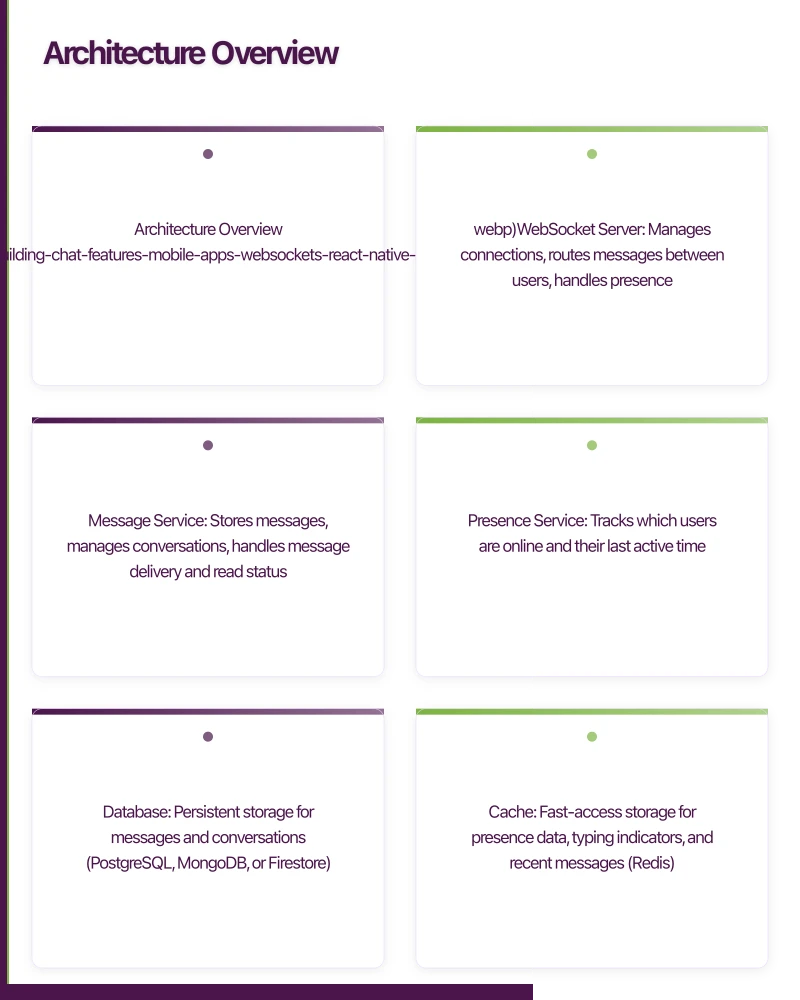
A production chat system has several components:
[Mobile Client]
      |
[WebSocket Connection]
      |
[WebSocket Server]
      |
+-----+-----+
|           |
[Message    [Presence
 Service]    Service]
|           |
[Database]  [Redis/Cache]
WebSocket Server: Manages connections, routes messages between users, handles presence (online/offline status).
Message Service: Stores messages, manages conversations, handles message delivery and read status.
Presence Service: Tracks which users are online and their last active time.
Database: Persistent storage for messages and conversations (PostgreSQL, MongoDB, or Firestore).
Cache: Fast-access storage for presence data, typing indicators, and recent messages (Redis).
Server Implementation with Socket.I
 O
O
Socket.IO provides WebSocket connectivity with automatic fallback to long-polling, reconnection handling, and room-based message routing.
// server.js
const express = require('express');
const { Server } = require('socket.io');
const http = require('http');

const app = express();
const server = http.createServer(app);
const io = new Server(server, {
  cors: { origin: '*' },
});

// Authentication middleware
io.use((socket, next) => {
  const token = socket.handshake.auth.token;
  try {
    const user = verifyToken(token);
    socket.userId = user.id;
    socket.userName = user.name;
    next();
  } catch (error) {
    next(new Error('Authentication failed'));
  }
});

io.on('connection', (socket) => {
  console.log(`User connected: ${socket.userId}`);

  // Join user's personal room for direct messages
  socket.join(`user:${socket.userId}`);

  // Update presence
  updatePresence(socket.userId, 'online');
  io.emit('presence:update', { userId: socket.userId, status: 'online' });

  // Join conversation rooms
  getUserConversations(socket.userId).then((conversations) => {
    conversations.forEach((conv) => {
      socket.join(`conversation:${conv.id}`);
    });
  });

  // Handle new message
  socket.on('message:send', async (data) => {
    const { conversationId, content, type } = data;

    // Save message to database
    const message = await saveMessage({
      conversationId,
      senderId: socket.userId,
      senderName: socket.userName,
      content,
      type: type || 'text',
      timestamp: new Date(),
      status: 'sent',
    });

    // Broadcast to conversation participants
    io.to(`conversation:${conversationId}`).emit('message:received', message);

    // Send push notification to offline participants
    const offlineUsers = await getOfflineParticipants(conversationId, socket.userId);
    offlineUsers.forEach((userId) => {
      sendPushNotification(userId, {
        title: socket.userName,
        body: content,
        data: { conversationId, messageId: message.id },
      });
    });
  });

  // Handle typing indicator
  socket.on('typing:start', (data) => {
    socket.to(`conversation:${data.conversationId}`).emit('typing:update', {
      userId: socket.userId,
      userName: socket.userName,
      conversationId: data.conversationId,
      isTyping: true,
    });
  });

  socket.on('typing:stop', (data) => {
    socket.to(`conversation:${data.conversationId}`).emit('typing:update', {
      userId: socket.userId,
      userName: socket.userName,
      conversationId: data.conversationId,
      isTyping: false,
    });
  });

  // Handle read receipts
  socket.on('message:read', async (data) => {
    const { conversationId, messageId } = data;
    await markMessageRead(messageId, socket.userId);

    socket.to(`conversation:${conversationId}`).emit('message:status', {
      messageId,
      readBy: socket.userId,
      status: 'read',
    });
  });

  // Handle disconnect
  socket.on('disconnect', () => {
    updatePresence(socket.userId, 'offline');
    io.emit('presence:update', {
      userId: socket.userId,
      status: 'offline',
      lastSeen: new Date(),
    });
  });
});

server.listen(3000);
React Native Client
 Implementation
// ChatService.js
import io from 'socket.io-client';

class ChatService {
  constructor() {
    this.socket = null;
    this.listeners = new Map();
  }

  connect(authToken) {
    this.socket = io('https://chat.yourapp.com', {
      auth: { token: authToken },
      transports: ['websocket'],
      reconnection: true,
      reconnectionAttempts: 10,
      reconnectionDelay: 1000,
      reconnectionDelayMax: 30000,
    });

    this.socket.on('connect', () => {
      console.log('Chat connected');
      this.emit('connectionChange', true);
    });

    this.socket.on('disconnect', (reason) => {
      console.log('Chat disconnected:', reason);
      this.emit('connectionChange', false);
    });

    this.socket.on('message:received', (message) => {
      this.emit('newMessage', message);
    });

    this.socket.on('typing:update', (data) => {
      this.emit('typingUpdate', data);
    });

    this.socket.on('message:status', (data) => {
      this.emit('messageStatus', data);
    });

    this.socket.on('presence:update', (data) => {
      this.emit('presenceUpdate', data);
    });
  }

  sendMessage(conversationId, content, type = 'text') {
    this.socket.emit('message:send', { conversationId, content, type });
  }

  startTyping(conversationId) {
    this.socket.emit('typing:start', { conversationId });
  }

  stopTyping(conversationId) {
    this.socket.emit('typing:stop', { conversationId });
  }

  markRead(conversationId, messageId) {
    this.socket.emit('message:read', { conversationId, messageId });
  }

  on(event, callback) {
    if (!this.listeners.has(event)) {
      this.listeners.set(event, []);
    }
    this.listeners.get(event).push(callback);
  }

  emit(event, data) {
    const callbacks = this.listeners.get(event) || [];
    callbacks.forEach((cb) => cb(data));
  }

  disconnect() {
    if (this.socket) {
      this.socket.disconnect();
      this.socket = null;
    }
  }
}

export default new ChatService();
Chat Screen Component
// ChatScreen.js
import React, { useState, useEffect, useRef, useCallback } from 'react';
import {
  FlatList,
  TextInput,
  TouchableOpacity,
  View,
  Text,
  KeyboardAvoidingView,
  Platform,
} from 'react-native';
import ChatService from './ChatService';

const ChatScreen = ({ conversationId, currentUserId }) => {
  const [messages, setMessages] = useState([]);
  const [inputText, setInputText] = useState('');
  const [typingUsers, setTypingUsers] = useState([]);
  const flatListRef = useRef();
  const typingTimeoutRef = useRef();

  useEffect(() => {
    // Load message history
    loadMessages(conversationId).then(setMessages);

    // Listen for new messages
    ChatService.on('newMessage', (message) => {
      if (message.conversationId === conversationId) {
        setMessages((prev) => [...prev, message]);

        // Mark as read if from another user
        if (message.senderId !== currentUserId) {
          ChatService.markRead(conversationId, message.id);
        }
      }
    });

    // Listen for typing indicators
    ChatService.on('typingUpdate', (data) => {
      if (data.conversationId === conversationId) {
        setTypingUsers((prev) => {
          if (data.isTyping) {
            return [...prev.filter((u) => u.userId !== data.userId), data];
          }
          return prev.filter((u) => u.userId !== data.userId);
        });
      }
    });

    // Listen for read receipts
    ChatService.on('messageStatus', (data) => {
      setMessages((prev) =>
        prev.map((msg) =>
          msg.id === data.messageId ? { ...msg, status: data.status } : msg
        )
      );
    });
  }, [conversationId]);

  const handleTextChange = useCallback(
    (text) => {
      setInputText(text);

      if (text.length > 0) {
        ChatService.startTyping(conversationId);

        // Auto-stop typing after 3 seconds of inactivity
        clearTimeout(typingTimeoutRef.current);
        typingTimeoutRef.current = setTimeout(() => {
          ChatService.stopTyping(conversationId);
        }, 3000);
      } else {
        ChatService.stopTyping(conversationId);
      }
    },
    [conversationId]
  );

  const handleSend = useCallback(() => {
    if (inputText.trim()) {
      ChatService.sendMessage(conversationId, inputText.trim());
      setInputText('');
      ChatService.stopTyping(conversationId);
    }
  }, [conversationId, inputText]);

  const renderMessage = ({ item }) => {
    const isOwn = item.senderId === currentUserId;

    return (
      <View style={[styles.messageBubble, isOwn ? styles.ownMessage : styles.otherMessage]}>
        {!isOwn && <Text style={styles.senderName}>{item.senderName}</Text>}
        <Text style={styles.messageText}>{item.content}</Text>
        <View style={styles.messageFooter}>
          <Text style={styles.timestamp}>
            {formatTime(item.timestamp)}
          </Text>
          {isOwn && (
            <Text style={styles.status}>
              {item.status === 'read' ? 'Read' : item.status === 'delivered' ? 'Delivered' : 'Sent'}
            </Text>
          )}
        </View>
      </View>
    );
  };

  return (
    <KeyboardAvoidingView
      style={styles.container}
      behavior={Platform.OS === 'ios' ? 'padding' : undefined}
      keyboardVerticalOffset={90}
    >
      <FlatList
        ref={flatListRef}
        data={messages}
        keyExtractor={(item) => item.id}
        renderItem={renderMessage}
        onContentSizeChange={() => flatListRef.current?.scrollToEnd()}
        inverted={false}
      />

      {typingUsers.length > 0 && (
        <Text style={styles.typingIndicator}>
          {typingUsers.map((u) => u.userName).join(', ')}{' '}
          {typingUsers.length === 1 ? 'is' : 'are'} typing...
        </Text>
      )}

      <View style={styles.inputContainer}>
        <TextInput
          style={styles.input}
          value={inputText}
          onChangeText={handleTextChange}
          placeholder="Type a message..."
          multiline
        />
        <TouchableOpacity
          onPress={handleSend}
          style={styles.sendButton}
          disabled={!inputText.trim()}
        >
          <Text style={styles.sendButtonText}>Send</Text>
        </TouchableOpacity>
      </View>
    </KeyboardAvoidingView>
  );
};
Message Delivery Guarantees
Chat messages must be delivered reliably. Implement a delivery status system:
Sent: The server received the message (acknowledged via WebSocket).
Delivered: The recipient’s device received the message (the recipient’s client sends a delivery confirmation).
Read: The recipient viewed the message (the recipient’s client sends a read confirmation when the message is visible on screen).
// Server: Track message delivery
socket.on('message:delivered', async (data) => {
  await updateMessageStatus(data.messageId, 'delivered');
  io.to(`user:${data.senderId}`).emit('message:status', {
    messageId: data.messageId,
    status: 'delivered',
  });
});
Offline Message Handling
Users go offline. Messages sent while they are offline must be delivered when they reconnect.
Server-Side Queue
When a message’s recipient is offline, store it in a delivery queue:
// If recipient is offline, the message is already in the database
// When they reconnect, send undelivered messages:
socket.on('connect', async () => {
  const undelivered = await getUndeliveredMessages(socket.userId);
  undelivered.forEach((message) => {
    socket.emit('message:received', message);
  });
});
Client-Side Queue
When the client is offline, queue outgoing messages locally:
class OfflineQueue {
  constructor() {
    this.queue = [];
  }

  addMessage(message) {
    this.queue.push(message);
    this.saveToStorage();
  }

  async flush(chatService) {
    while (this.queue.length > 0) {
      const message = this.queue[0];
      try {
        chatService.sendMessage(
          message.conversationId,
          message.content,
          message.type
        );
        this.queue.shift();
        this.saveToStorage();
      } catch (error) {
        break; // Stop flushing on error, retry later
      }
    }
  }

  saveToStorage() {
    AsyncStorage.setItem('offlineQueue', JSON.stringify(this.queue));
  }
}
Scaling Considerations
Multiple Server Instances
When you scale to multiple WebSocket server instances, you need a message broker to route messages between instances. Redis Pub/Sub is the standard choice:
const { createAdapter } = require('@socket.io/redis-adapter');
const { createClient } = require('redis');

const pubClient = createClient({ url: 'redis://localhost:6379' });
const subClient = pubClient.duplicate();

io.adapter(createAdapter(pubClient, subClient));
With Redis adapter, Socket.IO automatically broadcasts events across all server instances.
Database Choice
For message storage:
- PostgreSQL: Reliable, supports complex queries (searching messages, filtering by date). Good for most apps.
- MongoDB: Flexible document model, easy to shard. Good for high-volume messaging.
- Firebase Firestore: Built-in real-time listeners eliminate the need for a separate WebSocket layer. Good for simpler chat implementations.
Managed Alternatives
If building a custom chat backend is too much for your timeline, consider managed solutions:
- Firebase Realtime Database/Firestore: Works well for simple chat. Real-time sync built in.
- Stream Chat: Purpose-built chat API with mobile SDKs.
- SendBird: Another managed chat service with comprehensive features.
These services handle the infrastructure complexity and provide polished SDKs, though they come with per-user pricing that adds up at scale.
Security Considerations
- Authenticate WebSocket connections with JWT tokens
- Validate that users can only send messages to conversations they belong to
- Sanitise message content to prevent injection attacks
- Rate limit message sending to prevent spam
- Encrypt messages in transit (WSS) and consider end-to-end encryption for sensitive apps
- Implement content moderation if your app has public or group chat
Testing Chat Features
Test these scenarios:
- Send and receive messages in real time
- Messages delivered when recipient comes back online
- Messages sent while offline are queued and sent on reconnect
- Typing indicators appear and disappear correctly
- Read receipts update accurately
- Reconnection after network interruption preserves state
- Multiple conversations work simultaneously
Chat is one of the most technically demanding features in mobile development, but when implemented well, it transforms user engagement. At eawesome, we have built chat systems for Australian clients ranging from marketplace messaging to team collaboration, and the investment in getting it right always pays off.
For a strategic perspective on how mobile fits into your broader digital transformation, read Ash Ganda’s insights on technology strategy.
Ganda Tech Services brings together cloud infrastructure, web development, and mobile app expertise to help Australian businesses thrive in the digital economy.
Talk to a Sydney app developer — free.
30 minutes. We'll tell you what your app needs, how long it takes, and what it costs. Real answers, no sales pitch.
Book Free App Strategy Call →Free · 30 minutes · No obligation