Introduction
Australia’s multicultural population speaks over 300 languages at home. If your app only speaks English, you’re missing a significant portion of the market. But traditional localization—translating strings into static text—only gets you part of the way there. Modern users expect apps that can listen, translate, and speak back in real-time.
We recently built a healthcare app that lets patients describe symptoms in Mandarin, Vietnamese, or Arabic, then translates and speaks the response in their language. The technology stack has matured enough that this is now achievable for mid-sized projects. Here’s how to approach it.
The Technology Landscape in 2025
Speech translation involves three distinct steps: speech-to-text (STT), text translation, and text-to-speech (TTS). You can handle each separately or use end-to-end models that do it all at once.
On-Device Options
Apple Speech Framework handles 60+ languages for STT on iOS. It’s free, private (on-device processing), and good enough for most use cases. The catch: no translation built in.
Google ML Kit offers on-device STT for Android with similar language coverage. Again, translation is separate.
Whisper (OpenAI’s model) can run on-device via CoreML or TensorFlow Lite. The quality is excellent, but the model is 40MB+ even in its smallest form.
Cloud Options
Google Cloud Speech-to-Text and Translation API are the workhorses. Reliable, well-documented, and support 125+ languages for translation.
Amazon Transcribe and Translate offer similar capabilities with good Australian region availability.
Azure Cognitive Services bundles STT, translation, and TTS together with decent pricing.
OpenAI Whisper API provides the same model quality as on-device Whisper but without the model size overhead.
Architecture Decision: On-Device vs Cloud
For most apps, a hybrid approach works best:
+-----------------------------------------------------+
|                    Mobile App                        |
+-----------------------------------------------------+
|                                                      |
|  +--------------+    +--------------+              |
|  |  On-Device   |    |    Cloud     |              |
|  |     STT      |---▶|  Translation |              |
|  | (Apple/ML Kit)|    |   (Google)   |              |
|  +--------------+    +--------------+              |

|         |                    |                      |
|         v                    v                      |
|  +--------------------------------------+          |
|  |        Text-to-Speech                 |          |
|  |   (On-device for common languages,    |          |
|  |    Cloud for quality/voice cloning)   |          |
|  +--------------------------------------+          |
|                                                      |
+-----------------------------------------------------+
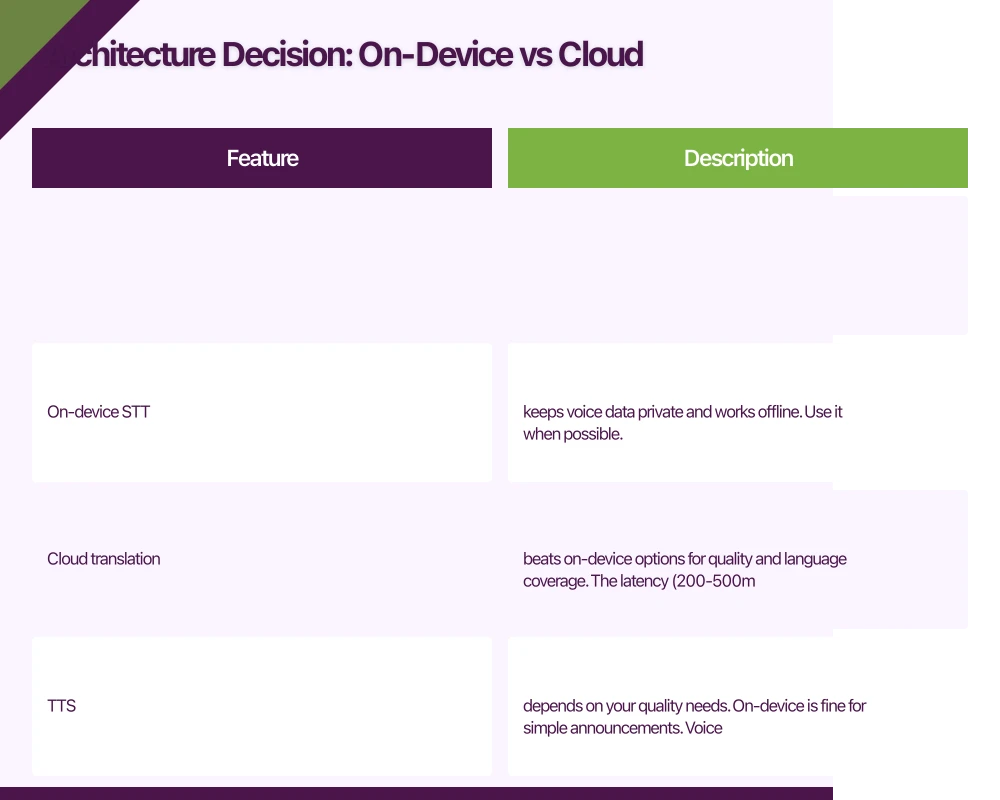
On-device STT keeps voice data private and works offline. Use it when possible.
Cloud translation beats on-device options for quality and language coverage. The latency (200-500ms) is acceptable for most apps.
TTS depends on your quality needs. On-device is fine for simple announcements. Voice cloning requires cloud services.
Implementing Speech-to-Text
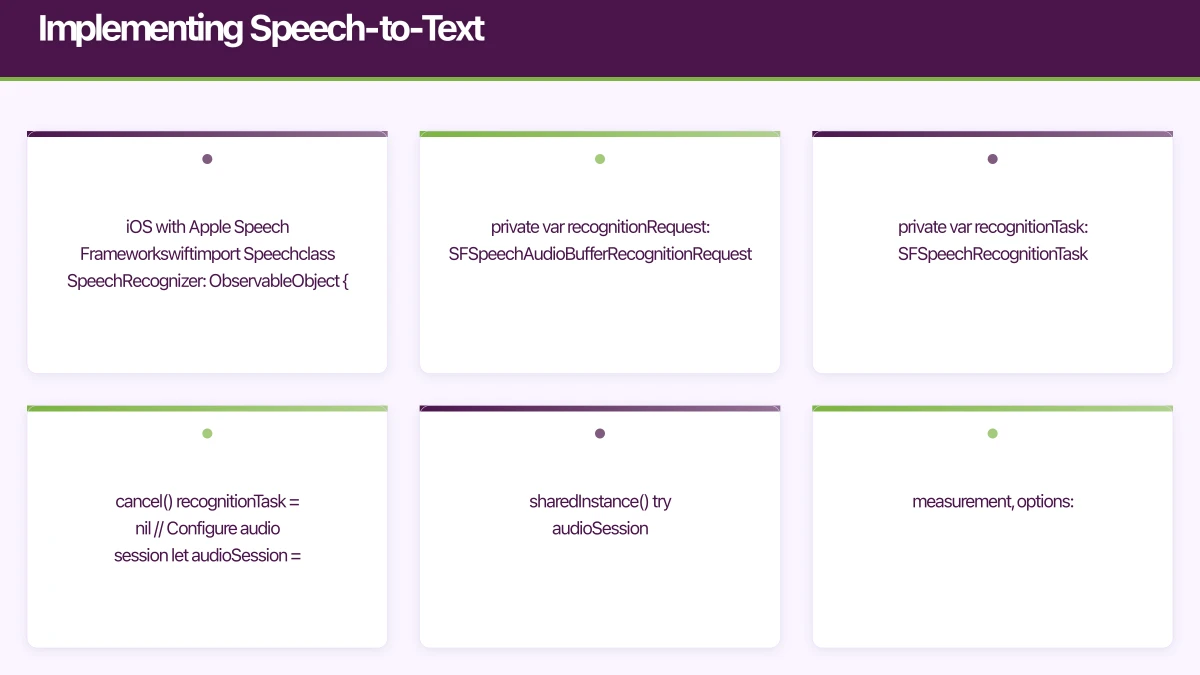
iOS with Apple Speech Framework
import Speech

class SpeechRecognizer: ObservableObject {
    private let speechRecognizer: SFSpeechRecognizer?
    private var recognitionRequest: SFSpeechAudioBufferRecognitionRequest?
    private var recognitionTask: SFSpeechRecognitionTask?
    private let audioEngine = AVAudioEngine()

    @Published var transcript: String = ""
    @Published var isRecording: Bool = false

    init(locale: Locale = Locale(identifier: "en-AU")) {
        // Initialize with specific locale for better accuracy
        speechRecognizer = SFSpeechRecognizer(locale: locale)
    }

    func startRecording() throws {
        // Cancel any ongoing task
        recognitionTask?.cancel()
        recognitionTask = nil

        // Configure audio session
        let audioSession = AVAudioSession.sharedInstance()
        try audioSession.setCategory(.record, mode: .measurement, options: .duckOthers)
        try audioSession.setActive(true, options: .notifyOthersOnDeactivation)

        recognitionRequest = SFSpeechAudioBufferRecognitionRequest()

        guard let recognitionRequest = recognitionRequest else {
            throw SpeechError.requestUnavailable
        }

        // Enable partial results for real-time feedback
        recognitionRequest.shouldReportPartialResults = true

        // Use on-device recognition when available (iOS 13+)
        if #available(iOS 13, *) {
            recognitionRequest.requiresOnDeviceRecognition = true
        }

        let inputNode = audioEngine.inputNode

        recognitionTask = speechRecognizer?.recognitionTask(with: recognitionRequest) { [weak self] result, error in
            if let result = result {
                DispatchQueue.main.async {
                    self?.transcript = result.bestTranscription.formattedString
                }
            }

            if error != nil || result?.isFinal == true {
                self?.stopRecording()
            }
        }

        let recordingFormat = inputNode.outputFormat(forBus: 0)
        inputNode.installTap(onBus: 0, bufferSize: 1024, format: recordingFormat) { buffer, _ in
            self.recognitionRequest?.append(buffer)
        }

        audioEngine.prepare()
        try audioEngine.start()
        isRecording = true
    }

    func stopRecording() {
        audioEngine.stop()
        audioEngine.inputNode.removeTap(onBus: 0)
        recognitionRequest?.endAudio()
        isRecording = false
    }
}
Android with ML Kit
import com.google.mlkit.nl.speechrecognition.SpeechRecognition
import com.google.mlkit.nl.speechrecognition.SpeechRecognizerOptions

class SpeechRecognizerManager(private val context: Context) {

    private var speechRecognizer: SpeechRecognizer? = null

    fun startRecording(
        languageCode: String = "en-AU",
        onResult: (String) -> Unit,
        onError: (Exception) -> Unit
    ) {
        val options = SpeechRecognizerOptions.Builder()
            .setLanguage(languageCode)
            .build()

        speechRecognizer = SpeechRecognition.getClient(options)

        // For real-time recognition, use streaming
        val intent = Intent(RecognizerIntent.ACTION_RECOGNIZE_SPEECH).apply {
            putExtra(RecognizerIntent.EXTRA_LANGUAGE_MODEL,
                    RecognizerIntent.LANGUAGE_MODEL_FREE_FORM)
            putExtra(RecognizerIntent.EXTRA_LANGUAGE, languageCode)
            putExtra(RecognizerIntent.EXTRA_PARTIAL_RESULTS, true)
        }

        speechRecognizer?.setRecognitionListener(object : RecognitionListener {
            override fun onResults(results: Bundle?) {
                val matches = results?.getStringArrayList(
                    SpeechRecognizer.RESULTS_RECOGNITION
                )
                matches?.firstOrNull()?.let { onResult(it) }
            }

            override fun onPartialResults(partialResults: Bundle?) {
                val matches = partialResults?.getStringArrayList(
                    SpeechRecognizer.RESULTS_RECOGNITION
                )
                matches?.firstOrNull()?.let { onResult(it) }
            }

            override fun onError(error: Int) {
                onError(SpeechRecognitionException(error))
            }

            // Other required overrides...
            override fun onReadyForSpeech(params: Bundle?) {}
            override fun onBeginningOfSpeech() {}
            override fun onRmsChanged(rmsdB: Float) {}
            override fun onBufferReceived(buffer: ByteArray?) {}
            override fun onEndOfSpeech() {}
            override fun onEvent(eventType: Int, params: Bundle?) {}
        })

        speechRecognizer?.startListening(intent)
    }

    fun stopRecording() {
        speechRecognizer?.stopListening()
        speechRecognizer?.destroy()
    }
}
Implementing Translation
Once you have text, translation is straightforward with cloud APIs.
Using Google Cloud Translation
// Backend service (Node.js/TypeScript)
import { TranslationServiceClient } from '@google-cloud/translate';

const translationClient = new TranslationServiceClient();

interface TranslationRequest {
  text: string;
  sourceLanguage: string;
  targetLanguage: string;
}

async function translateText(request: TranslationRequest): Promise<string> {
  const projectId = process.env.GOOGLE_CLOUD_PROJECT;

  const [response] = await translationClient.translateText({
    parent: `projects/${projectId}/locations/global`,
    contents: [request.text],
    mimeType: 'text/plain',
    sourceLanguageCode: request.sourceLanguage,
    targetLanguageCode: request.targetLanguage,
  });

  return response.translations?.[0]?.translatedText || '';
}

// API endpoint
app.post('/api/translate', async (req, res) => {
  const { text, from, to } = req.body;

  try {
    const translated = await translateText({
      text,
      sourceLanguage: from,
      targetLanguage: to,
    });

    res.json({ translated });
  } catch (error) {
    res.status(500).json({ error: 'Translation failed' });
  }
});
Batch Translation for Efficiency
For apps that need to translate multiple strings (like translating an entire conversation), batch them:
async function translateBatch(
  texts: string[],
  sourceLanguage: string,
  targetLanguage: string
): Promise<string[]> {
  const projectId = process.env.GOOGLE_CLOUD_PROJECT;

  const [response] = await translationClient.translateText({
    parent: `projects/${projectId}/locations/global`,
    contents: texts,
    mimeType: 'text/plain',
    sourceLanguageCode: sourceLanguage,
    targetLanguageCode: targetLanguage,
  });

  return response.translations?.map(t => t.translatedText || '') || [];
}

// Usage: translate all messages at once instead of one by one
const messages = ['Hello', 'How are you?', 'Goodbye'];
const translated = await translateBatch(messages, 'en', 'zh');
// ['你好', '你好吗?', '再见']
Text-to-Speech Implementation
Basic TTS with AVSpeechSynthesizer (iOS)
import AVFoundation

class TextToSpeechManager {
    private let synthesizer = AVSpeechSynthesizer()

    func speak(text: String, language: String = "en-AU") {
        let utterance = AVSpeechUtterance(string: text)

        // Find the best voice for this language
        utterance.voice = AVSpeechSynthesisVoice(language: language)

        // Adjust for natural speech
        utterance.rate = AVSpeechUtteranceDefaultSpeechRate
        utterance.pitchMultiplier = 1.0
        utterance.volume = 1.0

        synthesizer.speak(utterance)
    }

    func stop() {
        synthesizer.stopSpeaking(at: .immediate)
    }

    // Get available languages
    func availableLanguages() -> [String] {
        return AVSpeechSynthesisVoice.speechVoices()
            .map { $0.language }
            .unique()
    }
}
Cloud TTS for Higher Quality
Google’s Cloud Text-to-Speech offers WaveNet voices that sound more natural:
import textToSpeech from '@google-cloud/text-to-speech';
import { writeFileSync } from 'fs';

const ttsClient = new textToSpeech.TextToSpeechClient();

interface TTSRequest {
  text: string;
  languageCode: string;
  voiceName?: string;
}

async function synthesizeSpeech(request: TTSRequest): Promise<Buffer> {
  const [response] = await ttsClient.synthesizeSpeech({
    input: { text: request.text },
    voice: {
      languageCode: request.languageCode,
      name: request.voiceName, // e.g., 'en-AU-Neural2-A'
      ssmlGender: 'NEUTRAL',
    },
    audioConfig: {
      audioEncoding: 'MP3',
      speakingRate: 1.0,
      pitch: 0,
    },
  });

  return response.audioContent as Buffer;
}

// API endpoint that returns audio
app.post('/api/tts', async (req, res) => {
  const { text, language } = req.body;

  try {
    const audioBuffer = await synthesizeSpeech({
      text,
      languageCode: language,
    });

    res.set('Content-Type', 'audio/mpeg');
    res.send(audioBuffer);
  } catch (error) {
    res.status(500).json({ error: 'TTS failed' });
  }
});
Voice Cloning: The Advanced Feature
Voice cloning lets you maintain a consistent voice across languages—useful for apps where a character or assistant has a distinct voice.
Using ElevenLabs for Voice Cloning
ElevenLabs offers the most accessible voice cloning API:
import axios from 'axios';

const ELEVENLABS_API_KEY = process.env.ELEVENLABS_API_KEY;

async function cloneVoice(
  audioSamples: Buffer[],
  voiceName: string
): Promise<string> {
  const formData = new FormData();
  formData.append('name', voiceName);

  audioSamples.forEach((sample, index) => {
    formData.append('files', new Blob([sample]), `sample_${index}.mp3`);
  });

  const response = await axios.post(
    'https://api.elevenlabs.io/v1/voices/add',
    formData,
    {
      headers: {
        'xi-api-key': ELEVENLABS_API_KEY,
        'Content-Type': 'multipart/form-data',
      },
    }
  );

  return response.data.voice_id;
}

async function generateSpeechWithClonedVoice(
  text: string,
  voiceId: string
): Promise<Buffer> {
  const response = await axios.post(
    `https://api.elevenlabs.io/v1/text-to-speech/${voiceId}`,
    {
      text,
      model_id: 'eleven_multilingual_v2',
      voice_settings: {
        stability: 0.5,
        similarity_boost: 0.75,
      },
    },
    {
      headers: {
        'xi-api-key': ELEVENLABS_API_KEY,
        'Content-Type': 'application/json',
      },
      responseType: 'arraybuffer',
    }
  );

  return Buffer.from(response.data);
}
Ethical Considerations
Voice cloning raises serious ethical questions. Before implementing:
- Get explicit consent for any voice you clone
- Never clone voices without permission
- Disclose when users are hearing synthetic speech
- Consider misuse potential in your app design
Putting It All Together
Here’s a complete flow for a translation feature:
class TranslationService: ObservableObject {
    private let speechRecognizer = SpeechRecognizer()
    private let ttsManager = TextToSpeechManager()

    @Published var sourceText: String = ""
    @Published var translatedText: String = ""
    @Published var isProcessing: Bool = false

    func translateSpeech(
        sourceLanguage: String,
        targetLanguage: String
    ) async {
        isProcessing = true

        do {
            // Step 1: Listen and transcribe
            try speechRecognizer.startRecording()

            // Wait for user to finish speaking (implement voice activity detection)
            try await Task.sleep(nanoseconds: 5_000_000_000) // Simplified: 5 seconds

            speechRecognizer.stopRecording()
            sourceText = speechRecognizer.transcript

            // Step 2: Translate via API
            let translated = try await translateViaAPI(
                text: sourceText,
                from: sourceLanguage,
                to: targetLanguage
            )
            translatedText = translated

            // Step 3: Speak the translation
            ttsManager.speak(text: translated, language: targetLanguage)

        } catch {
            print("Translation failed: \(error)")
        }

        isProcessing = false
    }

    private func translateViaAPI(
        text: String,
        from: String,
        to: String
    ) async throws -> String {
        let url = URL(string: "https://yourapi.com/translate")!
        var request = URLRequest(url: url)
        request.httpMethod = "POST"
        request.setValue("application/json", forHTTPHeaderField: "Content-Type")

        let body = ["text": text, "from": from, "to": to]
        request.httpBody = try JSONEncoder().encode(body)

        let (data, _) = try await URLSession.shared.data(for: request)
        let response = try JSONDecoder().decode(TranslationResponse.self, from: data)

        return response.translated
    }
}
Cost Considerations
Real-time translation gets expensive. Here’s a rough breakdown for 10,000 monthly active users:
| Service | Usage | Monthly Cost |
|---|---|---|
| Google STT | 100 hours | ~$150 AUD |
| Google Translation | 1M characters | ~$30 AUD |
| Google TTS | 1M characters | ~$20 AUD |
| ElevenLabs (voice clone) | 100K characters | ~$30 AUD |
Cost optimisation tips:
- Cache translations for common phrases
- Use on-device STT/TTS when quality requirements allow
- Implement usage limits per user
- Consider tiered pricing in your app
Conclusion
Building multilingual mobile apps is more accessible than ever. The combination of on-device speech recognition, cloud translation APIs, and quality TTS services means you can build translation features that actually work.
Start simple: implement on-device STT and TTS with cloud translation. Once that’s working, you can explore advanced features like voice cloning and real-time conversation translation.
For Australian apps specifically, focus on the most common non-English languages: Mandarin, Arabic, Vietnamese, Cantonese, and Punjabi. Quality support for even two or three of these opens your app to millions of additional users.
Your app needs secure, low-latency APIs. Cloud Geeks builds and manages cloud backends optimised for mobile applications.
Ganda Tech Services brings together cloud infrastructure, web development, and mobile app expertise to help Australian businesses thrive in the digital economy.
Talk to a Sydney app developer — free.
30 minutes. We'll tell you what your app needs, how long it takes, and what it costs. Real answers, no sales pitch.
Book Free App Strategy Call →Free · 30 minutes · No obligation