Implementing App Clips and Instant Apps
Imagine a tourist in Melbourne scanning a QR code at a cafe to order coffee. Instead of downloading a full app, waiting for it to install, then creating an account, they immediately see an ordering interface. They pay with Apple Pay, pick up their coffee, and leave. That is the promise of App Clips and Instant Apps.
Apple’s App Clips and Google’s Instant Apps solve the same problem: removing the friction between discovery and engagement. Users experience a focused piece of your app without committing to a full download. For businesses, this translates directly to higher conversion rates at the point of intent.
App Clips: iOS Implementation
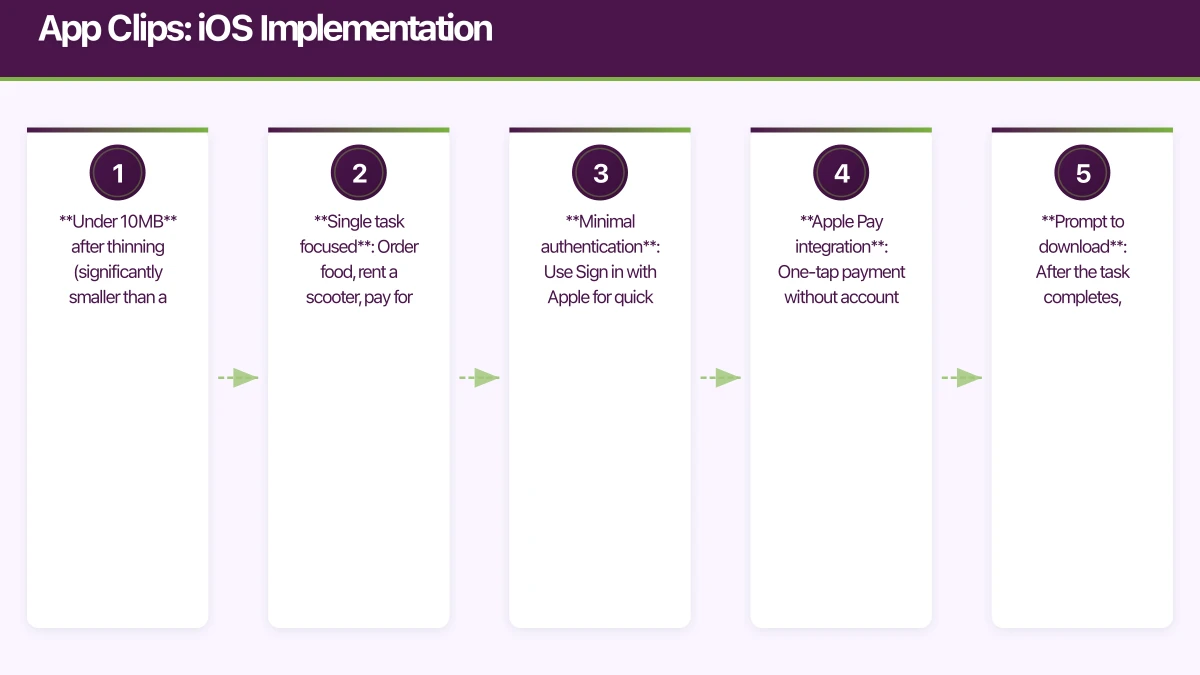
App Clips are small parts of your iOS app (under 10MB) that users can access through NFC tags, QR codes, Safari App Banners, Maps, and Messages links. They launch instantly and focus on a single task.
Setting Up Your App Clip
In Xcode, add an App Clip target to your existing project. The App Clip shares code with your main app but has its own Info.plist and entry point:
// AppClipApp.swift
@main
struct CafeOrderClip: App {
    var body: some Scene {
        WindowGroup {
            AppClipRootView()
                .onContinueUserActivity(
                    NSUserActivityTypeBrowsingWeb
                ) { activity in
                    handleIncomingURL(activity)
                }
        }
    }

    func handleIncomingURL(_ activity: NSUserActivity) {
        guard let url = activity.webpageURL else { return }
        // Parse URL to determine which cafe and menu to show
        // e.g., https://yourapp.com.au/clip/cafe/123
        let components = URLComponents(url: url, resolvingAgainstBaseURL: false)
        if let cafeId = components?.queryItems?
            .first(where: { $0.name == "cafe" })?.value {
            NavigationState.shared.navigateToCafe(cafeId)
        }
    }
}
Designing the App Clip Experience
App Clips must be focused and fast. Apple’s guidelines specify:
- Under 10MB after thinning (significantly smaller than a full app)
- Single task focused: Order food, rent a scooter, pay for parking
- Minimal authentication: Use Sign in with Apple for quick identity
- Apple Pay integration: One-tap payment without account creation
- Prompt to download: After the task completes, suggest the full app
struct OrderView: View {
    let cafeId: String
    @StateObject private var viewModel: OrderViewModel
    @State private var showFullAppPrompt = false

    init(cafeId: String) {
        self.cafeId = cafeId
        _viewModel = StateObject(
            wrappedValue: OrderViewModel(cafeId: cafeId)
        )
    }

    var body: some View {
        NavigationView {
            VStack {
                // Menu items
                ScrollView {
                    LazyVStack {
                        ForEach(viewModel.menuItems) { item in
                            MenuItemRow(
                                item: item,
                                onAdd: { viewModel.addToCart(item) }
                            )
                        }
                    }
                }

                // Cart summary and pay button
                if !viewModel.cart.isEmpty {
                    CartSummary(items: viewModel.cart, total: viewModel.total)

                    PayWithApplePayButton(.checkout, action: {
                        viewModel.processPayment()
                    })
                    .frame(height: 50)
                    .padding(.horizontal)
                }
            }
            .navigationTitle(viewModel.cafeName)
        }
        .sheet(isPresented: $showFullAppPrompt) {
            FullAppPromptView()
        }
        .onChange(of: viewModel.orderComplete) { complete in
            if complete {
                showFullAppPrompt = true
            }
        }
    }
}
Apple Pay in App Clips
Apple Pay is essential for App Clips because it eliminates the need for account creation:
class PaymentHandler: NSObject, PKPaymentAuthorizationControllerDelegate {
    func startPayment(amount: Decimal, completion: @escaping (Bool) -> Void) {
        let request = PKPaymentRequest()
        request.merchantIdentifier = "merchant.com.au.yourapp"
        request.supportedNetworks = [.visa, .masterCard, .amex]
        request.merchantCapabilities = .capability3DS
        request.countryCode = "AU"
        request.currencyCode = "AUD"

        request.paymentSummaryItems = [
            PKPaymentSummaryItem(
                label: "Cafe Order",
                amount: NSDecimalNumber(decimal: amount)
            )
        ]

        let controller = PKPaymentAuthorizationController(
            paymentRequest: request
        )
        controller?.delegate = self
        controller?.present()
    }
}
Configuring App Clip Invocations
Register your App Clip experience in App Store Connect. You need an Associated Domain to link your web URL to the App Clip:
// In your App Clip target's entitlements
com.apple.developer.associated-domains = ["appclips:yourapp.com.au"]
Your web server needs the corresponding Apple App Site Association file:
{
  "appclips": {
    "apps": ["TEAMID.com.au.yourcompany.app.Clip"]
  }
}
Invocation Methods
Configure how users discover your App Clip:
- QR Codes: Generate codes that link to your App Clip URL
- NFC Tags: Program NFC tags with your App Clip URL for physical locations
- Safari Smart Banner: Add a meta tag to your website
- Maps: Register your business locations in App Store Connect
- Messages: App Clip links shared in iMessage show rich previews
{/* Safari Smart Banner for App Clip */}
<meta name="apple-itunes-app"
      content="app-clip-bundle-id=com.au.yourcompany.app.Clip,
               app-id=123456789">
Android Insta
nt Apps
Google’s Instant Apps use the same concept but with different implementation. Users access your app through Google Play, web links, or the Google Search results without installation.
Module Structure
Instant Apps require modularising your Android project:
app/                    # Installed app module
  build.gradle

feature/                # Feature module(s)
  order/
    build.gradle
    src/
  menu/
    build.gradle
    src/

instantapp/             # Instant App wrapper
  build.gradle
// instantapp/build.gradle
plugins {
id 'com.android.instantapp'
}
dependencies {
implementation project(':feature:order')
implementation project(':feature:menu')
}Feature Module Implementation
// feature/order/src/.../OrderActivity.kt
class OrderActivity : AppCompatActivity() {
    private lateinit var binding: ActivityOrderBinding

    override fun onCreate(savedInstanceState: Bundle?) {
        super.onCreate(savedInstanceState)
        binding = ActivityOrderBinding.inflate(layoutInflater)
        setContentView(binding.root)

        // Handle deep link
        val cafeId = intent.data?.getQueryParameter("cafe")
        if (cafeId != null) {
            loadCafeMenu(cafeId)
        }

        // Check if running as instant app
        if (InstantApps.isInstantApp(this)) {
            binding.installBanner.visibility = View.VISIBLE
            binding.installButton.setOnClickListener {
                InstantApps.showInstallPrompt(
                    this, intent, REQUEST_INSTALL, /* referrer */ null
                )
            }
        }
    }
}
Google Play Instant Configuration
{/* AndroidManifest.xml for the feature module */}
<manifest xmlns:android="http://schemas.android.com/apk/res/android"
    xmlns:dist="http://schemas.android.com/apk/distribution"
    package="com.au.yourcompany.feature.order">

    <dist:module
        dist:instant="true"
        dist:title="@string/module_order_title">
        <dist:fusing dist:include="true" />
    </dist:module>

    <application>
        <activity
            android:name=".OrderActivity"
            android:exported="true">
            <intent-filter android:autoVerify="true">
                <action android:name="android.intent.action.VIEW" />
                <category android:name="android.intent.category.DEFAULT" />
                <category android:name="android.intent.category.BROWSABLE" />
                <data
                    android:scheme="https"
                    android:host="yourapp.com.au"
                    android:pathPrefix="/order" />
            </intent-filter>
        </activity>
    </application>
</manifest>
Size Constraints
Instant App feature modules must be under 15MB each. Keep modules lean:
- Use vector drawables instead of bitmaps
- Minimise third-party library dependencies
- Use dynamic feature modules to load code on demand
- Optimise ProGuard/R8 rules aggressively
Shared Strategies for Both Platforms
URL Design
Design your URLs to work for both platforms and the web:
https://yourapp.com.au/order?cafe=123&table=5This single URL should:
- Open the App Clip on iOS
- Open the Instant App on Android
- Show a web ordering page on desktop
- Fall back to the App Store or Play Store if App Clip/Instant App is not supported
Analytics and Attribution
Track App Clip and Instant App usage separately to measure their impact:
// iOS
Analytics.logEvent("app_clip_launched", parameters: [
    "source": invocationSource, // NFC, QR, Safari, Maps
    "cafe_id": cafeId,
    "converted_to_install": false
])
Migration to Full App
When a user installs the full app after using an App Clip or Instant App, preserve their data:
// iOS: Transfer data from App Clip to full app
// Use a shared App Group container
let sharedDefaults = UserDefaults(suiteName: "group.com.au.yourcompany.shared")
sharedDefaults?.set(orderHistory, forKey: "recentOrders")
sharedDefaults?.set(userId, forKey: "userId")
// Android: Transfer data from Instant App to installed app
val cookie = InstantApps.getInstantAppCookie(this)
if (cookie.isNotEmpty()) {
val userData = deserialize(cookie)
migrateUserData(userData)
}B
 usiness Impact
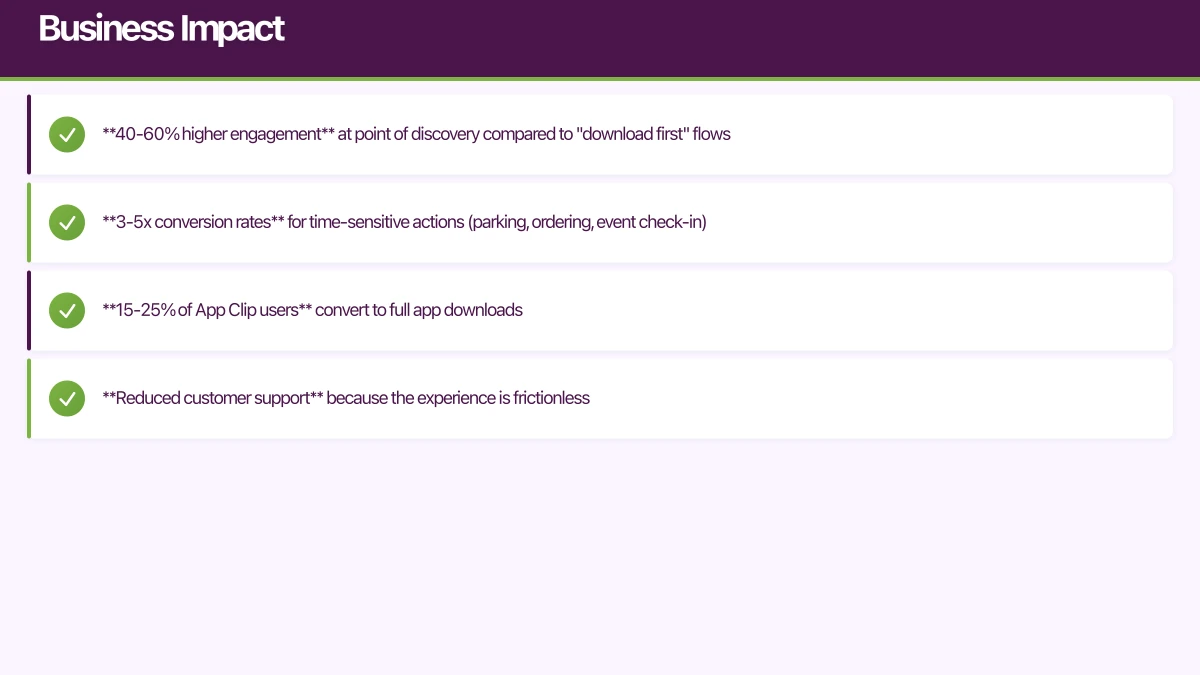
Australian businesses using App Clips and Instant Apps report significant improvements:
- 40-60% higher engagement at point of discovery compared to “download first” flows
- 3-5x conversion rates for time-sensitive actions (parking, ordering, event check-in)
- 15-25% of App Clip users convert to full app downloads
- Reduced customer support because the experience is frictionless
For any business with a physical presence — retail, hospitality, transport, events — App Clips and Instant Apps remove the biggest barrier to mobile engagement: the install step.
Want to implement App Clips or Instant Apps for your business? Our team at eawesome builds frictionless mobile experiences for Australian businesses.
For a strategic perspective on how mobile fits into your broader digital transformation, read Ash Ganda’s insights on technology strategy.
Ganda Tech Services brings together cloud infrastructure, web development, and mobile app expertise to help Australian businesses thrive in the digital economy.
Talk to a Sydney app developer — free.
30 minutes. We'll tell you what your app needs, how long it takes, and what it costs. Real answers, no sales pitch.
Book Free App Strategy Call →Free · 30 minutes · No obligation