Introduction
Analytics transforms guesswork into informed decisions. Understanding how users interact with your app reveals what’s working, what’s broken, and where to focus development efforts.
This guide covers practical analytics implementation with Firebase Analytics and Mixpanel, two leading platforms with different strengths. You’ll learn event tracking, user segmentation, funnel analysis, and how to build a measurement strategy that drives growth.
Choosing Your Analytics Platform
Fire
base Analytics
Strengths:
- Free for unlimited events
- Deep Google ecosystem integration
- Built-in crash reporting, A/B testing, remote config
- Strong Android integration
- BigQuery export for custom analysis
Limitations:
- Event parameters limited to 25 per event
- 500 distinct event types
- Reporting can lag (24-48 hours for some data)
- Less flexible for complex behavioral analysis
Best for: Apps prioritizing cost-efficiency, Google ecosystem integration, or simpler analytics needs.
Mixpanel
Strengths:
- Real-time data
- Powerful segmentation and cohort analysis
- Flexible event schema
- Advanced funnel and retention reports
- Better for product analytics
Limitations:
- Costs scale with data volume
- Requires more setup investment
- Steeper learning curve
Best for: Product teams focused on behavioral analysis, conversion optimization, and detailed user journey understanding.
Event Tracking Strategy
Defi
ning Your Event Taxonomy
Before writing code, define your event structure:
Event Naming Convention:
[object]_[action]

Examples:
- product_viewed
- cart_updated
- checkout_started
- purchase_completed
- subscription_started
- feature_used

Anti-patterns to avoid:
- view_product (verb first - inconsistent)
- ProductViewed (camelCase - hard to read in dashboards)
- product-viewed (hyphens - can break some tools)
Event Categories
// Core event types
enum class EventCategory {
    // User lifecycle
    ONBOARDING,    // app_opened, signup_started, signup_completed
    AUTHENTICATION, // login_started, login_completed, logout

    // Engagement
    NAVIGATION,    // screen_viewed, tab_selected
    CONTENT,       // content_viewed, content_shared, content_saved
    FEATURE,       // feature_used, feature_enabled, feature_disabled

    // Monetization
    COMMERCE,      // product_viewed, cart_updated, purchase_completed
    SUBSCRIPTION,  // paywall_viewed, trial_started, subscription_purchased

    // Technical
    PERFORMANCE,   // app_crashed, error_occurred, api_failed
    SYSTEM         // notification_received, notification_opened
}
Event Properties
// Rich event properties enable powerful analysis
data class ProductViewedEvent(
    // Identity
    val productId: String,
    val productName: String,

    // Context
    val category: String,
    val price: Double,
    val currency: String,

    // Source
    val source: String,  // search, category, recommendation, deeplink
    val searchQuery: String?, // if from search

    // Session context
    val sessionProductsViewed: Int,
    val isFirstProductView: Boolean
)
Firebase Analytics Implementation
Setu
 p
p
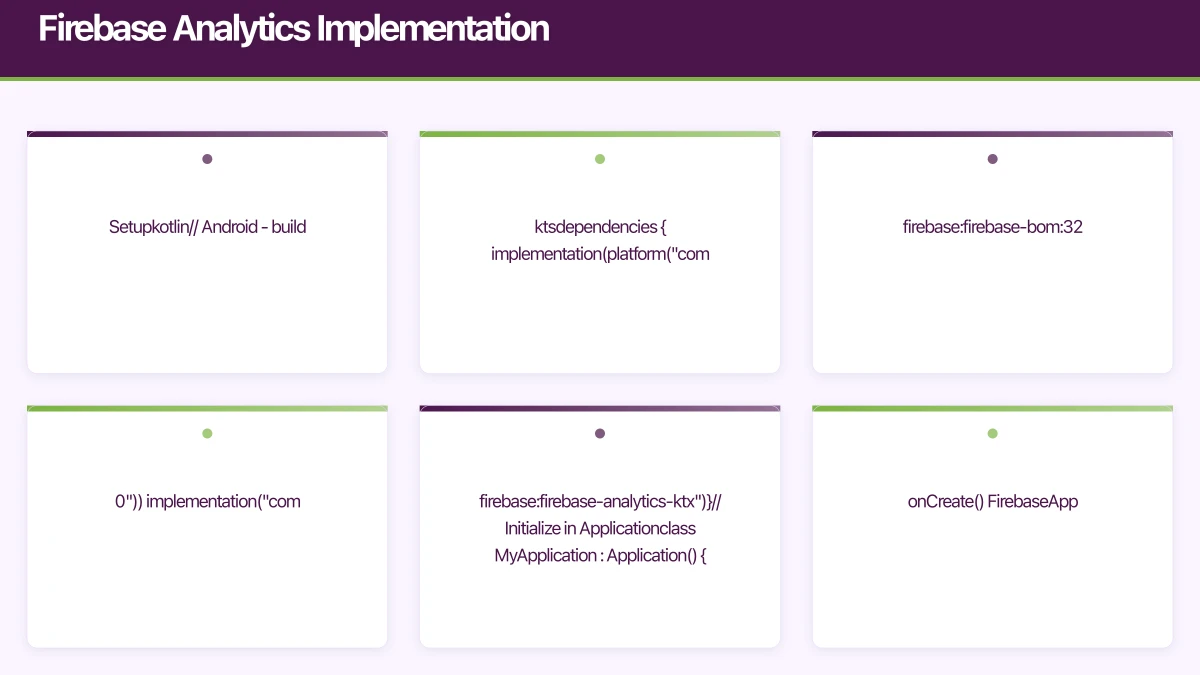
// Android - build.gradle.kts
dependencies {
    implementation(platform("com.google.firebase:firebase-bom:32.7.0"))
    implementation("com.google.firebase:firebase-analytics-ktx")
}

// Initialize in Application
class MyApplication : Application() {
    override fun onCreate() {
        super.onCreate()
        FirebaseApp.initializeApp(this)

        // Set user properties at session start
        Firebase.analytics.setUserId(getCurrentUserId())
        Firebase.analytics.setUserProperty("account_type", getAccountType())
    }
}
// iOS - via SPM or CocoaPods
import FirebaseAnalytics
// Initialize in AppDelegate
class AppDelegate: NSObject, UIApplicationDelegate {
func application(
_ application: UIApplication,
didFinishLaunchingWithOptions launchOptions: [UIApplication.LaunchOptionsKey: Any]?
) -> Bool {
FirebaseApp.configure()
// Set user properties
Analytics.setUserID(getCurrentUserId())
Analytics.setUserProperty(getAccountType(), forName: "account_type")
return true
}
}Event Tracking
// Android - Analytics wrapper
class FirebaseAnalyticsTracker {
    private val analytics = Firebase.analytics

    fun trackProductViewed(event: ProductViewedEvent) {
        analytics.logEvent("product_viewed") {
            param("product_id", event.productId)
            param("product_name", event.productName)
            param("category", event.category)
            param("price", event.price)
            param("currency", event.currency)
            param("source", event.source)
            event.searchQuery?.let { param("search_query", it) }
            param("session_products_viewed", event.sessionProductsViewed.toLong())
        }
    }

    fun trackPurchaseCompleted(
        transactionId: String,
        items: List<PurchaseItem>,
        total: Double,
        currency: String
    ) {
        val itemsBundle = items.map { item ->
            Bundle().apply {
                putString(FirebaseAnalytics.Param.ITEM_ID, item.productId)
                putString(FirebaseAnalytics.Param.ITEM_NAME, item.name)
                putString(FirebaseAnalytics.Param.ITEM_CATEGORY, item.category)
                putDouble(FirebaseAnalytics.Param.PRICE, item.price)
                putLong(FirebaseAnalytics.Param.QUANTITY, item.quantity.toLong())
            }
        }

        analytics.logEvent(FirebaseAnalytics.Event.PURCHASE) {
            param(FirebaseAnalytics.Param.TRANSACTION_ID, transactionId)
            param(FirebaseAnalytics.Param.VALUE, total)
            param(FirebaseAnalytics.Param.CURRENCY, currency)
            param(FirebaseAnalytics.Param.ITEMS, itemsBundle.toTypedArray())
        }
    }

    fun trackScreenView(screenName: String, screenClass: String) {
        analytics.logEvent(FirebaseAnalytics.Event.SCREEN_VIEW) {
            param(FirebaseAnalytics.Param.SCREEN_NAME, screenName)
            param(FirebaseAnalytics.Param.SCREEN_CLASS, screenClass)
        }
    }
}
// iOS
class FirebaseAnalyticsTracker {
func trackProductViewed(event: ProductViewedEvent) {
Analytics.logEvent("product_viewed", parameters: [
"product_id": event.productId,
"product_name": event.productName,
"category": event.category,
"price": event.price,
"currency": event.currency,
"source": event.source,
"search_query": event.searchQuery ?? NSNull(),
"session_products_viewed": event.sessionProductsViewed
])
}
func trackPurchaseCompleted(
transactionId: String,
items: [PurchaseItem],
total: Double,
currency: String
) {
let itemsParams = items.map { item -> [String: Any] in
[
AnalyticsParameterItemID: item.productId,
AnalyticsParameterItemName: item.name,
AnalyticsParameterItemCategory: item.category,
AnalyticsParameterPrice: item.price,
AnalyticsParameterQuantity: item.quantity
]
}
Analytics.logEvent(AnalyticsEventPurchase, parameters: [
AnalyticsParameterTransactionID: transactionId,
AnalyticsParameterValue: total,
AnalyticsParameterCurrency: currency,
AnalyticsParameterItems: itemsParams
])
}
}User Properties
// Set properties that segment users
class UserPropertyManager {
    private val analytics = Firebase.analytics

    fun setUserProperties(user: User) {
        // Standard properties
        analytics.setUserId(user.id)

        // Custom properties (max 25)
        analytics.setUserProperty("account_type", user.accountType.name)
        analytics.setUserProperty("subscription_tier", user.subscriptionTier?.name)
        analytics.setUserProperty("signup_source", user.signupSource)
        analytics.setUserProperty("country", user.country)
        analytics.setUserProperty("preferred_language", user.language)

        // Computed properties
        analytics.setUserProperty("days_since_signup", user.daysSinceSignup.toString())
        analytics.setUserProperty("lifetime_purchases", user.lifetimePurchaseCount.toString())
    }

    fun updateSubscriptionStatus(tier: SubscriptionTier?) {
        analytics.setUserProperty("subscription_tier", tier?.name ?: "free")
    }
}
Mixpanel Implementation
Setup
// Android
dependencies {
    implementation("com.mixpanel.android:mixpanel-android:7.3.1")
}

class MyApplication : Application() {
    override fun onCreate() {
        super.onCreate()

        val mixpanel = MixpanelAPI.getInstance(
            this,
            "YOUR_MIXPANEL_TOKEN",
            true // opt out by default for GDPR
        )

        // Identify user
        mixpanel.identify(getCurrentUserId())

        // Set super properties (sent with every event)
        mixpanel.registerSuperProperties(JSONObject().apply {
            put("app_version", BuildConfig.VERSION_NAME)
            put("os_version", Build.VERSION.RELEASE)
            put("device_type", getDeviceType())
        })
    }
}
// iOS
import Mixpanel
@main
struct MyApp: App {
init() {
Mixpanel.initialize(token: "YOUR_MIXPANEL_TOKEN", trackAutomaticEvents: true)
// Identify user
if let userId = getCurrentUserId() {
Mixpanel.mainInstance().identify(distinctId: userId)
}
// Super properties
Mixpanel.mainInstance().registerSuperProperties([
"app_version": Bundle.main.infoDictionary?["CFBundleShortVersionString"] as? String ?? "",
"os_version": UIDevice.current.systemVersion,
"device_type": UIDevice.current.userInterfaceIdiom == .pad ? "tablet" : "phone"
])
}
}Event Tracking
// Android - Mixpanel wrapper
class MixpanelTracker(context: Context) {
    private val mixpanel = MixpanelAPI.getInstance(context, "YOUR_TOKEN", true)

    fun trackProductViewed(event: ProductViewedEvent) {
        val properties = JSONObject().apply {
            put("product_id", event.productId)
            put("product_name", event.productName)
            put("category", event.category)
            put("price", event.price)
            put("currency", event.currency)
            put("source", event.source)
            put("search_query", event.searchQuery)
            put("session_products_viewed", event.sessionProductsViewed)
        }

        mixpanel.track("Product Viewed", properties)
    }

    fun trackPurchaseCompleted(
        transactionId: String,
        items: List<PurchaseItem>,
        total: Double,
        currency: String
    ) {
        val properties = JSONObject().apply {
            put("transaction_id", transactionId)
            put("total", total)
            put("currency", currency)
            put("item_count", items.size)
            put("items", JSONArray(items.map { item ->
                JSONObject().apply {
                    put("product_id", item.productId)
                    put("name", item.name)
                    put("price", item.price)
                    put("quantity", item.quantity)
                }
            }))
        }

        mixpanel.track("Purchase Completed", properties)

        // Track revenue
        mixpanel.people.trackCharge(total, properties)
    }

    // Timed events for measuring duration
    fun startCheckout() {
        mixpanel.timeEvent("Checkout Completed")
        mixpanel.track("Checkout Started")
    }

    fun completeCheckout(transactionId: String, total: Double) {
        // Duration automatically calculated
        mixpanel.track("Checkout Completed", JSONObject().apply {
            put("transaction_id", transactionId)
            put("total", total)
        })
    }
}
// iOS
class MixpanelTracker {
private let mixpanel = Mixpanel.mainInstance()
func trackProductViewed(event: ProductViewedEvent) {
mixpanel.track(event: "Product Viewed", properties: [
"product_id": event.productId,
"product_name": event.productName,
"category": event.category,
"price": event.price,
"currency": event.currency,
"source": event.source,
"search_query": event.searchQuery as Any,
"session_products_viewed": event.sessionProductsViewed
])
}
func trackPurchaseCompleted(
transactionId: String,
items: [PurchaseItem],
total: Double,
currency: String
) {
let itemsData = items.map { item -> [String: MixpanelType] in
[
"product_id": item.productId,
"name": item.name,
"price": item.price,
"quantity": item.quantity
]
}
mixpanel.track(event: "Purchase Completed", properties: [
"transaction_id": transactionId,
"total": total,
"currency": currency,
"item_count": items.count,
"items": itemsData
])
// Revenue tracking
mixpanel.people.trackCharge(amount: total)
}
}User Profiles
// Mixpanel People for user profile data
class UserProfileManager(context: Context) {
    private val mixpanel = MixpanelAPI.getInstance(context, "YOUR_TOKEN", true)

    fun setUserProfile(user: User) {
        mixpanel.identify(user.id)

        mixpanel.people.set(JSONObject().apply {
            put("\$email", user.email)
            put("\$name", user.displayName)
            put("\$created", user.createdAt.toString())

            // Custom properties
            put("account_type", user.accountType.name)
            put("subscription_tier", user.subscriptionTier?.name ?: "free")
            put("country", user.country)
            put("referral_source", user.referralSource)
        })
    }

    fun incrementProperty(property: String, by: Int = 1) {
        mixpanel.people.increment(property, by.toDouble())
    }

    fun appendToList(property: String, value: Any) {
        mixpanel.people.append(property, value)
    }

    // Track when user subscribes
    fun trackSubscription(tier: SubscriptionTier, price: Double) {
        mixpanel.people.set("subscription_tier", tier.name)
        mixpanel.people.set("subscription_start", Date())
        mixpanel.people.increment("lifetime_value", price)
    }
}
Funnel Analysis
Defining Key Funnels
// Track funnel events consistently
class FunnelTracker(
    private val analytics: AnalyticsTracker
) {
    // Onboarding funnel
    fun trackOnboardingStep(step: OnboardingStep) {
        analytics.track("onboarding_step_completed", mapOf(
            "step_number" to step.number,
            "step_name" to step.name,
            "time_on_step_seconds" to step.duration
        ))
    }

    // Purchase funnel
    fun trackPurchaseFunnelEvent(event: PurchaseFunnelEvent) {
        when (event) {
            is PurchaseFunnelEvent.ProductViewed -> {
                analytics.track("funnel_product_viewed", mapOf(
                    "product_id" to event.productId,
                    "category" to event.category
                ))
            }
            is PurchaseFunnelEvent.AddedToCart -> {
                analytics.track("funnel_added_to_cart", mapOf(
                    "product_id" to event.productId,
                    "cart_value" to event.cartValue
                ))
            }
            is PurchaseFunnelEvent.CheckoutStarted -> {
                analytics.track("funnel_checkout_started", mapOf(
                    "cart_value" to event.cartValue,
                    "item_count" to event.itemCount
                ))
            }
            is PurchaseFunnelEvent.PaymentEntered -> {
                analytics.track("funnel_payment_entered", mapOf(
                    "payment_method" to event.paymentMethod
                ))
            }
            is PurchaseFunnelEvent.PurchaseCompleted -> {
                analytics.track("funnel_purchase_completed", mapOf(
                    "transaction_id" to event.transactionId,
                    "total" to event.total
                ))
            }
        }
    }
}
Analyzing Drop-offs
Purchase Funnel Analysis:

Step                    | Users    | Conversion | Drop-off
------------------------|----------|------------|----------
Product Viewed          | 10,000   | -          | -
Added to Cart           | 3,200    | 32%        | 68%
Checkout Started        | 1,800    | 56%        | 44%
Payment Entered         | 1,400    | 78%        | 22%
Purchase Completed      | 1,200    | 86%        | 14%

Overall conversion: 12%

Optimization priorities:
1. Product page to cart (68% drop-off) - Highest impact
2. Cart to checkout (44% drop-off)
3. Checkout flow (22% + 14% combined)
Cohort Analysis
Defining Cohorts
// Track cohort membership
class CohortManager(private val analytics: AnalyticsTracker) {

    fun assignAcquisitionCohort(user: User) {
        val cohort = when {
            user.referralSource == "organic" -> "organic"
            user.referralSource?.contains("campaign_") == true -> user.referralSource
            else -> "direct"
        }

        analytics.setUserProperty("acquisition_cohort", cohort)
        analytics.setUserProperty("acquisition_week", user.signupWeek)
        analytics.setUserProperty("acquisition_month", user.signupMonth)
    }

    fun assignBehavioralCohort(user: User) {
        val engagementLevel = when {
            user.weeklySessionCount >= 7 -> "daily_active"
            user.weeklySessionCount >= 3 -> "weekly_active"
            user.weeklySessionCount >= 1 -> "occasional"
            else -> "dormant"
        }

        analytics.setUserProperty("engagement_cohort", engagementLevel)
    }
}
Retention Analysis
Weekly Retention by Acquisition Cohort:

Week 1 Cohort: 1,000 users
- Week 1: 45% (450 users)
- Week 2: 32% (320 users)
- Week 3: 28% (280 users)
- Week 4: 25% (250 users)

Week 2 Cohort: 1,200 users (after onboarding improvement)
- Week 1: 52% (624 users) +7%
- Week 2: 38% (456 users) +6%
- Week 3: 33% (396 users) +5%
- Week 4: 30% (360 users) +5%

Improvement validated through cohort comparison.
A/B Testing Analytics
Firebase A/B Testing
// Firebase Remote Config for A/B testing
class FeatureExperiment {
    private val remoteConfig = Firebase.remoteConfig

    suspend fun fetchAndActivate() {
        remoteConfig.fetchAndActivate().await()
    }

    fun getCheckoutButtonVariant(): String {
        return remoteConfig.getString("checkout_button_variant")
    }

    fun trackExperimentExposure() {
        val variant = getCheckoutButtonVariant()

        Firebase.analytics.logEvent("experiment_exposure") {
            param("experiment_name", "checkout_button_test")
            param("variant", variant)
        }
    }

    fun trackExperimentConversion(metric: String) {
        val variant = getCheckoutButtonVariant()

        Firebase.analytics.logEvent("experiment_conversion") {
            param("experiment_name", "checkout_button_test")
            param("variant", variant)
            param("conversion_metric", metric)
        }
    }
}
Mixpanel Experiments
class MixpanelExperiment(context: Context) {
    private val mixpanel = MixpanelAPI.getInstance(context, "YOUR_TOKEN", true)

    fun enrollInExperiment(experimentName: String): String {
        // Simple hash-based assignment
        val userId = mixpanel.distinctId
        val variant = if (userId.hashCode() % 2 == 0) "control" else "treatment"

        mixpanel.track("\$experiment_started", JSONObject().apply {
            put("\$experiment_name", experimentName)
            put("\$variant", variant)
        })

        // Also set as super property
        mixpanel.registerSuperProperties(JSONObject().apply {
            put("${experimentName}_variant", variant)
        })

        return variant
    }
}
Privacy and Compliance
Consent Management
// GDPR/CCPA compliant analytics
class ConsentManager(private val context: Context) {
    private val prefs = context.getSharedPreferences("consent", Context.MODE_PRIVATE)

    var hasAnalyticsConsent: Boolean
        get() = prefs.getBoolean("analytics_consent", false)
        set(value) {
            prefs.edit().putBoolean("analytics_consent", value).apply()
            updateAnalyticsState(value)
        }

    private fun updateAnalyticsState(enabled: Boolean) {
        // Firebase
        Firebase.analytics.setAnalyticsCollectionEnabled(enabled)

        // Mixpanel
        val mixpanel = MixpanelAPI.getInstance(context, "TOKEN", true)
        if (enabled) {
            mixpanel.optInTracking()
        } else {
            mixpanel.optOutTracking()
        }
    }

    fun showConsentDialog(activity: Activity) {
        AlertDialog.Builder(activity)
            .setTitle("Analytics Consent")
            .setMessage("We use analytics to improve the app. May we collect anonymous usage data?")
            .setPositiveButton("Allow") { _, _ ->
                hasAnalyticsConsent = true
            }
            .setNegativeButton("Decline") { _, _ ->
                hasAnalyticsConsent = false
            }
            .show()
    }
}
Data Retention
// Clear user data on request (GDPR right to erasure)
class DataDeletionManager {

    suspend fun deleteUserData(userId: String) {
        // Firebase - request deletion through Firebase console or API
        // No direct SDK method

        // Mixpanel - use deletion API
        val mixpanel = MixpanelAPI.getInstance(context, "TOKEN", true)
        mixpanel.reset() // Clears local data

        // Request server-side deletion via Mixpanel GDPR API
        requestMixpanelDeletion(userId)
    }

    private suspend fun requestMixpanelDeletion(distinctId: String) {
        // Call Mixpanel's GDPR deletion API
        httpClient.post("https://mixpanel.com/api/app/data-deletions/v3.0/") {
            header("Authorization", "Basic ${credentials}")
            contentType(ContentType.Application.Json)
            setBody(DeletionRequest(distinctId))
        }
    }
}
Analytics Architecture
Unified Tracking Interface
// Abstract analytics for flexibility
interface AnalyticsTracker {
    fun track(event: String, properties: Map<String, Any?> = emptyMap())
    fun setUserProperty(name: String, value: String?)
    fun setUserId(userId: String?)
    fun reset()
}

class CompositeAnalyticsTracker(
    private val trackers: List<AnalyticsTracker>
) : AnalyticsTracker {

    override fun track(event: String, properties: Map<String, Any?>) {
        trackers.forEach { it.track(event, properties) }
    }

    override fun setUserProperty(name: String, value: String?) {
        trackers.forEach { it.setUserProperty(name, value) }
    }

    override fun setUserId(userId: String?) {
        trackers.forEach { it.setUserId(userId) }
    }

    override fun reset() {
        trackers.forEach { it.reset() }
    }
}

// Usage
val analytics = CompositeAnalyticsTracker(
    listOf(
        FirebaseAnalyticsTracker(context),
        MixpanelAnalyticsTracker(context)
    )
)
Conclusion
Effective analytics requires intentional design, not just implementation. Before tracking anything, ask: “What decision will this data inform?”
Key principles:
- Track with purpose - Every event should answer a question
- Maintain consistency - Use naming conventions and document your schema
- Respect privacy - Collect only what you need, honor user choices
- Analyze regularly - Data without analysis is just storage cost
- Act on insights - Tracking that doesn’t drive decisions is waste
Start with core funnels and retention analysis. As you understand user behavior, expand tracking to answer more specific questions. The goal is not comprehensive data collection but actionable insights that improve your app.
Whether you choose Firebase, Mixpanel, or both, the value comes from what you do with the data, not which platform holds it.
Mobile is one pillar of a complete digital strategy. Ash Ganda writes about aligning technology investments — cloud, web, and mobile — for business growth.
Awesome Apps operates under the Ganda Tech Services umbrella, delivering end-to-end technology solutions for Australian businesses.
Talk to a Sydney app developer — free.
30 minutes. We'll tell you what your app needs, how long it takes, and what it costs. Real answers, no sales pitch.
Book Free App Strategy Call →Free · 30 minutes · No obligation