Mobile App Error Handling and User Recovery Patterns
Every mobile app encounters errors. Networks drop. APIs return unexpected responses. Servers go down during peak traffic. The question is not whether your app will face errors, but whether it handles them gracefully or collapses into cryptic messages and blank screens.
Good error handling is invisible to users. They experience brief loading states, helpful messages, and automatic recovery. Bad error handling makes users feel helpless — staring at “Something went wrong” with no path forward. This guide covers the patterns and strategies that keep your app functional and your users informed, even when things break.
Error Classification
Not all errors are equal. Classify them to determine the appropriate response:
Transient Errors
Network timeouts, temporary server overloads, rate limiting. These resolve on their own with time.
Strategy: Automatic retry with exponential backoff.
User Errors
Invalid input, missing required fields, expired sessions.
Strategy: Clear inline feedback with correction guidance.
System Errors
Server bugs, corrupted data, incompatible API versions.
Strategy: Graceful degradation with support contact options.
Fatal Errors
Corrupted local database, missing critical resources, incompatible OS version.
Strategy: Error screen with recovery instructions (clear data, update app).
Building a Robust Error Handling Architecture
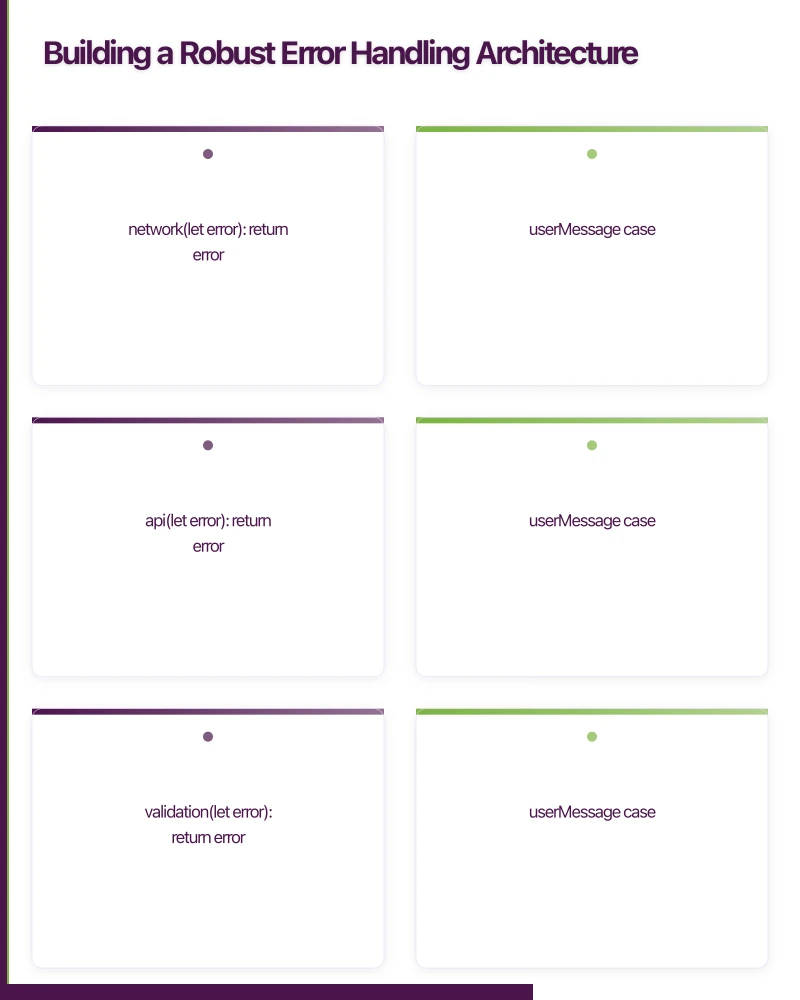
Error Types
Define structured error types rather than relying on string messages:
enum AppError: Error {
    case network(NetworkError)
    case api(APIError)
    case validation(ValidationError)
    case storage(StorageError)
    case unknown(Error)

    var userMessage: String {
        switch self {
        case .network(let error):
            return error.userMessage
        case .api(let error):
            return error.userMessage
        case .validation(let error):
            return error.userMessage
        case .storage:
            return "Unable to save your data. Please try again."
        case .unknown:
            return "Something unexpected happened. Please try again."
        }
    }

    var isRetryable: Bool {
        switch self {
        case .network: return true
        case .api(let error): return error.isRetryable
        case .validation: return false
        case .storage: return true
        case .unknown: return false
        }
    }
}

enum NetworkError: Error {
    case noConnection
    case timeout
    case serverUnreachable

    var userMessage: String {
        switch self {
        case .noConnection:
            return "No internet connection. Check your network settings and try again."
        case .timeout:
            return "The request took too long. Please try again."
        case .serverUnreachable:
            return "Our servers are temporarily unavailable. Please try again shortly."
        }
    }
}

enum APIError: Error {
    case unauthorized
    case forbidden
    case notFound
    case conflict(String)
    case rateLimited(retryAfter: TimeInterval)
    case serverError(statusCode: Int)
    case decodingError

    var isRetryable: Bool {
        switch self {
        case .rateLimited, .serverError: return true
        default: return false
        }
    }

    var userMessage: String {
        switch self {
        case .unauthorized:
            return "Your session has expired. Please sign in again."
        case .forbidden:
            return "You do not have permission to perform this action."
        case .notFound:
            return "The requested item could not be found."
        case .conflict(let message):
            return message
        case .rateLimited:
            return "Too many requests. Please wait a moment and try again."
        case .serverError:
            return "Our service is experiencing issues. We are working to fix it."
        case .decodingError:
            return "We received unexpected data. Please update your app."
        }
    }
}
Kotlin Equivalent
sealed class AppError {
    abstract val userMessage: String
    abstract val isRetryable: Boolean

    data class Network(val cause: NetworkError) : AppError() {
        override val userMessage = cause.userMessage
        override val isRetryable = true
    }

    data class Api(val cause: ApiError) : AppError() {
        override val userMessage = cause.userMessage
        override val isRetryable = cause.isRetryable
    }

    data class Validation(val field: String, val message: String) : AppError() {
        override val userMessage = message
        override val isRetryable = false
    }
}

sealed class NetworkError(val userMessage: String) {
    object NoConnection : NetworkError(
        "No internet connection. Check your network settings."
    )
    object Timeout : NetworkError(
        "The request took too long. Please try again."
    )
}
Retry Strategies
Exponential Backoff
For transient errors, retry with increasing delays:
func withRetry<T>(
    maxAttempts: Int = 3,
    initialDelay: TimeInterval = 1.0,
    maxDelay: TimeInterval = 30.0,
    operation: () async throws -> T
) async throws -> T {
    var lastError: Error?
    var delay = initialDelay

    for attempt in 1...maxAttempts {
        do {
            return try await operation()
        } catch let error as AppError where error.isRetryable {
            lastError = error

            if attempt < maxAttempts {
                // Add jitter to prevent thundering herd
                let jitter = Double.random(in: 0...0.5)
                let sleepDuration = min(delay + jitter, maxDelay)

                try await Task.sleep(
                    nanoseconds: UInt64(sleepDuration * 1_000_000_000)
                )
                delay *= 2
            }
        } catch {
            throw error // Non-retryable errors throw immediately
        }
    }

    throw lastError ?? AppError.unknown(
        NSError(domain: "Retry", code: -1)
    )
}

// Usage
func loadProducts() async {
    isLoading = true
    do {
        products = try await withRetry {
            try await productService.fetchAll()
        }
    } catch {
        self.error = error as? AppError ?? .unknown(error)
    }
    isLoading = false
}
Android Retry with Kotlin Coroutines
suspend fun <T> withRetry(
    maxAttempts: Int = 3,
    initialDelayMs: Long = 1000,
    maxDelayMs: Long = 30000,
    block: suspend () -> T
): T {
    var currentDelay = initialDelayMs
    var lastException: Exception? = null

    repeat(maxAttempts) { attempt ->
        try {
            return block()
        } catch (e: RetryableException) {
            lastException = e
            if (attempt < maxAttempts - 1) {
                val jitter = (0..500).random()
                delay(minOf(currentDelay + jitter, maxDelayMs))
                currentDelay *= 2
            }
        }
    }

    throw lastException ?: Exception("Retry failed")
}
UI Error States
Full-Screen Error States
For screens that fail to load entirely:
struct ErrorStateView: View {
    let error: AppError
    let onRetry: (() -> Void)?
    let onDismiss: (() -> Void)?

    var body: some View {
        VStack(spacing: 24) {
            Image(systemName: errorIcon)
                .font(.system(size: 64))
                .foregroundColor(.secondary)

            Text(error.userMessage)
                .font(.body)
                .foregroundColor(.secondary)
                .multilineTextAlignment(.center)
                .padding(.horizontal, 32)

            if error.isRetryable, let onRetry = onRetry {
                Button(action: onRetry) {
                    Label("Try Again", systemImage: "arrow.clockwise")
                }
                .buttonStyle(.borderedProminent)
            }

            if let onDismiss = onDismiss {
                Button("Go Back", action: onDismiss)
                    .foregroundColor(.secondary)
            }
        }
        .frame(maxWidth: .infinity, maxHeight: .infinity)
    }

    var errorIcon: String {
        switch error {
        case .network:
            return "wifi.slash"
        case .api(.unauthorized):
            return "lock.fill"
        case .api(.notFound):
            return "magnifyingglass"
        default:
            return "exclamationmark.triangle"
        }
    }
}
Inline Errors
For form validation and partial failures:
struct FormField: View {
    let label: String
    @Binding var text: String
    let error: String?

    var body: some View {
        VStack(alignment: .leading, spacing: 4) {
            Text(label)
                .font(.caption)
                .foregroundColor(error != nil ? .red : .secondary)

            TextField(label, text: $text)
                .textFieldStyle(.roundedBorder)
                .overlay(
                    RoundedRectangle(cornerRadius: 8)
                        .stroke(error != nil ? Color.red : Color.clear, lineWidth: 1)
                )

            if let error = error {
                Text(error)
                    .font(.caption2)
                    .foregroundColor(.red)
            }
        }
    }
}
Snackbar and Toast Errors
For non-critical errors that should not block the user:
@Composable
fun ErrorSnackbar(
    errorMessage: String?,
    onDismiss: () -> Unit,
    onRetry: (() -> Unit)? = null
) {
    val snackbarHostState = remember { SnackbarHostState() }

    LaunchedEffect(errorMessage) {
        errorMessage?.let { message ->
            val result = snackbarHostState.showSnackbar(
                message = message,
                actionLabel = if (onRetry != null) "Retry" else null,
                duration = SnackbarDuration.Short
            )
            when (result) {
                SnackbarResult.ActionPerformed -> onRetry?.invoke()
                SnackbarResult.Dismissed -> onDismiss()
            }
        }
    }

    SnackbarHost(hostState = snackbarHostState)
}
Offline Error Handling
Mobile apps must handle the transition between online and offline states gracefully:
class NetworkMonitor: ObservableObject {
    @Published var isConnected = true
    @Published var connectionType: ConnectionType = .unknown

    private let monitor = NWPathMonitor()
    private let queue = DispatchQueue(label: "NetworkMonitor")

    init() {
        monitor.pathUpdateHandler = { [weak self] path in
            DispatchQueue.main.async {
                self?.isConnected = path.status == .satisfied
                self?.connectionType = self?.getConnectionType(path) ?? .unknown
            }
        }
        monitor.start(queue: queue)
    }

    private func getConnectionType(_ path: NWPath) -> ConnectionType {
        if path.usesInterfaceType(.wifi) { return .wifi }
        if path.usesInterfaceType(.cellular) { return .cellular }
        return .unknown
    }
}

// Use in views
struct ContentView: View {
    @StateObject private var networkMonitor = NetworkMonitor()

    var body: some View {
        VStack {
            if !networkMonitor.isConnected {
                OfflineBanner()
            }
            // Main content that degrades gracefully offline
        }
    }
}

struct OfflineBanner: View {
    var body: some View {
        HStack {
            Image(systemName: "wifi.slash")
            Text("You are offline. Some features may be limited.")
                .font(.caption)
        }
        .padding(.vertical, 8)
        .padding(.horizontal, 16)
        .frame(maxWidth: .infinity)
        .background(Color.orange.opacity(0.9))
        .foregroundColor(.white)
    }
}
Queue Failed Operations
When network operations fail offline, queue them for later:
class OperationQueue {
    private let storage: UserDefaults

    func enqueue(_ operation: PendingOperation) {
        var pending = loadPendingOperations()
        pending.append(operation)
        savePendingOperations(pending)
    }

    func processQueue() async {
        let pending = loadPendingOperations()

        for operation in pending {
            do {
                try await execute(operation)
                removeFromQueue(operation)
            } catch {
                if !isRetryable(error) {
                    removeFromQueue(operation)
                    notifyFailure(operation, error)
                }
                break // Stop processing on retryable failure
            }
        }
    }
}
Crash Recovery
When your app crashes and relaunches, help users recover their context:
class SessionRecovery {
    func saveState() {
        let state = AppState(
            lastScreen: currentScreen.identifier,
            unsavedData: formData,
            timestamp: Date()
        )
        try? storage.save(state, forKey: "recovery_state")
    }

    func attemptRecovery() -> RecoveryAction? {
        guard let state = try? storage.load(AppState.self, forKey: "recovery_state"),
              state.timestamp.timeIntervalSinceNow > -300 else { // Within 5 minutes
            return nil
        }

        if state.unsavedData != nil {
            return .restoreDraft(state)
        } else {
            return .navigateToLastScreen(state.lastScreen)
        }
    }
}
Error Reporting
Log errors for debugging while respecting user privacy:
class ErrorReporter {
    func report(_ error: AppError, context: ErrorContext) {
        // Strip PII before logging
        let sanitisedContext = ErrorContext(
            screen: context.screen,
            action: context.action,
            timestamp: context.timestamp,
            appVersion: context.appVersion,
            osVersion: context.osVersion,
            // Do NOT include: email, userId, authToken
        )

        // Send to crash reporting service
        crashReporter.logError(error, context: sanitisedContext)

        // Track in analytics
        analytics.track("error_occurred", properties: [
            "type": error.category,
            "screen": context.screen,
            "retryable": error.isRetryable
        ])
    }
}
Testing Error Scenarios
Test error handling as thoroughly as happy paths:
- Disable network on device and verify offline behaviour
- Simulate slow networks using Network Link Conditioner (iOS) or bandwidth throttling (Android)
- Return error responses from mock servers for every API endpoint
- Fill disk storage to test storage error handling
- Kill and relaunch the app during critical operations
- Expire auth tokens to test session recovery
Error handling is not a feature — it is the foundation of a trustworthy app. Users forgive occasional errors. They do not forgive apps that leave them stranded when errors occur.
Need help building resilient mobile apps? Our team at eawesome creates robust applications that handle the real world gracefully.
An app is only as reliable as its backend. Cloud Geeks manages cloud hosting and security for mobile-first Australian businesses.
This article is brought to you by Ganda Tech Services — Sydney’s complete digital solutions provider covering cloud, web, and mobile.
Talk to a Sydney app developer — free.
30 minutes. We'll tell you what your app needs, how long it takes, and what it costs. Real answers, no sales pitch.
Book Free App Strategy Call →Free · 30 minutes · No obligation