Introduction
Users expect mobile apps to work regardless of network conditions. Elevators, underground transport, remote areas, and congested networks are everyday realities. An app that shows spinners and error messages in these situations frustrates users and damages engagement.
Offline-first architecture inverts the traditional approach. Instead of treating offline as an error state, it treats local data as the primary source of truth. Network synchronisation happens in the background when connectivity is available.
This guide covers the patterns, tools, and implementation strategies for building truly offline-capable mobile applications. We will walk through real code examples that you can adapt to your projects.
Understanding Offline-First Architecture
The Traditional Approach: Online-First
Most apps are built with an online-first mindset:
- User performs action
- App makes network request
- User waits for response
- UI updates with result or error
This creates poor user experience when the network is slow or unavailable. Users see loading states, timeouts, and error messages.
The Offline-First Approach
Offline-first inverts this flow:
- User performs action
- App immediately updates local database
- UI updates instantly from local data
- Background process syncs changes when online
- Conflicts resolved if same data modified elsewhere
The user experience is consistently fast because all interactions happen against local data. Network synchronisation is invisible to the user under normal conditions.
When Offline-First Matters
Not every app needs full offline support. Consider offline-first architecture when:
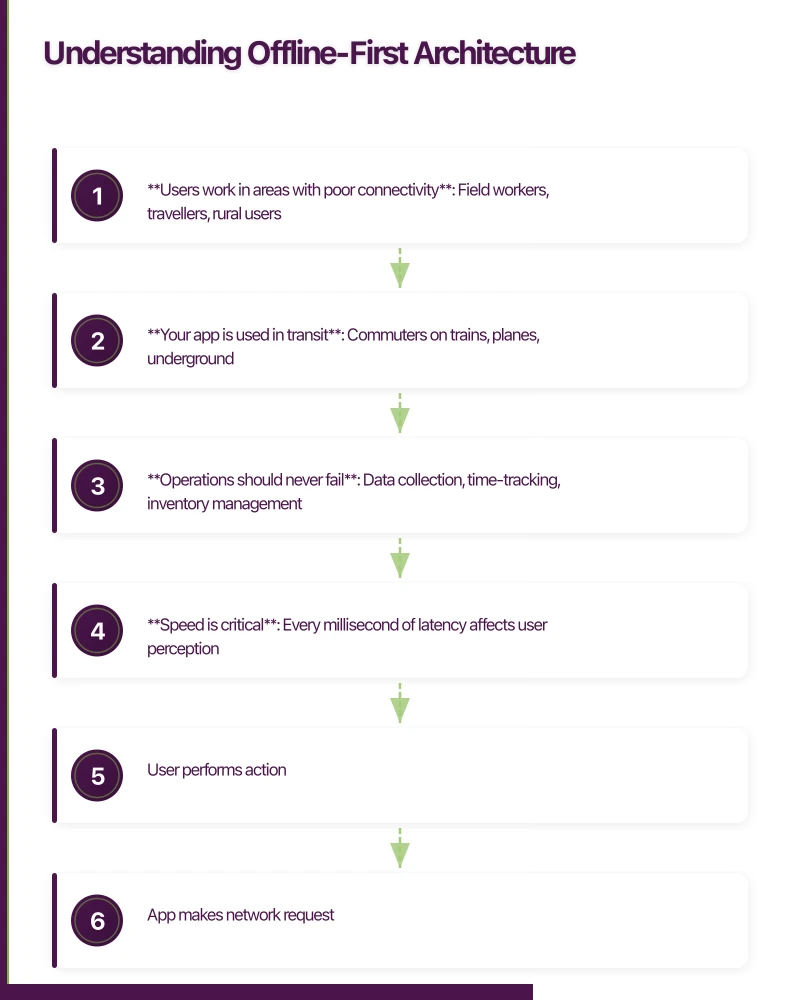
- Users work in areas with poor connectivity: Field workers, travellers, rural users
- Your app is used in transit: Commuters on trains, planes, underground
- Operations should never fail: Data collection, time-tracking, inventory management
- Speed is critical: Every millisecond of latency affects user perception
Apps like note-taking, task management, and content consumption are natural fits. E-commerce and social apps benefit but require more sophisticated conflict resolution.
Core Architecture
 Patterns
Pattern 1: Local-First Database
The foundation is a local database that serves as the primary data store:
+-----------------+
|   UI Layer      |
+--------+--------+
         | reads/writes
         v
+-----------------+
| Local Database  |<------+
+--------+--------+       |
         | sync           | conflict
         v                | resolution
+-----------------+       |
|  Sync Engine    |-------+
+--------+--------+
         | when online
         v
+-----------------+
| Remote Server   |
+-----------------+
Pattern 2: Optimistic Updates
All user actions immediately update the local database and UI. Network operations are secondary:
// Traditional approach (bad UX)
const createTask = async (task: Task) => {
  setLoading(true);
  try {
    const response = await api.createTask(task);
    setTasks([...tasks, response.data]);
  } catch (error) {
    showError('Failed to create task');
  } finally {
    setLoading(false);
  }
};

// Offline-first approach (good UX)
const createTask = async (task: Task) => {
  // Immediate local update
  const localTask = await database.tasks.create({
    ...task,
    syncStatus: 'pending',
    localId: generateLocalId()
  });

  // UI updates instantly
  setTasks([...tasks, localTask]);

  // Background sync (no loading state)
  syncQueue.enqueue({ type: 'CREATE_TASK', payload: localTask });
};
Pattern 3: Sync Queue
Pending changes are queued for synchronisation:
interface SyncOperation {
  id: string;
  type: 'CREATE' | 'UPDATE' | 'DELETE';
  table: string;
  recordId: string;
  payload: any;
  timestamp: number;
  retryCount: number;
}

class SyncQueue {
  private queue: SyncOperation[] = [];
  private processing = false;

  async enqueue(operation: Omit<SyncOperation, 'id' | 'timestamp' | 'retryCount'>) {
    const op: SyncOperation = {
      ...operation,
      id: generateId(),
      timestamp: Date.now(),
      retryCount: 0
    };

    this.queue.push(op);
    await this.persistQueue();

    if (navigator.onLine) {
      this.processQueue();
    }
  }

  async processQueue() {
    if (this.processing || this.queue.length === 0) return;
    this.processing = true;

    while (this.queue.length > 0) {
      const operation = this.queue[0];

      try {
        await this.executeOperation(operation);
        this.queue.shift();
        await this.persistQueue();
      } catch (error) {
        if (this.shouldRetry(error)) {
          operation.retryCount++;
          await this.delay(this.getBackoffDelay(operation.retryCount));
        } else {
          // Move to dead letter queue
          await this.handleFailedOperation(operation);
          this.queue.shift();
        }
      }
    }

    this.processing = false;
  }

  private getBackoffDelay(retryCount: number): number {
    return Math.min(1000 * Math.pow(2, retryCount), 30000);
  }
}
Implementation with Wate
 rmelonDB
WatermelonDB is a high-performance reactive database built for React Native. It handles offline-first patterns exceptionally well.
Setup and Schema
npm install @nozbe/watermelondb
npm install @nozbe/with-observables
Define your schema:
// model/schema.ts
import { appSchema, tableSchema } from '@nozbe/watermelondb';

export default appSchema({
  version: 1,
  tables: [
    tableSchema({
      name: 'tasks',
      columns: [
        { name: 'title', type: 'string' },
        { name: 'description', type: 'string', isOptional: true },
        { name: 'is_completed', type: 'boolean' },
        { name: 'due_date', type: 'number', isOptional: true },
        { name: 'project_id', type: 'string', isIndexed: true },
        { name: 'server_id', type: 'string', isOptional: true, isIndexed: true },
        { name: 'sync_status', type: 'string' }, // 'synced' | 'pending' | 'error'
        { name: 'created_at', type: 'number' },
        { name: 'updated_at', type: 'number' }
      ]
    }),
    tableSchema({
      name: 'projects',
      columns: [
        { name: 'name', type: 'string' },
        { name: 'color', type: 'string' },
        { name: 'server_id', type: 'string', isOptional: true, isIndexed: true },
        { name: 'sync_status', type: 'string' },
        { name: 'created_at', type: 'number' },
        { name: 'updated_at', type: 'number' }
      ]
    })
  ]
});
Model Definitions
// model/Task.ts
import { Model, Q } from '@nozbe/watermelondb';
import { field, date, readonly, relation, writer } from '@nozbe/watermelondb/decorators';

export default class Task extends Model {
  static table = 'tasks';

  static associations = {
    projects: { type: 'belongs_to', key: 'project_id' }
  };

  @field('title') title!: string;
  @field('description') description?: string;
  @field('is_completed') isCompleted!: boolean;
  @date('due_date') dueDate?: Date;
  @field('project_id') projectId!: string;
  @field('server_id') serverId?: string;
  @field('sync_status') syncStatus!: 'synced' | 'pending' | 'error';
  @readonly @date('created_at') createdAt!: Date;
  @date('updated_at') updatedAt!: Date;

  @relation('projects', 'project_id') project!: any;

  @writer async markComplete() {
    await this.update(task => {
      task.isCompleted = true;
      task.syncStatus = 'pending';
      task.updatedAt = new Date();
    });
  }

  @writer async updateTitle(newTitle: string) {
    await this.update(task => {
      task.title = newTitle;
      task.syncStatus = 'pending';
      task.updatedAt = new Date();
    });
  }
}
Database Initialisation
// database/index.ts
import { Database } from '@nozbe/watermelondb';
import SQLiteAdapter from '@nozbe/watermelondb/adapters/sqlite';
import schema from '../model/schema';
import Task from '../model/Task';
import Project from '../model/Project';

const adapter = new SQLiteAdapter({
  schema,
  dbName: 'myapp',
  jsi: true, // Enable JSI for better performance
  onSetUpError: error => {
    console.error('Database setup error:', error);
  }
});

export const database = new Database({
  adapter,
  modelClasses: [Task, Project]
});
React Integration
// components/TaskList.tsx
import React from 'react';
import { FlatList, View, Text, TouchableOpacity } from 'react-native';
import { withObservables } from '@nozbe/with-observables';
import { Q } from '@nozbe/watermelondb';
import { database } from '../database';
import Task from '../model/Task';

interface TaskItemProps {
  task: Task;
}

const TaskItem = ({ task }: TaskItemProps) => (
  <TouchableOpacity
    onPress={() => task.markComplete()}
    style={{ padding: 16, borderBottomWidth: 1, borderBottomColor: '#eee' }}
  >
    <View style={{ flexDirection: 'row', alignItems: 'center' }}>
      <View
        style={{
          width: 24,
          height: 24,
          borderRadius: 12,
          borderWidth: 2,
          borderColor: task.isCompleted ? '#4CAF50' : '#ccc',
          backgroundColor: task.isCompleted ? '#4CAF50' : 'transparent',
          marginRight: 12
        }}
      />
      <View style={{ flex: 1 }}>
        <Text
          style={{
            fontSize: 16,
            textDecorationLine: task.isCompleted ? 'line-through' : 'none',
            color: task.isCompleted ? '#999' : '#333'
          }}
        >
          {task.title}
        </Text>
        {task.syncStatus !== 'synced' && (
          <Text style={{ fontSize: 12, color: '#999' }}>
            {task.syncStatus === 'pending' ? 'Syncing...' : 'Sync error'}
          </Text>
        )}
      </View>
    </View>
  </TouchableOpacity>
);

// Make TaskItem reactive to changes
const EnhancedTaskItem = withObservables(['task'], ({ task }) => ({
  task: task.observe()
}))(TaskItem);

interface TaskListProps {
  projectId?: string;
}

const TaskList = ({ tasks }: { tasks: Task[] }) => (
  <FlatList
    data={tasks}
    keyExtractor={task => task.id}
    renderItem={({ item }) => <EnhancedTaskItem task={item} />}
  />
);

// Subscribe to task changes
const enhance = withObservables(['projectId'], ({ projectId }) => ({
  tasks: database.collections
    .get<Task>('tasks')
    .query(
      projectId ? Q.where('project_id', projectId) : Q.where('id', Q.notEq('')),
      Q.sortBy('created_at', Q.desc)
    )
    .observe()
}));

export default enhance(TaskList);
Creating Records Offline
// services/taskService.ts
import { database } from '../database';
import { syncQueue } from './syncQueue';

export async function createTask(data: {
  title: string;
  description?: string;
  projectId: string;
  dueDate?: Date;
}) {
  return database.write(async () => {
    const task = await database.collections.get('tasks').create(record => {
      record.title = data.title;
      record.description = data.description;
      record.projectId = data.projectId;
      record.dueDate = data.dueDate;
      record.isCompleted = false;
      record.syncStatus = 'pending';
      record.createdAt = new Date();
      record.updatedAt = new Date();
    });

    // Queue for background sync
    syncQueue.enqueue({
      type: 'CREATE',
      table: 'tasks',
      recordId: task.id,
      payload: {
        title: task.title,
        description: task.description,
        project_id: task.projectId,
        due_date: task.dueDate?.toISOString(),
        is_completed: task.isCompleted
      }
    });

    return task;
  });
}
Synchronisation Strategies
Full Sync
Simplest approach: download all data from server and replace local data:
async function fullSync() {
  const serverData = await api.getAllTasks();

  await database.write(async () => {
    // Clear existing data
    const allTasks = await database.collections.get('tasks').query().fetch();
    await Promise.all(allTasks.map(task => task.destroyPermanently()));

    // Insert server data
    await database.batch(
      ...serverData.map(task =>
        database.collections.get('tasks').prepareCreate(record => {
          record._raw.id = task.id;
          record.title = task.title;
          record.description = task.description;
          record.isCompleted = task.is_completed;
          record.serverId = task.id;
          record.syncStatus = 'synced';
          record.createdAt = new Date(task.created_at);
          record.updatedAt = new Date(task.updated_at);
        })
      )
    );
  });
}Pros: Simple to implement Cons: Slow for large datasets, loses unsynced local changes
Delta Sync
Only fetch changes since last sync:
async function deltaSync() {
  const lastSyncTime = await getLastSyncTimestamp();

  const changes = await api.getChanges({
    since: lastSyncTime,
    tables: ['tasks', 'projects']
  });

  await database.write(async () => {
    const operations = [];

    for (const change of changes.tasks) {
      const existingTask = await database.collections
        .get('tasks')
        .query(Q.where('server_id', change.id))
        .fetch();

      if (change.deleted) {
        if (existingTask[0]) {
          operations.push(existingTask[0].prepareDestroyPermanently());
        }
      } else if (existingTask[0]) {
        // Check for conflicts
        if (existingTask[0].syncStatus === 'pending') {
          await handleConflict(existingTask[0], change);
        } else {
          operations.push(
            existingTask[0].prepareUpdate(record => {
              record.title = change.title;
              record.isCompleted = change.is_completed;
              record.updatedAt = new Date(change.updated_at);
              record.syncStatus = 'synced';
            })
          );
        }
      } else {
        operations.push(
          database.collections.get('tasks').prepareCreate(record => {
            record.serverId = change.id;
            record.title = change.title;
            record.isCompleted = change.is_completed;
            record.syncStatus = 'synced';
            record.createdAt = new Date(change.created_at);
            record.updatedAt = new Date(change.updated_at);
          })
        );
      }
    }

    await database.batch(...operations);
  });

  await setLastSyncTimestamp(Date.now());
}
Push-Pull Sync
Combine pushing local changes with pulling remote changes:
async function pushPullSync() {
  // Phase 1: Push local changes
  const pendingTasks = await database.collections
    .get('tasks')
    .query(Q.where('sync_status', 'pending'))
    .fetch();

  for (const task of pendingTasks) {
    try {
      if (task.serverId) {
        // Update existing server record
        await api.updateTask(task.serverId, {
          title: task.title,
          is_completed: task.isCompleted
        });
      } else {
        // Create new server record
        const serverTask = await api.createTask({
          title: task.title,
          is_completed: task.isCompleted
        });

        await task.update(record => {
          record.serverId = serverTask.id;
        });
      }

      await task.update(record => {
        record.syncStatus = 'synced';
      });
    } catch (error) {
      await task.update(record => {
        record.syncStatus = 'error';
      });
    }
  }

  // Phase 2: Pull remote changes
  await deltaSync();
}
Conflict Resolution
Conflicts occur when the same record is modified both locally and remotely.
Last-Write-Wins
Simplest strategy: most recent change wins:
function resolveLastWriteWins(local: Task, remote: ServerTask): 'local' | 'remote' {
  const localTime = local.updatedAt.getTime();
  const remoteTime = new Date(remote.updated_at).getTime();

  return localTime > remoteTime ? 'local' : 'remote';
}Pros: Simple, deterministic Cons: May lose important changes
Field-Level Merge
Merge individual fields:
interface MergedTask {
  title: string;
  description?: string;
  isCompleted: boolean;
  dueDate?: Date;
}

function mergeFields(
  local: Task,
  remote: ServerTask,
  base: Task | null
): MergedTask {
  const merged: MergedTask = {
    title: local.title,
    description: local.description,
    isCompleted: local.isCompleted,
    dueDate: local.dueDate
  };

  // If we have a common ancestor, do three-way merge
  if (base) {
    // Title: if only one side changed, use that change
    if (local.title === base.title && remote.title !== base.title) {
      merged.title = remote.title;
    } else if (local.title !== base.title && remote.title === base.title) {
      merged.title = local.title;
    } else if (local.title !== remote.title) {
      // Both changed - need resolution strategy
      merged.title = `${local.title} (conflict: ${remote.title})`;
    }

    // Boolean fields: if either marked complete, it's complete
    if (local.isCompleted || remote.is_completed) {
      merged.isCompleted = true;
    }
  } else {
    // No base - use remote for server-controlled fields
    merged.isCompleted = local.isCompleted || remote.is_completed;
  }

  return merged;
}
User-Resolved Conflicts
For critical data, prompt the user:
interface ConflictResolution {
  recordId: string;
  localVersion: any;
  remoteVersion: any;
  resolution: 'local' | 'remote' | 'merge';
  mergedData?: any;
}

class ConflictManager {
  private pendingConflicts: Map<string, ConflictResolution> = new Map();

  async detectConflict(local: Task, remote: ServerTask) {
    // Store conflict for user resolution
    this.pendingConflicts.set(local.id, {
      recordId: local.id,
      localVersion: {
        title: local.title,
        isCompleted: local.isCompleted,
        updatedAt: local.updatedAt
      },
      remoteVersion: {
        title: remote.title,
        isCompleted: remote.is_completed,
        updatedAt: new Date(remote.updated_at)
      },
      resolution: 'local' // Default
    });

    // Notify UI
    EventEmitter.emit('conflict-detected', local.id);
  }

  async resolveConflict(recordId: string, resolution: 'local' | 'remote' | 'merge', mergedData?: any) {
    const conflict = this.pendingConflicts.get(recordId);
    if (!conflict) return;

    const task = await database.collections.get('tasks').find(recordId);

    await database.write(async () => {
      if (resolution === 'remote') {
        await task.update(record => {
          record.title = conflict.remoteVersion.title;
          record.isCompleted = conflict.remoteVersion.isCompleted;
          record.syncStatus = 'synced';
        });
      } else if (resolution === 'merge' && mergedData) {
        await task.update(record => {
          Object.assign(record, mergedData);
          record.syncStatus = 'pending'; // Re-sync merged data
        });
      } else {
        // Keep local, but mark for sync
        await task.update(record => {
          record.syncStatus = 'pending';
        });
      }
    });

    this.pendingConflicts.delete(recordId);
  }
}
Network Status Handling
React to network changes and sync appropriately:
// hooks/useNetworkStatus.ts
import { useEffect, useState, useCallback } from 'react';
import NetInfo, { NetInfoState } from '@react-native-community/netinfo';
import { syncQueue } from '../services/syncQueue';

export function useNetworkStatus() {
  const [isConnected, setIsConnected] = useState<boolean | null>(null);
  const [connectionType, setConnectionType] = useState<string | null>(null);

  const handleConnectivityChange = useCallback((state: NetInfoState) => {
    const wasOffline = isConnected === false;
    const isNowOnline = state.isConnected && state.isInternetReachable;

    setIsConnected(isNowOnline ?? false);
    setConnectionType(state.type);

    // Trigger sync when coming back online
    if (wasOffline && isNowOnline) {
      syncQueue.processQueue();
    }
  }, [isConnected]);

  useEffect(() => {
    const unsubscribe = NetInfo.addEventListener(handleConnectivityChange);

    // Initial fetch
    NetInfo.fetch().then(handleConnectivityChange);

    return () => unsubscribe();
  }, [handleConnectivityChange]);

  return { isConnected, connectionType };
}
Display sync status to users:
// components/SyncStatusBar.tsx
import React from 'react';
import { View, Text, StyleSheet } from 'react-native';
import { useNetworkStatus } from '../hooks/useNetworkStatus';
import { useSyncStatus } from '../hooks/useSyncStatus';

export function SyncStatusBar() {
  const { isConnected } = useNetworkStatus();
  const { pendingCount, lastSyncTime, isSyncing } = useSyncStatus();

  if (isConnected && pendingCount === 0 && !isSyncing) {
    return null; // Hide when fully synced
  }

  return (
    <View style={[
      styles.container,
      !isConnected ? styles.offline : isSyncing ? styles.syncing : styles.pending
    ]}>
      {!isConnected && (
        <Text style={styles.text}>Offline - changes saved locally</Text>
      )}
      {isConnected && isSyncing && (
        <Text style={styles.text}>Syncing {pendingCount} changes...</Text>
      )}
      {isConnected && !isSyncing && pendingCount > 0 && (
        <Text style={styles.text}>{pendingCount} changes pending sync</Text>
      )}
    </View>
  );
}

const styles = StyleSheet.create({
  container: {
    padding: 8,
    alignItems: 'center'
  },
  offline: {
    backgroundColor: '#ffcc00'
  },
  syncing: {
    backgroundColor: '#4CAF50'
  },
  pending: {
    backgroundColor: '#2196F3'
  },
  text: {
    color: '#fff',
    fontSize: 12,
    fontWeight: '600'
  }
});
Performance Optimisations
Batch Operations
Always batch database operations:
// Bad: Multiple database writes
for (const task of tasks) {
  await database.write(async () => {
    await task.update(record => {
      record.syncStatus = 'synced';
    });
  });
}

// Good: Single batched write
await database.write(async () => {
  await database.batch(
    ...tasks.map(task =>
      task.prepareUpdate(record => {
        record.syncStatus = 'synced';
      })
    )
  );
});
Lazy Loading
Load related data on demand:
// Eager loading (may be slow)
const tasksWithProjects = await database.collections
  .get('tasks')
  .query()
  .fetch();

for (const task of tasksWithProjects) {
  await task.project.fetch(); // N+1 queries
}

// Lazy loading with observables
const TaskWithProject = withObservables(['task'], ({ task }) => ({
  task: task.observe(),
  project: task.project.observe() // Only loads when component renders
}));
Indexed Queries
Ensure columns used in queries are indexed:
// Schema
tableSchema({
  name: 'tasks',
  columns: [
    { name: 'project_id', type: 'string', isIndexed: true },
    { name: 'sync_status', type: 'string', isIndexed: true },
    { name: 'created_at', type: 'number' } // Index if you sort by this
  ]
})
Testing Offline Functionality
Simulating Offline Mode
// tests/offline.test.ts
describe('Offline functionality', () => {
  beforeEach(async () => {
    await database.write(async () => {
      await database.unsafeResetDatabase();
    });
  });

  it('creates tasks locally when offline', async () => {
    // Simulate offline
    jest.spyOn(NetInfo, 'fetch').mockResolvedValue({
      isConnected: false,
      isInternetReachable: false
    } as any);

    const task = await createTask({
      title: 'Offline task',
      projectId: 'project-1'
    });

    expect(task.title).toBe('Offline task');
    expect(task.syncStatus).toBe('pending');

    // Verify in database
    const dbTask = await database.collections.get('tasks').find(task.id);
    expect(dbTask.title).toBe('Offline task');
  });

  it('syncs pending tasks when coming online', async () => {
    // Create task while offline
    jest.spyOn(NetInfo, 'fetch').mockResolvedValue({
      isConnected: false,
      isInternetReachable: false
    } as any);

    const task = await createTask({
      title: 'Offline task',
      projectId: 'project-1'
    });

    // Mock API
    const apiSpy = jest.spyOn(api, 'createTask').mockResolvedValue({
      id: 'server-123',
      title: 'Offline task'
    });

    // Come online
    jest.spyOn(NetInfo, 'fetch').mockResolvedValue({
      isConnected: true,
      isInternetReachable: true
    } as any);

    await syncQueue.processQueue();

    expect(apiSpy).toHaveBeenCalledWith({
      title: 'Offline task',
      project_id: 'project-1'
    });

    const dbTask = await database.collections.get('tasks').find(task.id);
    expect(dbTask.syncStatus).toBe('synced');
    expect(dbTask.serverId).toBe('server-123');
  });
});
Conclusion
Offline-first architecture requires more upfront investment than traditional online-first approaches. You need to design your data model, implement synchronisation logic, and handle conflict resolution. The reward is an app that feels instantly responsive and works reliably in any network condition.
Start with WatermelonDB for React Native projects. Its reactive queries and high performance make offline-first development significantly easier. For native iOS and Android, consider Realm or Core Data with CloudKit.
The key principles to remember:
- Local database is the source of truth
- All user actions update locally first
- Network synchronisation happens in the background
- Conflicts are detected and resolved systematically
- Users understand their sync status
Your users in areas with poor connectivity will appreciate the effort. And all users will notice the improved perceived performance.
Building an app that needs to work offline? Our team specialises in offline-first architectures for mobile applications. Contact us to discuss your requirements.
How does your app strategy fit into long-term digital transformation? Ash Ganda writes about the frameworks that connect mobile innovation to business outcomes.
Ashish Ganda is the founder of Ganda Tech Services, a Sydney-based technology consultancy helping Australian businesses grow through cloud, web, and mobile solutions.
Talk to a Sydney app developer — free.
30 minutes. We'll tell you what your app needs, how long it takes, and what it costs. Real answers, no sales pitch.
Book Free App Strategy Call →Free · 30 minutes · No obligation