Introduction
Errors are inevitable. Networks fail, servers timeout, APIs change, and users do unexpected things. The difference between a frustrating app and a delightful one often comes down to how gracefully it handles these failures.
Poor error handling creates confusion: cryptic messages, lost data, frozen screens, and users abandoning your app. Good error handling builds trust: clear communication, preserved work, automatic recovery, and users who keep coming back.
This guide covers practical patterns for handling errors in mobile apps. We will build error handling systems that protect users from frustration while giving developers the information needed to fix underlying issues.
Error Classification
Not all
errors are equal. Understanding error types helps determine appropriate responses.
Error Taxonomy
// Classify errors by recoverability and user impact
enum ErrorCategory {
  // Recoverable without user action
  TRANSIENT = 'transient',      // Network blip, timeout
  RATE_LIMITED = 'rate_limited', // Too many requests

  // Recoverable with user action
  AUTH_REQUIRED = 'auth_required',     // Session expired
  VALIDATION = 'validation',           // Invalid input
  PAYMENT_FAILED = 'payment_failed',   // Card declined

  // Potentially recoverable
  OFFLINE = 'offline',          // No network
  SERVER_ERROR = 'server_error', // 5xx responses

  // Not recoverable
  NOT_FOUND = 'not_found',      // Resource deleted
  FORBIDDEN = 'forbidden',      // No permission
  CLIENT_ERROR = 'client_error', // Bug in app
}

interface AppError {
  category: ErrorCategory;
  code: string;
  message: string;           // Technical message for logs
  userMessage: string;       // Human-friendly message
  recoveryAction?: RecoveryAction;
  metadata?: Record<string, any>;
  originalError?: Error;
}

interface RecoveryAction {
  type: 'retry' | 'refresh_auth' | 'go_back' | 'contact_support' | 'update_app';
  label: string;
  action: () => Promise<void>;
}
Error Factory
// Android implementation
sealed class AppError(
    val code: String,
    val userMessage: String,
    val recoveryAction: RecoveryAction? = null
) {
    // Network errors
    class NoConnection : AppError(
        code = "NO_CONNECTION",
        userMessage = "No internet connection. Please check your network and try again.",
        recoveryAction = RecoveryAction.Retry
    )

    class Timeout : AppError(
        code = "TIMEOUT",
        userMessage = "The request took too long. Please try again.",
        recoveryAction = RecoveryAction.Retry
    )

    // Auth errors
    class SessionExpired : AppError(
        code = "SESSION_EXPIRED",
        userMessage = "Your session has expired. Please sign in again.",
        recoveryAction = RecoveryAction.SignIn
    )

    class Unauthorized : AppError(
        code = "UNAUTHORIZED",
        userMessage = "You don't have permission to access this content."
    )

    // Server errors
    class ServerError(details: String? = null) : AppError(
        code = "SERVER_ERROR",
        userMessage = "Something went wrong on our end. Please try again in a moment.",
        recoveryAction = RecoveryAction.Retry
    )

    class ServiceUnavailable : AppError(
        code = "SERVICE_UNAVAILABLE",
        userMessage = "The service is temporarily unavailable. Please try again later.",
        recoveryAction = RecoveryAction.RetryLater
    )

    // Validation errors
    class ValidationError(val field: String, message: String) : AppError(
        code = "VALIDATION_ERROR",
        userMessage = message
    )

    // Generic
    class Unknown(cause: Throwable? = null) : AppError(
        code = "UNKNOWN",
        userMessage = "An unexpected error occurred. Please try again."
    )

    sealed class RecoveryAction {
        object Retry : RecoveryAction()
        object RetryLater : RecoveryAction()
        object SignIn : RecoveryAction()
        object ContactSupport : RecoveryAction()
        object UpdateApp : RecoveryAction()
    }
}

// Error mapper
fun Throwable.toAppError(): AppError {
    return when (this) {
        is UnknownHostException,
        is NoRouteToHostException -> AppError.NoConnection()

        is SocketTimeoutException,
        is TimeoutException -> AppError.Timeout()

        is HttpException -> when (code()) {
            401 -> AppError.SessionExpired()
            403 -> AppError.Unauthorized()
            404 -> AppError.NotFound()
            429 -> AppError.RateLimited()
            in 500..599 -> AppError.ServerError(message())
            else -> AppError.Unknown(this)
        }

        is SSLException -> AppError.NoConnection()

        else -> AppError.Unknown(this)
    }
}
User-Friendly Error Messages
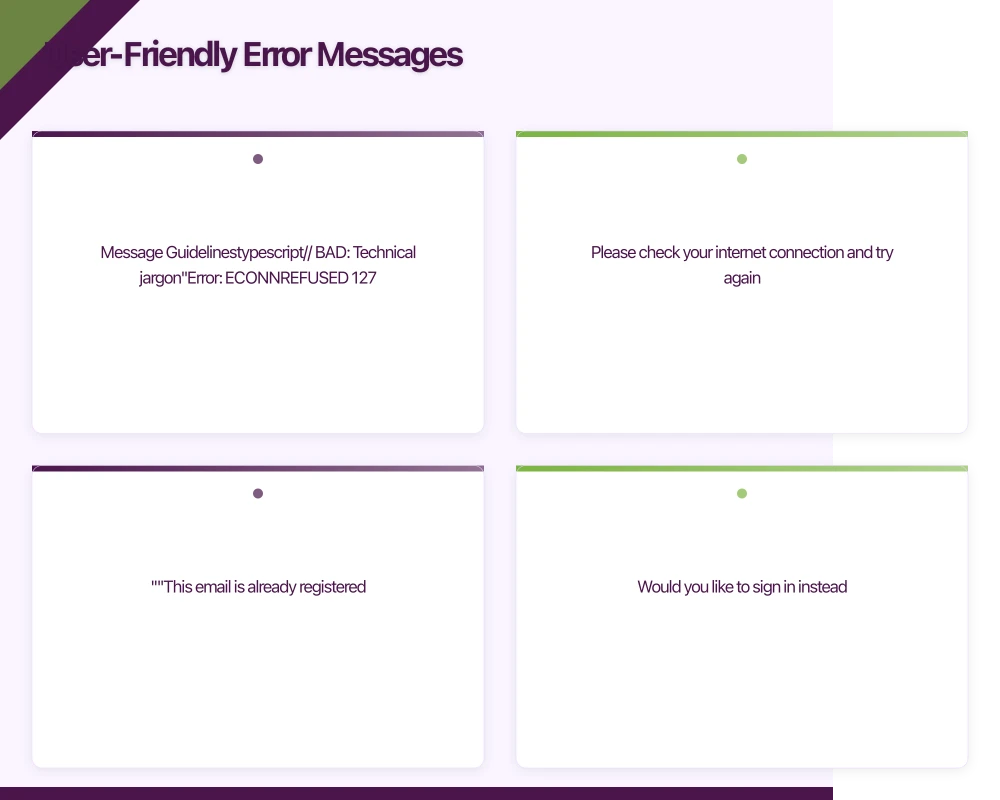
Message Guidelines
// BAD: Technical jargon
"Error: ECONNREFUSED 127.0.0.1:8080"
"SQLException: constraint violation"
"403 Forbidden"
"null pointer exception"

// GOOD: Human-friendly messages
"We couldn't connect to our servers. Please check your internet connection and try again."
"This email is already registered. Would you like to sign in instead?"
"You don't have permission to view this content."
"Something went wrong. We've been notified and are looking into it."

// Message formula:
// 1. What happened (briefly)
// 2. Why it might have happened (if helpful)
// 3. What the user can do about it
Context-Aware Messages
// iOS implementation
struct ErrorMessageBuilder {

    static func buildMessage(
        for error: AppError,
        context: ErrorContext
    ) -> ErrorPresentation {

        switch (error, context) {
        // Checkout-specific errors
        case (.paymentFailed(let reason), .checkout):
            return ErrorPresentation(
                title: "Payment Failed",
                message: paymentFailureMessage(reason),
                primaryAction: ErrorAction(
                    title: "Try Different Card",
                    action: { context.showPaymentMethods() }
                ),
                secondaryAction: ErrorAction(
                    title: "Contact Support",
                    action: { context.contactSupport() }
                )
            )

        // Network error during checkout - preserve cart
        case (.noConnection, .checkout):
            return ErrorPresentation(
                title: "Connection Lost",
                message: "Don't worry, your cart is saved. Please check your connection and try again.",
                primaryAction: ErrorAction(
                    title: "Retry Payment",
                    action: { context.retryLastAction() }
                )
            )

        // Network error during browsing - less urgent
        case (.noConnection, .browsing):
            return ErrorPresentation(
                title: "You're Offline",
                message: "Connect to the internet to see the latest content.",
                style: .banner // Less intrusive than modal
            )

        // Session expired during important action
        case (.sessionExpired, .checkout):
            return ErrorPresentation(
                title: "Session Expired",
                message: "For your security, please sign in again. Your cart will be waiting.",
                primaryAction: ErrorAction(
                    title: "Sign In",
                    action: { context.presentSignIn(preserveState: true) }
                )
            )

        default:
            return defaultPresentation(for: error)
        }
    }

    private static func paymentFailureMessage(_ reason: PaymentFailureReason) -> String {
        switch reason {
        case .insufficientFunds:
            return "Your card was declined due to insufficient funds. Please try a different payment method."
        case .cardExpired:
            return "Your card has expired. Please update your card details or try a different card."
        case .invalidCVV:
            return "The security code doesn't match. Please check and try again."
        case .fraudSuspected:
            return "Your bank declined this transaction. Please contact them or try a different card."
        default:
            return "Your payment couldn't be processed. Please try a different payment method."
        }
    }
}
Retry Stra
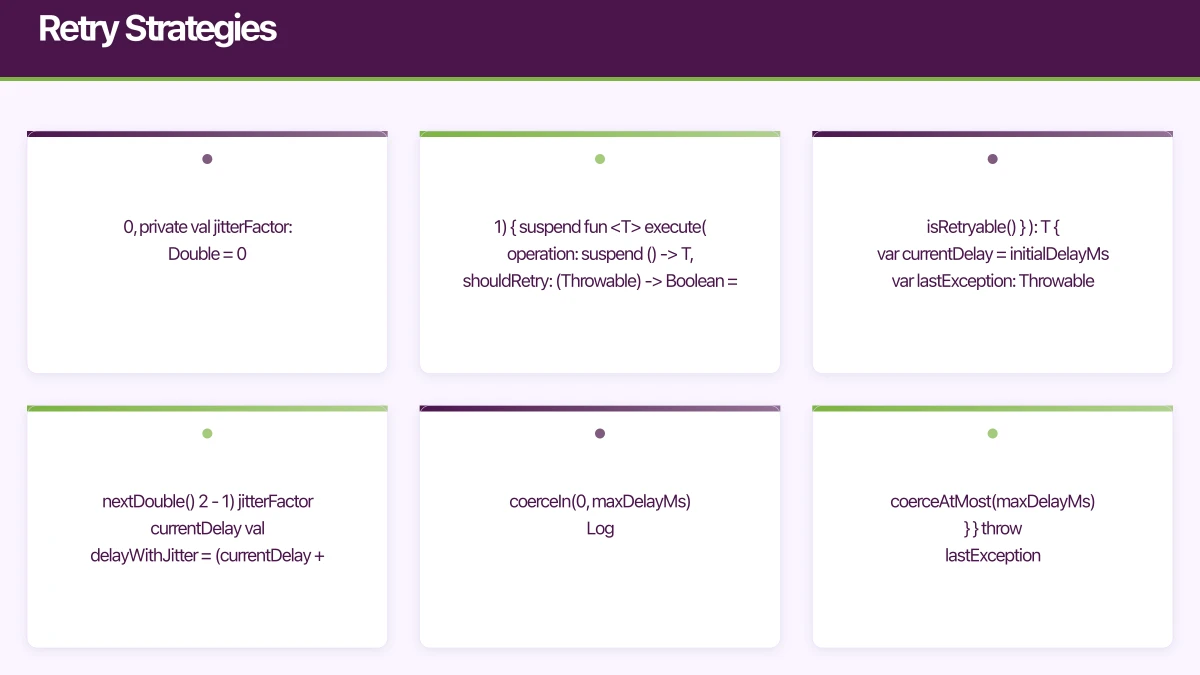 tegies
Exponential Backoff
// Android implementation with exponential backoff
class RetryPolicy(
    private val maxRetries: Int = 3,
    private val initialDelayMs: Long = 1000,
    private val maxDelayMs: Long = 30000,
    private val multiplier: Double = 2.0,
    private val jitterFactor: Double = 0.1
) {

    suspend fun <T> execute(
        operation: suspend () -> T,
        shouldRetry: (Throwable) -> Boolean = { it.isRetryable() }
    ): T {
        var currentDelay = initialDelayMs
        var lastException: Throwable? = null

        repeat(maxRetries) { attempt ->
            try {
                return operation()
            } catch (e: Throwable) {
                lastException = e

                if (!shouldRetry(e) || attempt == maxRetries - 1) {
                    throw e
                }

                // Calculate delay with jitter
                val jitter = (Random.nextDouble() * 2 - 1) * jitterFactor * currentDelay
                val delayWithJitter = (currentDelay + jitter).toLong()
                    .coerceIn(0, maxDelayMs)

                Log.d("RetryPolicy", "Attempt ${attempt + 1} failed, retrying in ${delayWithJitter}ms")
                delay(delayWithJitter)

                currentDelay = (currentDelay * multiplier).toLong()
                    .coerceAtMost(maxDelayMs)
            }
        }

        throw lastException ?: IllegalStateException("Retry failed without exception")
    }
}

// Usage
class ApiClient(
    private val retryPolicy: RetryPolicy = RetryPolicy()
) {

    suspend fun fetchProducts(): List<Product> {
        return retryPolicy.execute(
            operation = { api.getProducts() },
            shouldRetry = { error ->
                error is IOException || (error is HttpException && error.code() >= 500)
            }
        )
    }
}

// Extension to determine retryability
fun Throwable.isRetryable(): Boolean {
    return when (this) {
        is IOException -> true
        is SocketTimeoutException -> true
        is HttpException -> code() >= 500 || code() == 429
        else -> false
    }
}
Circuit Breaker
// iOS circuit breaker implementation
actor CircuitBreaker {
    enum State {
        case closed      // Normal operation
        case open        // Failing, reject requests
        case halfOpen    // Testing if service recovered
    }

    private var state: State = .closed
    private var failureCount: Int = 0
    private var lastFailureTime: Date?
    private var successCount: Int = 0

    private let failureThreshold: Int
    private let recoveryTimeout: TimeInterval
    private let successThreshold: Int

    init(
        failureThreshold: Int = 5,
        recoveryTimeout: TimeInterval = 30,
        successThreshold: Int = 3
    ) {
        self.failureThreshold = failureThreshold
        self.recoveryTimeout = recoveryTimeout
        self.successThreshold = successThreshold
    }

    func execute<T>(_ operation: () async throws -> T) async throws -> T {
        // Check if we should allow the request
        switch state {
        case .open:
            if let lastFailure = lastFailureTime,
               Date().timeIntervalSince(lastFailure) > recoveryTimeout {
                state = .halfOpen
                successCount = 0
            } else {
                throw CircuitBreakerError.circuitOpen
            }

        case .halfOpen, .closed:
            break
        }

        do {
            let result = try await operation()
            recordSuccess()
            return result
        } catch {
            recordFailure()
            throw error
        }
    }

    private func recordSuccess() {
        failureCount = 0

        switch state {
        case .halfOpen:
            successCount += 1
            if successCount >= successThreshold {
                state = .closed
            }
        case .closed, .open:
            break
        }
    }

    private func recordFailure() {
        failureCount += 1
        lastFailureTime = Date()

        if failureCount >= failureThreshold {
            state = .open
        }
    }
}

enum CircuitBreakerError: Error {
    case circuitOpen
}

// Usage
class ProductService {
    private let circuitBreaker = CircuitBreaker()
    private let api: ProductAPI

    func fetchProducts() async throws -> [Product] {
        do {
            return try await circuitBreaker.execute {
                try await api.getProducts()
            }
        } catch CircuitBreakerError.circuitOpen {
            // Fall back to cached data
            return try await loadCachedProducts()
        }
    }
}
Graceful Degradation
Offline-First Patterns
// Android: Repository with offline support
class ProductRepository(
    private val remoteDataSource: ProductRemoteDataSource,
    private val localDataSource: ProductLocalDataSource,
    private val connectivityMonitor: ConnectivityMonitor
) {

    fun getProducts(): Flow<Resource<List<Product>>> = flow {
        // Emit cached data immediately
        val cached = localDataSource.getProducts()
        if (cached.isNotEmpty()) {
            emit(Resource.Success(cached, source = DataSource.CACHE))
        } else {
            emit(Resource.Loading())
        }

        // Try to fetch fresh data
        if (connectivityMonitor.isConnected()) {
            try {
                val remote = remoteDataSource.getProducts()
                localDataSource.saveProducts(remote)
                emit(Resource.Success(remote, source = DataSource.NETWORK))
            } catch (e: Exception) {
                if (cached.isEmpty()) {
                    emit(Resource.Error(e.toAppError()))
                } else {
                    // Have cached data, show warning but don't fail
                    emit(Resource.Success(
                        cached,
                        source = DataSource.CACHE,
                        warning = "Showing cached data. Pull to refresh."
                    ))
                }
            }
        } else if (cached.isEmpty()) {
            emit(Resource.Error(AppError.NoConnection()))
        }
    }

    suspend fun createProduct(product: Product): Result<Product> {
        return if (connectivityMonitor.isConnected()) {
            try {
                val created = remoteDataSource.createProduct(product)
                localDataSource.saveProduct(created)
                Result.success(created)
            } catch (e: Exception) {
                Result.failure(e)
            }
        } else {
            // Queue for later sync
            localDataSource.queuePendingAction(
                PendingAction.CreateProduct(product)
            )
            Result.success(product.copy(syncStatus = SyncStatus.PENDING))
        }
    }
}

sealed class Resource<T> {
    data class Loading<T>(val progress: Float? = null) : Resource<T>()

    data class Success<T>(
        val data: T,
        val source: DataSource = DataSource.NETWORK,
        val warning: String? = null
    ) : Resource<T>()

    data class Error<T>(
        val error: AppError,
        val cachedData: T? = null
    ) : Resource<T>()
}

enum class DataSource { NETWORK, CACHE }
Feature Degradation
// iOS: Graceful feature degradation
class FeatureAvailability {
    private let networkMonitor: NetworkMonitor
    private let featureFlags: FeatureFlagService

    func checkFeature(_ feature: Feature) -> FeatureStatus {
        // Check if feature is enabled
        guard featureFlags.isEnabled(feature) else {
            return .disabled(reason: "Feature not available in your region")
        }

        // Check network requirements
        if feature.requiresNetwork && !networkMonitor.isConnected {
            return .degraded(
                fallback: feature.offlineFallback,
                reason: "Limited functionality while offline"
            )
        }

        // Check capability requirements
        if let missingCapability = feature.requiredCapabilities.first(where: { !$0.isAvailable }) {
            return .unavailable(
                reason: "Requires \(missingCapability.displayName)"
            )
        }

        return .available
    }
}

enum FeatureStatus {
    case available
    case degraded(fallback: FeatureFallback, reason: String)
    case disabled(reason: String)
    case unavailable(reason: String)
}

struct FeatureFallback {
    let title: String
    let action: () -> Void
}

// Usage in UI
struct ProductSearchView: View {
    @StateObject var viewModel: ProductSearchViewModel
    let featureAvailability: FeatureAvailability

    var body: some View {
        VStack {
            SearchBar(text: $viewModel.searchQuery)

            switch featureAvailability.checkFeature(.search) {
            case .available:
                SearchResultsList(results: viewModel.results)

            case .degraded(let fallback, let reason):
                VStack {
                    WarningBanner(message: reason)
                    // Show cached/local results
                    LocalSearchResults(query: viewModel.searchQuery)
                }

            case .disabled(let reason), .unavailable(let reason):
                EmptyStateView(
                    icon: "magnifyingglass.circle",
                    title: "Search Unavailable",
                    message: reason
                )
            }
        }
    }
}
Error Reporting and Analytics
Structured Error Logging
// Error reporting service
interface ErrorReport {
  errorId: string;
  timestamp: Date;
  error: {
    code: string;
    message: string;
    category: ErrorCategory;
    stackTrace?: string;
  };
  context: {
    screen: string;
    action: string;
    userId?: string;
    sessionId: string;
  };
  device: {
    platform: 'ios' | 'android';
    osVersion: string;
    appVersion: string;
    deviceModel: string;
  };
  network: {
    type: 'wifi' | 'cellular' | 'none';
    effectiveType?: '4g' | '3g' | '2g' | 'slow-2g';
  };
  metadata?: Record<string, any>;
}

class ErrorReporter {
  private queue: ErrorReport[] = [];
  private readonly maxQueueSize = 100;

  async report(error: AppError, context: ErrorContext): Promise<void> {
    const report: ErrorReport = {
      errorId: generateId(),
      timestamp: new Date(),
      error: {
        code: error.code,
        message: error.message,
        category: error.category,
        stackTrace: error.originalError?.stack,
      },
      context: {
        screen: context.currentScreen,
        action: context.lastAction,
        userId: context.userId,
        sessionId: context.sessionId,
      },
      device: await this.getDeviceInfo(),
      network: await this.getNetworkInfo(),
      metadata: error.metadata,
    };

    // Don't report user errors (validation, etc.)
    if (this.shouldReport(error)) {
      await this.sendReport(report);
    }

    // Always log locally for debugging
    this.logLocally(report);
  }

  private shouldReport(error: AppError): boolean {
    // Don't report expected user errors
    const skipCategories = [
      ErrorCategory.VALIDATION,
      ErrorCategory.AUTH_REQUIRED, // Expected flow
      ErrorCategory.OFFLINE, // User's network
    ];

    return !skipCategories.includes(error.category);
  }

  private async sendReport(report: ErrorReport): Promise<void> {
    try {
      await fetch('/api/errors', {
        method: 'POST',
        body: JSON.stringify(report),
      });
    } catch {
      // Queue for later if reporting fails
      this.queue.push(report);
      if (this.queue.length > this.maxQueueSize) {
        this.queue.shift(); // Remove oldest
      }
    }
  }
}
Analytics Integration
// Android: Error analytics
class ErrorAnalytics(
    private val analytics: AnalyticsClient
) {

    fun trackError(error: AppError, context: ErrorContext) {
        analytics.track("error_occurred", mapOf(
            "error_code" to error.code,
            "error_category" to error.category.name,
            "screen" to context.screen,
            "action" to context.action,
            "is_retryable" to error.isRetryable,
            "has_cached_data" to context.hasCachedData
        ))
    }

    fun trackErrorRecovery(
        error: AppError,
        recoveryMethod: String,
        success: Boolean
    ) {
        analytics.track("error_recovery", mapOf(
            "error_code" to error.code,
            "recovery_method" to recoveryMethod,
            "success" to success
        ))
    }

    fun trackRetryAttempt(
        error: AppError,
        attemptNumber: Int,
        success: Boolean
    ) {
        analytics.track("retry_attempt", mapOf(
            "error_code" to error.code,
            "attempt_number" to attemptNumber,
            "success" to success
        ))
    }

    // Track error patterns for alerts
    fun trackErrorRate(endpoint: String, errorRate: Float) {
        if (errorRate > ERROR_RATE_THRESHOLD) {
            analytics.track("high_error_rate", mapOf(
                "endpoint" to endpoint,
                "error_rate" to errorRate
            ))
        }
    }

    companion object {
        private const val ERROR_RATE_THRESHOLD = 0.05f // 5%
    }
}
UI Error Presentation
Error UI Components
// iOS: Reusable error views
struct ErrorView: View {
    let error: AppError
    let retryAction: (() -> Void)?
    let dismissAction: (() -> Void)?

    var body: some View {
        VStack(spacing: 16) {
            Image(systemName: iconName)
                .font(.system(size: 48))
                .foregroundColor(.secondary)

            Text(error.userMessage)
                .font(.body)
                .multilineTextAlignment(.center)
                .foregroundColor(.primary)

            if let recovery = error.recoveryAction {
                Button(action: { recovery.action() }) {
                    Text(recovery.label)
                        .font(.headline)
                }
                .buttonStyle(.borderedProminent)
            }

            if let retry = retryAction {
                Button(action: retry) {
                    Label("Try Again", systemImage: "arrow.clockwise")
                }
                .buttonStyle(.bordered)
            }
        }
        .padding(24)
    }

    private var iconName: String {
        switch error.category {
        case .offline:
            return "wifi.slash"
        case .authRequired:
            return "lock.fill"
        case .serverError:
            return "exclamationmark.icloud"
        case .notFound:
            return "questionmark.folder"
        default:
            return "exclamationmark.triangle"
        }
    }
}

// Inline error for form fields
struct InlineError: View {
    let message: String

    var body: some View {
        HStack(spacing: 4) {
            Image(systemName: "exclamationmark.circle.fill")
                .foregroundColor(.red)
                .font(.caption)

            Text(message)
                .font(.caption)
                .foregroundColor(.red)
        }
    }
}

// Toast/snackbar for transient errors
struct ErrorToast: View {
    let message: String
    let action: ErrorAction?
    @Binding var isPresented: Bool

    var body: some View {
        HStack {
            Text(message)
                .font(.subheadline)
                .foregroundColor(.white)

            Spacer()

            if let action = action {
                Button(action.title) {
                    action.handler()
                }
                .font(.subheadline.bold())
                .foregroundColor(.white)
            }

            Button {
                isPresented = false
            } label: {
                Image(systemName: "xmark")
                    .foregroundColor(.white.opacity(0.8))
            }
        }
        .padding()
        .background(Color.red.opacity(0.9))
        .cornerRadius(8)
        .padding(.horizontal)
    }
}
Error State Management
// Android: ViewModel error handling
@HiltViewModel
class ProductListViewModel @Inject constructor(
    private val repository: ProductRepository
) : ViewModel() {

    private val _uiState = MutableStateFlow<ProductListUiState>(ProductListUiState.Loading)
    val uiState: StateFlow<ProductListUiState> = _uiState

    private val _errorEvent = MutableSharedFlow<ErrorEvent>()
    val errorEvent: SharedFlow<ErrorEvent> = _errorEvent

    init {
        loadProducts()
    }

    fun loadProducts() {
        viewModelScope.launch {
            repository.getProducts()
                .collect { resource ->
                    _uiState.value = when (resource) {
                        is Resource.Loading -> ProductListUiState.Loading

                        is Resource.Success -> ProductListUiState.Success(
                            products = resource.data,
                            isFromCache = resource.source == DataSource.CACHE,
                            warning = resource.warning
                        )

                        is Resource.Error -> {
                            if (resource.cachedData != null) {
                                // Have cached data, show warning
                                _errorEvent.emit(ErrorEvent.Toast(resource.error.userMessage))
                                ProductListUiState.Success(
                                    products = resource.cachedData,
                                    isFromCache = true,
                                    warning = "Showing cached data"
                                )
                            } else {
                                ProductListUiState.Error(resource.error)
                            }
                        }
                    }
                }
        }
    }

    fun retry() {
        loadProducts()
    }

    fun dismissError() {
        // Return to previous state if possible
    }
}

sealed class ProductListUiState {
    object Loading : ProductListUiState()

    data class Success(
        val products: List<Product>,
        val isFromCache: Boolean = false,
        val warning: String? = null
    ) : ProductListUiState()

    data class Error(val error: AppError) : ProductListUiState()
}

sealed class ErrorEvent {
    data class Toast(val message: String) : ErrorEvent()
    data class Dialog(val error: AppError) : ErrorEvent()
    data class Navigate(val destination: String) : ErrorEvent()
}
Conclusion
Error handling is user experience design. Every error is an opportunity to build trust or lose it. The patterns in this guide help you:
- Classify errors appropriately to determine the right response
- Communicate clearly with human-friendly messages
- Recover automatically when possible with retry strategies
- Degrade gracefully when features are unavailable
- Learn continuously through proper error reporting
Start with the basics: clear error messages and simple retry logic. Add sophistication as you learn which errors affect your users most. Monitor error rates and recovery success to continuously improve.
The best error handling is invisible to users. They never see errors because the app handles failures gracefully, or when errors must surface, the path forward is always clear.
Building resilient mobile apps for Australian users? We have implemented error handling systems that maintain 99.9% user-perceived availability. Contact us to discuss your reliability requirements.
Launching an app? You’ll need a website to support it. Cosmos Web Tech builds app landing pages and marketing sites for Australian businesses.
Awesome Apps is the mobile development division of Ganda Tech Services, building iOS and Android apps for Australian businesses.
Talk to a Sydney app developer — free.
30 minutes. We'll tell you what your app needs, how long it takes, and what it costs. Real answers, no sales pitch.
Book Free App Strategy Call →Free · 30 minutes · No obligation