Mobile App Testing Strategy: Unit, Integration, and E2E
Shipping a buggy mobile app is one of the fastest ways to lose users. Unlike web applications, where you can deploy fixes within minutes, mobile app updates must go through store review processes, and users must choose to update. A bug that reaches production can haunt you for days or weeks.
A well-structured testing strategy catches bugs before they reach users. This guide covers the three layers of testing every mobile app needs: unit tests, integration tests, and end-to-end (E2E) tests. We will cover practical implementation for both iOS and Android, with examples you can adapt to your project.
The Testing Pyramid
The testing pyramid is a well-established model for balancing test types:
    /  E2E  \          Few, slow, expensive
   /----------\
  / Integration \      Moderate number
 /----------------\
/    Unit Tests    \   Many, fast, cheap
--------------------
Unit tests form the base. They are fast, isolated, and test individual functions or classes. You should have the most of these.
Integration tests sit in the middle. They test how components work together: API calls, database operations, navigation flows. You need a moderate number.
E2E tests sit at the top. They test complete user workflows through the actual UI. They are slow and brittle, so you should have the fewest, covering only critical paths.
A practical ratio for mobile apps: 70 percent unit tests, 20 percent integration tests, 10 percent E2E tests.
Unit Testing
What to Unit Test
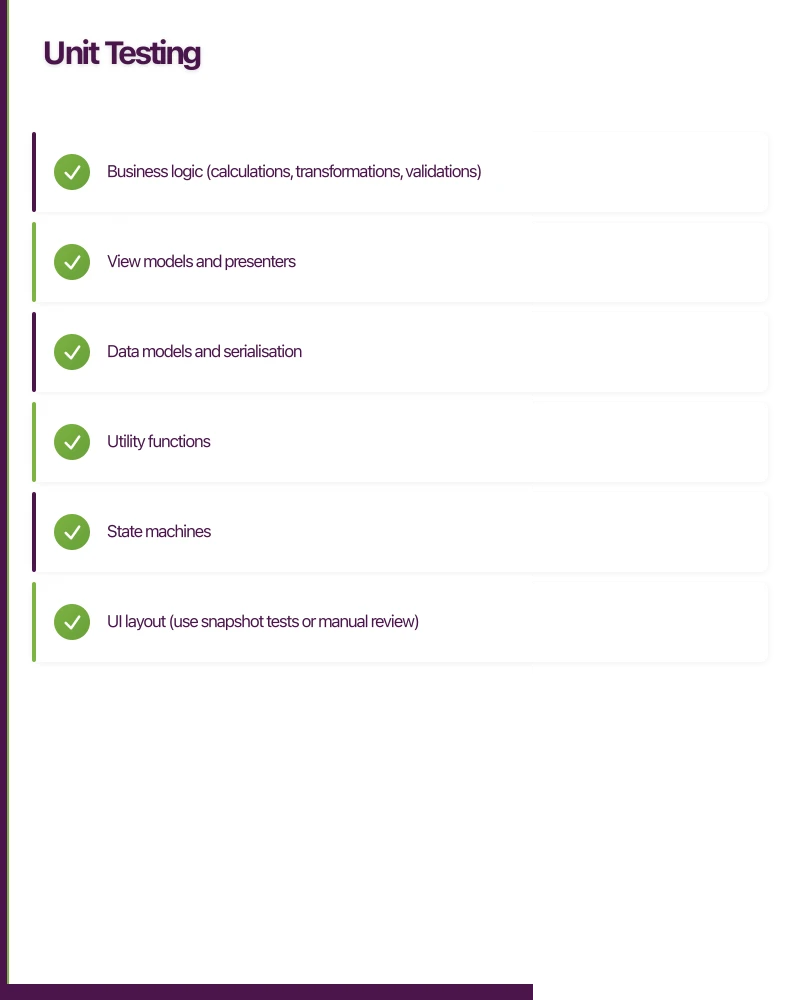
Focus unit tests on:
- Business logic (calculations, transformations, validations)
- View models and presenters
- Data models and serialisation
- Utility functions
- State machines
Do not unit test:
- UI layout (use snapshot tests or manual review)
- Third-party library internals
- Simple getters/setters with no logic
iOS Unit Testing with XCTest
// TaskViewModel.swift
class TaskViewModel {
    private(set) var tasks: [Task] = []

    func addTask(title: String) -> Bool {
        guard !title.trimmingCharacters(in: .whitespaces).isEmpty else {
            return false
        }
        let task = Task(title: title, isCompleted: false)
        tasks.append(task)
        return true
    }

    func toggleTask(at index: Int) {
        guard index >= 0 && index < tasks.count else { return }
        tasks[index].isCompleted.toggle()
    }

    var completedCount: Int {
        tasks.filter { $0.isCompleted }.count
    }

    var completionPercentage: Double {
        guard !tasks.isEmpty else { return 0 }
        return Double(completedCount) / Double(tasks.count) * 100
    }
}
// TaskViewModelTests.swift
import XCTest
@testable import TaskBoard
class TaskViewModelTests: XCTestCase {
var sut: TaskViewModel!
override func setUp() {
super.setUp()
sut = TaskViewModel()
}
override func tearDown() {
sut = nil
super.tearDown()
}
func testAddTask_withValidTitle_addsTask() {
let result = sut.addTask(title: "New task")
XCTAssertTrue(result)
XCTAssertEqual(sut.tasks.count, 1)
XCTAssertEqual(sut.tasks.first?.title, "New task")
XCTAssertFalse(sut.tasks.first?.isCompleted ?? true)
}
func testAddTask_withEmptyTitle_returnsFalse() {
let result = sut.addTask(title: " ")
XCTAssertFalse(result)
XCTAssertEqual(sut.tasks.count, 0)
}
func testToggleTask_togglesCompletionStatus() {
_ = sut.addTask(title: "Test task")
sut.toggleTask(at: 0)
XCTAssertTrue(sut.tasks[0].isCompleted)
}
func testToggleTask_withInvalidIndex_doesNotCrash() {
sut.toggleTask(at: 99) // Should not crash
}
func testCompletionPercentage_withNoTasks_returnsZero() {
XCTAssertEqual(sut.completionPercentage, 0)
}
func testCompletionPercentage_withMixedTasks_calculatesCorrectly() {
_ = sut.addTask(title: "Task 1")
_ = sut.addTask(title: "Task 2")
_ = sut.addTask(title: "Task 3")
sut.toggleTask(at: 0) // Complete first task
XCTAssertEqual(sut.completionPercentage, 33.33, accuracy: 0.01)
}
}Android Unit Testing with JUnit and Mockk
// TaskViewModel.kt
class TaskViewModel(
    private val repository: TaskRepository
) : ViewModel() {

    private val _tasks = MutableLiveData<List<Task>>(emptyList())
    val tasks: LiveData<List<Task>> = _tasks

    fun loadTasks() {
        viewModelScope.launch {
            val result = repository.getTasks()
            _tasks.value = result
        }
    }

    fun addTask(title: String): Boolean {
        if (title.isBlank()) return false
        val currentTasks = _tasks.value.orEmpty().toMutableList()
        currentTasks.add(Task(title = title, isCompleted = false))
        _tasks.value = currentTasks
        return true
    }
}
// TaskViewModelTest.kt
class TaskViewModelTest {
@get:Rule
val instantExecutorRule = InstantTaskExecutorRule()
@get:Rule
val coroutineRule = MainCoroutineRule()
private lateinit var repository: TaskRepository
private lateinit var viewModel: TaskViewModel
@Before
fun setup() {
repository = mockk()
viewModel = TaskViewModel(repository)
}
@Test
fun `addTask with valid title adds task to list`() {
val result = viewModel.addTask("New task")
assertTrue(result)
assertEquals(1, viewModel.tasks.value?.size)
assertEquals("New task", viewModel.tasks.value?.first()?.title)
}
@Test
fun `addTask with blank title returns false`() {
val result = viewModel.addTask(" ")
assertFalse(result)
assertTrue(viewModel.tasks.value.isNullOrEmpty())
}
@Test
fun `loadTasks fetches from repository`() = coroutineRule.runBlockingTest {
val expectedTasks = listOf(
Task("Task 1", false),
Task("Task 2", true)
)
coEvery { repository.getTasks() } returns expectedTasks
viewModel.loadTasks()
assertEquals(expectedTasks, viewModel.tasks.value)
}
}React Native Unit Testing with Jest
// taskUtils.js
export const calculateProgress = (tasks) => {
  if (tasks.length === 0) return 0;
  const completed = tasks.filter(t => t.isCompleted).length;
  return Math.round((completed / tasks.length) * 100);
};

export const sortTasks = (tasks, sortBy) => {
  const sorted = [...tasks];
  switch (sortBy) {
    case 'title':
      return sorted.sort((a, b) => a.title.localeCompare(b.title));
    case 'status':
      return sorted.sort((a, b) => Number(a.isCompleted) - Number(b.isCompleted));
    case 'date':
      return sorted.sort((a, b) => new Date(b.createdAt) - new Date(a.createdAt));
    default:
      return sorted;
  }
};
// taskUtils.test.js
import { calculateProgress, sortTasks } from './taskUtils';
describe('calculateProgress', () => {
it('returns 0 for empty task list', () => {
expect(calculateProgress([])).toBe(0);
});
it('returns 100 when all tasks completed', () => {
const tasks = [
{ isCompleted: true },
{ isCompleted: true },
];
expect(calculateProgress(tasks)).toBe(100);
});
it('calculates percentage correctly', () => {
const tasks = [
{ isCompleted: true },
{ isCompleted: false },
{ isCompleted: true },
{ isCompleted: false },
];
expect(calculateProgress(tasks)).toBe(50);
});
});
describe('sortTasks', () => {
const tasks = [
{ title: 'Charlie', isCompleted: true, createdAt: '2021-04-01' },
{ title: 'Alpha', isCompleted: false, createdAt: '2021-04-03' },
{ title: 'Bravo', isCompleted: false, createdAt: '2021-04-02' },
];
it('sorts by title alphabetically', () => {
const result = sortTasks(tasks, 'title');
expect(result.map(t => t.title)).toEqual(['Alpha', 'Bravo', 'Charlie']);
});
it('sorts by status with incomplete first', () => {
const result = sortTasks(tasks, 'status');
expect(result[0].isCompleted).toBe(false);
expect(result[2].isCompleted).toBe(true);
});
it('does not mutate original array', () => {
const original = [...tasks];
sortTasks(tasks, 'title');
expect(tasks).toEqual(original);
});
});Integration Testing
Integration
 tests verify that components work together correctly. For mobile apps, the most important integration tests cover:
API Integration Tests
Test that your network layer correctly handles API responses, error states, and edge cases:
// iOS: API integration test
class TaskAPITests: XCTestCase {
    var apiClient: TaskAPIClient!
    var mockSession: URLSession!

    override func setUp() {
        let configuration = URLSessionConfiguration.ephemeral
        configuration.protocolClasses = [MockURLProtocol.self]
        mockSession = URLSession(configuration: configuration)
        apiClient = TaskAPIClient(session: mockSession)
    }

    func testFetchTasks_withValidResponse_returnsTasks() async throws {
        let mockData = """
        {
            "data": [
                {"id": "1", "title": "Test Task", "isCompleted": false}
            ]
        }
        """.data(using: .utf8)!

        MockURLProtocol.requestHandler = { request in
            let response = HTTPURLResponse(
                url: request.url!,
                statusCode: 200,
                httpVersion: nil,
                headerFields: nil
            )!
            return (response, mockData)
        }

        let tasks = try await apiClient.fetchTasks()

        XCTAssertEqual(tasks.count, 1)
        XCTAssertEqual(tasks.first?.title, "Test Task")
    }

    func testFetchTasks_withServerError_throwsError() async {
        MockURLProtocol.requestHandler = { request in
            let response = HTTPURLResponse(
                url: request.url!,
                statusCode: 500,
                httpVersion: nil,
                headerFields: nil
            )!
            return (response, Data())
        }

        do {
            _ = try await apiClient.fetchTasks()
            XCTFail("Expected error to be thrown")
        } catch {
            XCTAssertTrue(error is APIError)
        }
    }
}
Database Integration Tests
Test that your local database operations work correctly:
// Android: Room database integration test
@RunWith(AndroidJUnit4::class)
class TaskDaoTest {
    private lateinit var database: AppDatabase
    private lateinit var taskDao: TaskDao

    @Before
    fun setup() {
        database = Room.inMemoryDatabaseBuilder(
            ApplicationProvider.getApplicationContext(),
            AppDatabase::class.java
        ).allowMainThreadQueries().build()
        taskDao = database.taskDao()
    }

    @After
    fun teardown() {
        database.close()
    }

    @Test
    fun insertAndRetrieveTask() = runBlocking {
        val task = TaskEntity(title = "Test Task", isCompleted = false)
        taskDao.insert(task)

        val tasks = taskDao.getAllTasks()
        assertEquals(1, tasks.size)
        assertEquals("Test Task", tasks[0].title)
    }

    @Test
    fun updateTaskCompletion() = runBlocking {
        val task = TaskEntity(title = "Test", isCompleted = false)
        val id = taskDao.insert(task)

        taskDao.updateCompletion(id, true)

        val updated = taskDao.getTaskById(id)
        assertTrue(updated.isCompleted)
    }
}
Navigation Integration Tests
Test that navigation between screens works correctly, including deep links and back stack behaviour.
End-to-End Testing
E2E tests exer
 cise the full application stack through the UI. They are the closest thing to a real user interacting with your app.
iOS E2E Testing with XCUITest
class TaskBoardUITests: XCTestCase {
    let app = XCUIApplication()

    override func setUp() {
        continueAfterFailure = false
        app.launchArguments = ["--uitesting"]
        app.launch()
    }

    func testCreateAndCompleteTask() {
        // Tap add button
        app.navigationBars["TaskBoard"].buttons["Add"].tap()

        // Enter task title
        let titleField = app.textFields["Task title"]
        titleField.tap()
        titleField.typeText("Buy groceries")

        // Tap save
        app.buttons["Add"].tap()

        // Verify task appears in list
        XCTAssertTrue(app.staticTexts["Buy groceries"].exists)

        // Tap the task to complete it
        app.staticTexts["Buy groceries"].tap()

        // Toggle completion
        app.switches["Completed"].tap()

        // Go back and verify
        app.navigationBars.buttons.firstMatch.tap()

        // Task should still be visible
        XCTAssertTrue(app.staticTexts["Buy groceries"].exists)
    }

    func testDeleteTask() {
        // Assuming a task exists
        let taskCell = app.cells.firstMatch

        // Swipe to delete
        taskCell.swipeLeft()
        app.buttons["Delete"].tap()

        // Verify task is removed
        XCTAssertEqual(app.cells.count, 0)
    }
}
Android E2E Testing with Espresso
@RunWith(AndroidJUnit4::class)
class TaskBoardE2ETest {

    @get:Rule
    val activityRule = ActivityScenarioRule(MainActivity::class.java)

    @Test
    fun createAndCompleteTask() {
        // Tap FAB to add task
        onView(withId(R.id.fab_add_task)).perform(click())

        // Enter task title
        onView(withId(R.id.edit_task_title))
            .perform(typeText("Buy groceries"), closeSoftKeyboard())

        // Save task
        onView(withId(R.id.button_save)).perform(click())

        // Verify task appears in list
        onView(withText("Buy groceries"))
            .check(matches(isDisplayed()))

        // Tap checkbox to complete
        onView(allOf(
            withId(R.id.checkbox_complete),
            hasSibling(withText("Buy groceries"))
        )).perform(click())

        // Verify task is marked complete
        onView(allOf(
            withId(R.id.checkbox_complete),
            hasSibling(withText("Buy groceries"))
        )).check(matches(isChecked()))
    }
}
Cross-Platform E2E with Detox (React Native)
For React Native apps, Detox provides reliable E2E testing:
// e2e/taskBoard.e2e.js
describe('TaskBoard', () => {
  beforeAll(async () => {
    await device.launchApp();
  });

  beforeEach(async () => {
    await device.reloadReactNative();
  });

  it('should create a new task', async () => {
    await element(by.id('add-task-button')).tap();
    await element(by.id('task-title-input')).typeText('Buy groceries');
    await element(by.id('save-button')).tap();

    await expect(element(by.text('Buy groceries'))).toBeVisible();
  });

  it('should complete a task', async () => {
    await element(by.id('task-checkbox-0')).tap();

    await expect(element(by.id('task-checkbox-0'))).toHaveToggleValue(true);
  });

  it('should delete a task by swiping', async () => {
    await element(by.id('task-row-0')).swipe('left');
    await element(by.text('Delete')).tap();

    await expect(element(by.id('task-row-0'))).not.toBeVisible();
  });
});
Test Infrastructure
Continuous Integration
Run your tests automatically on every pull request. For mobile apps, consider:
- GitHub Actions: Free for public repos, generous free tier for private repos. Supports macOS runners for iOS tests.
- Bitrise: Purpose-built for mobile CI/CD. Excellent for teams that want a managed solution.
- CircleCI: Strong mobile support with macOS and Linux runners.
A basic CI pipeline should:
- Run unit tests on every commit
- Run integration tests on every pull request
- Run E2E tests nightly or before releases
Code Coverage
Aim for meaningful coverage, not 100 percent. Good targets:
- Business logic: 80 percent or higher
- View models/presenters: 70 percent or higher
- Overall app: 60 percent or higher
Low coverage in UI code is acceptable if you have E2E tests covering critical paths.
Building a Testing Culture
Testing is a habit, not a one-time effort. Practical tips for building testing into your workflow:
- Write tests alongside features, not after. Tests written after the fact tend to test implementation rather than behaviour.
- Make tests fast. If your test suite takes more than 5 minutes, developers will skip it. Keep unit tests under 1 minute, integration under 5 minutes.
- Fix flaky tests immediately. A flaky test is worse than no test. It erodes trust in the entire suite.
- Review tests in code reviews. Tests are code. They deserve the same review attention as production code.
A comprehensive testing strategy is an investment that pays for itself in reduced bugs, faster development, and confident deployments. At eawesome, testing is built into our development process from day one, and our clients benefit from more reliable apps as a result.
Push notifications, real-time sync, and user data all need solid cloud backing. Cloud Geeks handles the server side so your app performs at its best.
Ganda Tech Services brings together cloud infrastructure, web development, and mobile app expertise to help Australian businesses thrive in the digital economy.
Talk to a Sydney app developer — free.
30 minutes. We'll tell you what your app needs, how long it takes, and what it costs. Real answers, no sales pitch.
Book Free App Strategy Call →Free · 30 minutes · No obligation