Introduction
Shipping bugs costs more than preventing them. A bug caught in development takes minutes to fix. The same bug found by users takes hours of support, reputation damage, and emergency patches. Good testing catches bugs before they reach users.
This guide covers the testing strategies and tools that work for mobile apps in 2025, with practical examples for both iOS and Android.
The Testing Pyramid
Not all tests are created equal. The testing pyramid guides where to invest:
          /\
         /  \
        / E2E \         <- Few, slow, expensive
       /--------\

      /Integration\     <- Some, moderate speed
     /--------------\
    /   Unit Tests   \  <- Many, fast, cheap
   /------------------\
Unit tests (70-80% of tests): Fast, isolated, test single functions/classes Integration tests (15-20%): Test component interactions E2E tests (5-10%): Test complete user flows
Unit Testing
iOS Unit Testing (XCTest)
import XCTest
@testable import YourApp

final class OrderCalculatorTests: XCTestCase {

    var calculator: OrderCalculator!

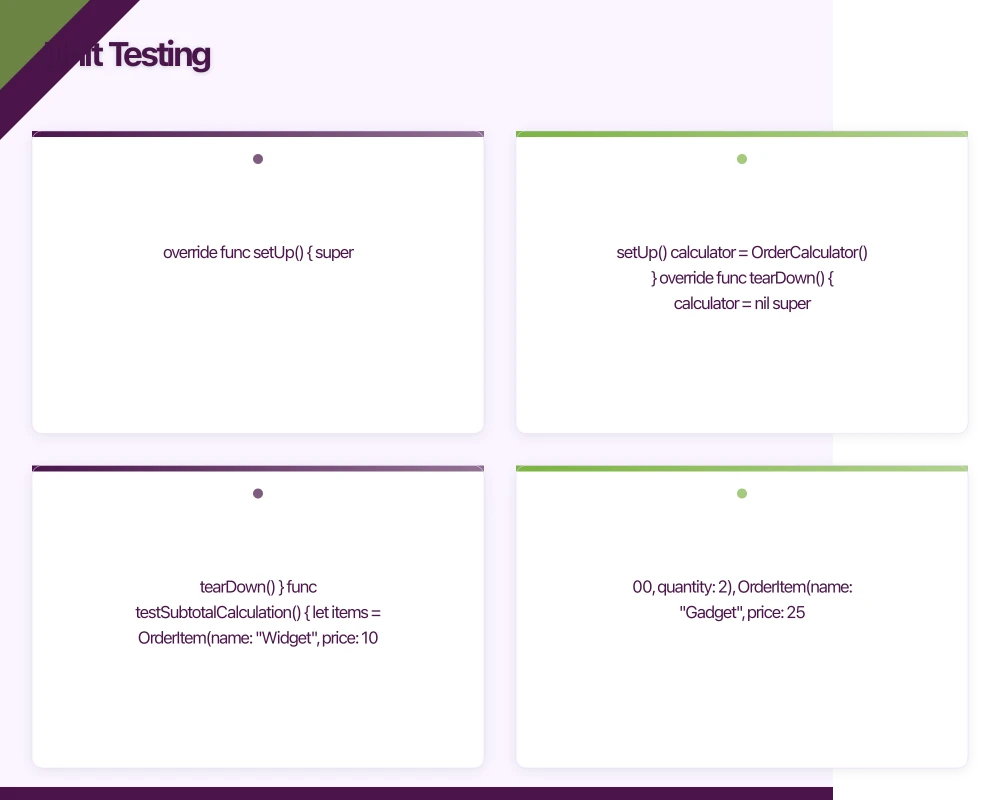
    override func setUp() {
        super.setUp()
        calculator = OrderCalculator()
    }

    override func tearDown() {
        calculator = nil
        super.tearDown()
    }

    func testSubtotalCalculation() {
        let items = [
            OrderItem(name: "Widget", price: 10.00, quantity: 2),
            OrderItem(name: "Gadget", price: 25.00, quantity: 1)
        ]

        let subtotal = calculator.calculateSubtotal(items)

        XCTAssertEqual(subtotal, 45.00, accuracy: 0.01)
    }

    func testGSTCalculation() {
        let subtotal = 100.00

        let gst = calculator.calculateGST(subtotal)

        XCTAssertEqual(gst, 10.00, accuracy: 0.01) // 10% GST
    }

    func testEmptyCartSubtotal() {
        let items: [OrderItem] = []

        let subtotal = calculator.calculateSubtotal(items)

        XCTAssertEqual(subtotal, 0.00)
    }

    func testDiscountApplication() {
        let subtotal = 100.00
        let discount = Discount(type: .percentage, value: 20)

        let discounted = calculator.applyDiscount(to: subtotal, discount: discount)

        XCTAssertEqual(discounted, 80.00, accuracy: 0.01)
    }

    func testFreeShippingThreshold() {
        let subtotal = 150.00 // Above $100 threshold

        let shipping = calculator.calculateShipping(subtotal: subtotal)

        XCTAssertEqual(shipping, 0.00)
    }

    func testShippingBelowThreshold() {
        let subtotal = 50.00 // Below threshold

        let shipping = calculator.calculateShipping(subtotal: subtotal)

        XCTAssertEqual(shipping, 9.95, accuracy: 0.01) // Standard shipping
    }
}
Android Unit Testing (JUnit + Kotlin)
import org.junit.Before
import org.junit.Test
import org.junit.Assert.*

class OrderCalculatorTest {

    private lateinit var calculator: OrderCalculator

    @Before
    fun setUp() {
        calculator = OrderCalculator()
    }

    @Test
    fun `subtotal calculation with multiple items`() {
        val items = listOf(
            OrderItem(name = "Widget", price = 10.00, quantity = 2),
            OrderItem(name = "Gadget", price = 25.00, quantity = 1)
        )

        val subtotal = calculator.calculateSubtotal(items)

        assertEquals(45.00, subtotal, 0.01)
    }

    @Test
    fun `GST calculation at 10 percent`() {
        val subtotal = 100.00

        val gst = calculator.calculateGST(subtotal)

        assertEquals(10.00, gst, 0.01)
    }

    @Test
    fun `empty cart returns zero subtotal`() {
        val items = emptyList<OrderItem>()

        val subtotal = calculator.calculateSubtotal(items)

        assertEquals(0.00, subtotal, 0.01)
    }

    @Test
    fun `percentage discount applied correctly`() {
        val subtotal = 100.00
        val discount = Discount(type = DiscountType.PERCENTAGE, value = 20.0)

        val discounted = calculator.applyDiscount(subtotal, discount)

        assertEquals(80.00, discounted, 0.01)
    }

    @Test
    fun `free shipping above threshold`() {
        val subtotal = 150.00

        val shipping = calculator.calculateShipping(subtotal)

        assertEquals(0.00, shipping, 0.01)
    }

    @Test
    fun `standard shipping below threshold`() {
        val subtotal = 50.00

        val shipping = calculator.calculateShipping(subtotal)

        assertEquals(9.95, shipping, 0.01)
    }
}
Testing Async Code
iOS:
func testAsyncDataFetch() async throws {
    let service = ProductService(api: MockAPI())

    let products = try await service.fetchProducts()

    XCTAssertEqual(products.count, 3)
    XCTAssertEqual(products.first?.name, "Test Product")
}

// Or with expectations for callback-based code
func testCallbackBasedFetch() {
    let expectation = expectation(description: "Products loaded")
    let service = ProductService(api: MockAPI())

    service.fetchProducts { result in
        switch result {
        case .success(let products):
            XCTAssertEqual(products.count, 3)
        case .failure:
            XCTFail("Expected success")
        }
        expectation.fulfill()
    }

    wait(for: [expectation], timeout: 5.0)
}
Android:
import kotlinx.coroutines.test.runTest

@Test
fun `fetch products returns expected data`() = runTest {
    val mockApi = MockProductApi()
    val repository = ProductRepository(mockApi)

    val products = repository.getProducts()

    assertEquals(3, products.size)
    assertEquals("Test Product", products.first().name)
}

// With Turbine for Flow testing
@Test
fun `products flow emits loading then success`() = runTest {
    val viewModel = ProductViewModel(MockRepository())

    viewModel.products.test {
        assertEquals(UiState.Loading, awaitItem())
        assertEquals(UiState.Success(testProducts), awaitItem())
        cancelAndConsumeRemainingEvents()
    }
}
Integration Testing
ify that components work together correctly.
Testing Repository with Database (Android)
@RunWith(AndroidJUnit4::class)
class ProductRepositoryIntegrationTest {

    private lateinit var database: AppDatabase
    private lateinit var productDao: ProductDao
    private lateinit var repository: ProductRepository

    @Before
    fun setUp() {
        val context = ApplicationProvider.getApplicationContext<Context>()
        database = Room.inMemoryDatabaseBuilder(context, AppDatabase::class.java)
            .allowMainThreadQueries()
            .build()
        productDao = database.productDao()
        repository = ProductRepository(productDao, MockApiService())
    }

    @After
    fun tearDown() {
        database.close()
    }

    @Test
    fun `refresh products updates database`() = runTest {
        // Initially empty
        assertTrue(productDao.getAll().first().isEmpty())

        // Refresh from API
        repository.refreshProducts()

        // Database now has products
        val products = productDao.getAll().first()
        assertEquals(3, products.size)
    }

    @Test
    fun `getProducts returns cached data when offline`() = runTest {
        // Pre-populate cache
        productDao.insertAll(testProducts)

        // Simulate offline
        val offlineRepository = ProductRepository(
            productDao,
            OfflineApiService() // Throws on any call
        )

        // Should return cached data
        val products = offlineRepository.getProducts()
        assertEquals(3, products.size)
    }
}
Testing Network Integration (iOS)
import XCTest
@testable import YourApp

final class APIClientIntegrationTests: XCTestCase {

    var client: APIClient!
    var mockServer: MockServer!

    override func setUp() async throws {
        mockServer = MockServer()
        try await mockServer.start()

        client = APIClient(baseURL: mockServer.url)
    }

    override func tearDown() async throws {
        await mockServer.stop()
    }

    func testFetchProductsIntegration() async throws {
        // Configure mock response
        mockServer.register(
            path: "/products",
            response: """
            {
                "data": [
                    {"id": "1", "name": "Widget", "price": 10.00},
                    {"id": "2", "name": "Gadget", "price": 25.00}
                ]
            }
            """
        )

        // Make real HTTP request to mock server
        let products = try await client.fetchProducts()

        XCTAssertEqual(products.count, 2)
        XCTAssertEqual(products[0].name, "Widget")
    }

    func testHandlesServerError() async {
        mockServer.register(
            path: "/products",
            statusCode: 500,
            response: """{"error": "Internal server error"}"""
        )

        do {
            _ = try await client.fetchProducts()
            XCTFail("Expected error")
        } catch {
            XCTAssertTrue(error is APIError)
        }
    }
}
UI Testing
iOS UI Testing (XCUITest)
import XCTest

final class LoginUITests: XCTestCase {

    var app: XCUIApplication!

    override func setUp() {
        continueAfterFailure = false
        app = XCUIApplication()
        app.launchArguments = ["--uitesting"]
        app.launch()
    }

    func testSuccessfulLogin() {
        // Navigate to login if needed
        if app.buttons["Sign In"].exists {
            app.buttons["Sign In"].tap()
        }

        // Enter credentials
        let emailField = app.textFields["email-field"]
        XCTAssertTrue(emailField.waitForExistence(timeout: 5))
        emailField.tap()
        emailField.typeText("[email protected]")

        let passwordField = app.secureTextFields["password-field"]
        passwordField.tap()
        passwordField.typeText("password123")

        // Submit
        app.buttons["login-button"].tap()

        // Verify success
        let homeScreen = app.otherElements["home-screen"]
        XCTAssertTrue(homeScreen.waitForExistence(timeout: 10))
    }

    func testLoginValidationError() {
        let emailField = app.textFields["email-field"]
        emailField.tap()
        emailField.typeText("invalid-email")

        app.buttons["login-button"].tap()

        // Error should appear
        let errorText = app.staticTexts["error-message"]
        XCTAssertTrue(errorText.waitForExistence(timeout: 5))
        XCTAssertTrue(errorText.label.contains("valid email"))
    }

    func testForgotPasswordFlow() {
        app.buttons["forgot-password"].tap()

        let resetEmailField = app.textFields["reset-email-field"]
        XCTAssertTrue(resetEmailField.waitForExistence(timeout: 5))

        resetEmailField.tap()
        resetEmailField.typeText("[email protected]")

        app.buttons["send-reset-link"].tap()

        // Success message
        let successMessage = app.staticTexts["Check your email"]
        XCTAssertTrue(successMessage.waitForExistence(timeout: 5))
    }
}
Android UI Testing (Espresso + Compose)
import androidx.compose.ui.test.*
import androidx.compose.ui.test.junit4.createAndroidComposeRule
import org.junit.Rule
import org.junit.Test

class LoginUITest {

    @get:Rule
    val composeTestRule = createAndroidComposeRule<MainActivity>()

    @Test
    fun successfulLogin() {
        // Enter email
        composeTestRule
            .onNodeWithTag("email-field")
            .performTextInput("[email protected]")

        // Enter password
        composeTestRule
            .onNodeWithTag("password-field")
            .performTextInput("password123")

        // Submit
        composeTestRule
            .onNodeWithTag("login-button")
            .performClick()

        // Verify home screen
        composeTestRule
            .onNodeWithTag("home-screen")
            .assertIsDisplayed()
    }

    @Test
    fun loginShowsValidationError() {
        // Enter invalid email
        composeTestRule
            .onNodeWithTag("email-field")
            .performTextInput("invalid-email")

        // Submit without password
        composeTestRule
            .onNodeWithTag("login-button")
            .performClick()

        // Error should be visible
        composeTestRule
            .onNodeWithText("Please enter a valid email")
            .assertIsDisplayed()
    }

    @Test
    fun forgotPasswordFlow() {
        composeTestRule
            .onNodeWithText("Forgot Password?")
            .performClick()

        // Reset screen should appear
        composeTestRule
            .onNodeWithTag("reset-email-field")
            .assertIsDisplayed()

        composeTestRule
            .onNodeWithTag("reset-email-field")
            .performTextInput("[email protected]")

        composeTestRule
            .onNodeWithText("Send Reset Link")
            .performClick()

        // Success message
        composeTestRule
            .onNodeWithText("Check your email")
            .assertIsDisplayed()
    }
}

// Traditional View-based Espresso
@Test
fun loginWithEspresso() {
    onView(withId(R.id.email_field))
        .perform(typeText("[email protected]"), closeSoftKeyboard())

    onView(withId(R.id.password_field))
        .perform(typeText("password123"), closeSoftKeyboard())

    onView(withId(R.id.login_button))
        .perform(click())

    onView(withId(R.id.home_screen))
        .check(matches(isDisplayed()))
}
Snapshot Testing
Snapshot tests catch unintended UI changes.
iOS Snapshot Testing
import XCTest
import SnapshotTesting
@testable import YourApp

final class ProductCardSnapshotTests: XCTestCase {

    func testProductCardDefault() {
        let product = Product(
            id: "1",
            name: "Test Product",
            price: 29.99,
            imageURL: nil
        )

        let view = ProductCardView(product: product)
        let hostingController = UIHostingController(rootView: view)
        hostingController.view.frame = CGRect(x: 0, y: 0, width: 375, height: 200)

        assertSnapshot(of: hostingController, as: .image)
    }

    func testProductCardOnSale() {
        let product = Product(
            id: "1",
            name: "Test Product",
            price: 29.99,
            originalPrice: 49.99,
            imageURL: nil
        )

        let view = ProductCardView(product: product)
        let hostingController = UIHostingController(rootView: view)
        hostingController.view.frame = CGRect(x: 0, y: 0, width: 375, height: 200)

        assertSnapshot(of: hostingController, as: .image)
    }

    func testProductCardDarkMode() {
        let product = Product(id: "1", name: "Test Product", price: 29.99, imageURL: nil)

        let view = ProductCardView(product: product)
        let hostingController = UIHostingController(rootView: view)
        hostingController.view.frame = CGRect(x: 0, y: 0, width: 375, height: 200)
        hostingController.overrideUserInterfaceStyle = .dark

        assertSnapshot(of: hostingController, as: .image)
    }
}
Android Snapshot Testing (Paparazzi)
import app.cash.paparazzi.DeviceConfig
import app.cash.paparazzi.Paparazzi
import org.junit.Rule
import org.junit.Test

class ProductCardSnapshotTest {

    @get:Rule
    val paparazzi = Paparazzi(
        deviceConfig = DeviceConfig.PIXEL_5
    )

    @Test
    fun productCardDefault() {
        paparazzi.snapshot {
            ProductCard(
                product = testProduct,
                onAddToCart = {}
            )
        }
    }

    @Test
    fun productCardOnSale() {
        paparazzi.snapshot {
            ProductCard(
                product = testProduct.copy(
                    originalPrice = 49.99
                ),
                onAddToCart = {}
            )
        }
    }

    @Test
    fun productCardDarkMode() {
        paparazzi.snapshot {
            MyAppTheme(darkTheme = true) {
                ProductCard(
                    product = testProduct,
                    onAddToCart = {}
                )
            }
        }
    }
}
CI/CD Integration
GitHub Actions for iOS
# .github/workflows/ios-tests.yml
name: iOS Tests

on:
  pull_request:
    branches: [main]
  push:
    branches: [main]

jobs:
  test:
    runs-on: macos-14

    steps:
      - uses: actions/checkout@v4

      - name: Select Xcode
        run: sudo xcode-select -s /Applications/Xcode_15.2.app

      - name: Cache SPM
        uses: actions/cache@v4
        with:
          path: .build
          key: ${{ runner.os }}-spm-${{ hashFiles('Package.resolved') }}

      - name: Run Unit Tests
        run: |
          xcodebuild test \
            -scheme YourApp \
            -destination 'platform=iOS Simulator,name=iPhone 15' \
            -resultBundlePath TestResults.xcresult \
            | xcpretty

      - name: Upload Test Results
        uses: actions/upload-artifact@v4
        if: always()
        with:
          name: test-results
          path: TestResults.xcresult

  ui-tests:
    runs-on: macos-14
    needs: test

    steps:
      - uses: actions/checkout@v4

      - name: Select Xcode
        run: sudo xcode-select -s /Applications/Xcode_15.2.app

      - name: Run UI Tests
        run: |
          xcodebuild test \
            -scheme YourAppUITests \
            -destination 'platform=iOS Simulator,name=iPhone 15' \
            -resultBundlePath UITestResults.xcresult \
            | xcpretty

      - name: Upload UI Test Results
        uses: actions/upload-artifact@v4
        if: always()
        with:
          name: ui-test-results
          path: UITestResults.xcresult
GitHub Actions for Android
# .github/workflows/android-tests.yml
name: Android Tests

on:
  pull_request:
    branches: [main]
  push:
    branches: [main]

jobs:
  unit-tests:
    runs-on: ubuntu-latest

    steps:
      - uses: actions/checkout@v4

      - name: Set up JDK 17
        uses: actions/setup-java@v4
        with:
          java-version: '17'
          distribution: 'temurin'

      - name: Cache Gradle
        uses: actions/cache@v4
        with:
          path: |
            ~/.gradle/caches
            ~/.gradle/wrapper
          key: ${{ runner.os }}-gradle-${{ hashFiles('**/*.gradle*', '**/gradle-wrapper.properties') }}

      - name: Run Unit Tests
        run: ./gradlew testDebugUnitTest

      - name: Upload Test Results
        uses: actions/upload-artifact@v4
        if: always()
        with:
          name: unit-test-results
          path: app/build/reports/tests/

  instrumented-tests:
    runs-on: ubuntu-latest
    needs: unit-tests

    steps:
      - uses: actions/checkout@v4

      - name: Set up JDK 17
        uses: actions/setup-java@v4
        with:
          java-version: '17'
          distribution: 'temurin'

      - name: Enable KVM
        run: |
          echo 'KERNEL=="kvm", GROUP="kvm", MODE="0666", OPTIONS+="static_node=kvm"' | sudo tee /etc/udev/rules.d/99-kvm4all.rules
          sudo udevadm control --reload-rules
          sudo udevadm trigger --name-match=kvm

      - name: Run Instrumented Tests
        uses: reactivecircus/android-emulator-runner@v2
        with:
          api-level: 34
          arch: x86_64
          script: ./gradlew connectedDebugAndroidTest

      - name: Upload Test Results
        uses: actions/upload-artifact@v4
        if: always()
        with:
          name: instrumented-test-results
          path: app/build/reports/androidTests/
Test Coverage
iOS Coverage with Xcode
# Generate coverage report
xcodebuild test \
  -scheme YourApp \
  -destination 'platform=iOS Simulator,name=iPhone 15' \
  -enableCodeCoverage YES

# View in Xcode: Product > Show Code Coverage
Android Coverage with JaCoCo
// build.gradle.kts
plugins {
    id("jacoco")
}

android {
    buildTypes {
        debug {
            enableUnitTestCoverage = true
            enableAndroidTestCoverage = true
        }
    }
}

tasks.register<JacocoReport>("jacocoTestReport") {
    dependsOn("testDebugUnitTest")

    reports {
        xml.required.set(true)
        html.required.set(true)
    }

    sourceDirectories.setFrom("src/main/java", "src/main/kotlin")
    classDirectories.setFrom(
        fileTree("build/tmp/kotlin-classes/debug")
    )
    executionData.setFrom("build/jacoco/testDebugUnitTest.exec")
}
Conclusion
Effective mobile testing requires a balanced approach:
- Unit tests form the foundation—fast, focused, and comprehensive
- Integration tests verify component interactions work correctly
- UI tests validate critical user flows
- Snapshot tests catch visual regressions
- CI/CD runs tests automatically on every change
Start with unit tests for business logic. Add integration tests for data flows. Include UI tests for critical paths. Run everything in CI so bugs never reach users.
The goal isn’t 100% coverage—it’s confidence that your app works. Focus testing effort on code that matters: business logic, data handling, and user-facing features. A well-tested core with strategic UI tests beats extensive but shallow test coverage.
Pair your iOS or Android app with a website that ranks. Cosmos Web Tech handles web design and search optimisation for app businesses across Sydney.
Awesome Apps is the mobile development division of Ganda Tech Services, building iOS and Android apps for Australian businesses.
Talk to a Sydney app developer — free.
30 minutes. We'll tell you what your app needs, how long it takes, and what it costs. Real answers, no sales pitch.
Book Free App Strategy Call →Free · 30 minutes · No obligation