Mobile Push Notification Strategies That Drive Engagement
Push notifications are the most powerful and most abused tool in mobile engagement. Done well, they bring users back at the exact moment they can deliver value. Done poorly, they drive uninstalls faster than any bug ever could.
The data tells a stark story. Apps that send between 2-5 notifications per week see 2x higher retention than apps that send none. But apps that send more than 10 per week see retention drop below baseline. The margin between helpful and hostile is thin, and most apps get it wrong by erring on the side of volume.
This guide covers the strategy, segmentation, and technical implementation that separates engagement-driving notifications from spam.
The Permission Challenge
On iOS, you must explicitly ask for notification permission, and users are increasingly saying no. Industry data shows average opt-in rates around 50% on iOS and 80% on Android (where notifications are enabled by default, though Android 13 now requires explicit permission too).
Timing the Permission Request
Never ask for notification permission on first launch. The user has no context about what value your notifications will provide. Instead, use a “pre-permission” pattern:
// Show a custom prompt explaining value before the system prompt
struct NotificationPrePromptView: View {
    @Binding var showSystemPrompt: Bool

    var body: some View {
        VStack(spacing: 20) {
            Image(systemName: "bell.badge")
                .font(.system(size: 60))
                .foregroundColor(.blue)

            Text("Stay Updated")
                .font(.title2)
                .fontWeight(.bold)

            Text("Get notified when your order ships, prices drop on items you have saved, or when new features launch.")
                .multilineTextAlignment(.center)
                .foregroundColor(.secondary)

            Button("Enable Notifications") {
                showSystemPrompt = true
            }
            .buttonStyle(.borderedProminent)

            Button("Maybe Later") {
                // Track this decision for later re-prompting
                NotificationManager.shared.deferredPermission()
            }
            .foregroundColor(.secondary)
        }
        .padding()
    }
}
Request permission after the user has experienced value — after their first purchase, after completing onboarding, or after they have used the app three times. This contextual approach consistently achieves opt-in rates 30-40% higher than asking at first launch.
Android 13 Runtime Permission
Android 13 (API 33) introduced runtime notification permissions. Handle it similarly to iOS:
class NotificationPermissionHandler(private val activity: ComponentActivity) {
    private val requestPermissionLauncher = activity.registerForActivityResult(
        ActivityResultContracts.RequestPermission()
    ) { isGranted ->
        if (isGranted) {
            analytics.logEvent("notification_permission_granted")
        } else {
            analytics.logEvent("notification_permission_denied")
        }
    }

    fun requestIfAppropriate() {
        if (Build.VERSION.SDK_INT >= Build.VERSION_CODES.TIRAMISU) {
            when {
                ContextCompat.checkSelfPermission(
                    activity, Manifest.permission.POST_NOTIFICATIONS
                ) == PackageManager.PERMISSION_GRANTED -> {
                    // Already granted
                }
                activity.shouldShowRequestPermissionRationale(
                    Manifest.permission.POST_NOTIFICATIONS
                ) -> {
                    showRationaleDialog()
                }
                else -> {
                    requestPermissionLauncher.launch(
                        Manifest.permission.POST_NOTIFICATIONS
                    )
                }
            }
        }
    }
}
Notification Categories and Strate
 gy
gy
Not all notifications are equal. Segment your notifications into categories with different rules:
Transactional Notifications (Send Always)
These are notifications the user explicitly expects: order confirmations, delivery updates, payment receipts, security alerts. Send these immediately when the triggering event occurs. Users want and expect them.
Behavioural Triggers (Send Smartly)
These respond to user actions or inactions: abandoned cart reminders, streak maintenance, milestone celebrations. Time these carefully:
// Server-side notification scheduling
async function scheduleAbandonedCartNotification(userId, cartId) {
  const cart = await getCart(cartId);
  if (cart.items.length === 0) return;

  // Wait 2 hours before sending
  const sendAt = new Date(Date.now() + 2 * 60 * 60 * 1000);

  // Check if user has returned before sending
  await scheduleNotification({
    userId,
    type: 'abandoned_cart',
    sendAt,
    preCondition: async () => {
      const currentCart = await getCart(cartId);
      return currentCart.items.length > 0 && !currentCart.checkedOut;
    },
    title: 'Items waiting in your cart',
    body: `Your ${cart.items[0].name} and ${cart.items.length - 1} other items are still available.`,
    data: { screen: 'cart', cartId },
  });
}
Content and Promotional (Send Selectively)
New features, offers, content recommendations. These need the most restraint:
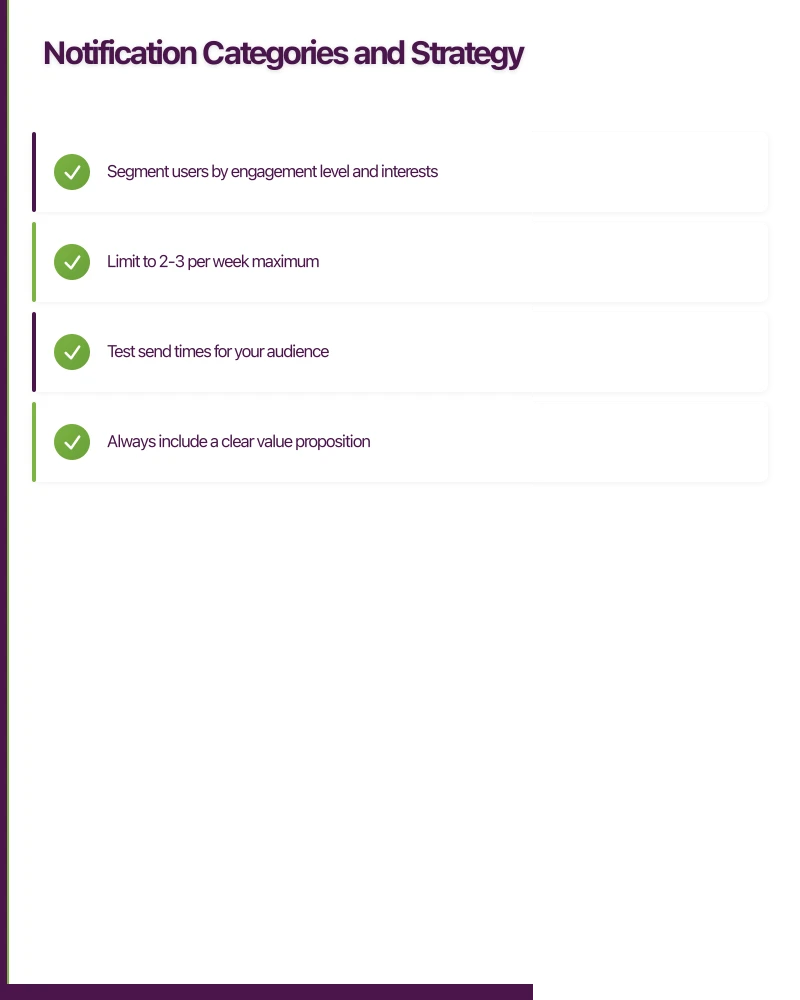
- Segment users by engagement level and interests
- Limit to 2-3 per week maximum
- Test send times for your audience
- Always include a clear value proposition
Re-engagement (Send Carefully)
Notifications to lapsed users. These are high risk — one bad notification and the user uninstalls:
// Graduated re-engagement sequence
const reengagementSequence = [
  {
    daysSinceLastActive: 3,
    message: "New items added to your favourite categories",
    maxSendsPerUser: 1,
  },
  {
    daysSinceLastActive: 7,
    message: "We have saved your preferences. Pick up where you left off.",
    maxSendsPerUser: 1,
  },
  {
    daysSinceLastActive: 14,
    message: "Here is 15% off your next order. Expires in 48 hours.",
    maxSendsPerUser: 1,
    requiresHighValueUser: true,
  },
  // Stop after 14 days. Sending more becomes counterproductive.
];
Personalisation and Relevan
ce
Generic notifications perform poorly. Personalised notifications see 4x higher open rates. Here is how to personalise effectively:
User Behaviour Segmentation
// Segment users by behaviour patterns
function getUserSegment(user) {
  const daysSinceLastActive = daysBetween(user.lastActiveDate, new Date());
  const purchaseCount = user.totalPurchases;
  const avgSessionDuration = user.avgSessionMinutes;

  if (daysSinceLastActive > 14) return 'lapsed';
  if (purchaseCount > 5 && avgSessionDuration > 10) return 'power_user';
  if (purchaseCount > 0) return 'customer';
  if (avgSessionDuration > 5) return 'engaged_browser';
  return 'casual';
}

// Tailor notifications per segment
const notificationStrategies = {
  power_user: {
    maxPerWeek: 5,
    types: ['transactional', 'behavioural', 'content', 'early_access'],
    personalise: true,
  },
  customer: {
    maxPerWeek: 3,
    types: ['transactional', 'behavioural', 'content'],
    personalise: true,
  },
  engaged_browser: {
    maxPerWeek: 2,
    types: ['transactional', 'behavioural'],
    personalise: true,
  },
  casual: {
    maxPerWeek: 1,
    types: ['transactional'],
    personalise: false,
  },
  lapsed: {
    maxPerWeek: 1,
    types: ['reengagement'],
    personalise: true,
  },
};
Dynamic Content
Use the user’s actual data to make notifications relevant:
// Bad: "Check out our new products!"
// Good: "The Nike Air Max you viewed is now 20% off"
// Best: "The Nike Air Max 90 in size 10 is $40 off today. 3 left in stock."

function buildPersonalisedNotification(user, event) {
  switch (event.type) {
    case 'price_drop':
      return {
        title: `${event.productName} price dropped`,
        body: `Now $${event.newPrice} (was $${event.oldPrice}). ${event.stockRemaining} left.`,
        image: event.productImage,
        data: { screen: 'product', id: event.productId },
      };

    case 'back_in_stock':
      return {
        title: `${event.productName} is back`,
        body: `The ${event.variant} you wanted is available again.`,
        image: event.productImage,
        data: { screen: 'product', id: event.productId },
      };
  }
}
Timing Optimisation
Send time significantly impacts open rates. Instead of sending to everyone at the same time, optimise per user:
// Calculate optimal send time based on user's historical engagement
function getOptimalSendTime(userId) {
  const openHistory = getNotificationOpenHistory(userId);

  if (openHistory.length === 0) {
    // Default to timezone-aware reasonable time
    return getLocalTime(userId, '10:00');
  }

  // Find the hour with highest open rate
  const hourlyRates = {};
  openHistory.forEach(event => {
    const hour = new Date(event.openedAt).getHours();
    hourlyRates[hour] = hourlyRates[hour] || { opens: 0, sent: 0 };
    hourlyRates[hour].opens++;
  });

  // Return hour with best engagement
  const bestHour = Object.entries(hourlyRates)
    .sort((a, b) => b[1].opens - a[1].opens)[0][0];

  return getLocalTime(userId, `${bestHour}:00`);
}
For Australian users specifically, consider time zones. Western Australia is 2-3 hours behind the eastern states. A notification sent at 9am AEST arrives at 6-7am AWST. Always use the user’s local timezone.
Rich Notifications
Both iOS and Android support rich notifications with images, actions, and expandable content:
// iOS Rich Notification
let content = UNMutableNotificationContent()
content.title = "Your order has shipped"
content.body = "Expected delivery: Tomorrow by 5pm"
content.sound = .default
content.categoryIdentifier = "ORDER_STATUS"

// Add image
if let imageURL = URL(string: "https://cdn.example.com/tracking-map.jpg") {
    let attachment = try UNNotificationAttachment(
        identifier: "map",
        url: localImageURL,
        options: nil
    )
    content.attachments = [attachment]
}

// Add actions
let trackAction = UNNotificationAction(
    identifier: "TRACK",
    title: "Track Package",
    options: .foreground
)
let contactAction = UNNotificationAction(
    identifier: "CONTACT",
    title: "Contact Support",
    options: .foreground
)
let category = UNNotificationCategory(
    identifier: "ORDER_STATUS",
    actions: [trackAction, contactAction],
    intentIdentifiers: [],
    options: []
)
Measuring Notification Performance
Track these metrics for every notification campaign:
- Delivery rate: Percentage of notifications successfully delivered
- Open rate: Percentage of delivered notifications that were tapped
- Action rate: Percentage of opens that led to the desired action
- Opt-out rate: Percentage of users who disabled notifications after receiving
- Uninstall rate: Whether notification frequency correlates with uninstalls
// Track notification funnel
analytics.track('notification_sent', { type, segment, campaign });
analytics.track('notification_delivered', { type, segment, campaign });
analytics.track('notification_opened', { type, segment, campaign, timeToOpen });
analytics.track('notification_action', { type, segment, campaign, action });
A healthy notification program shows steady or improving open rates over time. Declining open rates signal notification fatigue — reduce frequency before users take the permanent action of uninstalling.
Push notifications are a privilege, not a right. Treat every notification as a conversation with a real person who trusted you with access to their attention. That perspective alone will improve your notification strategy more than any technical optimisation.
Need help designing a notification strategy for your app? Our team at eawesome builds engagement systems that respect users and drive results.
For insights on building a technology strategy where mobile, web, and cloud work together, visit Ash Ganda’s blog.
This article is brought to you by Ganda Tech Services — Sydney’s complete digital solutions provider covering cloud, web, and mobile.
Talk to a Sydney app developer — free.
30 minutes. We'll tell you what your app needs, how long it takes, and what it costs. Real answers, no sales pitch.
Book Free App Strategy Call →Free · 30 minutes · No obligation