Introduction
Push notifications are a double-edged sword. Used well, they bring users back to your app with timely, valuable information. Used poorly, they annoy users into disabling them—or uninstalling entirely.
The difference between helpful and annoying isn’t just frequency. It’s relevance, timing, and respect for user attention. This guide covers how to build a notification strategy that works.
The State of Push Notifications
User Behaviour
Users have become notification-fatigued:
- Many receive hundreds of notifications daily
- Most apps have notifications disabled
- Permission grant rates vary widely by category
- Users are quick to revoke permissions
This means competition for attention is fierce. Every notification must earn its place.
Platform Differences
iOS
- Requires explicit permission
- Users can customise notification styles
- Focus modes can suppress notifications
- Permission prompt is a one-time opportunity
Android
- Traditionally didn’t require permission (before Android 13)
- More granular channel controls
- Users can disable without uninstalling
- Notification dots show unread count
Understanding these differences affects your strategy.
Permission S
 trategies
The Critical Moment
On iOS especially, the permission prompt is make-or-break:
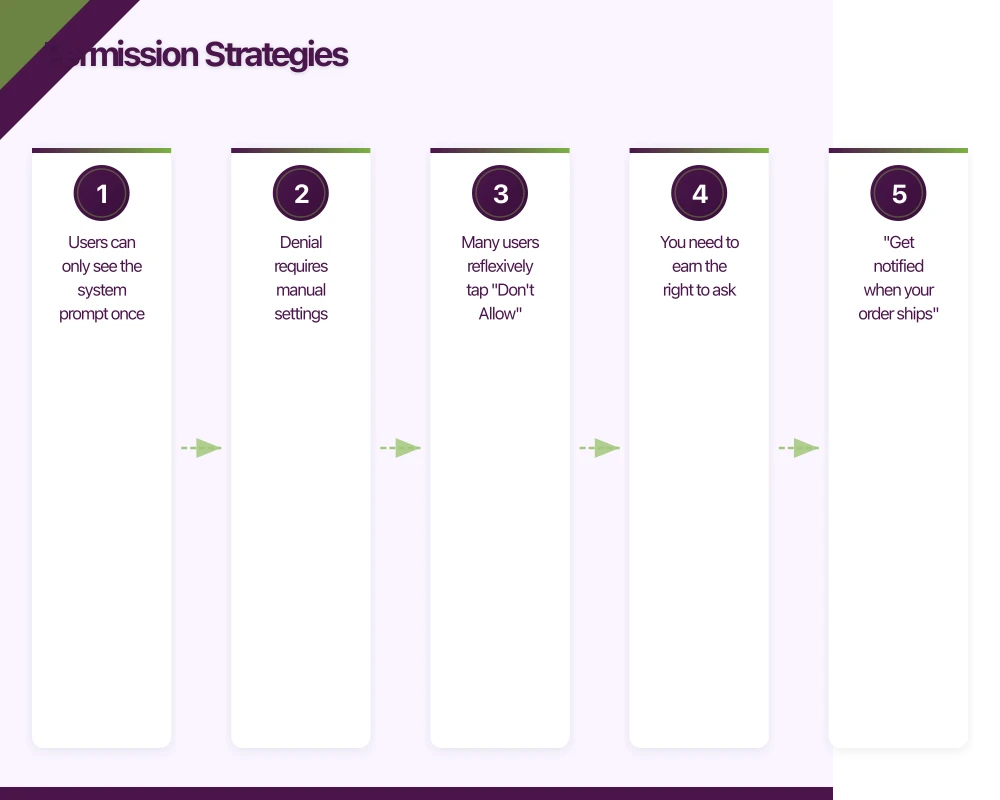
- Users can only see the system prompt once
- Denial requires manual settings change
- Many users reflexively tap “Don’t Allow”
- You need to earn the right to ask
Pre-Permission Priming
Before triggering the system prompt:
Explain the Value
Show users what they’ll get:
- “Get notified when your order ships”
- “Never miss messages from friends”
- “Be the first to know about sales”
Specific value beats generic “enable notifications” requests.
Choose the Right Moment
Ask when users understand the benefit:
- After they’ve used the app successfully
- When they’re about to perform an action notifications would enhance
- Not at first launch before they’ve experienced value
Use a Pre-Prompt
Show your own screen before the system dialog:
- Explain why notifications are valuable
- Ask if they’d like to enable
- Only show system prompt if they agree
- If they decline, don’t show system prompt yet
This preserves your chance to ask again later.
Handling Denial
When users decline:
- Don’t break the app experience
- Note the preference
- Offer to explain again later (sparingly)
- Provide in-app alternatives (inbox, activity feed)
Never badger users who’ve said no.
Notificati
on Types
Transactional
Notifications triggered by user actions:
- Order confirmation and shipping updates
- Password reset codes
- Payment confirmations
- Appointment reminders
These are expected and usually welcome. They directly relate to something the user did.
Triggered/Behavioural
Based on user behaviour or events:
- “You left items in your cart”
- “New message from Sarah”
- “Price dropped on item you viewed”
- “Your report is ready”
These can be valuable when relevant, annoying when not.
Promotional
Marketing messages:
- Sales announcements
- New feature launches
- Content recommendations
- Win-back campaigns
These have the highest annoyance potential. Use sparingly and only when genuinely valuable.
Informational
Updates and news:
- Breaking news (for news apps)
- Score updates (sports apps)
- Weather alerts
- System status changes
Value depends entirely on user interest. Personalisation is crucial.
Content Best Practices
Writing Effective Copy
Be Specific
Generic: “You have a new notification” Specific: “Your package arrives tomorrow”
Front-Load Value
Put the most important information first. Users see limited characters:
- iOS: About 110 characters before truncation
- Android: Varies by device
Use Active Voice
“Sarah sent you a message” beats “A message was received from Sarah”
Create Urgency Appropriately
Real urgency: “Your flight boards in 30 minutes” Fake urgency: “Don’t miss out!!!” (causes distrust)
Rich Notifications
Enhance with media and actions:
Images
- Product photos for e-commerce
- User avatars for social
- Maps for location-based
Actions
Quick responses without opening the app:
- Reply to message
- Accept/Decline invitation
- Mark as complete
- Snooze reminder
Expandable Content
More detail on expansion:
- Message preview
- Order details
- Event information
Timing and Frequency
When to Send
User Time Zone
Always convert to user’s local time. No one wants notifications at 3am.
Activity Patterns
Learn when users are most receptive:
- Some users engage mornings
- Others are active evenings
- Weekday vs weekend patterns differ
Context Awareness
Consider what the user might be doing:
- Working hours: Less intrusive notifications
- Commute times: Potentially good for content
- Late night: Only urgent matters
Frequency Limits
Per-Day Limits
Set maximum notifications per user per day:
- 1-3 for most apps
- More only if user has explicitly opted in
- Never more than provides genuine value
Cooldown Periods
Don’t send similar notifications too close together:
- Aggregate updates rather than sending individually
- Batch low-priority notifications
- Space out promotional messages
Category Management
Different limits for different types:
- Transactional: No limit (but should be inherently limited)
- Triggered: 1-2 per day
- Promotional: Perhaps weekly at most
Personalisation
Segment-Based
Group users by characteristics:
- New users vs established
- High engagement vs lapsed
- Purchase history
- Content preferences
Send relevant content to each segment.
Behaviour-Based
Respond to individual actions:
- Items viewed
- Content consumed
- Features used
- Time of typical engagement
Preference-Based
Let users control their experience:
- Notification categories they want
- Frequency preferences
- Quiet hours
- Channel preferences
Users who customise their notifications disable them less.
Android Notification Channels
Channel Strategy
Android 8+ requires notification channels:
Create Meaningful Channels
Group notifications logically:
- Messages
- Order Updates
- Promotions
- Account Alerts
Appropriate Importance
Set importance correctly:
- High: Time-sensitive, user-initiated
- Default: Standard notifications
- Low: Informational, less urgent
- Min: Passive, logged but not displayed
Allow User Control
Users can disable channels individually. Design with this in mind.
Channel Best Practices
- Don’t create too many channels (confusing)
- Don’t create too few (users disable all or nothing)
- Name channels clearly
- Set appropriate defaults
- Respect channel settings
Measuring Effectiveness
Key Metrics
Delivery Rate
Percentage of sent notifications that reach devices:
- Affected by token validity
- Network availability
- Device settings
Open Rate
Percentage that result in app opens:
- Direct opens from notification tap
- Influenced opens (opened app shortly after)
Opt-Out Rate
Users disabling notifications:
- Overall permission revocation
- Channel-specific disables
- Uninstalls following notifications
Conversion Rate
Notifications that lead to desired actions:
- Purchase completions
- Feature engagement
- Content consumption
A/B Testing
Test notification variations:
- Copy alternatives
- Send time variations
- Frequency experiments
- Rich media vs text-only
Test one variable at a time. Measure impact on both engagement and opt-out.
Attribution
Understand notification impact:
- Track opens and subsequent actions
- Compare behaviour of notified vs non-notified users
- Measure incremental value, not just response
Implementation Considerations
Push Service Selection
Firebase Cloud Messaging (FCM)
- Works for both iOS and Android
- Free for unlimited messages
- Reliable delivery
- Good analytics integration
Apple Push Notification Service (APNs)
- Required for iOS
- FCM uses it under the hood
- Direct integration for more control
Alternative Services
- OneSignal: Free tier, easy integration
- Airship: Enterprise features
- Braze: Marketing automation focus
Token Management
Collect Tokens
- Request on appropriate screen
- Store securely
- Associate with user accounts
Maintain Token Freshness
- Tokens can change
- Re-register periodically
- Handle invalid token errors
- Clean up stale tokens
Error Handling
Delivery Failures
- Retry with backoff
- Remove invalid tokens
- Monitor failure rates
- Alert on unusual patterns
Rate Limits
- Respect platform limits
- Implement your own limits
- Queue and batch when appropriate
Common Mistakes
Notification Spam
Sending too many notifications too often:
- Users disable quickly
- Brand perception suffers
- Even transactional messages get ignored
Fix: Implement strict frequency limits. Quality over quantity.
Generic Content
Same message to everyone:
- Irrelevant to most recipients
- Low engagement
- Trained to ignore
Fix: Personalise based on user behaviour and preferences.
Poor Timing
Sending at wrong times:
- Middle of the night
- During work hours for leisure apps
- Too late to be actionable
Fix: Analyse user activity patterns. Respect time zones.
Asking Too Early
Permission prompt on first launch:
- User doesn’t understand value yet
- High denial rate
- Wastes the one-time prompt
Fix: Wait until user has experienced app value.
No Deep Linking
Notifications open to app home screen:
- User has to navigate to relevant content
- Friction reduces value
- Context is lost
Fix: Deep link directly to relevant content or action.
Building Trust
Transparency
Be clear about notification practices:
- Explain what types of notifications you send
- Honour stated frequencies
- Make preferences easily accessible
Respect
Treat user attention as precious:
- Every notification should provide clear value
- Give easy opt-out options
- Don’t use dark patterns to re-enable
Consistency
Deliver on expectations:
- If you promise “only important updates,” mean it
- Don’t escalate promotional messaging
- Maintain quality over time
Conclusion
Effective push notifications require balancing business goals with user experience. The apps that do this well earn a privileged position in users’ notification panels.
Start with a clear understanding of what notifications would genuinely help your users. Design permission flows that earn trust. Send messages that respect attention. Measure impact and iterate.
The goal isn’t more notifications—it’s better notifications. Users who find your notifications valuable become more engaged. Users who find them annoying become former users.
Your app’s marketing starts on the web. Cosmos Web Tech designs landing pages with SEO that help potential users find your app online.
Awesome Apps is the mobile development division of Ganda Tech Services, building iOS and Android apps for Australian businesses.
Talk to a Sydney app developer — free.
30 minutes. We'll tell you what your app needs, how long it takes, and what it costs. Real answers, no sales pitch.
Book Free App Strategy Call →Free · 30 minutes · No obligation