Push Notifications Done Right: Best Practices for Mobile App Engagement
Introduction
Push notifications are the most powerful tool for re-engaging mobile users—and the fastest way to get uninstalled. Studies show that apps sending 5+ notifications per week have 45% higher uninstall rates than those sending 1-2. Yet apps with well-timed, relevant notifications see 88% higher engagement.
The difference isn’t volume; it’s value. Every notification should give the user something worth their attention. This guide covers how to send notifications that users appreciate rather than dismiss.
The Permission Problem
Before you can send a single notification, users must grant permission. iOS makes this a one-time ask; Android 13+ requires explicit permission too. Blow the permission prompt and you’ve lost the channel forever.
When to Ask for Permission
Don’t: Ask immediately on first launch. Users haven’t experienced your app’s value yet.
Do: Ask after the user has completed a meaningful action:
- After their first successful order
- After creating content they’ll want updates on
- After engaging with a feature that benefits from notifications
How to Prime the Permission Request
Show users what they’ll gain before the system prompt appears:
// iOS - Pre-permission screen
struct NotificationOnboarding: View {
    let onContinue: () -> Void

    var body: some View {
        VStack(spacing: 24) {
            Image(systemName: "bell.badge.fill")
                .font(.system(size: 60))
                .foregroundColor(.blue)

            Text("Stay Updated")
                .font(.title)
                .fontWeight(.bold)

            VStack(alignment: .leading, spacing: 12) {
                BenefitRow(icon: "truck.box", text: "Know when your order is arriving")
                BenefitRow(icon: "tag", text: "Get notified about sales you'll love")
                BenefitRow(icon: "message", text: "Receive replies to your questions")
            }

            Button("Enable Notifications") {
                onContinue()
            }
            .buttonStyle(.borderedProminent)

            Button("Maybe Later") {
                // Dismiss and ask again later
            }
            .foregroundColor(.secondary)
        }
        .padding()
    }
}
// Android - Pre-permission explanation
@Composable
fun NotificationPermissionScreen(
onRequestPermission: () -> Unit,
onSkip: () -> Unit
) {
Column(
modifier = Modifier.padding(24.dp),
horizontalAlignment = Alignment.CenterHorizontally
) {
Icon(
imageVector = Icons.Default.Notifications,
contentDescription = null,
modifier = Modifier.size(80.dp),
tint = MaterialTheme.colorScheme.primary
)
Text(
text = "Never Miss an Update",
style = MaterialTheme.typography.headlineMedium
)
Text(
text = "We'll only notify you about things that matter: order updates, messages, and personalised recommendations.",
style = MaterialTheme.typography.bodyLarge,
textAlign = TextAlign.Center
)
Button(onClick = onRequestPermission) {
Text("Enable Notifications")
}
TextButton(onClick = onSkip) {
Text("Not Now")
}
}
}Technical Implementation
iOS with Firebase Cloud Messaging
import FirebaseMessaging
import UserNotifications

class NotificationService: NSObject {

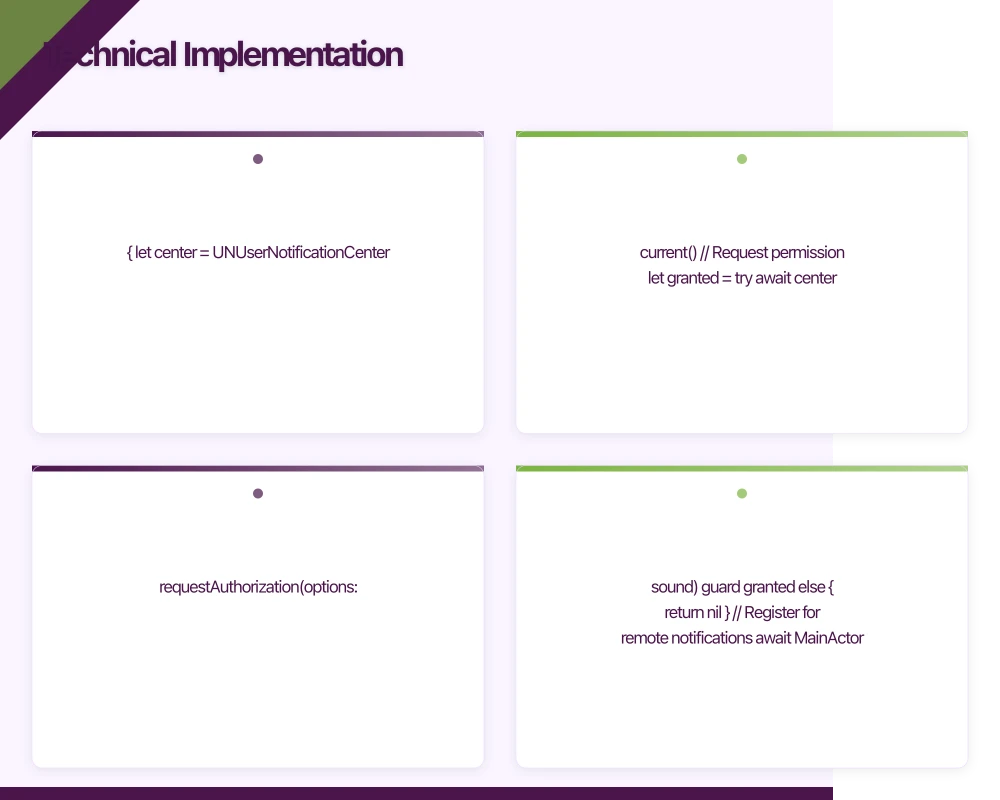
    func registerForNotifications() async throws -> String? {
        let center = UNUserNotificationCenter.current()

        // Request permission
        let granted = try await center.requestAuthorization(options: [.alert, .badge, .sound])

        guard granted else {
            return nil
        }

        // Register for remote notifications
        await MainActor.run {
            UIApplication.shared.registerForRemoteNotifications()
        }

        // Get FCM token
        return try await Messaging.messaging().token()
    }
}

// AppDelegate
class AppDelegate: NSObject, UIApplicationDelegate, MessagingDelegate, UNUserNotificationCenterDelegate {

    func application(_ application: UIApplication, didFinishLaunchingWithOptions launchOptions: [UIApplication.LaunchOptionsKey: Any]?) -> Bool {
        FirebaseApp.configure()
        Messaging.messaging().delegate = self
        UNUserNotificationCenter.current().delegate = self
        return true
    }

    func application(_ application: UIApplication, didRegisterForRemoteNotificationsWithDeviceToken deviceToken: Data) {
        Messaging.messaging().apnsToken = deviceToken
    }

    // Handle foreground notifications
    func userNotificationCenter(_ center: UNUserNotificationCenter, willPresent notification: UNNotification) async -> UNNotificationPresentationOptions {
        // Return options for how to present the notification
        return [.banner, .badge, .sound]
    }

    // Handle notification tap
    func userNotificationCenter(_ center: UNUserNotificationCenter, didReceive response: UNNotificationResponse) async {
        let userInfo = response.notification.request.content.userInfo

        // Navigate to appropriate screen based on notification data
        if let orderId = userInfo["order_id"] as? String {
            NotificationCenter.default.post(name: .openOrder, object: orderId)
        }
    }

    // FCM token refresh
    func messaging(_ messaging: Messaging, didReceiveRegistrationToken fcmToken: String?) {
        guard let token = fcmToken else { return }
        // Send token to your server
        Task {
            try? await sendTokenToServer(token)
        }
    }
}
Android with Firebase Cloud Messaging
import com.google.firebase.messaging.FirebaseMessaging
import com.google.firebase.messaging.FirebaseMessagingService
import com.google.firebase.messaging.RemoteMessage

class NotificationService : FirebaseMessagingService() {

    override fun onNewToken(token: String) {
        // Send token to your server
        sendTokenToServer(token)
    }

    override fun onMessageReceived(message: RemoteMessage) {
        // Handle data payload
        val data = message.data

        // If app is in foreground, show notification manually
        if (data.isNotEmpty()) {
            showNotification(data)
        }
    }

    private fun showNotification(data: Map<String, String>) {
        val channelId = data["channel"] ?: "default"
        val title = data["title"] ?: return
        val body = data["body"] ?: return

        val intent = createIntent(data)
        val pendingIntent = PendingIntent.getActivity(
            this, 0, intent,
            PendingIntent.FLAG_UPDATE_CURRENT or PendingIntent.FLAG_IMMUTABLE
        )

        val notification = NotificationCompat.Builder(this, channelId)
            .setSmallIcon(R.drawable.ic_notification)
            .setContentTitle(title)
            .setContentText(body)
            .setAutoCancel(true)
            .setContentIntent(pendingIntent)
            .setPriority(NotificationCompat.PRIORITY_HIGH)
            .build()

        val notificationManager = getSystemService(NotificationManager::class.java)
        notificationManager.notify(System.currentTimeMillis().toInt(), notification)
    }

    private fun createIntent(data: Map<String, String>): Intent {
        return Intent(this, MainActivity::class.java).apply {
            flags = Intent.FLAG_ACTIVITY_NEW_TASK or Intent.FLAG_ACTIVITY_CLEAR_TOP
            data.forEach { (key, value) -> putExtra(key, value) }
        }
    }
}
Android Notification Channels (Required for Android 8+)
class NotificationChannelManager(private val context: Context) {

    fun createChannels() {
        if (Build.VERSION.SDK_INT >= Build.VERSION_CODES.O) {
            val notificationManager = context.getSystemService(NotificationManager::class.java)

            val channels = listOf(
                NotificationChannel(
                    "orders",
                    "Order Updates",
                    NotificationManager.IMPORTANCE_HIGH
                ).apply {
                    description = "Updates about your orders"
                    enableVibration(true)
                },
                NotificationChannel(
                    "messages",
                    "Messages",
                    NotificationManager.IMPORTANCE_HIGH
                ).apply {
                    description = "Direct messages from sellers"
                    enableVibration(true)
                },
                NotificationChannel(
                    "promotions",
                    "Promotions & Offers",
                    NotificationManager.IMPORTANCE_DEFAULT
                ).apply {
                    description = "Sales and special offers"
                    enableVibration(false)
                }
            )

            channels.forEach { notificationManager.createNotificationChannel(it) }
        }
    }
}
Backend Implementation
Se
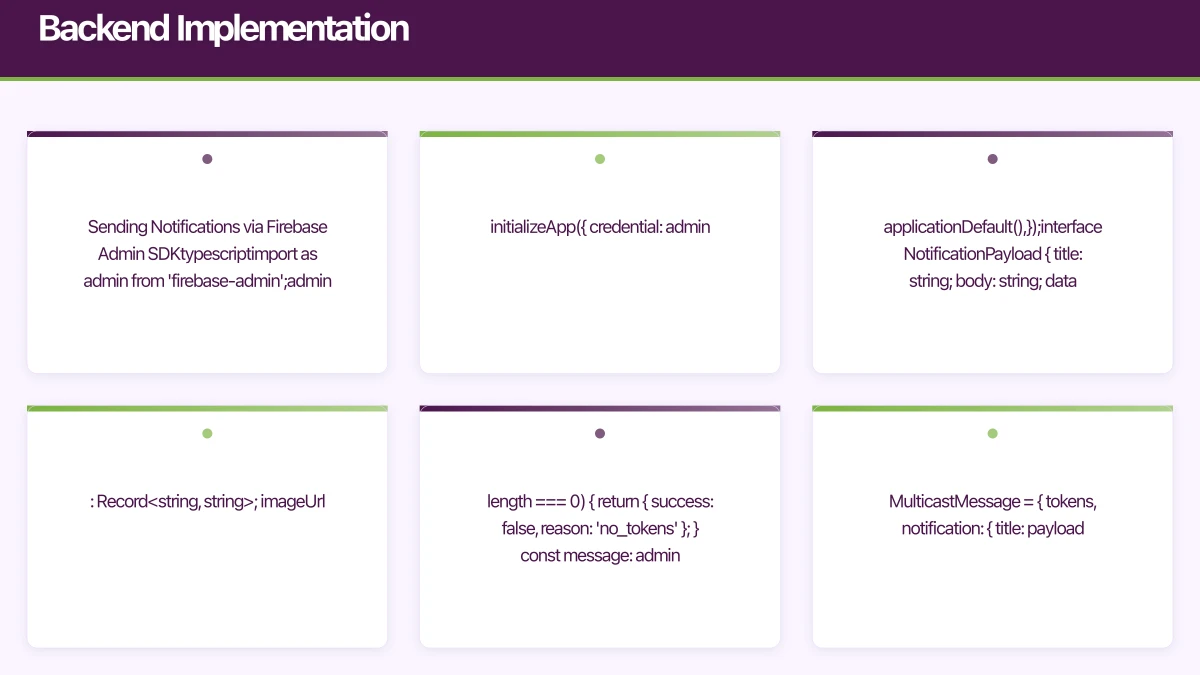 nding Notifications via Firebase Admin SDK
import * as admin from 'firebase-admin';

admin.initializeApp({
  credential: admin.credential.applicationDefault(),
});

interface NotificationPayload {
  title: string;
  body: string;
  data?: Record<string, string>;
  imageUrl?: string;
}

async function sendToUser(userId: string, payload: NotificationPayload) {
  // Get user's FCM tokens
  const tokens = await getUserTokens(userId);

  if (tokens.length === 0) {
    return { success: false, reason: 'no_tokens' };
  }

  const message: admin.messaging.MulticastMessage = {
    tokens,
    notification: {
      title: payload.title,
      body: payload.body,
      imageUrl: payload.imageUrl,
    },
    data: payload.data,
    android: {
      priority: 'high',
      notification: {
        channelId: payload.data?.channel || 'default',
        sound: 'default',
      },
    },
    apns: {
      payload: {
        aps: {
          badge: await getUnreadCount(userId),
          sound: 'default',
        },
      },
    },
  };

  const response = await admin.messaging().sendEachForMulticast(message);

  // Handle invalid tokens
  response.responses.forEach((resp, idx) => {
    if (!resp.success) {
      const error = resp.error;
      if (
        error?.code === 'messaging/invalid-registration-token' ||
        error?.code === 'messaging/registration-token-not-registered'
      ) {
        // Remove invalid token
        removeToken(tokens[idx]);
      }
    }
  });

  return {
    success: response.successCount > 0,
    successCount: response.successCount,
    failureCount: response.failureCount,
  };
}

async function sendToSegment(
  userIds: string[],
  payload: NotificationPayload
) {
  // Send in batches of 500 (FCM limit)
  const batchSize = 500;
  const results = [];

  for (let i = 0; i < userIds.length; i += batchSize) {
    const batch = userIds.slice(i, i + batchSize);
    const batchResults = await Promise.all(
      batch.map(userId => sendToUser(userId, payload))
    );
    results.push(...batchResults);
  }

  return results;
}
Scheduling Notifications
import { Queue, Worker } from 'bullmq';
import Redis from 'ioredis';

const connection = new Redis(process.env.REDIS_URL);

const notificationQueue = new Queue('notifications', { connection });

// Schedule a notification
async function scheduleNotification(
  userId: string,
  payload: NotificationPayload,
  sendAt: Date
) {
  const delay = sendAt.getTime() - Date.now();

  await notificationQueue.add(
    'send',
    { userId, payload },
    { delay: Math.max(0, delay) }
  );
}

// Process scheduled notifications
const worker = new Worker(
  'notifications',
  async (job) => {
    const { userId, payload } = job.data;
    await sendToUser(userId, payload);
  },
  { connection }
);
Notification Strategy
When to Send
Timing matters more than content for open rates.
Best times (general):
- Weekdays: 10am-1pm, 7pm-9pm
- Weekends: 10am-12pm
But context beats averages:
- Food delivery: 11am (lunch) and 5pm (dinner)
- Fitness apps: Early morning or late afternoon
- News apps: Morning commute times
Personalise based on user behaviour:
async function getBestSendTime(userId: string): Promise<Date> {
  // Get user's historical engagement times
  const engagementHistory = await getEngagementHistory(userId);

  if (engagementHistory.length < 10) {
    // Not enough data, use defaults
    return getDefaultSendTime();
  }

  // Find hour with highest open rate
  const hourlyEngagement = new Map<number, { opens: number; sent: number }>();

  engagementHistory.forEach(event => {
    const hour = new Date(event.sentAt).getHours();
    const current = hourlyEngagement.get(hour) || { opens: 0, sent: 0 };
    current.sent++;
    if (event.opened) current.opens++;
    hourlyEngagement.set(hour, current);
  });

  let bestHour = 10; // Default
  let bestRate = 0;

  hourlyEngagement.forEach((stats, hour) => {
    const rate = stats.opens / stats.sent;
    if (rate > bestRate && stats.sent >= 3) {
      bestRate = rate;
      bestHour = hour;
    }
  });

  // Schedule for best hour tomorrow
  const sendTime = new Date();
  sendTime.setDate(sendTime.getDate() + 1);
  sendTime.setHours(bestHour, 0, 0, 0);

  return sendTime;
}
What to Send
Transactional Notifications (Always Send)
- Order confirmations and updates
- Payment confirmations
- Account security alerts
- Direct messages from other users
Engagement Notifications (Send Carefully)
- “You haven’t visited in a while”
- “Your saved item is on sale”
- Content recommendations
Marketing Notifications (Send Sparingly)
- Sales and promotions
- New features
- Re-engagement campaigns
Frequency Capping
const FREQUENCY_LIMITS = {
  transactional: Infinity, // No limit
  engagement: 3, // Max 3 per week
  marketing: 1, // Max 1 per week
};

async function canSendNotification(
  userId: string,
  type: 'transactional' | 'engagement' | 'marketing'
): Promise<boolean> {
  if (type === 'transactional') return true;

  const recentCount = await getRecentNotificationCount(
    userId,
    type,
    7 * 24 * 60 * 60 * 1000 // Last 7 days
  );

  return recentCount < FREQUENCY_LIMITS[type];
}
Personalization
Generic notifications get ignored. Personalized ones get opened.
// Bad
const notification = {
  title: "Check out our new products!",
  body: "We have lots of great items for you"
};

// Good
const notification = {
  title: `${user.firstName}, the Nike Air Max you viewed is 30% off`,
  body: "Only 3 left in your size. Tap to grab them before they're gone."
};
Rich Notifications
Images
const message = {
  notification: {
    title: "Your order is ready!",
    body: "Tap to see pickup instructions",
    imageUrl: "https://example.com/images/order-ready.jpg"
  }
};
Action Buttons (iOS)
// Define actions
let viewAction = UNNotificationAction(
    identifier: "VIEW_ORDER",
    title: "View Order",
    options: .foreground
)

let delayAction = UNNotificationAction(
    identifier: "DELAY_PICKUP",
    title: "Delay Pickup",
    options: []
)

// Create category
let orderCategory = UNNotificationCategory(
    identifier: "ORDER_READY",
    actions: [viewAction, delayAction],
    intentIdentifiers: [],
    options: []
)

// Register
UNUserNotificationCenter.current().setNotificationCategories([orderCategory])
Action Buttons (Android)
val viewIntent = Intent(context, OrderDetailActivity::class.java)
val viewPendingIntent = PendingIntent.getActivity(
    context, 0, viewIntent,
    PendingIntent.FLAG_UPDATE_CURRENT or PendingIntent.FLAG_IMMUTABLE
)

val notification = NotificationCompat.Builder(context, "orders")
    .setContentTitle("Your order is ready!")
    .setContentText("Tap to see pickup instructions")
    .addAction(R.drawable.ic_view, "View Order", viewPendingIntent)
    .addAction(R.drawable.ic_delay, "Delay Pickup", delayPendingIntent)
    .build()
Measuring Success
Track these metrics:
| Metric | What It Tells You | Target |
|---|---|---|
| Delivery rate | Technical health | above 95% |
| Open rate | Relevance | above 15% |
| Click-through rate | Actionability | above 5% |
| Unsubscribe rate | Annoyance level | less than 0.5% per notification |
| Retention impact | Business value | Positive correlation |
// Track notification events
async function trackNotificationEvent(
  notificationId: string,
  userId: string,
  event: 'delivered' | 'opened' | 'clicked' | 'dismissed'
) {
  await analytics.track({
    userId,
    event: `notification_${event}`,
    properties: {
      notificationId,
      timestamp: new Date().toISOString(),
    },
  });
}
Conclusion
Push notifications succeed when they provide value. Every notification you send should pass a simple test: “Would I want to receive this?”
The technical implementation of push notifications is straightforward using FCM and APNs. The hard part is restraint—knowing when not to send is more important than knowing how to send. Users give you permission to interrupt their day; respect that trust by only interrupting when it matters.
Start conservative. Measure everything. Gradually expand based on what your users actually engage with. Your goal isn’t to maximize notifications sent—it’s to maximize the value each notification provides.
For comprehensive mobile development strategies, check out our guides on React Native vs Flutter comparison and mobile app security best practices.
Frequently Asked Questions
How often should I send push notifications to mobile users?
The optimal push notification frequency depends on your app type and user segment. Research indicates that apps sending 5+ notifications per week have 45% higher uninstall rates than those sending 1-2. Best practice is to cap promotional notifications at 1 per day, engagement notifications at 3 per day, and keep transactional notifications unlimited. Always implement frequency capping and respect user preferences to prevent notification fatigue.
What’s the difference between FCM and APNs for push notifications?
FCM (Firebase Cloud Messaging) is Google’s unified notification service for both Android and iOS, offering features like topic subscriptions and device groups. APNs (Apple Push Notification service) is Apple’s native service exclusively for iOS, providing precise delivery guarantees and tight iOS integration. Most apps use FCM for Android and either FCM or direct APNs for iOS depending on control requirements and advanced feature needs.
When is the best time to ask for push notification permission?
Never ask for push notification permission on first app launch. The optimal timing is after users complete a meaningful action (first order, account creation), when they engage with a feature that benefits from notifications, or after 2-3 days of app usage when they understand the app’s value. Use pre-permission screens to explain benefits before showing the system prompt, especially on iOS where permission is granted only once.
What push notification open rates are considered good?
Push notification open rates vary by industry. E-commerce apps typically achieve 5-15%, social and media apps see 20-35%, finance apps average 8-12%, and news apps reach 20-30%. If your open rate falls below 5%, you likely have content relevance issues. Opt-out rates above 0.5% per notification indicate frequency or value problems requiring immediate attention and strategy adjustment.
How do I personalize push notifications effectively?
Effective push notification personalization requires behavioral segmentation and dynamic content. Segment users by activity level (active, at-risk, dormant), purchase behavior (recent buyers, cart abandoners), and content preferences. Use personalization variables like user name, location, timezone, past behavior, and preferences to craft relevant messages. Generic notifications have 3-5x worse engagement than targeted, personalized ones.
For executive-level thinking on mobile strategy and digital transformation, explore Ash Ganda’s blog.
Ashish Ganda is the founder of Ganda Tech Services, a Sydney-based technology consultancy helping Australian businesses grow through cloud, web, and mobile solutions.
Talk to a Sydney app developer — free.
30 minutes. We'll tell you what your app needs, how long it takes, and what it costs. Real answers, no sales pitch.
Book Free App Strategy Call →Free · 30 minutes · No obligation