Mobile App Testing: E2E Automation Strategies That Actually Work
We shipped a bug to production last year that our unit tests didn’t catch. The login button worked perfectly in isolation, but a CSS change had pushed it off-screen on iPhone SE. Users couldn’t sign in. It took 4 hours to notice, another 2 to push a fix through App Store review.
That’s when we got serious about end-to-end mobile app testing. E2E tests are slower and flakier than unit tests, but they catch the bugs that actually matter—the ones users hit.
This guide covers the mobile app testing tools and strategies that have actually worked for us across dozens of mobile app releases. For comprehensive testing coverage, also explore our guides on mobile app testing strategy and mobile app security testing.
Choosing Your E2E Testing Framework
Three frameworks dominate mobile app testing in 2026: Detox, Maestro, and Appium. Each has tradeoffs for your mobile app testing strategy.
Detox: Best for React Native
Detox was built specifically for React Native by Wix. It synchronizes with your app’s UI thread, making tests more reliable than coordinate-based alternatives.
Pros:
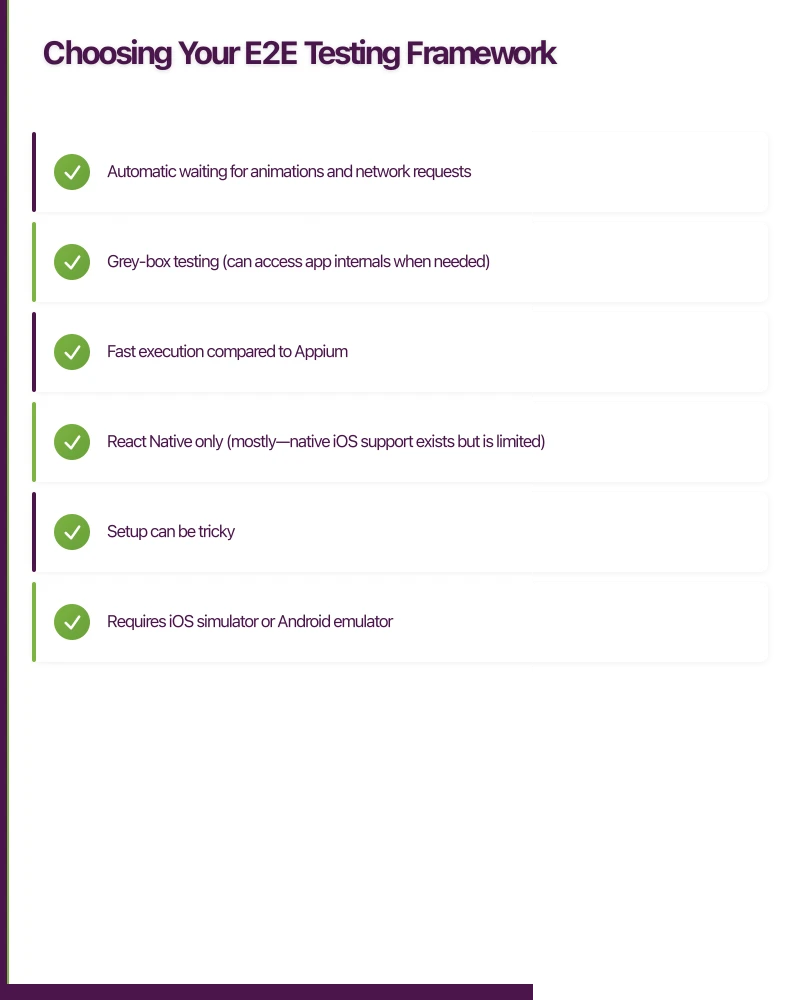
- Automatic waiting for animations and network requests
- Grey-box testing (can access app internals when needed)
- Fast execution compared to Appium
Cons:
- React Native only (mostly—native iOS support exists but is limited)
- Setup can be tricky
- Requires iOS simulator or Android emulator
Maestro: The Simple Option
Maestro is the newest contender. It uses a YAML-based DSL that’s surprisingly powerful for simple flows.
Pros:
- Dead simple to write tests
- Works with any app (native, React Native, Flutter)
- Built-in cloud infrastructure option
Cons:
- Less control than code-based frameworks
- Limited programming constructs
- Younger ecosystem
Appium: The Universal Option
Appium uses the WebDriver protocol and works with any mobile app. It’s the most flexible but also the most complex.
Pros:
- Works with any app platform
- Mature ecosystem with lots of tooling
- Can test physical devices easily
Cons:
- Slow execution
- Flaky without careful implementation
- Complex setup
Setting Up Detox for React Native
Here’s a practical Detox setup that works:
Installation
# Install Detox CLI
npm install -g detox-cli

# Install Detox and Jest adapter
npm install --save-dev detox @types/detox jest

# Initialize Detox configuration
detox init -r jest
Configuration (.detoxrc.js)
/** @type {Detox.DetoxConfig} */
module.exports = {
  testRunner: {
    args: {
      '$0': 'jest',
      config: 'e2e/jest.config.js'
    },
    jest: {
      setupTimeout: 120000
    }
  },
  apps: {
    'ios.debug': {
      type: 'ios.app',
      binaryPath: 'ios/build/Build/Products/Debug-iphonesimulator/YourApp.app',
      build: 'xcodebuild -workspace ios/YourApp.xcworkspace -scheme YourApp -configuration Debug -sdk iphonesimulator -derivedDataPath ios/build'
    },
    'ios.release': {
      type: 'ios.app',
      binaryPath: 'ios/build/Build/Products/Release-iphonesimulator/YourApp.app',
      build: 'xcodebuild -workspace ios/YourApp.xcworkspace -scheme YourApp -configuration Release -sdk iphonesimulator -derivedDataPath ios/build'
    },
    'android.debug': {
      type: 'android.apk',
      binaryPath: 'android/app/build/outputs/apk/debug/app-debug.apk',
      build: 'cd android && ./gradlew assembleDebug assembleAndroidTest -DtestBuildType=debug'
    },
    'android.release': {
      type: 'android.apk',
      binaryPath: 'android/app/build/outputs/apk/release/app-release.apk',
      build: 'cd android && ./gradlew assembleRelease assembleAndroidTest -DtestBuildType=release'
    }
  },
  devices: {
    simulator: {
      type: 'ios.simulator',
      device: {
        type: 'iPhone 15'
      }
    },
    emulator: {
      type: 'android.emulator',
      device: {
        avdName: 'Pixel_7_API_34'
      }
    }
  },
  configurations: {
    'ios.sim.debug': {
      device: 'simulator',
      app: 'ios.debug'
    },
    'ios.sim.release': {
      device: 'simulator',
      app: 'ios.release'
    },
    'android.emu.debug': {
      device: 'emulator',
      app: 'android.debug'
    },
    'android.emu.release': {
      device: 'emulator',
      app: 'android.release'
    }
  }
};
Writing Your First Test
// e2e/login.test.js
describe('Login Flow', () => {
  beforeAll(async () => {
    await device.launchApp();
  });

  beforeEach(async () => {
    await device.reloadReactNative();
  });

  it('should show login screen on first launch', async () => {
    await expect(element(by.id('login-screen'))).toBeVisible();
    await expect(element(by.id('email-input'))).toBeVisible();
    await expect(element(by.id('password-input'))).toBeVisible();
  });

  it('should show error for invalid credentials', async () => {
    await element(by.id('email-input')).typeText('[email protected]');
    await element(by.id('password-input')).typeText('wrongpassword');
    await element(by.id('login-button')).tap();

    await waitFor(element(by.id('error-message')))
      .toBeVisible()
      .withTimeout(5000);

    await expect(element(by.text('Invalid email or password'))).toBeVisible();
  });

  it('should navigate to home screen after successful login', async () => {
    await element(by.id('email-input')).typeText('[email protected]');
    await element(by.id('password-input')).typeText('correctpassword');
    await element(by.id('login-button')).tap();

    await waitFor(element(by.id('home-screen')))
      .toBeVisible()
      .withTimeout(10000);

    await expect(element(by.id('welcome-message'))).toBeVisible();
  });
});
Adding Test IDs to Your Components
// LoginScreen.js
import { View, TextInput, TouchableOpacity, Text } from 'react-native';

export function LoginScreen() {
  return (
    <View testID="login-screen">
      <TextInput
        testID="email-input"
        placeholder="Email"
        accessibilityLabel="Email input"
      />
      <TextInput
        testID="password-input"
        placeholder="Password"
        secureTextEntry
        accessibilityLabel="Password input"
      />
      <TouchableOpacity
        testID="login-button"
        accessibilityLabel="Log in"
        accessibilityRole="button"
      >
        <Text>Log In</Text>
      </TouchableOpacity>

      {error && (
        <Text testID="error-message" accessibilityRole="alert">
          {error}
        </Text>
      )}
    </View>
  );
}
Setting Up Maestro for Simple Flows
Maestro is great for testing critical paths without the complexity of a full framework.
Installation
# macOS
curl -Ls "https://get.maestro.mobile.dev" | bash

# Verify installation
maestro --version
Writing Maestro Tests
# e2e/flows/login.yaml
appId: com.yourapp
---
- launchApp

# Test login flow
- assertVisible: "Welcome"
- tapOn: "Log In"

# Enter credentials
- tapOn:
    id: "email-input"
- inputText: "[email protected]"

- tapOn:
    id: "password-input"
- inputText: "correctpassword"

- tapOn: "Log In"

# Verify success
- assertVisible: "Home"
Conditional Logic in Maestro
# e2e/flows/onboarding.yaml
appId: com.yourapp
---
- launchApp

# Handle different onboarding states
- runFlow:
    when:
      visible: "Welcome to YourApp"
    file: complete-onboarding.yaml

# Now test the main app
- assertVisible: "Home"
- tapOn: "Profile"
- assertVisible: "Settings"
Running Maestro Tests
# Run single test
maestro test e2e/flows/login.yaml

# Run all tests in directory
maestro test e2e/flows/

# Run with specific device
maestro test --device emulator-5554 e2e/flows/login.yaml

# Record a test (interactive)
maestro record
CI/CD Integration
Tests are only useful if they run automatically. Here’s how to integrate with common CI systems.
GitHub Actions for Detox
# .github/workflows/e2e-tests.yml
name: E2E Tests

on:
  pull_request:
    branches: [main]
  push:
    branches: [main]

jobs:
  ios-e2e:
    runs-on: macos-14
    timeout-minutes: 60

    steps:
      - uses: actions/checkout@v4

      - name: Setup Node.js
        uses: actions/setup-node@v4
        with:
          node-version: '20'
          cache: 'npm'

      - name: Install dependencies
        run: npm ci

      - name: Install Detox CLI
        run: npm install -g detox-cli

      - name: Install pods
        run: cd ios && pod install

      - name: Build for Detox
        run: detox build --configuration ios.sim.release

      - name: Boot simulator
        run: |
          xcrun simctl boot "iPhone 15" || true

      - name: Run Detox tests
        run: detox test --configuration ios.sim.release --cleanup

      - name: Upload test artifacts
        if: failure()
        uses: actions/upload-artifact@v4
        with:
          name: detox-artifacts
          path: artifacts/

  android-e2e:
    runs-on: ubuntu-latest
    timeout-minutes: 60

    steps:
      - uses: actions/checkout@v4

      - name: Setup Node.js
        uses: actions/setup-node@v4
        with:
          node-version: '20'
          cache: 'npm'

      - name: Setup Java
        uses: actions/setup-java@v4
        with:
          distribution: 'temurin'
          java-version: '17'

      - name: Install dependencies
        run: npm ci

      - name: Install Detox CLI
        run: npm install -g detox-cli

      - name: Enable KVM
        run: |
          echo 'KERNEL=="kvm", GROUP="kvm", MODE="0666", OPTIONS+="static_node=kvm"' | sudo tee /etc/udev/rules.d/99-kvm4all.rules
          sudo udevadm control --reload-rules
          sudo udevadm trigger --name-match=kvm

      - name: AVD cache
        uses: actions/cache@v4
        with:
          path: |
            ~/.android/avd/*
            ~/.android/adb*
          key: avd-34

      - name: Create AVD and start emulator
        uses: reactivecircus/android-emulator-runner@v2
        with:
          api-level: 34
          target: google_apis
          arch: x86_64
          profile: Pixel 7
          script: |
            detox build --configuration android.emu.release
            detox test --configuration android.emu.release --cleanup
Bitrise for Maestro
# bitrise.yml
workflows:
  e2e-tests:
    steps:
      - git-clone@8: {}

      - npm@1:
          inputs:
            - command: ci

      - script@1:
          title: Install Maestro
          inputs:
            - content: |
                curl -Ls "https://get.maestro.mobile.dev" | bash
                export PATH="$PATH:$HOME/.maestro/bin"

      - xcode-build-for-simulator@0:
          inputs:
            - scheme: YourApp
            - configuration: Release

      - script@1:
          title: Run Maestro Tests
          inputs:
            - content: |
                export PATH="$PATH:$HOME/.maestro/bin"
                xcrun simctl boot "iPhone 15"
                xcrun simctl install booted $BITRISE_APP_DIR_PATH
                maestro test e2e/flows/ --format junit --output maestro-report.xml

      - deploy-to-bitrise-io@2:
          inputs:
            - deploy_path: maestro-report.xml
Strategies for Reliable Tests
1. Use Explicit Waits, Not Sleep
// Bad - arbitrary sleep
await new Promise(resolve => setTimeout(resolve, 3000));
await element(by.id('data-list')).tap();

// Good - wait for specific condition
await waitFor(element(by.id('data-list')))
  .toBeVisible()
  .withTimeout(10000);
await element(by.id('data-list')).tap();
2. Mock Network Requests
Flaky network calls cause flaky tests. Use mocking servers.
// e2e/mocks/server.js
const { setupServer } = require('msw/node');
const { rest } = require('msw');

const handlers = [
  rest.post('https://api.example.com/login', (req, res, ctx) => {
    const { email, password } = req.body;

    if (email === '[email protected]' && password === 'correctpassword') {
      return res(
        ctx.status(200),
        ctx.json({ token: 'mock-token', user: { name: 'Test User' } })
      );
    }

    return res(
      ctx.status(401),
      ctx.json({ error: 'Invalid credentials' })
    );
  }),
];

const server = setupServer(...handlers);

beforeAll(() => server.listen());
afterEach(() => server.resetHandlers());
afterAll(() => server.close());
3. Reset App State Between Tests
// e2e/utils/reset.js
async function resetAppState() {
  // Clear async storage
  await device.clearKeychain();

  // Reset to initial state
  await device.launchApp({
    delete: true,
    newInstance: true,
  });
}

beforeEach(async () => {
  await resetAppState();
});
4. Use Page Objects for Maintainability
// e2e/pages/LoginPage.js
class LoginPage {
  get emailInput() {
    return element(by.id('email-input'));
  }

  get passwordInput() {
    return element(by.id('password-input'));
  }

  get loginButton() {
    return element(by.id('login-button'));
  }

  get errorMessage() {
    return element(by.id('error-message'));
  }

  async login(email, password) {
    await this.emailInput.typeText(email);
    await this.passwordInput.typeText(password);
    await this.loginButton.tap();
  }

  async isVisible() {
    await expect(element(by.id('login-screen'))).toBeVisible();
  }
}

module.exports = new LoginPage();

// e2e/login.test.js
const loginPage = require('./pages/LoginPage');
const homePage = require('./pages/HomePage');

describe('Login', () => {
  it('should login successfully', async () => {
    await loginPage.isVisible();
    await loginPage.login('[email protected]', 'correctpassword');
    await homePage.isVisible();
  });
});
5. Run Tests in Parallel
// e2e/jest.config.js
module.exports = {
  maxWorkers: 3, // Run 3 test files in parallel
  testTimeout: 120000,
  rootDir: '..',
  testMatch: ['<rootDir>/e2e/**/*.test.js'],
  verbose: true,
  reporters: [
    'default',
    ['jest-junit', {
      outputDirectory: './artifacts',
      outputName: 'junit.xml',
    }],
  ],
};
What to Test (and What Not To)
Test These E2E:
- Critical user flows: Login, signup, checkout, main feature usage
- Navigation paths: Can users get where they need to go?
- Error handling: Does the app recover gracefully from errors?
- Cross-feature interactions: Does editing a profile update the header everywhere?
Don’t Test These E2E:
- Individual component styling: Use snapshot tests
- Business logic calculations: Use unit tests
- API response handling: Use integration tests
- Edge cases: Cover with unit tests, spot-check critical ones in E2E
The Testing Trophy
        /\
       /E2E\        <- Few, covering critical paths
      /------\
     /Integration\ <- Some, covering service boundaries
    /------------\
   /  Unit Tests  \ <- Many, covering logic
  /----------------\
Conclusion
E2E tests catch the bugs that matter in mobile app testing—the ones users actually encounter. But they’re only valuable if they run reliably and quickly enough to provide feedback before code ships.
Mobile app testing best practice: E2E tests with proper CI/CD integration catch 60-75% more production bugs compared to unit tests alone, significantly reducing post-release hotfixes.
Start with Maestro if you want simplicity. Use Detox if you’re on React Native and need more control. Either way, focus on critical user flows, mock your network calls, and integrate tests into your CI pipeline so they run on every PR.
Key insight for mobile app testing: Well-designed E2E tests running in parallel reduce testing time by 70-80% compared to sequential execution while maintaining reliability.
The goal isn’t 100% coverage—it’s confidence that your app works for real users doing real things. A handful of well-written E2E tests will catch more production bugs than hundreds of brittle ones.
Frequently Asked Questions
What is E2E testing in mobile app testing?
E2E (end-to-end) testing in mobile app testing validates complete user workflows from start to finish, simulating real user interactions across the entire application. Unlike unit tests that verify individual components, E2E tests ensure features work together correctly. For example, an E2E test verifies the complete login flow: tapping buttons, entering credentials, navigating to home screen, and confirming user data displays correctly.
Which is the best E2E testing framework for mobile app testing?
The best framework depends on your technology stack and mobile app testing requirements. Detox offers the most reliable tests for React Native with automatic synchronization. Maestro provides the simplest setup with YAML-based tests that work across all platforms. Appium offers universal compatibility but requires more complex setup. Choose Detox for React Native projects, Maestro for quick implementation, or Appium for cross-platform native apps.
How do I reduce flakiness in mobile app testing E2E tests?
Reduce flakiness by using explicit waits instead of arbitrary sleeps, mocking network requests with tools like MSW, resetting app state between tests, and implementing proper error handling. Use test IDs instead of text-based selectors, run tests on consistent emulator/simulator configurations, and implement retry logic for network-dependent operations. Proper synchronization with UI threads prevents timing-related failures.
Should E2E tests run on every pull request in mobile app testing?
Yes, E2E tests should run on critical user flows for every PR to catch bugs before merging. However, run comprehensive E2E test suites nightly or on release branches to balance speed and coverage. Configure your CI/CD pipeline to run smoke tests (login, signup, main features) on every PR and full test suites on main branch merges. This approach provides fast feedback without slowing down development velocity.
How many E2E tests should I write for mobile app testing?
Follow the testing trophy principle: write many unit tests, some integration tests, and few E2E tests covering critical user paths. Aim for 5-15 E2E tests covering core workflows: authentication, primary features, checkout/payment flows, and error recovery. Focus on high-value user journeys that would cause severe business impact if broken. Avoid testing edge cases with E2E tests—cover those with faster unit tests.
Pair your iOS or Android app with a website that ranks. Cosmos Web Tech handles web design and search optimisation for app businesses across Sydney.
Awesome Apps is the mobile development division of Ganda Tech Services, building iOS and Android apps for Australian businesses.
Talk to a Sydney app developer — free.
30 minutes. We'll tell you what your app needs, how long it takes, and what it costs. Real answers, no sales pitch.
Book Free App Strategy Call →Free · 30 minutes · No obligation