Push Notifications Strategy: FCM, APNs, and Best Practices
Push notifications remain one of the most effective engagement tools for mobile apps, but getting them right requires understanding both the technical implementation and the strategic approach. After implementing push notification systems for dozens of Australian apps, I’ve seen firsthand what works and what drives users to hit that unsubscribe button.
Properly implemented push notifications can increase mobile app engagement by up to 88%, while poorly executed strategies result in opt-out rates exceeding 60% within the first week. This guide covers the complete push notification strategy: from choosing between Firebase Cloud Messaging (FCM) and Apple Push Notification service (APNs), to implementation patterns, segmentation strategies, and the compliance requirements that matter for Australian app developers.
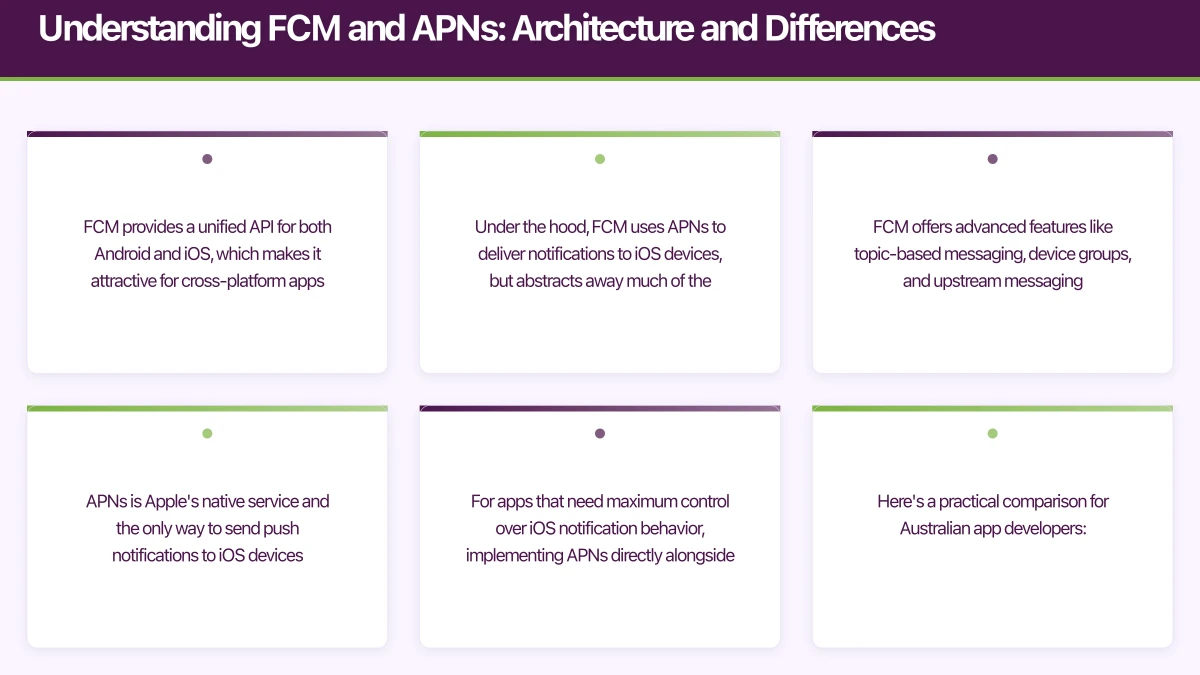
Understanding FCM and APNs: Architecture and Differences
Firebase Cloud Messaging and Apple Push Notification service are fundamentally different in their architecture and capabilities, though they solve the same core problem.
FCM provides a unified API for both Android and iOS, which makes it attractive for cross-platform apps. Under the hood, FCM uses APNs to deliver notifications to iOS devices, but abstracts away much of the complexity. FCM offers advanced features like topic-based messaging, device groups, and upstream messaging (device-to-server communication).
APNs is Apple’s native service and the only way to send push notifications to iOS devices. It offers precise delivery guarantees, priority levels, and tight integration with iOS notification features like critical alerts and notification grouping. For apps that need maximum control over iOS notification behavior, implementing APNs directly alongside FCM for Android often makes sense.
Here’s a practical comparison for Australian app developers:
| Feature | FCM | APNs |
|---|---|---|
| Platform Support | Android native, iOS via relay | iOS only |
| Setup Complexity | Medium (Firebase console setup) | High (certificates/tokens, App ID config) |
| Message Payload | Up to 4KB | Up to 4KB (iOS 8+) |
| Delivery Guarantee | Best effort | Store-and-forward with expiry |
| Topic Subscription | Client-side & server-side | Server-side only |
| Analytics | Built-in Firebase Analytics | Requires custom implementation |
| Cost | Free (Firebase Spark plan limits apply) | Free |
For most cross-platform apps, using FCM for Android and APNs directly for iOS provides the best balance of control and reliability.
Implementation Architecture: Building a Robust Notification System
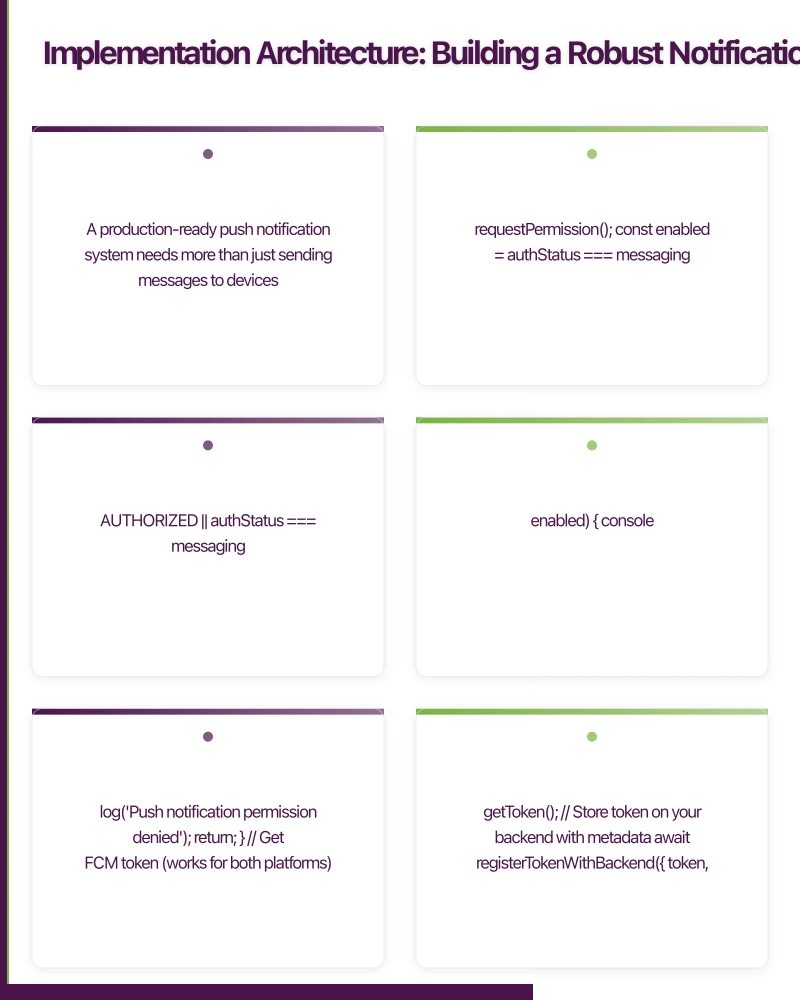
A production-ready push notification system needs more than just sending messages to devices. Here’s the architecture pattern we use for Australian startup apps:
Token Management and Registration
// React Native example using FCM and APNs
import messaging from '@react-native-firebase/messaging';
import { Platform } from 'react-native';

interface DeviceToken {
  token: string;
  platform: 'ios' | 'android';
  userId: string;
  appVersion: string;
  timezone: string; // Critical for Australian apps
  lastUpdated: Date;
}

async function registerDeviceForNotifications(userId: string): Promise<void> {
  // Request permission (iOS 10+, Android 13+)
  const authStatus = await messaging().requestPermission();
  const enabled =
    authStatus === messaging.AuthorizationStatus.AUTHORIZED ||
    authStatus === messaging.AuthorizationStatus.PROVISIONAL;

  if (!enabled) {
    console.log('Push notification permission denied');
    return;
  }

  // Get FCM token (works for both platforms)
  const token = await messaging().getToken();

  // Store token on your backend with metadata
  await registerTokenWithBackend({
    token,
    platform: Platform.OS === 'ios' ? 'ios' : 'android',
    userId,
    appVersion: DeviceInfo.getVersion(),
    timezone: Intl.DateTimeFormat().resolvedOptions().timeZone,
    lastUpdated: new Date(),
  });

  // Listen for token refresh (important for iOS token rotation)
  messaging().onTokenRefresh(async (newToken) => {
    await updateTokenOnBackend(userId, newToken);
  });
}
The timezone field is critical for Australian apps. Your users might be in AEST, ACST, or AWST, and sending a notification at “9am” means different things across the country.
Backend Implementation: Node.js with FCM Admin SDK
import admin from 'firebase-admin';
import apn from 'apn'; // For direct APNs implementation

// Initialize FCM
admin.initializeApp({
  credential: admin.credential.cert(serviceAccount),
});

// Initialize APNs provider
const apnProvider = new apn.Provider({
  token: {
    key: './AuthKey_XXXXXXXXXX.p8',
    keyId: 'XXXXXXXXXX',
    teamId: 'XXXXXXXXXX',
  },
  production: process.env.NODE_ENV === 'production',
});

interface NotificationPayload {
  userId: string;
  title: string;
  body: string;
  data?: Record<string, string>;
  imageUrl?: string;
  badge?: number;
  sound?: string;
  clickAction?: string;
}

async function sendNotification(payload: NotificationPayload): Promise<void> {
  // Fetch user's device tokens from database
  const devices = await getUserDevices(payload.userId);

  for (const device of devices) {
    if (device.platform === 'android') {
      await sendFCMNotification(device.token, payload);
    } else {
      await sendAPNsNotification(device.token, payload);
    }
  }
}

async function sendFCMNotification(
  token: string,
  payload: NotificationPayload
): Promise<void> {
  const message = {
    token,
    notification: {
      title: payload.title,
      body: payload.body,
      imageUrl: payload.imageUrl,
    },
    data: payload.data || {},
    android: {
      priority: 'high' as const,
      notification: {
        sound: payload.sound || 'default',
        clickAction: payload.clickAction,
        channelId: 'default', // Android 8.0+ requires channels
      },
    },
    apns: {
      payload: {
        aps: {
          badge: payload.badge,
          sound: payload.sound || 'default',
        },
      },
    },
  };

  try {
    await admin.messaging().send(message);
  } catch (error) {
    if (error.code === 'messaging/invalid-registration-token' ||
        error.code === 'messaging/registration-token-not-registered') {
      // Remove invalid token from database
      await removeDeviceToken(token);
    }
    throw error;
  }
}

async function sendAPNsNotification(
  token: string,
  payload: NotificationPayload
): Promise<void> {
  const notification = new apn.Notification({
    alert: {
      title: payload.title,
      body: payload.body,
    },
    badge: payload.badge,
    sound: payload.sound || 'default',
    topic: 'com.yourapp.bundleid', // Your app's bundle ID
    payload: payload.data || {},
    pushType: 'alert',
    priority: 10, // High priority
  });

  const result = await apnProvider.send(notification, token);

  // Handle failed notifications
  if (result.failed.length > 0) {
    for (const failure of result.failed) {
      if (failure.status === '410') {
        // Token no longer valid
        await removeDeviceToken(token);
      }
    }
  }
}
This architecture handles token invalidation, platform-specific features, and provides a clean interface for your application log
 ic.
ic.
Segmentation Strategy: Right Message, Right User, Right Time
The difference between effective notifications and spam is segmentation. Here’s how to structure your notification audience segments:
Behavioral Segmentation
Group users based on their in-app behavior:
interface UserSegment {
  segmentId: string;
  name: string;
  conditions: SegmentCondition[];
}

interface SegmentCondition {
  type: 'behavior' | 'demographic' | 'device' | 'location';
  operator: 'equals' | 'greater_than' | 'less_than' | 'in_range';
  value: any;
}

// Example segments for an Australian food delivery app
const segments: UserSegment[] = [
  {
    segmentId: 'active_users',
    name: 'Active Users',
    conditions: [
      { type: 'behavior', operator: 'greater_than', value: { orders_last_30_days: 2 } },
    ],
  },
  {
    segmentId: 'lapsed_users',
    name: 'Lapsed Users',
    conditions: [
      { type: 'behavior', operator: 'in_range', value: { days_since_last_order: [14, 60] } },
    ],
  },
  {
    segmentId: 'lunch_orders_sydney',
    name: 'Sydney Lunch Orderers',
    conditions: [
      { type: 'location', operator: 'equals', value: { city: 'Sydney' } },
      { type: 'behavior', operator: 'greater_than', value: { lunch_orders_percentage: 0.7 } },
    ],
  },
  {
    segmentId: 'high_value',
    name: 'High Value Customers',
    conditions: [
      { type: 'behavior', operator: 'greater_than', value: { lifetime_value: 500 } },
      { type: 'behavior', operator: 'greater_than', value: { orders_last_90_days: 10 } },
    ],
  },
];
Time-Based Optimization for Australian Apps
Australian apps serve users across multiple timezones. Here’s how to send notifications at the right local time:
import { DateTime } from 'luxon';
interface ScheduledNotification {
userId: string;
payload: NotificationPayload;
targetLocalTime: string; // e.g., "18:00" for 6pm local time
timezone: string; // User's IANA timezone
}
async function scheduleNotificationAtLocalTime(
notification: ScheduledNotification
): Promise<void> {
// Convert target local time to UTC for scheduling
const userTime = DateTime.fromFormat(
notification.targetLocalTime,
'HH:mm',
{ zone: notification.timezone }
);
const now = DateTime.now().setZone(notification.timezone);
let scheduledTime = userTime;
// If target time has passed today, schedule for tomorrow
if (scheduledTime < now) {
scheduledTime = scheduledTime.plus({ days: 1 });
}
// Store in job queue with UTC timestamp
await scheduleJob({
jobType: 'send_notification',
scheduledFor: scheduledTime.toUTC().toISO(),
payload: {
userId: notification.userId,
notification: notification.payload,
},
});
}
// Example: Send dinner reminder at 5pm local time for all users
async function sendDinnerReminders(): Promise<void> {
const users = await getActiveUsers();
for (const user of users) {
await scheduleNotificationAtLocalTime({
userId: user.id,
payload: {
title: 'Dinner sorted?',
body: 'Browse menus from your favorite restaurants'
,
clickAction: 'OPEN_RESTAURANT_LIST',
},
targetLocalTime: '17:00',
timezone: user.timezone, // e.g., 'Australia/Sydney', 'Australia/Perth'
});
}
}Best Practices: Engagement Without Annoyance
Frequency Capping
Implement smart frequency limits to prevent notification fatigue:
interface FrequencyRule {
  maxPerHour: number;
  maxPerDay: number;
  maxPerWeek: number;
  minHoursBetween: number;
}

const notificationFrequencyRules: Record<string, FrequencyRule> = {
  promotional: {
    maxPerHour: 0,
    maxPerDay: 1,
    maxPerWeek: 3,
    minHoursBetween: 24,
  },
  transactional: {
    maxPerHour: 5,
    maxPerDay: 20,
    maxPerWeek: 100,
    minHoursBetween: 0, // No restriction for critical notifications
  },
  engagement: {
    maxPerHour: 1,
    maxPerDay: 3,
    maxPerWeek: 10,
    minHoursBetween: 4,
  },
};

async function canSendNotification(
  userId: string,
  notificationType: 'promotional' | 'transactional' | 'engagement'
): Promise<boolean> {
  const rules = notificationFrequencyRules[notificationType];
  const history = await getNotificationHistory(userId, '7d');

  // Check hourly limit
  const lastHour = history.filter(n =>
    DateTime.fromJSDate(n.sentAt) > DateTime.now().minus({ hours: 1 })
  );
  if (lastHour.length >= rules.maxPerHour) return false;

  // Check daily limit
  const lastDay = history.filter(n =>
    DateTime.fromJSDate(n.sentAt) > DateTime.now().minus({ hours: 24 })
  );
  if (lastDay.length >= rules.maxPerDay) return false;

  // Check weekly limit
  if (history.length >= rules.maxPerWeek) return false;

  // Check minimum time between notifications
  if (rules.minHoursBetween > 0 && history.length > 0) {
    const lastNotification = history[0];
    const hoursSince = DateTime.now().diff(
      DateTime.fromJSDate(lastNotification.sentAt),
      'hours'
    ).hours;
    if (hoursSince < rules.minHoursBetween) return false;
  }

  return true;
}
Rich Notifications with Media
Both iOS and Android support rich notifications with images and actions:
async function sendRichNotification(userId: string): Promise<void> {
  const payload: NotificationPayload = {
    userId,
    title: 'New menu from Burger Project',
    body: 'Try the limited-time Aussie burger with beetroot',
    imageUrl: 'https://cdn.yourapp.com/images/burger-hero.jpg',
    data: {
      type: 'new_menu',
      restaurantId: '12345',
      deepLink: 'yourapp://restaurant/12345',
    },
  };

  // For iOS, set up notification categories in the app
  // This enables action buttons like "Order Now" or "Save for Later"

  await sendNotification(payload);
}
For iOS action buttons, define notification categories in your app delegate:
// AppDelegate.swift
func setupNotificationCategories() {
    let viewAction = UNNotificationAction(
        identifier: "VIEW_ACTION",
        title: "Order Now",
        options: [.foreground]
    )

    let saveAction = UNNotificationAction(
        identifier: "SAVE_ACTION",
        title: "Save for Later",
        options: []
    )

    let category = UNNotificationCategory(
        identifier: "NEW_MENU",
        actions: [viewAction, saveAction],
        intentIdentifiers: [],
        options: []
    )

    UNUserNotificationCenter.current().setNotificationCategories([category])
}
A/B Testing Notification Content
Test your notification content to optimize engagement:
interface NotificationVariant {
  variantId: string;
  title: string;
  body: string;
  weight: number; // Percentage of traffic
}

async function sendABTestNotification(
  segment: UserSegment,
  variants: NotificationVariant[]
): Promise<void> {
  const users = await getUsersInSegment(segment.segmentId);

  for (const user of users) {
    // Randomly assign variant based on weights
    const variant = selectVariant(variants);

    await sendNotification({
      userId: user.id,
      title: variant.title,
      body: variant.body,
      data: {
        ab_test_id: 'dinner_reminder_v1',
        variant_id: variant.variantId,
      },
    });

    // Track the variant assignment for analysis
    await trackABTestAssignment(user.id, 'dinner_reminder_v1', variant.variantId);
  }
}

// Example A/B test
const dinnerReminderVariants: NotificationVariant[] = [
  {
    variantId: 'control',
    title: 'Time for dinner',
    body: 'Order from your favorite restaurants',
    weight: 50,
  },
  {
    variantId: 'urgent',
    title: 'Dinner rush is on!',
    body: 'Beat the queue - order now for fast delivery',
    weight: 50,
  },
];
Australian Privacy and Compliance Requirements
Australian apps must comply with the Privacy Act 1988 and the Australian Privacy Principles (APPs). Here’s what matters for push notifications:
Consent and Opt-In
- Clear consent: Users must understand what they’re opting into
- Easy opt-out: Provide in-app notification preferences
- Granular control: Let users choose notification types
interface NotificationPreferences {
  userId: string;
  enabled: boolean;
  categories: {
    transactional: boolean; // Order updates, etc.
    promotional: boolean; // Deals and offers
    engagement: boolean; // Re-engagement messages
  };
  quietHours: {
    enabled: boolean;
    start: string; // e.g., "22:00"
    end: string; // e.g., "08:00"
  };
}

async function updateNotificationPreferences(
  userId: string,
  preferences: NotificationPreferences
): Promise<void> {
  await db.collection('user_preferences').doc(userId).set(preferences);

  // Log preference change for compliance audit trail
  await auditLog.record({
    userId,
    action: 'notification_preferences_updated',
    timestamp: new Date(),
    preferences,
  });
}

async function shouldSendNotification(
  userId: string,
  notificationType: 'transactional' | 'promotional' | 'engagement'
): Promise<boolean> {
  const prefs = await getNotificationPreferences(userId);

  // Check global enable
  if (!prefs.enabled) return false;

  // Check category preference
  if (!prefs.categories[notificationType]) return false;

  // Check quiet hours
  if (prefs.quietHours.enabled) {
    const userTime = DateTime.now().setZone(await getUserTimezone(userId));
    const hour = userTime.toFormat('HH:mm');

    if (hour >= prefs.quietHours.start || hour < prefs.quietHours.end) {
      // Only send transactional notifications during quiet hours
      if (notificationType !== 'transactional') return false;
    }
  }

  return true;
}
Data Retention and Privacy
Store only what you need and delete old data:
// Clean up old notification history
async function cleanupOldNotificationData(): Promise<void> {
  const cutoffDate = DateTime.now().minus({ days: 90 }).toJSDate();

  // Delete notification history older than 90 days
  await db.collection('notification_history')
    .where('sentAt', '<', cutoffDate)
    .delete();

  // Delete inactive device tokens (not used in 180 days)
  const tokenCutoff = DateTime.now().minus({ days: 180 }).toJSDate();
  await db.collection('device_tokens')
    .where('lastUsed', '<', tokenCutoff)
    .delete();
}
Monitoring and Analytics
Track notification performance to continuously improve:
interface NotificationMetrics {
  notificationId: string;
  sentAt: Date;
  delivered: number;
  opened: number;
  dismissed: number;
  failed: number;
  unsubscribed: number;
}

async function trackNotificationOpened(
  userId: string,
  notificationId: string
): Promise<void> {
  await db.collection('notification_metrics')
    .doc(notificationId)
    .update({
      opened: admin.firestore.FieldValue.increment(1),
    });

  // Track in your analytics platform
  await analytics.track({
    userId,
    event: 'notification_opened',
    properties: {
      notificationId,
      timestamp: new Date(),
    },
  });
}

// Calculate key metrics
async function calculateNotificationPerformance(
  notificationId: string
): Promise<{ deliveryRate: number; openRate: number; unsubscribeRate: number }> {
  const metrics = await db.collection('notification_metrics')
    .doc(notificationId)
    .get();

  const data = metrics.data() as NotificationMetrics;
  const totalSent = data.delivered + data.failed;

  return {
    deliveryRate: totalSent > 0 ? data.delivered / totalSent : 0,
    openRate: data.delivered > 0 ? data.opened / data.delivered : 0,
    unsubscribeRate: totalSent > 0 ? data.unsubscribed / totalSent : 0,
  };
}
Set up alerts for concerning metrics:
- Delivery rate under 95%: Check for token invalidation issues
- Open rate under 5%: Review notification content and targeting
- Unsubscribe rate above 2%: Reduce frequency or improve relevance
Key Takeaways for Australian App Developers
- Use the right tool for the job: FCM for Android + direct APNs for iOS gives you the best control and reliability
- Respect timezones: Australia spans three major timezones - schedule notifications at local times, not UTC
- Implement frequency caps: Even the best notifications become spam if sent too often
- Build segmentation from day one: Generic notifications have 3-5x worse engagement than targeted ones
- Comply with privacy laws: Clear consent, easy opt-out, and data retention policies aren’t optional
- Monitor and iterate: Track delivery, open, and unsubscribe rates to continuously improve
Push notifications are a powerful engagement tool, but they require thoughtful implementation and ongoing optimization. By following these patterns and respecting your users’ preferences, you’ll build a notification system that drives engagement without annoying your audience.
For more mobile development insights, explore our guides on React Native performance optimization and Supabase vs Firebase for Australian apps.
Frequently Asked Questions
What’s the difference between FCM and APNs for push notifications?
FCM (Firebase Cloud Messaging) provides a unified API for both Android and iOS devices with advanced features like topic-based messaging and device groups. APNs (Apple Push Notification service) is Apple’s native iOS-only service offering precise delivery guarantees and tight platform integration. Most production apps use FCM for Android and either FCM or direct APNs for iOS, depending on control requirements. FCM abstracts APNs complexity but direct APNs implementation provides maximum control over iOS notification behavior.
How do I handle push notification timezones for Australian users?
Australian apps must handle three major timezones: AEST, ACST, and AWST. Store each user’s IANA timezone identifier during registration and convert target local times to UTC for scheduling. For example, sending a notification at 5pm local time means 5pm Sydney time for AEST users and 5pm Perth time for AWST users. Use libraries like Luxon or date-fns-tz to handle timezone conversions correctly and avoid sending notifications at inappropriate hours.
What are the legal requirements for push notifications in Australia?
Australian apps must comply with the Privacy Act 1988 and Australian Privacy Principles (APPs). Key requirements include: obtaining clear consent before sending notifications, providing easy opt-out mechanisms, offering granular notification category controls, implementing quiet hours preferences, maintaining audit trails of preference changes, and retaining notification history for only 90 days maximum. Transactional notifications related to user-initiated actions are permitted without explicit consent.
What push notification frequency prevents user fatigue?
Implement tiered frequency limits by notification type: promotional notifications maximum 1 per day and 3 per week, engagement notifications maximum 3 per day and 10 per week, transactional notifications unlimited. Enforce minimum time between notifications (4 hours for engagement, 24 hours for promotional). Monitor opt-out rates—anything above 0.5% per notification indicates frequency problems. Successful apps average 1-2 notifications per day total across all types.
How do I segment users for targeted push notifications?
Effective push notification segmentation requires multiple dimensions: behavioral segments (active users, at-risk users, dormant users based on last activity), engagement levels (power users, regular users, casual users based on feature usage), purchase behavior (recent purchasers, cart abandoners, wishlist creators), and content preferences (category interests, price sensitivity). Start with 3-5 basic segments and expand as you gather more user data and behavioral patterns.
Scaling your app’s backend? Cloud Geeks specialises in cloud infrastructure that grows with your user base across Australia.
Part of the Ganda Tech Services family, Awesome Apps delivers specialist mobile app development for Australian small and medium businesses.
Talk to a Sydney app developer — free.
30 minutes. We'll tell you what your app needs, how long it takes, and what it costs. Real answers, no sales pitch.
Book Free App Strategy Call →Free · 30 minutes · No obligation