Building Mobile E-Commerce Apps: Architecture and UX
Mobile commerce in Australia reached $35 billion in 2022, and the trajectory is clear: more transactions are moving to mobile every quarter. Yet the gap between average and excellent mobile shopping experiences remains enormous. Apps with optimised checkout flows convert at 3-4x the rate of those with friction-filled processes.
Building a successful e-commerce app is not just about displaying products and accepting payments. It requires thoughtful architecture that handles complex state (carts, inventory, pricing), a UX that reduces friction at every step, and infrastructure that performs under load. This guide covers the technical and design decisions that separate high-converting apps from digital catalogues.
E-Commerce App Architecture
Data Model Foundation
A solid data model prevents headaches downstream. Here are the core entities and their relationships:
// Core domain models
struct Product: Identifiable, Codable {
    let id: String
    let name: String
    let description: String
    let price: Decimal
    let compareAtPrice: Decimal?
    let images: [ProductImage]
    let variants: [ProductVariant]
    let inventory: InventoryStatus
    let category: Category
    let tags: [String]

    var isOnSale: Bool {
        guard let compareAt = compareAtPrice else { return false }
        return price < compareAt
    }

    var savingsPercentage: Int? {
        guard let compareAt = compareAtPrice, compareAt > 0 else { return nil }
        return Int(((compareAt - price) / compareAt) * 100)
    }
}

struct CartItem: Identifiable {
    let id: String
    let product: Product
    let variant: ProductVariant
    var quantity: Int
    let addedAt: Date

    var lineTotal: Decimal {
        product.price * Decimal(quantity)
    }
}

struct Cart {
    var items: [CartItem]
    let currencyCode: String = "AUD"

    var subtotal: Decimal {
        items.reduce(0) { $0 + $1.lineTotal }
    }

    var gst: Decimal {
        subtotal / 11 // GST is 1/11th of the GST-inclusive price in Australia
    }

    var itemCount: Int {
        items.reduce(0) { $0 + $1.quantity }
    }
}
State Management for E-Commerce
E-commerce state is inherently complex. The cart persists across sessions, inventory changes in real time, prices may update, and promotions apply conditionally. A centralised state approach works best:
// Android ViewModel with comprehensive cart state
class CartViewModel(
    private val cartRepository: CartRepository,
    private val inventoryService: InventoryService,
    private val promotionEngine: PromotionEngine
) : ViewModel() {

    private val _cartState = MutableStateFlow(CartState())
    val cartState: StateFlow<CartState> = _cartState.asStateFlow()

    fun addToCart(product: Product, variant: ProductVariant, quantity: Int) {
        viewModelScope.launch {
            // Check inventory before adding
            val available = inventoryService.checkAvailability(
                variant.id, quantity
            )
            if (!available) {
                _cartState.update {
                    it.copy(error = "Only ${variant.stockCount} available")
                }
                return@launch
            }

            val updatedCart = cartRepository.addItem(
                product, variant, quantity
            )

            // Recalculate promotions
            val promotions = promotionEngine.evaluate(updatedCart)

            _cartState.update {
                it.copy(
                    cart = updatedCart,
                    appliedPromotions = promotions,
                    error = null
                )
            }
        }
    }
}

data class CartState(
    val cart: Cart = Cart(emptyList()),
    val appliedPromotions: List<Promotion> = emptyList(),
    val shippingOptions: List<ShippingOption> = emptyList(),
    val selectedShipping: ShippingOption? = null,
    val error: String? = null,
    val isProcessing: Boolean = false
)
Offline Cart Support
Users add items to their cart while browsing on the train, then check out when they have reliable connectivity. Your cart must work offline:
class CartPersistence {
    private let userDefaults = UserDefaults.standard
    private let cartKey = "persisted_cart"

    func save(_ cart: Cart) {
        if let data = try? JSONEncoder().encode(cart) {
            userDefaults.set(data, forKey: cartKey)
        }
    }

    func load() -> Cart? {
        guard let data = userDefaults.data(forKey: cartKey),
              let cart = try? JSONDecoder().decode(Cart.self, from: data) else {
            return nil
        }
        return cart
    }

    // Sync local cart with server when online
    func sync() async throws {
        guard let localCart = load() else { return }

        let serverCart = try await cartAPI.merge(localCart)

        // Server cart is authoritative for prices and inventory
        save(serverCart)
        NotificationCenter.default.post(
            name: .cartSynced,
            object: serverCart
        )
    }
}
Product Discovery UX
Search That Works
Product search is the highest-intent action in an e-commerce app. Users who search convert at 2-3x the rate of browsers. Invest heavily here:
struct SearchView: View {
    @StateObject private var viewModel = SearchViewModel()

    var body: some View {
        VStack(spacing: 0) {
            // Search bar with instant suggestions
            SearchBar(text: $viewModel.query, isActive: $viewModel.isSearching)

            if viewModel.isSearching {
                if viewModel.query.isEmpty {
                    // Recent searches and trending
                    RecentSearchesView(
                        searches: viewModel.recentSearches,
                        onSelect: { viewModel.query = $0 }
                    )
                } else if viewModel.isLoading {
                    ProgressView()
                } else {
                    // Search results with filters
                    SearchResultsView(
                        results: viewModel.results,
                        filters: viewModel.availableFilters,
                        appliedFilters: $viewModel.appliedFilters
                    )
                }
            }
        }
    }
}
Key search features:
- Autocomplete suggestions as users type (debounce at 300ms)
- Typo tolerance — “nihke” should find Nike products
- Search-as-you-type with instant results
- Filter facets generated from search results (size, colour, price range)
- Recent searches for quick repeat access
Product Listing Performance
Product grids must scroll smoothly with hundreds of items. Use lazy loading with pagination:
@Composable
fun ProductGrid(viewModel: ProductListViewModel) {
    val products by viewModel.products.collectAsState()
    val isLoadingMore by viewModel.isLoadingMore.collectAsState()
    val listState = rememberLazyGridState()

    // Detect when user scrolls near the end
    LaunchedEffect(listState) {
        snapshotFlow { listState.layoutInfo }
            .collect { layoutInfo ->
                val totalItems = layoutInfo.totalItemsCount
                val lastVisibleIndex = layoutInfo.visibleItemsInfo.lastOrNull()?.index ?: 0
                if (lastVisibleIndex >= totalItems - 6) {
                    viewModel.loadNextPage()
                }
            }
    }

    LazyVerticalGrid(
        columns = GridCells.Fixed(2),
        state = listState,
        contentPadding = PaddingValues(8.dp)
    ) {
        items(products, key = { it.id }) { product ->
            ProductCard(
                product = product,
                onTap = { viewModel.navigateToProduct(product) },
                onAddToCart = { viewModel.quickAddToCart(product) }
            )
        }

        if (isLoadingMore) {
            item(span = { GridItemSpan(2) }) {
                CircularProgressIndicator(
                    modifier = Modifier.padding(16.dp)
                )
            }
        }
    }
}
Checkout Optimisat
 ion
ion
Checkout is where revenue is won or lost. Every additional step reduces conversion by 10-15%.
The Ideal Checkout Flow
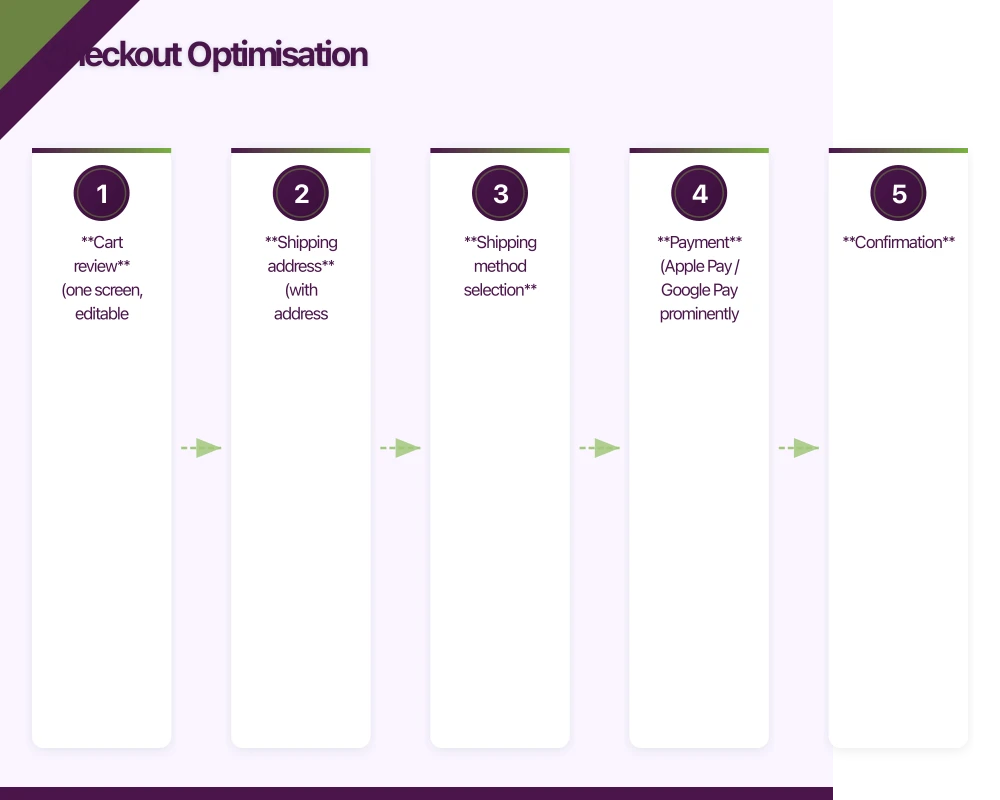
- Cart review (one screen, editable quantities)
- Shipping address (with address autocomplete for Australian addresses)
- Shipping method selection
- Payment (Apple Pay / Google Pay prominently featured)
- Confirmation
For returning users, collapse steps 2 and 3 into a single “confirm saved details” step.
Address Autocomplete for Australia
Use the Google Places API or Australia Post’s address validation API to reduce friction:
class AddressAutocompleteService {
    private let placesClient = GMSPlacesClient.shared()

    func autocomplete(query: String) async -> [AddressSuggestion] {
        let filter = GMSAutocompleteFilter()
        filter.countries = ["AU"]
        filter.types = ["address"]

        return await withCheckedContinuation { continuation in
            placesClient.findAutocompletePredictions(
                fromQuery: query,
                filter: filter,
                sessionToken: nil
            ) { predictions, error in
                let suggestions = (predictions ?? []).map { prediction in
                    AddressSuggestion(
                        placeId: prediction.placeID,
                        primaryText: prediction.attributedPrimaryText.string,
                        secondaryText: prediction.attributedSecondaryText?.string ?? ""
                    )
                }
                continuation.resume(returning: suggestions)
            }
        }
    }
}
Payment Integration
Offer the fastest payment methods first. Apple Pay and Google Pay reduce checkout to a single biometric confirmation:
struct CheckoutPaymentView: View {
    @ObservedObject var viewModel: CheckoutViewModel

    var body: some View {
        VStack(spacing: 16) {
            // Express checkout options first
            if viewModel.isApplePayAvailable {
                PayWithApplePayButton(action: {
                    viewModel.payWithApplePay()
                })
                .frame(height: 50)

                HStack {
                    Rectangle().fill(Color.gray.opacity(0.3)).frame(height: 1)
                    Text("or pay with card").font(.caption).foregroundColor(.secondary)
                    Rectangle().fill(Color.gray.opacity(0.3)).frame(height: 1)
                }
            }

            // Card payment form
            CardPaymentForm(
                cardNumber: $viewModel.cardNumber,
                expiry: $viewModel.expiry,
                cvc: $viewModel.cvc,
                name: $viewModel.cardName
            )

            // Order summary
            OrderSummaryView(cart: viewModel.cart)

            Button(action: { viewModel.processPayment() }) {
                HStack {
                    if viewModel.isProcessing {
                        ProgressView().tint(.white)
                    }
                    Text("Pay $\(viewModel.total, specifier: "%.2f") AUD")
                }
                .frame(maxWidth: .infinity)
                .padding()
                .background(Color.blue)
                .foregroundColor(.white)
                .cornerRadius(12)
            }
            .disabled(viewModel.isProcessing)
        }
        .padding()
    }
}
GST Display for Australian Compliance
Australian consumer law requires clear pricing. Display GST-inclusive prices throughout, with GST amounts shown at checkout:
struct OrderSummaryView: View {
    let cart: Cart

    var body: some View {
        VStack(alignment: .leading, spacing: 8) {
            HStack {
                Text("Subtotal")
                Spacer()
                Text("$\(cart.subtotal, specifier: "%.2f")")
            }

            if let shipping = cart.selectedShipping {
                HStack {
                    Text("Shipping")
                    Spacer()
                    Text(shipping.price == 0
                        ? "Free"
                        : "$\(shipping.price, specifier: "%.2f")")
                }
            }

            Divider()

            HStack {
                Text("Total (incl. GST)")
                    .fontWeight(.bold)
                Spacer()
                Text("$\(cart.total, specifier: "%.2f")")
                    .fontWeight(.bold)
            }

            Text("Includes $\(cart.gst, specifier: "%.2f") GST")
                .font(.caption)
                .foregroundColor(.secondary)
        }
        .padding()
        .background(Color(.systemGray6))
        .cornerRadius(12)
    }
}
Performance Under Load
E-commerce apps experience traffic spikes during sales events. Your architecture must handle sudden load increases:
- CDN for images: Product images are your heaviest assets. Serve them from a CDN with Australian edge locations.
- Cache product catalogues: Products change infrequently. Cache aggressively on the client and use ETags for validation.
- Inventory checks at checkout, not browse: Checking real-time inventory for every product listing creates unnecessary load. Check at add-to-cart and again at checkout.
- Queue payment processing: During peak load, queue payment requests rather than failing. Show users a “processing” state.
Building a mobile e-commerce app that converts well requires equal investment in architecture and user experience. The technical decisions around state management, caching, and payment integration directly impact the conversion metrics your business cares about. Get both right, and you build a revenue engine that scales.
Building a mobile commerce app? Our team at eawesome creates high-converting e-commerce experiences for Australian businesses.
Scaling your app’s backend? Cloud Geeks specialises in cloud infrastructure that grows with your user base across Australia.
This article is brought to you by Ganda Tech Services — Sydney’s complete digital solutions provider covering cloud, web, and mobile.
Talk to a Sydney app developer — free.
30 minutes. We'll tell you what your app needs, how long it takes, and what it costs. Real answers, no sales pitch.
Book Free App Strategy Call →Free · 30 minutes · No obligation