Building Progressive Web Apps for the Australian Market
Progressive Web Apps occupy a unique position in the Australian digital landscape. With mobile commerce growing at 25% year-over-year in Australia and internet connectivity still patchy across regional areas, PWAs offer a compelling middle ground between native apps and traditional websites. They deliver app-like experiences without the friction of App Store downloads, and they work offline when the NBN inevitably drops out.
For Australian businesses evaluating their mobile strategy, PWAs deserve serious consideration. This guide covers the technical and strategic aspects of building PWAs that serve Australian users effectively.
Why PWAs Matter for the Australian Market
Australia presents specific conditions that make PWAs particularly attractive:
Geography and connectivity. Australia is a vast country with uneven internet coverage. While Sydney and Melbourne enjoy solid 4G and growing 5G coverage, regional and rural areas still struggle with reliable connectivity. PWAs with robust offline support serve these users where native-only or web-only solutions fail.
App fatigue. Research from App Annie shows that Australian smartphone users download an average of just one new app per month. Getting users to download your native app is increasingly difficult. PWAs eliminate this barrier entirely — users access your app through their browser and can optionally “install” it to their home screen.
Cost efficiency. Building and maintaining separate iOS and Android native apps is expensive. For Australian SMBs and startups, a well-built PWA can deliver 80% of the native experience at a fraction of the cost. You maintain one codebase that works everywhere.
Payment integrations. The Web Payment API now supports Australian payment methods including Apple Pay and Google Pay through the browser, closing a significant gap that previously favoured native apps.
T
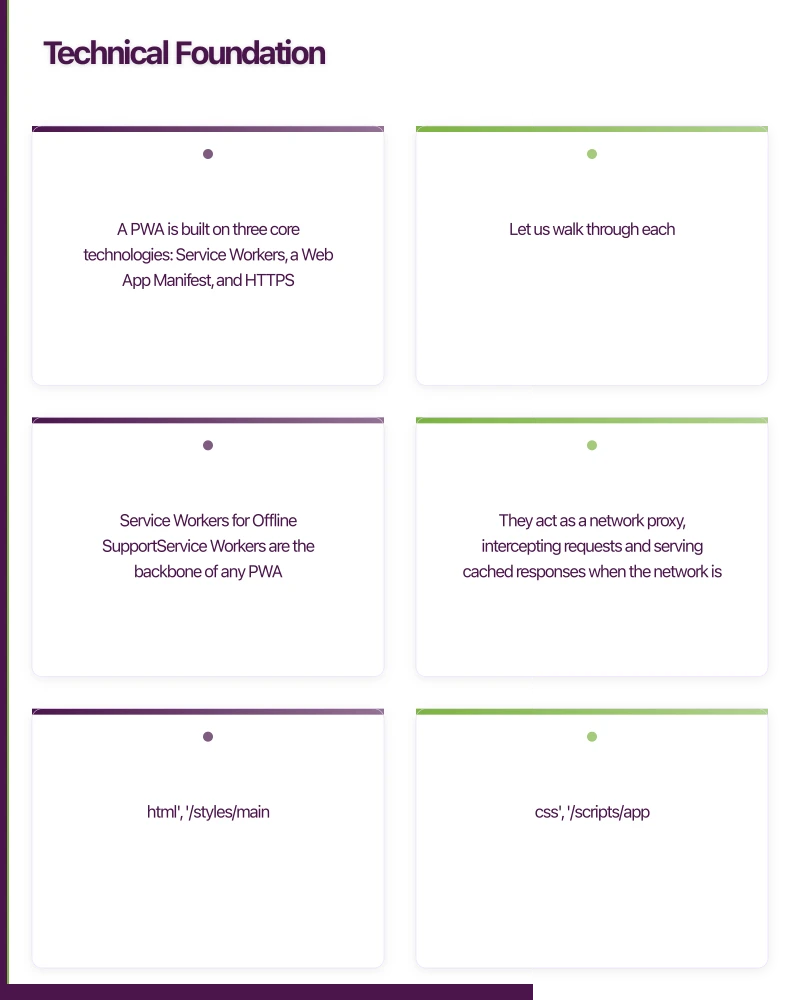 echnical Foundation
A PWA is built on three core technologies: Service Workers, a Web App Manifest, and HTTPS. Let us walk through each.
Service Workers for Offline Support
Service Workers are the backbone of any PWA. They act as a network proxy, intercepting requests and serving cached responses when the network is unavailable.
Here is a practical service worker with a cache-first strategy for static assets and a network-first strategy for API calls:
const CACHE_NAME = 'app-v1';
const STATIC_ASSETS = [
  '/',
  '/index.html',
  '/styles/main.css',
  '/scripts/app.js',
  '/images/logo.png',
];

self.addEventListener('install', (event) => {
  event.waitUntil(
    caches.open(CACHE_NAME).then((cache) => {
      return cache.addAll(STATIC_ASSETS);
    })
  );
});

self.addEventListener('fetch', (event) => {
  const { request } = event;
  const url = new URL(request.url);

  if (url.pathname.startsWith('/api/')) {
    // Network-first for API calls
    event.respondWith(networkFirstStrategy(request));
  } else {
    // Cache-first for static assets
    event.respondWith(cacheFirstStrategy(request));
  }
});

async function cacheFirstStrategy(request) {
  const cached = await caches.match(request);
  if (cached) return cached;

  try {
    const response = await fetch(request);
    const cache = await caches.open(CACHE_NAME);
    cache.put(request, response.clone());
    return response;
  } catch (error) {
    return new Response('Offline', { status: 503 });
  }
}

async function networkFirstStrategy(request) {
  try {
    const response = await fetch(request);
    const cache = await caches.open(CACHE_NAME);
    cache.put(request, response.clone());
    return response;
  } catch (error) {
    const cached = await caches.match(request);
    if (cached) return cached;
    return new Response(
      JSON.stringify({ error: 'Offline' }),
      { headers: { 'Content-Type': 'application/json' } }
    );
  }
}
For Australian users in areas with intermittent connectivity, the background sync API is valuable. It queues failed requests and retries them when connectivity returns:
self.addEventListener('sync', (event) => {
  if (event.tag === 'sync-orders') {
    event.waitUntil(syncPendingOrders());
  }
});

async function syncPendingOrders() {
  const db = await openDB('pending-orders');
  const orders = await db.getAll('orders');

  for (const order of orders) {
    try {
      await fetch('/api/orders', {
        method: 'POST',
        body: JSON.stringify(order),
        headers: { 'Content-Type': 'application/json' },
      });
      await db.delete('orders', order.id);
    } catch (error) {
      // Will retry on next sync event
      break;
    }
  }
}
Web App Manifest
The manifest file controls how your PWA appears when installed on a user’s device:
{
  "name": "ShopLocal Australia",
  "short_name": "ShopLocal",
  "description": "Discover local Australian products and businesses",
  "start_url": "/",
  "display": "standalone",
  "background_color": "#ffffff",
  "theme_color": "#00843D",
  "orientation": "portrait-primary",
  "icons": [
    {
      "src": "/icons/icon-192.png",
      "sizes": "192x192",
      "type": "image/png"
    },
    {
      "src": "/icons/icon-512.png",
      "sizes": "512x512",
      "type": "image/png"
    },
    {
      "src": "/icons/icon-maskable-512.png",
      "sizes": "512x512",
      "type": "image/png",
      "purpose": "maskable"
    }
  ],
  "screenshots": [
    {
      "src": "/screenshots/home.png",
      "sizes": "1080x1920",
      "type": "image/png"
    }
  ]
}
Include maskable icons for Android devices, which crop icons to different shapes depending on the device manufacturer. The theme_color affects the status bar colour on Android and the toolbar colour in Chrome.
Performance Optimisation for Au
stralian Networks
Performance is a non-negotiable aspect of PWAs, especially in Australia where network conditions vary widely. Here are specific optimisations:
Route-Based Code Splitting
Load only the JavaScript needed for the current page:
// Using dynamic imports with a framework like React
const ProductPage = React.lazy(() => import('./pages/ProductPage'));
const CheckoutPage = React.lazy(() => import('./pages/CheckoutPage'));

function App() {
  return (
    <Suspense fallback={LoadingSpinner}>
      <Routes>
        <Route path="/products" element={ProductPage} />
        <Route path="/checkout" element={CheckoutPage} />
      </Routes>
    </Suspense>
  );
}
Image Optimisation
Australian mobile users are often on metered connections. Serve appropriately sized images:
<picture>
  <source
    srcset="/images/hero-400.webp 400w,
            /images/hero-800.webp 800w,
            /images/hero-1200.webp 1200w"
    type="image/webp"
    sizes="(max-width: 600px) 100vw, 50vw"
  />
  <img
    src="/images/hero-800.jpg"
    alt="Featured products"
    loading="lazy"
    decoding="async"
  />
</picture>
Preloading Critical Resources
<link rel="preload" href="/fonts/inter-var.woff2" as="font" type="font/woff2" crossorigin />
<link rel="preconnect" href="https://api.shoplocal.com.au" />
<link rel="dns-prefetch" href="https://cdn.shoplocal.com.au" />
Performance Budgets
Set concrete targets for Australian conditions. On a 4G connection (typical metro), aim for:
- First Contentful Paint: under 1.5 seconds
- Largest Contentful Paint: under 2.5 seconds
- Time to Interactive: under 3.5 seconds
- Total bundle size: under 200KB gzipped for initial load
On a 3G connection (regional areas), these targets stretch but should still aim for usable within 5
seconds.
Australian Payment Integration
The Payment Request API brings native-feeling payment experiences to PWAs:
async function initiatePayment(cart) {
  const supportedMethods = [
    {
      supportedMethods: 'https://apple.com/apple-pay',
      data: {
        version: 3,
        merchantIdentifier: 'merchant.com.au.shoplocal',
        merchantCapabilities: ['supports3DS'],
        supportedNetworks: ['visa', 'masterCard', 'amex'],
        countryCode: 'AU',
      },
    },
    {
      supportedMethods: 'https://google.com/pay',
      data: {
        environment: 'PRODUCTION',
        apiVersion: 2,
        apiVersionMinor: 0,
        merchantInfo: {
          merchantName: 'ShopLocal Australia',
        },
        allowedPaymentMethods: [{
          type: 'CARD',
          parameters: {
            allowedAuthMethods: ['PAN_ONLY', 'CRYPTOGRAM_3DS'],
            allowedCardNetworks: ['VISA', 'MASTERCARD', 'AMEX'],
          },
        }],
      },
    },
  ];

  const details = {
    total: {
      label: 'ShopLocal Order',
      amount: { currency: 'AUD', value: cart.total.toString() },
    },
    displayItems: cart.items.map(item => ({
      label: item.name,
      amount: { currency: 'AUD', value: item.price.toString() },
    })),
  };

  try {
    const request = new PaymentRequest(supportedMethods, details);
    const response = await request.show();
    await processPayment(response);
    response.complete('success');
  } catch (error) {
    console.error('Payment failed:', error);
  }
}
For Australian compliance, ensure your payment flow includes GST calculation and display, and follows the Australian Consumer Law requirements for clear pricing.
Push Notifications
Push notifications are a key engagement tool that PWAs now support effectively:
async function subscribeToPush() {
  const registration = await navigator.serviceWorker.ready;

  const subscription = await registration.pushManager.subscribe({
    userVisibleOnly: true,
    applicationServerKey: urlBase64ToUint8Array(VAPID_PUBLIC_KEY),
  });

  // Send subscription to your server
  await fetch('/api/push/subscribe', {
    method: 'POST',
    body: JSON.stringify(subscription),
    headers: { 'Content-Type': 'application/json' },
  });
}
Be mindful of notification fatigue. Australian users are particularly sensitive to notification spam. Use notifications for genuinely valuable updates: order status changes, price drops on watched items, or time-sensitive information.
When to Choose PWA Over Native
PWAs excel when:
- Your primary user acquisition is through web search or social media
- Offline capability is important but full device access is not required
- Budget constraints make dual native development impractical
- Rapid iteration and deployment is a priority
- Your target audience spans both iOS and Android
Native apps remain the better choice when:
- You need deep hardware access (Bluetooth, NFC, advanced camera features)
- Your app is primarily discovered through the App Store
- You need background processing capabilities beyond service workers
- High-performance graphics or animations are central to the experience
For many Australian businesses, a PWA-first strategy with selective native features through frameworks like Capacitor offers the best of both worlds.
Measuring PWA Success
Track these PWA-specific metrics:
- Installation rate: What percentage of visitors add your PWA to their home screen
- Offline usage: How often are cached pages served vs network requests
- Service worker coverage: What percentage of your app works offline
- Lighthouse PWA score: Aim for 90 or above on all categories
- Web Vitals: Monitor Core Web Vitals through Google Search Console
Building a PWA for the Australian market is not just about technology — it is about understanding local conditions, user expectations, and business constraints. Done well, a PWA delivers an experience that feels native while reaching users who would never download a native app.
Considering a PWA for your Australian business? Our team at eawesome builds performant, engaging web applications that work everywhere.
Drive more app downloads with a professional web presence. Cosmos Web Tech specialises in web design and SEO for Australian tech businesses.
Ashish Ganda is the founder of Ganda Tech Services, a Sydney-based technology consultancy helping Australian businesses grow through cloud, web, and mobile solutions.
Talk to a Sydney app developer — free.
30 minutes. We'll tell you what your app needs, how long it takes, and what it costs. Real answers, no sales pitch.
Book Free App Strategy Call →Free · 30 minutes · No obligation