Building Voice-Enabled Mobile Applications
Voice interaction is no longer a novelty feature reserved for virtual assistants. Users increasingly expect voice capabilities in everyday apps — dictating messages, searching by voice, navigating hands-free, and getting audio feedback. For accessibility, voice features are not optional; they are essential for users with motor or visual impairments.
Both iOS and Android provide mature, on-device speech recognition and text-to-speech engines. Building voice features no longer requires cloud APIs or third-party SDKs for most use cases. This guide covers practical voice implementation for both platforms, from basic speech recognition to custom voice command systems.
Speech Recognition on iOS
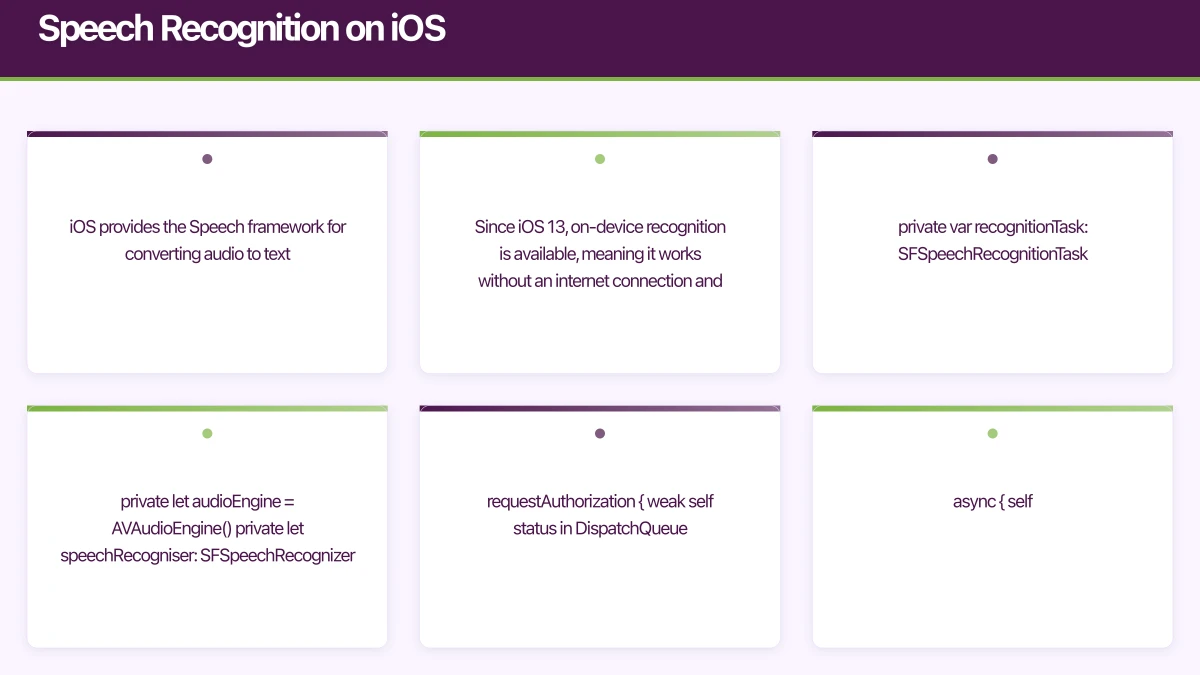
iOS provides the Speech framework for converting audio to text. Since iOS 13, on-device recognition is available, meaning it works without an internet connection and keeps audio data private.
Setting Up Speech Recognition
import Speech

class SpeechRecogniser: ObservableObject {
    @Published var transcript = ""
    @Published var isRecording = false
    @Published var isAvailable = false

    private var recognitionRequest: SFSpeechAudioBufferRecognitionRequest?
    private var recognitionTask: SFSpeechRecognitionTask?
    private let audioEngine = AVAudioEngine()
    private let speechRecogniser: SFSpeechRecognizer?

    init() {
        speechRecogniser = SFSpeechRecognizer(locale: Locale(identifier: "en-AU"))
    }

    func requestPermission() {
        SFSpeechRecognizer.requestAuthorization { [weak self] status in
            DispatchQueue.main.async {
                self?.isAvailable = status == .authorized
            }
        }
    }

    func startRecording() throws {
        // Cancel any existing task
        recognitionTask?.cancel()
        recognitionTask = nil

        // Configure audio session
        let audioSession = AVAudioSession.sharedInstance()
        try audioSession.setCategory(.record, mode: .measurement, options: .duckOthers)
        try audioSession.setActive(true, options: .notifyOthersOnDeactivation)

        recognitionRequest = SFSpeechAudioBufferRecognitionRequest()
        guard let recognitionRequest = recognitionRequest else { return }

        // Enable on-device recognition for privacy
        if speechRecogniser?.supportsOnDeviceRecognition == true {
            recognitionRequest.requiresOnDeviceRecognition = true
        }

        recognitionRequest.shouldReportPartialResults = true

        recognitionTask = speechRecogniser?.recognitionTask(
            with: recognitionRequest
        ) { [weak self] result, error in
            guard let self = self else { return }

            if let result = result {
                DispatchQueue.main.async {
                    self.transcript = result.bestTranscription.formattedString
                }

                if result.isFinal {
                    self.stopRecording()
                    self.processCommand(result.bestTranscription.formattedString)
                }
            }

            if let error = error {
                self.stopRecording()
                print("Recognition error: \(error)")
            }
        }

        // Install audio tap
        let inputNode = audioEngine.inputNode
        let recordingFormat = inputNode.outputFormat(forBus: 0)
        inputNode.installTap(
            onBus: 0,
            bufferSize: 1024,
            format: recordingFormat
        ) { [weak self] buffer, _ in
            self?.recognitionRequest?.append(buffer)
        }

        audioEngine.prepare()
        try audioEngine.start()

        DispatchQueue.main.async {
            self.isRecording = true
        }
    }

    func stopRecording() {
        audioEngine.stop()
        audioEngine.inputNode.removeTap(onBus: 0)
        recognitionRequest?.endAudio()
        recognitionRequest = nil
        recognitionTask = nil

        DispatchQueue.main.async {
            self.isRecording = false
        }
    }
}
SwiftUI Voice Input View
struct VoiceSearchView: View {
    @StateObject private var recogniser = SpeechRecogniser()
    @State private var showPermissionAlert = false

    var body: some View {
        VStack(spacing: 24) {
            // Transcript display
            if !recogniser.transcript.isEmpty {
                Text(recogniser.transcript)
                    .font(.title3)
                    .padding()
                    .frame(maxWidth: .infinity, alignment: .leading)
                    .background(Color(.systemGray6))
                    .cornerRadius(12)
            }

            // Recording indicator
            if recogniser.isRecording {
                AudioWaveformView()
                    .frame(height: 60)
            }

            // Record button
            Button(action: toggleRecording) {
                ZStack {
                    Circle()
                        .fill(recogniser.isRecording ? Color.red : Color.blue)
                        .frame(width: 72, height: 72)

                    Image(systemName: recogniser.isRecording
                        ? "stop.fill" : "mic.fill")
                        .font(.title2)
                        .foregroundColor(.white)
                }
            }

            Text(recogniser.isRecording
                ? "Listening..."
                : "Tap to speak")
                .foregroundColor(.secondary)
        }
        .onAppear { recogniser.requestPermission() }
        .alert("Microphone Access Required", isPresented: $showPermissionAlert) {
            Button("Open Settings") {
                UIApplication.shared.open(
                    URL(string: UIApplication.openSettingsURLString)!
                )
            }
            Button("Cancel", role: .cancel) { }
        }
    }

    private func toggleRecording() {
        if recogniser.isRecording {
            recogniser.stopRecording()
        } else {
            guard recogniser.isAvailable else {
                showPermissionAlert = true
                return
            }
            try? recogniser.startRecording()
        }
    }
}
Speech Recognition on Andr
oid
Android provides the SpeechRecognizer class and, from Android 12, supports on-device recognition:
class VoiceSpeechRecogniser(private val context: Context) {
    private var speechRecogniser: SpeechRecognizer? = null
    private val _transcript = MutableStateFlow("")
    val transcript: StateFlow<String> = _transcript.asStateFlow()

    private val _isListening = MutableStateFlow(false)
    val isListening: StateFlow<Boolean> = _isListening.asStateFlow()

    fun startListening() {
        speechRecogniser = SpeechRecognizer.createSpeechRecognizer(context)

        speechRecogniser?.setRecognitionListener(object : RecognitionListener {
            override fun onResults(results: Bundle?) {
                val matches = results?.getStringArrayList(
                    SpeechRecognizer.RESULTS_RECOGNITION
                )
                val bestResult = matches?.firstOrNull() ?: ""
                _transcript.value = bestResult
                _isListening.value = false
                processCommand(bestResult)
            }

            override fun onPartialResults(partialResults: Bundle?) {
                val matches = partialResults?.getStringArrayList(
                    SpeechRecognizer.RESULTS_RECOGNITION
                )
                _transcript.value = matches?.firstOrNull() ?: ""
            }

            override fun onError(error: Int) {
                _isListening.value = false
                when (error) {
                    SpeechRecognizer.ERROR_NO_MATCH ->
                        _transcript.value = "No speech detected. Try again."
                    SpeechRecognizer.ERROR_NETWORK ->
                        _transcript.value = "Network error. Check your connection."
                    SpeechRecognizer.ERROR_AUDIO ->
                        _transcript.value = "Audio recording error."
                }
            }

            override fun onReadyForSpeech(params: Bundle?) {
                _isListening.value = true
            }

            override fun onBeginningOfSpeech() {}
            override fun onRmsChanged(rmsdB: Float) {}
            override fun onBufferReceived(buffer: ByteArray?) {}
            override fun onEndOfSpeech() {}
            override fun onEvent(eventType: Int, params: Bundle?) {}
        })

        val intent = Intent(RecognizerIntent.ACTION_RECOGNIZE_SPEECH).apply {
            putExtra(
                RecognizerIntent.EXTRA_LANGUAGE_MODEL,
                RecognizerIntent.LANGUAGE_MODEL_FREE_FORM
            )
            putExtra(RecognizerIntent.EXTRA_LANGUAGE, "en-AU")
            putExtra(RecognizerIntent.EXTRA_PARTIAL_RESULTS, true)
            putExtra(RecognizerIntent.EXTRA_MAX_RESULTS, 3)
        }

        speechRecogniser?.startListening(intent)
    }

    fun stopListening() {
        speechRecogniser?.stopListening()
        speechRecogniser?.destroy()
        speechRecogniser = null
        _isListening.value = false
    }
}
Text-to-Speech
Text-to-speech provides audio feedback and enables accessibility:
iOS Text-to-Speech
import AVFoundation

class TextToSpeechService: NSObject, ObservableObject, AVSpeechSynthesizerDelegate {
    private let synthesiser = AVSpeechSynthesizer()
    @Published var isSpeaking = false

    override init() {
        super.init()
        synthesiser.delegate = self
    }

    func speak(_ text: String, rate: Float = 0.5) {
        let utterance = AVSpeechUtterance(string: text)
        utterance.voice = AVSpeechSynthesisVoice(language: "en-AU")
        utterance.rate = rate
        utterance.pitchMultiplier = 1.0
        utterance.volume = 1.0

        synthesiser.speak(utterance)
    }

    func stop() {
        synthesiser.stopSpeaking(at: .immediate)
    }

    func speechSynthesizer(
        _ synthesizer: AVSpeechSynthesizer,
        didStart utterance: AVSpeechUtterance
    ) {
        isSpeaking = true
    }

    func speechSynthesizer(
        _ synthesizer: AVSpeechSynthesizer,
        didFinish utterance: AVSpeechUtterance
    ) {
        isSpeaking = false
    }
}
Android Text-to-Speech
class TextToSpeechService(context: Context) : TextToSpeech.OnInitListener {
    private var tts: TextToSpeech = TextToSpeech(context, this)
    private var isInitialised = false

    override fun onInit(status: Int) {
        if (status == TextToSpeech.SUCCESS) {
            tts.language = Locale("en", "AU")
            tts.setSpeechRate(1.0f)
            isInitialised = true
        }
    }

    fun speak(text: String) {
        if (isInitialised) {
            tts.speak(text, TextToSpeech.QUEUE_FLUSH, null, "utterance_id")
        }
    }

    fun stop() {
        tts.stop()
    }

    fun shutdown() {
        tts.shutdown()
    }
}
Building a Voice Command Syst
em
For apps with specific voice commands, build a command parser:
struct VoiceCommand {
    let pattern: String
    let action: (String) -> Void
}

class VoiceCommandProcessor {
    private var commands: [VoiceCommand] = []

    func register(_ pattern: String, action: @escaping (String) -> Void) {
        commands.append(VoiceCommand(pattern: pattern, action: action))
    }

    func process(_ transcript: String) -> Bool {
        let normalised = transcript.lowercased().trimmingCharacters(in: .whitespaces)

        // Navigation commands
        if normalised.contains("go to") || normalised.contains("open") {
            if normalised.contains("cart") || normalised.contains("basket") {
                navigateToCart()
                return true
            }
            if normalised.contains("profile") || normalised.contains("account") {
                navigateToProfile()
                return true
            }
            if normalised.contains("home") {
                navigateToHome()
                return true
            }
        }

        // Search commands
        if normalised.hasPrefix("search for") || normalised.hasPrefix("find") {
            let query = normalised
                .replacingOccurrences(of: "search for ", with: "")
                .replacingOccurrences(of: "find ", with: "")
            performSearch(query)
            return true
        }

        // Action commands
        if normalised.contains("add to cart") {
            addCurrentItemToCart()
            return true
        }

        return false
    }
}
Accessibility Considerations
Voice features are critical for accessibility:
// Announce important changes via VoiceOver
func announceForAccessibility(_ message: String) {
    UIAccessibility.post(
        notification: .announcement,
        argument: message
    )
}

// Provide voice feedback for actions
func onItemAddedToCart(_ item: Product) {
    let feedback = "\(item.name) added to cart. Cart total is now \(cart.total) dollars."

    if UIAccessibility.isVoiceOverRunning {
        announceForAccessibility(feedback)
    } else if userPreference.voiceFeedbackEnabled {
        ttsService.speak(feedback)
    }
}
Privacy and Permissions
Voice features require careful permission handling:
- Explain why before requesting microphone access
- Use on-device recognition when possible to keep audio data local
- Do not record beyond the interaction — process and discard audio buffers
- Comply with Australian Privacy Principles regarding biometric data collection
- Provide visual alternatives — voice should enhance, not replace, touch interaction
// Info.plist descriptions
// NSMicrophoneUsageDescription: "We use the microphone for voice search and voice commands."
// NSSpeechRecognitionUsageDescription: "Speech recognition converts your voice to text for search and commands."
Performance Tips
-
Start recognition quickly. Preload the speech recogniser during app launch or when the voice feature screen appears, not when the user taps the microphone button.
-
Set appropriate timeouts. End recognition after 3-5 seconds of silence to prevent indefinite listening.
-
Handle audio session conflicts. If the user is playing music, pause it during voice recognition and resume afterward.
-
Provide visual feedback during recognition — waveform visualisations or pulsing indicators confirm the app is listening.
-
Test with diverse accents. Australian English recognition handles most accents well, but test with speakers from different backgrounds to ensure inclusivity.
Voice is the most natural human interface. Adding voice capabilities to your mobile app does not just check an accessibility box — it creates a faster, more intuitive experience for everyone.
Want to add voice features to your mobile app? Our team at eawesome builds intelligent, voice-enabled applications for Australian businesses.
Thinking beyond the app to your overall digital roadmap? Ash Ganda shares strategic insights for Australian technology leaders.
Ashish Ganda is the founder of Ganda Tech Services, a Sydney-based technology consultancy helping Australian businesses grow through cloud, web, and mobile solutions.
Talk to a Sydney app developer — free.
30 minutes. We'll tell you what your app needs, how long it takes, and what it costs. Real answers, no sales pitch.
Book Free App Strategy Call →Free · 30 minutes · No obligation