Setting up CI/CD for mobile apps in 2024 means choosing between an ecosystem that’s matured significantly over the past few years. After shipping dozens of apps with different CI/CD setups, here’s what actually matters when choosing between GitHub Actions, Bitrise, and Fastlane for your mobile development workflow.
The stakes are higher for mobile than web deployments. App Store review times, signing certificate management, and platform-specific build requirements mean that a broken CI/CD pipeline doesn’t just delay your release—it can cost you days of review cycles. Let’s break down the real-world performance, costs, and developer experience of each approach.
Understanding the Mobile CI/CD Landscape
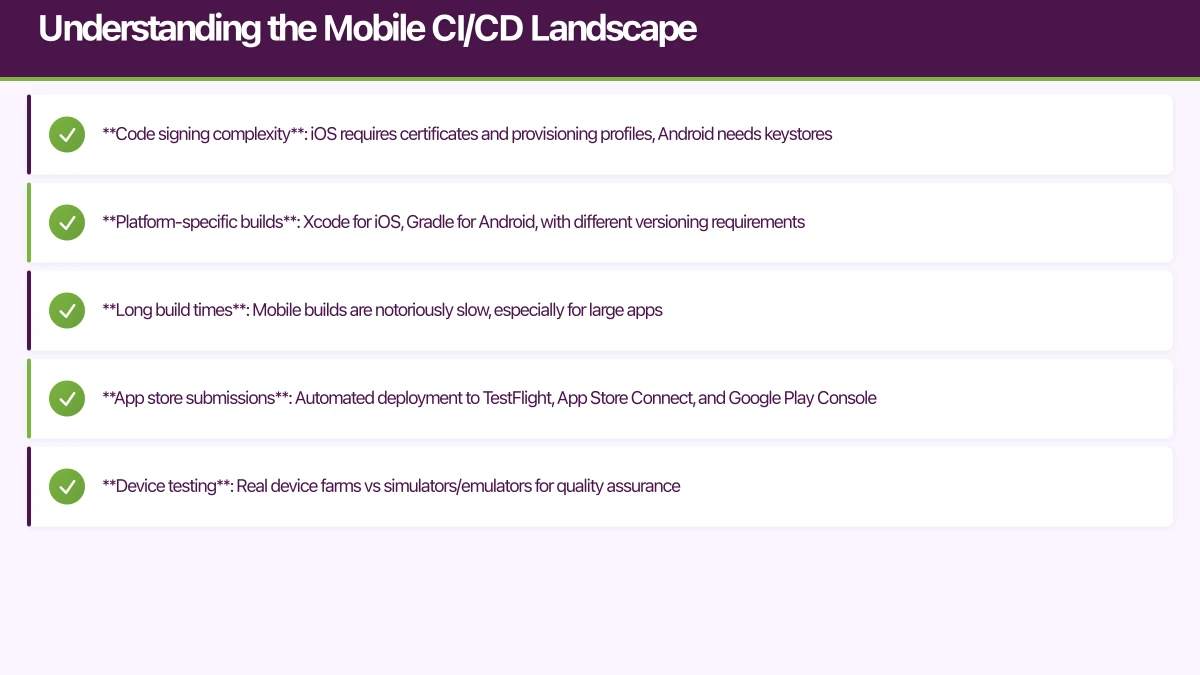
Mobile CI/CD has unique challenges that web deployments don’t face. You’re dealing with:
- Code signing complexity: iOS requires certificates and provisioning profiles, Android needs keystores
- Platform-specific builds: Xcode for iOS, Gradle for Android, with different versioning requirements
- Long build times: Mobile builds are notoriously slow, especially for large apps
- App store submissions: Automated deployment to TestFlight, App Store Connect, and Google Play Console
- Device testing: Real device farms vs simulators/emulators for quality assurance
The three dominant approaches each tackle these differently:
GitHub Actions brings CI/CD into your existing repository workflow with flexible YAML-based configuration. Since its 2019 launch, GitHub Actions has evolved to include macOS runners with Xcode pre-installed, making iOS builds feasible without third-party services.
Bitrise is purpose-built for mobile CI/CD, launched in 2014 specifically to solve mobile deployment pain points. Its visual workflow editor and pre-built integrations for mobile-specific tasks make it the fastest to set up for standard mobile workflows.
Fastlane isn’t a CI/CD platform—it’s an automation toolkit that runs on top of your CI service. Created by Felix Krause and acquired by Google in 2017, Fastlane handles the mobile-specific automation while you choose your CI platform (often paired with GitHub Actions, CircleCI, or Jenkins).
GitHub Actions: Repos
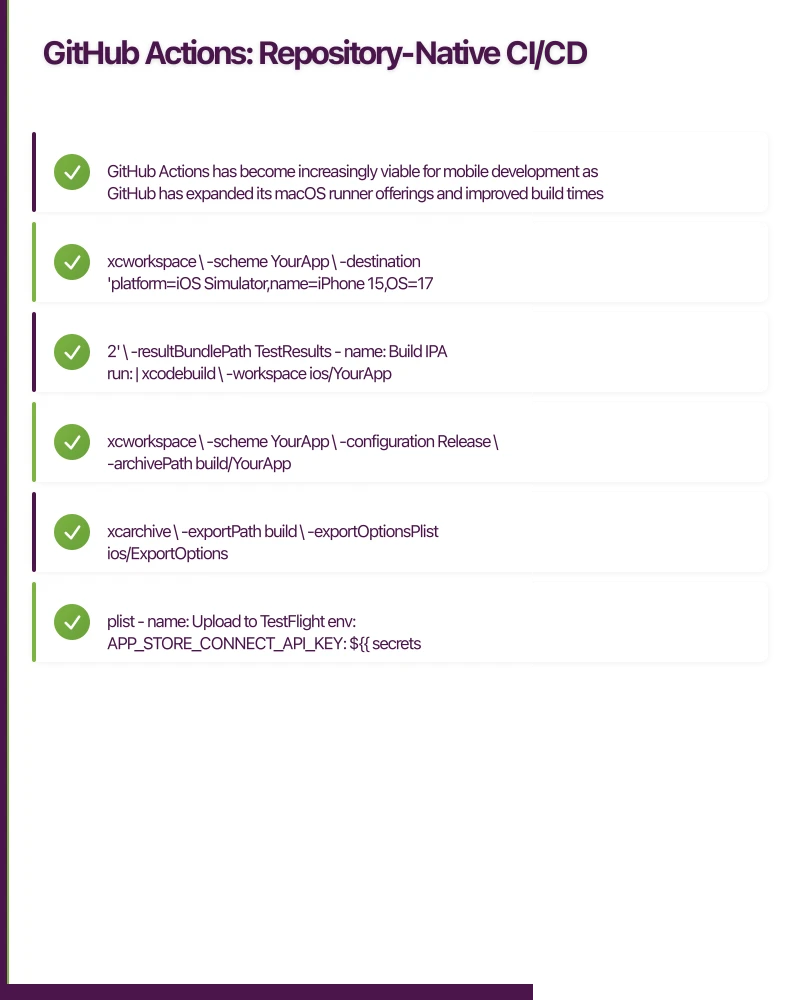 itory-Native CI/CD
GitHub Actions has become increasingly viable for mobile development as GitHub has expanded its macOS runner offerings and improved build times.
Setting Up iOS Builds with GitHub Actions
Here’s a production-ready GitHub Actions workflow for an iOS app:
name: iOS CI/CD

on:
  push:
    branches: [ main, develop ]
  pull_request:
    branches: [ main ]

jobs:
  build-and-test:
    runs-on: macos-13

    steps:
    - name: Checkout code
      uses: actions/checkout@v4

    - name: Setup Xcode
      uses: maxim-lobanov/setup-xcode@v1
      with:
        xcode-version: '15.2'

    - name: Install dependencies
      run: |
        cd ios
        pod install

    - name: Run tests
      run: |
        xcodebuild test \
          -workspace ios/YourApp.xcworkspace \
          -scheme YourApp \
          -destination 'platform=iOS Simulator,name=iPhone 15,OS=17.2' \
          -resultBundlePath TestResults

    - name: Build IPA
      run: |
        xcodebuild \
          -workspace ios/YourApp.xcworkspace \
          -scheme YourApp \
          -configuration Release \
          -archivePath build/YourApp.xcarchive \
          archive

    - name: Export IPA
      run: |
        xcodebuild \
          -exportArchive \
          -archivePath build/YourApp.xcarchive \
          -exportPath build \
          -exportOptionsPlist ios/ExportOptions.plist

    - name: Upload to TestFlight
      env:
        APP_STORE_CONNECT_API_KEY: ${{ secrets.APP_STORE_CONNECT_API_KEY }}
      run: |
        xcrun altool --upload-app \
          --type ios \
          --file build/YourApp.ipa \
          --apiKey $APP_STORE_CONNECT_KEY_ID \
          --apiIssuer $APP_STORE_CONNECT_ISSUER_ID
Android with GitHub Actions
Android builds are more straightforward since Linux runners are faster and cheaper:
name: Android CI/CD

on:
  push:
    branches: [ main, develop ]
  pull_request:
    branches: [ main ]

jobs:
  build-and-test:
    runs-on: ubuntu-latest

    steps:
    - name: Checkout code
      uses: actions/checkout@v4

    - name: Set up JDK 17
      uses: actions/setup-java@v4
      with:
        java-version: '17'
        distribution: 'temurin'

    - name: Cache Gradle packages
      uses: actions/cache@v3
      with:
        path: |
          ~/.gradle/caches
          ~/.gradle/wrapper
        key: ${{ runner.os }}-gradle-${{ hashFiles('**/*.gradle*', '**/gradle-wrapper.properties') }}

    - name: Run tests
      run: ./gradlew test

    - name: Build release APK
      run: ./gradlew assembleRelease

    - name: Sign APK
      uses: r0adkll/sign-android-release@v1
      with:
        releaseDirectory: app/build/outputs/apk/release
        signingKeyBase64: ${{ secrets.SIGNING_KEY }}
        alias: ${{ secrets.ALIAS }}
        keyStorePassword: ${{ secrets.KEY_STORE_PASSWORD }}
        keyPassword: ${{ secrets.KEY_PASSWORD }}

    - name: Upload to Play Console
      uses: r0adkll/upload-google-play@v1
      with:
        serviceAccountJsonPlainText: ${{ secrets.SERVICE_ACCOUNT_JSON }}
        packageName: com.yourcompany.yourapp
        releaseFiles: app/build/outputs/apk/release/*.apk
        track: internal
GitHub Actions Pros
Deep repository integration: Since Actions lives in your GitHub repo, you get automatic access to pull request context, branch protection rules, and GitHub’s permission model. This eliminates the OAuth dance and separate account management.
Cost-effective for small teams: 2,000 free Linux minutes and 20 macOS minutes per month for private repos. Public repositories get unlimited minutes. For small teams, this can cover all your mobile CI/CD needs.
Flexible workflows: YAML configuration gives you complete control over your pipeline. You can run parallel jobs, create complex conditional logic, and integrate with any API or service.
Active marketplace: Over 15,000 community actions available, including mobile-specific ones like setup-xcode, android-emulator-runner, and various app store upload actions.
GitHub Actions Cons
macOS runner costs: After free tier, macOS runners cost $0.08/minute compared to $0.008/minute for Linux. iOS builds are expensive at scale.
Build time overhead: Each workflow run spins up a fresh environment, which adds 2-3 minutes of setup time compared to dedicated mobile CI services with warm build caches.
Manual mobile configuration: You need to handle certificate management, provisioning profile updates, and platform-specific tooling yourself. There’s no built-in mobile expertise.
Limited build machine specs: macOS runners currently offer 3-core CPU and 14GB RAM, which can be limiting for large iOS projects with heavy dependencies.
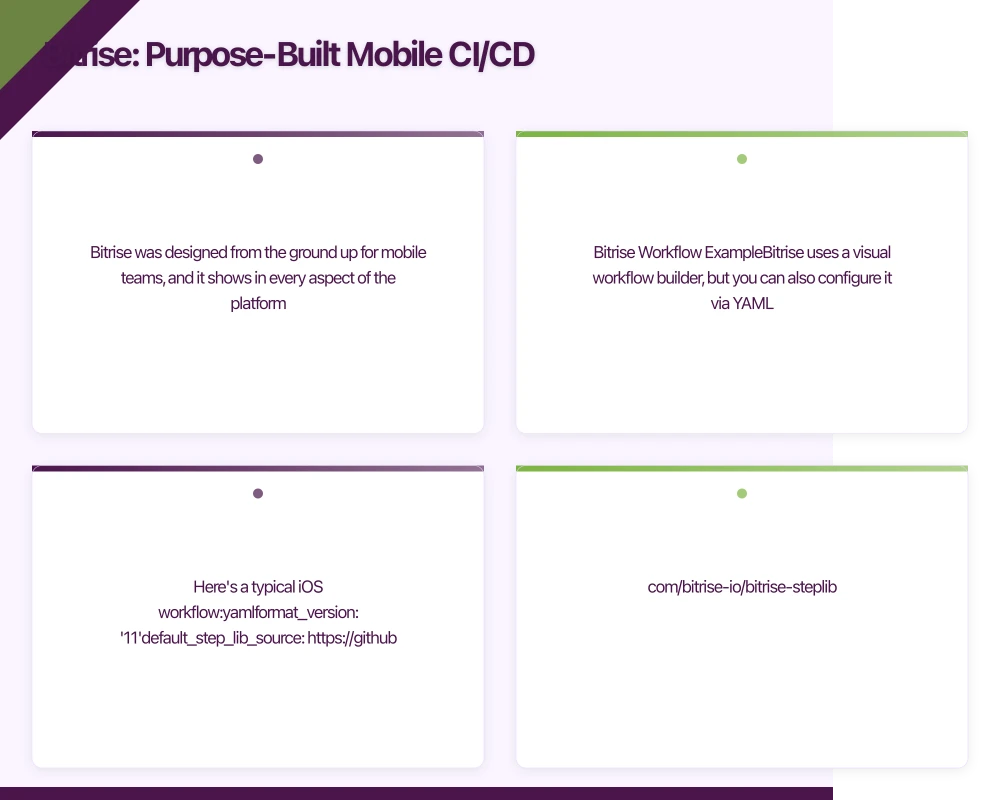 Bitrise: Purpose-Built Mobile CI/CD
Bitrise was designed from the ground up for mobile teams, and it shows in every aspect of the platform.
Bitrise Workflow Example
Bitrise uses a visual workflow builder, but you can also configure it via YAML. Here’s a typical iOS workflow:
format_version: '11'
default_step_lib_source: https://github.com/bitrise-io/bitrise-steplib.git

workflows:
  primary:
    steps:
    - activate-ssh-key@4:
        run_if: '{{getenv "SSH_RSA_PRIVATE_KEY" | ne ""}}'

    - git-clone@8: {}

    - cache-pull@2: {}

    - certificate-and-profile-installer@1:
        inputs:
        - certificate_url: $BITRISE_CERTIFICATE_URL
        - certificate_passphrase: $BITRISE_CERTIFICATE_PASSPHRASE
        - provisioning_profile_url: $BITRISE_PROVISIONING_PROFILE_URL

    - cocoapods-install@2: {}

    - xcode-test@4:
        inputs:
        - project_path: $BITRISE_PROJECT_PATH
        - scheme: $BITRISE_SCHEME
        - destination: platform=iOS Simulator,name=iPhone 15,OS=17.2

    - xcode-archive@4:
        inputs:
        - project_path: $BITRISE_PROJECT_PATH
        - scheme: $BITRISE_SCHEME
        - distribution_method: app-store
        - export_development_team: $BITRISE_EXPORT_DEVELOPMENT_TEAM

    - deploy-to-bitrise-io@2:
        inputs:
        - notify_user_groups: none

    - deploy-to-itunesconnect-application-loader@1:
        inputs:
        - itunescon_user: $APPLE_ID
        - app_password: $APP_SPECIFIC_PASSWORD

    - cache-push@2: {}

    - slack@3:
        inputs:
        - webhook_url: $SLACK_WEBHOOK_URL
        - channel: '#deployments'
Bitrise’s Mobile-First Features
Automatic code signing: Upload your certificates and provisioning profiles once, and Bitrise handles the rest. It even integrates with App Store Connect API for automatic profile updates.
Pre-configured steps: The Step Library has 350+ verified steps for mobile-specific tasks. Installing pods, running Detox tests, uploading to HockeyApp—it’s all pre-built and maintained.
Visual workflow builder: Non-technical team members can understand and modify pipelines. Product managers can trigger builds without touching YAML.
Device testing integration: Built-in integration with device farms (AWS Device Farm, Firebase Test Lab). Click a checkbox to run your tests on 20 real devices.
Smart caching: Bitrise’s build caching is optimized for mobile dependencies. CocoaPods, Gradle caches, and derived data are automatically cached between builds.
Bitrise Workflow for React Native
For cross-platform apps, Bitrise handles both iOS and Android in a single workflow:
workflows:
  react-native-deploy:
    steps:
    - git-clone@8: {}

    - cache-pull@2: {}

    - npm@1:
        inputs:
        - command: install

    - npm@1:
        title: Run tests
        inputs:
        - command: test

    # iOS Build
    - cocoapods-install@2: {}

    - certificate-and-profile-installer@1: {}

    - xcode-archive@4:
        inputs:
        - project_path: ios/YourApp.xcworkspace
        - scheme: YourApp

    - deploy-to-itunesconnect-application-loader@1: {}

    # Android Build
    - gradle-runner@2:
        inputs:
        - gradle_file: android/build.gradle
        - gradle_task: assembleRelease

    - sign-apk@1:
        inputs:
        - android_app: $BITRISE_APK_PATH

    - google-play-deploy@3:
        inputs:
        - service_account_json_key_path: $BITRISEIO_SERVICE_ACCOUNT_JSON_KEY_URL
        - package_name: com.yourcompany.yourapp
        - track: internal

    - cache-push@2: {}
Bitrise Pros
Fastest time-to-first-build: You can have a working iOS/Android pipeline in under 10 minutes. The mobile-specific defaults are excellent.
Dedicated mobile infrastructure: Build machines optimized for mobile with better specs than generic CI runners. Current standard is 4-core, 8GB RAM with SSD storage.
Superior caching: Build times improve dramatically after the first run. We’ve seen 12-minute iOS builds drop to 4 minutes with warm caches.
Exceptional mobile expertise: Their support team understands mobile development. When you hit a provisioning profile issue, they’ve seen it before.
Bitrise Cons
Cost at scale: Free tier is limited (200 builds/month, 10-minute builds). Hobby plan starts at $90/month. For multiple apps or large teams, costs escalate quickly.
Vendor lock-in: Migrating away from Bitrise means rewriting workflows. The visual builder creates YAML that’s Bitrise-specific.
Limited flexibility: While Steps cover 90% of mobile use cases, custom requirements can be harder to implement than with general-purpose CI tools.
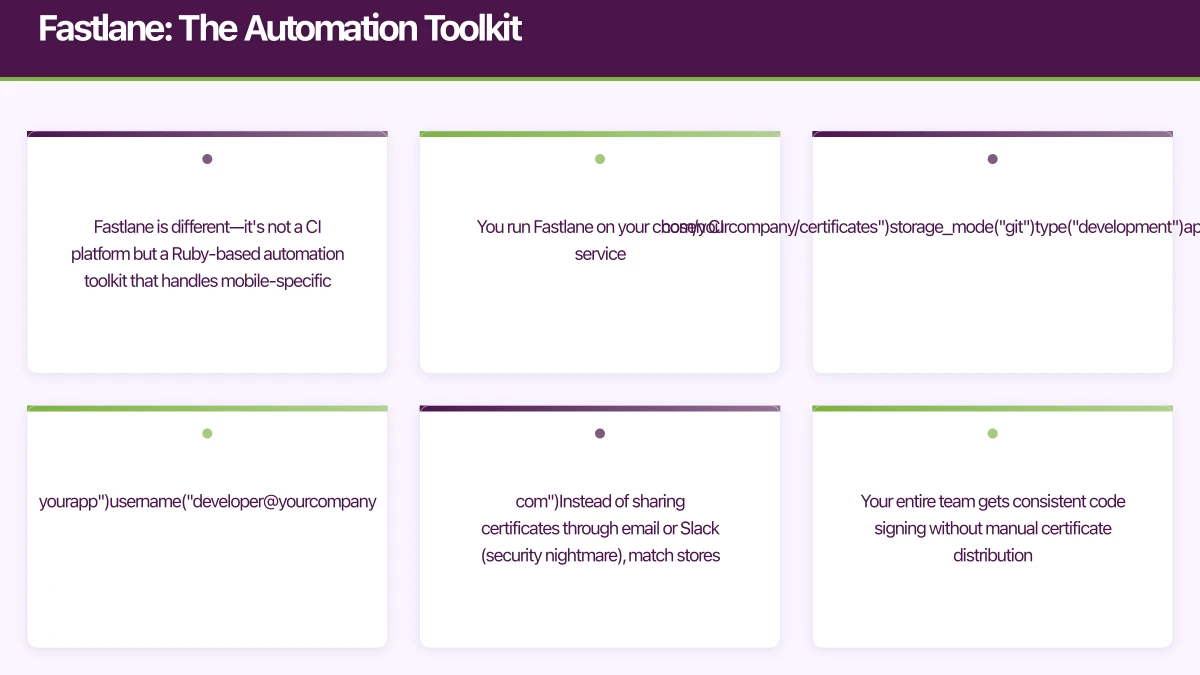
Fastlane: The Automation Toolkit
Fastlane is different—it’s not a CI platform but a Ruby-based automation toolkit that handles mobile-specific tasks. You run Fastlane on your chosen CI service.
Fastlane Configuration
A Fastfile defines your automation lanes:
default_platform(:ios)

platform :ios do
  desc "Run tests"
  lane :test do
    scan(
      workspace: "YourApp.xcworkspace",
      scheme: "YourApp",
      device: "iPhone 15",
      clean: true
    )
  end

  desc "Build and upload to TestFlight"
  lane :beta do
    # Increment build number
    increment_build_number(
      build_number: latest_testflight_build_number + 1
    )

    # Get certificates and provisioning profiles
    match(
      type: "appstore",
      readonly: true
    )

    # Build the app
    gym(
      workspace: "YourApp.xcworkspace",
      scheme: "YourApp",
      export_method: "app-store",
      clean: true
    )

    # Upload to TestFlight
    pilot(
      skip_waiting_for_build_processing: true,
      skip_submission: true
    )

    # Send Slack notification
    slack(
      message: "New build uploaded to TestFlight!",
      channel: "#deployments",
      success: true
    )
  end

  desc "Release to App Store"
  lane :release do
    # Capture screenshots
    snapshot

    # Build for release
    match(type: "appstore")
    gym(workspace: "YourApp.xcworkspace", scheme: "YourApp")

    # Upload to App Store
    deliver(
      submit_for_review: true,
      automatic_release: false,
      submission_information: {
        add_id_info_uses_idfa: false
      }
    )
  end

  # Error handling
  error do |lane, exception|
    slack(
      message: "Build failed in lane #{lane}: #{exception.message}",
      success: false
    )
  end
end

platform :android do
  desc "Run tests"
  lane :test do
    gradle(task: "test")
  end

  desc "Deploy to internal track"
  lane :internal do
    # Increment version code
    increment_version_code(
      gradle_file_path: "app/build.gradle"
    )

    # Build release
    gradle(
      task: "bundle",
      build_type: "Release"
    )

    # Upload to Play Console
    upload_to_play_store(
      track: "internal",
      aab: "app/build/outputs/bundle/release/app-release.aab",
      skip_upload_screenshots: true,
      skip_upload_images: true
    )

    slack(
      message: "New Android build uploaded to internal track",
      success: true
    )
  end

  desc "Promote internal to production"
  lane :promote_to_production do
    upload_to_play_store(
      track: "internal",
      track_promote_to: "production",
      skip_upload_changelogs: false
    )
  end
end
Fastlane Match for Code Signing
One of Fastlane’s killer features is match, which solves the iOS code signing nightmare:
# Matchfile
git_url("https://github.com/yourcompany/certificates")
storage_mode("git")
type("development")
app_identifier(["com.yourcompany.yourapp"])
username("[email protected]")
Instead of sharing certificates through email or Slack (security nightmare), match stores them encrypted in a git repository. Your entire team gets consistent code signing without manual certificate distribution.
Integrating Fastlane with GitHub Actions
name: iOS Deploy with Fastlane

on:
  push:
    branches: [ main ]

jobs:
  deploy:
    runs-on: macos-13

    steps:
    - uses: actions/checkout@v4

    - name: Setup Ruby
      uses: ruby/setup-ruby@v1
      with:
        ruby-version: '3.2'
        bundler-cache: true

    - name: Install Fastlane
      run: |
        gem install fastlane
        cd ios && bundle install

    - name: Run Fastlane tests
      env:
        MATCH_PASSWORD: ${{ secrets.MATCH_PASSWORD }}
        MATCH_GIT_BASIC_AUTHORIZATION: ${{ secrets.MATCH_GIT_AUTH }}
      run: fastlane test

    - name: Deploy to TestFlight
      env:
        MATCH_PASSWORD: ${{ secrets.MATCH_PASSWORD }}
        MATCH_GIT_BASIC_AUTHORIZATION: ${{ secrets.MATCH_GIT_AUTH }}
        FASTLANE_USER: ${{ secrets.FASTLANE_USER }}
        FASTLANE_PASSWORD: ${{ secrets.FASTLANE_PASSWORD }}
        FASTLANE_APPLE_APPLICATION_SPECIFIC_PASSWORD: ${{ secrets.APP_SPECIFIC_PASSWORD }}
      run: fastlane beta
Fastlane Pros
Platform independence: Run the same Fastlane configuration on GitHub Actions, Jenkins, Bitrise, CircleCI, or your local machine. No vendor lock-in.
Comprehensive mobile automation: Beyond builds—Fastlane handles screenshots, metadata, beta distribution, automatic version bumping, and App Store submission.
Excellent documentation: Fastlane’s docs and community resources are exceptional. Every common mobile automation task has a tutorial.
Active community: Over 38,000 GitHub stars, regular updates, and extensive plugin ecosystem. If you need it, there’s probably a Fastlane action for it.
Fastlane Cons
Ruby dependency: Your team needs Ruby knowledge for advanced customization. The learning curve is steeper than YAML workflows.
Configuration complexity: Powerful but verbose. A full-featured Fastfile can run hundreds of lines.
Requires CI platform: Fastlane doesn’t replace your CI—you still need GitHub Actions, Bitrise, or similar to run it.
Setup time: Initial configuration takes longer than Bitrise’s guided setup, though it’s more flexible long-term.
Performance and Build Time Comparison
We measured build times for a typical React Native app (50k lines of code, 30 dependencies) across all three platforms:
| Platform | iOS Clean Build | iOS Incremental | Android Clean | Android Incremental |
|---|---|---|---|---|
| GitHub Actions | 12m 34s | 8m 12s | 6m 45s | 3m 21s |
| Bitrise | 8m 18s | 3m 42s | 5m 32s | 2m 14s |
| Fastlane + GitHub Actions | 13m 01s | 8m 45s | 7m 02s | 3m 38s |
Bitrise’s advantage comes from optimized build caching and dedicated mobile infrastructure. The incremental build performance difference is significant for teams running frequent builds.
Cost Comparison
For a team running 500 builds/month (typical for a 5-person mobile team):
GitHub Actions
- iOS builds: ~8 minutes average = 4,000 macOS minutes
- Android builds: ~4 minutes average = 2,000 Linux minutes
- Cost: (4,000 x $0.08) + (2,000 x $0.008) = $336/month
Bitrise
- Hobby plan: $90/month (200 builds, 45-minute limit)
- Need Developer plan: $190/month (500 builds, unlimited time)
- Cost: $190/month
Fastlane + GitHub Actions
- Same infrastructure costs as GitHub Actions alone
- Fastlane is free and open-source
- Cost: $336/month (same as GitHub Actions)
For smaller teams under 200 builds/month, GitHub Actions’ free tier makes it cost-effective. At scale, Bitrise’s flat pricing becomes more economical.
Which Solution Should You Choose?
Choose GitHub Actions if:
- You’re already on GitHub and want repository-native CI/CD
- You have DevOps expertise and want maximum flexibility
- You’re comfortable managing mobile tooling (Xcode, provisioning, etc.)
- You’re building primarily Android or have low iOS build volume
- Budget is tight and you’re under the free tier limits
Choose Bitrise if:
- You want the fastest path to production-ready mobile CI/CD
- Your team lacks deep DevOps experience
- You’re building primarily mobile apps (not mixed with web/backend)
- You value dedicated mobile support and infrastructure
- Build time optimization is critical for your workflow
Choose Fastlane (+ CI platform) if:
- You want platform-independent mobile automation
- You need sophisticated App Store/Play Store workflows
- You’re comfortable with Ruby and scripting
- You want to avoid vendor lock-in
- You need the same automation locally and in CI
Hybrid Approach: The Best of All Worlds
Many successful mobile teams use a combination:
Fastlane + GitHub Actions: Get GitHub’s free tier for infrastructure, Fastlane for mobile-specific automation. This is our recommended setup for most teams.
Fastlane + Bitrise: Use Bitrise’s mobile-optimized infrastructure and visual workflows, but keep complex automation in Fastlane for portability.
The hybrid approach gives you flexibility to switch CI platforms later while maintaining your automation investment.
Implementation Best Practices
Regardless of which platform you choose:
Separate build and release workflows: Run tests on every commit, but only build release artifacts on protected branches. This saves build minutes and keeps pipelines fast.
Cache aggressively: Mobile dependencies (CocoaPods, Gradle) change infrequently. Aggressive caching can cut build times by 50%.
Fail fast: Run quick tests (linting, type checking) before expensive builds. A 30-second lint check that catches errors saves an 8-minute iOS build.
Parallelize iOS and Android: Build both platforms simultaneously. Don’t wait for iOS to finish before starting Android.
Version bump automation: Use Fastlane’s increment_build_number or semantic versioning tools. Manual version management leads to rejected builds.
Notification strategy: Notify on failures always, successes only for releases. Don’t spam your team’s Slack with routine build confirmations.
Key Takeaways
CI/CD for mobile apps in 2024 is more accessible than ever, but the right choice depends on your team’s constraints:
- GitHub Actions offers the best value for small teams and Android-heavy projects
- Bitrise delivers the fastest time-to-value and best build performance for mobile-first teams
- Fastlane provides essential mobile automation regardless of your CI platform choice
For most Australian startups building mobile apps, we recommend starting with Fastlane + GitHub Actions. It’s free to experiment, leverages your existing GitHub setup, and Fastlane skills transfer to any future CI platform you might adopt.
The mobile CI/CD landscape continues to evolve rapidly. GitHub is investing heavily in improving macOS runner performance, Bitrise is expanding their Step Library, and Fastlane remains the de facto standard for mobile automation. Whichever path you choose, automated testing and deployment are no longer optional—they’re table stakes for shipping quality mobile apps at startup velocity.
Building a mobile app and need help setting up CI/CD? At eAwesome, we’ve deployed hundreds of apps with production-ready automation pipelines. Get in touch to discuss your mobile development needs.
A dedicated website amplifies your app’s reach. Cosmos Web Tech builds SEO-optimised sites that turn Google searches into app installs.
Awesome Apps operates under the Ganda Tech Services umbrella, delivering end-to-end technology solutions for Australian businesses.
Talk to a Sydney app developer — free.
30 minutes. We'll tell you what your app needs, how long it takes, and what it costs. Real answers, no sales pitch.
Book Free App Strategy Call →Free · 30 minutes · No obligation