Implementing Deep Linking in iOS and Android Apps
Deep linking is the ability to navigate users directly to specific content within your mobile app from an external source: a website, email, push notification, QR code, or another app. Without deep linking, every external link opens your app to the home screen, forcing users to navigate to the content themselves. Most do not bother.
For Australian app developers, deep linking is essential for effective marketing campaigns, email engagement, social sharing, and user re-engagement. This guide covers the complete implementation for both iOS and Android.
Types of Deep Links
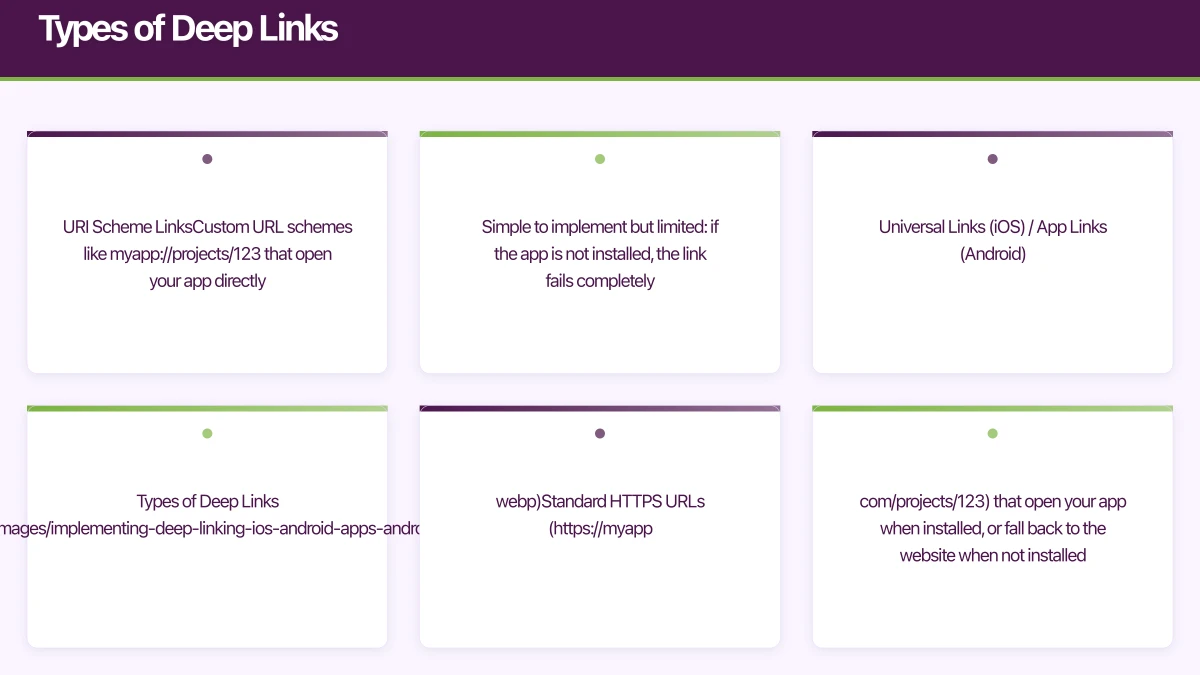
URI Scheme Links
Custom URL schemes like myapp://projects/123 that open your app directly. Simple to implement but limited: if the app is not installed, the link fails completely.
Universal Links (iOS) / App Links (Android)
Standard HTTPS URLs (https://myapp.com/projects/123) that open your app when installed, or fall back to the website when not installed. This is the recommended approach for most use cases.
Deferred Deep Links
Links that work even when the app is not installed. The user is directed to the App Store, and after installation, the app opens to the intended content. Requires a third-party service like Branch or Firebase Dynamic Links.
iOS: Universal Links
U
niversal Links are Apple’s recommended deep linking mechanism. They use standard HTTPS URLs, provide a seamless experience, and are more secure than custom URI schemes.
Step 1: Configure the apple-app-site-association File
Host a JSON file at https://yourdomain.com/.well-known/apple-app-site-association:
{
  "applinks": {
    "apps": [],
    "details": [
      {
        "appID": "TEAMID.au.com.yourapp.bundleid",
        "paths": [
          "/projects/*",
          "/tasks/*",
          "/invite/*",
          "/share/*"
        ]
      }
    ]
  }
}
Important requirements:
- Served over HTTPS (no redirects)
- Content-Type: application/json
- No
.jsonfile extension in the URL - Your Team ID is from your Apple Developer account
- The
appIDformat isTeamID.BundleIdentifier
Step 2: Enable Associated Domains in Xcode
In your app target’s Signing and Capabilities:
- Add “Associated Domains” capability
- Add
applinks:yourdomain.com
Step 3: Handle Incoming Links
// SceneDelegate.swift (iOS 13+)
class SceneDelegate: UIResponder, UIWindowSceneDelegate {
    func scene(_ scene: UIScene,
               continue userActivity: NSUserActivity) {
        guard userActivity.activityType == NSUserActivityTypeBrowsingWeb,
              let url = userActivity.webpageURL
        else { return }

        handleDeepLink(url: url)
    }

    private func handleDeepLink(url: URL) {
        let pathComponents = url.pathComponents
        // pathComponents: ["/", "projects", "123"]

        guard pathComponents.count >= 3 else { return }

        switch pathComponents[1] {
        case "projects":
            let projectId = pathComponents[2]
            navigateToProject(id: projectId)
        case "tasks":
            let taskId = pathComponents[2]
            navigateToTask(id: taskId)
        case "invite":
            let inviteCode = pathComponents[2]
            handleInvite(code: inviteCode)
        default:
            break
        }
    }
}
SwiftUI Deep Link Handling
@main
struct MyApp: App {
    var body: some Scene {
        WindowGroup {
            ContentView()
                .onOpenURL { url in
                    handleDeepLink(url: url)
                }
        }
    }
}
Android: App Links
And
roid App Links are the Android equivalent of Universal Links. They use standard HTTPS URLs and are verified against your website.
Step 1: Create the Digital Asset Links File
Host at https://yourdomain.com/.well-known/assetlinks.json:
[
  {
    "relation": ["delegate_permission/common.handle_all_urls"],
    "target": {
      "namespace": "android_app",
      "package_name": "au.com.yourapp",
      "sha256_cert_fingerprints": [
        "AB:CD:EF:12:34:56:78:90:AB:CD:EF:12:34:56:78:90:AB:CD:EF:12:34:56:78:90:AB:CD:EF:12:34:56:78:90"
      ]
    }
  }
]
Generate your SHA-256 fingerprint:
keytool -list -v -keystore your-keystore.jks -alias your-aliasStep 2: Configure AndroidManifest.xml
<activity android:name=".MainActivity">
    <intent-filter android:autoVerify="true">
        <action android:name="android.intent.action.VIEW" />
        <category android:name="android.intent.category.DEFAULT" />
        <category android:name="android.intent.category.BROWSABLE" />

        <data android:scheme="https"
              android:host="yourdomain.com"
              android:pathPrefix="/projects" />
        <data android:scheme="https"
              android:host="yourdomain.com"
              android:pathPrefix="/tasks" />
        <data android:scheme="https"
              android:host="yourdomain.com"
              android:pathPrefix="/invite" />
    </intent-filter>
</activity>
The android:autoVerify="true" attribute triggers automatic verification against your Digital Asset Links file.
Step 3: Handle Incoming Links
class MainActivity : AppCompatActivity() {
    override fun onCreate(savedInstanceState: Bundle?) {
        super.onCreate(savedInstanceState)
        handleDeepLink(intent)
    }

    override fun onNewIntent(intent: Intent?) {
        super.onNewIntent(intent)
        intent?.let { handleDeepLink(it) }
    }

    private fun handleDeepLink(intent: Intent) {
        val uri = intent.data ?: return
        val pathSegments = uri.pathSegments
        // pathSegments: ["projects", "123"]

        when {
            pathSegments.size >= 2 && pathSegments[0] == "projects" -> {
                val projectId = pathSegments[1]
                navigateToProject(projectId)
            }
            pathSegments.size >= 2 && pathSegments[0] == "tasks" -> {
                val taskId = pathSegments[1]
                navigateToTask(taskId)
            }
            pathSegments.size >= 2 && pathSegments[0] == "invite" -> {
                val inviteCode = pathSegments[1]
                handleInvite(inviteCode)
            }
        }
    }

    private fun navigateToProject(projectId: String) {
        val fragment = ProjectDetailFragment.newInstance(projectId)
        supportFragmentManager.beginTransaction()
            .replace(R.id.container, fragment)
            .addToBackStack(null)
            .commit()
    }
}
Jetpack Navigation Deep Links
If you use Jetpack Navigation, deep links integrate directly:
// In your navigation graph (nav_graph.xml)
<fragment
    android:id="@+id/projectDetailFragment"
    android:name="au.com.yourapp.ProjectDetailFragment">
    <argument android:name="projectId" app:argType="string" />
    <deepLink
        android:id="@+id/projectDeepLink"
        app:uri="https://yourdomain.com/projects/{projectId}" />
</fragment>
React Native Deep Linking
For React Native apps, React Navigation provides deep linking support:
const linking = {
  prefixes: ['https://yourdomain.com', 'myapp://'],
  config: {
    screens: {
      Main: {
        screens: {
          Projects: {
            screens: {
              ProjectList: 'projects',
              ProjectDetail: 'projects/:projectId',
            },
          },
          Tasks: {
            screens: {
              TaskDetail: 'tasks/:taskId',
            },
          },
        },
      },
      Invite: 'invite/:inviteCode',
    },
  },
};

const App = () => (
  <NavigationContainer linking={linking} fallback={<LoadingScreen />}>
    <RootNavigator />
  </NavigationContainer>
);
For Universal Links and App Links, you still need the native configuration (apple-app-site-association and assetlinks.json).
Firebase Dynamic Links
Firebase Dynamic Links handle the deferred deep linking case: the user clicks a link but does not have the app installed. The link survives the App Store installation process.
Setup
npm install @react-native-firebase/dynamic-linksCreating a Dynamic Link
import dynamicLinks from '@react-native-firebase/dynamic-links';

const createShareLink = async (projectId, projectName) => {
  const link = await dynamicLinks().buildShortLink({
    link: `https://yourdomain.com/projects/${projectId}`,
    domainUriPrefix: 'https://yourapp.page.link',
    ios: {
      bundleId: 'au.com.yourapp',
      appStoreId: '1234567890',
      fallbackUrl: `https://yourdomain.com/projects/${projectId}`,
    },
    android: {
      packageName: 'au.com.yourapp',
      fallbackUrl: `https://yourdomain.com/projects/${projectId}`,
    },
    social: {
      title: projectName,
      descriptionText: `Check out this project: ${projectName}`,
      imageUrl: 'https://yourdomain.com/og-image.png',
    },
  });

  return link;
};
Handling Dynamic Links
import dynamicLinks from '@react-native-firebase/dynamic-links';

// Handle link when app is already running
dynamicLinks().onLink((link) => {
  handleDynamicLink(link.url);
});

// Handle link that opened the app
dynamicLinks().getInitialLink().then((link) => {
  if (link) {
    handleDynamicLink(link.url);
  }
});

const handleDynamicLink = (url) => {
  const route = parseUrl(url);
  if (route) {
    navigationRef.current?.navigate(route.screen, route.params);
  }
};
Deep Linking from Push Notifications
Push notifications are one of the most common deep link sources:
// Firebase Cloud Messaging payload with deep link
{
  "notification": {
    "title": "New comment on your project",
    "body": "Sarah: 'Looking great, one small suggestion...'"
  },
  "data": {
    "deepLink": "https://yourdomain.com/projects/123/comments/456"
  }
}
Handle the notification tap:
messaging().onNotificationOpenedApp((remoteMessage) => {
  const deepLink = remoteMessage.data?.deepLink;
  if (deepLink) {
    Linking.openURL(deepLink);
  }
});
Deep Linking from Email
For marketing emails and transactional messages, use your Universal Link or App Link URLs directly:
<a href="https://yourdomain.com/projects/123">View your project</a>Users with the app installed will open the app. Users without the app will land on your website. If you use Firebase Dynamic Links, non-installed users can be directed to the App Store.
Testing Deep Links
iOS Testing
# Test Universal Links
xcrun simctl openurl booted "https://yourdomain.com/projects/123"

# Test URI scheme
xcrun simctl openurl booted "myapp://projects/123"
Android Testing
# Test App Links
adb shell am start -a android.intent.action.VIEW \
  -d "https://yourdomain.com/projects/123" au.com.yourapp

# Test URI scheme
adb shell am start -a android.intent.action.VIEW \
  -d "myapp://projects/123" au.com.yourapp
Validation Tools
- Apple: Use the Apple App Search API Validation Tool to verify your apple-app-site-association file
- Android: Use the Digital Asset Links API to verify your assetlinks.json
Common Deep Linking Pitfalls
-
Not handling the case where the destination screen requires authentication. If a deep link goes to a protected screen, check auth state first and redirect to login if needed. After login, resume navigation to the original destination.
-
Broken server-side configuration. The association files must be served correctly (HTTPS, correct content type, no redirects). Test after every server change.
-
Not updating paths when routes change. If you rename a screen or change your URL structure, existing deep links break. Maintain backwards compatibility.
-
Ignoring the cold start case. Deep links behave differently when the app is already running versus being launched from scratch. Test both scenarios.
-
Not tracking deep link attribution. Measure which deep links are clicked and whether they convert. This data informs your marketing strategy.
Deep linking transforms your app from an isolated island into a connected node in the broader mobile ecosystem. At eawesome, we implement deep linking from the first release because retroactively adding it to an established app is significantly more work.
Launching an app? You’ll need a website to support it. Cosmos Web Tech builds app landing pages and marketing sites for Australian businesses.
Ashish Ganda is the founder of Ganda Tech Services, a Sydney-based technology consultancy helping Australian businesses grow through cloud, web, and mobile solutions.
Talk to a Sydney app developer — free.
30 minutes. We'll tell you what your app needs, how long it takes, and what it costs. Real answers, no sales pitch.
Book Free App Strategy Call →Free · 30 minutes · No obligation