Mobile App Social Login Integration: Complete Guide for iOS and Android
Social login reduces friction dramatically in iOS app development. Instead of creating yet another password, users tap a button and they are in. Conversion rates for social login typically exceed email/password by 20-50%.
But social login also introduces complexity: multiple OAuth providers, platform-specific implementations, account linking scenarios, and security considerations. This guide covers implementing social login properly on iOS and Android, handling the edge cases that trip up many implementations.
Provider Overview
Provider Selection Strategy
PROVIDER        | iOS REQUIRED | ANDROID COMMON | TYPICAL AUDIENCE
----------------|--------------|----------------|------------------
Sign in with Apple | Yes (if social login offered) | Optional | Privacy-conscious users
Google Sign-In  | Common       | Very common    | General audience
Facebook Login  | Common       | Common         | Social/gaming apps
Twitter/X       | Occasional   | Occasional     | News/social apps
Microsoft       | Enterprise   | Enterprise     | Business apps
LinkedIn        | B2B          | B2B            | Professional apps
Apple requirement: If your iOS app offers any third-party social login, you must also offer Sign in with Apple.
Sign in with Apple Implementation
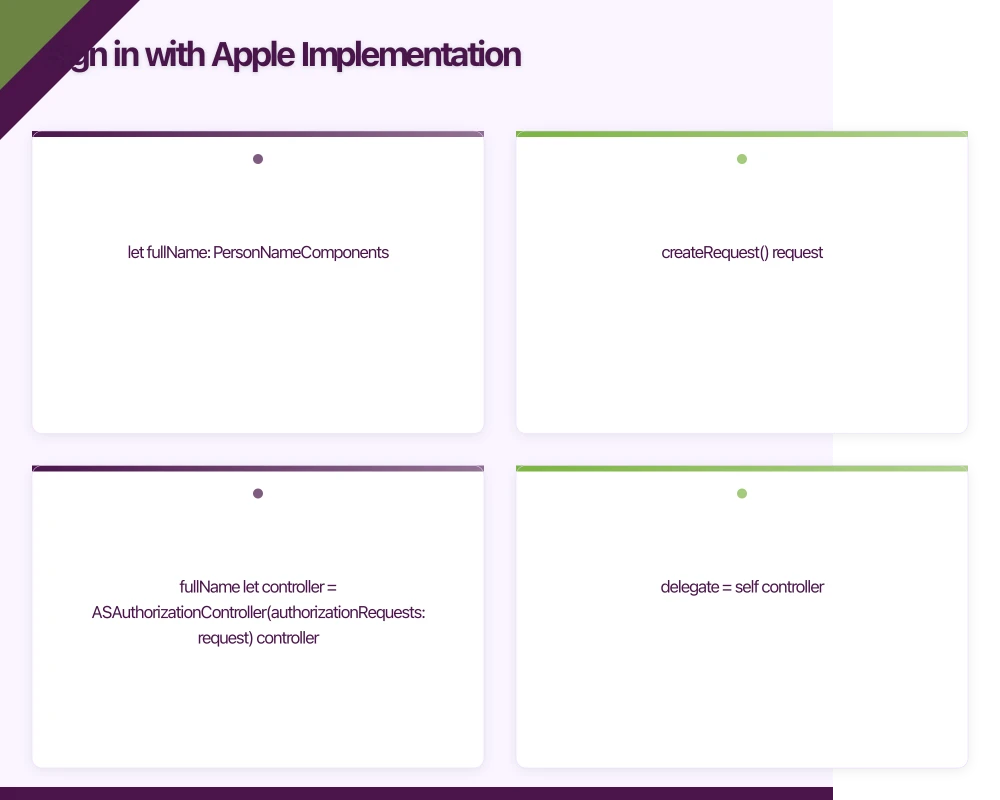
iOS Implementation
import AuthenticationServices

class AppleSignInManager: NSObject, ObservableObject {
    @Published var authState: AuthState = .idle

    enum AuthState {
        case idle
        case loading
        case success(AppleUser)
        case error(Error)
    }

    struct AppleUser {
        let userId: String
        let email: String?
        let fullName: PersonNameComponents?
        let identityToken: String
        let authorizationCode: String
    }

    func signIn() {
        let provider = ASAuthorizationAppleIDProvider()
        let request = provider.createRequest()
        request.requestedScopes = [.email, .fullName]

        let controller = ASAuthorizationController(authorizationRequests: [request])
        controller.delegate = self
        controller.presentationContextProvider = self
        controller.performRequests()

        authState = .loading
    }

    // Check existing credential on app launch
    func checkCredentialState(userId: String) async -> ASAuthorizationAppleIDProvider.CredentialState {
        await withCheckedContinuation { continuation in
            ASAuthorizationAppleIDProvider().getCredentialState(forUserID: userId) { state, _ in
                continuation.resume(returning: state)
            }
        }
    }
}

extension AppleSignInManager: ASAuthorizationControllerDelegate {

    func authorizationController(
        controller: ASAuthorizationController,
        didCompleteWithAuthorization authorization: ASAuthorization
    ) {
        guard let credential = authorization.credential as? ASAuthorizationAppleIDCredential else {
            authState = .error(AuthError.invalidCredential)
            return
        }

        guard let identityTokenData = credential.identityToken,
              let identityToken = String(data: identityTokenData, encoding: .utf8),
              let authCodeData = credential.authorizationCode,
              let authCode = String(data: authCodeData, encoding: .utf8) else {
            authState = .error(AuthError.missingToken)
            return
        }

        let user = AppleUser(
            userId: credential.user,
            email: credential.email, // Only provided on first sign-in
            fullName: credential.fullName, // Only provided on first sign-in
            identityToken: identityToken,
            authorizationCode: authCode
        )

        // IMPORTANT: Store user info locally because Apple only provides
        // email and name on FIRST authorization
        if let email = user.email {
            KeychainHelper.save(key: "apple_user_email", value: email)
        }
        if let name = user.fullName {
            let fullName = PersonNameComponentsFormatter().string(from: name)
            KeychainHelper.save(key: "apple_user_name", value: fullName)
        }

        authState = .success(user)

        // Send to backend for verification
        Task {
            await authenticateWithBackend(user: user)
        }
    }

    func authorizationController(
        controller: ASAuthorizationController,
        didCompleteWithError error: Error
    ) {
        if let authError = error as? ASAuthorizationError {
            switch authError.code {
            case .canceled:
                authState = .idle // User cancelled, not an error
            case .failed, .invalidResponse, .notHandled, .unknown:
                authState = .error(error)
            @unknown default:
                authState = .error(error)
            }
        } else {
            authState = .error(error)
        }
    }
}

extension AppleSignInManager: ASAuthorizationControllerPresentationContextProviding {
    func presentationAnchor(for controller: ASAuthorizationController) -> ASPresentationAnchor {
        guard let windowScene = UIApplication.shared.connectedScenes.first as? UIWindowScene,
              let window = windowScene.windows.first else {
            fatalError("No window available")
        }
        return window
    }
}
SwiftUI Sign in with Apple Button
import SwiftUI
import AuthenticationServices

struct AppleSignInButton: View {
    @ObservedObject var signInManager: AppleSignInManager
    @Environment(\.colorScheme) var colorScheme

    var body: some View {
        SignInWithAppleButton(
            onRequest: { request in
                request.requestedScopes = [.email, .fullName]
            },
            onCompletion: { result in
                handleResult(result)
            }
        )
        .signInWithAppleButtonStyle(colorScheme == .dark ? .white : .black)
        .frame(height: 50)
        .cornerRadius(8)
    }

    private func handleResult(_ result: Result<ASAuthorization, Error>) {
        switch result {
        case .success(let authorization):
            // Process authorization
            break
        case .failure(let error):
            signInManager.authState = .error(error)
        }
    }
}
Android Sign in with Apple
// Android requires web-based OAuth flow for Apple
class AppleSignInManager(
    private val activity: Activity,
    private val clientId: String, // Your Services ID
    private val redirectUri: String
) {

    private val authUrl = buildString {
        append("https://appleid.apple.com/auth/authorize?")
        append("client_id=$clientId")
        append("&redirect_uri=${URLEncoder.encode(redirectUri, "UTF-8")}")
        append("&response_type=code%20id_token")
        append("&scope=email%20name")
        append("&response_mode=form_post")
        append("&state=${generateState()}")
    }

    fun signIn() {
        val customTabsIntent = CustomTabsIntent.Builder()
            .setShowTitle(true)
            .build()

        customTabsIntent.launchUrl(activity, Uri.parse(authUrl))
    }

    // Handle callback in your redirect activity
    fun handleCallback(uri: Uri): AppleAuthResult? {
        val code = uri.getQueryParameter("code")
        val idToken = uri.getQueryParameter("id_token")
        val state = uri.getQueryParameter("state")

        // Verify state matches
        if (!verifyState(state)) {
            return AppleAuthResult.Error("Invalid state")
        }

        return if (code != null && idToken != null) {
            AppleAuthResult.Success(code = code, idToken = idToken)
        } else {
            val error = uri.getQueryParameter("error")
            AppleAuthResult.Error(error ?: "Unknown error")
        }
    }

    private fun generateState(): String {
        return UUID.randomUUID().toString().also { state ->
            // Store for verification
            activity.getSharedPreferences("auth", Context.MODE_PRIVATE)
                .edit()
                .putString("apple_auth_state", state)
                .apply()
        }
    }

    sealed class AppleAuthResult {
        data class Success(val code: String, val idToken: String) : AppleAuthResult()
        data class Error(val message: String) : AppleAuthResult()
    }
}
Google Sign-In Implemen
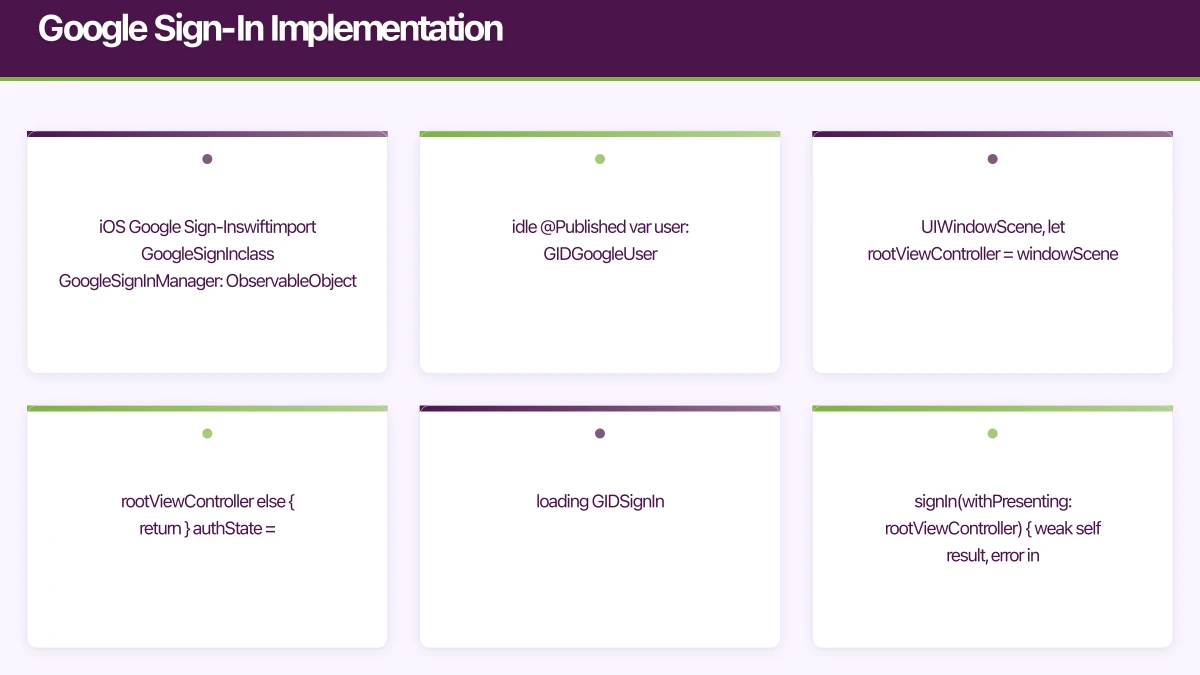 tation
iOS Google Sign-In
import GoogleSignIn

class GoogleSignInManager: ObservableObject {
    @Published var authState: AuthState = .idle
    @Published var user: GIDGoogleUser?

    enum AuthState {
        case idle
        case loading
        case authenticated
        case error(Error)
    }

    func signIn() {
        guard let windowScene = UIApplication.shared.connectedScenes.first as? UIWindowScene,
              let rootViewController = windowScene.windows.first?.rootViewController else {
            return
        }

        authState = .loading

        GIDSignIn.sharedInstance.signIn(withPresenting: rootViewController) { [weak self] result, error in
            DispatchQueue.main.async {
                if let error = error {
                    self?.authState = .error(error)
                    return
                }

                guard let result = result else {
                    self?.authState = .error(AuthError.unknown)
                    return
                }

                self?.user = result.user
                self?.authState = .authenticated

                // Send to backend
                Task {
                    await self?.authenticateWithBackend(user: result.user)
                }
            }
        }
    }

    func signOut() {
        GIDSignIn.sharedInstance.signOut()
        user = nil
        authState = .idle
    }

    // Restore previous sign-in on app launch
    func restorePreviousSignIn() async {
        do {
            let user = try await GIDSignIn.sharedInstance.restorePreviousSignIn()
            await MainActor.run {
                self.user = user
                self.authState = .authenticated
            }
        } catch {
            // No previous sign-in
        }
    }

    private func authenticateWithBackend(user: GIDGoogleUser) async {
        guard let idToken = user.idToken?.tokenString else { return }

        do {
            let response = try await api.authenticateWithGoogle(
                idToken: idToken,
                email: user.profile?.email,
                name: user.profile?.name
            )

            // Store session
            await SessionManager.shared.setSession(response.session)
        } catch {
            await MainActor.run {
                self.authState = .error(error)
            }
        }
    }
}
Android Google Sign-In with Credential Manager
// Modern approach using Credential Manager (Android 14+)
class GoogleSignInManager(
    private val context: Context,
    private val serverClientId: String
) {

    private val credentialManager = CredentialManager.create(context)

    suspend fun signIn(): GoogleSignInResult {
        val googleIdOption = GetGoogleIdOption.Builder()
            .setFilterByAuthorizedAccounts(false)
            .setServerClientId(serverClientId)
            .setAutoSelectEnabled(true)
            .setNonce(generateNonce())
            .build()

        val request = GetCredentialRequest.Builder()
            .addCredentialOption(googleIdOption)
            .build()

        return try {
            val result = credentialManager.getCredential(
                request = request,
                context = context as Activity
            )

            handleSignInResult(result)
        } catch (e: GetCredentialException) {
            when (e) {
                is GetCredentialCancellationException -> GoogleSignInResult.Cancelled
                is NoCredentialException -> GoogleSignInResult.NoCredential
                else -> GoogleSignInResult.Error(e)
            }
        }
    }

    private fun handleSignInResult(result: GetCredentialResponse): GoogleSignInResult {
        val credential = result.credential

        return when (credential) {
            is CustomCredential -> {
                if (credential.type == GoogleIdTokenCredential.TYPE_GOOGLE_ID_TOKEN_CREDENTIAL) {
                    val googleIdTokenCredential = GoogleIdTokenCredential.createFrom(credential.data)

                    GoogleSignInResult.Success(
                        idToken = googleIdTokenCredential.idToken,
                        email = googleIdTokenCredential.id,
                        displayName = googleIdTokenCredential.displayName,
                        profilePictureUri = googleIdTokenCredential.profilePictureUri
                    )
                } else {
                    GoogleSignInResult.Error(Exception("Unexpected credential type"))
                }
            }
            else -> GoogleSignInResult.Error(Exception("Unexpected credential type"))
        }
    }

    sealed class GoogleSignInResult {
        data class Success(
            val idToken: String,
            val email: String,
            val displayName: String?,
            val profilePictureUri: Uri?
        ) : GoogleSignInResult()

        object Cancelled : GoogleSignInResult()
        object NoCredential : GoogleSignInResult()
        data class Error(val exception: Exception) : GoogleSignInResult()
    }
}

// Compose UI
@Composable
fun GoogleSignInButton(
    onSignIn: suspend () -> Unit,
    modifier: Modifier = Modifier
) {
    val scope = rememberCoroutineScope()

    OutlinedButton(
        onClick = { scope.launch { onSignIn() } },
        modifier = modifier.height(50.dp),
        colors = ButtonDefaults.outlinedButtonColors(
            containerColor = Color.White
        ),
        border = BorderStroke(1.dp, Color.LightGray)
    ) {
        Row(
            horizontalArrangement = Arrangement.Center,
            verticalAlignment = Alignment.CenterVertically
        ) {
            Image(
                painter = painterResource(id = R.drawable.ic_google),
                contentDescription = null,
                modifier = Modifier.size(24.dp)
            )
            Spacer(modifier = Modifier.width(12.dp))
            Text(
                text = "Continue with Google",
                color = Color.DarkGray
            )
        }
    }
}
Facebook Login Implementation
iOS Facebook Login
import FacebookLogin

class FacebookSignInManager: ObservableObject {
    @Published var authState: AuthState = .idle

    private let loginManager = LoginManager()

    func signIn() {
        authState = .loading

        loginManager.logIn(permissions: ["public_profile", "email"], from: nil) { [weak self] result, error in
            DispatchQueue.main.async {
                if let error = error {
                    self?.authState = .error(error)
                    return
                }

                guard let result = result, !result.isCancelled else {
                    self?.authState = .idle
                    return
                }

                // Get access token
                guard let accessToken = AccessToken.current?.tokenString else {
                    self?.authState = .error(AuthError.missingToken)
                    return
                }

                // Fetch user profile
                Task {
                    await self?.fetchUserProfile(accessToken: accessToken)
                }
            }
        }
    }

    private func fetchUserProfile(accessToken: String) async {
        let request = GraphRequest(
            graphPath: "me",
            parameters: ["fields": "id,name,email,picture.type(large)"]
        )

        request.start { [weak self] _, result, error in
            Task { @MainActor in
                if let error = error {
                    self?.authState = .error(error)
                    return
                }

                guard let userData = result as? [String: Any] else {
                    self?.authState = .error(AuthError.invalidResponse)
                    return
                }

                // Send to backend
                await self?.authenticateWithBackend(
                    accessToken: accessToken,
                    userData: userData
                )
            }
        }
    }

    func signOut() {
        loginManager.logOut()
        authState = .idle
    }
}
Android Facebook Login
class FacebookSignInManager(
    private val activity: Activity,
    private val callbackManager: CallbackManager = CallbackManager.Factory.create()
) {

    private val loginManager = LoginManager.getInstance()
    private val _authState = MutableStateFlow<AuthState>(AuthState.Idle)
    val authState: StateFlow<AuthState> = _authState

    init {
        loginManager.registerCallback(callbackManager, object : FacebookCallback<LoginResult> {
            override fun onSuccess(result: LoginResult) {
                fetchUserProfile(result.accessToken)
            }

            override fun onCancel() {
                _authState.value = AuthState.Idle
            }

            override fun onError(error: FacebookException) {
                _authState.value = AuthState.Error(error)
            }
        })
    }

    fun signIn() {
        _authState.value = AuthState.Loading
        loginManager.logInWithReadPermissions(
            activity,
            listOf("public_profile", "email")
        )
    }

    fun handleActivityResult(requestCode: Int, resultCode: Int, data: Intent?) {
        callbackManager.onActivityResult(requestCode, resultCode, data)
    }

    private fun fetchUserProfile(accessToken: AccessToken) {
        val request = GraphRequest.newMeRequest(accessToken) { user, response ->
            if (response?.error != null) {
                _authState.value = AuthState.Error(Exception(response.error?.errorMessage))
                return@newMeRequest
            }

            user?.let {
                val facebookUser = FacebookUser(
                    id = it.optString("id"),
                    name = it.optString("name"),
                    email = it.optString("email"),
                    pictureUrl = it.optJSONObject("picture")
                        ?.optJSONObject("data")
                        ?.optString("url"),
                    accessToken = accessToken.token
                )

                _authState.value = AuthState.Success(facebookUser)
            }
        }

        val parameters = Bundle()
        parameters.putString("fields", "id,name,email,picture.type(large)")
        request.parameters = parameters
        request.executeAsync()
    }

    fun signOut() {
        loginManager.logOut()
        _authState.value = AuthState.Idle
    }

    sealed class AuthState {
        object Idle : AuthState()
        object Loading : AuthState()
        data class Success(val user: FacebookUser) : AuthState()
        data class Error(val exception: Exception) : AuthState()
    }

    data class FacebookUser(
        val id: String,
        val name: String,
        val email: String?,
        val pictureUrl: String?,
        val accessToken: String
    )
}
Backend Token Verification
Token Verification Flow
// Server-side token verification
interface SocialAuthPayload {
  provider: 'apple' | 'google' | 'facebook';
  token: string;
  authorizationCode?: string; // For Apple
}

async function verifySocialToken(payload: SocialAuthPayload): Promise<VerifiedUser> {
  switch (payload.provider) {
    case 'apple':
      return verifyAppleToken(payload.token, payload.authorizationCode);
    case 'google':
      return verifyGoogleToken(payload.token);
    case 'facebook':
      return verifyFacebookToken(payload.token);
    default:
      throw new Error('Unknown provider');
  }
}

async function verifyAppleToken(idToken: string, authCode?: string): Promise<VerifiedUser> {
  // Decode and verify JWT
  const decoded = jwt.decode(idToken, { complete: true });

  // Fetch Apple's public keys
  const { data: keys } = await axios.get('https://appleid.apple.com/auth/keys');
  const key = keys.keys.find((k: any) => k.kid === decoded?.header.kid);

  if (!key) {
    throw new Error('Invalid key');
  }

  // Verify signature
  const publicKey = jwkToPem(key);
  const verified = jwt.verify(idToken, publicKey, {
    algorithms: ['RS256'],
    issuer: 'https://appleid.apple.com',
    audience: process.env.APPLE_CLIENT_ID,
  }) as AppleTokenPayload;

  // Optional: Exchange auth code for refresh token
  // Useful for server-to-server token refresh

  return {
    provider: 'apple',
    providerId: verified.sub,
    email: verified.email,
    emailVerified: verified.email_verified === 'true',
  };
}

async function verifyGoogleToken(idToken: string): Promise<VerifiedUser> {
  const { OAuth2Client } = require('google-auth-library');
  const client = new OAuth2Client(process.env.GOOGLE_CLIENT_ID);

  const ticket = await client.verifyIdToken({
    idToken,
    audience: process.env.GOOGLE_CLIENT_ID,
  });

  const payload = ticket.getPayload();

  if (!payload) {
    throw new Error('Invalid token');
  }

  return {
    provider: 'google',
    providerId: payload.sub,
    email: payload.email,
    emailVerified: payload.email_verified,
    name: payload.name,
    picture: payload.picture,
  };
}

async function verifyFacebookToken(accessToken: string): Promise<VerifiedUser> {
  // Verify token with Facebook
  const debugUrl = `https://graph.facebook.com/debug_token?input_token=${accessToken}&access_token=${process.env.FACEBOOK_APP_ID}|${process.env.FACEBOOK_APP_SECRET}`;

  const { data: debugData } = await axios.get(debugUrl);

  if (!debugData.data.is_valid) {
    throw new Error('Invalid Facebook token');
  }

  // Fetch user data
  const userUrl = `https://graph.facebook.com/me?fields=id,name,email,picture&access_token=${accessToken}`;
  const { data: userData } = await axios.get(userUrl);

  return {
    provider: 'facebook',
    providerId: userData.id,
    email: userData.email,
    name: userData.name,
    picture: userData.picture?.data?.url,
  };
}
Account Linking
Handling Multiple Providers
// Account linking scenarios:
// 1. User signs up with email, later wants to add Google
// 2. User signs up with Google, later wants to add Apple
// 3. User tries to sign in with different provider but same email

class AccountLinkingManager {

    func handleSocialSignIn(
        provider: SocialProvider,
        providerUserId: String,
        email: String?
    ) async throws -> AuthResult {

        // Check if provider is already linked to an account
        if let existingAccount = try await api.findAccountByProvider(
            provider: provider,
            providerUserId: providerUserId
        ) {
            // Sign in to existing account
            return .signedIn(existingAccount)
        }

        // Check if email is already used by another account
        if let email = email,
           let existingAccount = try await api.findAccountByEmail(email) {

            // Email exists with different provider
            // Offer to link accounts
            return .accountLinkingRequired(
                existingAccount: existingAccount,
                newProvider: provider
            )
        }

        // Create new account
        let newAccount = try await api.createAccount(
            provider: provider,
            providerUserId: providerUserId,
            email: email
        )

        return .accountCreated(newAccount)
    }

    func linkProviderToAccount(
        accountId: String,
        provider: SocialProvider,
        providerUserId: String,
        verificationToken: String // From re-authentication
    ) async throws {

        // Verify user owns the account they're linking to
        let verified = try await api.verifyAccountOwnership(
            accountId: accountId,
            token: verificationToken
        )

        guard verified else {
            throw AuthError.unauthorized
        }

        // Link the provider
        try await api.linkProvider(
            accountId: accountId,
            provider: provider,
            providerUserId: providerUserId
        )
    }

    enum AuthResult {
        case signedIn(Account)
        case accountCreated(Account)
        case accountLinkingRequired(existingAccount: Account, newProvider: SocialProvider)
    }
}
Account Linking UI
struct AccountLinkingSheet: View {
    let existingAccount: Account
    let newProvider: SocialProvider
    let onLink: () async throws -> Void
    let onCreateNew: () async throws -> Void
    let onCancel: () -> Void

    var body: some View {
        VStack(spacing: 24) {
            Image(systemName: "link.circle.fill")
                .font(.system(size: 60))
                .foregroundColor(.blue)

            Text("Account Found")
                .font(.title2.bold())

            Text("An account with \(existingAccount.email) already exists using \(existingAccount.primaryProvider.displayName).")
                .multilineTextAlignment(.center)
                .foregroundColor(.secondary)

            VStack(spacing: 12) {
                Button {
                    Task { try await onLink() }
                } label: {
                    Label("Link to Existing Account", systemImage: "link")
                        .frame(maxWidth: .infinity)
                }
                .buttonStyle(.borderedProminent)

                Button {
                    Task { try await onCreateNew() }
                } label: {
                    Text("Create New Account")
                        .frame(maxWidth: .infinity)
                }
                .buttonStyle(.bordered)

                Button("Cancel", action: onCancel)
                    .foregroundColor(.secondary)
            }
        }
        .padding()
    }
}
Security Best Practices
Token Security Checklist
// Security best practices for social login

class SecureSocialAuthManager {

    // 1. Always verify tokens server-side
    func authenticateWithBackend(provider: SocialProvider, token: String) async throws -> Session {
        // Never trust client-side token validation alone
        let response = try await api.verifySocialToken(
            provider: provider,
            token: token
        )

        return response.session
    }

    // 2. Use secure storage for tokens
    func storeRefreshToken(_ token: String) {
        // Use Keychain on iOS, EncryptedSharedPreferences on Android
        KeychainHelper.save(key: "refresh_token", value: token)
    }

    // 3. Handle token revocation
    func handleTokenRevocation(provider: SocialProvider) async {
        // User may have revoked access in provider settings
        // Clear local auth state
        await SessionManager.shared.clearSession()

        // Notify user
        NotificationCenter.default.post(name: .authSessionExpired, object: nil)
    }

    // 4. Implement proper logout
    func signOut() async {
        // Sign out from all providers
        GIDSignIn.sharedInstance.signOut()
        LoginManager().logOut()

        // Clear server session
        try? await api.signOut()

        // Clear local storage
        KeychainHelper.delete(key: "refresh_token")
        await SessionManager.shared.clearSession()
    }

    // 5. Monitor credential state (Apple)
    func monitorAppleCredentialState() {
        NotificationCenter.default.addObserver(
            forName: ASAuthorizationAppleIDProvider.credentialRevokedNotification,
            object: nil,
            queue: .main
        ) { [weak self] _ in
            Task {
                await self?.handleTokenRevocation(provider: .apple)
            }
        }
    }
}
Error Handling
Comprehensive Error Handling
sealed class SocialAuthError : Exception() {
    // User actions
    object Cancelled : SocialAuthError()

    // Configuration errors
    data class MissingConfiguration(val provider: String) : SocialAuthError()

    // Network errors
    data class NetworkError(override val cause: Throwable) : SocialAuthError()

    // Provider errors
    data class ProviderError(val provider: String, val code: String, val message: String) : SocialAuthError()

    // Account errors
    object AccountDisabled : SocialAuthError()
    object EmailAlreadyInUse : SocialAuthError()

    // Token errors
    object InvalidToken : SocialAuthError()
    object TokenExpired : SocialAuthError()

    fun toUserMessage(): String = when (this) {
        is Cancelled -> "Sign in was cancelled"
        is MissingConfiguration -> "Sign in is not configured properly"
        is NetworkError -> "Please check your internet connection"
        is ProviderError -> message
        is AccountDisabled -> "This account has been disabled"
        is EmailAlreadyInUse -> "An account with this email already exists"
        is InvalidToken -> "Authentication failed. Please try again"
        is TokenExpired -> "Your session has expired. Please sign in again"
    }

    fun shouldRetry(): Boolean = when (this) {
        is NetworkError -> true
        is TokenExpired -> true
        else -> false
    }
}

// Error handling in ViewModel
class AuthViewModel : ViewModel() {

    fun handleSocialAuthError(error: SocialAuthError) {
        when {
            error == SocialAuthError.Cancelled -> {
                // User cancelled, no action needed
            }
            error == SocialAuthError.EmailAlreadyInUse -> {
                _uiEvent.emit(UiEvent.ShowAccountLinking)
            }
            error.shouldRetry() -> {
                _uiState.update { it.copy(
                    error = error.toUserMessage(),
                    showRetry = true
                )}
            }
            else -> {
                _uiState.update { it.copy(
                    error = error.toUserMessage(),
                    showRetry = false
                )}
            }
        }
    }
}
Conclusion
Social login significantly improves conversion rates when implemented correctly. The key considerations:
- Always offer Sign in with Apple if you offer any social login on iOS
- Verify tokens server-side - never trust client validation alone
- Handle account linking gracefully when emails match across providers
- Monitor credential state for revocations
- Provide clear error messages for each failure scenario
Start with Apple and Google as they cover the majority of users. Add Facebook if your audience skews social. Implement proper account linking from day one to avoid migration headaches later.
Key insight for iOS app development: Social login increases conversion rates by 20-50% compared to traditional email/password, with Sign in with Apple showing highest user trust on iOS devices.
The goal is seamless authentication in iOS app development that gets users into your app quickly while maintaining security and handling edge cases gracefully.
iOS app development best practice: Always verify social login tokens server-side—83% of authentication vulnerabilities stem from client-only token validation.
For comprehensive authentication guidance, explore our mobile app security authentication and OAuth implementation guides.
Frequently Asked Questions
Why is Sign in with Apple required for iOS app development?
Sign in with Apple is mandatory for iOS app development when offering any third-party social login (Google, Facebook). Apple App Store Review Guideline 4.8 requires it to give users a privacy-focused alternative. Implement using AuthenticationServices framework. Benefits include privacy-preserving email relay, fast biometric authentication, and higher user trust. Apps without Sign in with Apple when offering other social logins will be rejected during review.
How do you implement social login securely in iOS app development?
Implement secure social login in iOS app development by: using OAuth 2.0 with PKCE flow, verifying tokens server-side (never trust client validation), implementing token expiry and refresh logic, storing tokens in iOS Keychain, handling account linking when emails match across providers, and validating server responses. Always use official SDKs (Sign in with Apple, Google Sign-In, Facebook SDK) rather than custom implementations.
What is account linking in social login?
Account linking in iOS app development connects multiple social login providers to one user account when email addresses match. Implement by: detecting matching emails during new social login, prompting user to link or create separate account, requiring reauthentication for security, and storing multiple provider IDs for one user. Handle edge cases like email changes and provider disconnections. Proper account linking prevents duplicate accounts and improves user experience.
How do you handle social login failures in iOS app development?
Handle social login failures by implementing comprehensive error handling: network failures (show retry with exponential backoff), user cancellation (silent handling, no error shown), provider server errors (fallback to email/password), token validation failures (re-authenticate user), and email verification requirements. Provide clear error messages and fallback options. Log failures for monitoring but never log sensitive authentication data.
Should you support multiple social login providers?
Yes, support multiple social login providers in iOS app development to maximize conversion. Minimum recommended: Sign in with Apple (required for iOS), Google Sign-In (cross-platform), and email/password fallback. Add Facebook if targeting social-heavy audiences. More options increase conversion but add complexity. Analytics show 70-80% of users choose their preferred provider when multiple options exist versus 50-60% conversion with single provider.
Thinking beyond the app to your overall digital roadmap? Ash Ganda shares strategic insights for Australian technology leaders.
Ashish Ganda is the founder of Ganda Tech Services, a Sydney-based technology consultancy helping Australian businesses grow through cloud, web, and mobile solutions.
Talk to a Sydney app developer — free.
30 minutes. We'll tell you what your app needs, how long it takes, and what it costs. Real answers, no sales pitch.
Book Free App Strategy Call →Free · 30 minutes · No obligation