Mobile App Development: Clean MVVM Architecture for Scalable Apps
Every mobile app development project starts small. A couple of screens, a few API calls, maybe some local storage. Then features pile up, the team grows, and suddenly you are staring at a codebase where changing a button colour somehow breaks the login flow. Sound familiar?
Clean MVVM architecture solves this mobile development challenge by enforcing clear boundaries between your app’s layers. After implementing this pattern across dozens of production mobile app development projects, I can confidently say it is the most practical architecture for mobile development in 2023. Not because it is trendy, but because it works when your app scales from five screens to fifty.
Why Clean MVVM Over Other Patterns
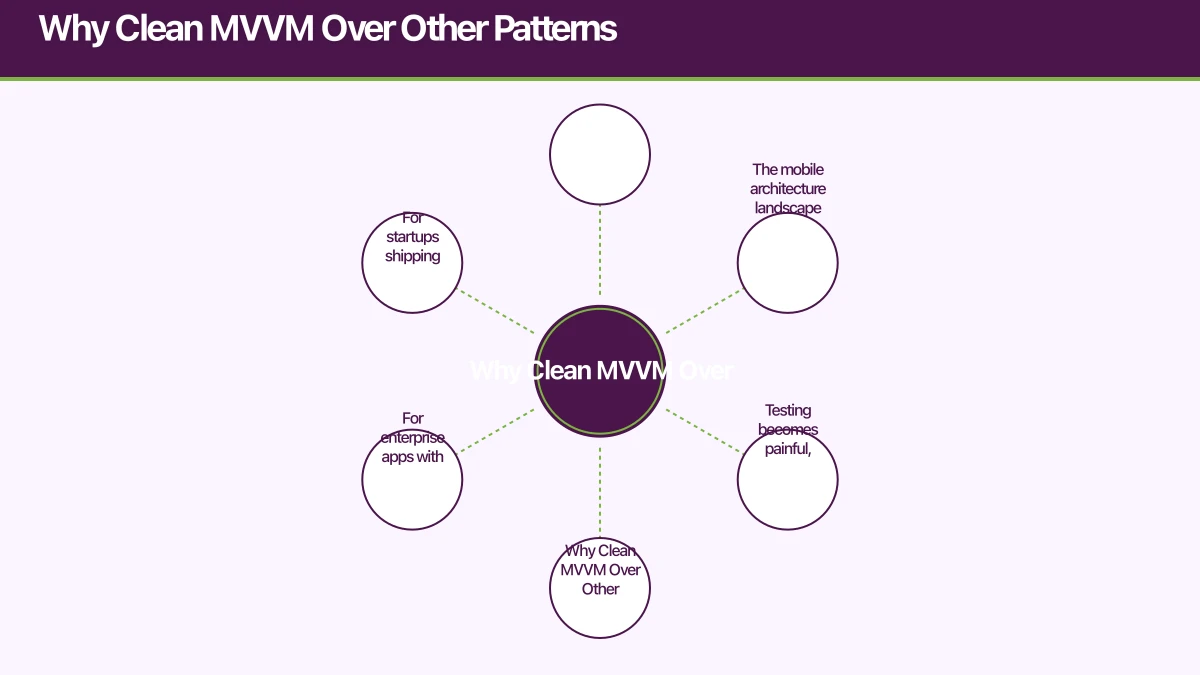
The mobile architecture landscape offers several options: MVC, MVP, VIPER, MVI, and various flavours of MVVM. Here is why Clean MVVM stands out in 2023:
MVC (Model-View-Controller) remains the default in many iOS projects, but it inevitably produces “Massive View Controllers” where business logic, UI code, and data management become tangled together. Testing becomes painful, and onboarding new developers takes weeks.
VIPER (View-Interactor-Presenter-Entity-Router) provides excellent separation but introduces so much boilerplate that teams spend more time maintaining architecture than building features. For enterprise apps with dedicated architecture teams, VIPER works. For startups shipping fast, it is overkill.
MVI (Model-View-Intent) has gained traction in the Android world with Jetpack Compose, and it works well for unidirectional data flow. But it introduces complexity around state management that is not always warranted.
Clean MVVM hits the sweet spot. It provides enough separation to keep code maintainable and testable, without the ceremony that slows down development. The “Clean” prefix means we apply Uncle Bob’s Clean Architecture principles to organise our MVVM layers, creating clear dependency rules between them.
The Archite
cture Layers
Clean MVVM divides your app into three distinct layers, each with a specific responsibility and strict dependency rules.
Presentation Layer
This is where your UI lives. Views (SwiftUI views, Compose composables, or XML layouts) and ViewModels reside here. The Presentation layer knows about the Domain layer but has no knowledge of the Data layer.
ViewModels expose state to the UI and handle user interactions by calling Use Cases from the Domain layer. They never directly access repositories, databases, or network services.
class ProductListViewModel(
    private val getProducts: GetProductsUseCase,
    private val addToCart: AddToCartUseCase
) : ViewModel() {

    private val _uiState = MutableStateFlow(ProductListState())
    val uiState: StateFlow<ProductListState> = _uiState.asStateFlow()

    fun loadProducts(category: String) {
        viewModelScope.launch {
            _uiState.update { it.copy(isLoading = true) }

            getProducts(category)
                .onSuccess { products ->
                    _uiState.update {
                        it.copy(isLoading = false, products = products)
                    }
                }
                .onFailure { error ->
                    _uiState.update {
                        it.copy(isLoading = false, error = error.message)
                    }
                }
        }
    }

    fun onAddToCart(productId: String) {
        viewModelScope.launch {
            addToCart(productId)
        }
    }
}

data class ProductListState(
    val isLoading: Boolean = false,
    val products: List<Product> = emptyList(),
    val error: String? = null
)
Domain Layer
The Domain layer is the heart of your application. It contains business logic, Use Cases, and domain models. This layer has zero dependencies on any framework, platform, or external library. It is pure Kotlin or Swift.
Use Cases represent single business operations. They coordinate between repositories (defined as interfaces in this layer) and apply business rules:
class GetProductsUseCase(
    private val productRepository: ProductRepository
) {
    suspend operator fun invoke(category: String): Result<List<Product>> {
        return productRepository.getProducts(category)
            .map { products ->
                products
                    .filter { it.isAvailable }
                    .sortedByDescending { it.rating }
            }
    }
}

// Repository interface defined in Domain layer
interface ProductRepository {
    suspend fun getProducts(category: String): Result<List<Product>>
    suspend fun getProductById(id: String): Result<Product>
}
The beauty of this approach is testability. You can unit test every Use Case with mock repositories, completely isolated from network calls or database queries.
Data Layer
The Data layer implements the repository interfaces defined in the Domain layer. It handles all data operations: API calls, local database access, caching, and data mapping.
class ProductRepositoryImpl(
    private val apiService: ProductApiService,
    private val productDao: ProductDao,
    private val networkMonitor: NetworkMonitor
) : ProductRepository {

    override suspend fun getProducts(category: String): Result<List<Product>> {
        return try {
            if (networkMonitor.isConnected()) {
                val response = apiService.getProducts(category)
                val products = response.map { it.toDomain() }
                productDao.insertAll(products.map { it.toEntity() })
                Result.success(products)
            } else {
                val cached = productDao.getByCategory(category)
                Result.success(cached.map { it.toDomain() })
            }
        } catch (e: Exception) {
            val cached = productDao.getByCategory(category)
            if (cached.isNotEmpty()) {
                Result.success(cached.map { it.toDomain() })
            } else {
                Result.failure(e)
            }
        }
    }
}
Notice the data mapping functions (toDomain(), toEntity()). Each layer has its own models. API responses map to domain models, which map to database entities. This prevents changes in your API contract from rippling through the entire codebase.
The Dep
endency Rule
The single most important principle in Clean Architecture is the dependency rule: dependencies always point inward. The Domain layer depends on nothing. The Data layer depends on the Domain layer. The Presentation layer depends on the Domain layer.
Presentation -> Domain <- DataThis means:
- ViewModels call Use Cases, never repositories directly
- Use Cases define repository interfaces, the Data layer implements them
- Domain models are the shared language; each layer maps to and from them
Dependency injection makes this work in practice. Using a framework like Hilt (Android) or Swinject (iOS), you wire up implementations at the app’s composition root:
@Module
@InstallIn(SingletonComponent::class)
object DataModule {

    @Provides
    @Singleton
    fun provideProductRepository(
        apiService: ProductApiService,
        productDao: ProductDao,
        networkMonitor: NetworkMonitor
    ): ProductRepository {
        return ProductRepositoryImpl(apiService, productDao, networkMonitor)
    }
}

@Module
@InstallIn(ViewModelComponent::class)
object DomainModule {

    @Provides
    fun provideGetProductsUseCase(
        repository: ProductRepository
    ): GetProductsUseCase {
        return GetProductsUseCase(repository)
    }
}
iOS Implementation wi
 th SwiftUI
The same principles apply cleanly to iOS development with SwiftUI. Here is how the Product example translates:
// Domain Layer
protocol ProductRepository {
    func getProducts(category: String) async throws -> [Product]
}

struct GetProductsUseCase {
    private let repository: ProductRepository

    init(repository: ProductRepository) {
        self.repository = repository
    }

    func execute(category: String) async throws -> [Product] {
        let products = try await repository.getProducts(category: category)
        return products
            .filter { $0.isAvailable }
            .sorted { $0.rating > $1.rating }
    }
}

// Presentation Layer
@MainActor
class ProductListViewModel: ObservableObject {
    @Published var products: [Product] = []
    @Published var isLoading = false
    @Published var errorMessage: String?

    private let getProducts: GetProductsUseCase

    init(getProducts: GetProductsUseCase) {
        self.getProducts = getProducts
    }

    func loadProducts(category: String) {
        isLoading = true
        Task {
            do {
                products = try await getProducts.execute(category: category)
                isLoading = false
            } catch {
                errorMessage = error.localizedDescription
                isLoading = false
            }
        }
    }
}
SwiftUI’s @Published properties and ObservableObject protocol make the ViewModel-View binding almost effortless. The View simply observes the ViewModel and reacts to state changes.
Project Structure
Organise your project to reflect the architecture layers. Here is the recommended folder structure:
app/
  di/              # Dependency injection modules
  presentation/
    products/
      ProductListScreen.kt
      ProductListViewModel.kt
      components/
    cart/
      CartScreen.kt
      CartViewModel.kt
  domain/
    model/
      Product.kt
      CartItem.kt
    repository/
      ProductRepository.kt
      CartRepository.kt
    usecase/
      GetProductsUseCase.kt
      AddToCartUseCase.kt
  data/
    remote/
      api/
        ProductApiService.kt
      dto/
        ProductResponse.kt
      mapper/
        ProductMapper.kt
    local/
      dao/
        ProductDao.kt
      entity/
        ProductEntity.kt
    repository/
      ProductRepositoryImpl.kt
This structure makes it immediately clear where any piece of code belongs. New team members can navigate the codebase intuitively, and code reviews become faster because reviewers know exactly what to look for in each layer.
Testing Strategy
Clean MVVM makes testing straightforward because each layer can be tested in isolation:
Domain Layer Tests are pure unit tests with no framework dependencies. Mock the repository interfaces and verify business logic:
class GetProductsUseCaseTest {

    private val mockRepository = mockk<ProductRepository>()
    private val useCase = GetProductsUseCase(mockRepository)

    @Test
    fun `returns only available products sorted by rating`() = runTest {
        val products = listOf(
            Product("1", "Widget", rating = 4.0, isAvailable = true),
            Product("2", "Gadget", rating = 4.5, isAvailable = true),
            Product("3", "Sold Out", rating = 5.0, isAvailable = false)
        )
        coEvery { mockRepository.getProducts("electronics") } returns Result.success(products)

        val result = useCase("electronics")

        assertTrue(result.isSuccess)
        assertEquals(2, result.getOrNull()?.size)
        assertEquals("Gadget", result.getOrNull()?.first()?.name)
    }
}
ViewModel Tests verify that UI state updates correctly in response to Use Case results. Use Turbine or similar libraries to test Flow emissions.
Data Layer Tests verify API mapping, caching logic, and error handling. Use MockWebServer for API tests and in-memory databases for DAO tests.
Common Pitfalls and How to Avoid Them
Over-engineering Use Cases: Not every screen needs a Use Case. If a ViewModel simply fetches data and displays it with no business logic, calling the repository directly through an interface is acceptable. Use Cases shine when there is actual business logic to encapsulate.
Model duplication fatigue: Yes, having separate models for API responses, database entities, and domain objects means writing mapping functions. This feels tedious but pays dividends when your API changes. Resist the temptation to use a single model across layers.
ViewModel bloat: If a ViewModel grows beyond 200 lines, it is doing too much. Split it into multiple ViewModels or extract logic into Use Cases.
Ignoring error states: Every asynchronous operation can fail. Your state models must include error states, and your UI must handle them gracefully.
Making It Work for Your Team
Architecture is only valuable if your team follows it consistently. Here are practical steps to ensure adoption:
- Create a sample module that demonstrates the complete pattern from View to Data layer
- Write architecture decision records (ADRs) explaining why you chose Clean MVVM
- Set up lint rules to enforce dependency directions (no Data layer imports in Presentation)
- Code review checklists should include architecture compliance checks
- Template generators save time and enforce consistency for new features
Clean MVVM architecture for mobile app development is not about perfection. It is about having a shared understanding of where code belongs and how layers communicate. Start with the pattern, adapt it to your team’s needs, and iterate as your app grows.
The investment in proper mobile development architecture pays off the moment your app moves beyond a handful of screens. And in 2023, with SwiftUI and Jetpack Compose making UI development faster than ever, the time saved on architecture is time you can spend building features that matter for your mobile app development success.
Discover more architectural insights in our guides on MVVM vs Clean Architecture and subscription-based mobile app architecture.
Frequently Asked Questions About Mobile App Development Architecture
What is Clean MVVM architecture in mobile app development?
Clean MVVM combines MVVM (Model-View-ViewModel) with Clean Architecture principles for mobile development. It separates your app into Presentation, Domain, and Data layers with strict dependency rules. The Domain layer contains business logic and has zero framework dependencies, making it highly testable and maintainable.
When should I use Clean MVVM for mobile app development?
Use Clean MVVM when building apps that will scale beyond 10-15 screens, have complex business logic, require high testability, or will be maintained long-term. For simple apps with straightforward CRUD operations, standard MVVM may be sufficient. Clean MVVM shines in team environments where multiple developers need clear architectural boundaries.
How does MVVM improve mobile development workflow?
MVVM architecture separates UI (View) from business logic (ViewModel), making mobile app development more testable and maintainable. ViewModels can be unit tested without UI dependencies, UI updates automatically respond to state changes, and team members can work on Views and ViewModels independently, accelerating mobile development cycles.
What are the key layers in Clean MVVM architecture?
Clean MVVM has three layers: Presentation (Views and ViewModels), Domain (Use Cases and business logic), and Data (repositories, API services, databases). Dependencies always point inward - Presentation depends on Domain, Data depends on Domain, but Domain depends on nothing, ensuring clean separation of concerns in mobile app development.
How do I avoid ViewModel bloat in mobile development?
Keep ViewModels under 200 lines by extracting business logic into Use Cases, splitting large ViewModels into multiple feature-specific ViewModels, using composition over inheritance, and ensuring ViewModels only handle UI state and user interactions. Complex data transformations belong in Use Cases or repositories for clean mobile app development.
Key Insights for Mobile App Development Success
Clean MVVM architecture prevents “Massive View Controllers” by enforcing clear separation between UI, business logic, and data layers - the number one cause of unmaintainable mobile codebases.
The dependency rule - where Domain depends on nothing while Presentation and Data depend on Domain - enables testing business logic without any framework dependencies, dramatically improving test coverage.
Using separate models for API responses, database entities, and domain objects prevents backend changes from rippling through your entire codebase - a critical pattern for long-lived mobile app development projects.
Need help architecting your mobile app for scale? Our team at eawesome builds production-ready mobile applications with clean, maintainable architecture for successful mobile app development.
Looking at the strategic side of app investment? Ash Ganda covers technology ROI and digital maturity for growing Australian businesses.
Part of the Ganda Tech Services family, Awesome Apps delivers specialist mobile app development for Australian small and medium businesses.
Talk to a Sydney app developer — free.
30 minutes. We'll tell you what your app needs, how long it takes, and what it costs. Real answers, no sales pitch.
Book Free App Strategy Call →Free · 30 minutes · No obligation