Introduction
Mobile App Version Management and Update Strategy
Mobile app updates are not like web deployments. In mobile app development, users control when they update. Some run versions from years ago. Others have auto-update enabled and get new versions within hours. This fragmentation creates challenges: maintaining backward compatibility, deprecating old APIs, and ensuring critical security patches reach all users.
This guide covers version management strategies that balance user experience with operational sanity. We will implement semantic versioning, build update prompts, handle force updates gracefully, and create rollout strategies that catch issues before they affect everyone.
Versioning Strategy
Semantic Versioning for Mobile
MAJOR.MINOR.PATCH (Build)
  |     |     |      |
  |     |     |      +-- Internal build number (always incrementing)
  |     |     +-- Bug fixes, no behaviour change
  |     +-- New features, backward compatible
  +-- Breaking changes, may require update
// iOS: Version in Info.plist
// CFBundleShortVersionString: "2.5.1" (user-facing)
// CFBundleVersion: "2501" (build number)
// Kotlin: Version in build.gradle
android {
defaultConfig {
versionCode = 2501 // Always incrementing integer
versionName = "2.5.1" // User-facing version
}
}Version Naming Convention
interface AppVersion {
  major: number;    // Breaking changes, forced updates
  minor: number;    // New features, optional updates
  patch: number;    // Bug fixes, silent updates
  build: number;    // Internal tracking
}

// Examples:
// 1.0.0 -> Initial release
// 1.1.0 -> Added new feature (e.g., dark mode)
// 1.1.1 -> Fixed bug in dark mode
// 2.0.0 -> Complete redesign, API v2 required
// 2.0.1 -> Security patch (force update)
Update Detection and Prompting
iOS Update Checking
import StoreKit

class AppUpdateManager: ObservableObject {
    @Published var updateAvailable: UpdateInfo?
    @Published var forceUpdateRequired = false

    struct UpdateInfo {
        let currentVersion: String
        let latestVersion: String
        let releaseNotes: String
        let updateURL: URL
        let isRequired: Bool
    }

    private let minimumSupportedVersion: String

    init() {
        // Fetch from server or config
        self.minimumSupportedVersion = RemoteConfig.shared.minimumAppVersion
    }

    func checkForUpdates() async {
        // Method 1: Check App Store
        guard let appStoreVersion = await fetchAppStoreVersion() else { return }

        let currentVersion = Bundle.main.appVersion

        // Compare versions
        if isVersion(appStoreVersion.version, greaterThan: currentVersion) {
            let isRequired = isVersion(minimumSupportedVersion, greaterThan: currentVersion)

            await MainActor.run {
                self.updateAvailable = UpdateInfo(
                    currentVersion: currentVersion,
                    latestVersion: appStoreVersion.version,
                    releaseNotes: appStoreVersion.releaseNotes,
                    updateURL: appStoreVersion.storeURL,
                    isRequired: isRequired
                )
                self.forceUpdateRequired = isRequired
            }
        }
    }

    private func fetchAppStoreVersion() async -> AppStoreVersion? {
        let bundleId = Bundle.main.bundleIdentifier ?? ""
        let url = URL(string: "https://itunes.apple.com/lookup?bundleId=\(bundleId)&country=au")!

        do {
            let (data, _) = try await URLSession.shared.data(from: url)
            let response = try JSONDecoder().decode(AppStoreLookupResponse.self, from: data)

            guard let result = response.results.first else { return nil }

            return AppStoreVersion(
                version: result.version,
                releaseNotes: result.releaseNotes ?? "",
                storeURL: URL(string: result.trackViewUrl)!
            )
        } catch {
            return nil
        }
    }

    private func isVersion(_ version1: String, greaterThan version2: String) -> Bool {
        return version1.compare(version2, options: .numeric) == .orderedDescending
    }

    func openAppStore() {
        guard let url = updateAvailable?.updateURL else { return }
        UIApplication.shared.open(url)
    }
}

extension Bundle {
    var appVersion: String {
        infoDictionary?["CFBundleShortVersionString"] as? String ?? "0.0.0"
    }

    var buildNumber: String {
        infoDictionary?["CFBundleVersion"] as? String ?? "0"
    }
}
Android Update Checking with In-App Updates
import com.google.android.play.core.appupdate.AppUpdateManager
import com.google.android.play.core.appupdate.AppUpdateManagerFactory
import com.google.android.play.core.install.model.AppUpdateType
import com.google.android.play.core.install.model.UpdateAvailability

class AppUpdateManager(
    private val activity: Activity,
    private val minimumVersionCode: Int // From remote config
) {

    private val appUpdateManager: AppUpdateManager =
        AppUpdateManagerFactory.create(activity)

    private val _updateState = MutableStateFlow<UpdateState>(UpdateState.Checking)
    val updateState: StateFlow<UpdateState> = _updateState

    sealed class UpdateState {
        object Checking : UpdateState()
        object UpToDate : UpdateState()
        data class UpdateAvailable(
            val updateType: UpdateType,
            val availableVersionCode: Int
        ) : UpdateState()
        object Downloading : UpdateState()
        data class Downloaded(val pendingInstall: Boolean) : UpdateState()
        data class Error(val message: String) : UpdateState()
    }

    enum class UpdateType {
        FLEXIBLE,   // User can continue using app
        IMMEDIATE   // Blocks app until updated
    }

    fun checkForUpdates() {
        appUpdateManager.appUpdateInfo.addOnSuccessListener { updateInfo ->
            when (updateInfo.updateAvailability()) {
                UpdateAvailability.UPDATE_AVAILABLE -> {
                    val currentVersionCode = activity.packageManager
                        .getPackageInfo(activity.packageName, 0).longVersionCode.toInt()

                    // Determine update type based on version gap
                    val updateType = if (currentVersionCode < minimumVersionCode) {
                        UpdateType.IMMEDIATE
                    } else {
                        UpdateType.FLEXIBLE
                    }

                    _updateState.value = UpdateState.UpdateAvailable(
                        updateType = updateType,
                        availableVersionCode = updateInfo.availableVersionCode()
                    )
                }
                UpdateAvailability.UPDATE_NOT_AVAILABLE -> {
                    _updateState.value = UpdateState.UpToDate
                }
                UpdateAvailability.DEVELOPER_TRIGGERED_UPDATE_IN_PROGRESS -> {
                    _updateState.value = UpdateState.Downloading
                }
                else -> {
                    _updateState.value = UpdateState.UpToDate
                }
            }
        }.addOnFailureListener { exception ->
            _updateState.value = UpdateState.Error(exception.message ?: "Update check failed")
        }
    }

    fun startUpdate(type: UpdateType) {
        val updateType = when (type) {
            UpdateType.FLEXIBLE -> AppUpdateType.FLEXIBLE
            UpdateType.IMMEDIATE -> AppUpdateType.IMMEDIATE
        }

        appUpdateManager.appUpdateInfo.addOnSuccessListener { updateInfo ->
            if (updateInfo.isUpdateTypeAllowed(updateType)) {
                appUpdateManager.startUpdateFlowForResult(
                    updateInfo,
                    activity,
                    AppUpdateOptions.newBuilder(updateType).build(),
                    REQUEST_CODE_UPDATE
                )
            }
        }
    }

    fun completeUpdate() {
        appUpdateManager.completeUpdate()
    }

    // Call in onResume to handle updates that were downloaded in background
    fun resumeUpdateIfNeeded() {
        appUpdateManager.appUpdateInfo.addOnSuccessListener { updateInfo ->
            if (updateInfo.installStatus() == InstallStatus.DOWNLOADED) {
                _updateState.value = UpdateState.Downloaded(pendingInstall = true)
            }
        }
    }

    companion object {
        const val REQUEST_CODE_UPDATE = 1234
    }
}
Force Update Implementation
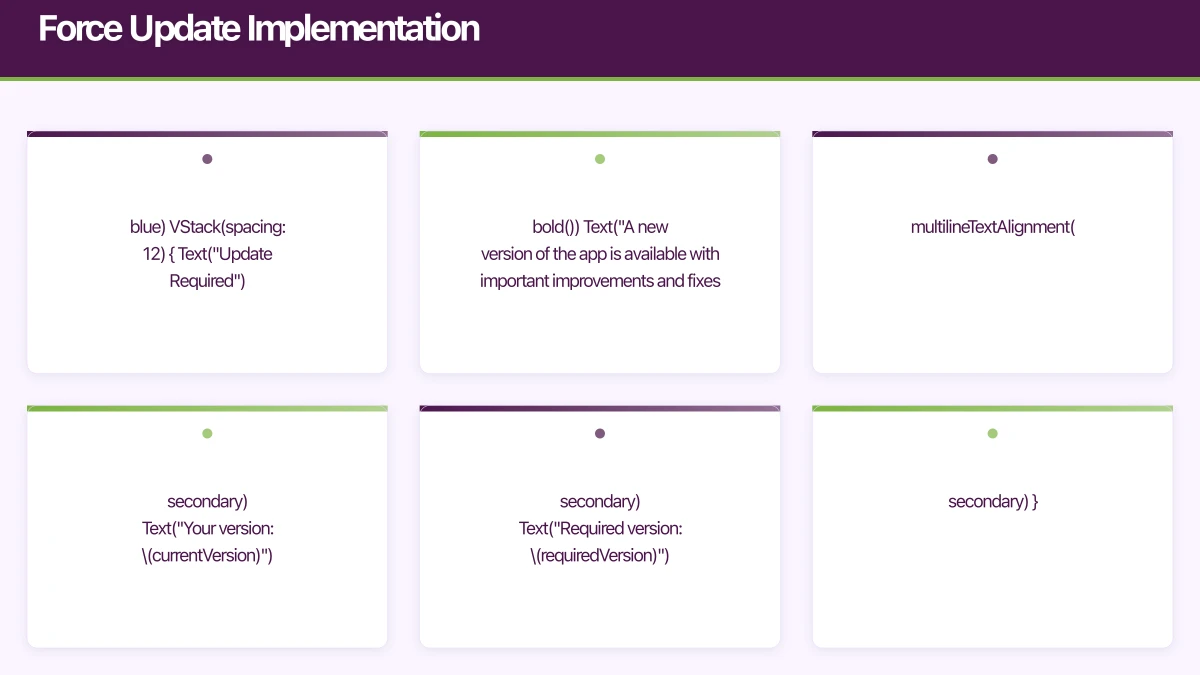 Force Update UI
// iOS: Force update screen that blocks app
struct ForceUpdateView: View {
    let currentVersion: String
    let requiredVersion: String
    let onUpdate: () -> Void

    var body: some View {
        VStack(spacing: 32) {
            Spacer()

            Image(systemName: "arrow.down.app.fill")
                .font(.system(size: 80))
                .foregroundColor(.blue)

            VStack(spacing: 12) {
                Text("Update Required")
                    .font(.title.bold())

                Text("A new version of the app is available with important improvements and fixes.")
                    .multilineTextAlignment(.center)
                    .foregroundColor(.secondary)

                Text("Your version: \(currentVersion)")
                    .font(.caption)
                    .foregroundColor(.secondary)

                Text("Required version: \(requiredVersion)")
                    .font(.caption)
                    .foregroundColor(.secondary)
            }
            .padding(.horizontal)

            Spacer()

            Button(action: onUpdate) {
                Text("Update Now")
                    .font(.headline)
                    .frame(maxWidth: .infinity)
                    .padding()
                    .background(Color.blue)
                    .foregroundColor(.white)
                    .cornerRadius(12)
            }
            .padding(.horizontal, 32)

            Spacer()
        }
        .background(Color(.systemBackground))
        .interactiveDismissDisabled() // Cannot dismiss
    }
}

// Root view wrapper
struct RootView: View {
    @StateObject var updateManager = AppUpdateManager()

    var body: some View {
        ZStack {
            // Main app content
            ContentView()

            // Force update overlay
            if updateManager.forceUpdateRequired {
                ForceUpdateView(
                    currentVersion: Bundle.main.appVersion,
                    requiredVersion: updateManager.updateAvailable?.latestVersion ?? "",
                    onUpdate: { updateManager.openAppStore() }
                )
                .transition(.opacity)
            }
        }
        .task {
            await updateManager.checkForUpdates()
        }
    }
}
Graceful Deprecation
// Server-side version configuration
data class VersionConfig(
    val minimumVersion: String,        // Force update below this
    val recommendedVersion: String,    // Suggest update below this
    val currentVersion: String,        // Latest available
    val deprecationMessage: String?,   // Custom message for old versions
    val deprecationDate: String?,      // When old versions stop working
    val features: Map<String, FeatureConfig>  // Feature-specific requirements
)

data class FeatureConfig(
    val minimumVersion: String,
    val deprecationDate: String?
)

// Client-side handling
class VersionManager(
    private val api: ApiClient,
    private val currentVersion: String
) {

    suspend fun checkVersionStatus(): VersionStatus {
        val config = api.getVersionConfig()

        return when {
            isVersionLessThan(currentVersion, config.minimumVersion) -> {
                VersionStatus.ForceUpdate(
                    message = config.deprecationMessage ?: "Please update to continue",
                    targetVersion = config.minimumVersion
                )
            }
            isVersionLessThan(currentVersion, config.recommendedVersion) -> {
                VersionStatus.SuggestUpdate(
                    message = "A new version is available with improvements",
                    targetVersion = config.recommendedVersion,
                    canDismiss = true
                )
            }
            else -> VersionStatus.Current
        }
    }

    fun checkFeatureAvailability(feature: String, config: VersionConfig): FeatureAvailability {
        val featureConfig = config.features[feature] ?: return FeatureAvailability.Available

        if (isVersionLessThan(currentVersion, featureConfig.minimumVersion)) {
            return FeatureAvailability.RequiresUpdate(featureConfig.minimumVersion)
        }

        return FeatureAvailability.Available
    }
}

sealed class VersionStatus {
    object Current : VersionStatus()
    data class SuggestUpdate(
        val message: String,
        val targetVersion: String,
        val canDismiss: Boolean
    ) : VersionStatus()
    data class ForceUpdate(
        val message: String,
        val targetVersion: String
    ) : VersionStatus()
}
Feature Flags for Version Management
Version-Aware Feature Flags
class FeatureFlagManager {

    struct FeatureFlag {
        let key: String
        let enabled: Bool
        let minimumVersion: String?
        let maximumVersion: String?
        let rolloutPercentage: Int
    }

    private var flags: [String: FeatureFlag] = [:]
    private let currentVersion = Bundle.main.appVersion
    private let userId: String

    func isEnabled(_ featureKey: String) -> Bool {
        guard let flag = flags[featureKey] else { return false }

        // Check if enabled globally
        guard flag.enabled else { return false }

        // Check version requirements
        if let minVersion = flag.minimumVersion,
           isVersion(currentVersion, lessThan: minVersion) {
            return false
        }

        if let maxVersion = flag.maximumVersion,
           isVersion(currentVersion, greaterThan: maxVersion) {
            return false
        }

        // Check rollout percentage
        if flag.rolloutPercentage < 100 {
            let userBucket = abs(userId.hashValue) % 100
            if userBucket >= flag.rolloutPercentage {
                return false
            }
        }

        return true
    }

    // Feature flag configurations from server
    func loadFlags() async {
        do {
            let response = try await api.getFeatureFlags(
                appVersion: currentVersion,
                platform: "ios"
            )
            self.flags = response.flags.reduce(into: [:]) { dict, flag in
                dict[flag.key] = flag
            }
        } catch {
            // Use cached or default flags
        }
    }
}

// Usage
if featureFlags.isEnabled("new_checkout_flow") {
    // Show new checkout
} else {
    // Show old checkout
}
Rollout Strategies
Phased Rollout
// Server-side rollout configuration
interface RolloutConfig {
  version: string;
  stages: RolloutStage[];
  currentStage: number;
  pausedReason?: string;
}

interface RolloutStage {
  percentage: number;
  startDate: string;
  criteria?: RolloutCriteria;
}

interface RolloutCriteria {
  countries?: string[];
  deviceTypes?: string[];
  userSegments?: string[];
  minimumOSVersion?: string;
}

// Staged rollout example for version 2.5.0
const rolloutConfig: RolloutConfig = {
  version: "2.5.0",
  currentStage: 2,
  stages: [
    {
      percentage: 1,
      startDate: "2026-10-01",
      criteria: {
        userSegments: ["internal_testers"]
      }
    },
    {
      percentage: 5,
      startDate: "2026-10-03",
      criteria: {
        userSegments: ["beta_users"]
      }
    },
    {
      percentage: 25,
      startDate: "2026-10-05",
      criteria: {
        countries: ["AU", "NZ"]
      }
    },
    {
      percentage: 50,
      startDate: "2026-10-07"
    },
    {
      percentage: 100,
      startDate: "2026-10-10"
    }
  ]
};

// Determine if user should receive update
function shouldUserReceiveUpdate(
  userId: string,
  config: RolloutConfig,
  userContext: UserContext
): boolean {
  const stage = config.stages[config.currentStage];

  // Check criteria
  if (stage.criteria) {
    if (stage.criteria.countries &&
        !stage.criteria.countries.includes(userContext.country)) {
      return false;
    }
    if (stage.criteria.userSegments &&
        !stage.criteria.userSegments.some(s => userContext.segments.includes(s))) {
      return false;
    }
  }

  // Check percentage bucket
  const bucket = hashToBucket(userId, config.version);
  return bucket < stage.percentage;
}

function hashToBucket(userId: string, version: string): number {
  const hash = createHash('sha256')
    .update(`${userId}:${version}`)
    .digest('hex');
  return parseInt(hash.substring(0, 8), 16) % 100;
}
Rollback Strategy
class RollbackManager {

    // Track critical metrics after update
    private var metrics: UpdateMetrics = UpdateMetrics()

    struct UpdateMetrics {
        var crashRate: Double = 0
        var errorRate: Double = 0
        var userComplaints: Int = 0
        var performanceScore: Double = 100
    }

    // Server endpoint to check if rollback is triggered
    func checkRollbackStatus() async -> RollbackStatus {
        do {
            let status = try await api.getRollbackStatus(
                version: Bundle.main.appVersion,
                build: Bundle.main.buildNumber
            )

            if status.rollbackTriggered {
                // Clear caches that might be causing issues
                await clearAppCaches()

                return .rollbackActive(
                    reason: status.reason,
                    fallbackBehavior: status.fallbackBehavior
                )
            }

            return .normal
        } catch {
            return .normal // Fail open
        }
    }

    // Feature-level rollback
    func getFeatureFallback(_ feature: String) async -> FeatureFallback {
        let status = try? await api.getFeatureStatus(feature)

        if status?.disabled == true {
            return FeatureFallback(
                useAlternative: true,
                alternativeFeature: status?.fallbackFeature,
                message: status?.userMessage
            )
        }

        return FeatureFallback(useAlternative: false)
    }
}

enum RollbackStatus {
    case normal
    case rollbackActive(reason: String, fallbackBehavior: FallbackBehavior)
}

struct FallbackBehavior {
    let disabledFeatures: [String]
    let useLocalCache: Bool
    let showMaintenanceMessage: Bool
}
API Versioning Compatibility
Handling Multiple API Versions
class ApiVersionManager(
    private val currentAppVersion: String
) {

    // Map app versions to API versions
    private val apiVersionMap = mapOf(
        "1.x" to "v1",
        "2.0" to "v2",
        "2.1" to "v2",
        "2.5" to "v3"
    )

    fun getApiVersion(): String {
        val majorMinor = currentAppVersion.split(".").take(2).joinToString(".")

        return apiVersionMap.entries
            .filter { currentAppVersion.startsWith(it.key.replace(".x", "")) ||
                      majorMinor == it.key }
            .maxByOrNull { it.key }?.value
            ?: "v1" // Default fallback
    }

    // Handle API deprecation warnings
    fun handleDeprecationWarning(response: Response<*>) {
        val deprecationWarning = response.headers()["X-API-Deprecation-Warning"]
        val sunsetDate = response.headers()["Sunset"]

        if (deprecationWarning != null) {
            // Log for monitoring
            analytics.track("api_deprecation_warning", mapOf(
                "api_version" to getApiVersion(),
                "app_version" to currentAppVersion,
                "sunset_date" to sunsetDate
            ))

            // Optionally show user message if sunset is soon
            sunsetDate?.let { date ->
                if (isWithinDays(date, 30)) {
                    showUpdatePrompt("Please update the app to continue using all features")
                }
            }
        }
    }
}

// Retrofit interceptor for API versioning
class ApiVersionInterceptor(
    private val versionManager: ApiVersionManager
) : Interceptor {

    override fun intercept(chain: Interceptor.Chain): Response {
        val originalRequest = chain.request()

        // Add API version header
        val modifiedRequest = originalRequest.newBuilder()
            .header("X-API-Version", versionManager.getApiVersion())
            .header("X-App-Version", BuildConfig.VERSION_NAME)
            .header("X-Platform", "android")
            .build()

        val response = chain.proceed(modifiedRequest)

        // Check for deprecation warnings
        versionManager.handleDeprecationWarning(response)

        return response
    }
}
Update Analytics
Tracking Update Funnel
class UpdateAnalytics {

    func trackUpdatePromptShown(type: UpdatePromptType, fromVersion: String, toVersion: String) {
        Analytics.track("update_prompt_shown", properties: [
            "type": type.rawValue,
            "from_version": fromVersion,
            "to_version": toVersion,
            "days_since_release": daysSinceRelease(toVersion)
        ])
    }

    func trackUpdatePromptAction(action: UpdatePromptAction, type: UpdatePromptType) {
        Analytics.track("update_prompt_action", properties: [
            "action": action.rawValue,
            "type": type.rawValue
        ])
    }

    func trackUpdateCompleted(fromVersion: String, toVersion: String, method: UpdateMethod) {
        Analytics.track("update_completed", properties: [
            "from_version": fromVersion,
            "to_version": toVersion,
            "method": method.rawValue,
            "time_to_update_hours": hoursSincePrompt()
        ])
    }

    func trackVersionDistribution() {
        // Called on app launch
        Analytics.track("app_version", properties: [
            "version": Bundle.main.appVersion,
            "build": Bundle.main.buildNumber,
            "is_latest": isLatestVersion,
            "versions_behind": versionsBehind
        ])
    }

    enum UpdatePromptType: String {
        case forced = "forced"
        case suggested = "suggested"
        case inAppUpdate = "in_app_update"
    }

    enum UpdatePromptAction: String {
        case accepted = "accepted"
        case dismissed = "dismissed"
        case laterClicked = "later"
    }

    enum UpdateMethod: String {
        case appStore = "app_store"
        case inApp = "in_app"
        case automatic = "automatic"
    }
}
Frequently Asked Questions About Mobile App Version Management
What is semantic versioning for mobile apps?
Semantic versioning in mobile app development uses MAJOR.MINOR.PATCH format. MAJOR indicates breaking changes requiring force updates, MINOR adds backward-compatible features, and PATCH fixes bugs. This system helps teams communicate the impact of each release clearly.
When should I force update users in my mobile app?
Force updates are necessary for critical security patches, breaking API changes, or when maintaining old versions becomes unsustainable. In mobile app development, force updates should be rare and always explained clearly to users with transparent messaging about benefits.
How do I implement phased rollouts for mobile apps?
Phased rollouts in mobile app development start with 1-5% internal testers, then 10-25% beta users, followed by regional rollouts (25-50%), and finally 100% deployment. This staged approach catches issues before they affect all users.
What’s the best version numbering strategy for mobile apps?
Use semantic versioning (MAJOR.MINOR.PATCH) for user-facing versions and auto-incrementing build numbers for internal tracking. This mobile app development practice balances user communication with technical requirements for iOS and Android.
How long should mobile apps support old versions?
Most mobile app development teams support the current version plus 1-2 major versions back. Monitor usage analytics—when a version drops below 5% of users, consider deprecation. Always give users 30-60 days notice before forcing updates.
Key Takeaways: Version Management Excellence
Industry Standard: Semantic versioning (MAJOR.MINOR.PATCH) is the recommended approach for mobile app development, providing clear communication about update impact.
Phased Rollout Best Practice: Deploy to 1% -> 5% -> 25% -> 50% -> 100% of users, with 24-48 hours between stages to catch issues early in mobile app development cycles.
API Compatibility Rule: Mobile app development requires maintaining backward compatibility for at least 2 major versions to support users who don’t update immediately.
Conclusion
Version management is critical infrastructure for mobile apps. The strategies in this guide help you:
- Implement clear versioning with semantic versioning that communicates change impact
- Prompt updates appropriately - force when necessary, suggest otherwise
- Roll out safely with phased releases and quick rollback capability
- Maintain compatibility across API versions and app versions
- Measure effectiveness with comprehensive update analytics
Start with basic version checking and force update capability. Add phased rollouts once you have the monitoring to support them. Build feature flags to decouple deployment from release.
The goal is getting updates to users quickly while maintaining the safety net to catch and recover from issues before they affect everyone in mobile app development.
Explore our related guides on mobile app security and mobile app testing to build a comprehensive quality strategy.
Building robust version management for your mobile app? We have implemented update systems for apps with millions of active users across multiple versions. Contact us to discuss your release strategy.
Scaling your app’s backend? Cloud Geeks specialises in cloud infrastructure that grows with your user base across Australia.
Part of the Ganda Tech Services family, Awesome Apps delivers specialist mobile app development for Australian small and medium businesses.
Talk to a Sydney app developer — free.
30 minutes. We'll tell you what your app needs, how long it takes, and what it costs. Real answers, no sales pitch.
Book Free App Strategy Call →Free · 30 minutes · No obligation