Subscription billing is the revenue engine for most successful mobile apps. But implementing it correctly is surprisingly complex—you’re dealing with two completely different billing systems (StoreKit and Google Play Billing), server-side receipt validation, edge cases like grace periods and billing retries, and regulatory requirements that vary by country.
This guide covers production-ready subscription implementation for both iOS and Android, including the server-side infrastructure needed to maintain subscription state reliably. We’ll focus on the patterns that work at scale, drawing from apps serving tens of thousands of Australian subscribers.
Understanding Subscription Architectures
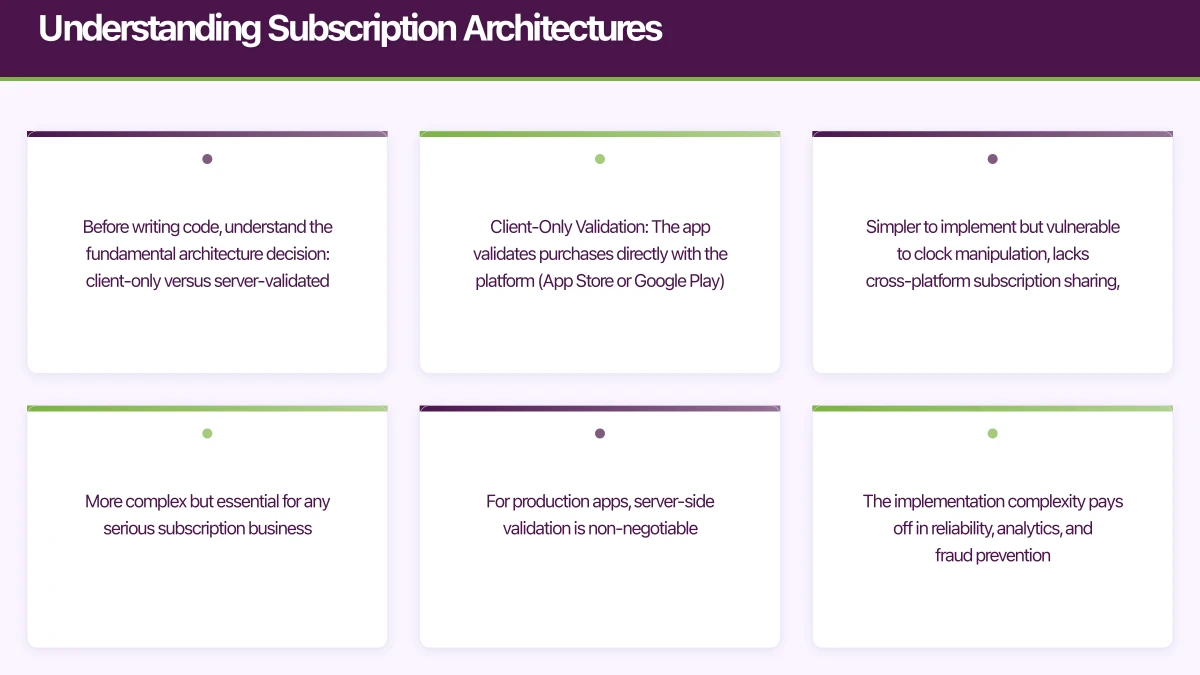
Before writing code, understand the fundamental architecture decision: client-only versus server-validated subscriptions.
Client-Only Validation: The app validates purchases directly with the platform (App Store or Google Play). Simpler to implement but vulnerable to clock manipulation, lacks cross-platform subscription sharing, and makes analytics difficult.
Server-Side Validation: Your backend validates purchases with Apple and Google, maintains canonical subscription state, and the app queries your server. More complex but essential for any serious subscription business.
For production apps, server-side validation is non-negotiable. The implementation complexity pays off in reliability, analytics, and fraud prevention.
+----------+     Purchase      +-----------+     Validate      +--------------+
|   App    | ---------------▶  |  Backend  | ---------------▶  | App Store /  |
|          |                   |           |                   | Google Play  |
|          | ◀-----------------|           | ◀-----------------|              |
+----------+  Subscription     +-----------+     Receipt        +--------------+
              Status                             Response

              Real-time Notifications
              +--------------+
              | App Store /  | ---------------▶ +-----------+
              | Google Play  |                  |  Backend  |
              +--------------+ Server-to-Server +-----------+
iOS Implementati
on with StoreKit 2
StoreKit 2, introduced in iOS 15 and now fully mature, provides a modern async/await API that’s significantly easier to work with than the original StoreKit.
Setting Up Products
import StoreKit

class SubscriptionManager: ObservableObject {
    @Published var products: [Product] = []
    @Published var purchasedSubscriptions: [Product] = []
    @Published var subscriptionStatus: SubscriptionStatus = .notSubscribed

    private var updateListenerTask: Task<Void, Error>?

    static let productIds = [
        "com.yourapp.subscription.monthly",
        "com.yourapp.subscription.yearly"
    ]

    init() {
        updateListenerTask = listenForTransactions()
        Task {
            await loadProducts()
            await updateSubscriptionStatus()
        }
    }

    deinit {
        updateListenerTask?.cancel()
    }

    @MainActor
    func loadProducts() async {
        do {
            let storeProducts = try await Product.products(for: Self.productIds)
            products = storeProducts.sorted { $0.price < $1.price }
        } catch {
            print("Failed to load products: \(error)")
        }
    }

    private func listenForTransactions() -> Task<Void, Error> {
        return Task.detached {
            for await result in Transaction.updates {
                do {
                    let transaction = try self.checkVerified(result)
                    await self.updateSubscriptionStatus()
                    await transaction.finish()
                } catch {
                    print("Transaction failed verification: \(error)")
                }
            }
        }
    }
}
Handling Purchases
extension SubscriptionManager {
    @MainActor
    func purchase(_ product: Product) async throws -> PurchaseResult {
        let result = try await product.purchase()

        switch result {
        case .success(let verification):
            let transaction = try checkVerified(verification)

            // Send to your backend for validation
            await sendToBackend(transaction: transaction)

            await updateSubscriptionStatus()
            await transaction.finish()

            return .success

        case .userCancelled:
            return .cancelled

        case .pending:
            // Transaction waiting for approval (e.g., Ask to Buy)
            return .pending

        @unknown default:
            return .unknown
        }
    }

    private func checkVerified<T>(_ result: VerificationResult<T>) throws -> T {
        switch result {
        case .unverified(_, let error):
            throw StoreError.verificationFailed(error)
        case .verified(let safe):
            return safe
        }
    }

    @MainActor
    func updateSubscriptionStatus() async {
        var hasActiveSubscription = false

        for await result in Transaction.currentEntitlements {
            do {
                let transaction = try checkVerified(result)

                if transaction.productType == .autoRenewable {
                    hasActiveSubscription = true

                    // Check subscription details
                    if let expirationDate = transaction.expirationDate {
                        subscriptionStatus = .subscribed(
                            productId: transaction.productID,
                            expiresAt: expirationDate,
                            willRenew: transaction.revocationDate == nil
                        )
                    }
                }
            } catch {
                print("Failed to verify transaction: \(error)")
            }
        }

        if !hasActiveSubscription {
            subscriptionStatus = .notSubscribed
        }
    }

    private func sendToBackend(transaction: Transaction) async {
        // Get the JWS representation for server validation
        guard let jwsRepresentation = transaction.jwsRepresentation else { return }

        do {
            let request = ValidateReceiptRequest(
                transactionJWS: jwsRepresentation,
                platform: "ios"
            )
            try await APIClient.shared.validateReceipt(request)
        } catch {
            print("Backend validation failed: \(error)")
            // Store locally for retry
            PendingTransactionStore.save(jwsRepresentation)
        }
    }
}

enum SubscriptionStatus: Equatable {
    case notSubscribed
    case subscribed(productId: String, expiresAt: Date, willRenew: Bool)
    case expired(productId: String, expiredAt: Date)
    case inGracePeriod(productId: String, expiresAt: Date)
}

enum PurchaseResult {
    case success
    case cancelled
    case pending
    case unknown
}
Restoring Purchases
extension SubscriptionManager {
    @MainActor
    func restorePurchases() async {
        // Sync with App Store
        try? await AppStore.sync()

        // Update local state from current entitlements
        await updateSubscriptionStatus()

        // Notify backend to refresh from Apple
        Task {
            try? await APIClient.shared.refreshSubscriptionStatus()
        }
    }
}
Android Implement
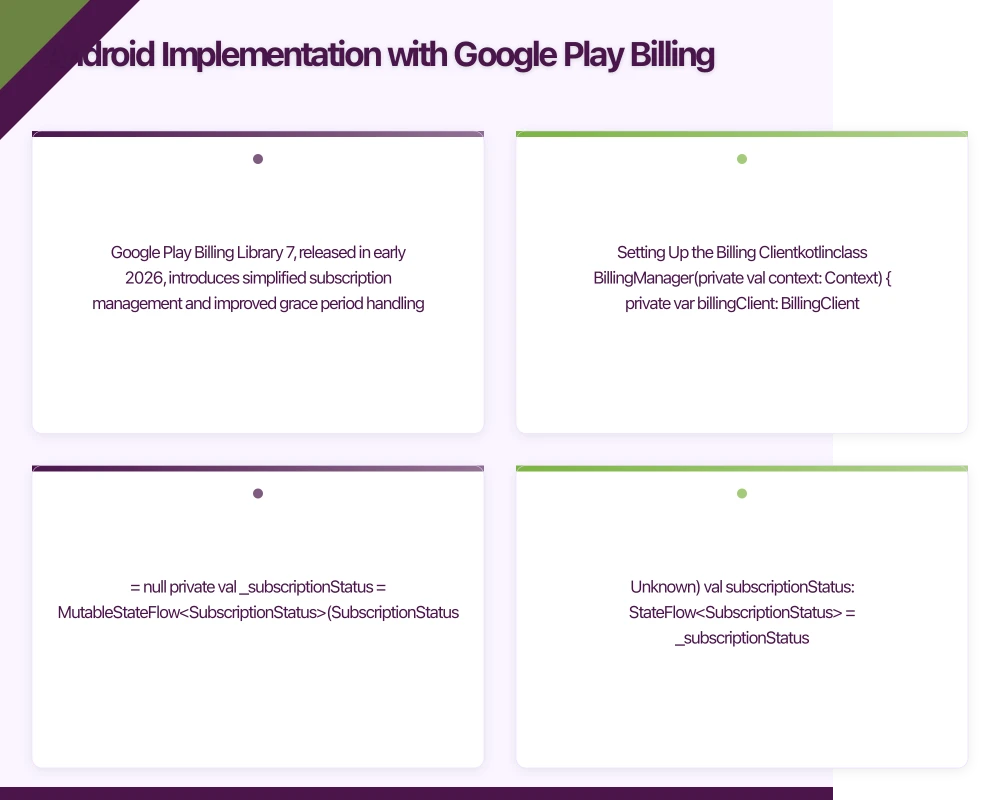 ation with Google Play Billing
Google Play Billing Library 7, released in early 2026, introduces simplified subscription management and improved grace period handling.
Setting Up the Billing Client
class BillingManager(private val context: Context) {
    private var billingClient: BillingClient? = null
    private val _subscriptionStatus = MutableStateFlow<SubscriptionStatus>(SubscriptionStatus.Unknown)
    val subscriptionStatus: StateFlow<SubscriptionStatus> = _subscriptionStatus.asStateFlow()

    private val _products = MutableStateFlow<List<ProductDetails>>(emptyList())
    val products: StateFlow<List<ProductDetails>> = _products.asStateFlow()

    private val purchasesUpdatedListener = PurchasesUpdatedListener { billingResult, purchases ->
        when (billingResult.responseCode) {
            BillingClient.BillingResponseCode.OK -> {
                purchases?.forEach { purchase ->
                    handlePurchase(purchase)
                }
            }
            BillingClient.BillingResponseCode.USER_CANCELED -> {
                // User cancelled, no action needed
            }
            else -> {
                // Handle error
                Log.e("Billing", "Purchase failed: ${billingResult.debugMessage}")
            }
        }
    }

    fun initialize() {
        billingClient = BillingClient.newBuilder(context)
            .setListener(purchasesUpdatedListener)
            .enablePendingPurchases(
                PendingPurchasesParams.newBuilder()
                    .enableOneTimeProducts()
                    .enablePrepaidPlans()
                    .build()
            )
            .build()

        startConnection()
    }

    private fun startConnection() {
        billingClient?.startConnection(object : BillingClientStateListener {
            override fun onBillingSetupFinished(billingResult: BillingResult) {
                if (billingResult.responseCode == BillingClient.BillingResponseCode.OK) {
                    CoroutineScope(Dispatchers.IO).launch {
                        queryProducts()
                        queryExistingPurchases()
                    }
                }
            }

            override fun onBillingServiceDisconnected() {
                // Retry connection
                startConnection()
            }
        })
    }

    companion object {
        val SUBSCRIPTION_PRODUCTS = listOf(
            "subscription_monthly",
            "subscription_yearly"
        )
    }
}
Querying Products and Making Purchases
suspend fun queryProducts() {
    val productList = SUBSCRIPTION_PRODUCTS.map { productId ->
        QueryProductDetailsParams.Product.newBuilder()
            .setProductId(productId)
            .setProductType(BillingClient.ProductType.SUBS)
            .build()
    }

    val params = QueryProductDetailsParams.newBuilder()
        .setProductList(productList)
        .build()

    val result = billingClient?.queryProductDetails(params)

    if (result?.billingResult?.responseCode == BillingClient.BillingResponseCode.OK) {
        _products.value = result.productDetailsList ?: emptyList()
    }
}

fun launchPurchaseFlow(activity: Activity, productDetails: ProductDetails, offerToken: String) {
    val productDetailsParams = BillingFlowParams.ProductDetailsParams.newBuilder()
        .setProductDetails(productDetails)
        .setOfferToken(offerToken)
        .build()

    val billingFlowParams = BillingFlowParams.newBuilder()
        .setProductDetailsParamsList(listOf(productDetailsParams))
        .build()

    billingClient?.launchBillingFlow(activity, billingFlowParams)
}

private fun handlePurchase(purchase: Purchase) {
    if (purchase.purchaseState == Purchase.PurchaseState.PURCHASED) {
        if (!purchase.isAcknowledged) {
            // Acknowledge the purchase
            acknowledgePurchase(purchase)
        }

        // Send to backend for validation
        CoroutineScope(Dispatchers.IO).launch {
            sendToBackend(purchase)
        }
    }
}

private fun acknowledgePurchase(purchase: Purchase) {
    val params = AcknowledgePurchaseParams.newBuilder()
        .setPurchaseToken(purchase.purchaseToken)
        .build()

    billingClient?.acknowledgePurchase(params) { billingResult ->
        if (billingResult.responseCode == BillingClient.BillingResponseCode.OK) {
            updateSubscriptionStatus()
        }
    }
}

private suspend fun sendToBackend(purchase: Purchase) {
    try {
        val request = ValidateReceiptRequest(
            purchaseToken = purchase.purchaseToken,
            productId = purchase.products.first(),
            platform = "android"
        )
        ApiClient.validateReceipt(request)
    } catch (e: Exception) {
        Log.e("Billing", "Backend validation failed", e)
        // Store for retry
        PendingPurchaseStore.save(purchase)
    }
}
Handling Subscription Status
suspend fun queryExistingPurchases() {
    val params = QueryPurchasesParams.newBuilder()
        .setProductType(BillingClient.ProductType.SUBS)
        .build()

    val result = billingClient?.queryPurchasesAsync(params)

    if (result?.billingResult?.responseCode == BillingClient.BillingResponseCode.OK) {
        val activePurchase = result.purchasesList.find { purchase ->
            purchase.purchaseState == Purchase.PurchaseState.PURCHASED
        }

        _subscriptionStatus.value = if (activePurchase != null) {
            SubscriptionStatus.Active(
                productId = activePurchase.products.first(),
                purchaseToken = activePurchase.purchaseToken
            )
        } else {
            SubscriptionStatus.NotSubscribed
        }
    }
}

sealed class SubscriptionStatus {
    data object Unknown : SubscriptionStatus()
    data object NotSubscribed : SubscriptionStatus()
    data class Active(
        val productId: String,
        val purchaseToken: String
    ) : SubscriptionStatus()
    data class Expired(
        val productId: String,
        val expiredAt: Long
    ) : SubscriptionStatus()
}
Serv
er-Side Validation
Your backend is the source of truth for subscription state. Both Apple and Google provide server-to-server notifications for real-time updates.
Apple Server Notifications V2
// Node.js/Express endpoint for App Store Server Notifications
import { AppStoreServerAPIClient, SignedDataVerifier } from '@apple/app-store-server-library';

const verifier = new SignedDataVerifier(
  [appleRootCert],
  true, // Enable online checks
  Environment.PRODUCTION,
  bundleId,
  appAppleId
);

app.post('/webhooks/apple', async (req, res) => {
  try {
    const signedPayload = req.body.signedPayload;
    const payload = await verifier.verifyAndDecodeNotification(signedPayload);

    const notificationType = payload.notificationType;
    const transactionInfo = payload.data.signedTransactionInfo;

    switch (notificationType) {
      case 'SUBSCRIBED':
        await handleNewSubscription(transactionInfo);
        break;

      case 'DID_RENEW':
        await handleRenewal(transactionInfo);
        break;

      case 'EXPIRED':
        await handleExpiration(transactionInfo);
        break;

      case 'DID_CHANGE_RENEWAL_STATUS':
        // User toggled auto-renew
        await handleRenewalStatusChange(transactionInfo, payload.data.signedRenewalInfo);
        break;

      case 'GRACE_PERIOD_EXPIRED':
        await handleGracePeriodExpired(transactionInfo);
        break;

      case 'REFUND':
        await handleRefund(transactionInfo);
        break;
    }

    res.status(200).send();
  } catch (error) {
    console.error('Apple notification error:', error);
    res.status(500).send();
  }
});

async function handleNewSubscription(transactionInfo: JWSTransactionDecodedPayload) {
  const userId = await getUserFromAppAccountToken(transactionInfo.appAccountToken);

  await db.subscriptions.upsert({
    userId,
    platform: 'ios',
    productId: transactionInfo.productId,
    originalTransactionId: transactionInfo.originalTransactionId,
    expiresAt: new Date(transactionInfo.expiresDate),
    status: 'active',
    autoRenewEnabled: true
  });

  // Grant entitlements
  await grantPremiumAccess(userId);

  // Analytics
  analytics.track('subscription_started', {
    userId,
    productId: transactionInfo.productId,
    platform: 'ios'
  });
}
Google Real-Time Developer Notifications
// Endpoint for Google Play Real-Time Developer Notifications
import { google } from 'googleapis';

const androidPublisher = google.androidpublisher('v3');

app.post('/webhooks/google', async (req, res) => {
  try {
    // Decode the Pub/Sub message
    const message = req.body.message;
    const data = JSON.parse(Buffer.from(message.data, 'base64').toString());

    const subscriptionNotification = data.subscriptionNotification;

    if (subscriptionNotification) {
      const purchaseToken = subscriptionNotification.purchaseToken;
      const notificationType = subscriptionNotification.notificationType;

      // Fetch full subscription details from Google
      const subscription = await androidPublisher.purchases.subscriptionsv2.get({
        packageName: PACKAGE_NAME,
        token: purchaseToken
      });

      switch (notificationType) {
        case 1: // SUBSCRIPTION_RECOVERED
          await handleRecovery(subscription.data);
          break;
        case 2: // SUBSCRIPTION_RENEWED
          await handleRenewal(subscription.data);
          break;
        case 3: // SUBSCRIPTION_CANCELED
          await handleCancellation(subscription.data);
          break;
        case 4: // SUBSCRIPTION_PURCHASED
          await handleNewSubscription(subscription.data);
          break;
        case 5: // SUBSCRIPTION_ON_HOLD
          await handleOnHold(subscription.data);
          break;
        case 6: // SUBSCRIPTION_IN_GRACE_PERIOD
          await handleGracePeriod(subscription.data);
          break;
        case 12: // SUBSCRIPTION_EXPIRED
          await handleExpiration(subscription.data);
          break;
      }
    }

    res.status(200).send();
  } catch (error) {
    console.error('Google notification error:', error);
    res.status(500).send();
  }
});
Australian Tax and Compliance
For Australian apps, GST handling is automatic—Apple and Google collect and remit GST on your behalf. However, you need to consider:
Pricing Tiers: Set prices that make sense after GST. The A$9.99 tier results in roughly A$9.08 to you after Apple/Google’s commission and GST.
Refund Handling: Both platforms can issue refunds. Your backend must handle refund notifications and revoke access appropriately.
Consumer Guarantees: Under Australian Consumer Law, digital products have consumer guarantees. Ensure your subscription terms are clear about what users receive.
// Subscription database schema with Australian requirements
interface Subscription {
  id: string;
  userId: string;
  platform: 'ios' | 'android';
  productId: string;
  status: 'active' | 'cancelled' | 'expired' | 'grace_period' | 'on_hold';
  originalPurchaseDate: Date;
  currentPeriodStart: Date;
  currentPeriodEnd: Date;
  autoRenewEnabled: boolean;
  cancelledAt?: Date;
  refundedAt?: Date;
  // For Australian tax reporting
  priceAud: number;
  currency: string;
  countryCode: string;
}
Conclusion
Subscription billing is complex, but getting it right is foundational to your app’s business. Start with server-side validation from day one—retrofitting it later is painful. Implement both platform SDKs properly, with robust error handling and retry logic. Set up server notifications to maintain accurate subscription state.
Test extensively with sandbox accounts. Both Apple and Google provide testing environments that simulate renewals, cancellations, and billing issues. Use them to verify your handling of edge cases before real money is involved.
The upfront investment in a solid subscription system pays dividends in reduced support tickets, accurate analytics, and the ability to experiment with pricing and offers. For Australian apps, it’s also the foundation for understanding your actual revenue after platform fees and GST.
Building a subscription-based app? The Awesome Apps team has implemented billing systems for apps serving thousands of Australian subscribers. Contact us to discuss your monetization strategy.
Looking at the strategic side of app investment? Ash Ganda covers technology ROI and digital maturity for growing Australian businesses.
Part of the Ganda Tech Services family, Awesome Apps delivers specialist mobile app development for Australian small and medium businesses.
Talk to a Sydney app developer — free.
30 minutes. We'll tell you what your app needs, how long it takes, and what it costs. Real answers, no sales pitch.
Book Free App Strategy Call →Free · 30 minutes · No obligation