Mobile App Security Essentials: Protecting Your Users and Data
Mobile apps handle sensitive data in mobile app security: personal information, financial transactions, health records, private communications. Users trust that this data is protected. Breaching that trust destroys apps and companies.
Security isn’t optional or something to add later in mobile app security. It needs to be considered from the first line of code. This guide covers the essential mobile app security practices every mobile developer should understand and implement. For specialized topics, see our authentication best practices and OWASP Top 10 guide.
The Mobile Threat Landscape
Why Mobile Apps Are Targeted
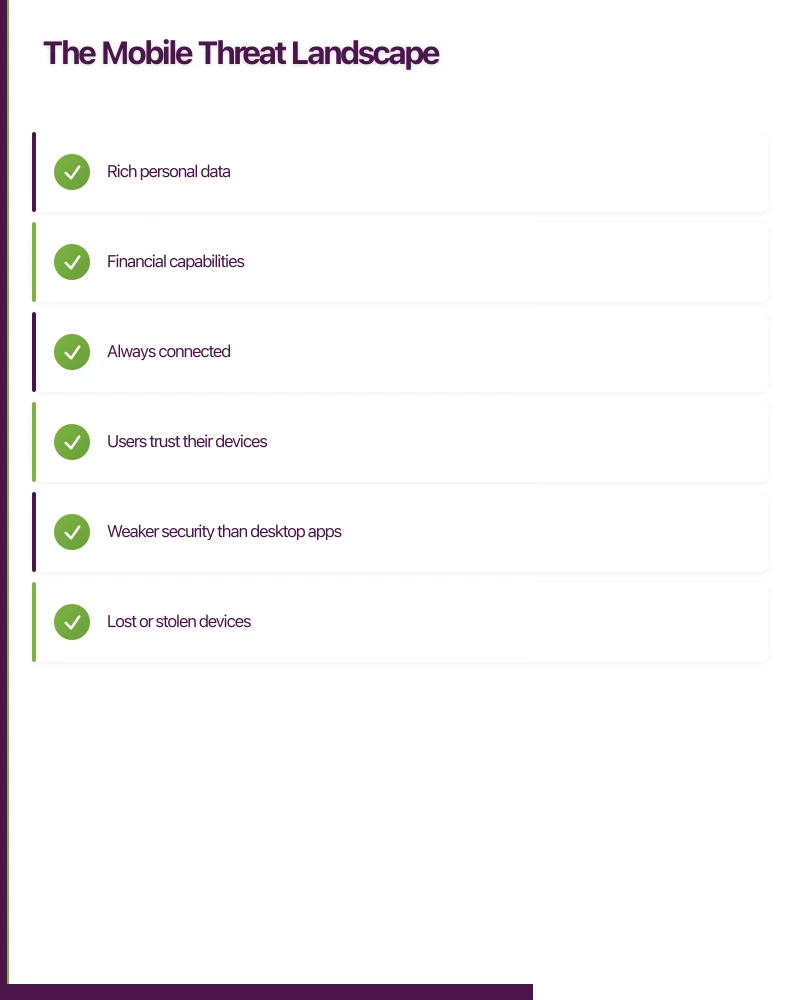
Mobile devices are attractive targets:
- Rich personal data
- Financial capabilities
- Always connected
- Users trust their devices
- Weaker security than desktop apps
Common Attack Vectors
Device-Level
- Lost or stolen devices
- Malware on device
- Jailbroken/rooted devices
- Debugging tools access
Network-Level
- Man-in-the-middle attacks
- Rogue Wi-Fi networks
- Traffic interception
- DNS spoofing
Application-Level
- Insecure data storage
- Weak authentication
- Improper session handling
- Input validation failures
- Reverse engineering
Consequences of Security Failures
- Data breaches affecting users
- Regulatory fines (GDPR, Privacy Act)
- App store removal
- Reputation damage
- Legal liability
- Business disruption
Secure Data St
orage
What Needs Protection
Identify sensitive data in your app:
- User credentials
- API keys and tokens
- Personal information (PII)
- Financial data
- Health information
- Private communications
- Location data
Platform Secure Storage
iOS Keychain
The proper place for sensitive data on iOS:
// Storing sensitive data
let query: [String: Any] = [
    kSecClass as String: kSecClassGenericPassword,
    kSecAttrAccount as String: "userToken",
    kSecValueData as String: tokenData,
    kSecAttrAccessible as String: kSecAttrAccessibleWhenUnlockedThisDeviceOnly
]

SecItemAdd(query as CFDictionary, nil)
Key considerations:
- Use appropriate accessibility levels
- Consider biometric protection
- Clean up when no longer needed
- Test on various device states
Android Keystore
Android’s secure credential storage:
// Using EncryptedSharedPreferences (Jetpack Security)
val masterKey = MasterKey.Builder(context)
    .setKeyScheme(MasterKey.KeyScheme.AES256_GCM)
    .build()

val sharedPreferences = EncryptedSharedPreferences.create(
    context,
    "secure_prefs",
    masterKey,
    EncryptedSharedPreferences.PrefKeyEncryptionScheme.AES256_SIV,
    EncryptedSharedPreferences.PrefValueEncryptionScheme.AES256_GCM
)
Considerations:
- Hardware-backed when available
- Use Jetpack Security library
- Handle key invalidation
- Consider biometric binding
What NOT to Store
Some data shouldn’t be on the device:
- Plain text passwords
- Unencrypted tokens with no expiry
- Sensitive data in logs
- Secrets in code or config files
- Data that isn’t needed locally
Secure File Storage
When storing files:
- Use encrypted containers
- Set appropriate file permissions
- Don’t use external storage for sensitive data
- Clean temporary files
- Consider app sandbox limitations
Network Securi
ty
Transport Layer Security (TLS)
Always Use HTTPS
Every network request should use TLS:
- No exceptions for “internal” APIs
- Reject invalid certificates
- Use current TLS versions (1.2+)
- Strong cipher suites only
Additional protection against MITM attacks:
// iOS example with URLSession
class PinningDelegate: NSObject, URLSessionDelegate {
    func urlSession(_ session: URLSession,
                    didReceive challenge: URLAuthenticationChallenge,
                    completionHandler: @escaping (URLSession.AuthChallengeDisposition, URLCredential?) -> Void) {

        guard let serverTrust = challenge.protectionSpace.serverTrust,
              let certificate = SecTrustGetCertificateAtIndex(serverTrust, 0) else {
            completionHandler(.cancelAuthenticationChallenge, nil)
            return
        }

        let serverCertificateData = SecCertificateCopyData(certificate) as Data
        let pinnedCertificateData = // Load your pinned certificate

        if serverCertificateData == pinnedCertificateData {
            completionHandler(.useCredential, URLCredential(trust: serverTrust))
        } else {
            completionHandler(.cancelAuthenticationChallenge, nil)
        }
    }
}
Considerations:
- Have certificate rotation strategy
- Include backup pins
- Handle pinning failures gracefully
- Consider public key pinning vs certificate pinning
API Security
Authentication
- Use established protocols (OAuth 2.0)
- Short-lived access tokens
- Secure token refresh mechanism
- Don’t embed API keys in app
Request Security
- Validate all input server-side
- Use request signing for sensitive operations
- Include replay attack protection
- Rate limiting on server
Response Handling
- Validate response integrity
- Don’t trust server data blindly
- Handle error responses securely
- Don’t expose sensitive info in errors
Authentication and Session Management
Password Handling
Never Store Plain Passwords
If you must handle passwords locally:
- Hash with strong algorithm (bcrypt, Argon2)
- Salt properly
- Prefer server-side authentication
- Clear from memory after use
Biometric Authentication
Use platform biometrics properly:
// iOS LocalAuthentication
let context = LAContext()
var error: NSError?

if context.canEvaluatePolicy(.deviceOwnerAuthenticationWithBiometrics, error: &error) {
    context.evaluatePolicy(.deviceOwnerAuthenticationWithBiometrics,
                          localizedReason: "Authenticate to access your account") { success, error in
        if success {
            // Biometric authenticated - now access secure data
        }
    }
}
Considerations:
- Don’t rely solely on biometrics
- Biometrics unlock keys, not replace them
- Handle fallback authentication
- Consider device security state
Session Management
Token Handling
- Use short-lived tokens
- Implement secure refresh
- Store tokens securely
- Clear on logout completely
Session Lifecycle
- Timeout inactive sessions
- Revoke on password change
- Handle multiple devices
- Provide session visibility to users
Multi-Factor Authentication
Implement MFA properly:
- Support authenticator apps (TOTP)
- SMS as backup only (SIM swap risk)
- Push notification approval
- Hardware key support where appropriate
Input Validation and Output Encoding
Client-Side Validation
Purpose
Client validation is for user experience, not security:
- Provide immediate feedback
- Reduce unnecessary network requests
- Guide user input format
Limitations
Never rely on client validation alone:
- Can be bypassed
- App can be modified
- API calls can be crafted directly
Server-Side Validation
All security validation must happen server-side:
- Validate all inputs
- Reject unexpected data
- Sanitise before use
- Log suspicious input
Preventing Injection
SQL Injection
Even with mobile apps, SQL injection can occur:
- Use parameterised queries for local SQLite
- Don’t concatenate user input into queries
- Server APIs must handle this too
Code Injection
Be careful with dynamic code:
- Avoid eval() or equivalent
- Sanitise WebView content
- Don’t construct code from user input
WebView Security
If using WebViews:
// Android WebView security settings
webView.settings.apply {
    javaScriptEnabled = true // Only if needed
    allowFileAccess = false
    allowContentAccess = false
    allowFileAccessFromFileURLs = false
    allowUniversalAccessFromFileURLs = false
}

// Validate URLs before loading
fun loadUrl(url: String) {
    if (isUrlAllowed(url)) {
        webView.loadUrl(url)
    }
}
Considerations:
- Limit JavaScript interface exposure
- Validate all URLs before loading
- Don’t enable unnecessary settings
- Consider native alternatives
Code and Binary Protection
Obfuscation
Make reverse engineering harder:
iOS
- Swift code is somewhat protected
- Use obfuscation tools for critical logic
- Avoid string literals for secrets
Android
- Enable ProGuard/R8
- Configure rules properly
- Test obfuscated builds
- Consider additional obfuscation for sensitive apps
Anti-Tampering
Detect if app has been modified:
- Checksum verification
- Signature verification
- Debugger detection
- Jailbreak/root detection
Limitations:
- Determined attackers can bypass
- False positives frustrate users
- Not a substitute for server-side security
- Consider risk/usability trade-off
Runtime Protection
Debugger Detection
// iOS debugger check
func isDebuggerAttached() -> Bool {
    var info = kinfo_proc()
    var size = MemoryLayout<kinfo_proc>.size
    var mib: [Int32] = [CTL_KERN, KERN_PROC, KERN_PROC_PID, getpid()]
    sysctl(&mib, 4, &info, &size, nil, 0)
    return (info.kp_proc.p_flag & P_TRACED) != 0
}
Jailbreak/Root Detection
Check for compromised devices:
- File system checks
- Attempt restricted operations
- Check for known exploits
- Library injection detection
Response options:
- Warn user
- Limit functionality
- Refuse to operate
- Silent logging
Logging and Error Handling
Secure Logging
What NOT to Log
- Passwords or tokens
- Personal information
- Full request/response bodies
- Sensitive business data
- Stack traces in production
What to Log
- Security events (login, logout, failures)
- Suspicious activity
- Errors (without sensitive details)
- Performance metrics
Error Handling
Don’t Expose Details
Error messages should be:
- Helpful to users
- Unhelpful to attackers
- Consistent (avoid timing attacks)
- Logged appropriately server-side
Example:
Instead of: “User [email protected] not found” Use: “Invalid credentials”
Third-Party Dependencies
Library Security
Assessment
Before adding dependencies:
- Check maintenance status
- Review security history
- Assess necessity
- Evaluate alternatives
Monitoring
Keep dependencies secure:
- Update regularly
- Monitor vulnerability databases
- Use dependency scanning tools
- Have update process ready
SDK Considerations
Third-party SDKs may:
- Collect user data
- Have their own vulnerabilities
- Increase attack surface
- Conflict with privacy requirements
Due diligence:
- Review privacy policies
- Understand data collection
- Evaluate necessity
- Consider alternatives
Testing for Security
Security Testing Types
Static Analysis
Analyse code without running:
- Lint rules for security patterns
- Automated vulnerability scanning
- Secret detection
- Code review
Dynamic Analysis
Test running application:
- Penetration testing
- Fuzzing
- Traffic analysis
- Runtime manipulation
Tools
iOS
- Xcode static analyser
- MobSF (Mobile Security Framework)
- OWASP dependency check
- Frida for dynamic analysis
Android
- Android Lint
- MobSF
- QARK (Quick Android Review Kit)
- Drozer for testing
Security Review Process
Include security in development:
- Threat modelling early
- Security requirements in specs
- Code review with security focus
- Pre-release security testing
- Ongoing monitoring
Incident Response
Preparation
Before incidents happen:
- Know who to contact
- Have update mechanism ready
- Prepare communication templates
- Document critical systems
Response
When issues are discovered:
- Assess severity and scope
- Contain if possible
- Investigate thoroughly
- Communicate appropriately
- Fix and deploy
Post-Incident
After resolution:
- Document what happened
- Identify root cause
- Implement preventive measures
- Update procedures
- Share learnings
Conclusion
Mobile app security requires ongoing attention throughout the development lifecycle. It’s not a feature to add—it’s a quality that must be built in.
Key insight for mobile app security: 68% of mobile app breaches result from insecure data storage and weak server-side controls, making secure storage and network security the highest-priority implementations.
Start with the fundamentals in mobile app security: secure data storage, proper network security, sound authentication. Address the most common vulnerabilities. Test regularly. Stay informed about new threats.
Mobile app security best practice: Regular security testing (penetration testing, vulnerability scanning) reduces breach risk by 75% compared to development-only security measures.
Your users trust you with their data. That trust is earned through consistent mobile app security practices, not by hoping attacks won’t happen.
Frequently Asked Questions
What are the essential mobile app security practices?
Essential mobile app security practices include: secure data storage using iOS Keychain or Android Keystore, HTTPS for all network communication with certificate pinning, proper authentication with OAuth 2.0 and biometrics, input validation on client and server, code obfuscation (ProGuard/R8), session management with timeouts, and regular security testing. Start with these fundamentals before implementing advanced security features.
How do you protect sensitive data in mobile app security?
Protect sensitive data in mobile app security by never storing passwords or tokens in plain text, using iOS Keychain with kSecAttrAccessibleWhenUnlockedThisDeviceOnly or Android EncryptedSharedPreferences, encrypting data at rest with platform encryption APIs, minimizing data collection (collect only necessary information), implementing secure data transmission with HTTPS, and properly handling data deletion. Under privacy regulations, document what data you collect and how it’s protected.
What is certificate pinning in mobile app security?
Certificate pinning in mobile app security prevents man-in-the-middle attacks by validating that the server’s SSL certificate matches an expected certificate or public key embedded in your app. Instead of trusting all certificates signed by recognized authorities, pinning ensures connections only succeed with your specific server certificate. Implement using URLSession with custom challenge handling (iOS) or OkHttp CertificatePinner (Android). Update pins before certificate expiration.
How do you handle mobile app security incidents?
Handle mobile app security incidents by: immediately containing the breach, notifying affected users and authorities (OAIC in Australia within 30 days), documenting the incident timeline, identifying root cause, implementing fixes, releasing patched versions, and conducting post-incident review. Prepare incident response plans before breaches occur. Under Australian Privacy Act, eligible data breaches must be reported to OAIC and affected individuals.
Should you implement security testing for mobile apps?
Yes, implement regular mobile app security testing including: static code analysis with tools like SonarQube or Checkmarx, dynamic application security testing (DAST), penetration testing by third-party experts annually for high-stakes apps, dependency scanning for library vulnerabilities, and manual code reviews focused on security. Security testing should be integrated into CI/CD pipelines, not performed only before release.
How does your app strategy fit into long-term digital transformation? Ash Ganda writes about the frameworks that connect mobile innovation to business outcomes.
Awesome Apps is the mobile development division of Ganda Tech Services, building iOS and Android apps for Australian businesses.
Talk to a Sydney app developer — free.
30 minutes. We'll tell you what your app needs, how long it takes, and what it costs. Real answers, no sales pitch.
Book Free App Strategy Call →Free · 30 minutes · No obligation