Mobile Payment Integration Guide for Australian Apps
Processing payments in a mobile app requires navigating a complex landscape of payment processors, platform requirements, and Australian regulations. Get it right, and you create a seamless checkout experience that converts. Get it wrong, and you lose customers at the most critical moment of their journey.
This guide covers the practical implementation of mobile payments for Australian apps, from choosing a payment processor to handling edge cases.
The Australian Payment Landscape
Australians are enthusiastic adopters of digital payments. Key facts:
- Contactless payments account for over 90 percent of in-person card transactions
- Apple Pay and Google Pay are widely used, with major Australian banks supporting both
- BPAY remains a popular method for bill payments and invoicing
- Buy Now, Pay Later services (Afterpay, Zip) are culturally significant
- PayID and NPP (New Payments Platform) enable instant bank transfers
For mobile apps, the primary payment methods to support are:
- Credit/debit cards (Visa, Mastercard, American Express)
- Apple Pay (iOS)
- Google Pay (Android)
- Direct debit for subscriptions
- BPAY for invoicing apps
Choosing a Payment
Processor
Stripe (Recommended)
Stripe is our default recommendation for Australian mobile apps. It offers:
- Comprehensive Australian support (AUD settlement, local acquiring)
- Excellent iOS and Android SDKs
- Apple Pay and Google Pay integration
- Subscription management (Stripe Billing)
- Strong documentation and developer experience
- Connect platform for marketplace payments
- PCI compliance handled by Stripe
Pricing: 1.7 percent + AUD 0.30 per domestic card transaction. International cards: 2.9 percent + AUD 0.30.
Square
Good for apps that bridge online and in-person payments. The SDK supports card-present transactions via Square hardware. Australian pricing: 1.6 percent per tap/insert transaction.
PayPal / Braintree
Braintree (owned by PayPal) provides PayPal checkout alongside card processing. Useful if PayPal is important to your users. Australian pricing: 2.6 percent + AUD 0.30 per transaction.
Stripe Integration
 for Mobile
iOS Integration
Add Stripe’s iOS SDK:
# Podfile
pod 'Stripe'
Configure Stripe in your app:
import Stripe

// AppDelegate or SwiftUI App init
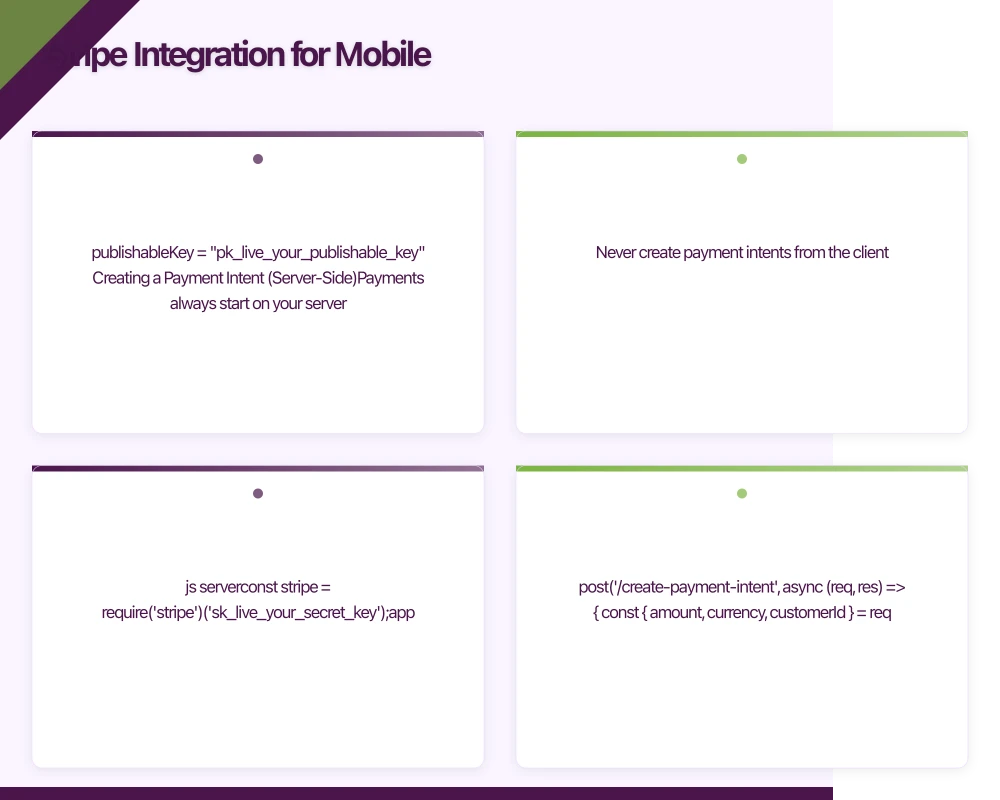
STPAPIClient.shared.publishableKey = "pk_live_your_publishable_key"
Creating a Payment Intent (Server-Side)
Payments always start on your server. Never create payment intents from the client.
// Node.js server
const stripe = require('stripe')('sk_live_your_secret_key');

app.post('/create-payment-intent', async (req, res) => {
  const { amount, currency, customerId } = req.body;

  const paymentIntent = await stripe.paymentIntents.create({
    amount: amount, // Amount in cents (e.g., 1000 = $10.00 AUD)
    currency: currency || 'aud',
    customer: customerId,
    automatic_payment_methods: {
      enabled: true,
    },
    metadata: {
      order_id: req.body.orderId,
    },
  });

  res.json({
    clientSecret: paymentIntent.client_secret,
  });
});
Collecting Payment on iOS
Using Stripe’s prebuilt UI:
import Stripe

class CheckoutViewController: UIViewController {
    var paymentSheet: PaymentSheet?

    func preparePaymentSheet() {
        // Fetch PaymentIntent client secret from your server
        APIClient.shared.createPaymentIntent(amount: 2999) { clientSecret in
            var configuration = PaymentSheet.Configuration()
            configuration.merchantDisplayName = "Your App Name"
            configuration.applePay = .init(
                merchantId: "merchant.au.com.yourapp",
                merchantCountryCode: "AU"
            )
            configuration.defaultBillingDetails.address.country = "AU"

            self.paymentSheet = PaymentSheet(
                paymentIntentClientSecret: clientSecret,
                configuration: configuration
            )

            // Enable the pay button
            self.payButton.isEnabled = true
        }
    }

    @IBAction func payButtonTapped(_ sender: UIButton) {
        paymentSheet?.present(from: self) { result in
            switch result {
            case .completed:
                self.showSuccess()
            case .canceled:
                // User cancelled, do nothing
                break
            case .failed(let error):
                self.showError(error.localizedDescription)
            }
        }
    }
}
Android Integration
Add Stripe’s Android SDK:
// build.gradle
dependencies {
    implementation 'com.stripe:stripe-android:19.3.0'
}
import com.stripe.android.PaymentConfiguration
import com.stripe.android.paymentsheet.PaymentSheet
import com.stripe.android.paymentsheet.PaymentSheetResult
class CheckoutActivity : AppCompatActivity() {
private lateinit var paymentSheet: PaymentSheet
private var clientSecret: String? = null
override fun onCreate(savedInstanceState: Bundle?) {
super.onCreate(savedInstanceState)
PaymentConfiguration.init(this, "pk_live_your_publishable_key")
paymentSheet = PaymentSheet(this) { result ->
onPaymentResult(result)
}
fetchPaymentIntent()
}
private fun fetchPaymentIntent() {
// Call your server to create a PaymentIntent
ApiClient.createPaymentIntent(amount = 2999) { secret ->
clientSecret = secret
payButton.isEnabled = true
}
}
fun onPayButtonClicked() {
val secret = clientSecret ?: return
paymentSheet.presentWithPaymentIntent(
secret,
PaymentSheet.Configuration(
merchantDisplayName = "Your App Name",
googlePay = PaymentSheet.GooglePayConfiguration(
environment = PaymentSheet.GooglePayConfiguration.Environment.Production,
countryCode = "AU",
currencyCode = "AUD"
)
)
)
}
private fun onPaymentResult(result: PaymentSheetResult) {
when (result) {
is PaymentSheetResult.Completed -> showSuccess()
is PaymentSheetResult.Canceled -> { /* User cancelled */ }
is PaymentSheetResult.Failed -> showError(result.error.message)
}
}
}
Apple Pay Integration
Apple Pay provides a fast, secure checkout experience. Australian users with supported bank cards can pay with Face ID or Touch ID.
Prerequisites
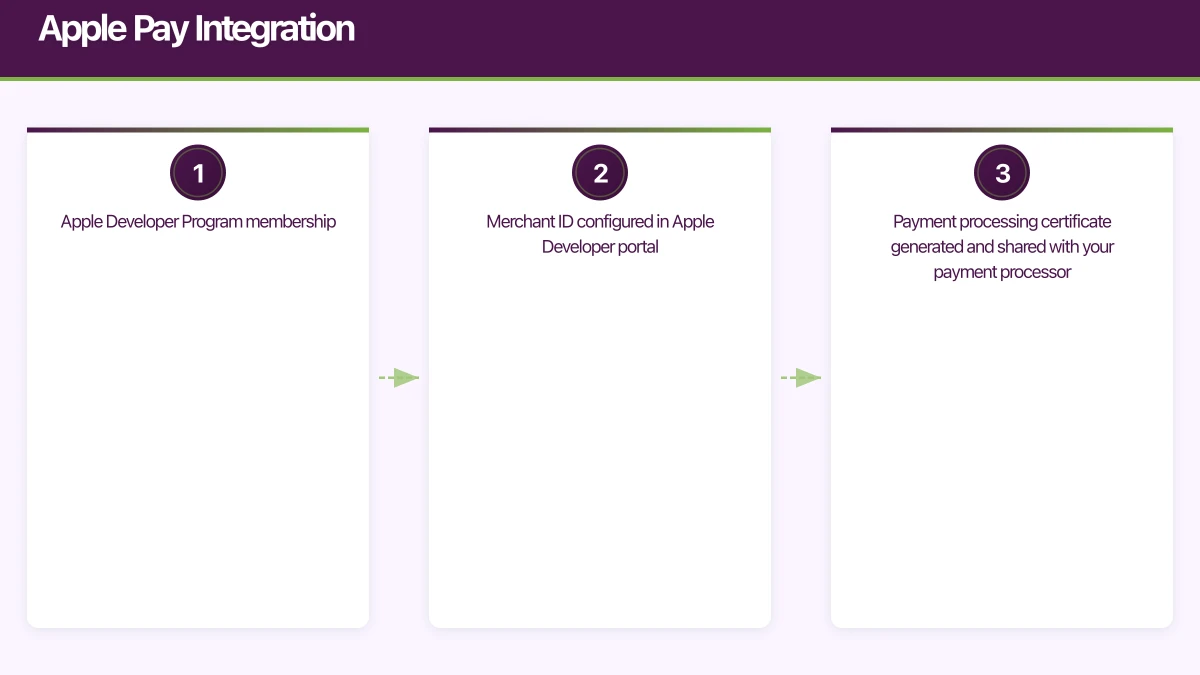
- Apple Developer Program membership
- Merchant ID configured in Apple Developer portal
- Payment processing certificate generated and shared with your payment processor
Implementation
import PassKit

class ApplePayManager: NSObject, PKPaymentAuthorizationViewControllerDelegate {

    func canMakePayments() -> Bool {
        return PKPaymentAuthorizationViewController.canMakePayments(
            usingNetworks: [.visa, .masterCard, .amex],
            capabilities: .capability3DS
        )
    }

    func startPayment(amount: NSDecimalNumber, description: String) {
        let request = PKPaymentRequest()
        request.merchantIdentifier = "merchant.au.com.yourapp"
        request.supportedNetworks = [.visa, .masterCard, .amex]
        request.merchantCapabilities = .capability3DS
        request.countryCode = "AU"
        request.currencyCode = "AUD"

        request.paymentSummaryItems = [
            PKPaymentSummaryItem(label: description, amount: amount),
            PKPaymentSummaryItem(label: "Your App Name", amount: amount)
        ]

        guard let controller = PKPaymentAuthorizationViewController(paymentRequest: request) else {
            return
        }
        controller.delegate = self
        presentingViewController?.present(controller, animated: true)
    }

    func paymentAuthorizationViewController(
        _ controller: PKPaymentAuthorizationViewController,
        didAuthorizePayment payment: PKPayment,
        handler completion: @escaping (PKPaymentAuthorizationResult) -> Void
    ) {
        // Send payment.token to your server for processing via Stripe
        APIClient.shared.processApplePayToken(payment.token) { success in
            if success {
                completion(PKPaymentAuthorizationResult(status: .success, errors: nil))
            } else {
                completion(PKPaymentAuthorizationResult(status: .failure, errors: nil))
            }
        }
    }

    func paymentAuthorizationViewControllerDidFinish(
        _ controller: PKPaymentAuthorizationViewController
    ) {
        controller.dismiss(animated: true)
    }
}
Google Pay Integration
Google Pay is the Android equivalent. Most Australian bank cards are supported.
import com.google.android.gms.wallet.*

class GooglePayManager(private val activity: Activity) {
    private val paymentsClient: PaymentsClient = Wallet.getPaymentsClient(
        activity,
        Wallet.WalletOptions.Builder()
            .setEnvironment(WalletConstants.ENVIRONMENT_PRODUCTION)
            .build()
    )

    fun isReadyToPay(callback: (Boolean) -> Unit) {
        val request = IsReadyToPayRequest.fromJson("""
            {
                "apiVersion": 2,
                "apiVersionMinor": 0,
                "allowedPaymentMethods": [{
                    "type": "CARD",
                    "parameters": {
                        "allowedAuthMethods": ["PAN_ONLY", "CRYPTOGRAM_3DS"],
                        "allowedCardNetworks": ["VISA", "MASTERCARD", "AMEX"]
                    }
                }]
            }
        """)

        paymentsClient.isReadyToPay(request).addOnCompleteListener { task ->
            callback(task.isSuccessful && task.result == true)
        }
    }

    fun requestPayment(amountCents: Long) {
        val request = PaymentDataRequest.fromJson("""
            {
                "apiVersion": 2,
                "apiVersionMinor": 0,
                "allowedPaymentMethods": [{
                    "type": "CARD",
                    "parameters": {
                        "allowedAuthMethods": ["PAN_ONLY", "CRYPTOGRAM_3DS"],
                        "allowedCardNetworks": ["VISA", "MASTERCARD", "AMEX"]
                    },
                    "tokenizationSpecification": {
                        "type": "PAYMENT_GATEWAY",
                        "parameters": {
                            "gateway": "stripe",
                            "stripe:publishableKey": "pk_live_your_key",
                            "stripe:version": "2020-08-27"
                        }
                    }
                }],
                "transactionInfo": {
                    "totalPriceStatus": "FINAL",
                    "totalPrice": "${amountCents / 100.0}",
                    "currencyCode": "AUD",
                    "countryCode": "AU"
                },
                "merchantInfo": {
                    "merchantName": "Your App Name"
                }
            }
        """)

        AutoResolveHelper.resolveTask(
            paymentsClient.loadPaymentData(request),
            activity,
            GOOGLE_PAY_REQUEST_CODE
        )
    }
}
Handling Subscriptions
For recurring payments, use Stripe Billing or platform-specific IAP:
When to Use Stripe Billing vs In-App Purchases
Use In-App Purchases (Apple/Google) when:
- The subscription unlocks digital content or features within the app
- Apple and Google require it (digital goods and services must use IAP on their platforms)
Use Stripe Billing when:
- The subscription is for physical goods or real-world services
- The payment is for professional/enterprise services
- You need more control over billing logic
Apple’s guidelines are clear: apps that sell digital content must use Apple’s IAP system. Using Stripe to bypass IAP for digital subscriptions will result in App Store rejection.
Stripe Subscription Implementation
// Server: Create subscription
app.post('/create-subscription', async (req, res) => {
  const { customerId, priceId } = req.body;

  const subscription = await stripe.subscriptions.create({
    customer: customerId,
    items: [{ price: priceId }],
    payment_behavior: 'default_incomplete',
    expand: ['latest_invoice.payment_intent'],
  });

  res.json({
    subscriptionId: subscription.id,
    clientSecret:
      subscription.latest_invoice.payment_intent.client_secret,
  });
});

// Handle subscription webhooks
app.post('/stripe-webhook', async (req, res) => {
  const event = stripe.webhooks.constructEvent(
    req.body,
    req.headers['stripe-signature'],
    process.env.STRIPE_WEBHOOK_SECRET
  );

  switch (event.type) {
    case 'invoice.paid':
      activateSubscription(event.data.object);
      break;
    case 'invoice.payment_failed':
      handleFailedPayment(event.data.object);
      break;
    case 'customer.subscription.deleted':
      deactivateSubscription(event.data.object);
      break;
  }

  res.json({ received: true });
});
Australian Regulatory Considerations
GST
The 10 percent GST applies to most goods and services sold in Australia. For digital products sold through the app stores, Apple and Google handle GST collection and remittance.
For payments processed through Stripe or other processors, you are responsible for GST:
- Include GST in your displayed prices (Australian consumers expect inclusive pricing)
- Issue tax invoices for business customers
- Report and remit GST to the ATO
PCI Compliance
Payment Card Industry Data Security Standard (PCI DSS) compliance is mandatory when handling card data. Using Stripe’s SDK ensures your app never touches raw card numbers. Stripe handles PCI compliance for you.
Never:
- Store card numbers in your database
- Log card details
- Send card numbers to your server (use Stripe’s tokenisation)
Consumer Protection
Australian Consumer Law requires:
- Clear pricing before purchase
- Refund mechanisms that comply with ACL
- Transparent subscription terms (price, frequency, cancellation process)
- No misleading conduct regarding pricing or features
Strong Customer Authentication
While PSD2/SCA is a European requirement, many Australian banks support 3D Secure authentication. Stripe handles 3DS challenges automatically when required by the issuing bank.
Error Handling and Edge Cases
Payment Failures
Handle payment failures gracefully:
func handlePaymentError(_ error: Error) {
    if let stripeError = error as? StripeError {
        switch stripeError {
        case .apiError(let apiError):
            switch apiError.code {
            case .cardDeclined:
                showMessage("Your card was declined. Please try a different payment method.")
            case .expiredCard:
                showMessage("Your card has expired. Please update your payment details.")
            case .insufficientFunds:
                showMessage("Insufficient funds. Please try a different card.")
            default:
                showMessage("Payment failed. Please try again.")
            }
        default:
            showMessage("An error occurred. Please try again.")
        }
    }
}
Network Failures
Payments must handle network interruptions:
- Show a clear loading state during payment processing
- If the network drops, inform the user and allow retry
- Use Stripe’s idempotency keys to prevent duplicate charges on retry
- Never assume a payment failed just because you did not receive a response; check with your server
Currency Formatting
Always format currency correctly for Australian users:
let formatter = NumberFormatter()
formatter.numberStyle = .currency
formatter.currencyCode = "AUD"
formatter.locale = Locale(identifier: "en_AU")
let formatted = formatter.string(from: NSNumber(value: 29.99))
// Result: "$29.99"
Testing
Stripe Test Mode
Use Stripe’s test mode with test card numbers:
4242 4242 4242 4242: Successful payment4000 0000 0000 0002: Card declined4000 0000 0000 3220: 3D Secure authentication required
Apple Pay Testing
Test Apple Pay in the sandbox environment using test cards in your Apple Developer sandbox account.
Google Pay Testing
Use Google Pay’s test environment. Set the environment to ENVIRONMENT_TEST during development.
Payment integration is one of the highest-stakes features in any app. Errors lose money and trust. At eawesome, we implement and test payment flows meticulously for our Australian clients, because every failed transaction is a lost customer.
Don’t let infrastructure bottleneck your app’s growth. Cloud Geeks provides scalable hosting, databases, and DevOps for Australian app businesses.
This article is brought to you by Ganda Tech Services — Sydney’s complete digital solutions provider covering cloud, web, and mobile.
Talk to a Sydney app developer — free.
30 minutes. We'll tell you what your app needs, how long it takes, and what it costs. Real answers, no sales pitch.
Book Free App Strategy Call →Free · 30 minutes · No obligation