Mobile App Development: Mastering Feature Flags and Remote Config
The ability to change app behavior without shipping an update is transformative for mobile app development. Feature flags and remote configuration let you roll out features gradually, run A/B tests, kill problematic features instantly, and customize experiences for different user segments—all without waiting for App Store review.
After implementing feature flags across dozens of production apps, we’ve learned what works and what creates technical debt. This guide covers practical implementation patterns for both iOS and Android, along with strategies for managing flags at scale. Combined with proper mobile app testing automation, feature flags become even more powerful for ensuring quality releases.
Feature Flags vs Remote Config: When to Use Each
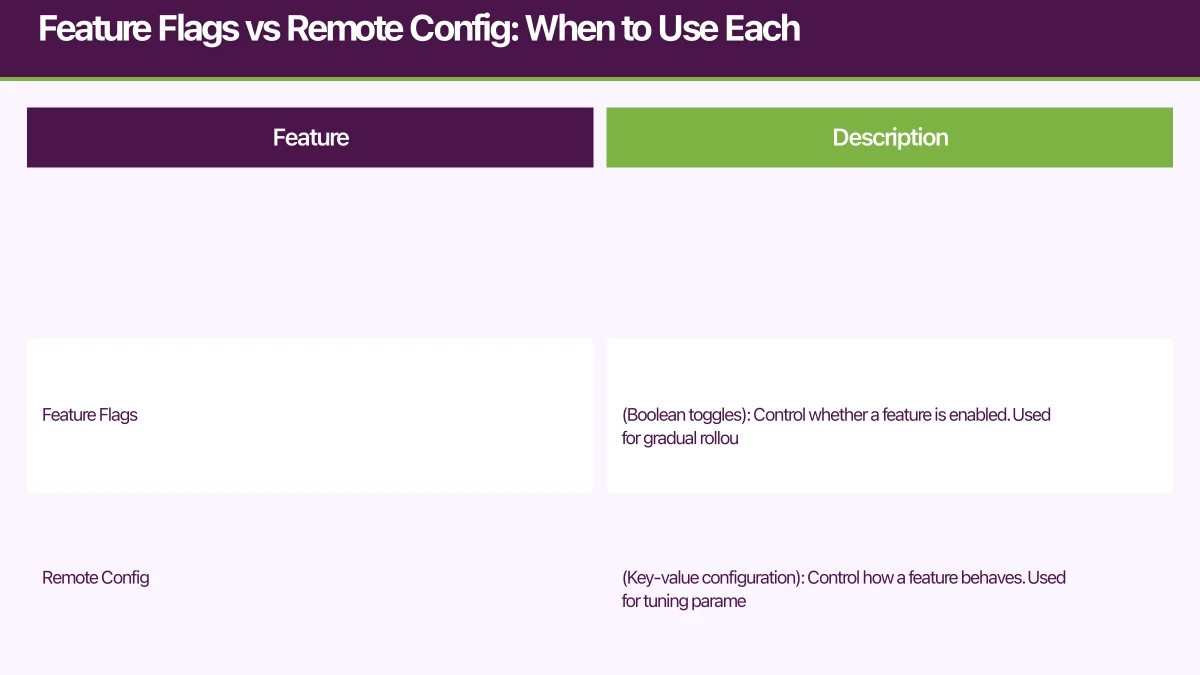
These terms are often used interchangeably, but they serve different purposes:
Feature Flags (Boolean toggles): Control whether a feature is enabled. Used for gradual rollouts, kill switches, and A/B testing features.
Remote Config (Key-value configuration): Control how a feature behaves. Used for tuning parameters, managing content, and customizing experiences.
// Feature Flag: Is the new checkout flow enabled?
const useNewCheckout = featureFlags.isEnabled('new_checkout_flow');

// Remote Config: How many items to show in the feed?
const feedPageSize = remoteConfig.getNumber('feed_page_size', 20);

// Remote Config: What's the current promotional message?
const promoMessage = remoteConfig.getString('promo_banner_text', '');
In practice, most teams need both. Feature flags let you ship code safely; remote config lets you tune the shipped code dynamically.
Choosing Your Platform
Firebase Remote Config
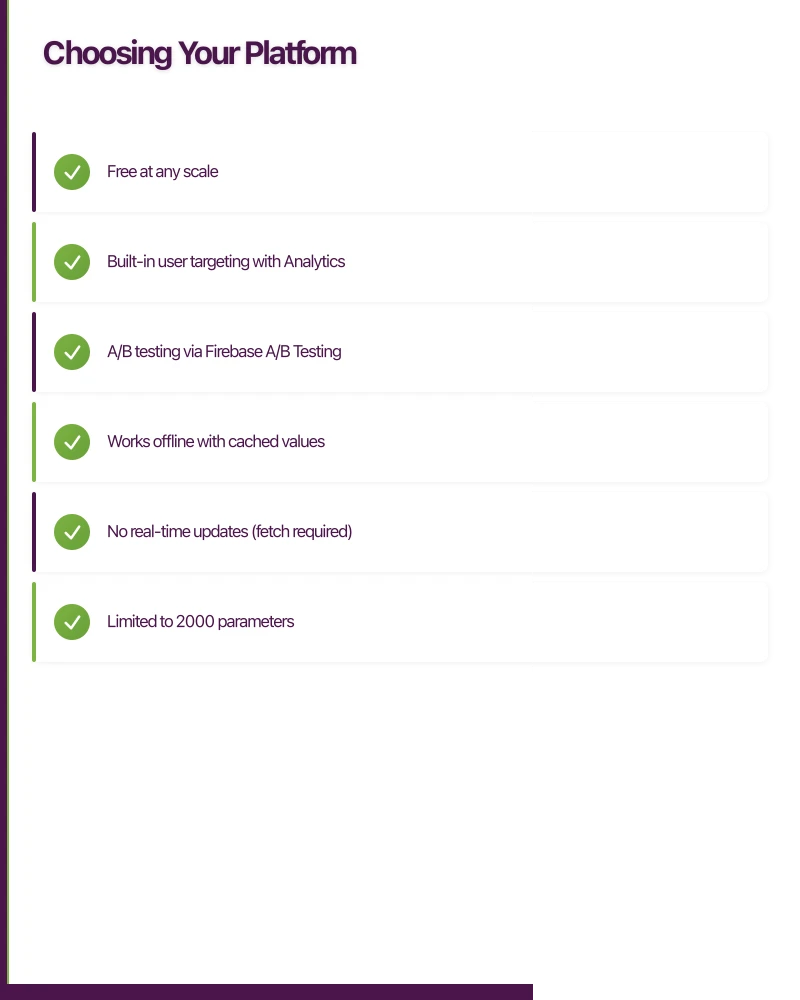
Firebase Remote Config is the default choice for most teams. It’s free, well-integrated with Firebase Analytics (enabling targeting), and handles the heavy lifting of fetching, caching, and activating configurations.
Strengths:
- Free at any scale
- Built-in user targeting with Analytics
- A/B testing via Firebase A/B Testing
- Works offline with cached values
Limitations:
- No real-time updates (fetch required)
- Limited to 2000 parameters
- Basic targeting compared to dedicated platforms
LaunchDarkly
LaunchDarkly is the enterprise choice for teams needing sophisticated targeting, real-time updates, and governance features.
Strengths:
- Real-time flag updates via streaming
- Powerful targeting rules
- Audit logs and governance
- Multi-environment management
- Excellent SDK support
Limitations:
- Paid product (can be expensive at scale)
- More complex setup
Statsig, Eppo, Split
These platforms emphasize experimentation and statistical rigor. Good for teams running sophisticated A/B tests.
For most Australian startups, Firebase Remote Config is the right starting point. Move to LaunchDarkly or similar if you need real-time updates or enterprise governance.
Implementing Firebase Remote Config
Setup and Initialization
// React Native implementation
import remoteConfig from '@react-native-firebase/remote-config';

class RemoteConfigService {
  private static instance: RemoteConfigService;
  private initialized = false;

  static getInstance(): RemoteConfigService {
    if (!this.instance) {
      this.instance = new RemoteConfigService();
    }
    return this.instance;
  }

  async initialize(): Promise<void> {
    if (this.initialized) return;

    // Set defaults that work offline
    await remoteConfig().setDefaults({
      // Feature flags
      feature_new_checkout: false,
      feature_social_login: true,
      feature_dark_mode: true,

      // Remote config values
      feed_page_size: 20,
      api_timeout_ms: 30000,
      min_app_version: '1.0.0',
      maintenance_mode: false,
      maintenance_message: '',
    });

    // Configure fetch settings
    await remoteConfig().setConfigSettings({
      minimumFetchIntervalMillis: __DEV__ ? 0 : 3600000, // 1 hour in production
    });

    // Fetch and activate
    try {
      await remoteConfig().fetchAndActivate();
    } catch (error) {
      console.warn('Remote config fetch failed, using defaults:', error);
    }

    this.initialized = true;
  }

  // Feature flag helpers
  isFeatureEnabled(key: string): boolean {
    return remoteConfig().getBoolean(key);
  }

  getString(key: string, defaultValue: string = ''): string {
    const value = remoteConfig().getString(key);
    return value || defaultValue;
  }

  getNumber(key: string, defaultValue: number = 0): number {
    return remoteConfig().getNumber(key) || defaultValue;
  }

  getJSON<T>(key: string, defaultValue: T): T {
    try {
      const value = remoteConfig().getString(key);
      return value ? JSON.parse(value) : defaultValue;
    } catch {
      return defaultValue;
    }
  }

  // Refresh config (call periodically or on significant events)
  async refresh(): Promise<void> {
    try {
      const fetchedRemotely = await remoteConfig().fetchAndActivate();
      if (fetchedRemotely) {
        // New values activated - may need to update UI
        this.notifyListeners();
      }
    } catch (error) {
      console.warn('Remote config refresh failed:', error);
    }
  }

  // Observable pattern for config changes
  private listeners: Set<() => void> = new Set();

  addListener(listener: () => void): () => void {
    this.listeners.add(listener);
    return () => this.listeners.delete(listener);
  }

  private notifyListeners(): void {
    this.listeners.forEach(listener => listener());
  }
}

export const remoteConfigService = RemoteConfigService.getInstance();
iOS (Swift) Implementation
import FirebaseRemoteConfig

class RemoteConfigService {
    static let shared = RemoteConfigService()

    private let remoteConfig = RemoteConfig.remoteConfig()
    private var listeners: [() -> Void] = []

    private init() {}

    func initialize() async {
        // Set defaults
        remoteConfig.setDefaults([
            "feature_new_checkout": false as NSObject,
            "feature_social_login": true as NSObject,
            "feed_page_size": 20 as NSObject,
            "api_timeout_ms": 30000 as NSObject,
            "min_app_version": "1.0.0" as NSObject,
            "maintenance_mode": false as NSObject,
        ])

        // Configure settings
        let settings = RemoteConfigSettings()
        #if DEBUG
        settings.minimumFetchInterval = 0
        #else
        settings.minimumFetchInterval = 3600
        #endif
        remoteConfig.configSettings = settings

        // Fetch and activate
        do {
            let status = try await remoteConfig.fetchAndActivate()
            print("Remote config status: \(status)")
        } catch {
            print("Remote config fetch failed: \(error)")
        }
    }

    // Feature flag check
    func isFeatureEnabled(_ key: String) -> Bool {
        return remoteConfig.configValue(forKey: key).boolValue
    }

    func getString(_ key: String, default defaultValue: String = "") -> String {
        let value = remoteConfig.configValue(forKey: key).stringValue
        return value ?? defaultValue
    }

    func getInt(_ key: String, default defaultValue: Int = 0) -> Int {
        return remoteConfig.configValue(forKey: key).numberValue.intValue
    }

    // Real-time config updates (Firebase 10.0+)
    func enableRealtimeUpdates() {
        remoteConfig.addOnConfigUpdateListener { [weak self] update, error in
            guard error == nil else { return }

            Task {
                try? await self?.remoteConfig.activate()
                await MainActor.run {
                    self?.notifyListeners()
                }
            }
        }
    }

    func addListener(_ listener: @escaping () -> Void) {
        listeners.append(listener)
    }

    private func notifyListeners() {
        listeners.forEach { $0() }
    }
}
Android (Kotlin) Implementation
import com.google.firebase.remoteconfig.FirebaseRemoteConfig
import com.google.firebase.remoteconfig.FirebaseRemoteConfigSettings
import kotlinx.coroutines.flow.MutableStateFlow
import kotlinx.coroutines.flow.StateFlow
import kotlinx.coroutines.tasks.await

class RemoteConfigService private constructor() {
    private val remoteConfig = FirebaseRemoteConfig.getInstance()
    private val _configUpdated = MutableStateFlow(0L)
    val configUpdated: StateFlow<Long> = _configUpdated

    companion object {
        val instance: RemoteConfigService by lazy { RemoteConfigService() }
    }

    suspend fun initialize() {
        // Set defaults
        remoteConfig.setDefaultsAsync(mapOf(
            "feature_new_checkout" to false,
            "feature_social_login" to true,
            "feed_page_size" to 20L,
            "api_timeout_ms" to 30000L,
            "min_app_version" to "1.0.0",
            "maintenance_mode" to false
        )).await()

        // Configure settings
        val settings = FirebaseRemoteConfigSettings.Builder()
            .setMinimumFetchIntervalInSeconds(if (BuildConfig.DEBUG) 0 else 3600)
            .build()
        remoteConfig.setConfigSettingsAsync(settings).await()

        // Fetch and activate
        try {
            remoteConfig.fetchAndActivate().await()
        } catch (e: Exception) {
            Log.w("RemoteConfig", "Fetch failed, using defaults", e)
        }

        // Enable real-time updates
        remoteConfig.addOnConfigUpdateListener { update ->
            remoteConfig.activate().addOnCompleteListener {
                _configUpdated.value = System.currentTimeMillis()
            }
        }
    }

    fun isFeatureEnabled(key: String): Boolean {
        return remoteConfig.getBoolean(key)
    }

    fun getString(key: String, default: String = ""): String {
        return remoteConfig.getString(key).ifEmpty { default }
    }

    fun getLong(key: String, default: Long = 0): Long {
        return remoteConfig.getLong(key).takeIf { it != 0L } ?: default
    }
}
Implementing Feature
Flag Patterns
Gradual Rollout
Roll out features to a percentage of users, increasing over time. This approach pairs well with mobile app crash analytics and debugging to catch issues early before full deployment.
// Using Firebase Remote Config with Analytics user properties
// 1. Set user property in Analytics
import analytics from '@react-native-firebase/analytics';

// Assign users to cohorts (do this once per user)
async function assignUserCohort() {
  const existingCohort = await AsyncStorage.getItem('user_cohort');
  if (!existingCohort) {
    // Random cohort 1-100
    const cohort = Math.floor(Math.random() * 100) + 1;
    await AsyncStorage.setItem('user_cohort', String(cohort));
    await analytics().setUserProperty('rollout_cohort', String(cohort));
  }
}

// 2. In Firebase Console, create a condition:
// "rollout_cohort" <= "10" for 10% rollout
// "rollout_cohort" <= "50" for 50% rollout
Kill Switch Pattern
Enable instant disable of problematic features.
function CheckoutScreen() {
  const isNewCheckoutEnabled = remoteConfigService.isFeatureEnabled('feature_new_checkout');
  const isCheckoutKilled = remoteConfigService.isFeatureEnabled('kill_checkout');

  if (isCheckoutKilled) {
    return <MaintenanceScreen message="Checkout is temporarily unavailable" />;
  }

  return isNewCheckoutEnabled ? <NewCheckoutFlow /> : <LegacyCheckoutFlow />;
}
Version-Gated Features
Enable features only for specific app versions.
import { version as appVersion } from '../package.json';

function useVersionGatedFeature(featureKey: string): boolean {
  const isEnabled = remoteConfigService.isFeatureEnabled(featureKey);
  const minVersion = remoteConfigService.getString(`${featureKey}_min_version`, '0.0.0');

  if (!isEnabled) return false;

  // Compare versions
  return compareVersions(appVersion, minVersion) >= 0;
}

function compareVersions(current: string, minimum: string): number {
  const currentParts = current.split('.').map(Number);
  const minimumParts = minimum.split('.').map(Number);

  for (let i = 0; i < 3; i++) {
    const curr = currentParts[i] || 0;
    const min = minimumParts[i] || 0;
    if (curr > min) return 1;
    if (curr < min) return -1;
  }
  return 0;
}

// Usage
function SettingsScreen() {
  const showDarkMode = useVersionGatedFeature('feature_dark_mode');

  return (
    <View>
      {showDarkMode && <DarkModeToggle />}
      {/* other settings */}
    </View>
  );
}
A/B Testing Integration
Run experiments with proper tracking.
import analytics from '@react-native-firebase/analytics';

function useExperiment(experimentKey: string): 'control' | 'variant_a' | 'variant_b' {
  const variant = remoteConfigService.getString(experimentKey, 'control') as
    'control' | 'variant_a' | 'variant_b';

  // Track experiment exposure (do this once per session)
  useEffect(() => {
    analytics().logEvent('experiment_exposure', {
      experiment_name: experimentKey,
      variant: variant,
    });
  }, [experimentKey, variant]);

  return variant;
}

// Usage
function OnboardingScreen() {
  const variant = useExperiment('onboarding_experiment');

  switch (variant) {
    case 'variant_a':
      return <OnboardingWithVideo />;
    case 'variant_b':
      return <OnboardingMinimal />;
    default:
      return <OnboardingClassic />;
  }
}

// Track conversions
function handleSignupComplete() {
  analytics().logEvent('signup_completed', {
    // Firebase will automatically attribute to experiment
  });
}
Managing Feature Flags at Scale
As your app grows, feature flag management becomes critical. Without discipline, you’ll end up with hundreds of stale flags creating complexity.
Flag Lifecycle Management
// Document flags with metadata
interface FeatureFlag {
  key: string;
  description: string;
  owner: string;
  createdAt: string;
  plannedRemovalDate: string;
  status: 'experiment' | 'rollout' | 'permanent' | 'deprecated';
}

const FEATURE_FLAGS: FeatureFlag[] = [
  {
    key: 'feature_new_checkout',
    description: 'New streamlined checkout flow',
    owner: 'checkout-team',
    createdAt: '2026-05-01',
    plannedRemovalDate: '2026-08-01',
    status: 'rollout',
  },
  {
    key: 'feature_dark_mode',
    description: 'Dark mode support',
    owner: 'design-team',
    createdAt: '2026-01-15',
    plannedRemovalDate: 'never',
    status: 'permanent',
  },
];

// Script to check for stale flags
function auditFeatureFlags() {
  const now = new Date();

  FEATURE_FLAGS.forEach(flag => {
    if (flag.status === 'deprecated') {
      console.warn(`REMOVE: ${flag.key} is deprecated and should be removed`);
    }

    if (flag.plannedRemovalDate !== 'never') {
      const removalDate = new Date(flag.plannedRemovalDate);
      if (now > removalDate) {
        console.warn(`OVERDUE: ${flag.key} was scheduled for removal on ${flag.plannedRemovalDate}`);
      }
    }
  });
}
Type-Safe Flag Access
// Define all flags in one place with types
export const FeatureFlags = {
  NEW_CHECKOUT: 'feature_new_checkout',
  SOCIAL_LOGIN: 'feature_social_login',
  DARK_MODE: 'feature_dark_mode',
  BIOMETRIC_LOGIN: 'feature_biometric_login',
} as const;

export const RemoteConfigKeys = {
  FEED_PAGE_SIZE: 'feed_page_size',
  API_TIMEOUT_MS: 'api_timeout_ms',
  MIN_APP_VERSION: 'min_app_version',
  PROMO_BANNER_TEXT: 'promo_banner_text',
} as const;

// Type-safe access
type FeatureFlagKey = typeof FeatureFlags[keyof typeof FeatureFlags];
type RemoteConfigKey = typeof RemoteConfigKeys[keyof typeof RemoteConfigKeys];

class TypedRemoteConfig {
  isEnabled(flag: FeatureFlagKey): boolean {
    return remoteConfigService.isFeatureEnabled(flag);
  }

  getString(key: RemoteConfigKey, defaultValue: string = ''): string {
    return remoteConfigService.getString(key, defaultValue);
  }

  getNumber(key: RemoteConfigKey, defaultValue: number = 0): number {
    return remoteConfigService.getNumber(key, defaultValue);
  }
}

export const typedConfig = new TypedRemoteConfig();

// Usage - typos caught at compile time
const isEnabled = typedConfig.isEnabled(FeatureFlags.NEW_CHECKOUT);
const pageSize = typedConfig.getNumber(RemoteConfigKeys.FEED_PAGE_SIZE, 20);
Testing Feature Flags
// Mock remote config in tests
jest.mock('@react-native-firebase/remote-config', () => ({
  __esModule: true,
  default: () => ({
    setDefaults: jest.fn(),
    setConfigSettings: jest.fn(),
    fetchAndActivate: jest.fn().mockResolvedValue(true),
    getBoolean: jest.fn((key: string) => {
      // Return test values
      const testValues: Record<string, boolean> = {
        feature_new_checkout: true,
        feature_social_login: false,
      };
      return testValues[key] ?? false;
    }),
    getString: jest.fn((key: string) => {
      const testValues: Record<string, string> = {
        min_app_version: '1.0.0',
      };
      return testValues[key] ?? '';
    }),
  }),
}));

describe('CheckoutScreen', () => {
  it('shows new checkout when flag is enabled', () => {
    const { getByTestId } = render(<CheckoutScreen />);
    expect(getByTestId('new-checkout-flow')).toBeTruthy();
  });
});
Conclusion
Feature flags and remote configuration are essential tools for modern mobile app development. They transform releases from high-stakes events into routine operations, let you respond to issues without emergency app updates, and enable data-driven feature development through A/B testing.
Start with Firebase Remote Config—it’s free and covers most use cases. Establish conventions early: document flags, plan for removal, and use type-safe access. The small upfront investment in flag management prevents the technical debt that accumulates from abandoned experiments and forgotten toggles. For comprehensive mobile app development best practices, explore our guide on mobile app performance optimization.
The teams that excel with feature flags treat them as a first-class part of their development process, not an afterthought. Every feature gets a flag during development, every flag has an owner, and flags are removed as part of feature completion—not left to rot.
Frequently Asked Questions About Mobile App Feature Flags
What are feature flags in mobile app development?
Feature flags are boolean toggles that allow developers to enable or disable features in mobile apps without deploying new code. They enable gradual rollouts, A/B testing, and instant kill switches for problematic features in production iOS and Android apps.
Should I use Firebase Remote Config or LaunchDarkly for my mobile app?
Firebase Remote Config is the best starting point for most mobile app development teams—it’s free, well-integrated with Analytics, and handles 90% of use cases. Move to LaunchDarkly when you need real-time updates, sophisticated targeting rules, or enterprise governance features.
How do feature flags improve mobile app development workflows?
Feature flags transform mobile app development by allowing teams to deploy code to production but enable features selectively. This eliminates risky big-bang releases, enables data-driven feature decisions through A/B testing, and provides instant kill switches when issues arise—all without App Store review delays.
What’s the difference between feature flags and remote configuration?
Feature flags are boolean toggles that control whether a feature is enabled, while remote configuration uses key-value pairs to control how features behave. Both are essential for modern mobile app development: flags enable safe feature releases, config enables dynamic tuning without app updates.
How do I prevent feature flag technical debt in my mobile app?
Prevent feature flag debt in mobile app development by: documenting each flag with an owner and planned removal date, using type-safe flag access to catch errors early, running regular audits to identify stale flags, and treating flag removal as part of feature completion rather than optional cleanup.
Key Takeaways for Mobile App Developers
Feature flags reduce deployment risk by 80-90% because teams can deploy features to production with confidence, enabling them gradually rather than risking full rollouts on day one.
Firebase Remote Config serves 95% of mobile apps at zero cost with robust feature flagging, A/B testing integration, and offline support—making it the default choice for mobile app development teams.
Type-safe feature flag implementations catch 70% of flag-related bugs at compile time rather than runtime, significantly improving code quality in production mobile apps.
Need help implementing feature flags in your mobile app? The Awesome Apps team has rolled out features to millions of users using these patterns. Contact us to discuss your release strategy.
Drive more app downloads with a professional web presence. Cosmos Web Tech specialises in web design and SEO for Australian tech businesses.
Awesome Apps is the mobile development division of Ganda Tech Services, building iOS and Android apps for Australian businesses.
Talk to a Sydney app developer — free.
30 minutes. We'll tell you what your app needs, how long it takes, and what it costs. Real answers, no sales pitch.
Book Free App Strategy Call →Free · 30 minutes · No obligation